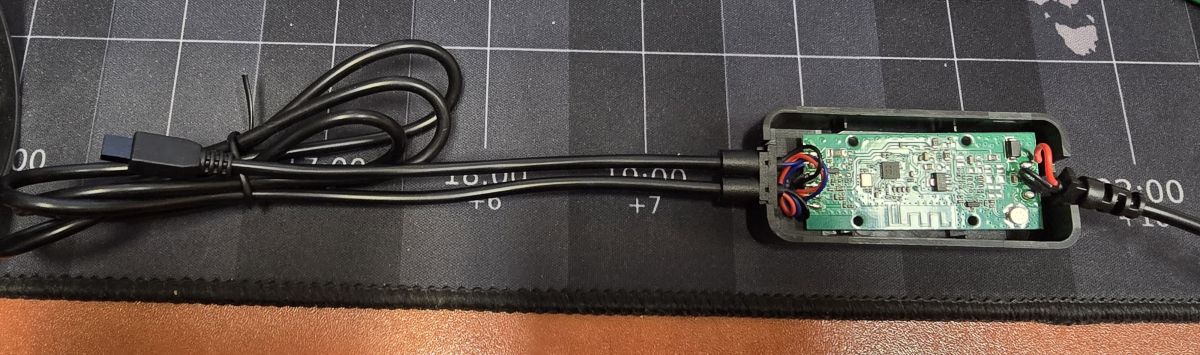
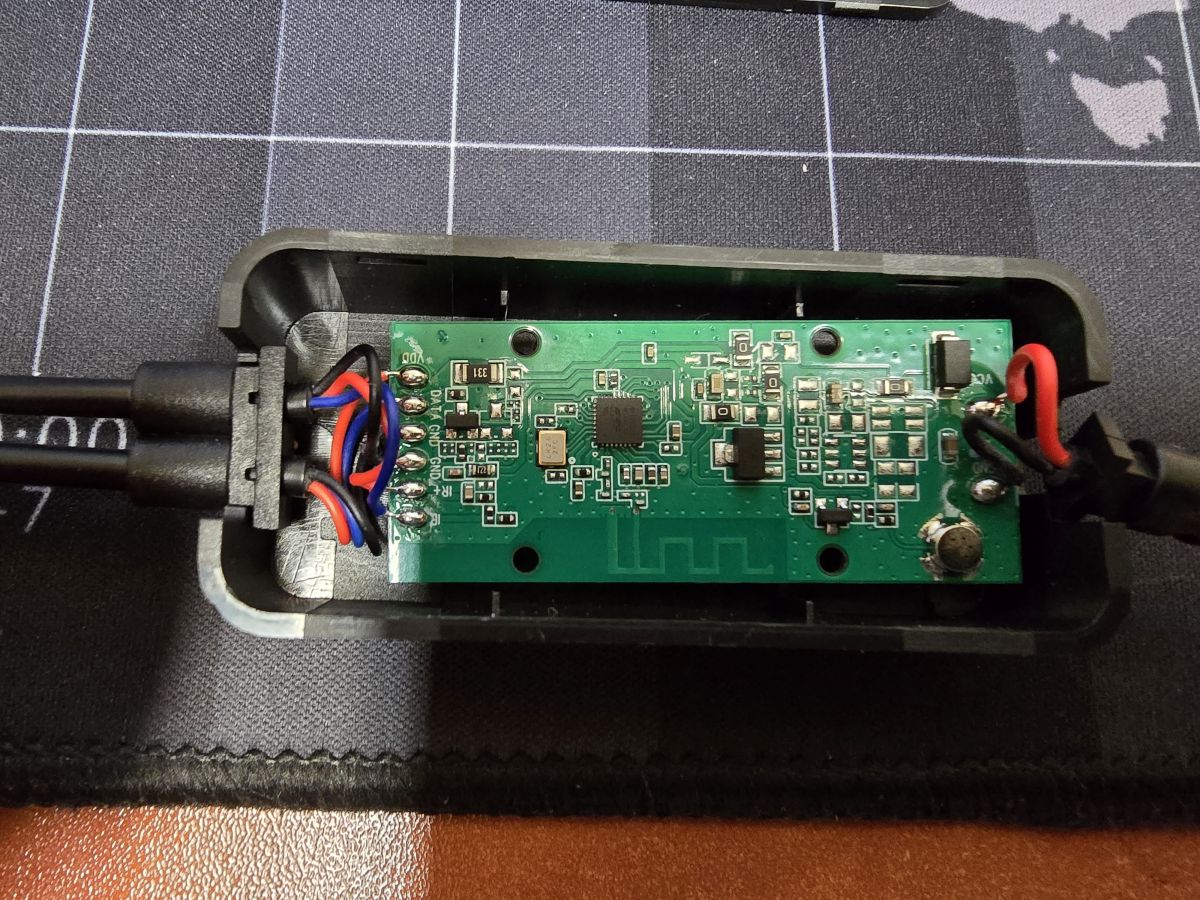
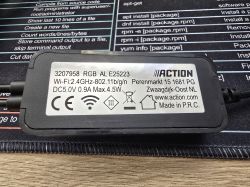
I purchased the Multicolour LED Light Bar with BK7231N inside today from Action.
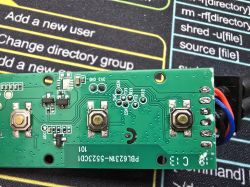
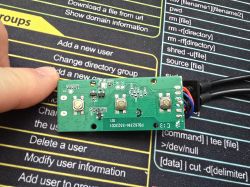
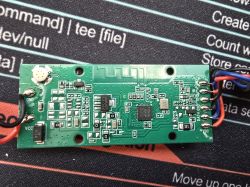
Seemed like a simple topic, all pads beautifully described, but when uploading the UART with Flasher I get this message:
The whole thing ends with the message Write success! but the chip doesn't boot, no default WIFI network is visible, when I push the WIFI config to it from the flasher it doesn't connect either
Full log from flasher:
I'm assuming it's due to this bootloader flashing bug, the question is how to get around it, because even when I restore the flash backup, it doesn't get up
When I give Read OBK, I get a reading of the data I put in there, including the ones from Wifi:
EDIT:
I found something like this, but I don't know if it can help anything in my case, because even uploading the original flash, doesn't restore basic functionality:
https://www.elektroda.pl/rtvforum/topic4131054.html
I have also seen a similar problem to mine with a suggestion to collect the log from the TX2, the question is how? I've tried reading it via putty on COM3 and 115200, but I only get single bushes. The same thing with the rest falling on TX0
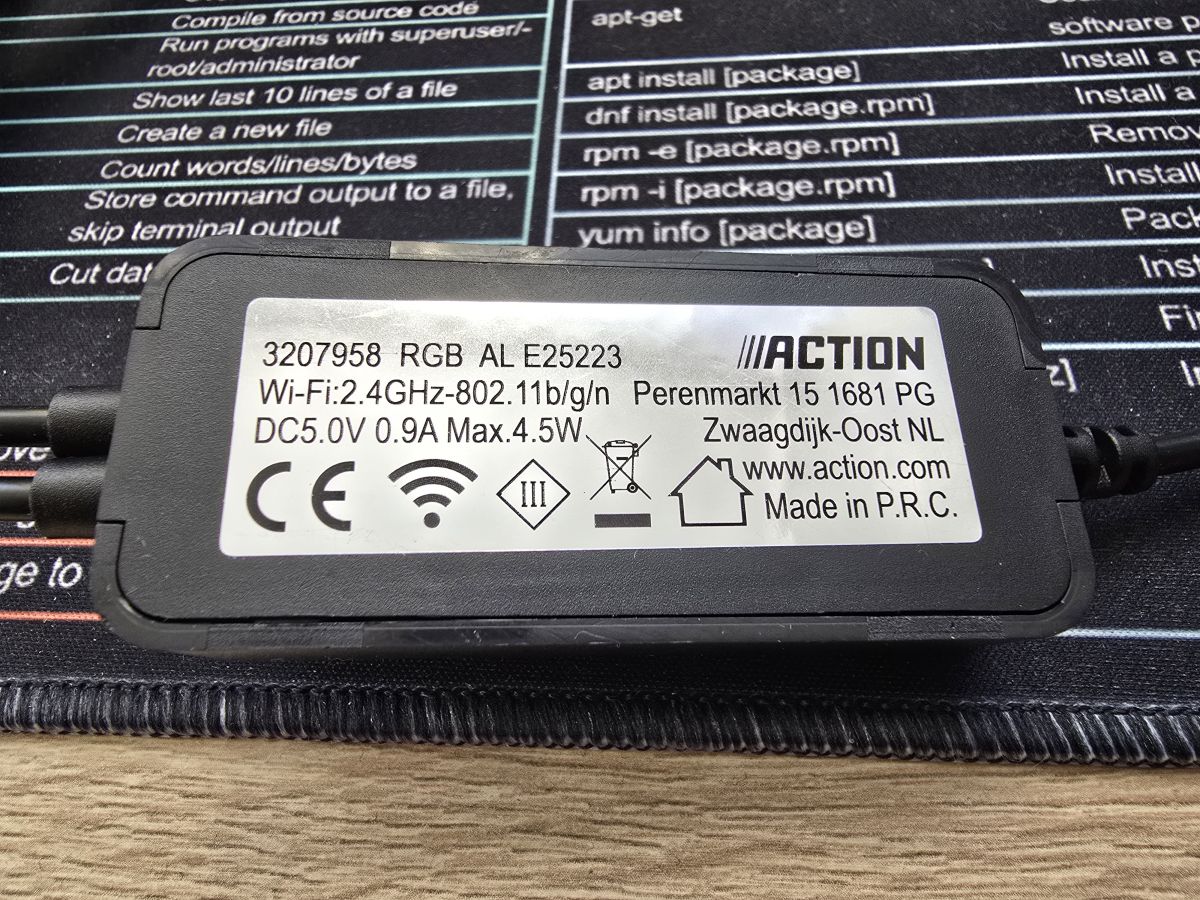
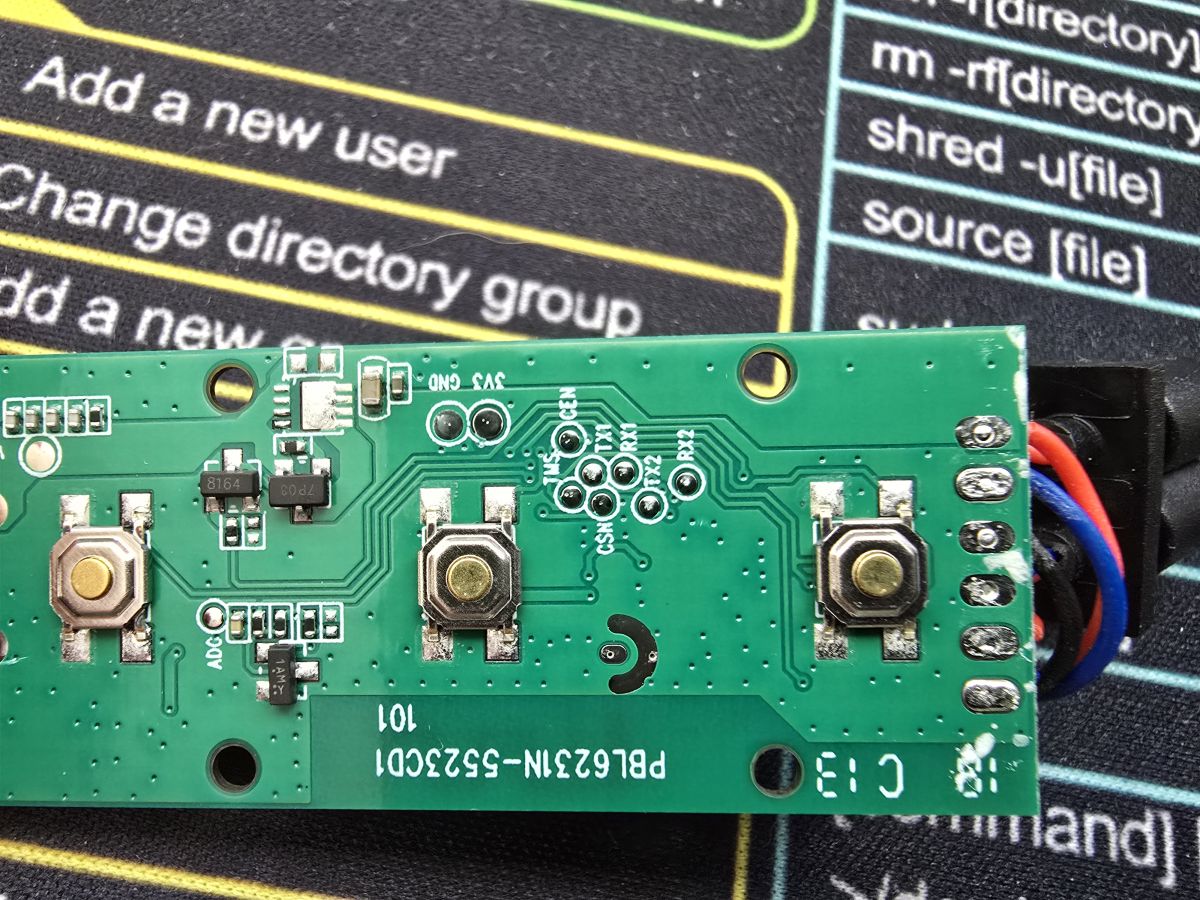
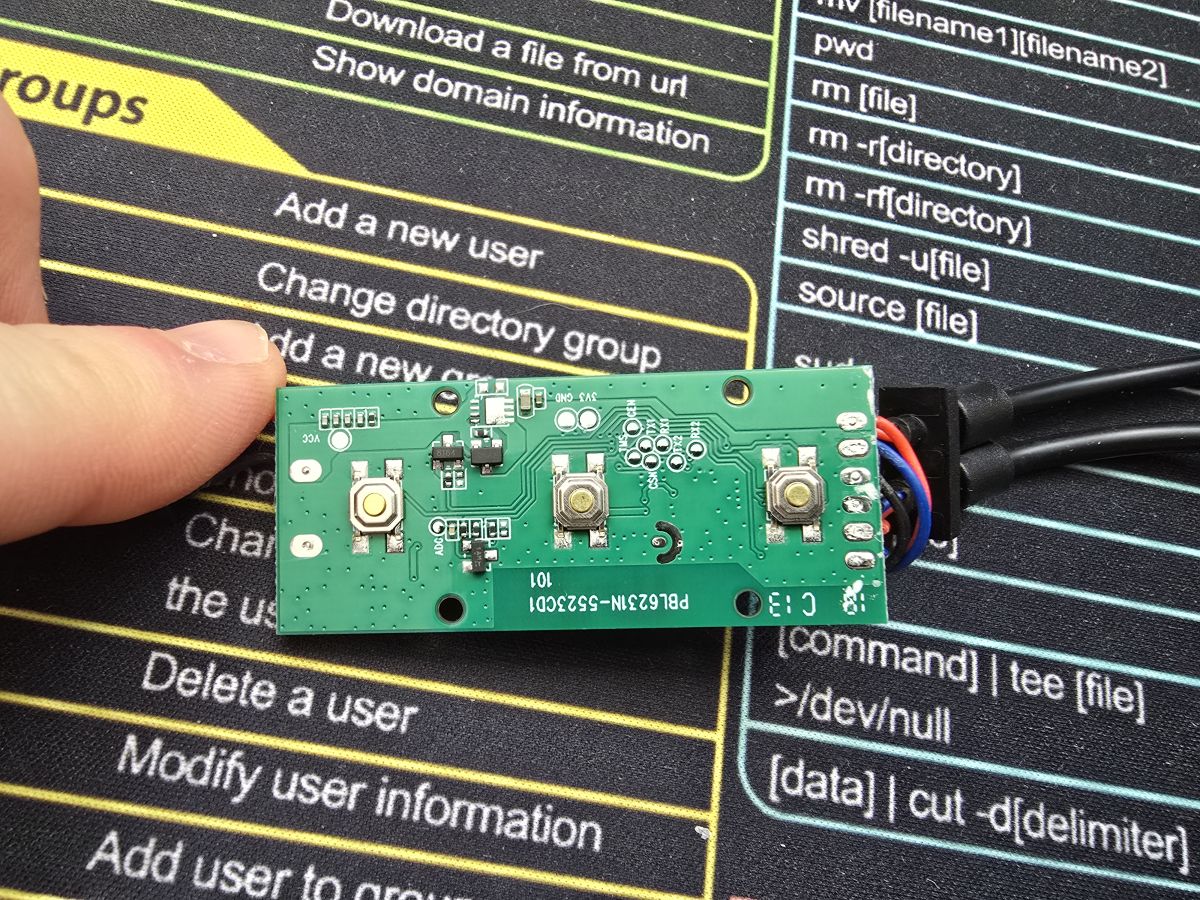
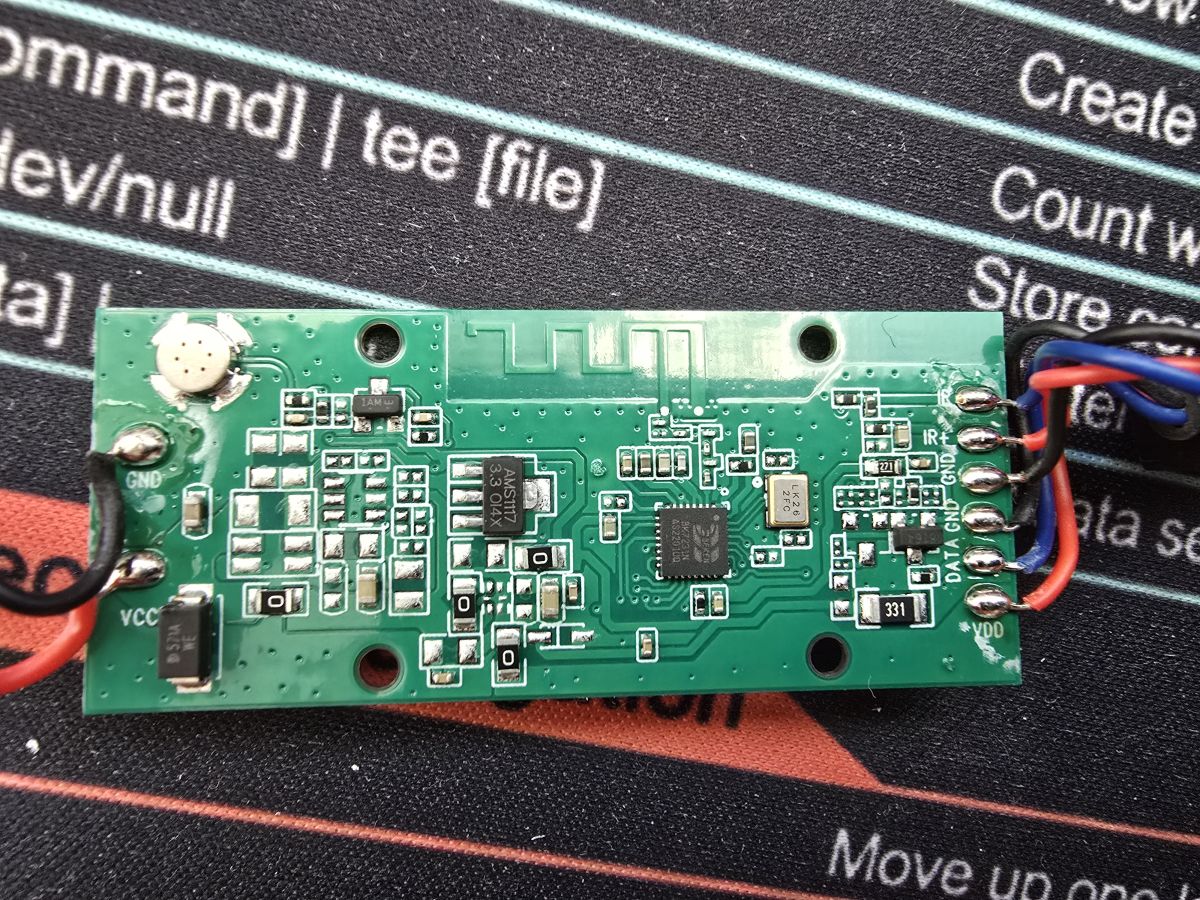
Seemed like a simple topic, all pads beautifully described, but when uploading the UART with Flasher I get this message:
Quote:Using hack to write QIO - just skip bootloader....
... so bootloader will not be overwritten!
The whole thing ends with the message Write success! but the chip doesn't boot, no default WIFI network is visible, when I push the WIFI config to it from the flasher it doesn't connect either
Full log from flasher:
Quote:Starting flash new (no backup)!
Now is: Saturday, 10 January 2026 22:44:00.
Flasher mode: BK7231N
Going to open port: COM3.
Serial port open!
Getting bus... (now, please do reboot by CEN or by power off/on)
Getting bus success!
Going to set baud rate setting (115200)!
Chip ID: 0x7231c
Will try to read device flash MID (for unprotect N):
Flash MID loaded: 1560EB
Will now search for Flash def in out database...
Flash def found! For: 1560EB
Flash information: mid: 1560EB, icName: TH25Q16HB, manufacturer: TH, szMem: 200000, szSR: 2, cwUnp: 0, cwEnp: 7, cwMsk: 407C, sb: 2, lb: 5, cwdRd: 05-35-FF-FF, cwdWr: 01-FF-FF-FF
Flash size is 2MB
Entering SetProtectState(True)...
sr: 0
sr: 0
final sr: 0
msk: 407c
cw: 0, sb: 2, lb: 5
bfd: 0
SetProtectState(True) success!
Going to read encryption key...
Encryption key read done!
Encryption key: 510fb093 ...
Reading file firmwares/OpenBK7231N_QIO_1.18.135.bin...
Loaded 1220464 bytes from firmwares/OpenBK7231N_QIO_1.18.135.bin...
Using hack to write QIO - just skip bootloader....
... so bootloader will not be overwritten!
Preparing to write data file to chip - resetting bus and baud...
Getting bus... (now, please do reboot by CEN or by power off/on)
Getting bus success!
Going to set baud rate setting (115200)!
Will try to read device flash MID (for unprotect N):
Flash MID loaded: 1560EB
Will now search for Flash def in out database...
Flash def found! For: 1560EB
Flash information: mid: 1560EB, icName: TH25Q16HB, manufacturer: TH, szMem: 200000, szSR: 2, cwUnp: 0, cwEnp: 7, cwMsk: 407C, sb: 2, lb: 5, cwdRd: 05-35-FF-FF, cwdWr: 01-FF-FF-FF
Flash size is 2MB
Entering SetProtectState(True)...
sr: 0
sr: 0
final sr: 0
msk: 407c
cw: 0, sb: 2, lb: 5
bfd: 0
SetProtectState(True) success!
Going to do erase, start 0x11000, sec count 281!
Erasing sector 0x11000... ok! Erasing sector 0x12000... ok! Erasing sector 0x13000... ok! Erasing sector 0x14000... ok! Erasing sector 0x15000... ok! Erasing sector 0x16000... ok! Erasing sector 0x17000... ok! Erasing sector 0x18000... ok! Erasing sector 0x19000... ok! Erasing sector 0x1A000... ok! Erasing sector 0x1B000... ok! Erasing sector 0x1C000... oK! Erasing sector 0x1D000... oK! Erasing sector 0x1E000... oK! Erasing sector 0x1F000... ok! Erasing block 0x20000... ok! Erasing block 0x30000... ok! Erasing block 0x40000... ok! Erasing block 0x50000... ok! Erasing block 0x60000... ok! Erasing block 0x70000... ok! Erasing block 0x80000... ok! Erasing block 0x90000... ok! Erasing block 0xA0000... ok! Erasing block 0xB0000... ok! Erasing block 0xC0000... ok! Erasing block 0xD0000... ok! Erasing block 0xE0000... ok! Erasing block 0xF0000... ok! Erasing block 0x100000... ok! Erasing block 0x110000... ok! Erasing sector 0x120000... ok! Erasing sector 0x121000... ok! Erasing sector 0x122000 ... ok! Erasing sector 0x123000 ... ok! Erasing sector 0x124000... ok! Erasing sector 0x125000... ok! Erasing sector 0x126000... ok! Erasing sector 0x127000... ok! Erasing sector 0x128000... ok! Erasing sector 0x129000... ok!
All selected sectors erased!
Writing sector 0x11000... ok! Writing sector 0x12000... ok! Writing sector 0x13000... ok! Writing sector 0x14000... ok! Writing sector 0x15000... ok! Writing sector 0x16000... ok! Writing sector 0x17000... ok! Writing sector 0x18000... ok! Writing sector 0x19000... ok! Writing sector 0x1A000... ok! Writing sector 0x1B000... ok! Writing sector 0x1C000... ok! Writing sector 0x1D000... ok! Writing sector 0x1E000... ok! Writing sector 0x1F000... ok! Writing sector 0x20000... ok! Writing sector 0x21000... ok! Writing sector 0x22000... ok! Writing sector 0x23000... ok! Writing sector 0x24000... ok! Writing sector 0x25000... ok! Writing sector 0x26000... ok! Writing sector 0x27000... ok! Writing sector 0x28000... ok! Writing sector 0x29000... ok! Writing sector 0x2A000... ok! Writing sector 0x2B000... ok! Writing sector 0x2C000... ok! Writing sector 0x2D000... ok! Writing sector 0x2E000... ok! Writing sector 0x2F000... oK! Writing sector 0x30000... ok! Writing sector 0x31000... ok! Writing sector 0x32000... ok! Writing sector 0x33000... ok! Writing sector 0x34000... ok! Writing sector 0x35000... ok! Writing sector 0x36000... ok! Writing sector 0x37000... ok! Writing sector 0x38000... ok! Writing sector 0x39000... ok! Writing sector 0x3A000... ok! Writing sector 0x3B000... ok! Writing sector 0x3C000... ok! Writing sector 0x3D000... ok! Writing sector 0x3E000... ok! Writing sector 0x3F000... ok! Writing sector 0x40000... ok! Writing sector 0x41000... ok! Writing sector 0x42000... ok! Writing sector 0x43000... ok! Writing sector 0x44000... ok! Writing sector 0x45000... ok! Writing sector 0x46000... ok! Writing sector 0x47000... ok! Writing sector 0x48000... ok! Writing sector 0x49000... ok! Writing sector 0x4A000... ok! Writing sector 0x4B000... ok! Writing sector 0x4C000... ok! Writing sector 0x4D000... ok! Writing sector 0x4E000... ok! Writing sector 0x4F000... ok! Writing sector 0x50000... ok! Writing sector 0x51000... ok! Writing sector 0x52000... ok! Writing sector 0x53000... ok! Writing sector 0x54000... ok! Writing sector 0x55000... ok! Writing sector 0x56000... ok! Writing sector 0x57000... ok! Writing sector 0x58000... ok! Writing sector 0x59000... ok! Writing sector 0x5A000... ok! Writing sector 0x5B000... ok! Writing sector 0x5C000... ok! Writing sector 0x5D000... ok! Writing sector 0x5E000... ok! Writing sector 0x5F000... ok! Writing sector 0x60000... ok! Writing sector 0x61000... ok! Writing sector 0x62000... ok! Writing sector 0x63000... ok! Writing sector 0x64000... ok! Writing sector 0x65000... ok! Writing sector 0x66000... ok! Writing sector 0x67000... ok! Writing sector 0x68000... ok! Writing sector 0x69000... ok! Writing sector 0x6A000... ok! Writing sector 0x6B000... ok! Writing sector 0x6C000... ok! Writing sector 0x6D000... ok! Writing sector 0x6E000... ok! Writing sector 0x6F000... ok! Writing sector 0x70000... ok! Writing sector 0x71000... ok! Writing sector 0x72000... ok! Writing sector 0x73000... ok! Writing sector 0x74000... ok! Writing sector 0x75000... ok! Writing sector 0x76000... ok! Writing sector 0x77000... ok! Writing sector 0x78000... ok! Writing sector 0x79000... ok! Writing sector 0x7A000... ok! Writing sector 0x7B000... ok! Writing sector 0x7C000... ok! Writing sector 0x7D000 ... ok! Writing sector 0x7E000 ... ok! Writing sector 0x7F000... ok! Writing sector 0x80000... ok! Writing sector 0x81000... ok! Writing sector 0x82000... ok! Writing sector 0x83000... ok! Writing sector 0x84000... ok! Writing sector 0x85000... ok! Writing sector 0x86000... ok! Writing sector 0x87000... ok! Writing sector 0x88000... ok! Writing sector 0x89000... ok! Writing sector 0x8A000... ok! Writing sector 0x8B000... ok! Writing sector 0x8C000... ok! Writing sector 0x8D000... ok! Writing sector 0x8E000... ok! Writing sector 0x8F000... ok! Writing sector 0x90000... ok! Writing sector 0x91000... ok! Writing sector 0x92000... ok! Writing sector 0x93000... ok! Writing sector 0x94000... ok! Writing sector 0x95000... ok! Writing sector 0x96000... ok! Writing sector 0x97000... ok! Writing sector 0x98000... ok! Writing sector 0x99000... ok! Writing sector 0x9A000... ok! Writing sector 0x9B000... ok! Writing sector 0x9C000... ok! Writing sector 0x9D000... ok! Writing sector 0x9E000... ok! Writing sector 0x9F000... ok! Writing sector 0xA0000... ok! Writing sector 0xA1000... ok! Writing sector 0xA2000... ok! Writing sector 0xA3000... ok! Writing sector 0xA4000... ok! Writing sector 0xA5000... ok! Writing sector 0xA6000... ok! Writing sector 0xA7000... ok! Writing sector 0xA8000... ok! Writing sector 0xA9000... ok! Writing sector 0xAA000... ok! Writing sector 0xAB000... ok! Writing sector 0xAC000... ok! Writing sector 0xAD000... ok! Writing sector 0xAE000... ok! Writing sector 0xAF000... ok! Writing sector 0xB0000... ok! Writing sector 0xB1000... ok! Writing sector 0xB2000... ok! Writing sector 0xB3000... ok! Writing sector 0xB4000... ok! Writing sector 0xB5000... ok! Writing sector 0xB6000... ok! Writing sector 0xB7000... ok! Writing sector 0xB8000... ok! Writing sector 0xB9000... ok! Writing sector 0xBA000... ok! Writing sector 0xBB000... ok! Writing sector 0xBC000... ok! Writing sector 0xBD000... ok! Writing sector 0xBE000... ok! Writing sector 0xBF000... ok! Writing sector 0xC0000... ok! Writing sector 0xC1000... ok! Writing sector 0xC2000... ok! Writing sector 0xC3000... ok! Writing sector 0xC4000... ok! Writing sector 0xC5000... ok! Writing sector 0xC6000... ok! Writing sector 0xC7000... ok! Writing sector 0xC8000... ok! Writing sector 0xC9000... ok! Writing sector 0xCA000... ok! Writing sector 0xCB000... ok! Writing sector 0xCC000... ok! Writing sector 0xCD000... ok! Writing sector 0xCE000... ok! Writing sector 0xCF000... ok! Writing sector 0xD0000... ok! Writing sector 0xD1000... ok! Writing sector 0xD2000... ok! Writing sector 0xD3000... ok! Writing sector 0xD4000... ok! Writing sector 0xD5000... ok! Writing sector 0xD6000... ok! Writing sector 0xD7000... ok! Writing sector 0xD8000... ok! Writing sector 0xD9000... ok! Writing sector 0xDA000... ok! Writing sector 0xDB000... ok! Writing sector 0xDC000... ok! Writing sector 0xDD000... ok! Writing sector 0xDE000... ok! Writing sector 0xDF000... ok! Writing sector 0xE0000... ok! Writing sector 0xE1000... ok! Writing sector 0xE2000... ok! Writing sector 0xE3000... ok! Writing sector 0xE4000... ok! Writing sector 0xE5000... ok! Writing sector 0xE6000... ok! Writing sector 0xE7000... ok! Writing sector 0xE8000... ok! Writing sector 0xE9000... ok! Writing sector 0xEA000... ok! Writing sector 0xEB000... ok! Writing sector 0xEC000... ok! Writing sector 0xED000... ok! Writing sector 0xEE000... ok! Writing sector 0xEF000... ok! Writing sector 0xF0000... ok! Writing sector 0xF1000... ok! Writing sector 0xF2000 ... ok! Writing sector 0xF3000 ... ok! Writing sector 0xF4000... ok! Writing sector 0xF5000... ok! Writing sector 0xF6000... ok! Writing sector 0xF7000... ok! Writing sector 0xF8000... ok! Writing sector 0xF9000... ok! Writing sector 0xFA000... ok! Writing sector 0xFB000... ok! Writing sector 0xFC000... ok! Writing sector 0xFD000... ok! Writing sector 0xFE000... ok! Writing sector 0xFF000... ok! Writing sector 0x100000... ok! Writing sector 0x101000... ok! Writing sector 0x102000... ok! Writing sector 0x103000... ok! Writing sector 0x104000... ok! Writing sector 0x105000... ok! Writing sector 0x106000... ok! Writing sector 0x107000... ok! Writing sector 0x108000... ok! Writing sector 0x109000... ok! Writing sector 0x10A000... ok! Writing sector 0x10B000... ok! Writing sector 0x10C000... ok! Writing sector 0x10D000... ok! Writing sector 0x10E000... ok! Writing sector 0x10F000... ok! Writing sector 0x110000... ok! Writing sector 0x111000... ok! Writing sector 0x112000... ok! Writing sector 0x113000... ok! Writing sector 0x114000... ok! Writing sector 0x115000... ok! Writing sector 0x116000... ok! Writing sector 0x117000... ok! Writing sector 0x118000... ok! Writing sector 0x119000... ok! Writing sector 0x11A000... ok! Writing sector 0x11B000... ok! Writing sector 0x11C000... ok! Writing sector 0x11D000... ok! Writing sector 0x11E000... ok! Writing sector 0x11F000... ok! Writing sector 0x120000... ok! Writing sector 0x121000... ok! Writing sector 0x122000... ok! Writing sector 0x123000... ok! Writing sector 0x124000... ok! Writing sector 0x125000... ok! Writing sector 0x126000... ok! Writing sector 0x127000... ok! Writing sector 0x128000... ok! Writing sector 0x129000... ok! Starting CRC check for 281 sectors, starting at offset 0x11000
CRC matches 0x157DCAEE!
NOTE: the OBK config writing is disabled, so not writing anything extra.
Writing file data to chip successs.
I'm assuming it's due to this bootloader flashing bug, the question is how to get around it, because even when I restore the flash backup, it doesn't get up
When I give Read OBK, I get a reading of the data I put in there, including the ones from Wifi:
Quote:Starting read!
Read parms: start 0x1D1000 (sector 465), len 0x1000 (1904640 sectors)
Now is: Saturday, 10 January 2026 22:56:37.
Flasher mode: BK7231N
Going to open port: COM3.
Serial port open!
Getting bus... (now, please do reboot by CEN or by power off/on)
Getting bus success!
Going to set baud rate setting (115200)!
Chip ID: 0x7231c
Will try to read device flash MID (for unprotect N):
Flash MID loaded: 1560EB
Will now search for Flash def in out database...
Flash def found! For: 1560EB
Flash information: mid: 1560EB, icName: TH25Q16HB, manufacturer: TH, szMem: 200000, szSR: 2, cwUnp: 0, cwEnp: 7, cwMsk: 407C, sb: 2, lb: 5, cwdRd: 05-35-FF-FF, cwdWr: 01-FF-FF-FF
Flash size is 2MB
Entering SetProtectState(True)...
sr: 0
sr: 0
final sr: 0
msk: 407c
cw: 0, sb: 2, lb: 5
bfd: 0
SetProtectState(True) success!
Going to read encryption key...
Encryption key read done!
Encryption key: 510fb093 ....
Going to start reading at offset 0x1D1000...
Reading 0x1D1000... Ok!
Basic read operation finished, but now it's time to verify...
Starting CRC check for 1 sectors, starting at offset 0x1D1000
CRC matches 0x7C0936F!
All read!
Loaded total 0x1000 bytes
OBK config loaded. You can now view it by clicking 'Change OBK settings' button.
You can also edit it however you want.
You can also use 'Write OBK config' button to write it back with your changes.
EDIT:
I found something like this, but I don't know if it can help anything in my case, because even uploading the original flash, doesn't restore basic functionality:
https://www.elektroda.pl/rtvforum/topic4131054.html
I have also seen a similar problem to mine with a suggestion to collect the log from the TX2, the question is how? I've tried reading it via putty on COM3 and 115200, but I only get single bushes. The same thing with the rest falling on TX0