







Hello,
I would like to share a teardown and configuration for the latest version of the HomeMate 4-Gang Touch Switch. There is an existing topic for this device here, but that version utilized the CB3S chip.
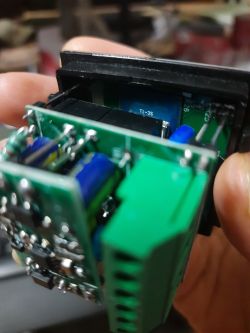
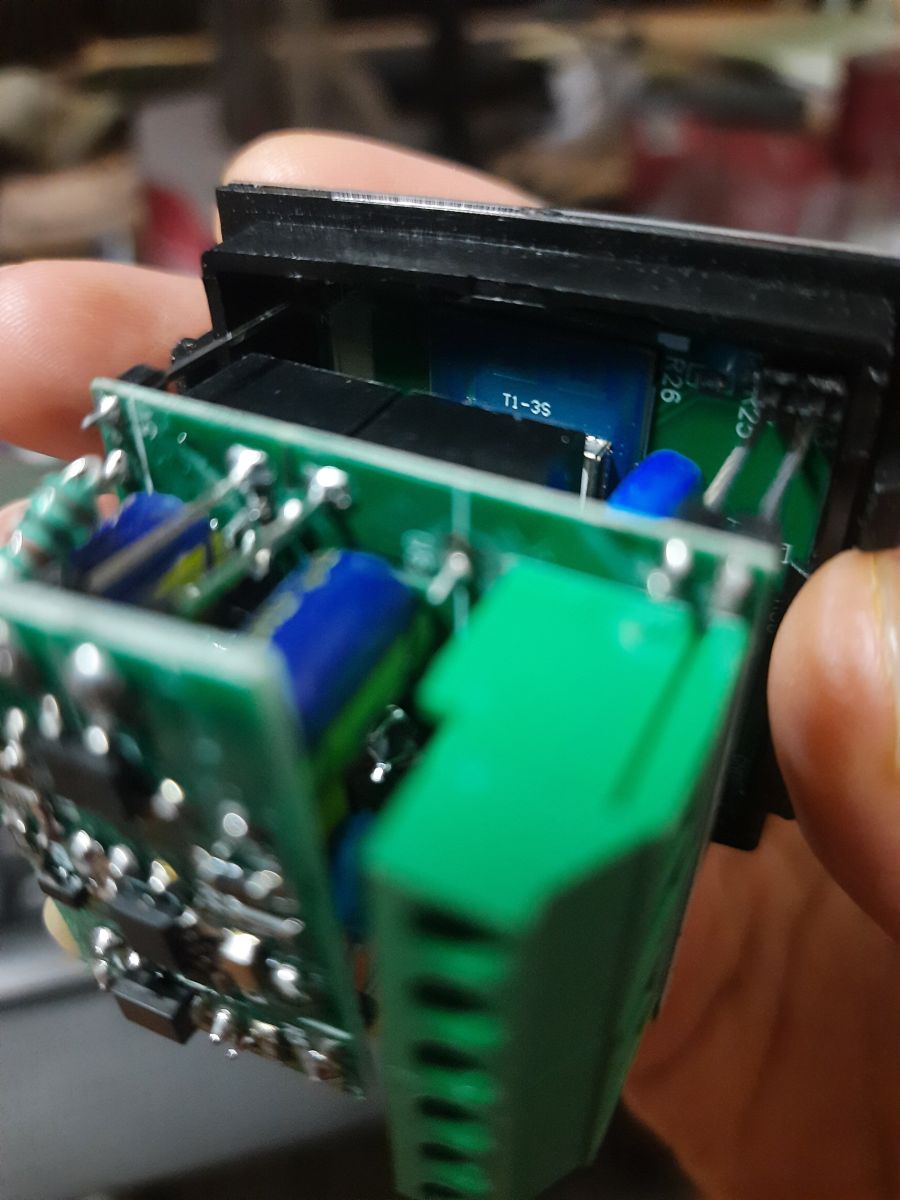
Units produced recently (after Dec 2025) have replaced the chip with the T1-3S (BK7238). While the physical enclosure and PCB layout remain identical, the pin definitions have changed.
new t1-3s chip
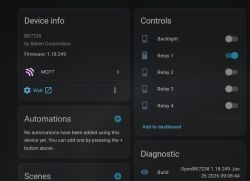
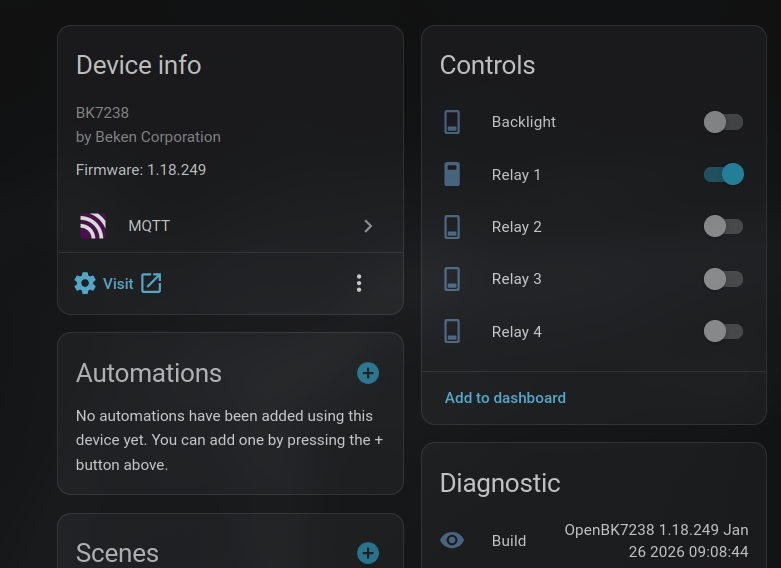
HA Screenshot
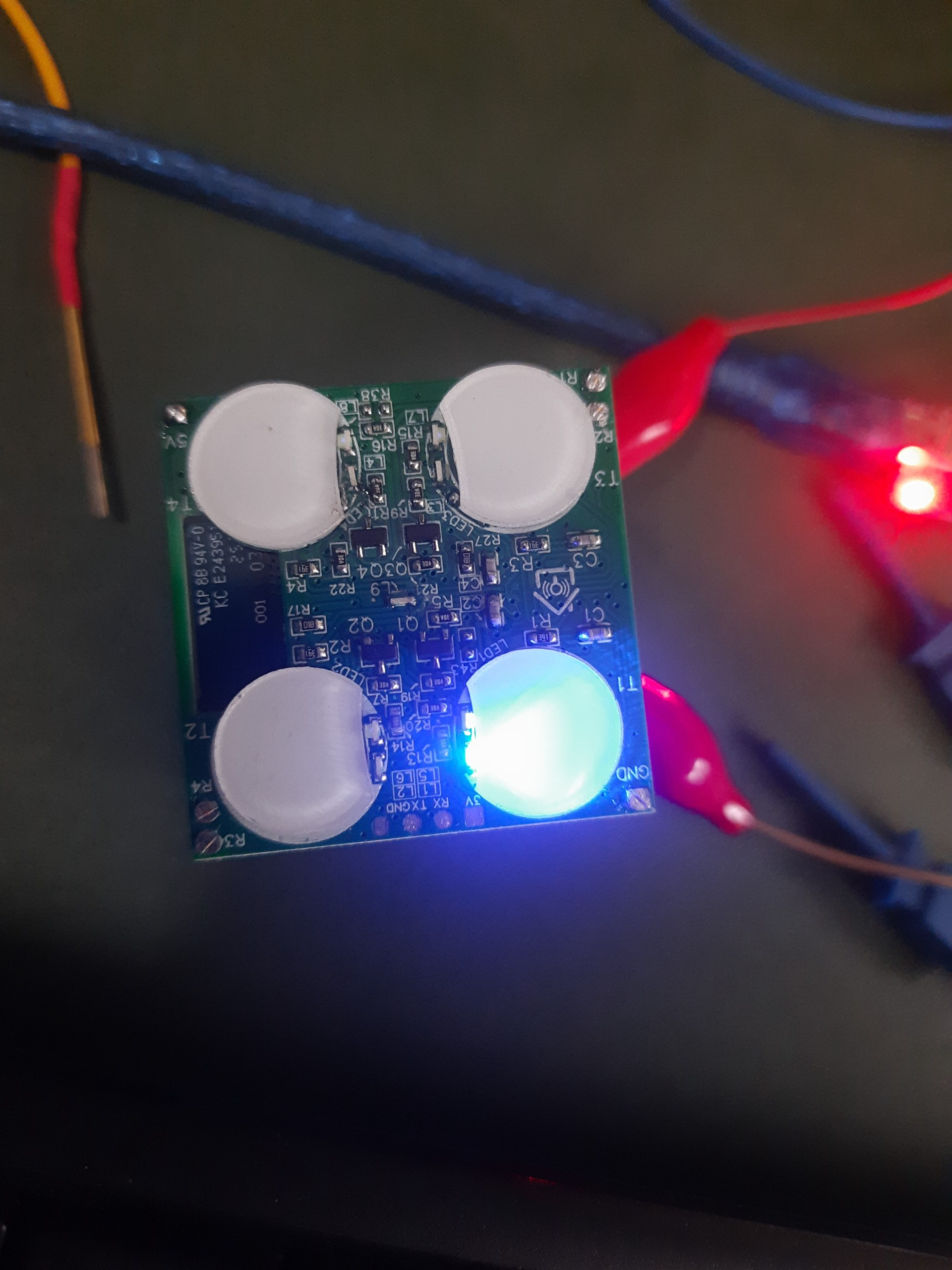
Backlight off
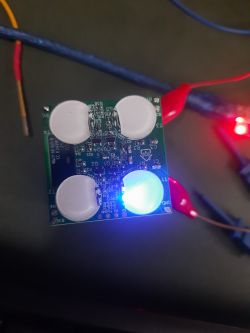
The "Tri-State" Backlight Feature:
Like many ESPHome users, I find the default backlight too bright for bedrooms. By using OpenBeken scripting, I have implemented a tri-state logic for the relay pins:
Relay ON: LED is active (High).
Relay OFF + Backlight ON: Pin is Output Low (LED glows).
Relay OFF + Backlight OFF: Pin is set to High-Impedance (Input), turning the LED completely off for sleep.
Below is my autoexec.bat. It bypasses the standard UI pin mapping to ensure the logic is handled entirely by the event system for an instant response.
autoexec.bat:
Device Template (JSON):
Tuya JSON
This script has been working perfectly. The OnPress events make the switch feel just as responsive as the original firmware, and the ability to kill the backlight entirely via a long-press (or Home Assistant automation) is a great upgrade.
If anyone has suggestions for further optimizing the addChangeHandler logic, please let me know!
refer https://devices.esphome.io/devices/homemate-4-gang-touch-switch/ for flashing guide
I would like to share a teardown and configuration for the latest version of the HomeMate 4-Gang Touch Switch. There is an existing topic for this device here, but that version utilized the CB3S chip.
Units produced recently (after Dec 2025) have replaced the chip with the T1-3S (BK7238). While the physical enclosure and PCB layout remain identical, the pin definitions have changed.
new t1-3s chip
HA Screenshot
Backlight off
The "Tri-State" Backlight Feature:
Like many ESPHome users, I find the default backlight too bright for bedrooms. By using OpenBeken scripting, I have implemented a tri-state logic for the relay pins:
Relay ON: LED is active (High).
Relay OFF + Backlight ON: Pin is Output Low (LED glows).
Relay OFF + Backlight OFF: Pin is set to High-Impedance (Input), turning the LED completely off for sleep.
Below is my autoexec.bat. It bypasses the standard UI pin mapping to ensure the logic is handled entirely by the event system for an instant response.
autoexec.bat:
// --- Automated Flag Setup ---
// Flag 2: Broadcast state every 60s
SetFlag 2 1
// Flag 6 - [BTN] Instant touch reaction instead of waiting for release (aka SetOption 13)
SetFlag 6 1
// Flag 10: Broadcast state on MQTT connect
SetFlag 10 1
// Flag 21: Retain relay channels (Helps HA sync)
SetFlag 21 1
// Flag 27: Invoke HA discovery on change
SetFlag 27 1

// --- Manual Hardware Setup (No UI needed) ---
// Buttons are set to ScriptOnly so they do nothing until we program them below
setPinRole 6 Btn_ScriptOnly
setPinRole 8 Btn_ScriptOnly
setPinRole 20 Btn_ScriptOnly
setPinRole 11 Btn_ScriptOnly

// Helpers to decide the role for a pin when its relay is ON

alias on_logic1 setPinRole 22 Rel
alias on_logic2 setPinRole 23 Rel
alias on_logic3 setPinRole 24 Rel
alias on_logic4 setPinRole 26 Rel

// Helpers to decide the role for a pin when its relay is OFF
alias off_logic1 if $CH10==1 then on_logic1 else "setPinRole 22 dInput_NoPullUp"
alias off_logic2 if $CH10==1 then on_logic2 else "setPinRole 23 dInput_NoPullUp"
alias off_logic3 if $CH10==1 then on_logic3 else "setPinRole 24 dInput_NoPullUp"
alias off_logic4 if $CH10==1 then on_logic4 else "setPinRole 26 dInput_NoPullUp"

// --- Metadata & Restore ---
SetStartValue 1 -1
SetStartValue 2 -1
SetStartValue 3 -1
SetStartValue 4 -1
SetStartValue 10 -1

setChannelLabel 1 "Relay 1"
setChannelLabel 2 "Relay 2"
setChannelLabel 3 "Relay 3"
setChannelLabel 4 "Relay 4"
setChannelLabel 10 "Backlight"

setChannelType 1 Toggle
setChannelType 2 Toggle
setChannelType 3 Toggle
setChannelType 4 Toggle
setChannelType 10 Toggle

// Set Relay pins according to their start value
if $CH1==1 then on_logic1 else off_logic1
if $CH2==1 then on_logic2 else off_logic2
if $CH3==1 then on_logic3 else off_logic3
if $CH4==1 then on_logic4 else off_logic4

// --- Instant Button Programming ---
// OnPress triggers immediately on touch
addEventHandler OnPress 6 ToggleChannel 1
addEventHandler OnPress 8 ToggleChannel 2
addEventHandler OnPress 20 ToggleChannel 3
addEventHandler OnPress 11 ToggleChannel 4

// Global Hold Time: 3 seconds increase repeat rate every so that it doesn't keep toggling too fast
setButtonTimes 30 1 50

// Standard Hold Actions
addEventHandler OnHold 6 reboot
addEventHandler OnHold 11 reboot
addEventHandler OnHold 8 ToggleChannel 10
addEventHandler OnHold 20 ToggleChannel 10

// Handlers for Relay state changes (triggered when you touch buttons)
addChangeHandler Channel1 == 1 on_logic1
addChangeHandler Channel1 == 0 off_logic1

addChangeHandler Channel2 == 1 on_logic2
addChangeHandler Channel2 == 0 off_logic2

addChangeHandler Channel3 == 1 on_logic3
addChangeHandler Channel3 == 0 off_logic3

addChangeHandler Channel4 == 1 on_logic4
addChangeHandler Channel4 == 0 off_logic4

// Handlers for Backlight Master changes
// When Backlight Master changes, we must refresh all pins that are currently in the OFF state
alias refreshAll backlog if $CH1==0 then off_logic1; if $CH2==0 then off_logic2; if $CH3==0 then off_logic3; if $CH4==0 then off_logic4

addChangeHandler Channel10 == 1 refreshAll
addChangeHandler Channel10 == 0 refreshAll

// Run once at boot to sync LEDs based on restored states
refreshAll

// --- Home Assistant Discovery ---
scheduleHADiscovery 5
Device Template (JSON):
{
  "vendor": "Tuya",
  "bDetailed": "0",
  "name": "HomeMate 4 Gang Touch Switch (T1-3S/BK7238)",
  "model": "HomeMate 4 Gang Touch Switch",
  "chip": "BK7238",
  "board": "T1-3S",
  "flags": "136315972",
  "keywords": [
    "homemate",
    "4-gang",
    "touch switch",
    "bk7238",
    "relay",
    "indian standard"
  ],
  "pins": {
    "6": "Btn_ScriptOnly;1",
    "8": "Btn_ScriptOnly;2",
    "9": "WifiLED_n;0",
    "11": "Btn_ScriptOnly;4",
    "20": "Btn_ScriptOnly;3",
    "22": "Rel;1",
    "23": "Rel;2",
    "24": "Rel;3",
    "26": "Rel;4"
  },
  "command": "",
  "image": "https://obrazki.elektroda.pl/YOUR_IMAGE.jpg",
  "wiki": "https://www.elektroda.com/rtvforum/topic_YOUR_TOPIC.html"
}
Tuya JSON
{
	"rl1_lv":"1",
	"netled_lv":"1",
	"bt_type":"1",
	"bt1_pin":"6",
	"onoff_rst_m":"0",
	"rl3_pin":"24",
	"rl3_lv":"1",
	"net_trig":"2",
	"cd_flag2":"1",
	"rl4_pin":"26",
	"jv":"1.2.0",
	"pd_category":"0",
	"backlit_select":"0",
	"ffc_select":"0",
	"nety_led":"0",
	"netled_pin":"9",
	"total_stat":"2",
	"bt3_lv":"0",
	"bt1_lv":"0",
	"reset_t":"6",
	"rl2_lv":"1",
	"ch_flag1":"1",
	"ch_flag3":"1",
	"bt4_pin":"11",
	"ch_flag4":"1",
	"module":"T1-3S",
	"bt3_pin":"20",
	"dctrl_select":"0",
	"ch_cddpid1":"7",
	"rl2_pin":"23",
	"bt4_lv":"0",
	"light_status_select":"0",
	"zero_select":"0",
	"bt2_pin":"8",
	"ch_cddpid4":"10",
	"ch_cddpid2":"8",
	"ch_cddpid3":"9",
	"ch_num":"4",
	"bt2_lv":"0",
	"rl1_pin":"22",
	"rl4_lv":"1",
	"ch_dpid3":"3",
	"ch_dpid4":"4",
	"netn_led":"0",
	"ch_dpid1":"1",
	"ch_dpid2":"2",
	"crc":"37"
}
This script has been working perfectly. The OnPress events make the switch feel just as responsive as the original firmware, and the ability to kill the backlight entirely via a long-press (or Home Assistant automation) is a great upgrade.
If anyone has suggestions for further optimizing the addChangeHandler logic, please let me know!
refer https://devices.esphome.io/devices/homemate-4-gang-touch-switch/ for flashing guide
