logo elektroda
logo elektroda
X
logo elektroda

Smart plug chip identification and suitable firmware suggestions

zaffresky 3012 16
Best answers

How can I identify the W701H chip in my Tuya smart plug, find compatible third-party firmware, and flash it without exposed UART pins?

The W701H is identified in the thread as a Realtek RTL8720CF, and OpenBK was said to be unsupported for it at the time [#20989752] The thread does not give a confirmed Tasmota/ESPHome-like firmware for this chip, so no clear third-party firmware alternative was established for the W701H itself [#20989752] For flashing, one user found A16 as TX and A15 as RX on the T112B module, and suggested that A13 must be pulled to 3.3 V to enter download mode [#21733362][#21734220] The same user said to perform a quick power reset while keeping power applied to the other pins [#21734220] Another reply noted that getting the module out by desoldering the main PCB may be necessary to access it for flashing [#21735010]
Generated by the language model.
ADVERTISEMENT
  • #1 20987666
    zaffresky
    Level 2  
    Posts: 2
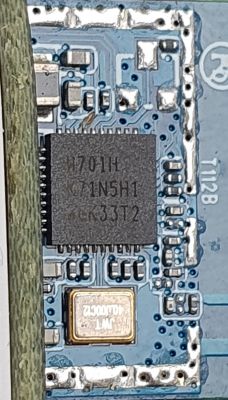
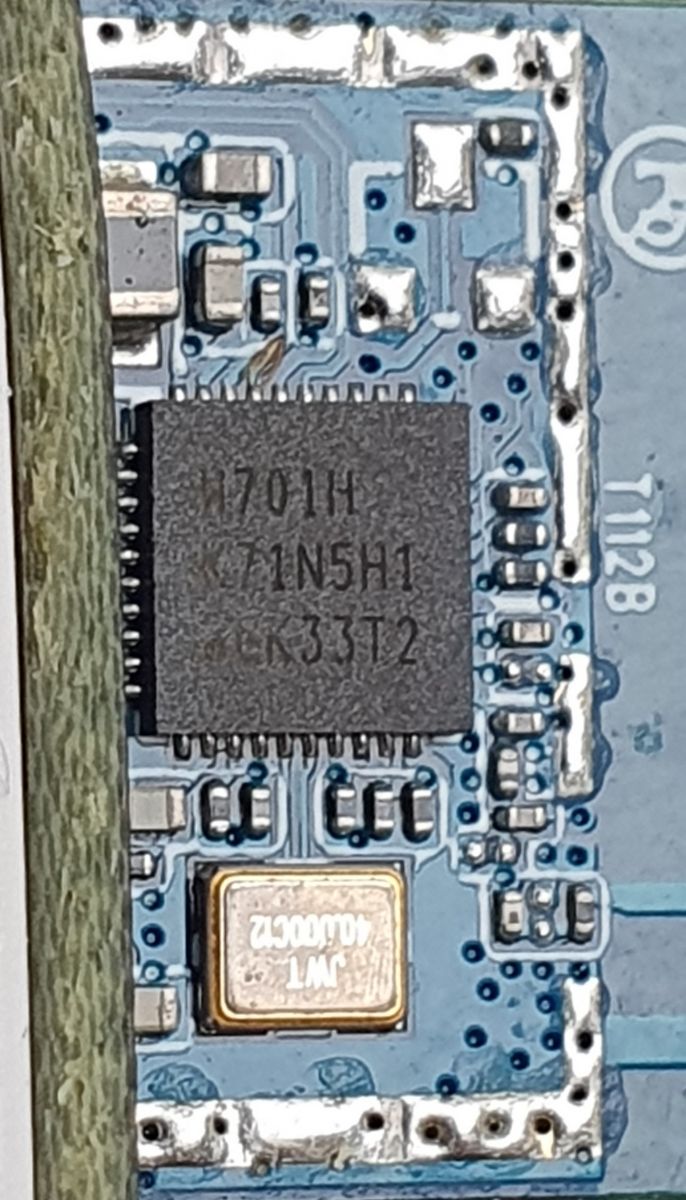
    Hi guys, I have been using a few smart sockets that I bought off Amazon. These are Tuya compatible white label sockets. I recently read about the possibility of flashing smart plugs with Tasmota so I was very excited and wished they would have some ESP chip inside but to my disappointment, it's some other Chinese module. The markings on the chip show W701H - K71N5H1 - GK33T2.

    I searched the chip model on the internet and the most results are about WBR3L or WBR2L. But the RF chip in these modules is W701H-VT2-CG. So I am a bit confused :( and have the following questions.

    -Are both these chips the same/similar?
    -Can you suggest any third party firmware that offers similar features as Tasmota or ESPHome?
    -Lastly, can you give some tips how to flash this module as I don't see any exposed pins on the pcb. The only option I see is directly interfacing the RF chip.

    Here are some photos and thanks in advance for your suggestions :)
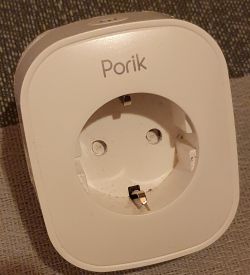
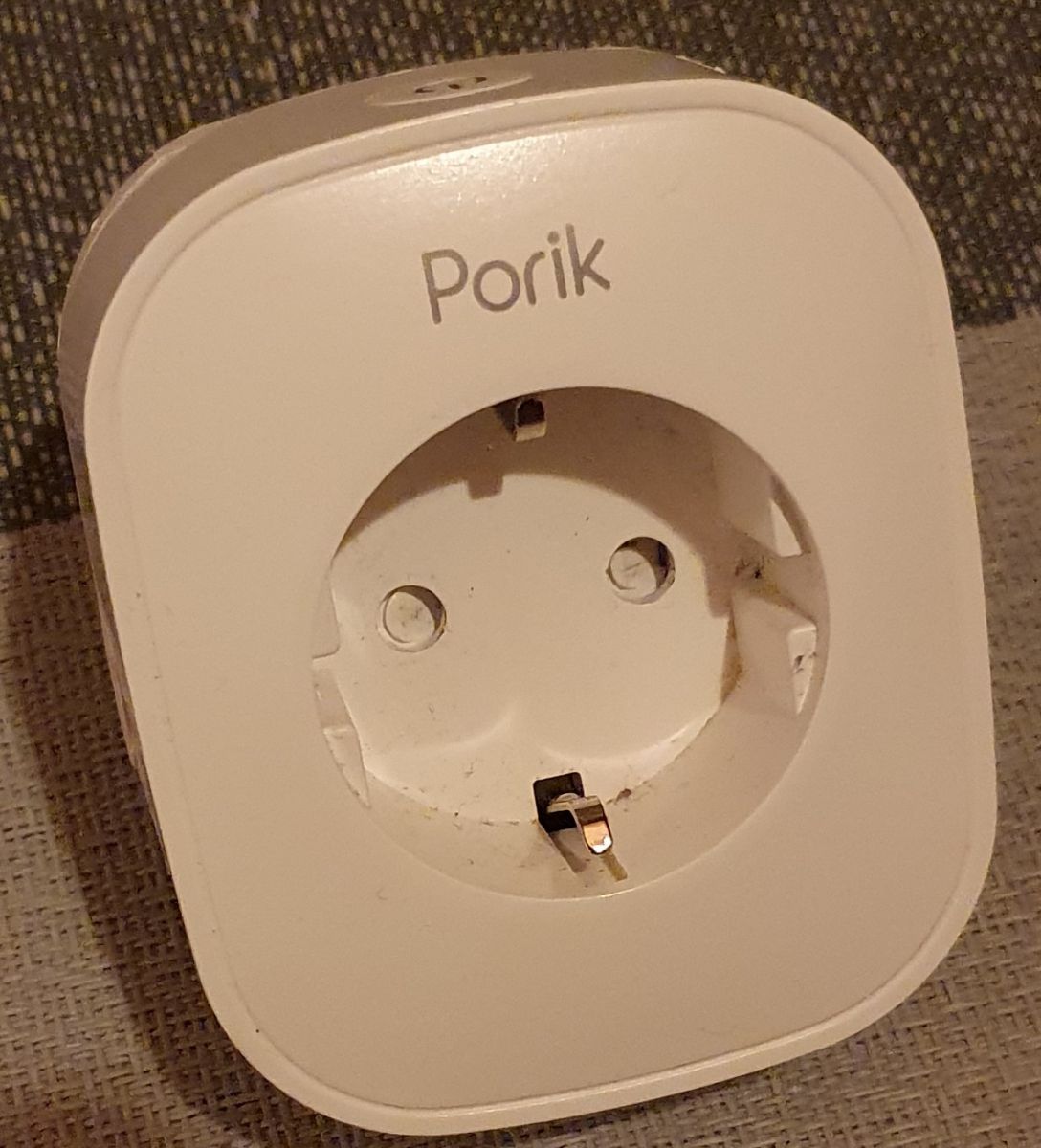
    Porik smart socket with visible electrical plug outlet.

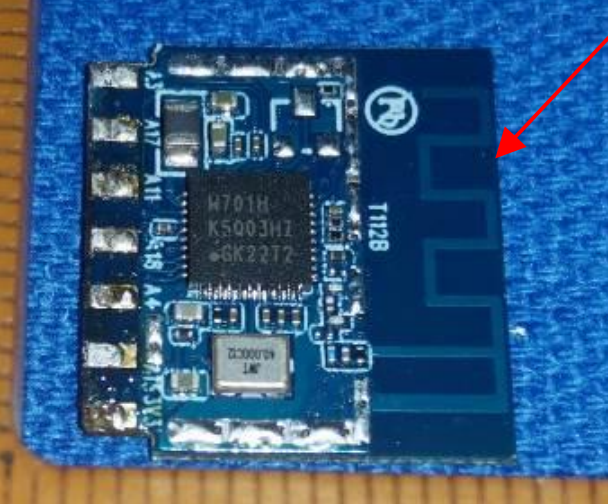
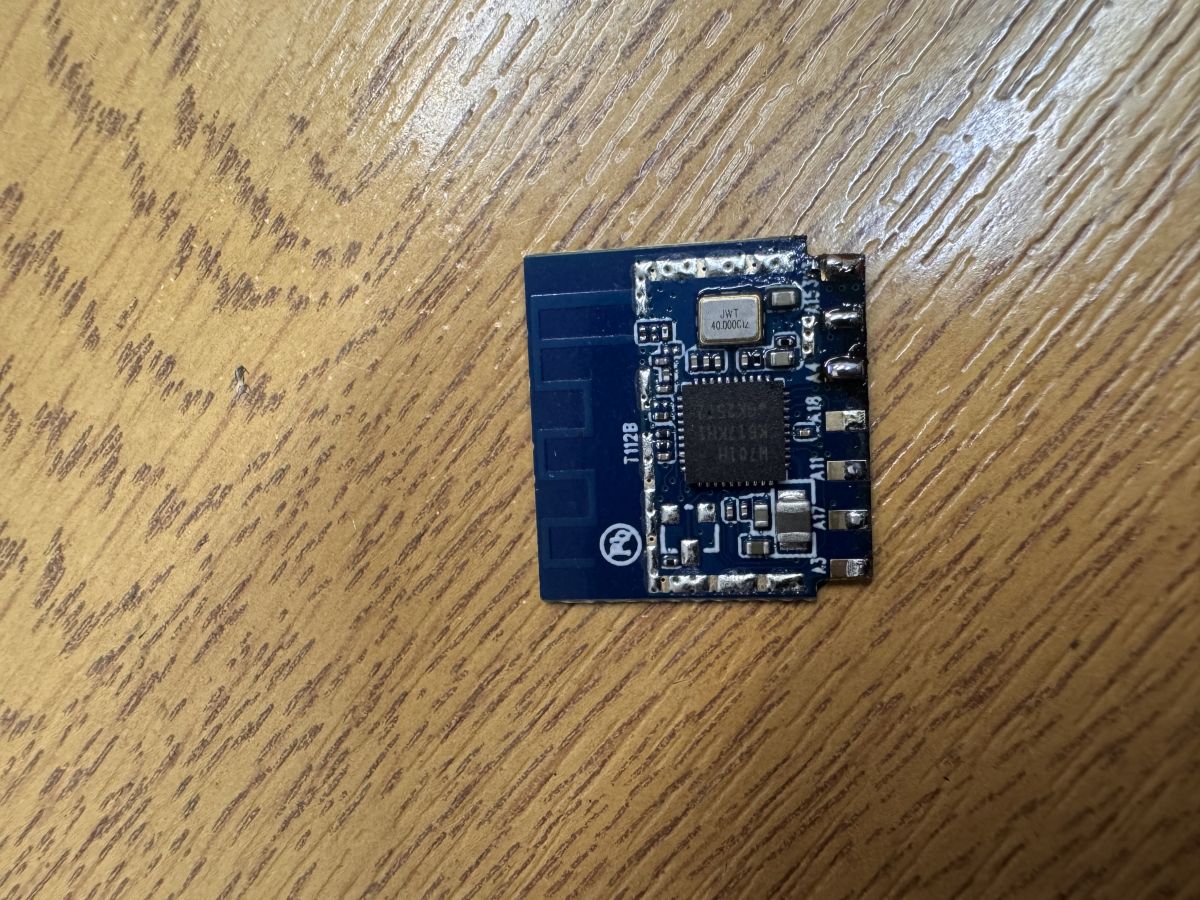
    Close-up of an electronic module with a chip labeled W701H - K71N5H1 - GK33T2 on a blue printed circuit board.

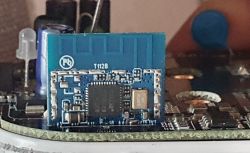
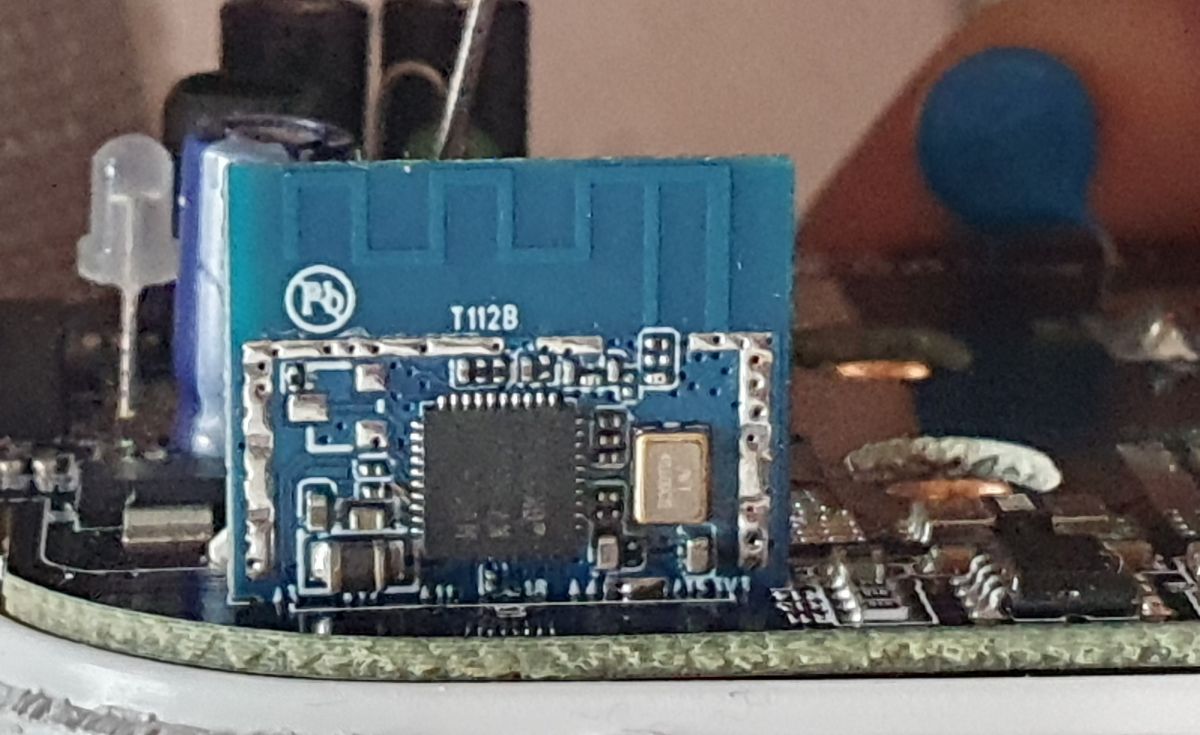
    Close-up of a module on a smart plug circuit board.

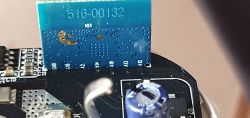
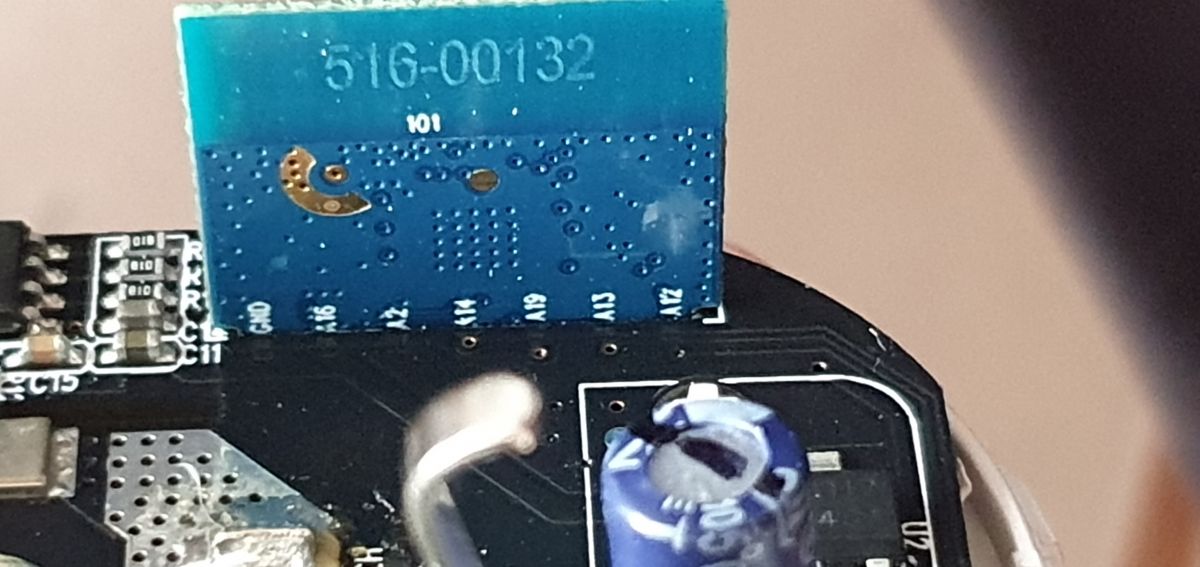
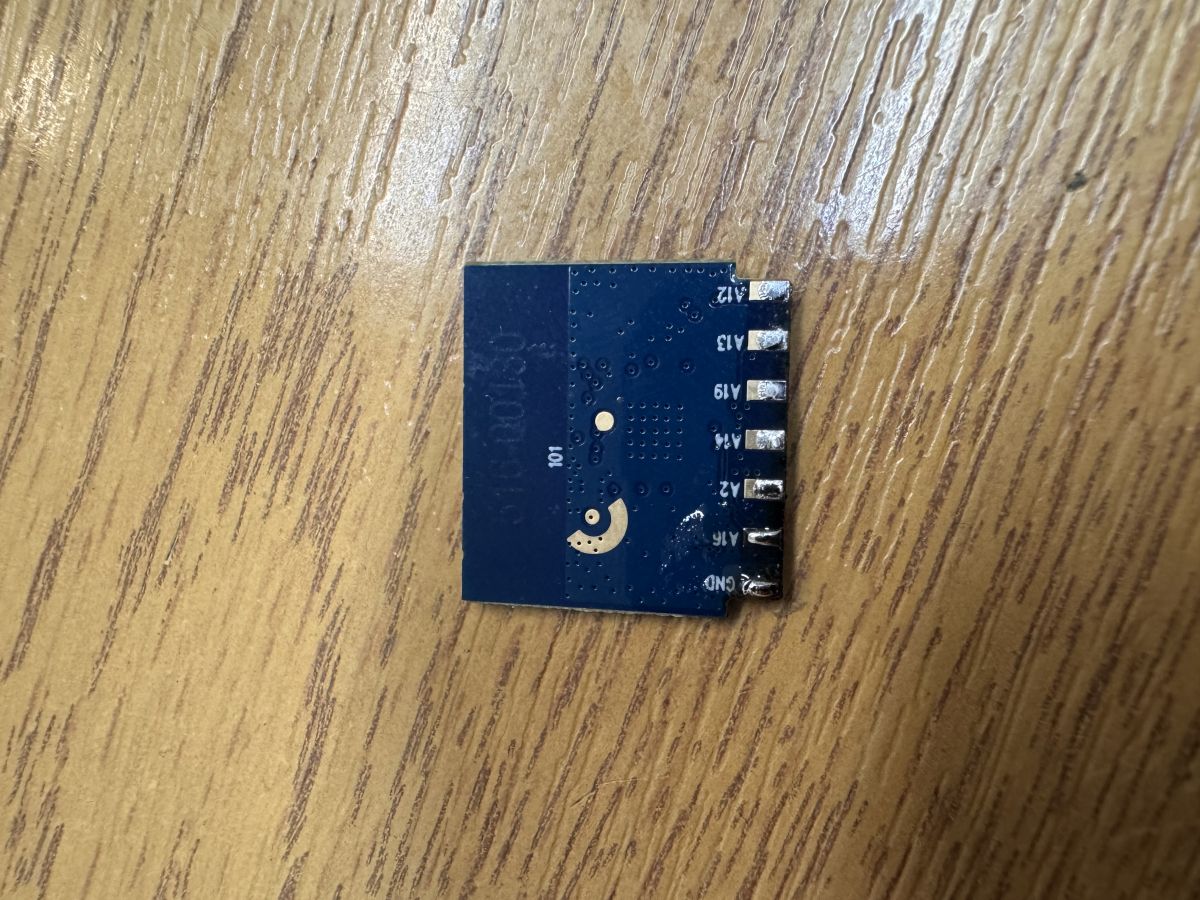
    Close-up of an electronic module with a blue PCB labeled 516-00132.
  • ADVERTISEMENT
  • #2 20989157
    divadiow
    Level 38  
    Posts: 4846
    Help: 421
    Rate: 853
    Moderated By p.kaczmarek2:


    Edited out incorrect information. It's not WinnerMicro

  • ADVERTISEMENT
  • #3 20989629
    zaffresky
    Level 2  
    Posts: 2
    Thanks for your reply. So this means that it's not yet supported by OpenBK yet correct?

    Regarding the RF chip itself, another user also suggested that the W701H is RTL8720CF based whereas the post you linked mentions a BK7231N chip. Is there any way the exact chip could be determined through software?
  • #4 20989752
    divadiow
    Level 38  
    Posts: 4846
    Help: 421
    Rate: 853
    zaffresky wrote:
    Thanks for your reply. So this means that it's not yet supported by OpenBK yet correct?


    correct
    zaffresky wrote:
    Regarding the RF chip itself, another user also suggested that the W701H is RTL8720CF based whereas the post you linked mentions a BK7231N chip. Is there any way the exact chip could be determined through software?


    sorry, yes. the W701H is a Realtek RTL8720CF
  • #5 21379244
    p.kaczmarek2
    Moderator Smart Home
    Posts: 14400
    Help: 650
    Rate: 12330
    Helpful post? Buy me a coffee.
  • ADVERTISEMENT
  • #6 21733076
    gandi69
    Level 2  
    Posts: 99
    Rate: 6
    Is there any way to flash these easily?

    I’ve got a couple and there appears to be no RX/TX UART presented (I don’t think I’ve got the skills to solder to the actual chip pins).

    [img-0] [img-1]
  • Helpful post
    #7 21733362
    divadiow
    Level 38  
    Posts: 4846
    Help: 421
    Rate: 853
    T112B modules, specifically?

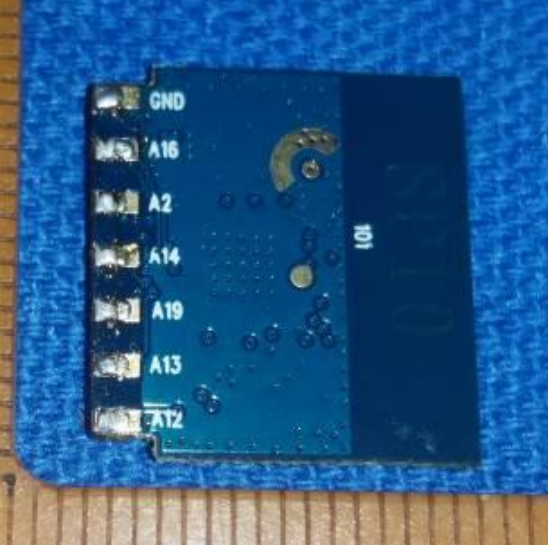
    SP10 electronic module with labeled pins: GND, A16, A2, A14, A19, A13, ATZ
    T112B electronic module with PCB antenna and H701H chip
    https://fccid.io/2APQK-SP10/Internal-Photos/Int-EUT-PHOTO-6026180

    I see an A16 (Log_TX) and I think the A15 (Log_RX). I don't see the A00 to be pulled high though but maybe it's like the WBR3 where an additional/other bootstrapping pin is used, IO13. https://www.elektroda.com/rtvforum/topic4097185.html
  • #8 21733688
    gandi69
    Level 2  
    Posts: 99
    Rate: 6
    Yeah, it's those ones. I was playing around with it, but as I can't properly reset it, I can't get to the necessary download area and keep a serial connection open. Did you manage to flash them?
    I will have to test that pin next time I look at them
  • #9 21733704
    divadiow
    Level 38  
    Posts: 4846
    Help: 421
    Rate: 853
    I'm afraid I've not had the pleasure of owning a T112B module.

    Added after 17 [minutes]:

    in your explorations, it'd be good if you could confirm these, if they're clearer

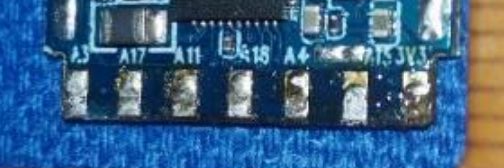
    Close-up of bottom edge of blue PCB with eight pins and alphanumeric labels.

    A3, A17, A11, A18, A4, A15, 3V3
  • #11 21734220
    gandi69
    Level 2  
    Posts: 99
    Rate: 6
    Got one flashed. A13 is the pin to get to 3.3 V, like you suggested. Then just do a quick reset by pulling power, but make sure you keep power to the other pins:

    Config here

    Code: JSON
    Log in, to see the code
  • #12 21734631
    divadiow
    Level 38  
    Posts: 4846
    Help: 421
    Rate: 853
    >>21734220

    what is the device your T112B was found in? Make/model etc so the template can be completed for adding to device list.
  • ADVERTISEMENT
  • #15 21735010
    gandi69
    Level 2  
    Posts: 99
    Rate: 6
    Hi. Sorry I don't have any pictures of the inside of these, but they follow the same flavour as most others. Desoldering the main PCB is a must to get at the module out for flashing, though I guess you could make something to do this in situ with some wriggling. I don't even think they have a model number on the rear of the plug itself. I have a firmware backup I can send you directly.
  • #16 21735932
    divadiow
    Level 38  
    Posts: 4846
    Help: 421
    Rate: 853
    boot log from your (reset) backup
    Code: Text
    Log in, to see the code
  • #17 21739157
    divadiow
    Level 38  
    Posts: 4846
    Help: 421
    Rate: 853
    Tuya list this model as

    Code: Text
    Log in, to see the code


    带计量
    “with metering”

    公版
    “public version” or reference design

Topic summary

✨ The discussion centers on identifying the chip inside Tuya-compatible white label smart plugs purchased from Amazon, marked with W701H - K71N5H1 - GK33T2. The main chip is identified as a Realtek RTL8720CF (W701H-VT2-CG), distinct from the commonly referenced WBR2L or WBR3L modules. It is confirmed that this chip is not yet supported by OpenBK firmware. Users inquire about third-party firmware alternatives to Tasmota or ESPHome compatible with this Realtek chip and seek guidance on flashing methods, noting the absence of exposed pins on the PCB and the challenge of interfacing directly with the RF chip. A new guide has been referenced for flashing and pinout information related to WBR2, WBR3, WBRU, and W701-VA2-CG chips, which may assist in integrating these devices with Home Assistant.
Generated by the language model.

FAQ

TL;DR: If your Tuya smart plug’s module is W701/WBR/T112B, you can flash it by pulling “A13 to 3.3 V” and power-cycling; “A13 is the pin to get to 3.3 V.” [Elektroda, gandi69, post #21734220]

Why it matters: This FAQ shows how to identify Realtek RTL8720CF-based plugs and safely load open firmware without guesswork.

Quick-Facts

Quick Facts

What chip is the W701H marked module, exactly?

Community confirmations identify W701H as a Realtek RTL8720CF (RTL87x0C family), not a WinnerMicro nor BK7231 variant. This matters for toolchains, boot pins, and firmware choice. [Elektroda, divadiow, post #20989752]

Is OpenBeken support available for these Realtek RTL87x0C smart plugs?

Yes. Early on it wasn’t, but later reports confirm successful flashing and a working JSON template on a T112B-based plug. Features include relay, LED, button, and BL0937 energy pins mapped. [Elektroda, gandi69, post #21734220]

How do I enter flashing/download mode on a T112B/W701/WBR module?

How-To: 1. Pull pin A13 up to 3.3 V. 2. Briefly remove and restore module VCC while keeping A13 high. 3. Connect UART and flash at your chosen speed. Users report success with this sequence. [Elektroda, gandi69, post #21734220]

Where are the UART pins on T112B?

One contributor identified A16 as Log_TX and A15 as Log_RX. Quote: “I see an A16 (Log_TX) and I think the A15 (Log_RX).” Verify on your PCB before wiring. [Elektroda, divadiow, post #21733362]

Can I flash without desoldering the main PCB?

It’s possible but awkward. A user noted desoldering the main board makes extraction and flashing practical; in-situ access needs a custom jig and careful wriggling. [Elektroda, gandi69, post #21735010]

What firmware is closest to Tasmota/ESPHome for RTL8720CF?

Use OpenBeken for RTL87x0C modules. A template for the Eightree/T112B device was added, enabling relay, LED, button, and BL0937 metering. [Elektroda, divadiow, post #21734876]

How can I confirm the module type in software?

Serial boot logs expose details such as “module: is WBR2,” Tuya SDK version, and Realtek platform strings. Capture the log at reset to verify. [Elektroda, divadiow, post #21735932]

What’s the rated load of the confirmed Eightree UK plug?

The referenced Eightree UK smart plug with energy monitoring is rated at 13 A. This suits typical UK sockets but always check your unit’s label. [Elektroda, gandi69, post #21734664]

What is Tuya in this context?

Tuya provides the cloud/app stack seen in stock firmware. Boot logs show Tuya IoT SDK strings and initialization messages on these modules. [Elektroda, divadiow, post #21735932]

What is OpenBeken?

OpenBeken is open-source firmware targeting non-ESP Wi-Fi/BLE IoT chips like BK72xx and Realtek RTL87x0C, with device templates contributed by the community. [Elektroda, divadiow, post #21734876]

Any tricky edge cases while flashing?

Yes. Without a stable reset into the downloader, serial links drop. One user couldn’t maintain a session until the correct reset and boot pin hold were used. [Elektroda, gandi69, post #21733688]

Are WBR2, WBR3, and W701-VA2-CG the same thing?

They’re related Realtek-based Tuya module families. A consolidated guide provides pinouts, datasheets, and flashing notes for WBR2/WBR3/WBRU/W701 variants. [Elektroda, p.kaczmarek2, post #21379244]

What pin mapping works for BL0937 energy monitoring on T112B?

Reported working pins include BL0937SEL=A11, BL0937CF=A17, BL0937CF1=A19, plus Button=A14, Relay=A18, LED=A13, NetLED_n=A12. Use the shared JSON template as a starting point. [Elektroda, gandi69, post #21734220]

What’s the Tuya model ID for the 13 A metering plug referenced?

Tuya lists it as “JX-SP23BL-8720CF-13A 带计量 公版,” which means 13 A with metering, public/reference design. [Elektroda, divadiow, post #21739157]

Should I back up factory firmware before flashing?

Yes—community best practice is to dump the stock image first. Contributors ask for backups to aid recovery and template work. [Elektroda, divadiow, post #21734876]
Generated by the language model.
ADVERTISEMENT