







Today some notes about the "ALDI casalux Smarter LED-Streifen".
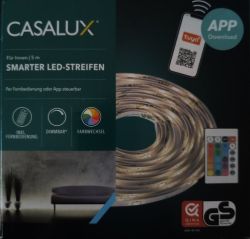
This 5m smart RGBW LED stripe was sold some month ago at the german discounter ALDI.
To be remote controlled directly an IR remote is included.
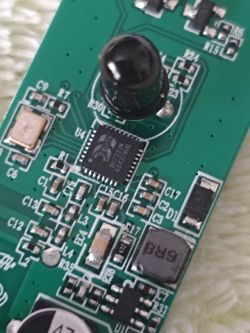
The controller mainly consists of a BK7231N.
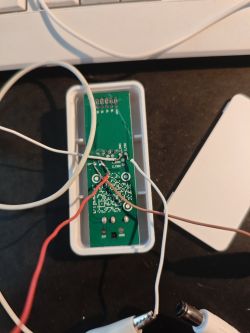
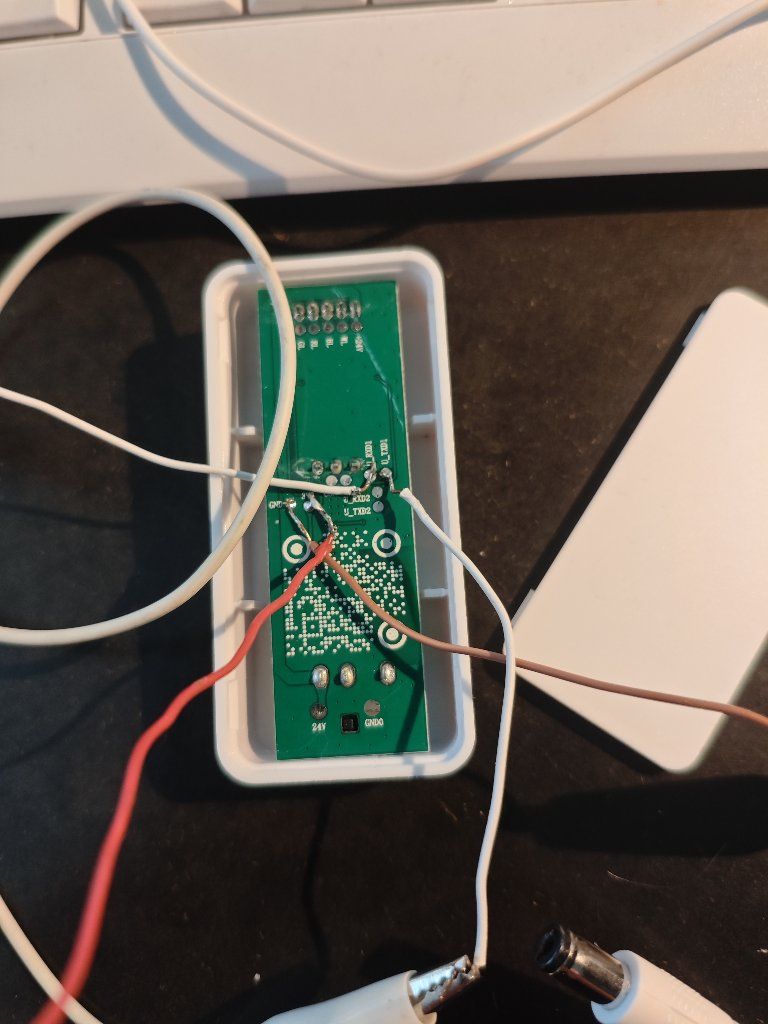
At the bottom side of the pcb there are some named testpoints where the programmer can easily be connected.
The OpenBeken configuration:
RED 6 pwm 0
GREEN 24 pwm 1
BLUE 8 pwm 2
WHITE 9 pwm 3
BUTTON 2 BTN
IR 26 IRRecv 0
Original firmware uses PWMFrequency 1000.
In another Thread regarding an older version of the LED stripe, someone posted an autoexec.bat script which enables the ir remote.
I just modified slightly:
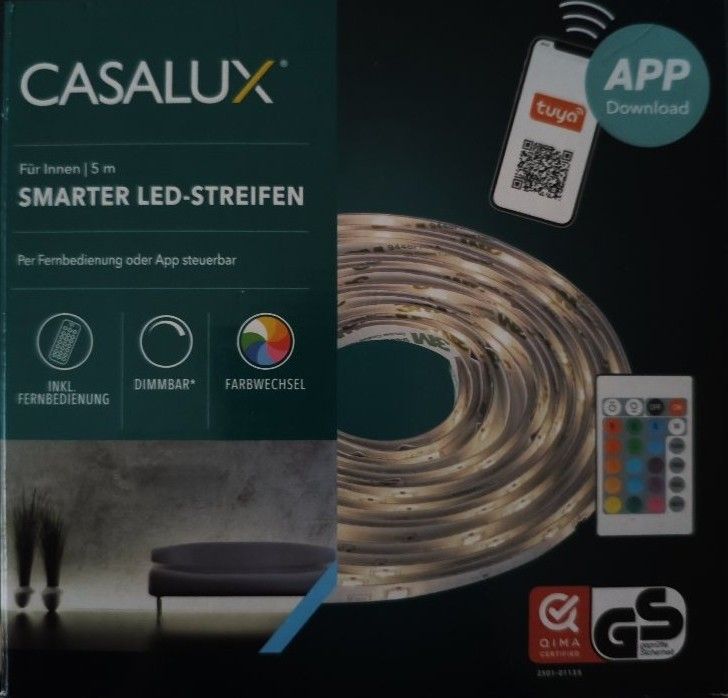
This 5m smart RGBW LED stripe was sold some month ago at the german discounter ALDI.
To be remote controlled directly an IR remote is included.
The controller mainly consists of a BK7231N.
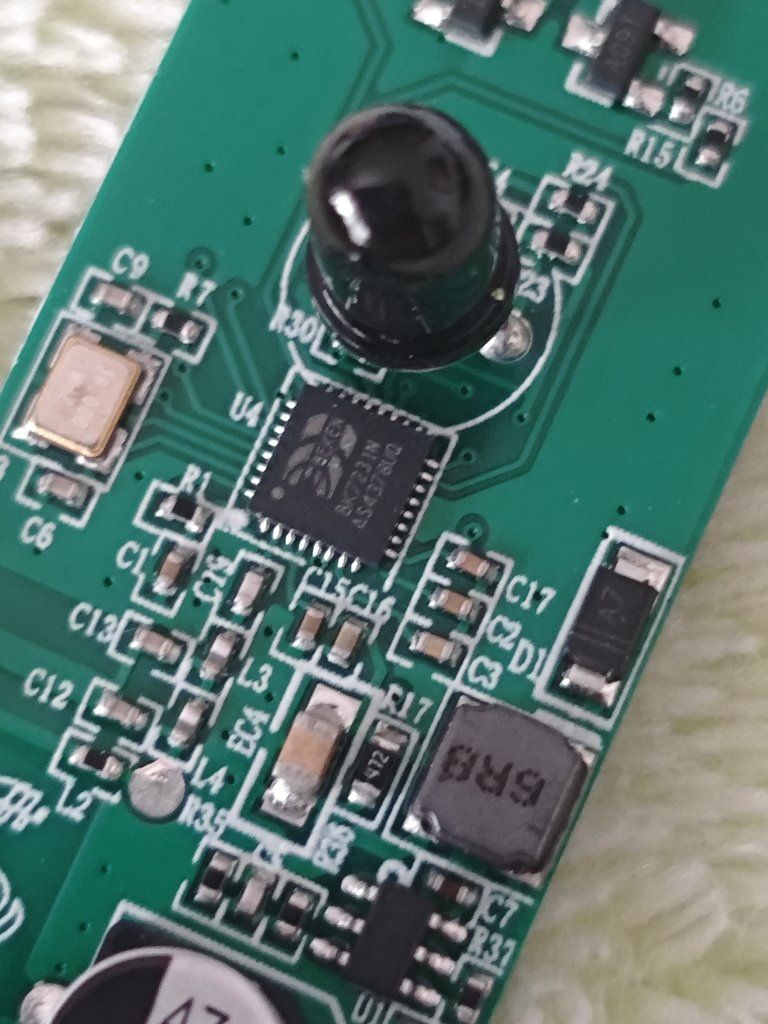
At the bottom side of the pcb there are some named testpoints where the programmer can easily be connected.
The OpenBeken configuration:
RED 6 pwm 0
GREEN 24 pwm 1
BLUE 8 pwm 2
WHITE 9 pwm 3
BUTTON 2 BTN
IR 26 IRRecv 0
Original firmware uses PWMFrequency 1000.
In another Thread regarding an older version of the LED stripe, someone posted an autoexec.bat script which enables the ir remote.
I just modified slightly:
PWMFrequency 1000
SetChannelLabel 0 "ROT"
SetChannelLabel 1 "GRUEN"
SetChannelLabel 2 "BLAU"
SetChannelLabel 3 "WEISS"

// IR driver will start itself automatically after reboot
// IR events mapped to the buttons of the original remote control
// trying to match the colors of the original strip

// first row
addEventHandler2 IR_NEC 0xEF00 0x0 add_dimmer 9
addEventHandler2 IR_NEC 0xEF00 0x1 add_dimmer -9
addEventHandler2 IR_NEC 0xEF00 0x2 led_enableAll 0
addEventHandler2 IR_NEC 0xEF00 0x3 led_enableAll 1

// second row
addEventHandler2 IR_NEC 0xEF00 0x4 color #FF0000  // red
addEventHandler2 IR_NEC 0xEF00 0x5 color #00FF00  // green
addEventHandler2 IR_NEC 0xEF00 0x6 color #0000FF  // blue
addEventHandler2 IR_NEC 0xEF00 0x7 backlog led_temperature 154; led_enableAll 1 // used as warm white

// third row
addEventHandler2 IR_NEC 0xEF00 0x8 color #FF2000  // orange
addEventHandler2 IR_NEC 0xEF00 0x9 color #80C020  // light green
addEventHandler2 IR_NEC 0xEF00 0xA color #0020E0  // light blue
addEventHandler2 IR_NEC 0xEF00 0xB color #FFFFFF  // flash (used as RGB white)

// fourth row
addEventHandler2 IR_NEC 0xEF00 0xC color #A04000  // light orange
addEventHandler2 IR_NEC 0xEF00 0xD color #90D0C0  // mint
addEventHandler2 IR_NEC 0xEF00 0xE color #8000A0  // violet
// addEventHandler2 IR_NEC 0xEF00 0xF                // strobe (unused)

// fifth row
addEventHandler2 IR_NEC 0xEF00 0x10 color #804000 // yellow with an orange touch
addEventHandler2 IR_NEC 0xEF00 0x11 color #2090B0 // sky blue
addEventHandler2 IR_NEC 0xEF00 0x12 color #B00070 // turquoise
// addEventHandler2 IR_NEC 0xEF00 0x13               // fade (unused)

// sixth row
addEventHandler2 IR_NEC 0xEF00 0x14 color #FFC000 // yellow
addEventHandler2 IR_NEC 0xEF00 0x15 color #0050A0 // dark turquoise
addEventHandler2 IR_NEC 0xEF00 0x16 color #E00050 // pink
// addEventHandler2 IR_NEC 0xEF00 0x17               // smooth (unused)
