Greetings!
I purchased one of those generic valve actuators from Amazon. There are a few posts here about similar ones, but I figured I'll throw in mine as well.
In addition to the valve actuator I also got from eBay a used Keyence FD-Q20C flow meter. The project's goals:
* Discard whatever code the valve is running. Do not like it talking to outside parties.
* Install my code to control the valve, and collect water flow telemetry from the Keyence.
* Close the valve when certain conditions are detected. Like water leak. Or water usage when we are on vacation. Or the teenager enjoys the shower for longer than I deem necessary.
This post is about the first two items. I am still collecting data to figure reasonable thresholds for the third.
The Valve
It's not something to get excited. The good part is that it can be installed without cutting pipes. I have it on my 3/4" quarter turn ball valve that's immediately after the house water meter. The bad part is that the motor is weak, and it attaches to a single point on the pipe using a flimsy hose clamp. The whole valve tends to pivot around the pipe as it tries to overcome the torque of the pipe valve. I am going to build a frame of sorts around the body of the valve to keep it from moving.
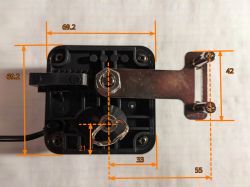
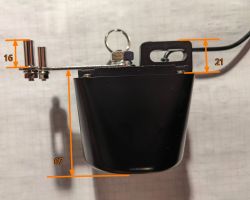
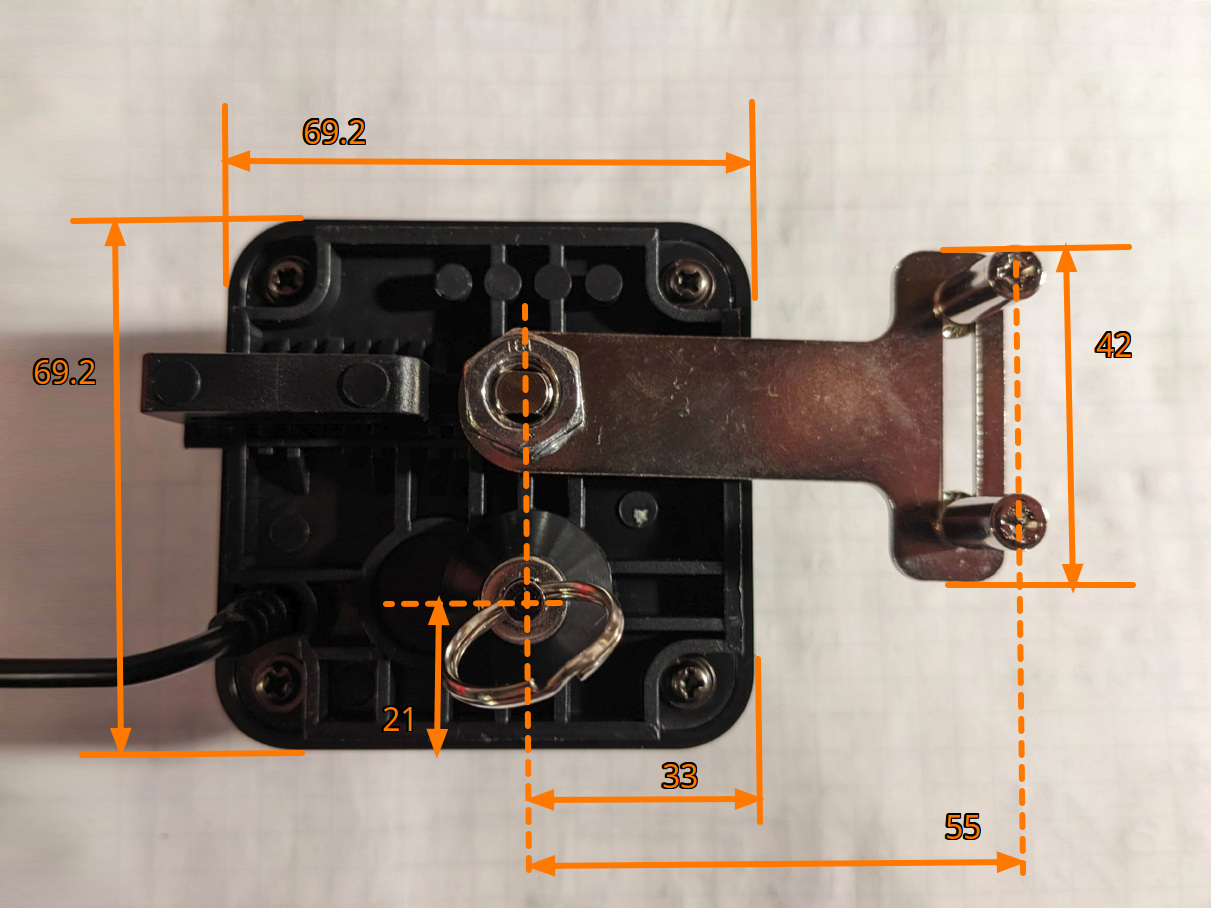
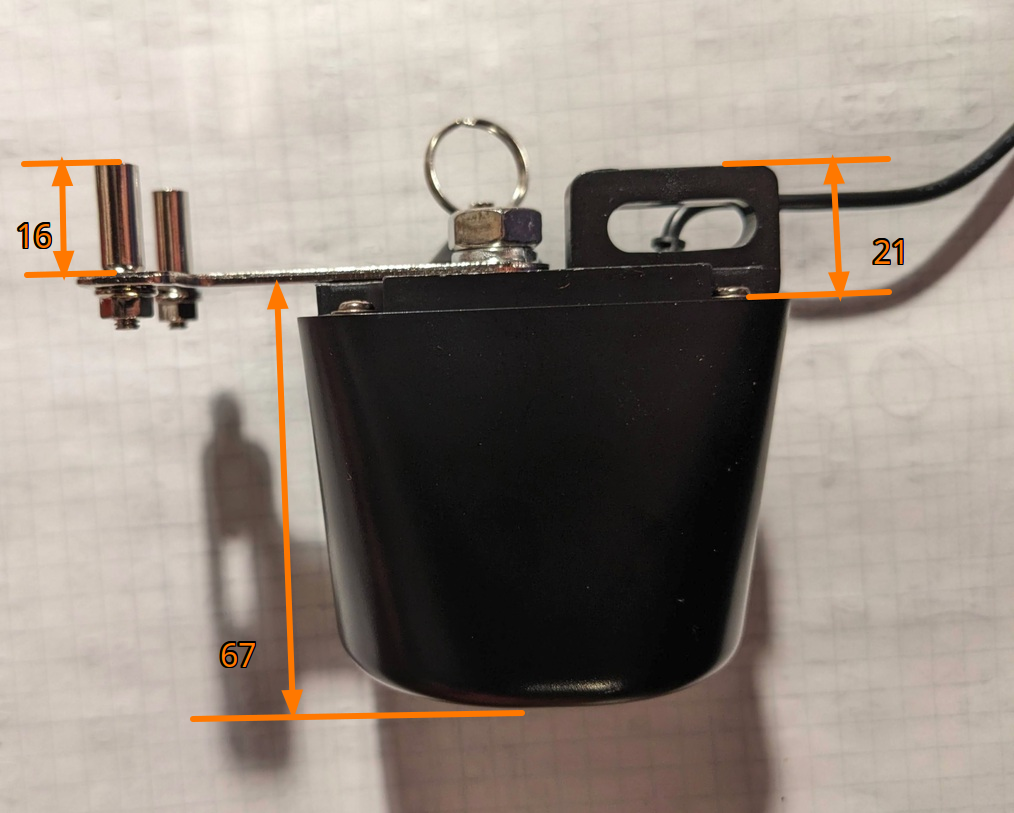
Some photos with dimensions in mm (+/- 1 mm).
Valve Control
The valve uses T1-U-HL module with Beken BK7238 MCU. I spent a little time looking for a nice SDK to program the BK7238, but found nothing. OpenBeken lists the chip as supported. I tried to build it unsuccessfully. I decided to use ESP8266 - I already have my own utility library for it. An ESP-12F would've fit nicer perhaps, but I didn't have one. I had a bunch of Wemos D1-s.
Before the modifications:
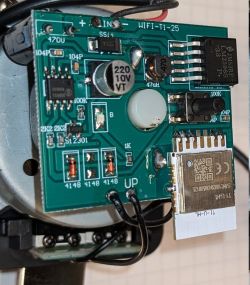
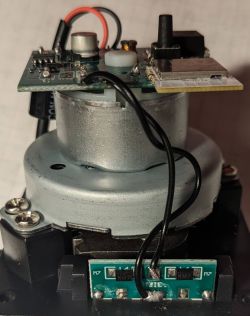
Besides 3V3, and GND three pins are used from the T1-U-HL:
P24: Motor control via the BDR6133 motor driver chip.
P09: Push button.
P08: LED.
The P24 controls the IB input, and the same signal is inverted via a transistor and fed to the IA input of the BDR6133. That means that the motor is always energized one way or another. It stops moving because of the limit switches and diodes that disconnect one of its terminals. Changes I made:
(1) Individually control IA and IB. That way I can have them both LOW, and the motor would not be energized (both its terminal at 0V) and not move at all.
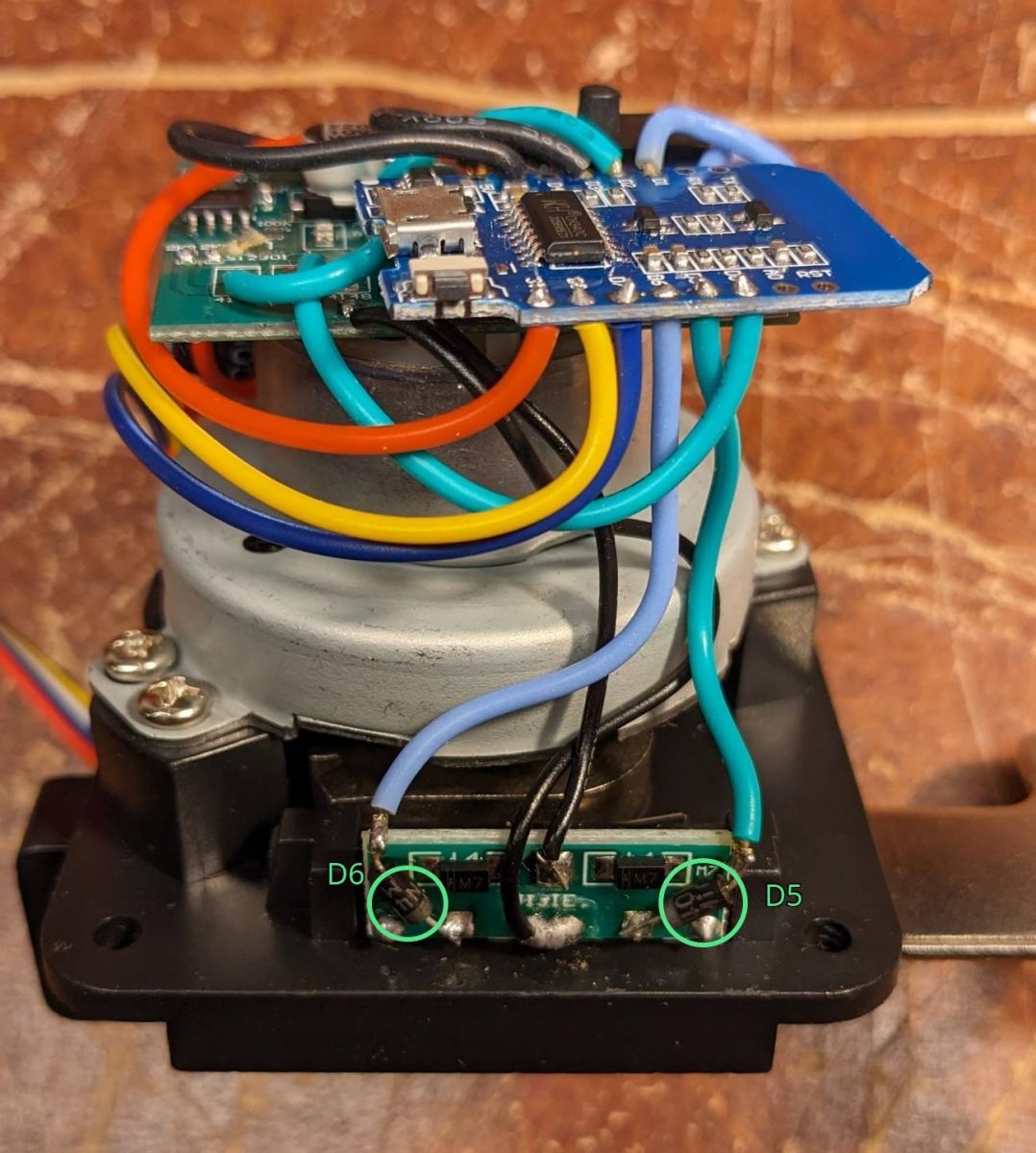
(2) Read the state of the valve. Two microswitches are used, but only their NC contacts. I connected two inputs of the ESP8266 to the unused NO contacts via diodes to keep the motor's 12V away from the MCU. Before reading the inputs I ensure the motor is off (both IA and IB LOW). That way I read LOW from one of the switches depending if the valve is closed or open. Both read HIGH when the valve is mid-way. Reading the switches while the valve is moving proved ambiguous.
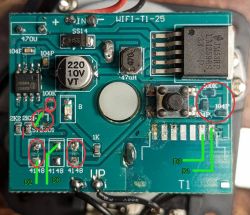
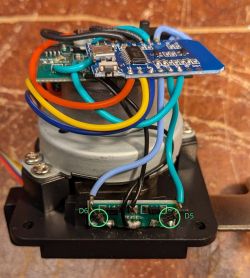
The above image tries to show the modifications. Although I haven't made all of them when I took the photo. And I forgot to take a photo when I did. Some of the changes can be seen on the following images.
The red markings show removals. Green ones - new connections. From left:
* Cut the trace connecting the two resistors for the IA/IB inputs. Now they can be controlled separately.
* Removed the transistor and its resistor that inverts the IB signal for the IA input. Don't need them any more. Added a jumper to connect the 2K2 resistor to the IA input now that the transistor is gone.
* Removed two diodes. The LED was lit from various sources, and the diodes isolated them.
* Removed the pull up resistor and two capacitors - debounce circuit for the push button I guess.
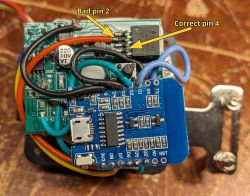
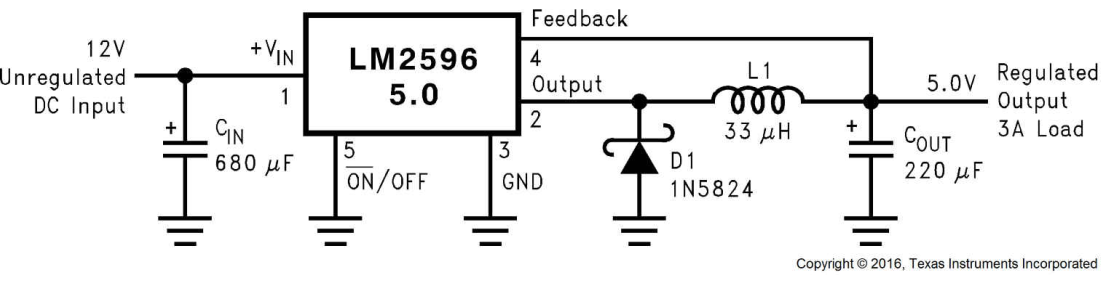
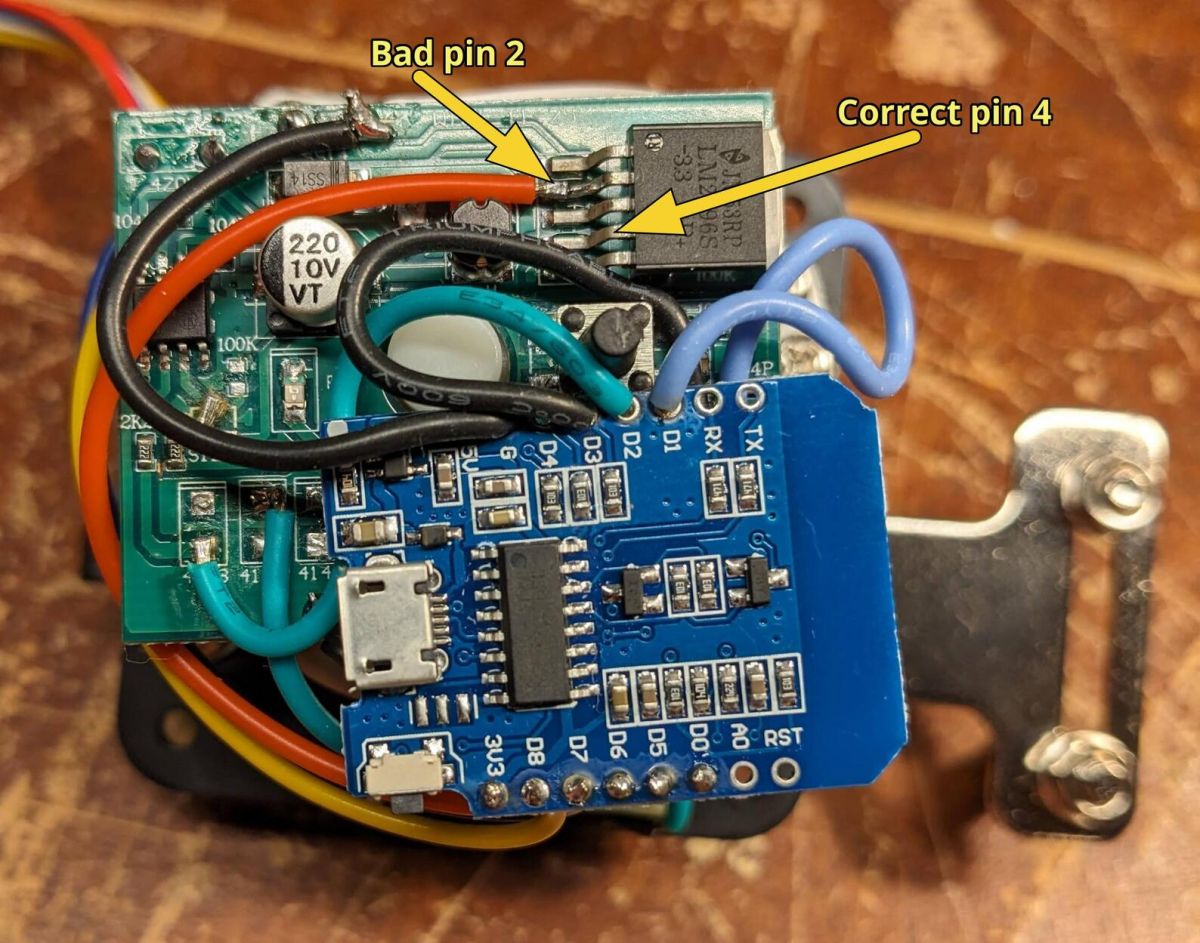
The last item may not have been needed. Initially I sourced 3V3 from pin 2 (Output) of the on-board LM2596. I had continuous stability problems with the ESP8266. Until I took a look at the typical LM2596 application, which is being used.
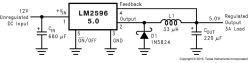
And while troubleshooting those issue, I got rid of the button's RC circuit.
Photos with the modifications. But before I fixed my power issue.
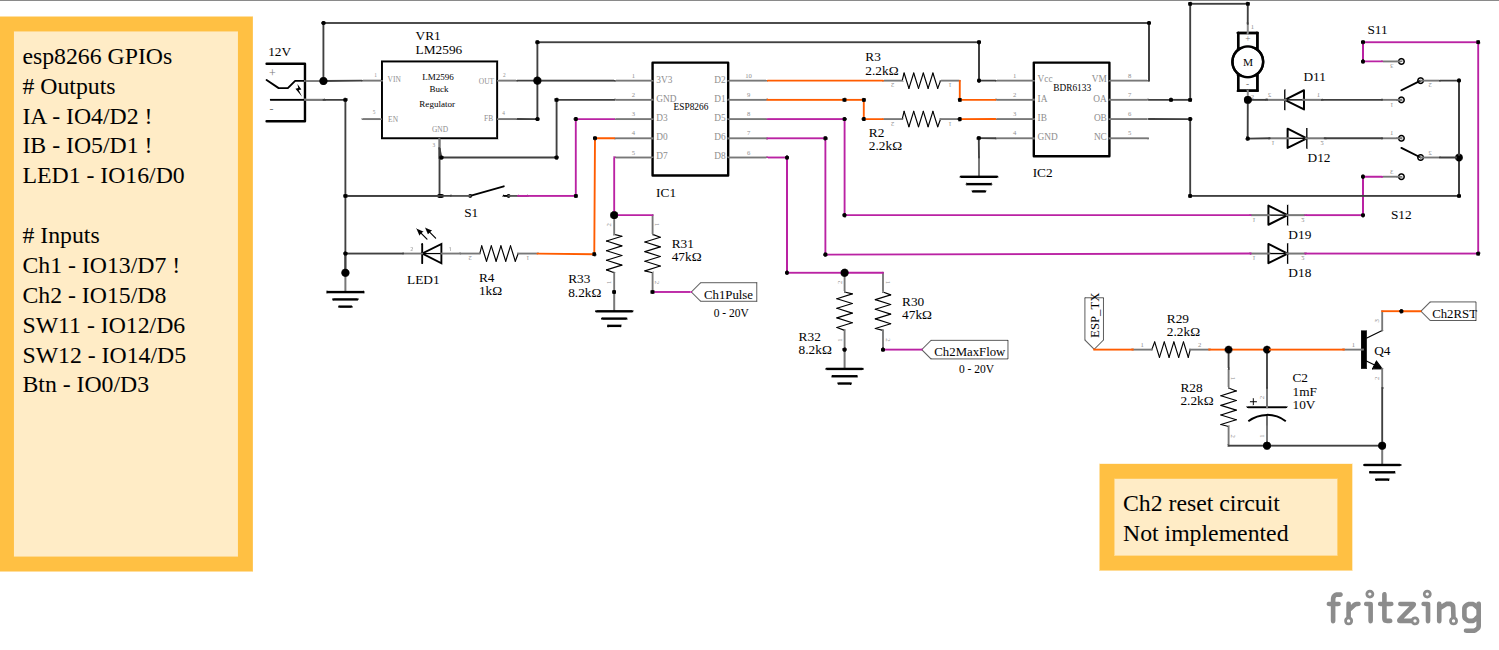
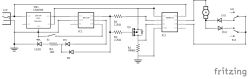
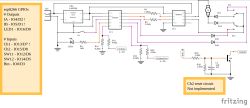
Here are some circuit diagrams. They are missing supporting components around LM2596, and BDR6133. But should capture the changes I've made.
Before:
After:
I purchased one of those generic valve actuators from Amazon. There are a few posts here about similar ones, but I figured I'll throw in mine as well.
In addition to the valve actuator I also got from eBay a used Keyence FD-Q20C flow meter. The project's goals:
* Discard whatever code the valve is running. Do not like it talking to outside parties.
* Install my code to control the valve, and collect water flow telemetry from the Keyence.
* Close the valve when certain conditions are detected. Like water leak. Or water usage when we are on vacation. Or the teenager enjoys the shower for longer than I deem necessary.
This post is about the first two items. I am still collecting data to figure reasonable thresholds for the third.
The Valve
It's not something to get excited. The good part is that it can be installed without cutting pipes. I have it on my 3/4" quarter turn ball valve that's immediately after the house water meter. The bad part is that the motor is weak, and it attaches to a single point on the pipe using a flimsy hose clamp. The whole valve tends to pivot around the pipe as it tries to overcome the torque of the pipe valve. I am going to build a frame of sorts around the body of the valve to keep it from moving.
Some photos with dimensions in mm (+/- 1 mm).
Valve Control
The valve uses T1-U-HL module with Beken BK7238 MCU. I spent a little time looking for a nice SDK to program the BK7238, but found nothing. OpenBeken lists the chip as supported. I tried to build it unsuccessfully. I decided to use ESP8266 - I already have my own utility library for it. An ESP-12F would've fit nicer perhaps, but I didn't have one. I had a bunch of Wemos D1-s.
Before the modifications:
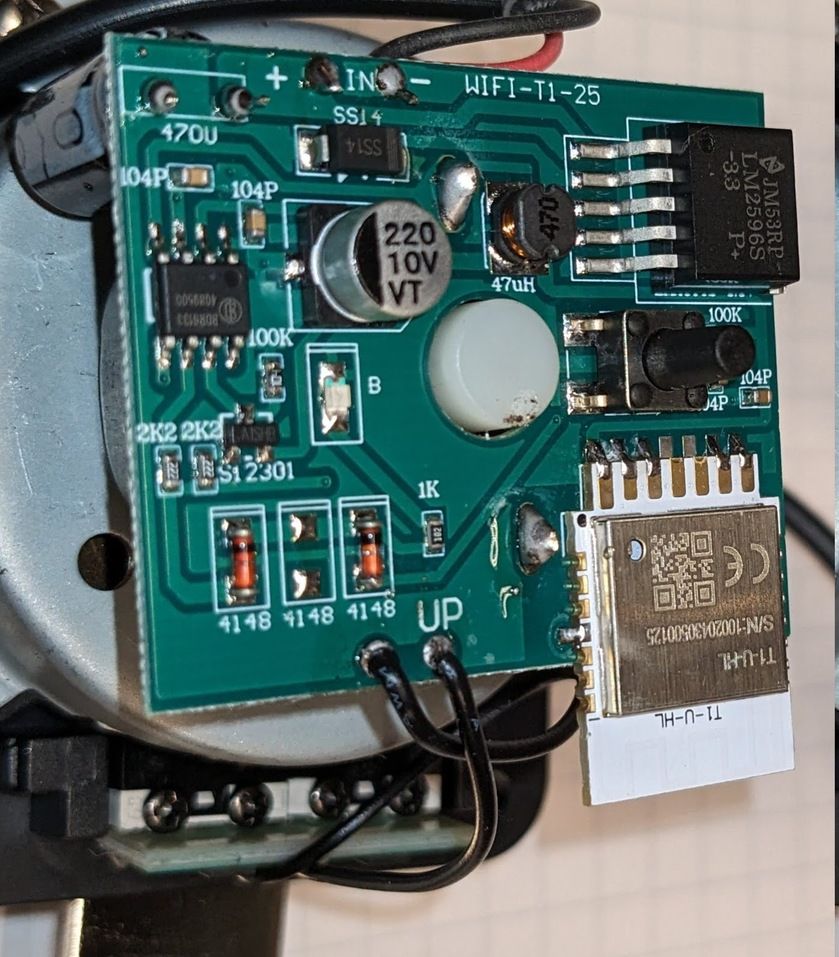
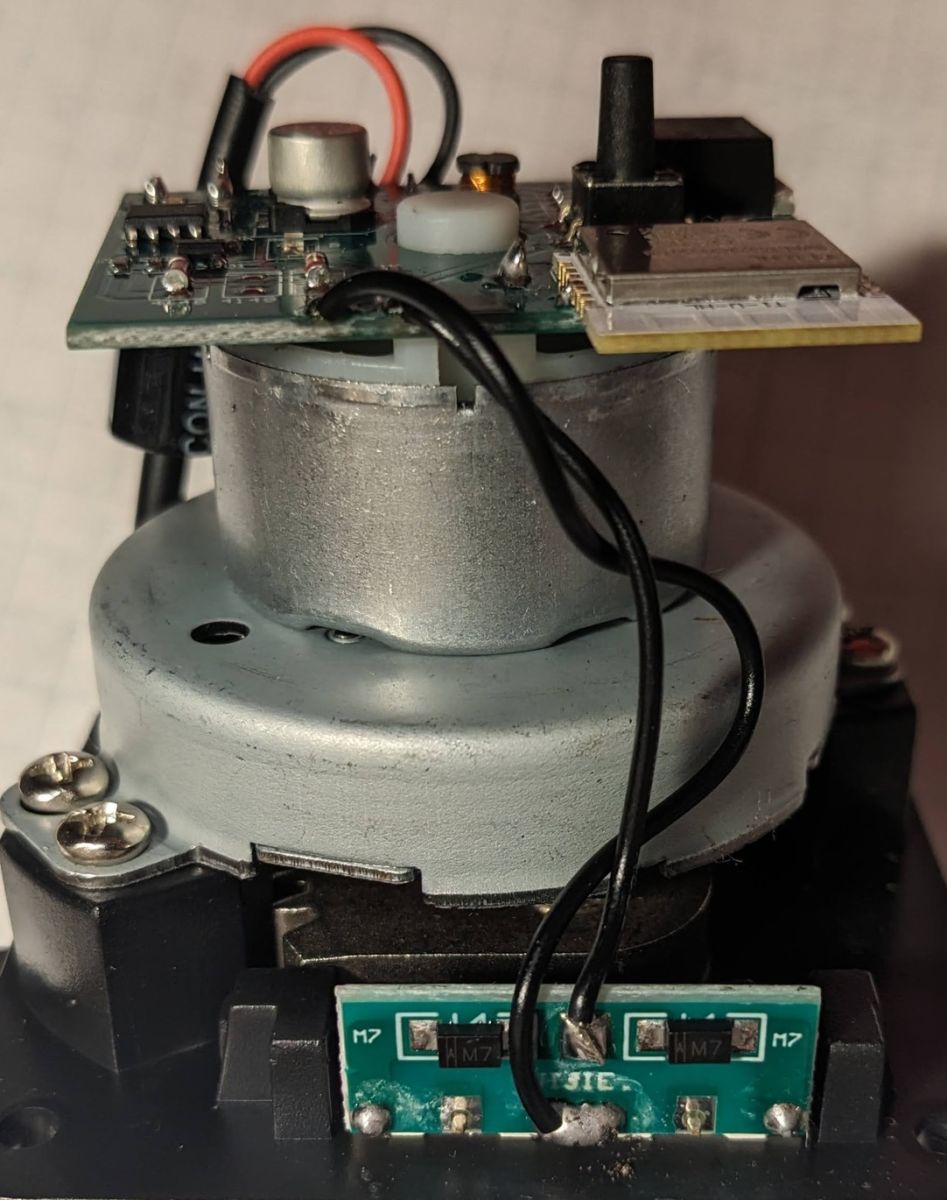
Besides 3V3, and GND three pins are used from the T1-U-HL:
P24: Motor control via the BDR6133 motor driver chip.
P09: Push button.
P08: LED.
The P24 controls the IB input, and the same signal is inverted via a transistor and fed to the IA input of the BDR6133. That means that the motor is always energized one way or another. It stops moving because of the limit switches and diodes that disconnect one of its terminals. Changes I made:
(1) Individually control IA and IB. That way I can have them both LOW, and the motor would not be energized (both its terminal at 0V) and not move at all.
(2) Read the state of the valve. Two microswitches are used, but only their NC contacts. I connected two inputs of the ESP8266 to the unused NO contacts via diodes to keep the motor's 12V away from the MCU. Before reading the inputs I ensure the motor is off (both IA and IB LOW). That way I read LOW from one of the switches depending if the valve is closed or open. Both read HIGH when the valve is mid-way. Reading the switches while the valve is moving proved ambiguous.
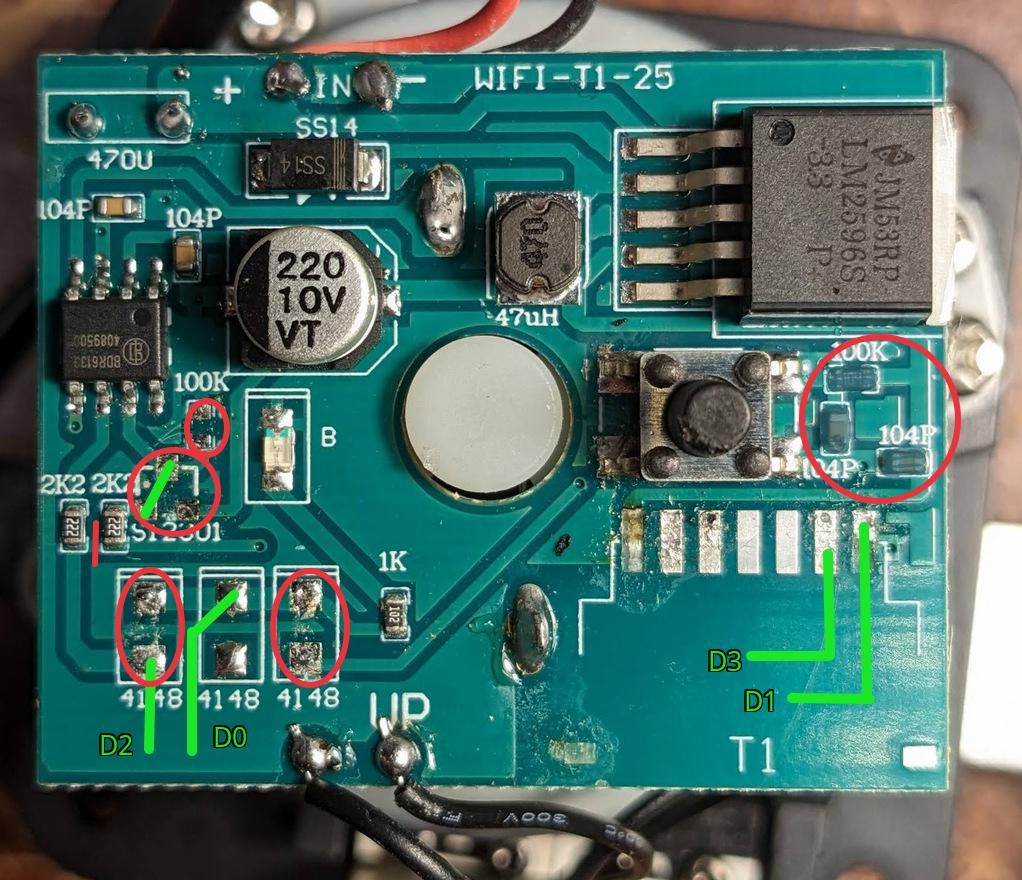
The above image tries to show the modifications. Although I haven't made all of them when I took the photo. And I forgot to take a photo when I did. Some of the changes can be seen on the following images.
The red markings show removals. Green ones - new connections. From left:
* Cut the trace connecting the two resistors for the IA/IB inputs. Now they can be controlled separately.
* Removed the transistor and its resistor that inverts the IB signal for the IA input. Don't need them any more. Added a jumper to connect the 2K2 resistor to the IA input now that the transistor is gone.
* Removed two diodes. The LED was lit from various sources, and the diodes isolated them.
* Removed the pull up resistor and two capacitors - debounce circuit for the push button I guess.
The last item may not have been needed. Initially I sourced 3V3 from pin 2 (Output) of the on-board LM2596. I had continuous stability problems with the ESP8266. Until I took a look at the typical LM2596 application, which is being used.
And while troubleshooting those issue, I got rid of the button's RC circuit.
Photos with the modifications. But before I fixed my power issue.
Here are some circuit diagrams. They are missing supporting components around LM2596, and BDR6133. But should capture the changes I've made.
Before:
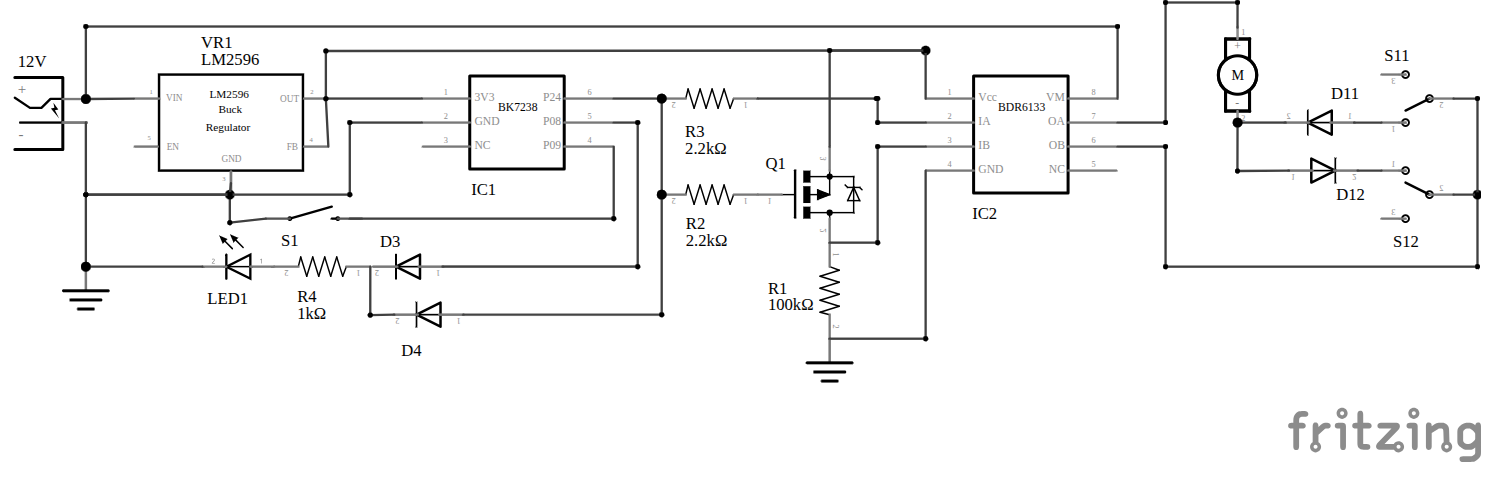
After: