logo elektroda
logo elektroda
X
logo elektroda

The simplest Internet radio on the ESP32-S3? No installation required – just upload it and it works!

Seba_smd 5844 47

TL;DR

  • Builds an ESP32-S3 N16R8 internet radio with PCM5102 I2S audio, OLED or color display support, rotary encoders, and NEC 38 kHz IR remote control.
  • Firmware installs directly from a browser using the Web Serial API, so no Arduino IDE, PlatformIO, or library hunting is needed.
  • Connect the board over USB, open the installer in Chrome or Edge, choose the COM port, and set Wi‑Fi credentials through the UART terminal.
  • A web interface on the radio's IP address configures pins, encoder steps, IR buttons, station lists, display brightness, rotation, and wake-up relay control.
AI summary based on the discussion. May contain errors.
ADVERTISEMENT
This content has been translated flag-pl » flag-en View the original version here
📢 Listen (AI voice):
  • #31 21924324
    jaostaszewski
    Level 7  
    Posts: 3
    Rate: 2
    >>21924323
    Seba_smd wrote:
    Is this the one?? Link

    Exactly that one.
    That would be great :)

  • ADVERTISEMENT
  • ILI9341 3.2-inch display compatibility check

    #32 21924440
    Seba_smd
    Level 17  
    Posts: 303
    Help: 8
    Rate: 90
    jaostaszewski wrote:
    >>21924323
    Seba_smd wrote:
    Is this the one?? Link

    Exactly that one.
    That would be great :)


    When you’ve got a moment, have a look to see if it works on the ILI9341 — 3.2" screen (320×240). I’ve added the option to select it via the website, just like other displays. It might not work properly without the display itself, though. But do check if the display responds in any way. “Version 1.0.1 · 19 June 2026". If this version isn’t available, refresh the page using
    Ctrl + Shift + R (hard refresh — force a reload)
    https://seba131.github.io/esp32-radio-installer/
  • ADVERTISEMENT
  • #33 21924454
    jaostaszewski
    Level 7  
    Posts: 3
    Rate: 2
    Seba_smd wrote:
    If you have a moment, could you check whether it works on the ILI9341 — 3.2" screen (320×240)
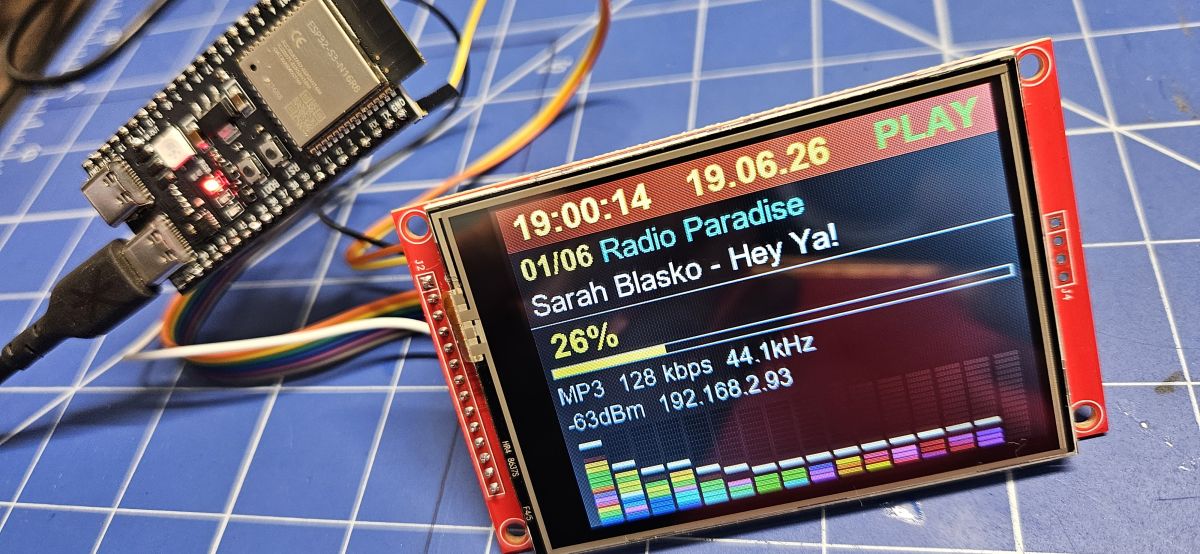
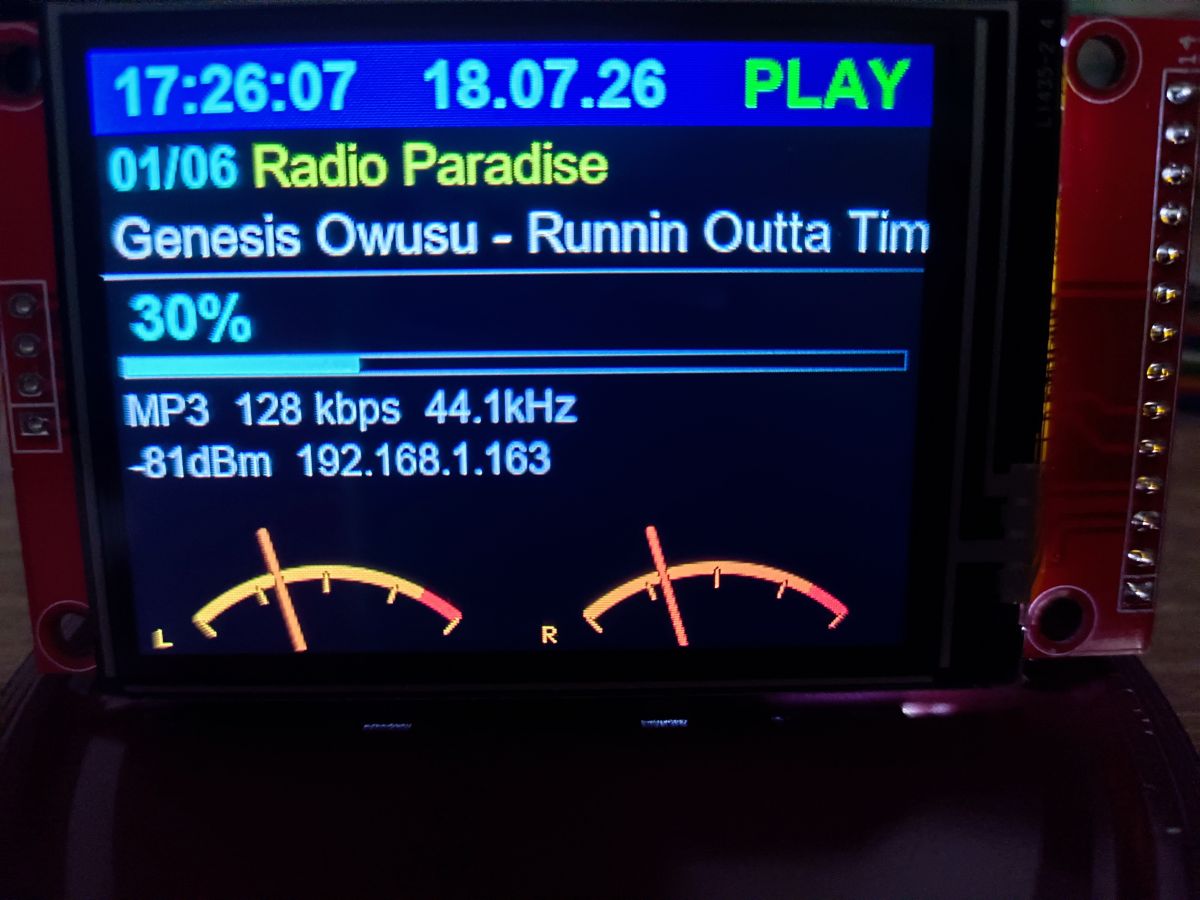
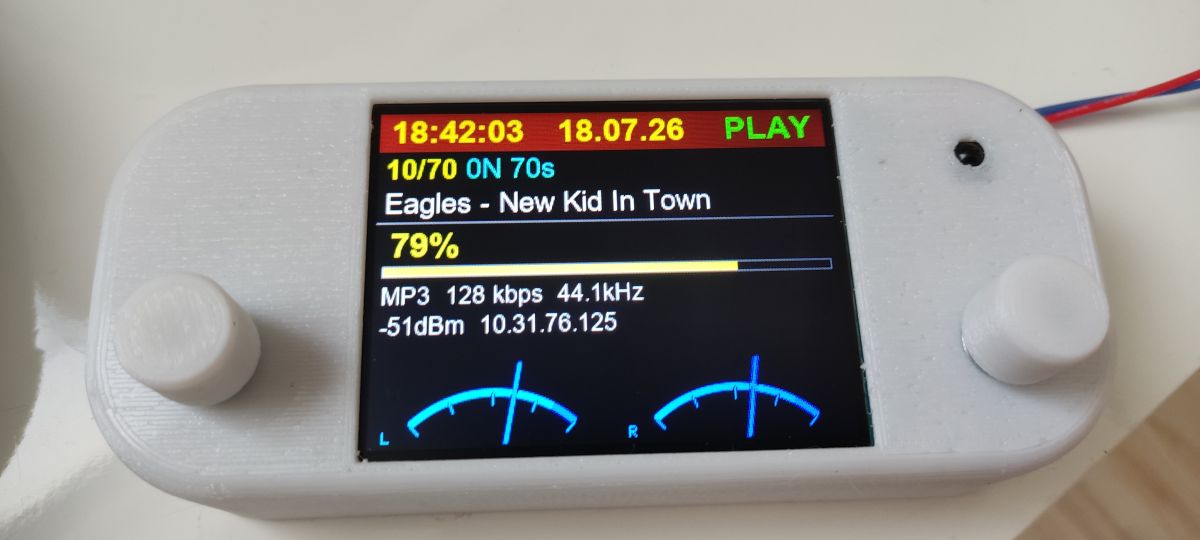
    I just quickly booted up the ESP and the display. Everything’s working as it should. It looks brilliant. With my eyesight getting weaker, the 3.2" screen does the job nicely. Overall, the colours are well chosen and the equaliser is impressive.
    Many thanks for the lightning-fast response :)
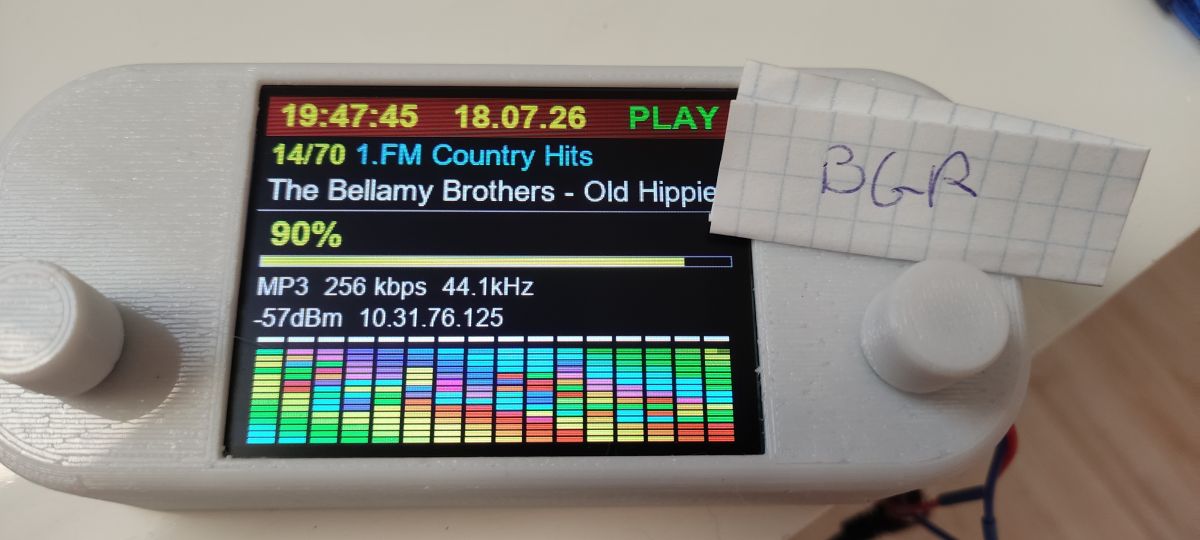
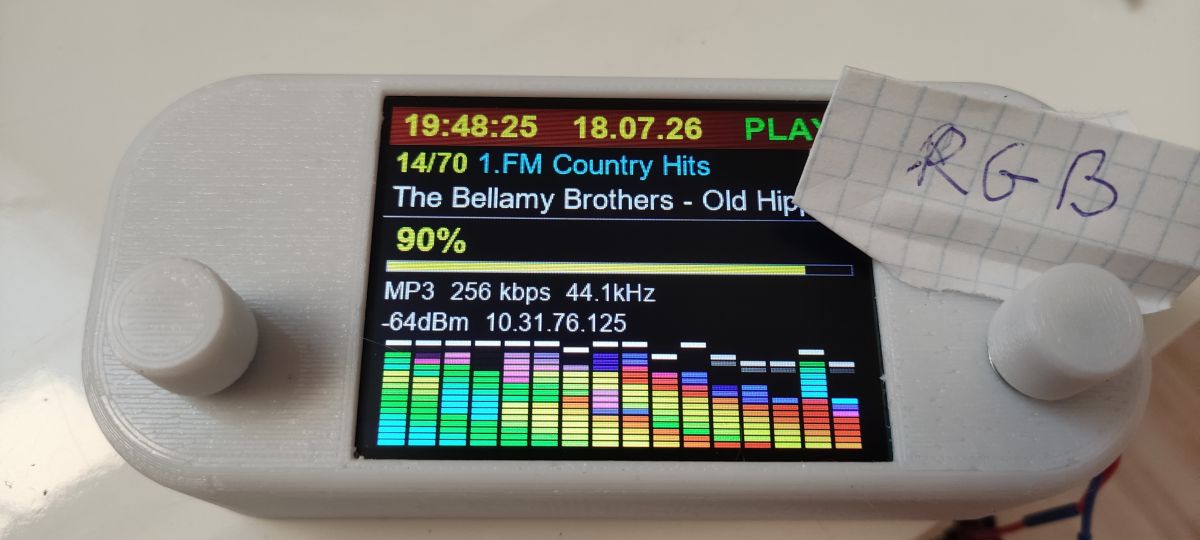
    ESP module connected to a color TFT display showing radio playback details and a multicolor equalizer bar
  • #34 21925887
    piotrtbg1
    Level 11  
    Posts: 34
    Hi,

    I’d been planning to install YORadio for ages but somehow couldn’t get round to it,
    So I installed and got it up and running in a few minutes

    GREAT

    Note: when selecting an IR channel, all options are available; if you select the wrong one, the ESP goes into an error loop and you have to reprogram it (35-pin for me).
    Will you be adding support for other displays?
  • #35 21925915
    Seba_smd
    Level 17  
    Posts: 303
    Help: 8
    Rate: 90
    >>21925887
    At the moment I’ve no idea; they’re standard.
    Regarding the choice of IR board, which one did you choose that had the fault? I haven’t actually checked that one.
  • #37 21926021
    sq3evp
    Level 39  
    Posts: 6647
    Help: 220
    Rate: 888
    So there are various options – I’ve got a few things here and there, but I don’t think I’ve got a PCM. I need to have a look through my resources because it’s about time I set up a web radio station.
  • #38 21926031
    efi222
    Level 22  
    Posts: 775
    Help: 12
    Rate: 1213
    piotrtbg1 wrote:
    I selected 35 and the ESP froze

    On the ESP32-S3-DevKitC-1 development board (dual USB socket), pin 35 is GPIO 00, i.e. boot (flash). You should not connect anything to this pin.
  • #39 21928242
    hevet
    Level 18  
    Posts: 347
    Rate: 47
    Are you planning to add an audio equaliser?
  • ADVERTISEMENT
  • #40 21928262
    Seba_smd
    Level 17  
    Posts: 303
    Help: 8
    Rate: 90
    >>21928242
    I don’t have time at the moment; I need to find a new job – that’s my priority.
  • ADVERTISEMENT
  • #41 21937173
    mono12345
    Level 15  
    Posts: 64
    Help: 18
    Rate: 22
    Thank you for all your hard work. It works brilliantly – right from the moment I switched it on. I have a question – are there any plans to add 480x320 displays based on the ILI9488 (3.5", 4")?
  • No current plan for ILI9488 480x320 support

    #42 21937222
    Seba_smd
    Level 17  
    Posts: 303
    Help: 8
    Rate: 90
    mono12345 wrote:
    Thank you for all your hard work. It works brilliantly – right from the moment I switched it on. I have a question – are there any plans to add 480x320 displays for the ILI9488 (3.5", 4")?
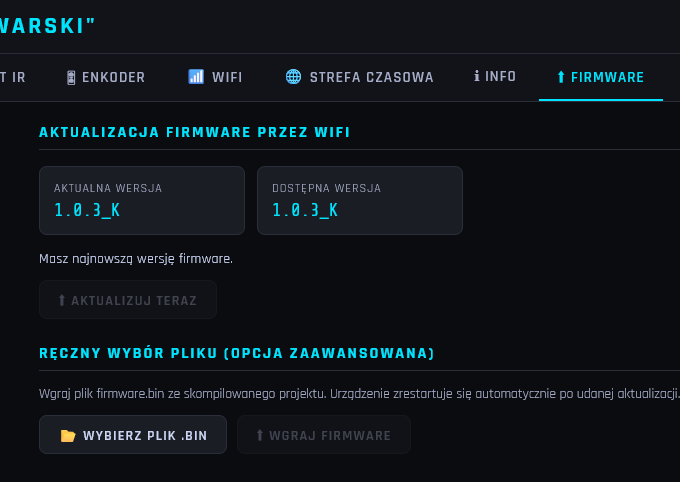
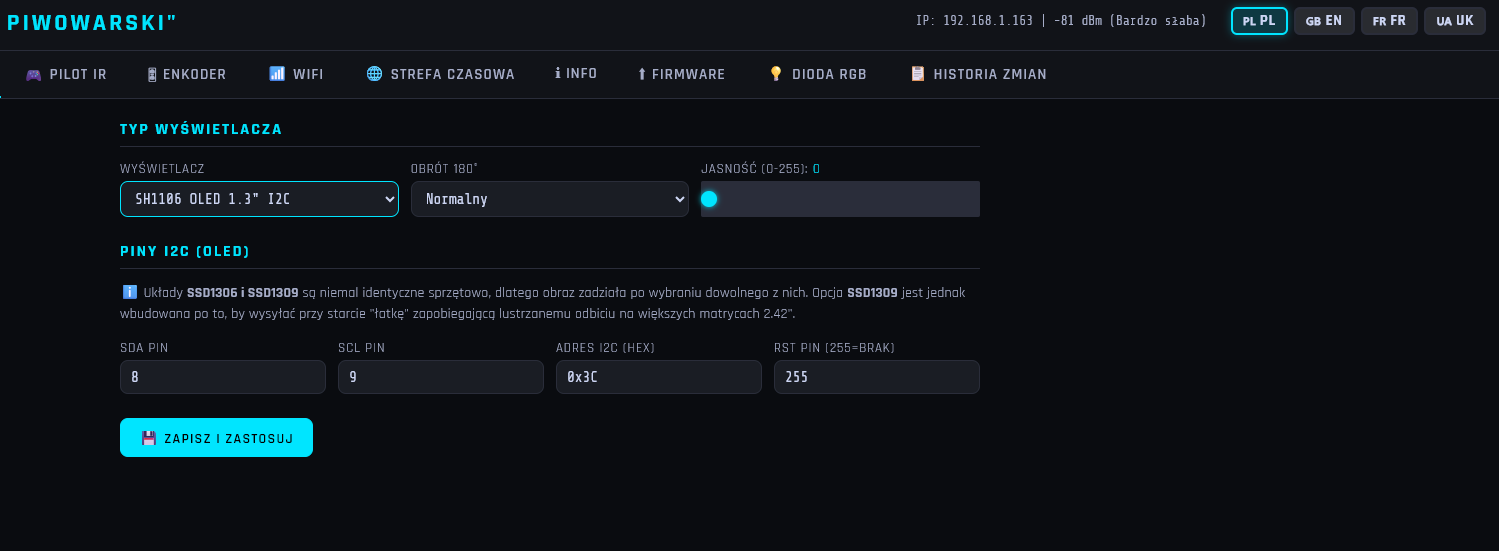
    At the moment I don’t have the time, and I’ve already added quite a lot of what others wanted. A nice option is:
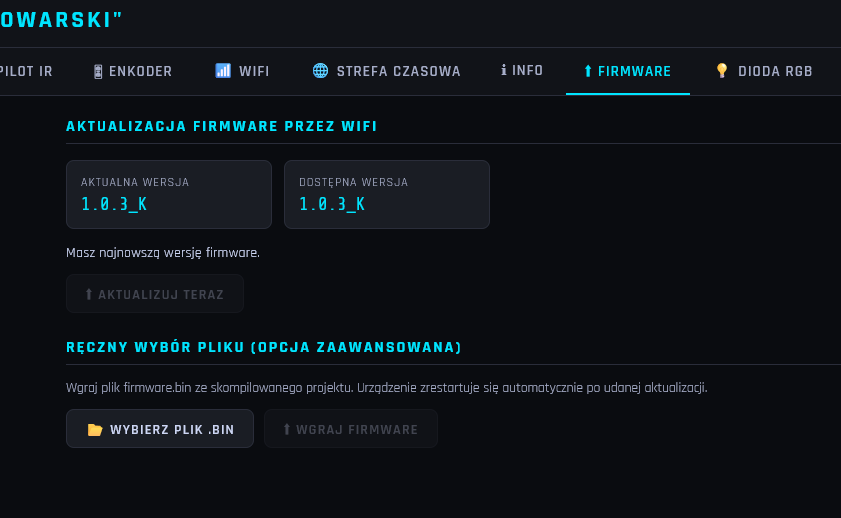
    Screenshot of “Firmware” tab with Wi‑Fi update section and manual .bin file upload

    Such displays are available at the moment. Anyway, I can’t remember how much memory the ESP32 uses – I’m already using quite a lot of it anyway.

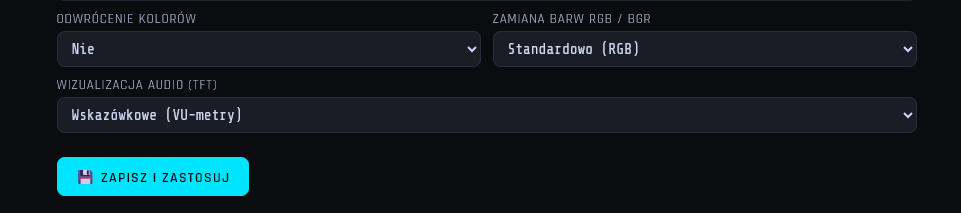
    Screenshot of “Piwowarski” web panel with SH1106 1.3 I2C OLED and I2C pin settings.

    I’ve had a quick look. There’d be a problem here – I’d have to create everything from scratch: a different resolution and probably separate *.bin files to upload. And, as always, other issues to sort out. But maybe one day, when I’ve got plenty of time.
  • #43 21937281
    mono12345
    Level 15  
    Posts: 64
    Help: 18
    Rate: 22
    Thank you for your quick reply. I understand the problem and I’m keeping my fingers crossed. Maybe one day. But I can see you’re working on it non-stop. I was uploading version F today, and in no time at all it was already G. And now it’s K. Good luck!
  • #44 21939647
    piotrtbg1
    Level 11  
    Posts: 34
    Is it possible to update without a new build? I should add that I’m using version 1.0.0
  • #45 21939736
    Seba_smd
    Level 17  
    Posts: 303
    Help: 8
    Rate: 90
    piotrtbg1 wrote:
    Is it possible to update without a new build? I should add that I’m on version 1.0.0

    Only from version 1.0.3_J onwards. You can update via Wi-Fi and won’t lose your settings.

    The simplest Internet radio on the ESP32-S3? No installation required – just upload it and it works!
  • #46 21939742
    miroskop
    Level 23  
    Posts: 468
    Help: 65
    Rate: 62
    Perhaps I’ll ask about updating via a .bin file. The thing is, I used esptool.exe to make a copy of the ESP’s contents with firmware 1.0.2, but I couldn’t flash it using your programme. I get a ‘Not Enough Space’ message, whereas the same .bin file can be flashed without any problems using esptool. What am I doing wrong?
  • Wi-Fi upload requires app image from 0x10000

    #47 21939811
    efi222
    Level 22  
    Posts: 775
    Help: 12
    Rate: 1213
    >>21939742
    I suspect you made a copy starting from address 0x0. Such a copy contains the entire contents of the ESP flash memory, meaning that, in addition to the firmware (application), it also includes the bootloader and the partition.
    Such a file is not suitable for uploading via Wi-Fi.
    Only the programme itself can be uploaded via Wi-Fi. (Unless, of course, someone has a different method :) )
    Try making a copy from address 0x10000 to 0x800000 and uploading it. I’m assuming that 8MB of flash memory has been allocated for the programme.
  • #48 21939818
    miroskop
    Level 23  
    Posts: 468
    Help: 65
    Rate: 62
    Yes, I copied the data from 0x0 to 0x1000000 and it’s probably just as you say, but I’m not going to fiddle about with it any more. I’ve updated to version 1.0.3_K and it’s ‘working a treat’. Both literally and figuratively.
📢 Listen (AI voice):
ADVERTISEMENT