logo elektroda
logo elektroda
X
logo elektroda

The simplest Internet radio on the ESP32-S3? No installation required – just upload it and it works!

Seba_smd 7644 78

TL;DR

  • Builds an ESP32-S3 N16R8 internet radio with PCM5102 I2S audio, OLED or color display support, rotary encoders, and NEC 38 kHz IR remote control.
  • Firmware installs directly from a browser using the Web Serial API, so no Arduino IDE, PlatformIO, or library hunting is needed.
  • Connect the board over USB, open the installer in Chrome or Edge, choose the COM port, and set Wi‑Fi credentials through the UART terminal.
  • A web interface on the radio's IP address configures pins, encoder steps, IR buttons, station lists, display brightness, rotation, and wake-up relay control.
AI summary based on the discussion. May contain errors.
ADVERTISEMENT
Treść została przetłumaczona polish » english Zobacz oryginalną wersję tematu
📢 Listen (AI voice):
  • #61 21941583
    kombo
    Level 14  
    Posts: 61
    Help: 3
    Rate: 40
    My Samsung TV remote turns on the radio. :(
    In some versions, the background is white when switched off, and in others it’s black.
    In version "o", it’s white.
  • ADVERTISEMENT
  • Different IR code needed for the button

    #62 21941620
    Seba_smd
    Level 17  
    Posts: 317
    Help: 8
    Rate: 95
    kombo wrote:
    My Samsung TV remote turns on the radio. :(
    In some versions, the background is white when switched off, and in others it’s black.
    In version ‘o’, it’s white.

    Because it’s the same IR code. Change the button; programme a different one.
    Which display are you referring to? A photo, perhaps. “The background is white when switched off, and black in some versions.” I’m not entirely sure what you mean – different display connections?? Where is the display backlight connected? etc...
    Does the slider dim and brighten it?
  • #63 21941681
    miroskop
    Level 24  
    Posts: 481
    Help: 65
    Rate: 65
    I’ve installed version 1.0.3_R and the problem with the device restarting whilst the remote control is active has gone. The weather feature is working too. Thank you!
  • Weather feature limited by ESP32-S3 memory shortage

    #64 21941689
    Seba_smd
    Level 17  
    Posts: 317
    Help: 8
    Rate: 95
    miroskop wrote:
    I’ve installed version 1.0.3_R and the problem with the device restarting whilst the remote control is active has gone. The weather feature is working too. Thank you!


    It’s good that the bug in the programme has been fixed. Unfortunately, there will be issues with the weather feature due to a lack of memory – in version _S , I’ve added a message explaining this situation.
  • ADVERTISEMENT
  • #65 21941722
    miroskop
    Level 24  
    Posts: 481
    Help: 65
    Rate: 65
    Rather than the weather (I’ve got a window and a weather station), I’d prefer to be able to choose the colour of the VU meter, e.g. orange, blue and green. But these are just my own ideas.
  • Remote control wakes unprogrammed keys and backlight stays on

    #66 21941942
    kombo
    Level 14  
    Posts: 61
    Help: 3
    Rate: 40
    >>21941620 The remote control wakes the radio using keys that haven’t even been programmed.
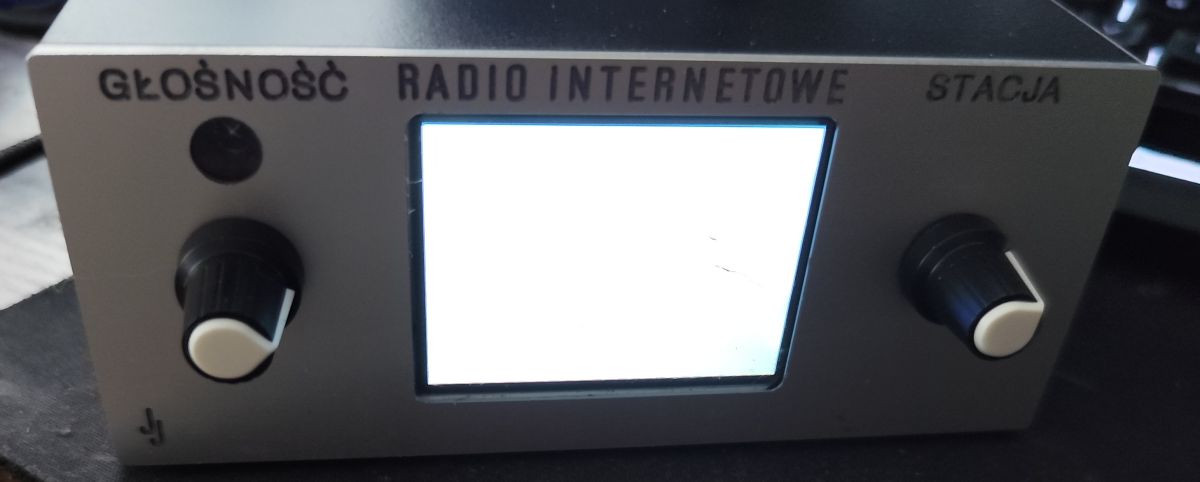
    The display has a backlight that is permanently connected internally.
    The image showing the display’s state after sleep mode, which I mentioned earlier, is either white or black depending on the firmware.

    The simplest Internet radio on the ESP32-S3? No installation required – just upload it and it works!
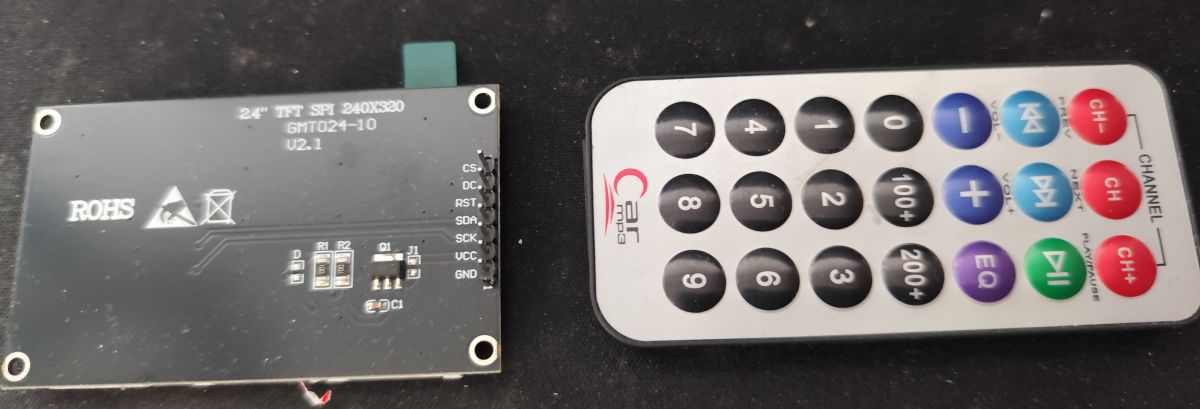
    Back of a 2.4 TFT SPI display module with labeled pins, next to a small remote control
  • Permanent backlight prevents LCD power-off in sleep mode

    #67 21941960
    Seba_smd
    Level 17  
    Posts: 317
    Help: 8
    Rate: 95
    kombo wrote:
    >>21941620 The remote control wakes the radio using keys that haven’t even been programmed.
    The display has a backlight that is permanently connected internally.
    The image showing the display’s state after sleep mode, which I mentioned earlier, is either white or black depending on the firmware.

    The simplest Internet radio on the ESP32-S3? No installation required – just upload it and it works!
    Back of a 2.4 TFT SPI display module with labeled pins, next to a small remote control


    There are no pins labelled:
    LED
    BL
    BACKLIGHT
    This means that the backlight is permanently connected to the power supply by the module manufacturer. The processor cannot switch it off.
    This explains your problem.
    After going into sleep mode:
    the LCD circuitry may be switched off,
    but the LEDs remain lit.
    As a result, you see:
    a black screen,
    a white screen,
    sometimes a grey screen,
    depending on the state of the LCD controller, rather than the backlight.
    Is there anything that can be done about this? I’ll have to think about it.
  • ADVERTISEMENT
  • #68 21941962
    miroskop
    Level 24  
    Posts: 481
    Help: 65
    Rate: 65
    As a last resort, you could use the power status pin and cut off the power to the LCD via a MOSFET.
  • Remote compatibility test and postcode-based location request

    #69 21942240
    kombo
    Level 14  
    Posts: 61
    Help: 3
    Rate: 40
    I did a quick test: every remote control I have at home turns the radio on, but not every button on the remote works.
    The remote for the TV box, the one for the Yamaha receiver, and the Samsung TV remote (which has already been replaced).
    With firmware ‘S’, the screen is dark.
    I’ll fit a MOSFET, though, as suggested by the chap above.
    Could you tell us a bit more about the weather? And especially about the location.
    For example, can it find the famous Wąchock? Or Nowa Wieś – of which, as we know, there are countless.
    Perhaps the location via postcode?
    I forgot to thank you for this project and all the work you’ve put into it.
  • ESP32-S3 radio retrofit into Panasonic RX-ES25

    #70 21942246
    wojo1971
    Level 12  
    Posts: 41
    Rate: 101
    >>21941962
    Inspired by the author’s innovative approach to implementing a key component of an internet radio, based on the ESP32-S3, PCM5102 and ILI9341 LCD, I put together a ‘spider-style’ circuit as a test – it worked first time!

    The only thing that isn’t 100% compatible in my setup is the behaviour of my 240x320 ILI9341 display, which works, but when you select the ST7789 (when the ILI9341 is selected, it’s rotated by 90°)...

    ...I couldn’t leave that ‘spider’ layout permanently; playing around with the radio and searching for interesting streams is great fun, but it’s worth listening to it on something other than just headphones :)

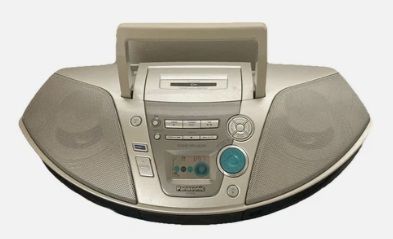
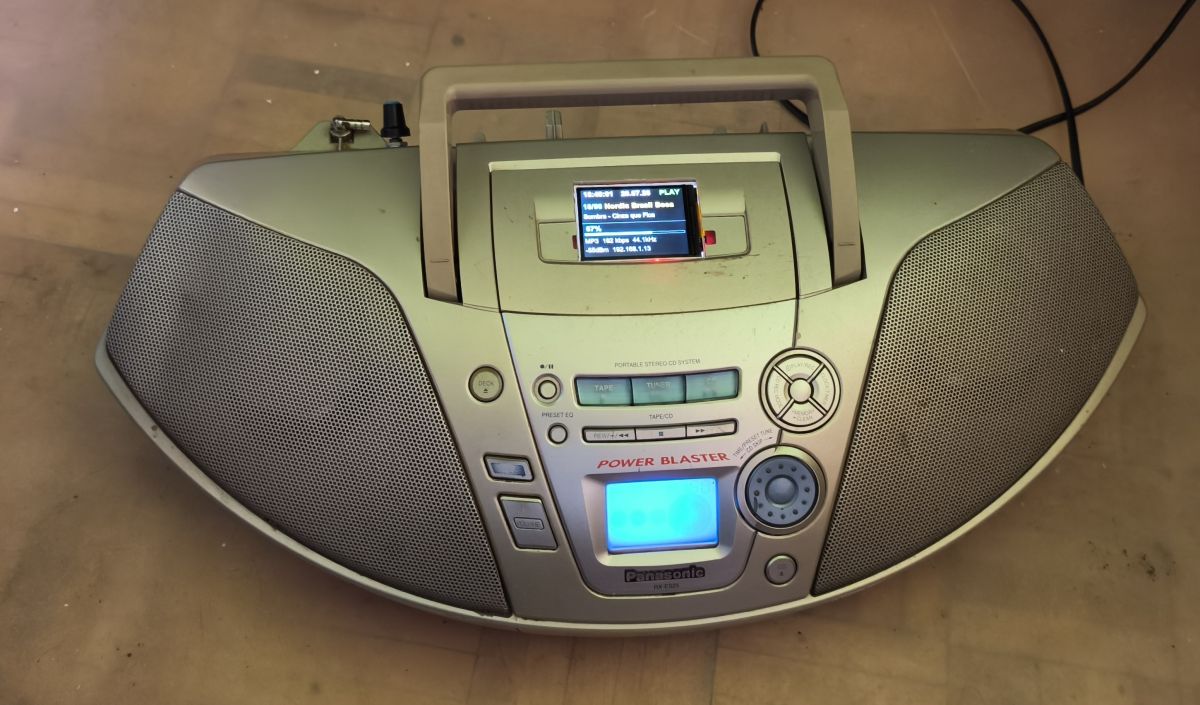
    I had an old Panasonic RX-ES25; everything was broken apart from the speakers and the amplifier – a great starting point for combining with the following components: ESP32-S3, PCM5102 and ILI9341 LCD + a rotary encoder for changing stations.
    The simplest Internet radio on the ESP32-S3? No installation required – just upload it and it works!

    After two days of basic mechanical and electrical modifications, the kit is finally up and running.

    Well done, Author!

    Below are a few illustrative photos, intended to encourage you to try your own adaptations (this is by no means a manual, particularly regarding the construction of the 5V DC power supply)

    Before the photos, here are the technical details:
    - ESP32-S3, PCM5102, ILI9341 LCD (assembled on a universal PCB) and 1 encoder for changing stations;
    - the power supply is an Alcatel 5V/550mA charger;
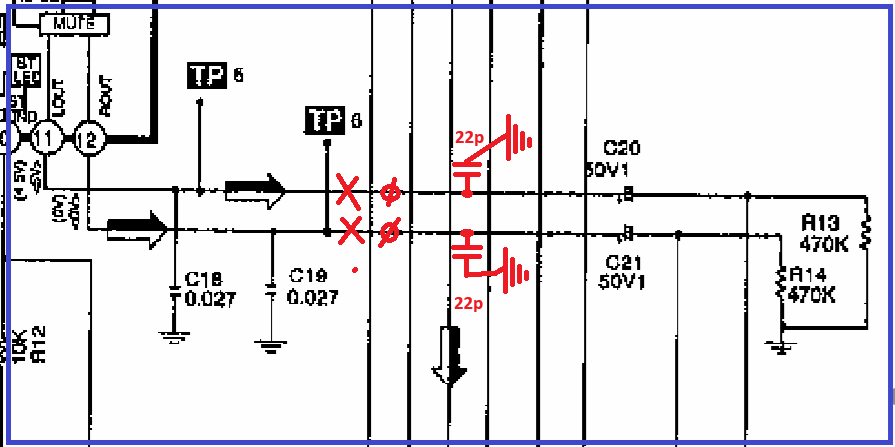
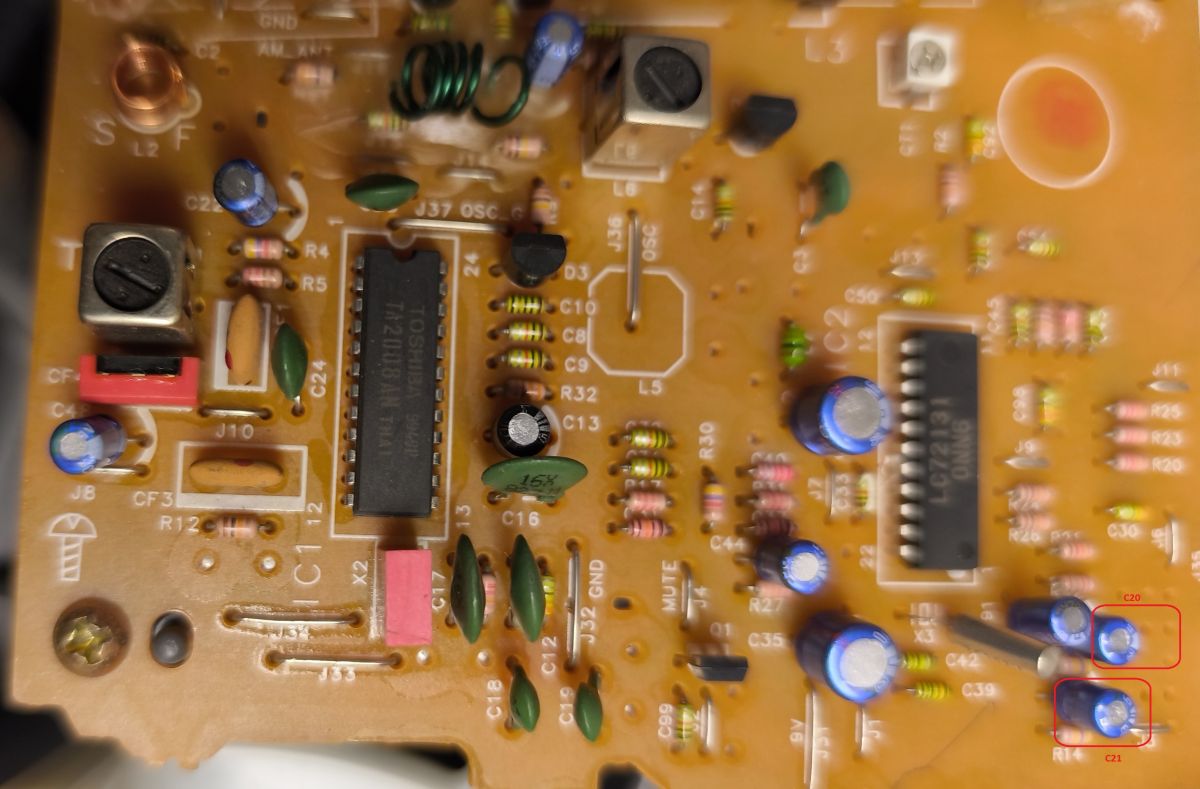
    - the audio signal from the PCM5102 is connected in place of the analogue signal from the FM tuner (p.11 and p.12, TA2008AN); there’s no need to fiddle with anything – simply switch to ‘tuner’ mode;

    The simplest Internet radio on the ESP32-S3? No installation required – just upload it and it works!


    Close-up of a PCB with ICs, capacitors, and resistors; two parts in the lower-right corner outlined in red


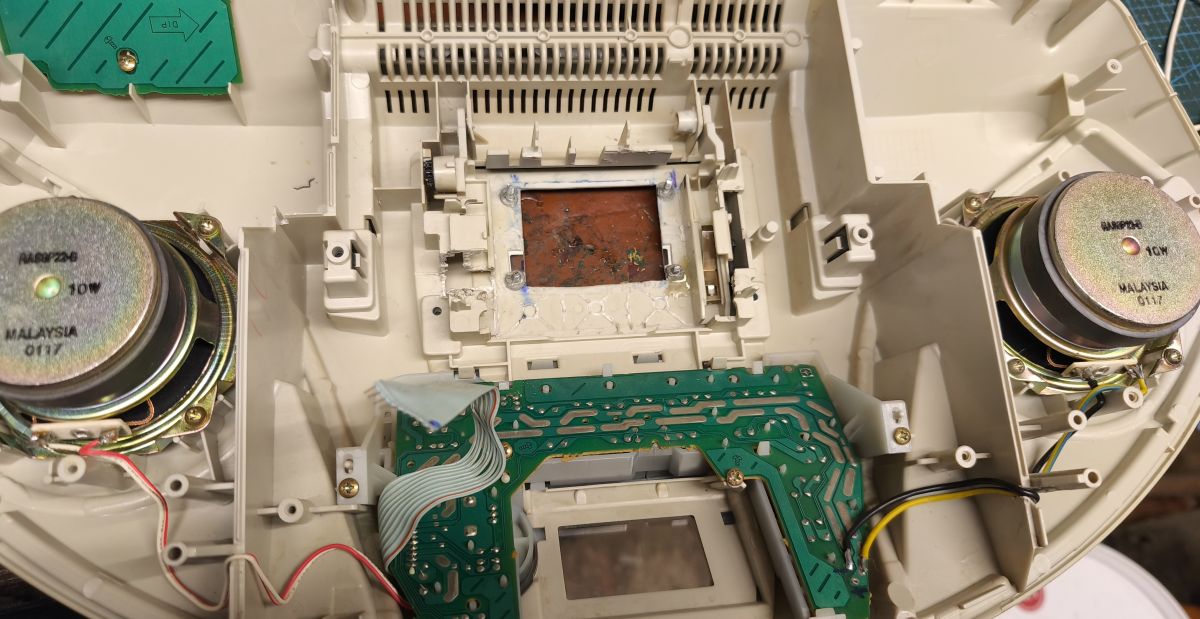
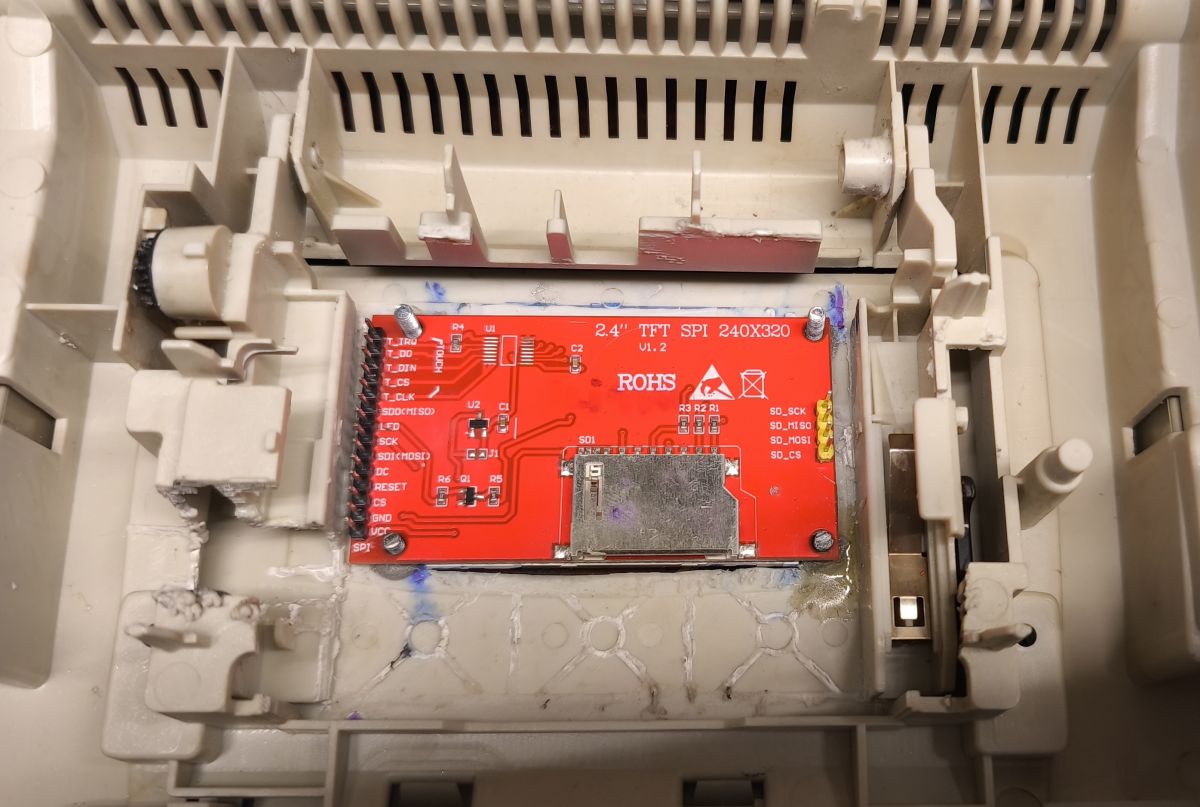
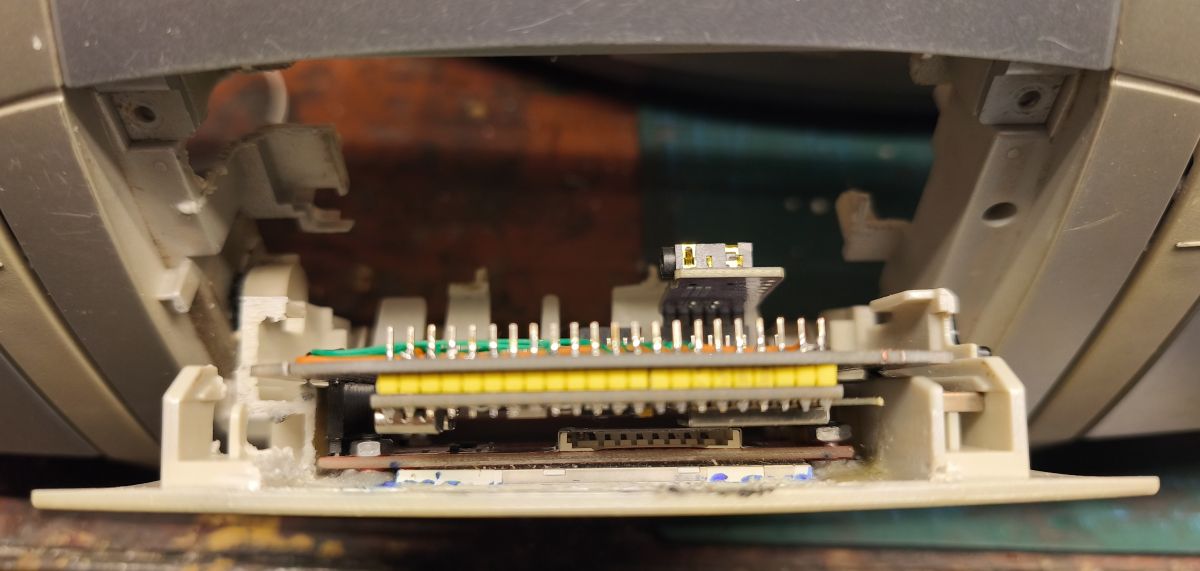
    The whole unit (apart from the 5V power supply and the station-selection encoder) has been fitted in the space left by the removed cassette mechanism. It’s been assembled and it works...

    Inside an audio device with two speakers and a green PCB mounted in a plastic housing


    Red 2.4-inch TFT SPI display controller board mounted inside a white device housing


    Electronics board mounted in the cassette deck opening inside an audio device

    Panasonic boombox with a small LCD screen fitted in the top recess and visible wires hanging down


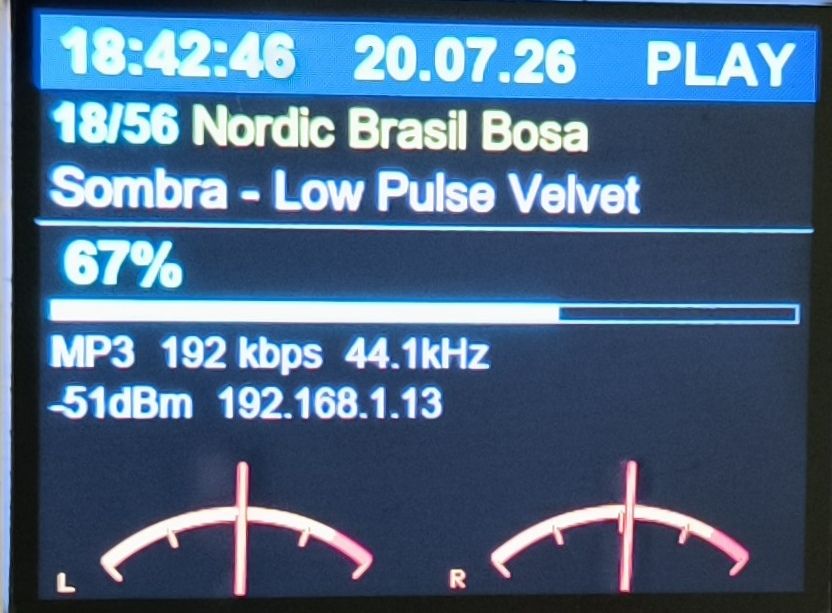
    To allow volume control from a single location, the digital section has been set to 67% via software.
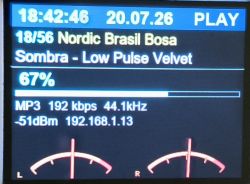
    LCD screen showing audio player UI: time, date, “PLAY”, track info, 67% volume, and L/R meters


    The equipment was set up today – a digital version of the Panasonic – and there will be a cosmetic tweak –> a border around the LCD... in short, a good audio companion for the workshop :) ...

    ...ultimately, I plan to build a separate wooden tower version with a blue OLED (but that’s for 2026/2027).
  • Remote wake issue and display compatibility notes

    #71 21942285
    Seba_smd
    Level 17  
    Posts: 317
    Help: 8
    Rate: 95
    Added after 1 [minute]:

    wojo1971 wrote:
    >>21941962
    The only thing that isn’t 100% compatible for me is the behaviour of my 240x320 ILI9341 display, which works, but when you select ST7789 (when the ILI9341 is selected, it is rotated by 90°)...

    Exactly – these are two different displays with different control schemes.
    The aim was to create a simple and fast version of an internet radio without having to install unnecessary software. Unfortunately, as always, there are quite a few problems to sort out, which is why no one has done it this way before. But that’s all about to change.
    It’s great, though, to refurbish an old radio , which wasn’t working or had been left unused – it’s a brilliant way to put it to good use again.
    I’ve already converted a few receivers for friends.

    Added after 10 [minutes]:
    kombo wrote:
    >>21941620 The remote control wakes the radio up using buttons that haven’t even been programmed.
    The display has a backlight that is permanently connected internally.
    The image showing the display’s state after sleep mode, which I mentioned earlier, is either white or black depending on the firmware.

    Can you update via Wi-Fi and check whether the display is working correctly?
    You need to press the programmed button on the remote control twice to wake the radio.


    !! Unfortunately, due to a lack of time, I am unable to test all the radio’s functions. !!
    The simplest Internet radio on the ESP32-S3? No installation required – just upload it and it works! The simplest Internet radio on the ESP32-S3? No installation required – just upload it and it works! The simplest Internet radio on the ESP32-S3? No installation required – just upload it and it works! The simplest Internet radio on the ESP32-S3? No installation required – just upload it and it works! The simplest Internet radio on the ESP32-S3? No installation required – just upload it and it works! The simplest Internet radio on the ESP32-S3? No installation required – just upload it and it works! The simplest Internet radio on the ESP32-S3? No installation required – just upload it and it works! The simplest Internet radio on the ESP32-S3? No installation required – just upload it and it works! The simplest Internet radio on the ESP32-S3? No installation required – just upload it and it works!
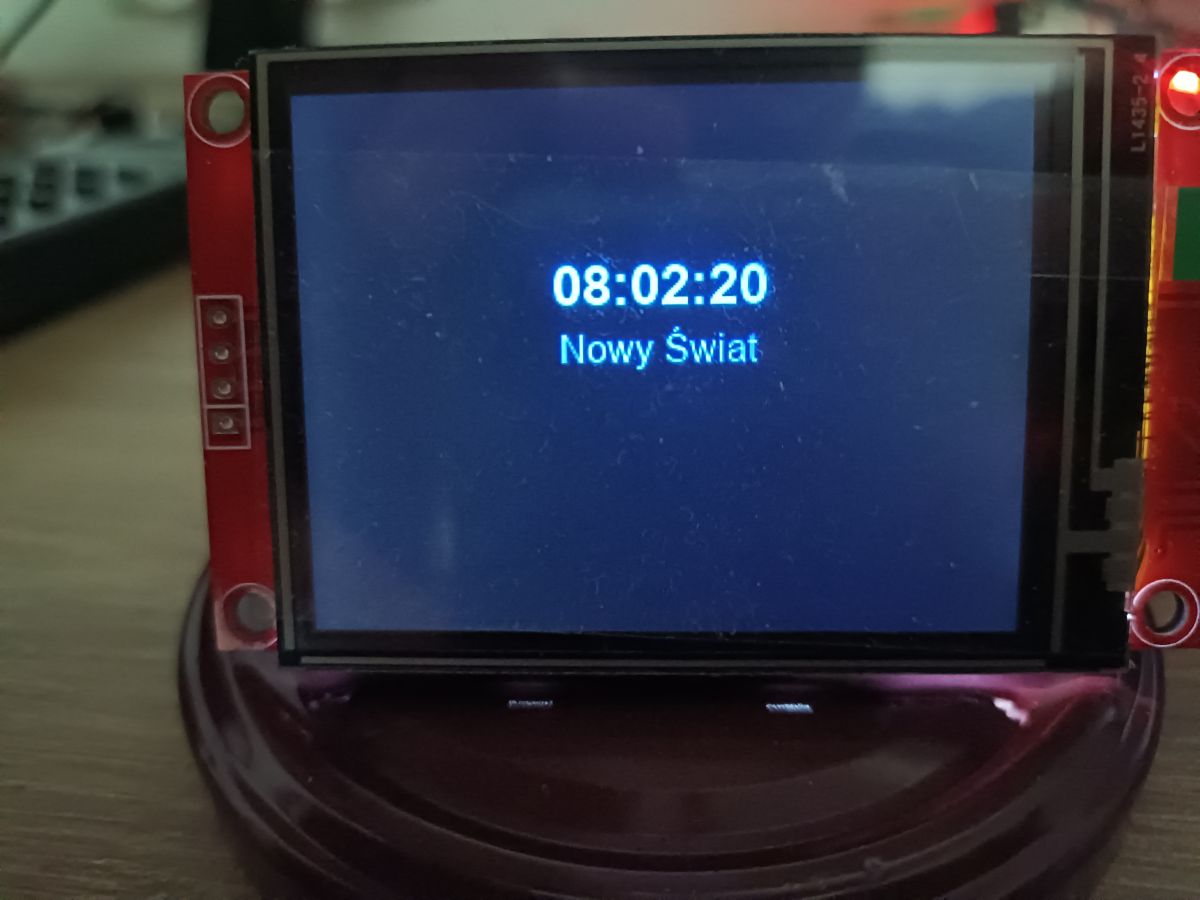
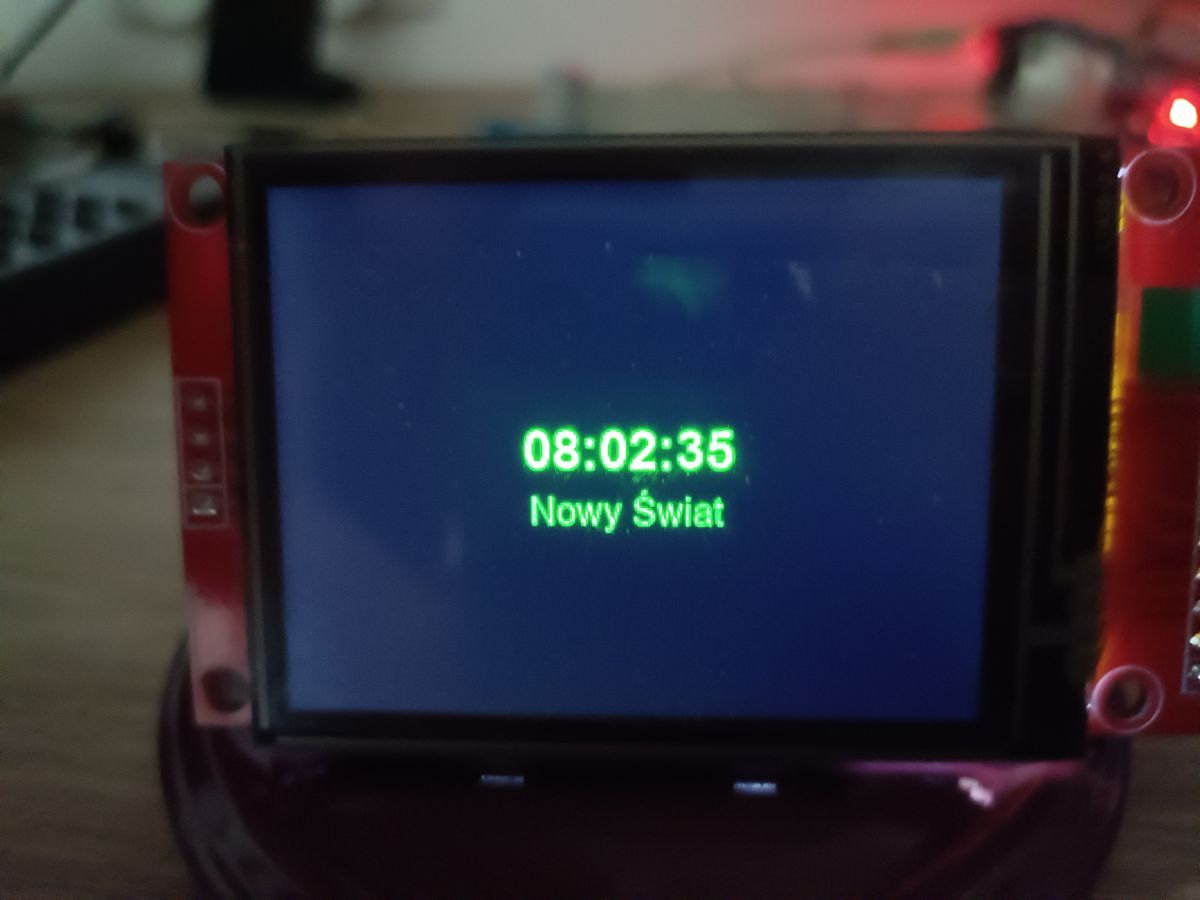
    Screensaver:


  • #72 21942326
    miroskop
    Level 24  
    Posts: 481
    Help: 65
    Rate: 65
    I had a quick look at the new software (_T) and my jaw dropped. The remote works just as you described, but what you’ve quietly done with the VU meter – that’s brilliant. I’ve got no further requests or comments. THANK YOU!
  • #73 21943182
    kombo
    Level 14  
    Posts: 61
    Help: 3
    Rate: 40
    The latest firmware update has resolved the issue with the screen going blank and the device waking up due to random IR codes.
    The radio is working perfectly.
    Thank you.
  • #74 21943882
    miroskop
    Level 24  
    Posts: 481
    Help: 65
    Rate: 65
    I installed firmware 1.0.3_Z (the one with the equaliser) and noticed that the radio works correctly with MP3 files. However, with AAC, there is crackling, regardless of the equaliser settings. Unfortunately, I’m not 100% sure if this was also the case with the _Y version, and I can’t go back a step. So my question is: would it be possible to choose the firmware version?
  • ADVERTISEMENT
  • AAC crackling likely from decoder load, not equaliser

    #75 21944086
    Seba_smd
    Level 17  
    Posts: 317
    Help: 8
    Rate: 95
    miroskop wrote:
    I installed firmware 1.0.3_Z (the one with the equaliser) and noticed that the radio works correctly with MP3 files. However, with AAC there is crackling, regardless of the equaliser settings. Unfortunately, I’m not 100% sure if this was also the case with the _Y version, and I can’t go back a step. So my question is: would it be possible to choose which firmware version to use?

    I don’t have that problem – at least I haven’t noticed it. Have a look at this link, for example:
    https://stream14.polskieradio.pl/pr4/pr4.sdp/playlist.m3u8
    http://stream3.polskieradio.pl:8952/
    http://51.68.135.155/stream
    Send yours to the station and I’ll check it here.
    How many ... dBm do you have? (e.g. -75 dBm)

    I’ve checked the equaliser code and the audioI2S library in .pio/libdeps. Conclusions:
    This code ran exactly the same way even before the equaliser existed — nobody simply called setTone() before, but the mechanism itself was already there.
    Conclusion: since the crackling occurs ‘regardless of the equaliser settings’ (i.e. even with a flat response = 0/0/0), it is mathematically difficult to attribute this to the new EQ code — because at 0/0/0, the per-sample cost is identical to that before Z. This looks more like a coincidence than a genuine causal link.

    More likely causes:

    AAC itself places a much heavier load on the decoder (helix-aac) than MP3 on this MCU, especially with HE-AAC/SBR — this corresponds with the previously noted observation of a reentrancy bug in
    decodeError()
    when WiFi is weak (esp32-radio-audio-panic-decodeerror.md). The crackling may be a milder symptom of the same fragility in the AAC decoder, now becoming apparent because you are currently testing an AAC station — rather than a result of the equaliser.
    The previous commit Y (automatic volume levelling) actually adds real-time signal analysis (RMS/level) — this is a much more resource-intensive operation than the EQ. If you have auto_volume_leveling enabled, that’s more likely to be the culprit than the equaliser.
    What I’d check to resolve this:

    Disable ‘automatic volume levelling’ and check whether the crackling on AAC still occurs.
  • HE-AAC stream at 45 kbps stresses decoder CPU

    #77 21944098
    Seba_smd
    Level 17  
    Posts: 317
    Help: 8
    Rate: 95
    miroskop wrote:
    The link you provided works fine. Have a go at this one: https://stream.revma.ihrhls.com/zc6843

    Problem solved – see 45 kbps
    At 48 kHz stereo, this almost certainly means HE-AAC (AAC+), not standard AAC-LC. With standard AAC-LC, 45 kbps for 48 kHz stereo will sound terrible (that’s the bitrate for 16–22 kHz mono)
    In other words: this is precisely the stream profile that places the heaviest load on the CPU
    of the decoder and best matches the ‘AAC crackling’ pattern from the previous question (as well as the previously diagnosed issue with
    decodeError()
    in the AAC track when on a weaker Wi-Fi connection). I would expect this particular station to have the highest risk of crackling/freezes of all those tested, precisely because it is not ‘standard’ AAC, but HE-AAC(+PS).
  • #78 21944099
    miroskop
    Level 24  
    Posts: 481
    Help: 65
    Rate: 65
    Thanks for the diagnosis :) I’ve already thanked that station; it’s no longer on the list.
  • #79 21944572
    Seba_smd
    Level 17  
    Posts: 317
    Help: 8
    Rate: 95
    A small fix – I hope there won’t be any problems with the weather now.
    v1.0.4_B 25 July 2026 latest
    🔧 Fixed weather display
    ⭐ Added town display
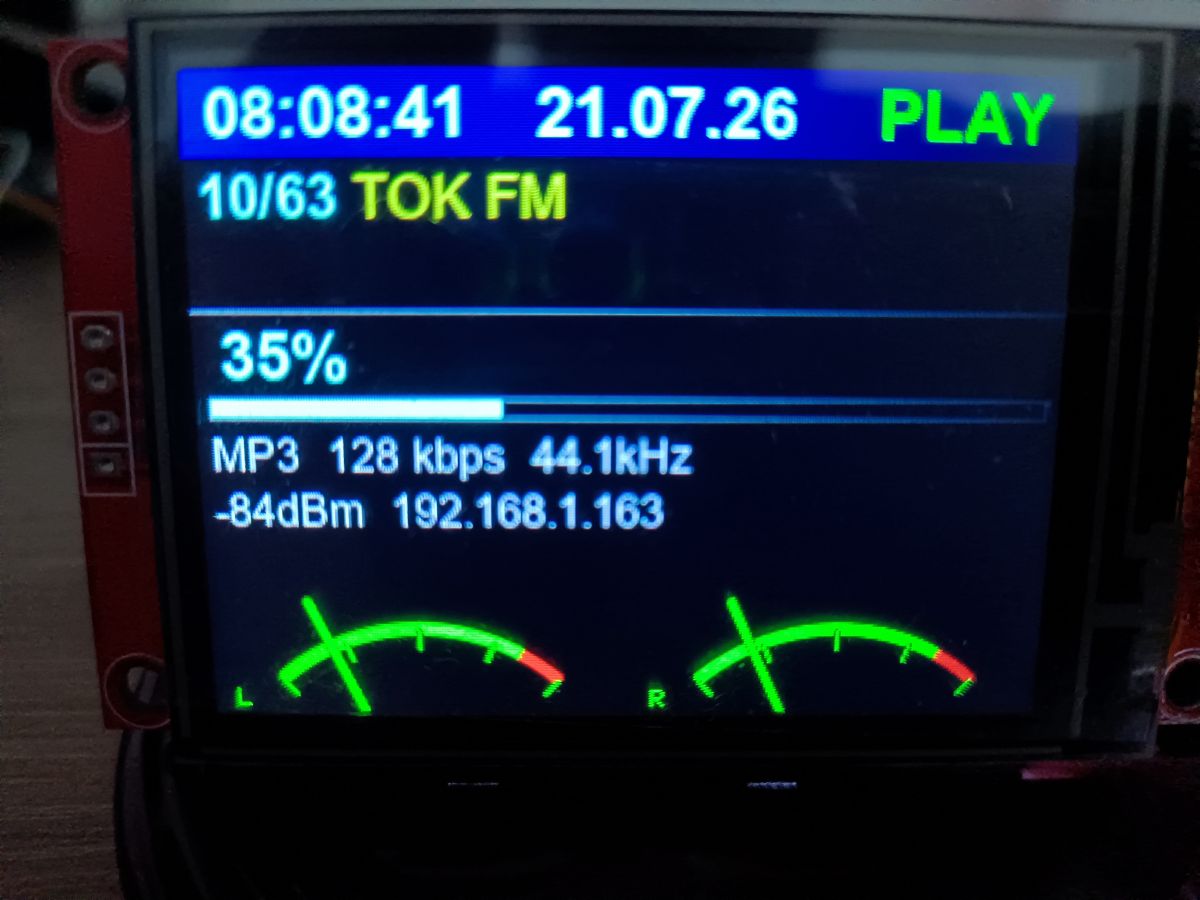
📢 Listen (AI voice):
ADVERTISEMENT