logo elektroda
logo elektroda
X
logo elektroda
Dostępna jest polska wersja

Czy wolisz polską wersję strony elektroda?

Nie, dziękuję Przekieruj mnie tam

Can even light bulbs be programmed these days? Updating the firmware on the TY-A60-18W-220V

p.kaczmarek2 717 7

TL;DR

  • A Tuya RGBCW LED lamp, model TY-A60-18W-220V C3009, was reworked by replacing its stock cloud firmware with OpenBK7231T.
  • The lamp uses a CB2L module with a BK7231N chip and five PWM outputs for RGB plus warm/cool white, so the Wi‑Fi module had to be desoldered to flash it.
  • The lamp cost just under 10 zlotys and originally paired through the SmartLife app by power-cycling it three times.
  • After reassembly, it works locally with Home Assistant, supports web control and DDP animations, and no longer depends on the manufacturer’s cloud.
  • The main trade-off is that removing the board compromises cooling and the module’s UART pads are on the underside, making the update awkward.
Summary generated by AI based on the discussion content.
ADVERTISEMENT
Treść została przetłumaczona polish » english Zobacz oryginalną wersję tematu
📢 Listen (AI):
  • Can even light bulbs be programmed these days? Updating the firmware on the TY-A60-18W-220V
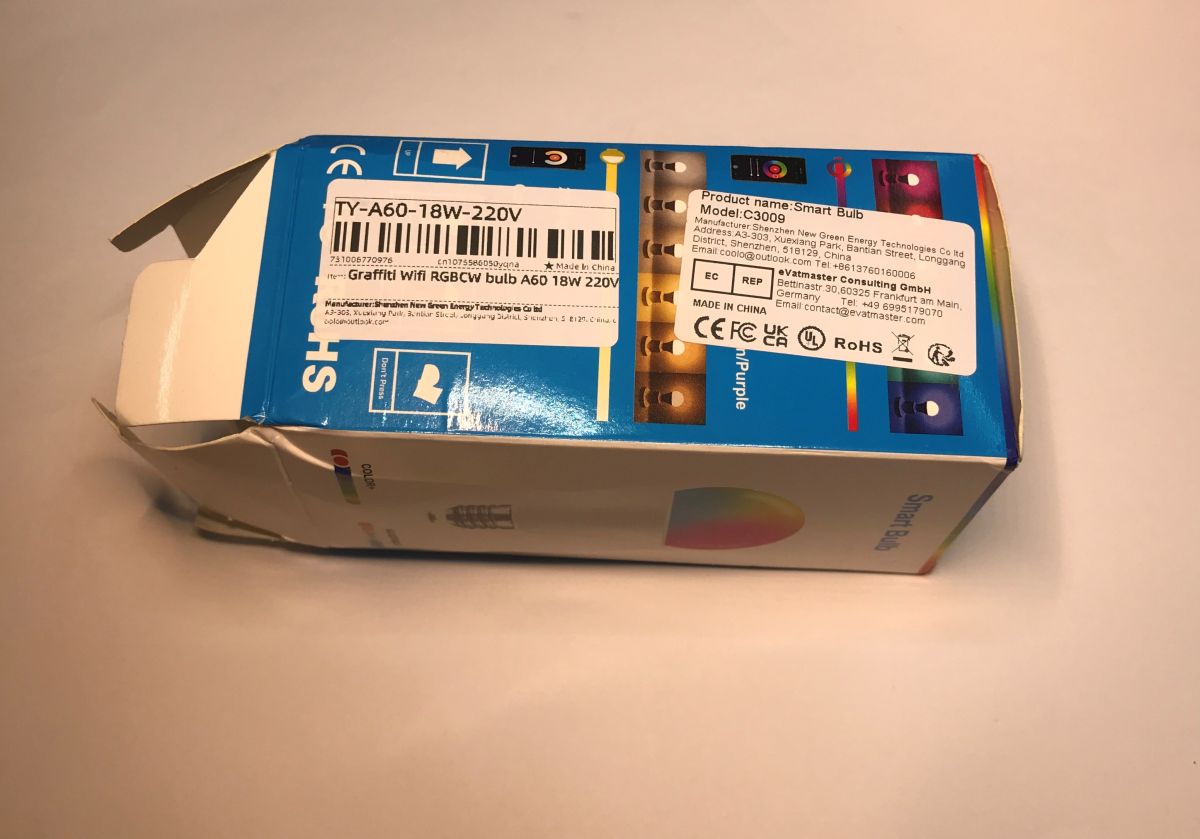
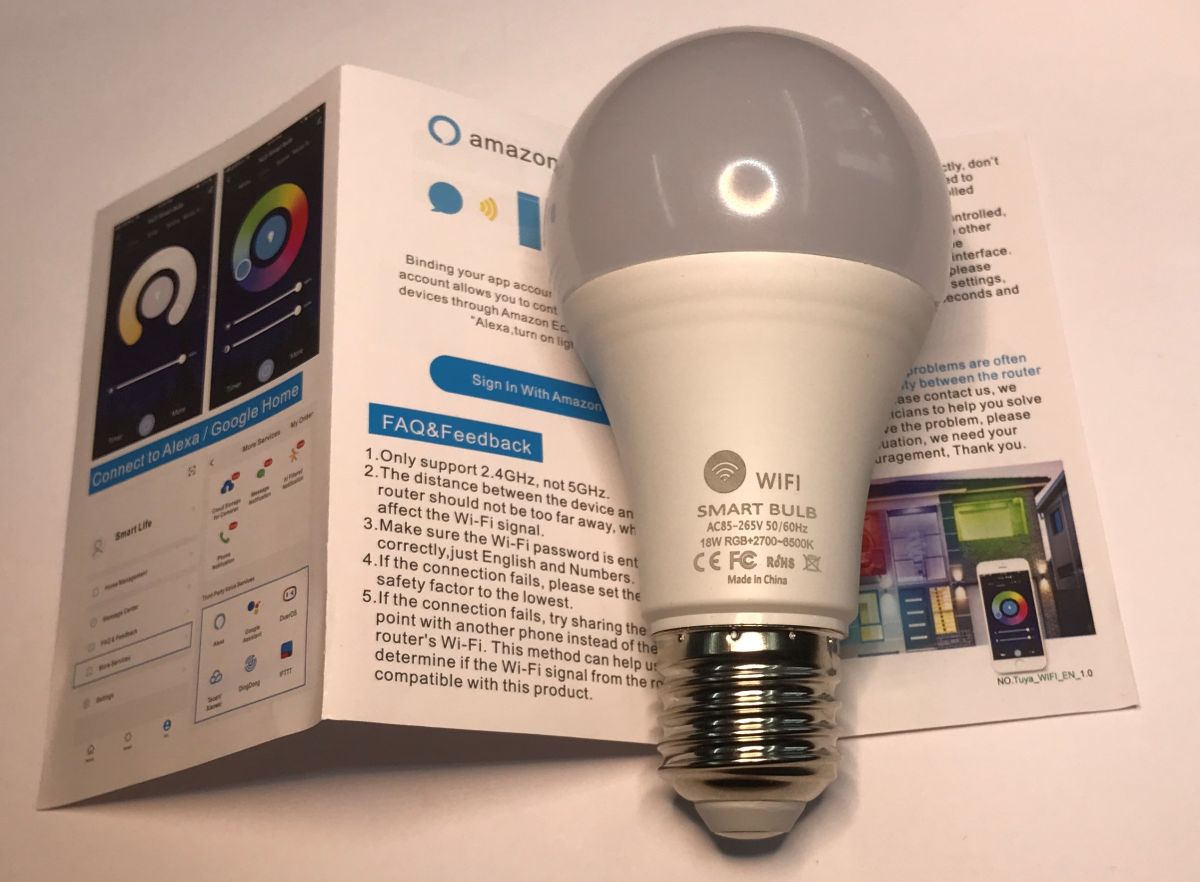
    Today I’ll be showing you the build and modification of a Tuya RGBCW remote-controlled LED lamp, model TY-A60-18W-220V C3009, which I bought for just under 10 zlotys in a special offer with free delivery. The device shown normally works with the Tuya app and can be controlled via the internet, but here I’ll try to replace the firmware inside with my own solution, so that this light can be connected to Home Assistant and customised as desired, without having to worry about the manufacturer’s cloud service.
    Can even light bulbs be programmed these days? Updating the firmware on the TY-A60-18W-220V Can even light bulbs be programmed these days? Updating the firmware on the TY-A60-18W-220V Can even light bulbs be programmed these days? Updating the firmware on the TY-A60-18W-220V
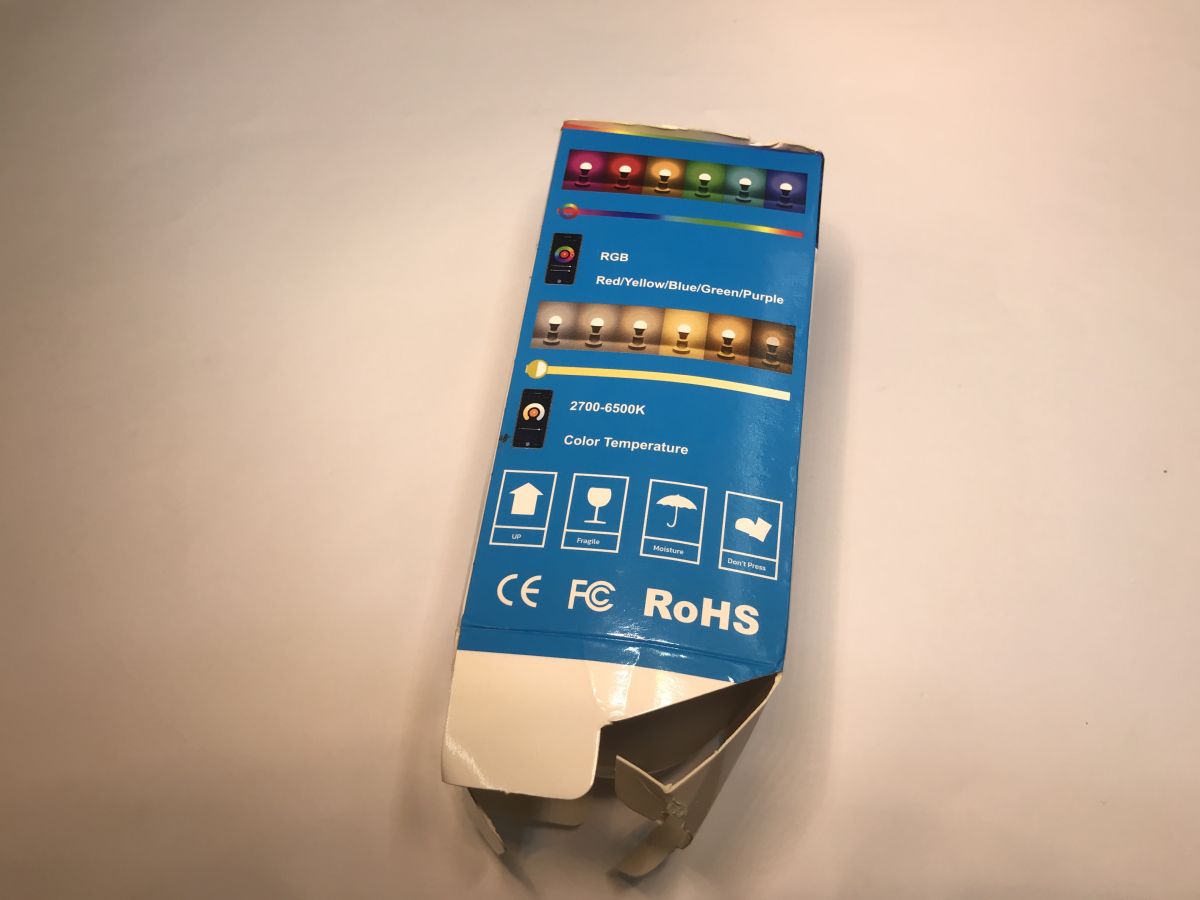
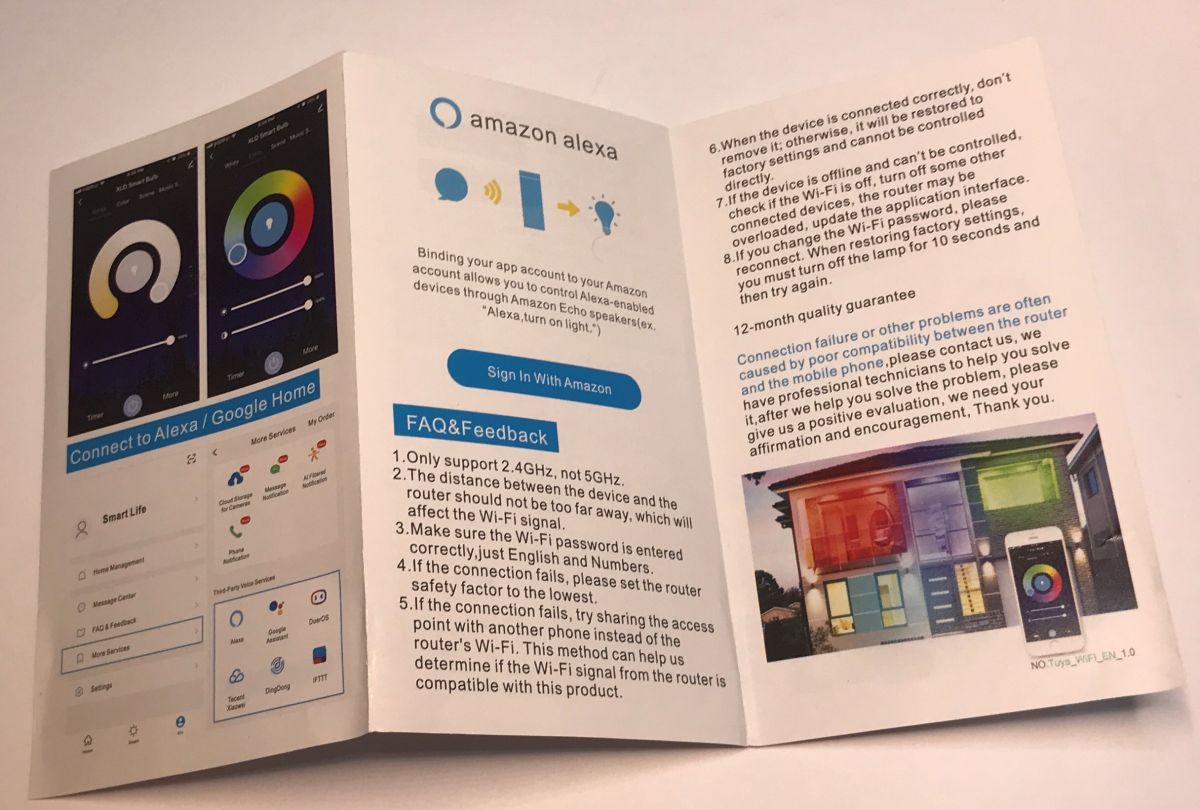
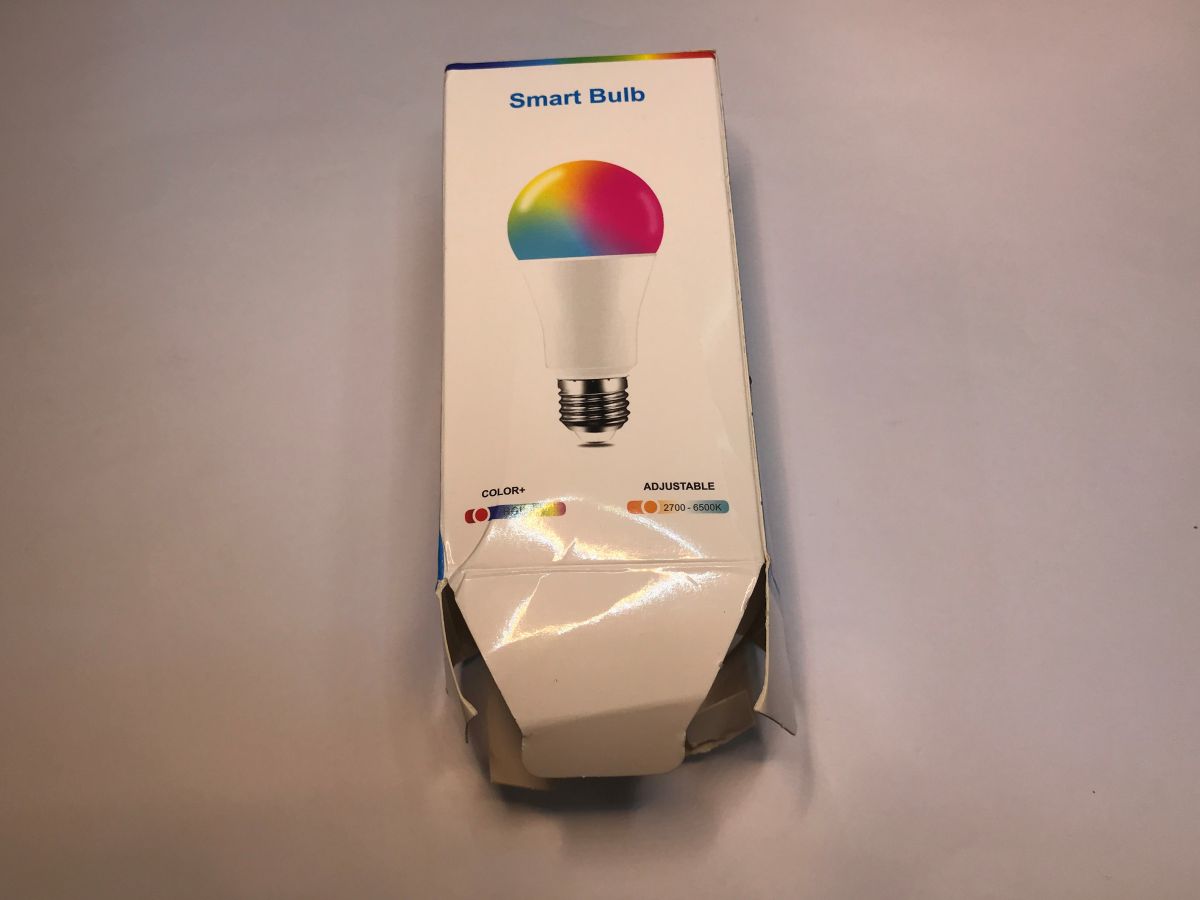
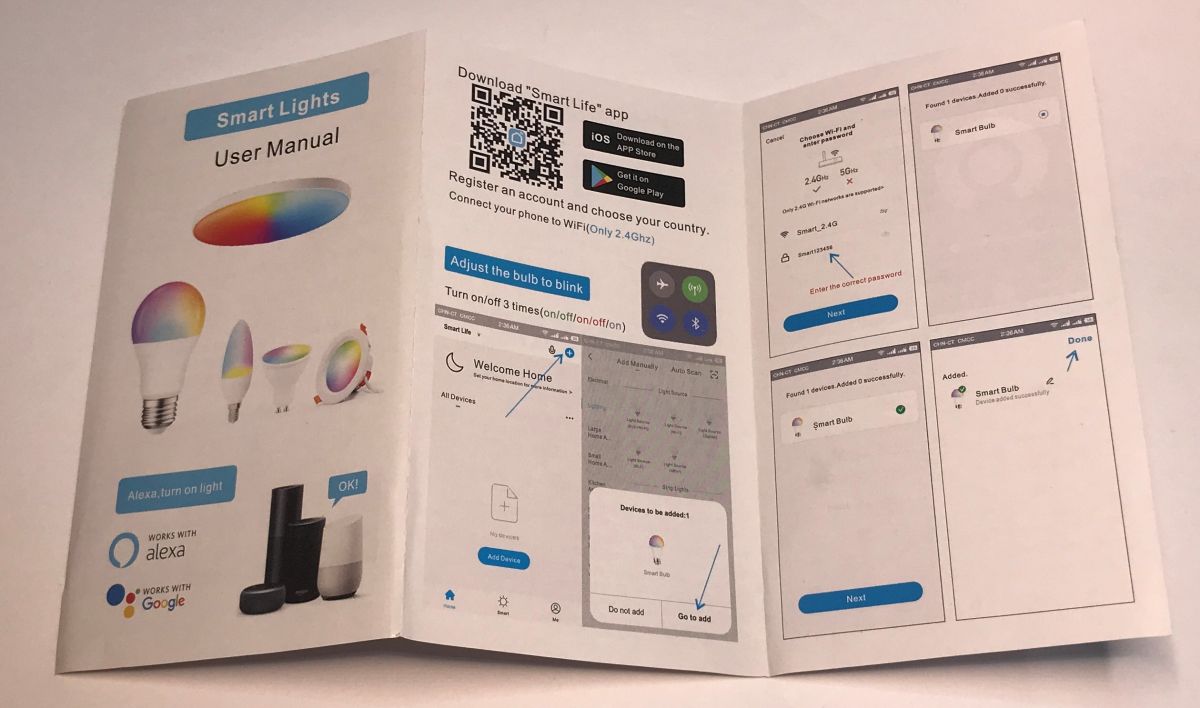
    The box didn’t survive the journey very well, but the lamp is intact. The pack includes a brief guide on how to pair it with the SmartLife app (a Tuya clone). The device is put into pairing mode by switching it off and on three times. The Bluetooth information suggests that this is not an ESP8266-based product – which does not support Bluetooth – but perhaps something based on Beken.
    Can even light bulbs be programmed these days? Updating the firmware on the TY-A60-18W-220V Can even light bulbs be programmed these days? Updating the firmware on the TY-A60-18W-220V Can even light bulbs be programmed these days? Updating the firmware on the TY-A60-18W-220V
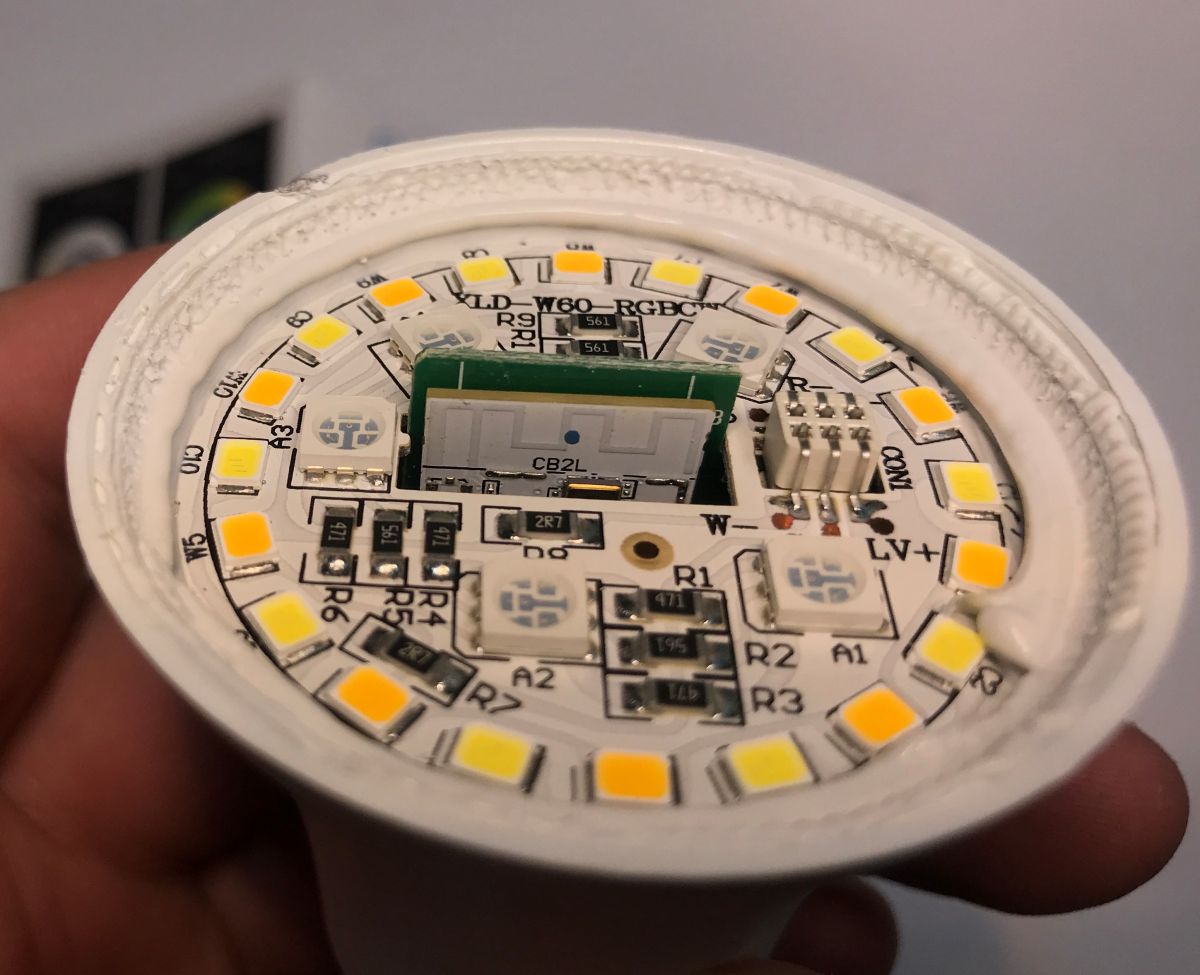
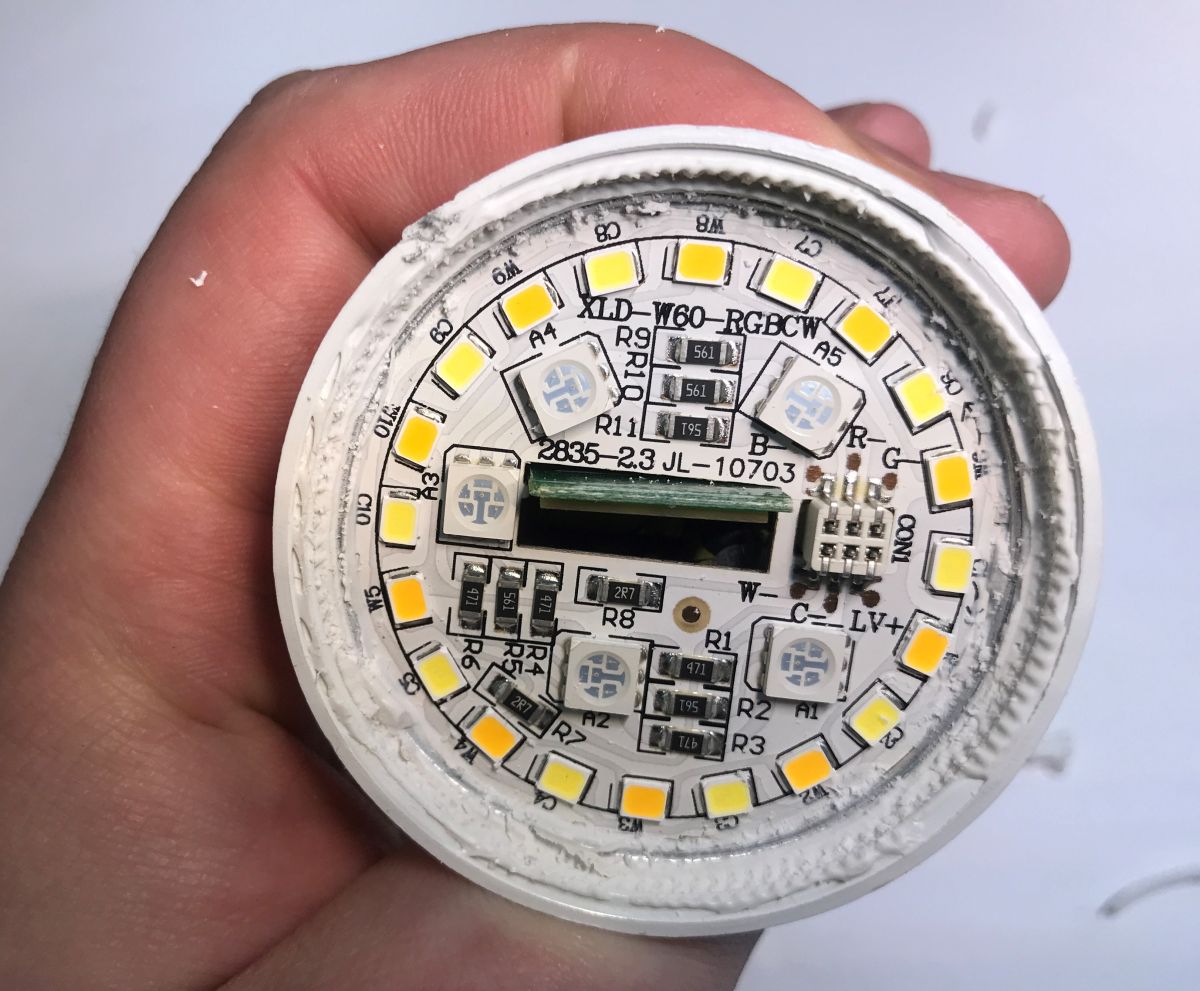
    We remove the dome to expose the LEDs. There are separate coloured (RGB) LEDs, and separate warm and cool white LEDs.
    Can even light bulbs be programmed these days? Updating the firmware on the TY-A60-18W-220V Can even light bulbs be programmed these days? Updating the firmware on the TY-A60-18W-220V
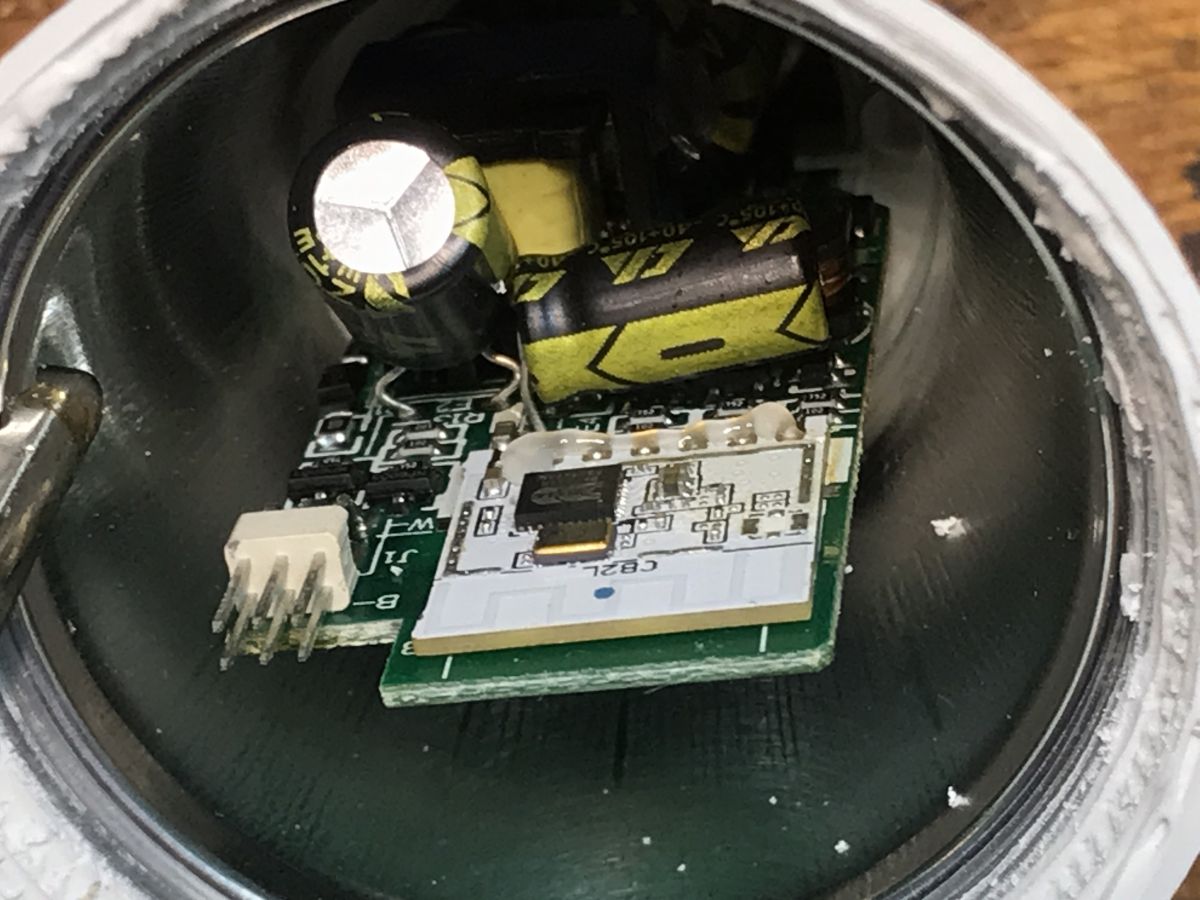
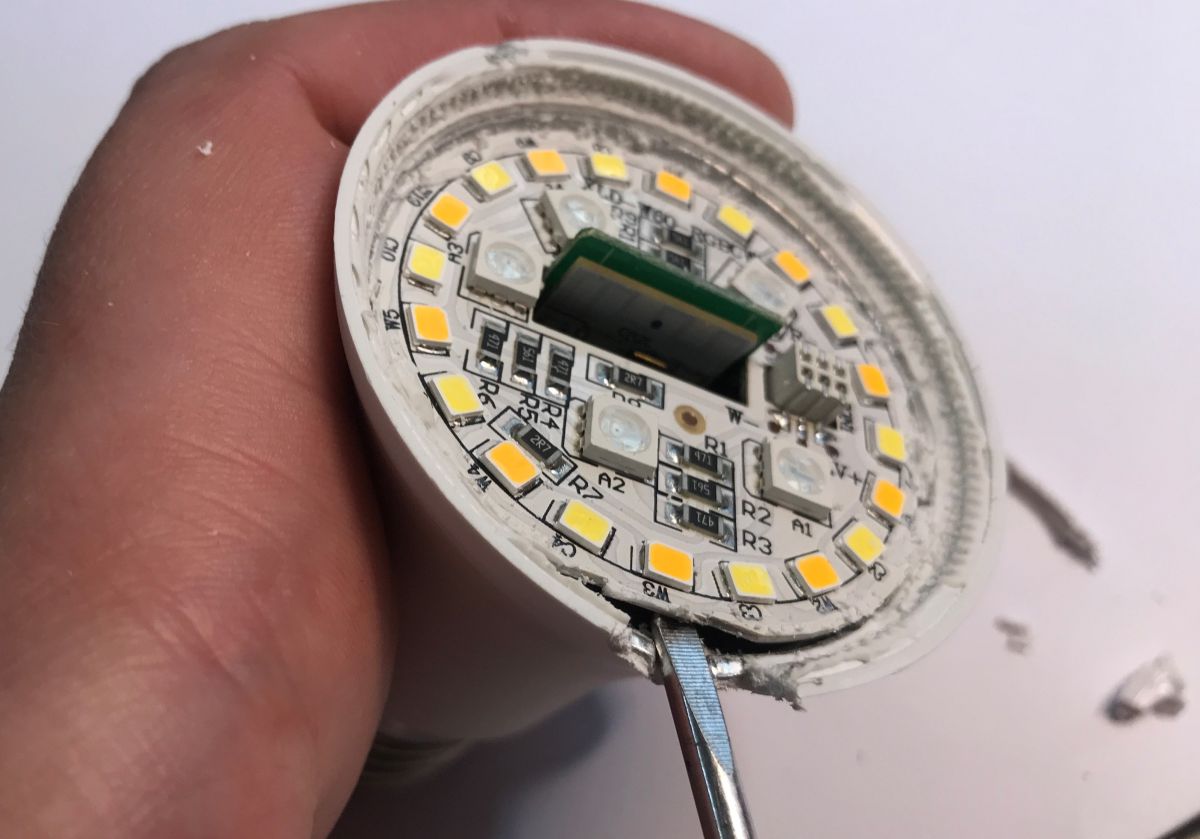
    Unfortunately, this board needs to be removed, which will compromise the cooling system slightly. I struggled a bit to pry it loose.
    Can even light bulbs be programmed these days? Updating the firmware on the TY-A60-18W-220V Can even light bulbs be programmed these days? Updating the firmware on the TY-A60-18W-220V Can even light bulbs be programmed these days? Updating the firmware on the TY-A60-18W-220V
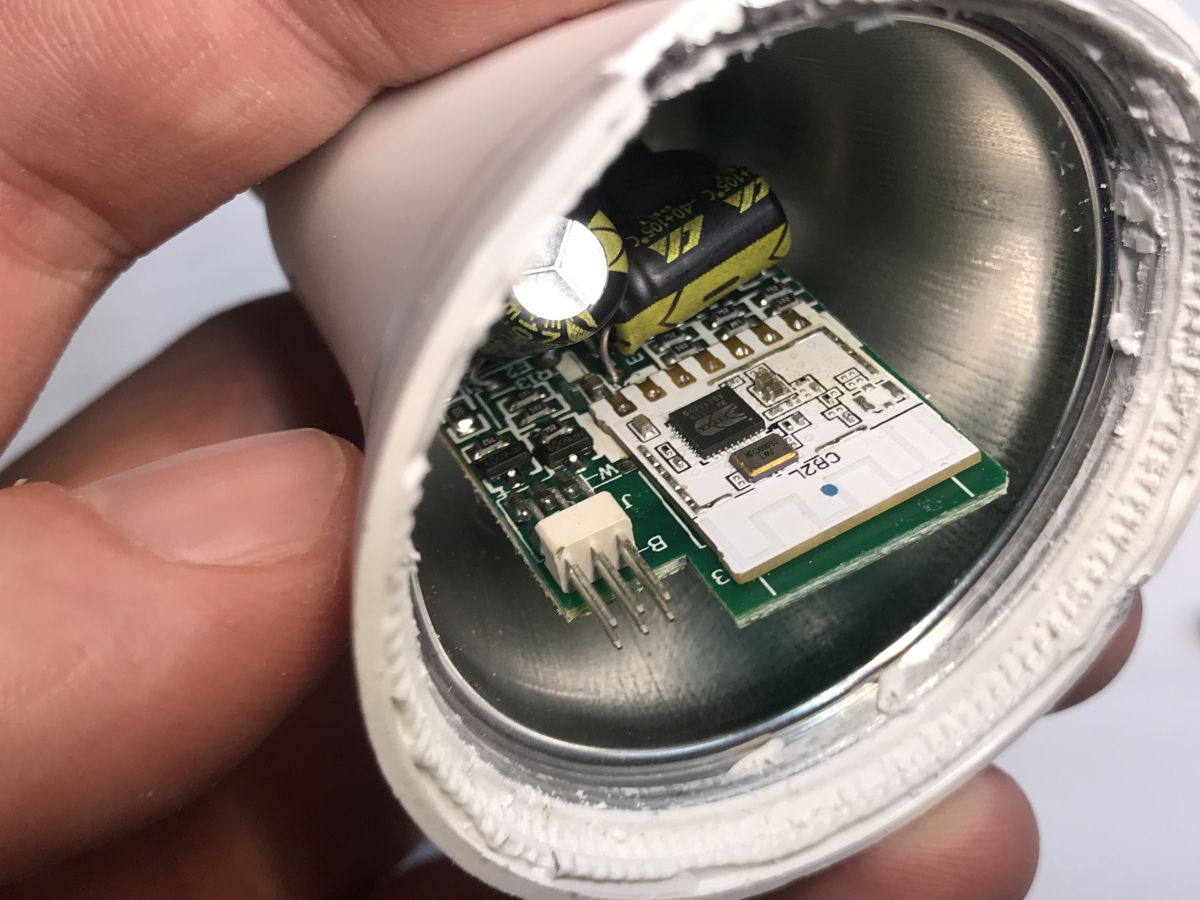
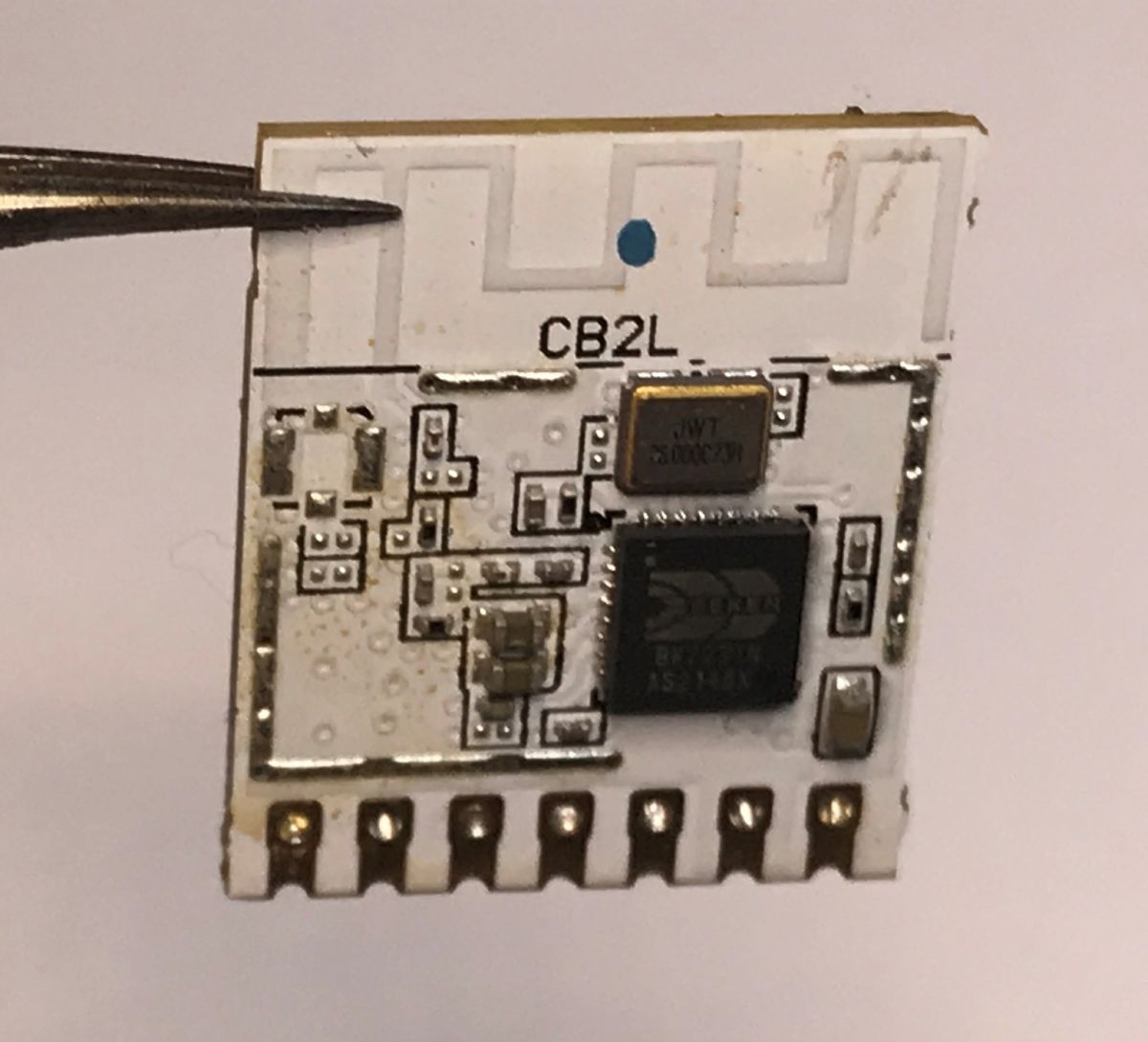
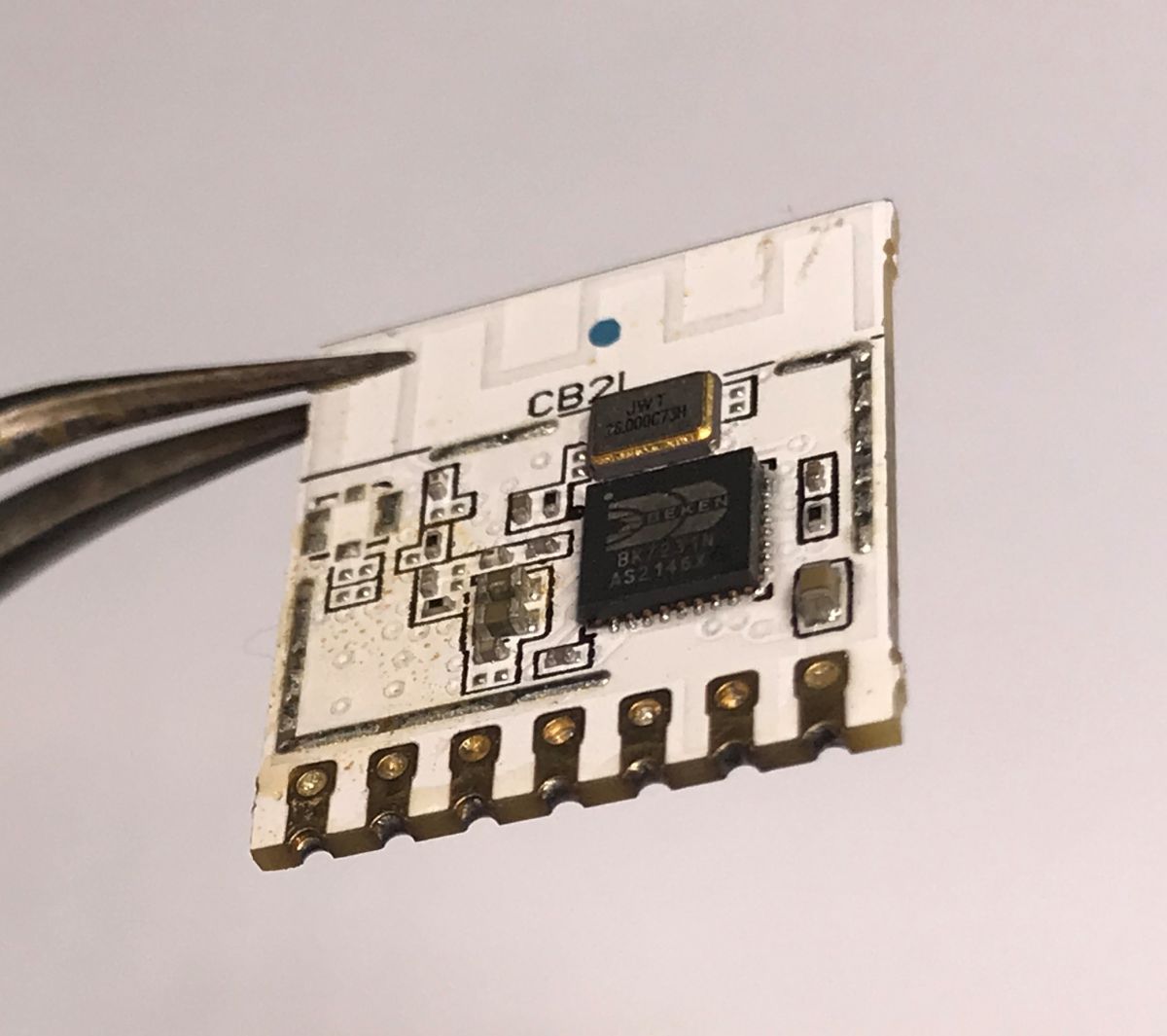
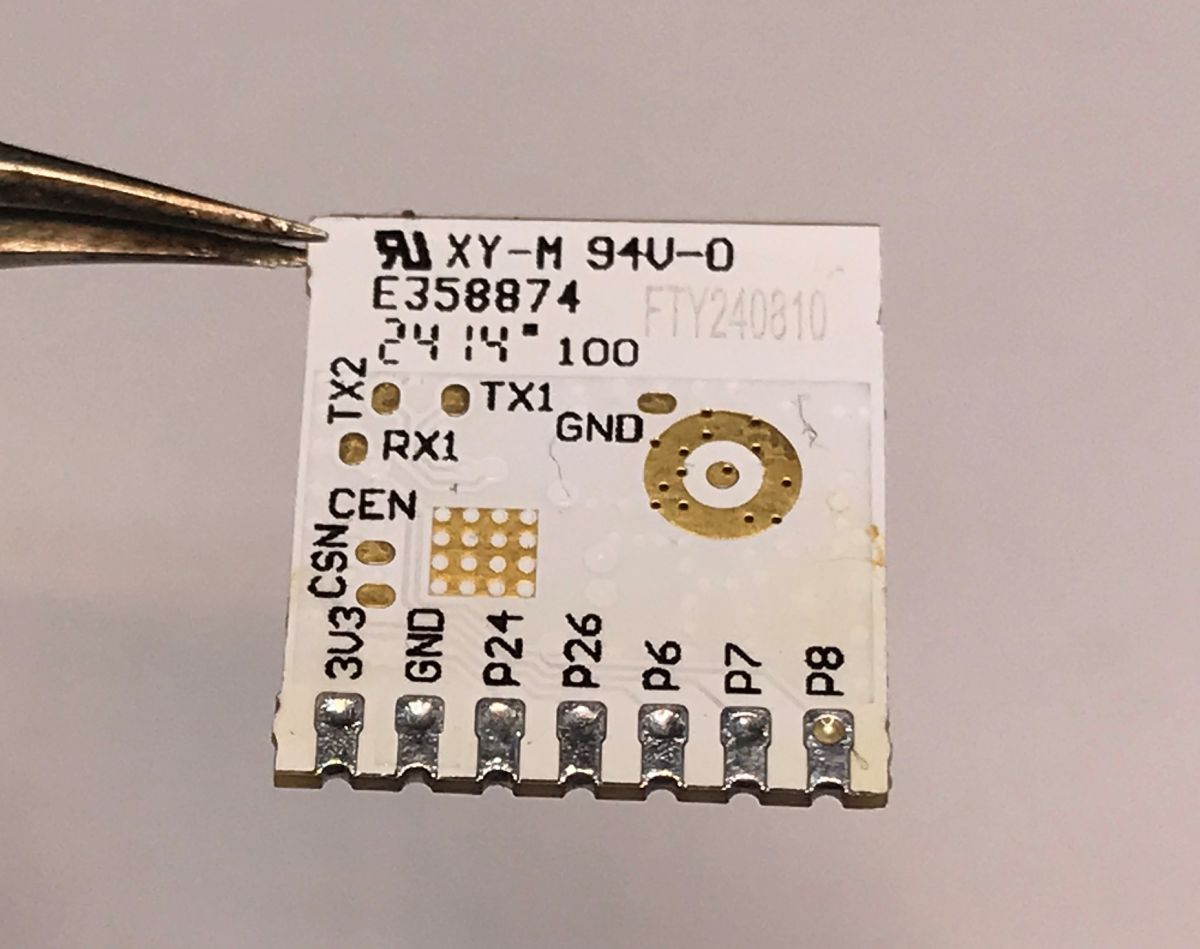
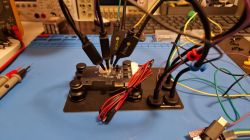
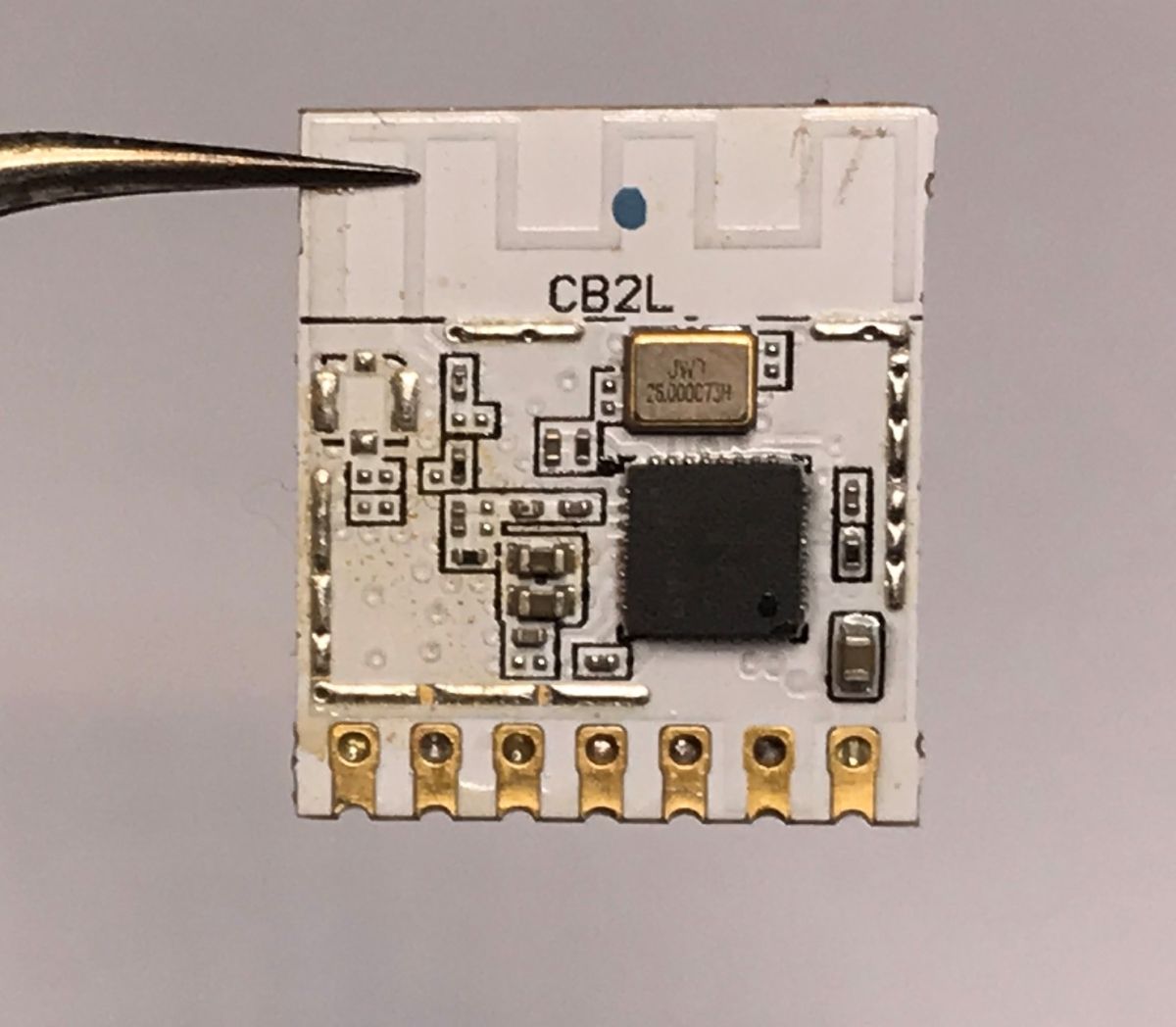
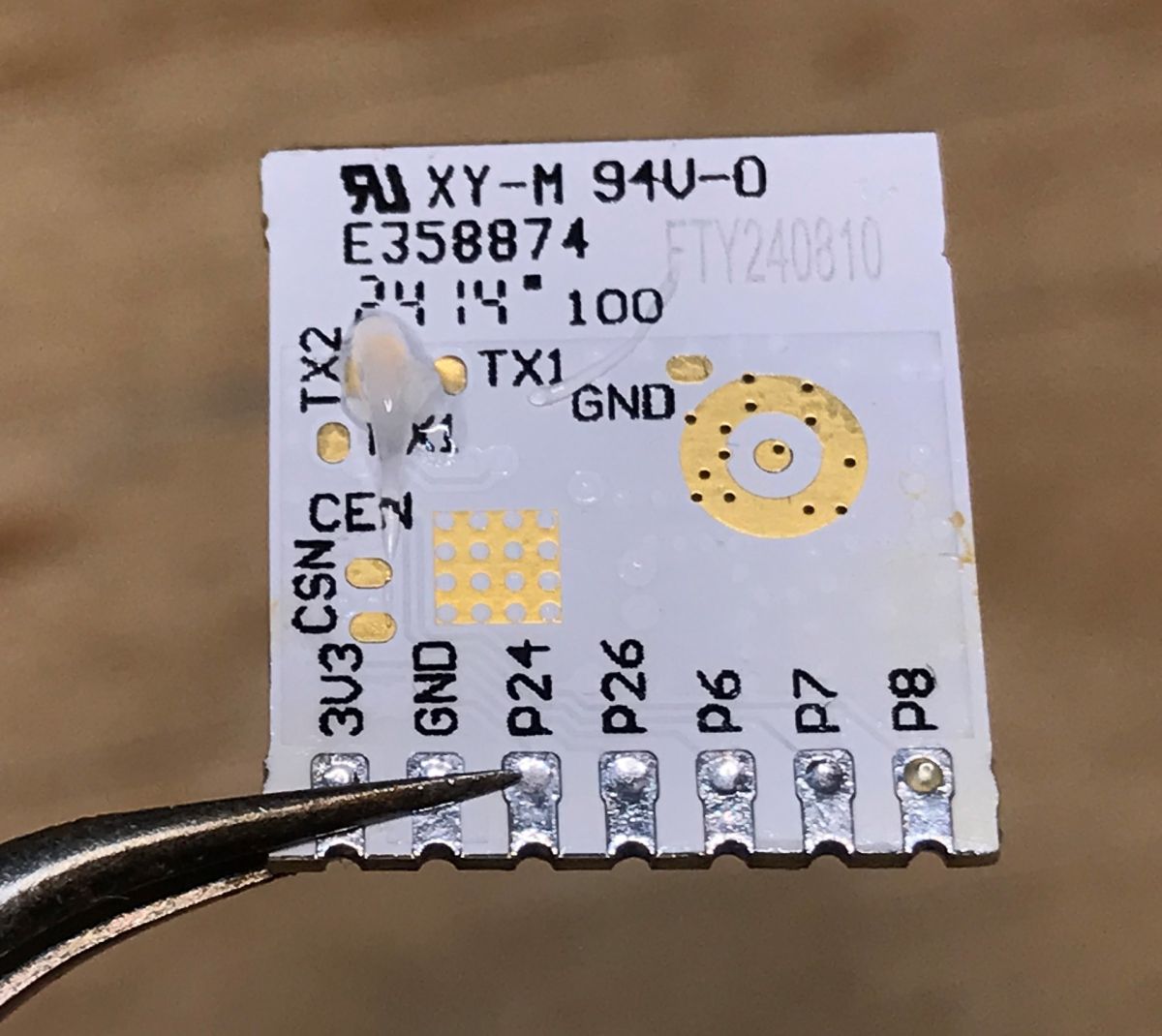
    Inside is the CB2L module, i.e. the BK7231N with PWM pins exposed, designed for lighting (L – lamps/lighting). Unfortunately, to update the firmware, you need to desolder this module. This is because the UART pads are on its underside. I used a hot-air gun for this.
    Can even light bulbs be programmed these days? Updating the firmware on the TY-A60-18W-220V
    Can even light bulbs be programmed these days? Updating the firmware on the TY-A60-18W-220V Can even light bulbs be programmed these days? Updating the firmware on the TY-A60-18W-220V Can even light bulbs be programmed these days? Updating the firmware on the TY-A60-18W-220V
    Can even light bulbs be programmed these days? Updating the firmware on the TY-A60-18W-220V
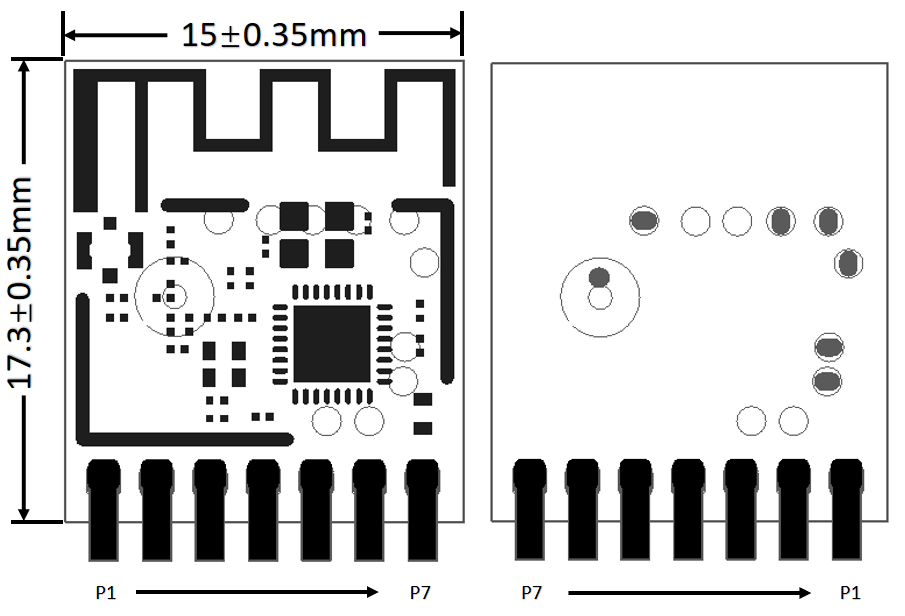
    Pin number Symbol I/O type Function
    1 P8 I/O Hardware PWM support
    2 P7 I/O Supports hardware PWM
    3 P6 I/O Supports hardware PWM
    4 P26 I/O Hardware PWM support
    5 P24 I/O Supports hardware PWM
    6 GND P Power supply reference ground
    7 3V3 P 3V3 power supply

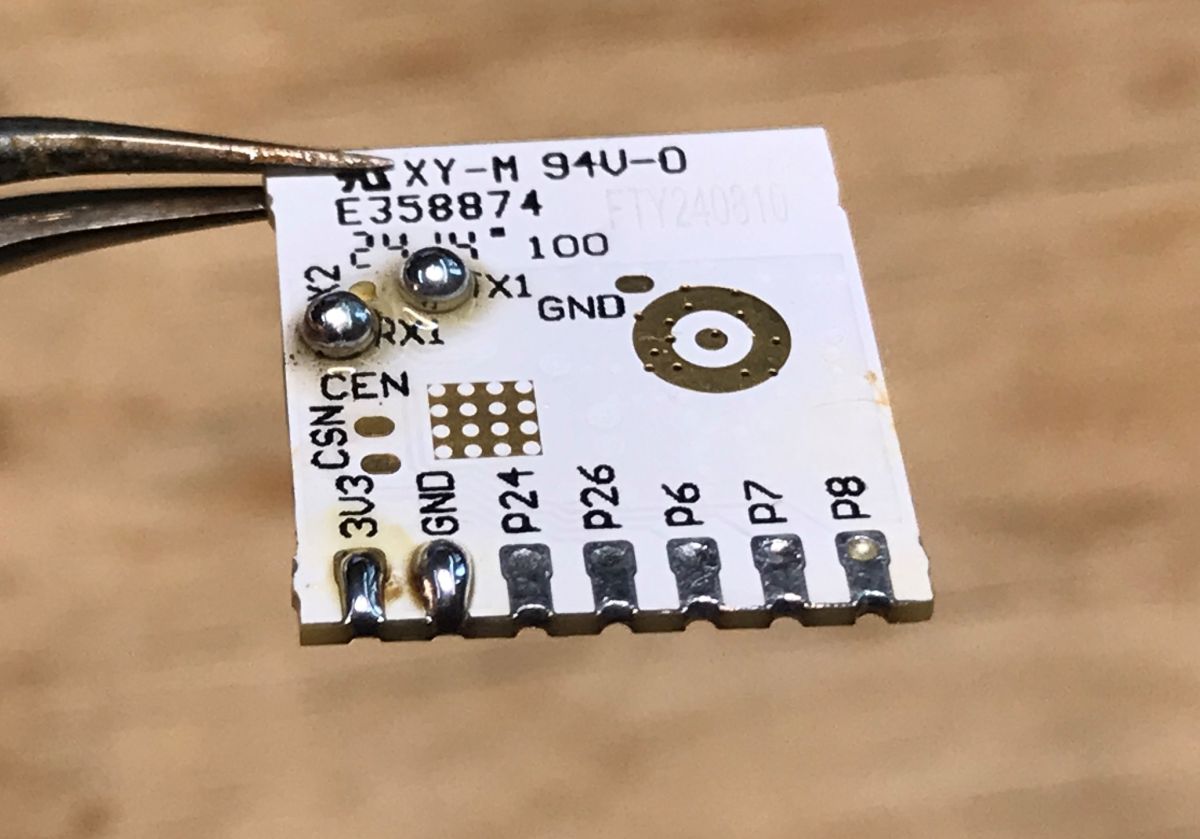
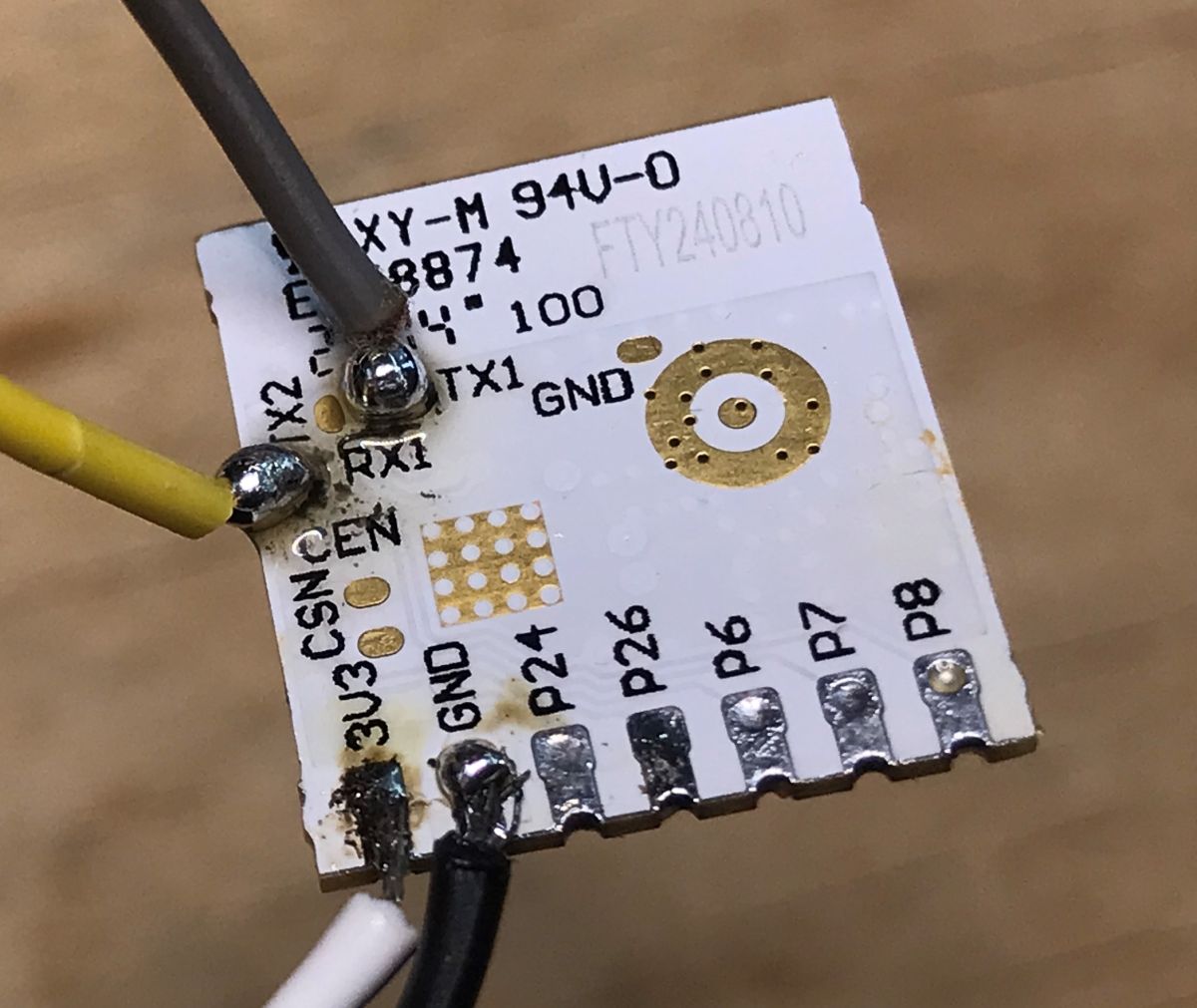
    Here’s what the module looks like from the back – I’ve also white-painted the relevant pads straight away:
    Can even light bulbs be programmed these days? Updating the firmware on the TY-A60-18W-220V Can even light bulbs be programmed these days? Updating the firmware on the TY-A60-18W-220V Can even light bulbs be programmed these days? Updating the firmware on the TY-A60-18W-220V
    I’m flashing the firmware using our Elektrodowy flasher, which supports multiple platforms:
    https://github.com/openshwprojects/BK7231GUIFlashTool
    We’re flashing the OBK:
    https://github.com/openshwprojects/OpenBK7231T_App
    A copy of the original firmware:
    https://github.com/openshwprojects/FlashDumps/commit/4dcc3d4e7fcfb3b82c81c472281c305926d1a80b
    Extracted Tuya configuration:
    Code: JSON
    Log in, to see the code

    Verbal description:
    
    Device seems to be using CB2L module, which is BK7231N chip.
    - LED Red (Channel 1) on P8
    - LED Green (Channel 2) on P7
    - LED Blue (Channel 3) on P6
    - LED Cool (Channel 4) on P26
    

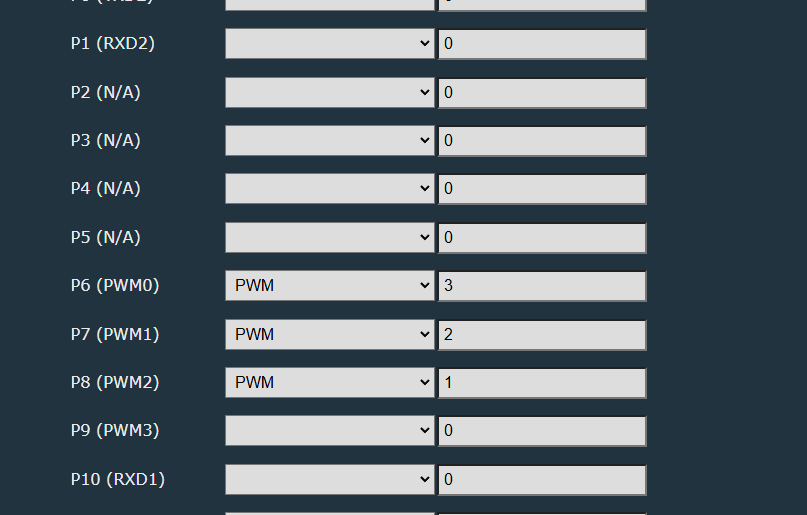
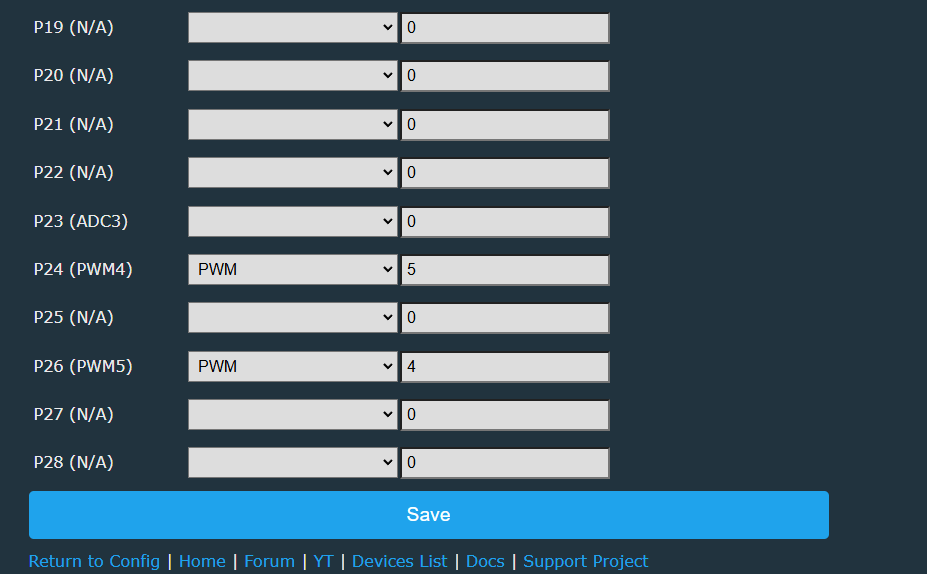
    The warm white pin was missing, but I found it manually. The Beken has a limited number of PWM pins, and the CB2L further restricts the choice:
    Can even light bulbs be programmed these days? Updating the firmware on the TY-A60-18W-220V Can even light bulbs be programmed these days? Updating the firmware on the TY-A60-18W-220V
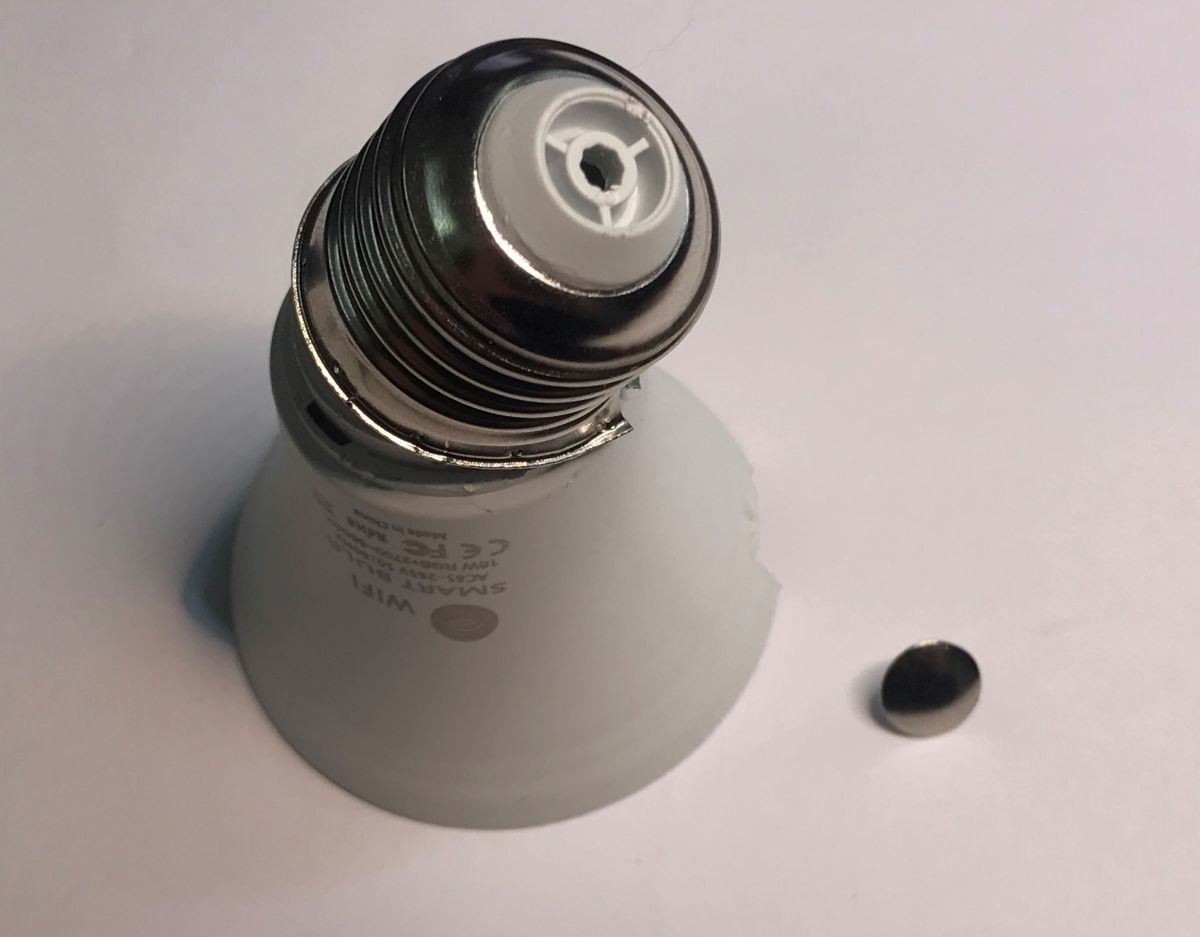
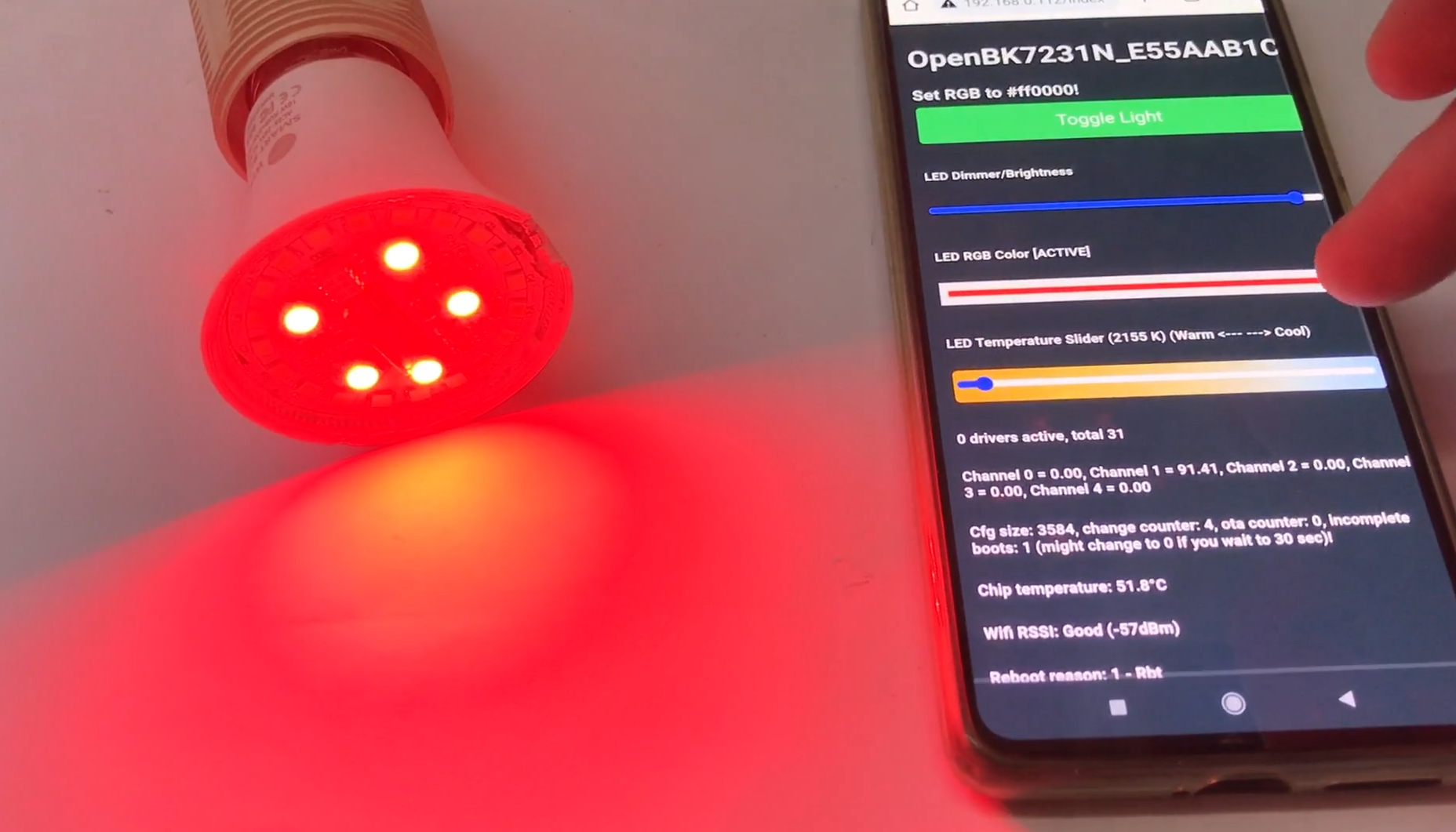
    After a quick configuration, the light works via the web interface hosted on the Wi-Fi module itself by OBK, but you need to assemble it first. There’s no way to solder the Wi-Fi module back onto the board without removing it, so you need to unscrew the thread:
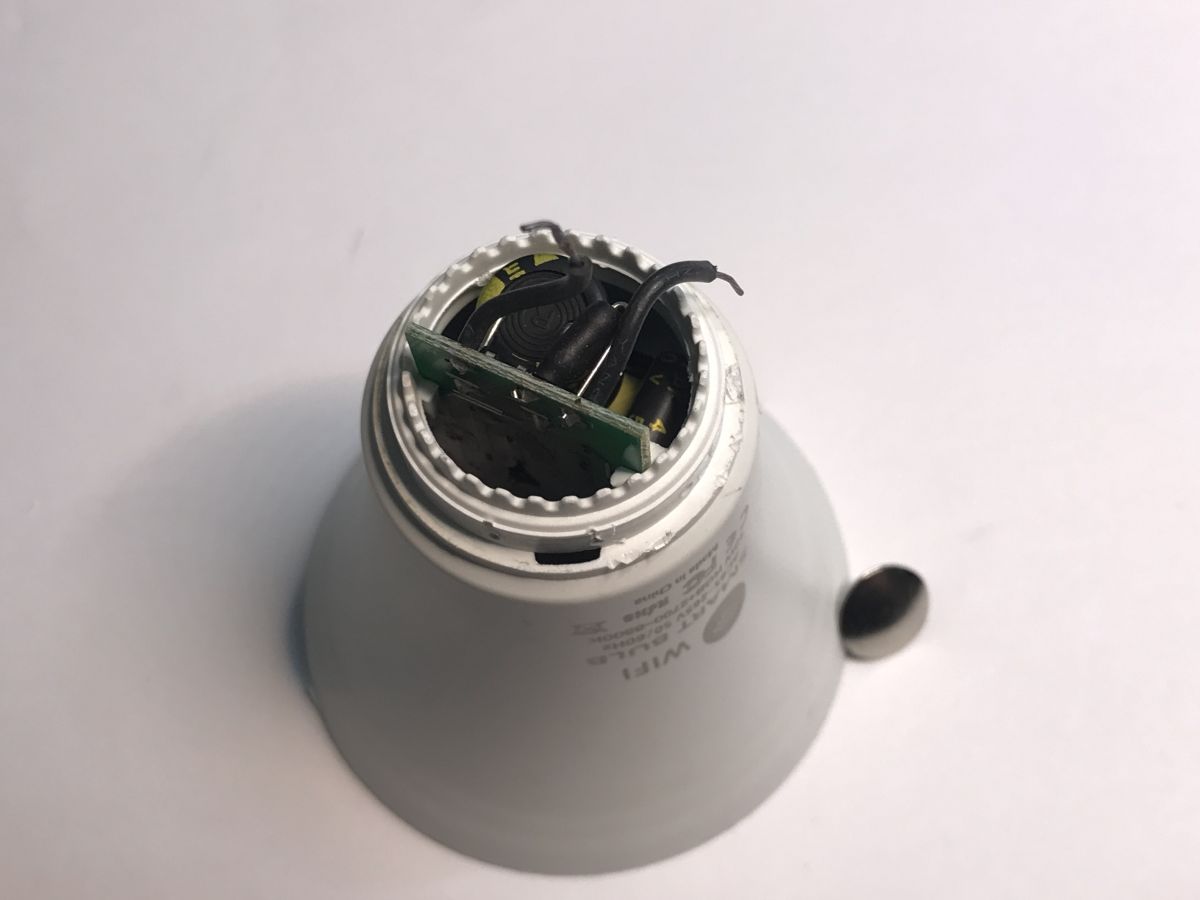
    Can even light bulbs be programmed these days? Updating the firmware on the TY-A60-18W-220V Can even light bulbs be programmed these days? Updating the firmware on the TY-A60-18W-220V
    Whilst I was at it, I also had to tidy up after myself, as I’d moved a few SMD components whilst removing the module:
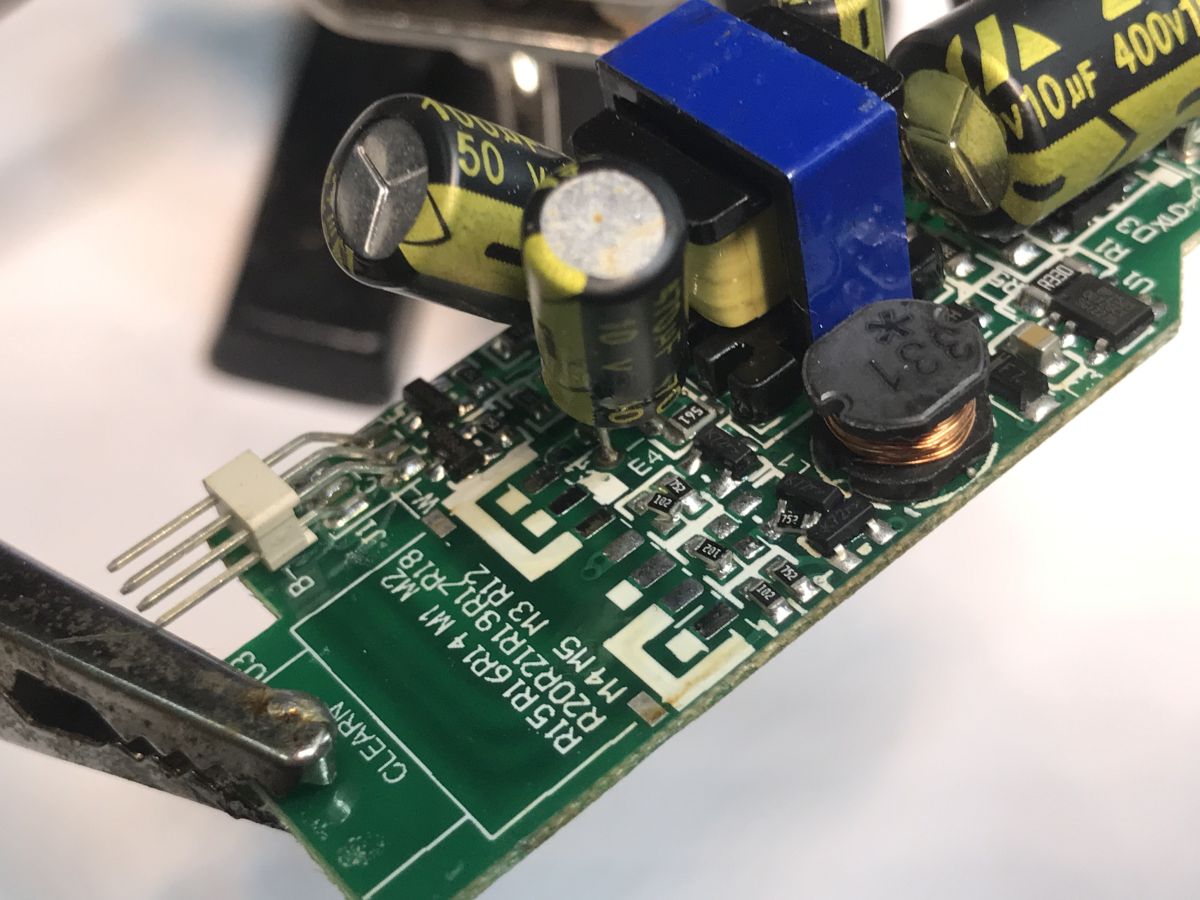
    Can even light bulbs be programmed these days? Updating the firmware on the TY-A60-18W-220V
    In the end, I managed to sort everything out, so you can have another look at the lamp’s construction:
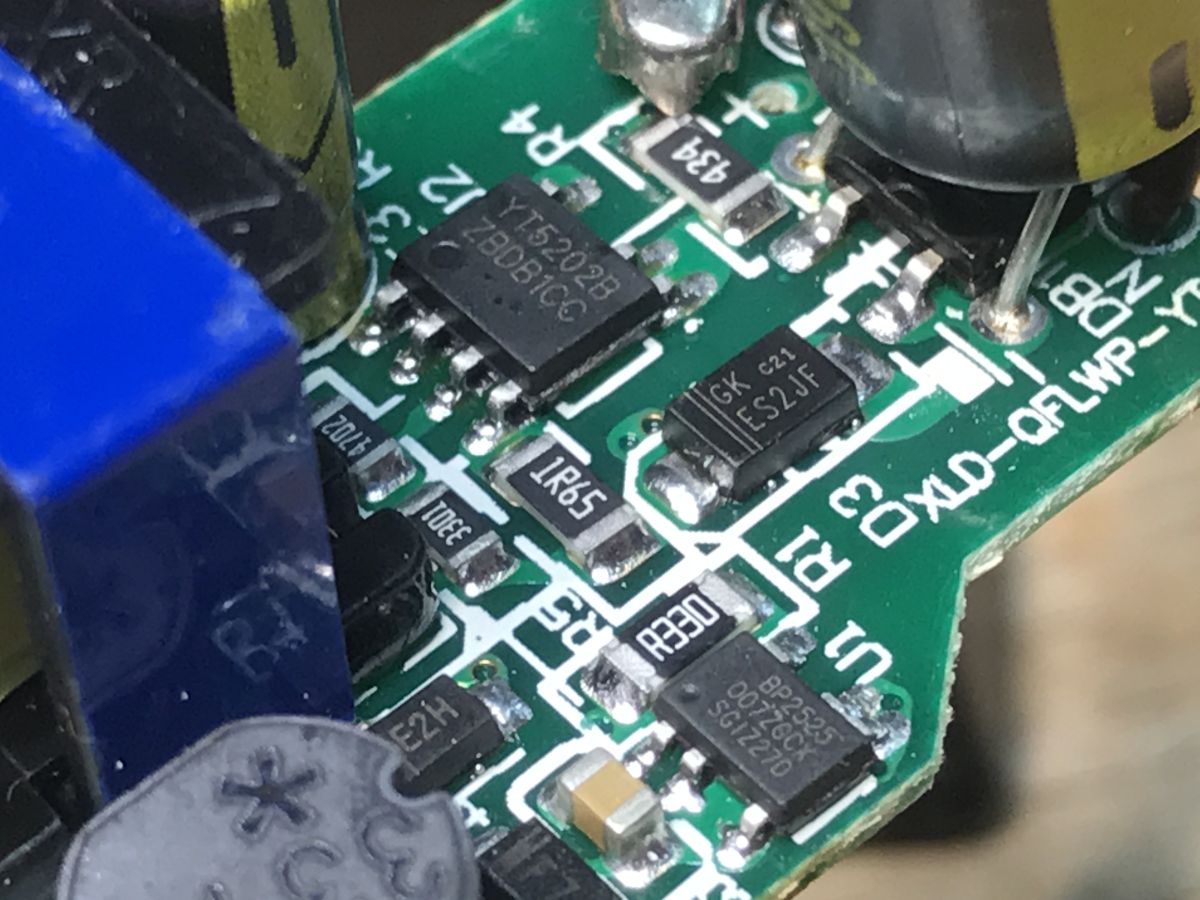
    Can even light bulbs be programmed these days? Updating the firmware on the TY-A60-18W-220V
    Here we have the YT5202B separately, which is probably the power supply for the LED, and the BP2525 separately, which powers the Wi-Fi module. It’s quite a complex design; gone are the days when LEDs just had a capacitor and a resistor. The BP2525 is a non-isolated step-down converter; I’d guess the YT is a constant-current controller.
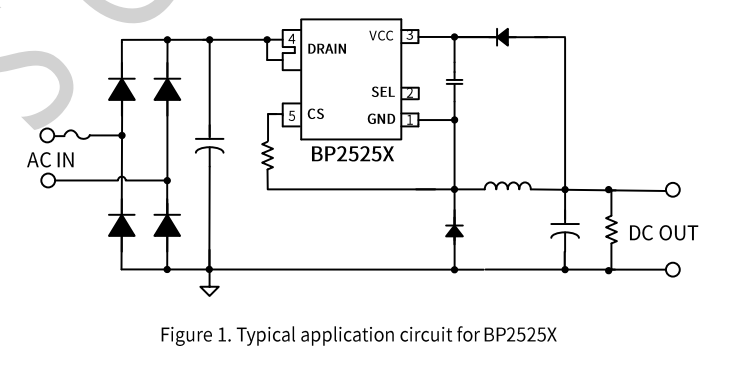
    Can even light bulbs be programmed these days? Updating the firmware on the TY-A60-18W-220V
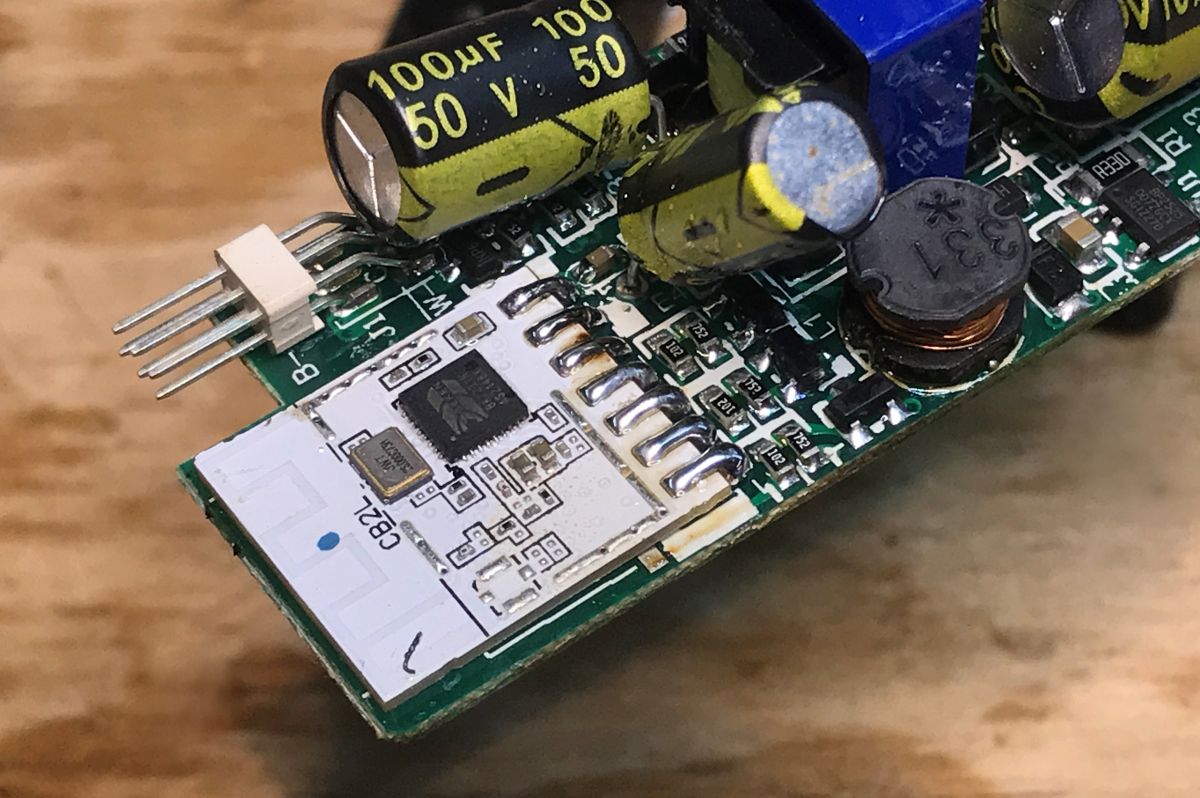
    The Wi-Fi module soldered into place:
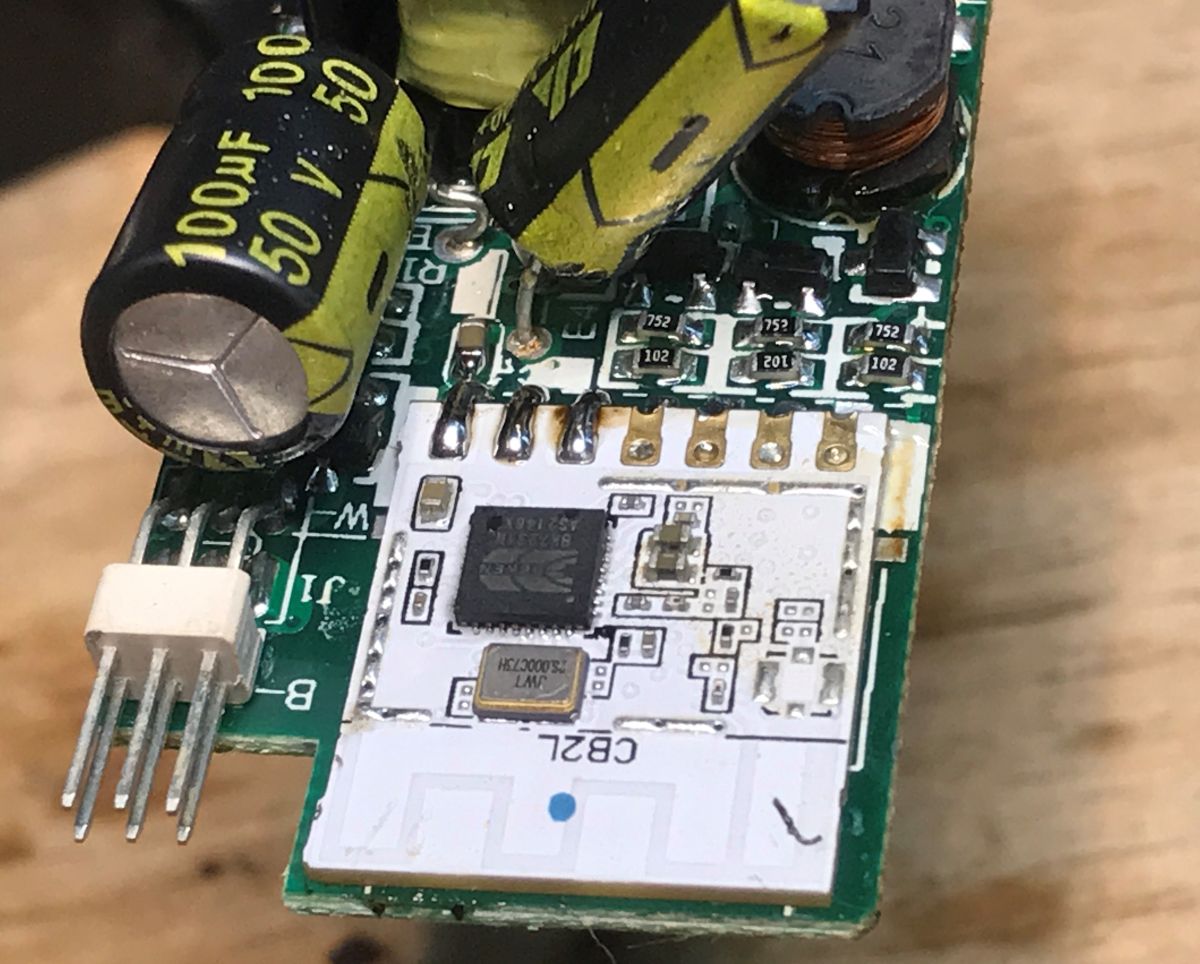
    Close-up of a PCB with CB2L Wi‑Fi module and a large 100 µF 50 V electrolytic capacitor Close-up of a PCB with a CB2L module, capacitors and an inductor; a pin header is visible at the edge.
    Final presentation:


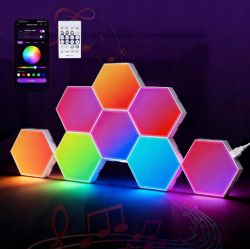
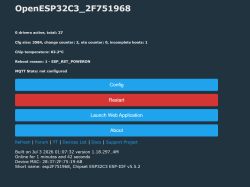
    The lamp can now be paired with the smart home system:


    Finally, you can also check out the related thread, where I looked into how hot such a lamp gets and whether this can be reduced to any extent:
    How hot Does the Wi-Fi-controlled Tuya LED lamp get hot? Firmware update and extending its lifespan
    This recommended thread is particularly interesting because it features a device based on a controller with a two-wire bus, SM2135, and a WB8P Wi-Fi module (BK7231T), whereas this thread featured the CB2L and a control method based on five PWM pins. You can compare the two solutions.

    This is how you can modify an LED lamp. I managed to assemble the device, and following this modification, it now works with Home Assistant, 100% locally, and is also fully configurable. You can do much more with it than with the factory software – it’s even possible to control it via the DDP protocol, allowing you to create any colour animations you like. Personally, I think it was worth the effort.
    PS: You can now also set up local automations using the light switch, which no longer cuts off the power supply but simply sends a signal to the lamp via Wi-Fi to change its state. One way to implement this is via the Tasmota Device Groups protocol shown earlier .

    Cool? Ranking DIY
    Helpful post? Buy me a coffee.
    About Author
    p.kaczmarek2
    Moderator Smart Home
    Offline 
    p.kaczmarek2 wrote 14699 posts with rating 12743, helped 656 times. Been with us since 2014 year.
  • ADVERTISEMENT
  • #2 21923850
    divadiow
    Level 38  
    Posts: 5153
    Help: 442
    Rate: 906
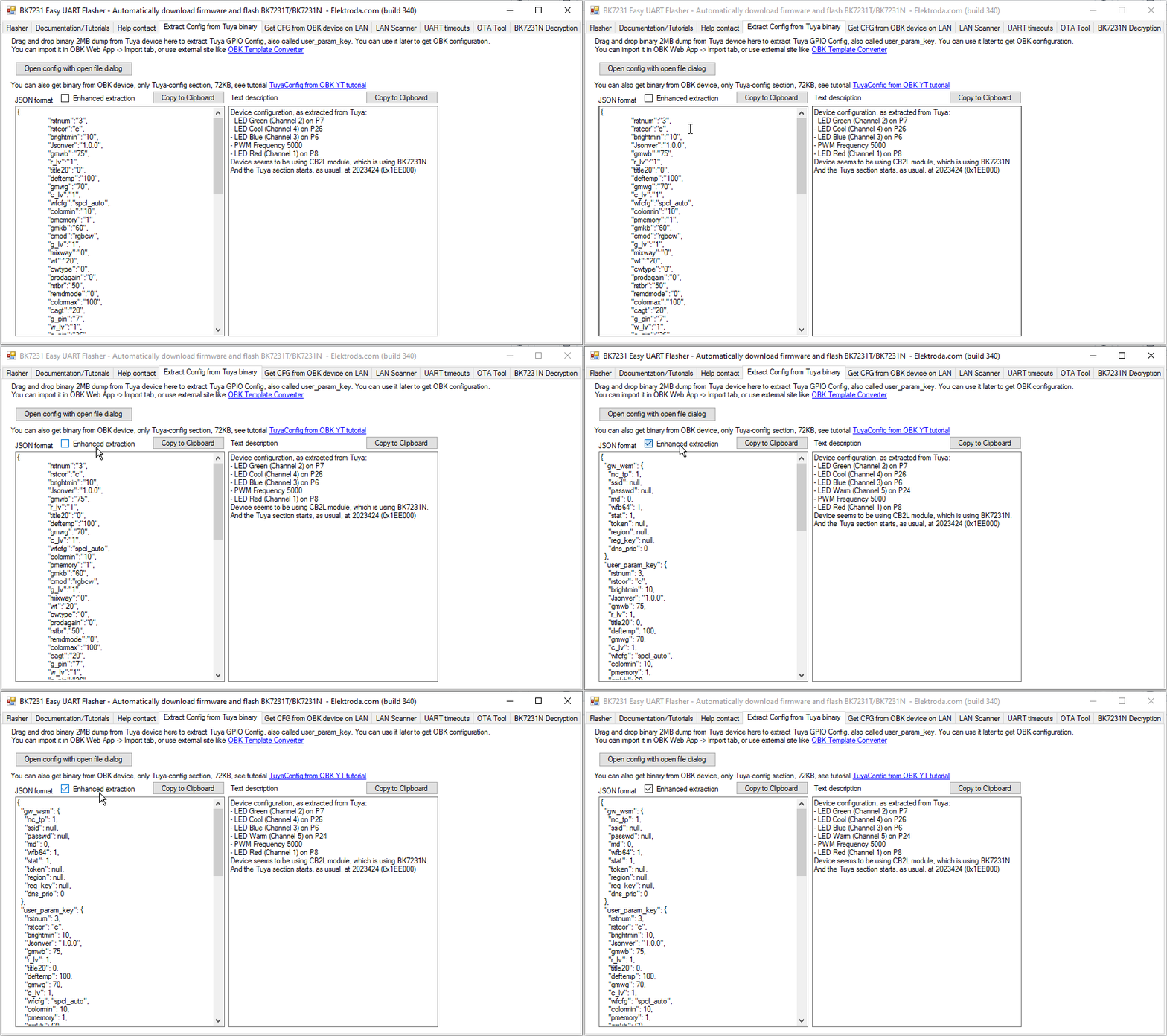
    the missing role is visible with the enhanced extraction.

    Can even light bulbs be programmed these days? Updating the firmware on the TY-A60-18W-220V
  • ADVERTISEMENT
  • #3 21923854
    p.kaczmarek2
    Moderator Smart Home
    Posts: 14699
    Help: 656
    Rate: 12743
    That's great news, is it already merged with main flasher? Well, I must admit, I did this bulb teardown already at least few months ago, it's just that I am slow at publishing.

    I'm still collecting bulb holders to make DDP animation demo, I want to run 5 - 10 bulbs with some animation.
    Helpful post? Buy me a coffee.
  • #4 21923856
    divadiow
    Level 38  
    Posts: 5153
    Help: 442
    Rate: 906
    yes. merged a while ago :)
  • #5 21924141
    p.kaczmarek2
    Moderator Smart Home
    Posts: 14699
    Help: 656
    Rate: 12743
    There is a checkbox, though... couldn't we remove it? Make a global test on all of our flash dumps, with a batch script, export with new and old method for each, and check if new method contains all fields from old method + extra ones, and if new method is fully superior, migrate to it?
    Helpful post? Buy me a coffee.
  • ADVERTISEMENT
  • #6 21924144
    divadiow
    Level 38  
    Posts: 5153
    Help: 442
    Rate: 906
    yes. the old method needs to go. did the comparisons a long time for a few hundred dumps.
  • ADVERTISEMENT
  • Command-line JSON output for flasher?

    #7 21924147
    p.kaczmarek2
    Moderator Smart Home
    Posts: 14699
    Help: 656
    Rate: 12743
    Authomatically? With a script, or by hand?

    I still have this unfinished crude prototype of online flash analysis:
    https://github.com/openshwprojects/FlashDumps/tree/main/Analyzer
    https://openshwprojects.github.io/FlashDumps/

    Maybe it could be reworked into fully fledged feature, dump the analyzer script and use Flasher directly as submodule. Then create page for each dump with all info.

    Can current flasher work in command line mode to extract JSON?
    Helpful post? Buy me a coffee.
  • Automated dump comparison and JSON extraction script

    #8 21924547
    divadiow
    Level 38  
    Posts: 5153
    Help: 442
    Rate: 906
    p.kaczmarek2 wrote:
    Authomatically? With a script, or by hand?


    hmm. my memory is a little vague, but it was mostly automated and then any output that didn't match between enhanced/non-enhanced output was manually reviewed. It was the case that enhanced included missing assignments, like the subject of this topic.

    p.kaczmarek2 wrote:
    Can current flasher work in command line mode to extract JSON?


    I don't remember trying this but I have got AI to work tuyaconfig.cs into a script to scan all dumps and extract to json files before. This is good for finding _pin roles that Easy Flasher does not yet cater for, among other things
    eg
    https://www.elektroda.com/rtvforum/topic4065311.html#21834399
📢 Listen (AI):

FAQ

TL;DR: A 220 V Tuya TY-A60-18W-220V bulb bought for under 10 zł can run fully locally; “100% locally” means replacing Tuya firmware on its CB2L/BK7231N module with OpenBK7231T_App for Home Assistant control. This FAQ helps smart-home modders flash and map the RGBCW channels safely. [#21923619] Why it matters: This modification removes cloud dependence, exposes five LED channels, and turns a cheap Tuya RGBCW lamp into a configurable local smart-home device.

Design discussed Controller/module LED control method Modification impact
TY-A60-18W-220V C3009 CB2L / BK7231N Five PWM pins Direct channel mapping, but module desoldering required
Related Tuya lamp WB8P / BK7231T SM2135 two-wire bus Fewer LED control wires, different firmware configuration path

Key insight: The hardest part is not the firmware itself; it is physical access. On this bulb, the UART pads sit under the CB2L module, so flashing requires hot-air desoldering and careful reassembly.

Quick Facts

  • Model: Tuya RGBCW LED lamp TY-A60-18W-220V C3009, bought in a special offer for under 10 zł with free delivery. [#21923619]
  • Wireless/control module: CB2L, identified as a BK7231N-based lighting module with exposed PWM-capable pins. [#21923619]
  • Extracted Tuya data lists cmod: rgbcw, pwmhz: 5000, rstnum: 3, and brightness/color limits from 10% to 100%. [#21923619]
  • Confirmed RGB/CW pin map: red P8, green P7, blue P6, cool white P26; warm white needed extra identification. [#21923619]
  • The later enhanced extraction showed the missing role that the earlier Tuya configuration extraction did not clearly expose. [#21923850]

How do you flash OpenBK7231T_App firmware onto a Tuya TY-A60-18W-220V C3009 RGBCW LED bulb with a CB2L module?

Flash it by exposing the CB2L module, connecting UART, and writing OpenBK7231T_App with BK7231GUIFlashTool.
  1. Remove the dome and LED board to reach the CB2L module.
  2. Desolder the module, because its UART pads are underneath.
  3. Flash OpenBK7231T_App, reassemble the bulb, and configure the RGBCW PWM channels.
The author used hot air and later restored shifted SMD parts before final assembly. [#21923619]

What is the CB2L module in Tuya smart bulbs, and how is it related to the BK7231N chip?

The CB2L is the Wi-Fi lighting module used in this Tuya bulb, and it contains a BK7231N chip. "CB2L is a lighting-focused Wi-Fi module that exposes BK7231N PWM-capable pins, allowing firmware to control separate LED colour and white channels." In this TY-A60-18W-220V bulb, it drives RGB plus cool and warm white channels. [#21923619]

What is OpenBK7231T_App, and how does it let a Tuya LED lamp work locally with Home Assistant?

OpenBK7231T_App is the replacement firmware flashed onto the BK7231N module for local smart-home control. "OpenBK7231T_App is custom firmware for Beken-based Tuya devices that provides local control, web configuration, and smart-home integration without the manufacturer cloud." After flashing, the lamp exposes a web interface on its Wi-Fi module and can pair with Home Assistant. [#21923619]

Which PWM pins control red, green, blue, cool white, and warm white on the TY-A60-18W-220V bulb?

The bulb uses P8 for red, P7 for green, P6 for blue, and P26 for cool white. The warm white pin was not visible in the first extracted configuration, so it was found manually. The extracted Tuya data also shows pwmhz: 5000, meaning the LED PWM frequency was configured as 5000 Hz. [#21923619]

Why does the CB2L module need to be desoldered before flashing firmware on this Tuya LED bulb?

The CB2L module must be desoldered because the UART flashing pads are on its underside. The author removed it with a hot-air gun, then later soldered it back after flashing. A failure case is visible here: hot-air removal shifted several SMD components, which required cleanup before the bulb worked again. [#21923619]

How do you put the TY-A60-18W-220V Tuya bulb into SmartLife or Tuya pairing mode?

Put the bulb into SmartLife or Tuya pairing mode by switching it off and on three times. The included guide described pairing with SmartLife, a Tuya-compatible app. The extracted configuration also lists rstnum: 3, matching the three-cycle reset behavior shown in the thread. [#21923619]

What firmware flashing tool is used for BK7231N-based Tuya bulbs, and where can it be found?

The thread uses BK7231GUIFlashTool, described as an Elektrodowy flasher supporting multiple platforms. It flashes the OBK firmware onto the CB2L/BK7231N module. The post names both project repositories: BK7231GUIFlashTool for flashing and OpenBK7231T_App for the firmware image. [#21923619]

How can the missing warm white channel be identified when the extracted Tuya configuration does not show it clearly?

Identify the missing warm white channel by testing the remaining PWM-capable CB2L pins manually. The first extraction listed red P8, green P7, blue P6, and cool white P26, but not warm white. The author then used the limited BK7231N PWM choices and CB2L pin restrictions to find it. [#21923619]

What does the enhanced Tuya configuration extraction reveal that the earlier extraction missed?

The enhanced Tuya configuration extraction reveals the missing role that was not visible in the earlier extraction. A later reply states that “the missing role is visible with the enhanced extraction.” The same reply confirms the improved extraction was available after the original teardown had already been done months earlier. [#21923850]

CB2L with five PWM channels vs WB8P with an SM2135 two-wire bus — which design is easier to modify for custom firmware?

CB2L with five PWM channels is more direct to understand, but harder to access physically in this bulb. It exposes separate PWM lines for RGB and white channels, including P8, P7, P6, and P26. The related WB8P design uses an SM2135 two-wire bus, so it needs a different configuration model rather than five separate PWM outputs. [#21923619]

What safety precautions are important when opening and flashing a non-isolated 220 V Tuya LED bulb?

Disconnect the 220 V bulb fully before opening, desoldering, or touching the electronics. The thread identifies the BP2525 supply as a non-isolated step-down converter, so the low-voltage section is not safely isolated from mains by design. Reassembly also matters, because removing the LED board slightly compromises the cooling path. [#21923619]

How do BP2525 and YT5202B chips function inside a smart RGBCW LED bulb power supply?

BP2525 powers the Wi-Fi module, while YT5202B serves the LED power section in this bulb. The author identifies BP2525 as a non-isolated step-down converter. He treats YT5202B as the LED supply controller and describes it as a constant-current controller in the lamp’s more complex power design. [#21923619]

How can a modified Tuya BK7231N bulb be integrated with Home Assistant without using the manufacturer cloud?

Integrate it by flashing OpenBK7231T_App, configuring the RGBCW PWM outputs, and pairing it locally with Home Assistant. After modification, the lamp works from the Wi-Fi module’s own web interface. The author states the device works with Home Assistant “100% locally,” without relying on Tuya’s manufacturer cloud. [#21923619]

What is DDP protocol, and how can it be used to create colour animations on multiple OpenBeken smart bulbs?

DDP protocol can control OpenBeken bulbs for custom colour animations over the local network. "DDP protocol is a digital lighting-control protocol that sends colour data to smart lights, enabling synchronized animation effects across multiple locally controlled bulbs." The author planned a demo using 5 to 10 bulb holders for animated effects. [#21923619]

How can Tasmota Device Groups or local Wi-Fi automation replace cutting power with a physical light switch?

Use the wall switch as a local automation trigger instead of cutting mains power to the bulb. The thread suggests a switch that sends a Wi-Fi signal to change lamp state. It names Tasmota Device Groups as one implementation path for local switching, keeping the smart bulb powered and reachable. [#21923619]
Summary generated by AI based on the discussion content.
ADVERTISEMENT