New Arduino board
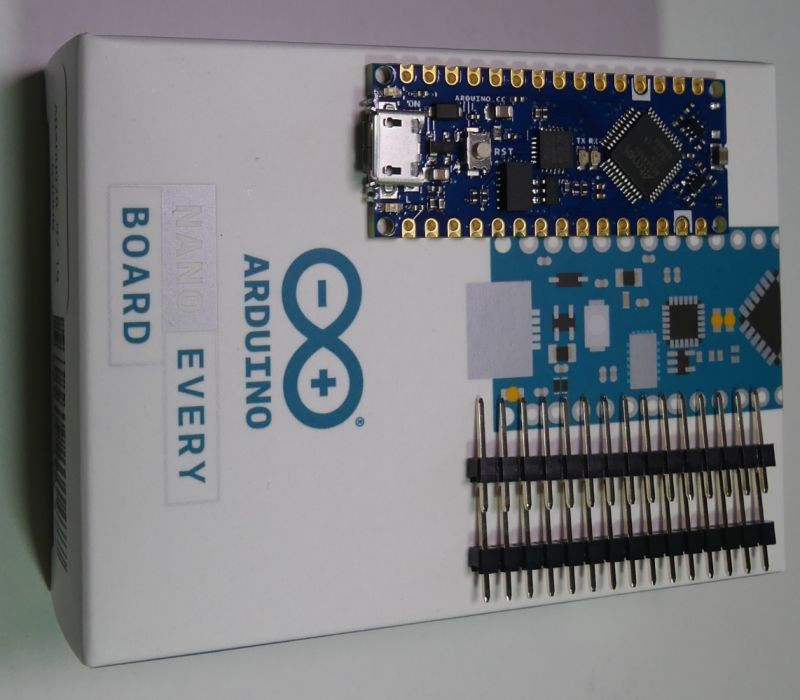
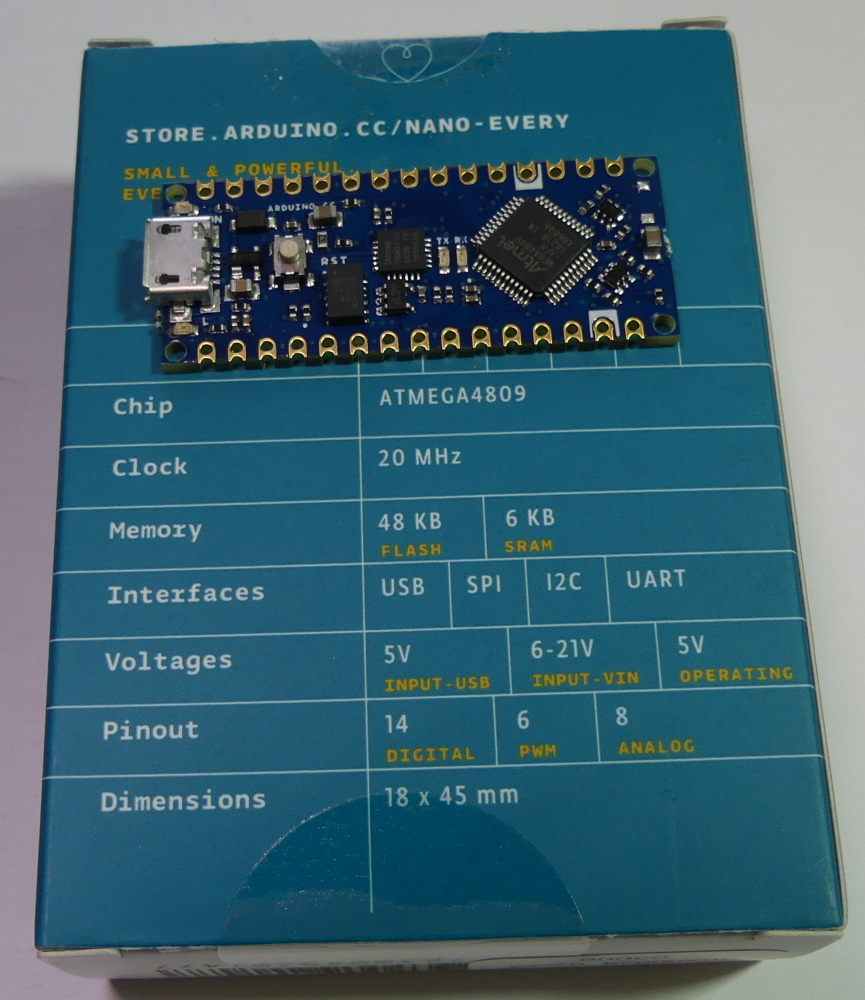
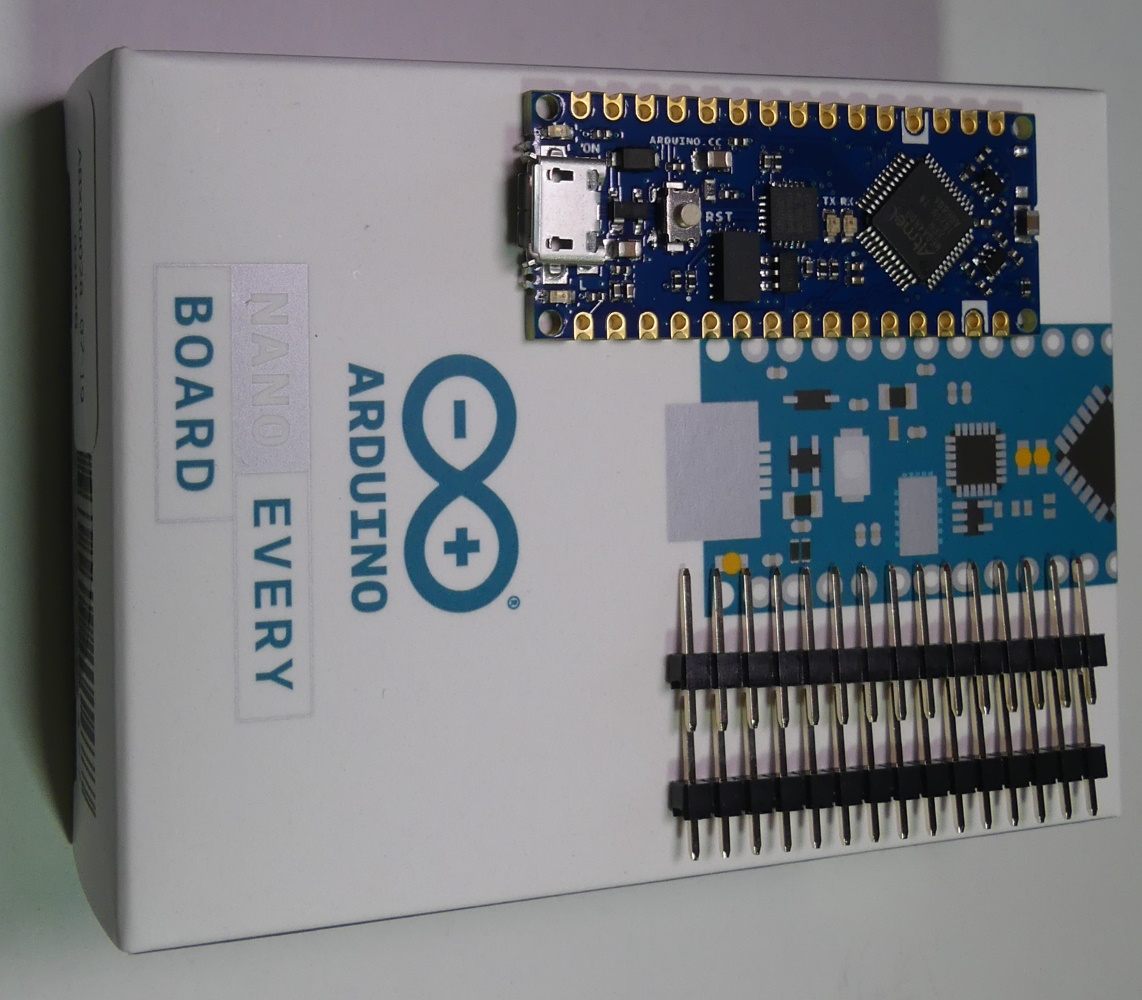
NANO Every uses a microcontroller
ATMega4809 AVR, compared to the previous version
nano where it was used
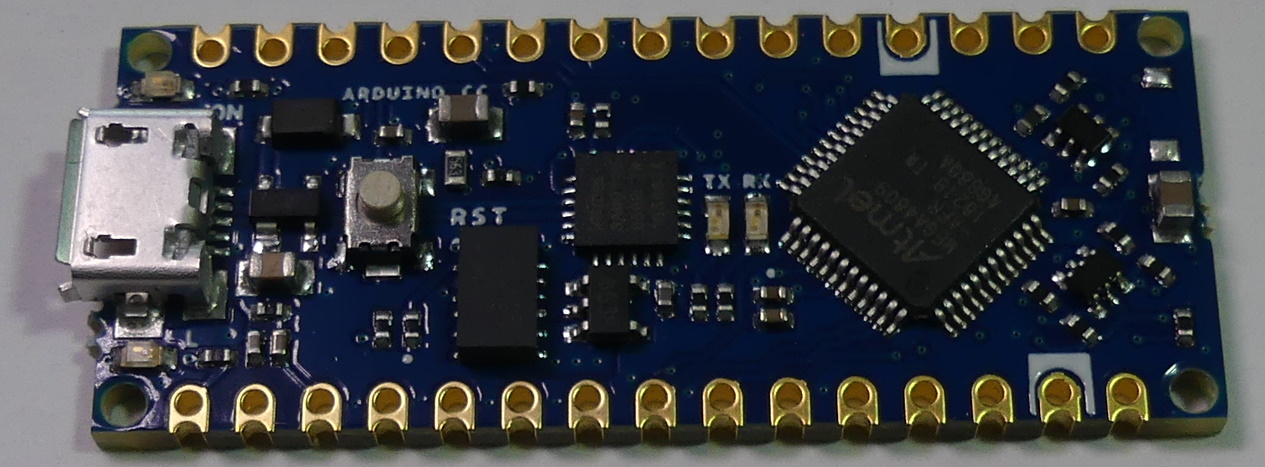
ATmega328 . On the Every version PCB you won't find a quartz resonator, due to the clock signal generator built into the microcontroller up to 20MHz. We get more flash memory - 48KB, more RAM - 6KB, and less EEPROM - 256B, input voltage range 6-21V board. USB communication is provided by ARM ATSAMD11D14A. The NANO Every version works with 5V voltage levels as in the previous nano version. The PCB allows soldering glodpin connectors, or surface mounting (SMT) on a larger board (like many RF modules). Pin descriptions are available on the bottom side of the board, which may not be convenient e.g. on a breadboard. The version
1.8.9 of Arduino environment was used for tests with the module.
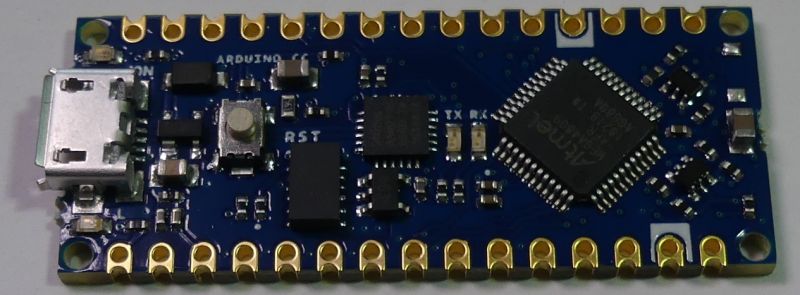
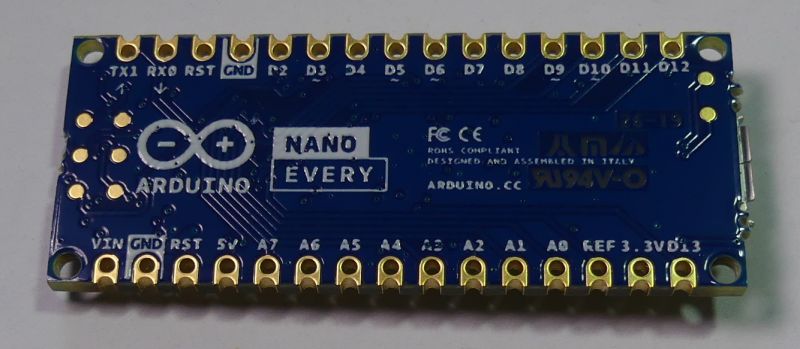
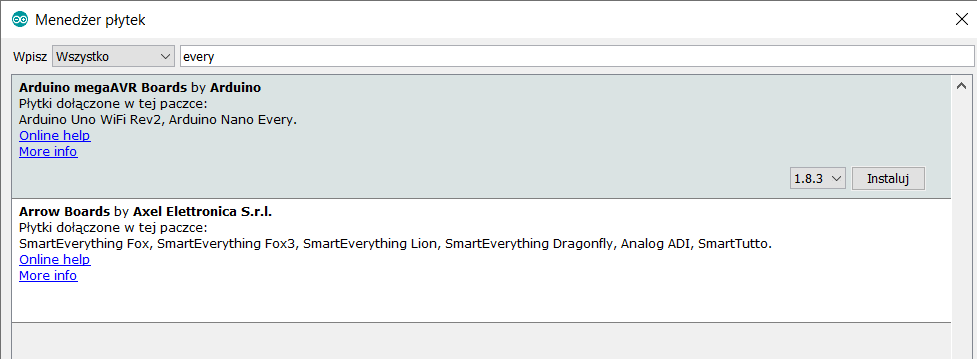
To start working with NANO Every, we launch the boards manager:
Tools-> board-> boards Manager
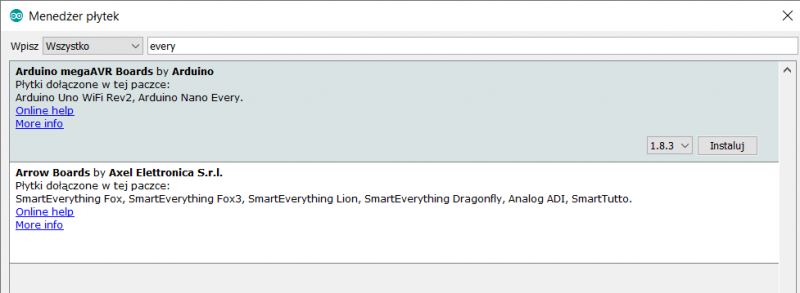
We search for "every" and choose the package: Arduino megaAVR Boards by Arduino.
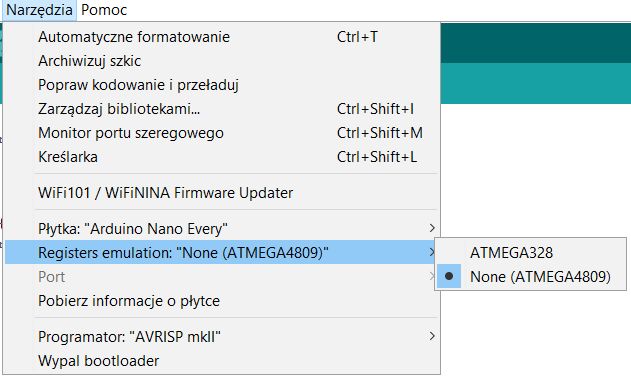
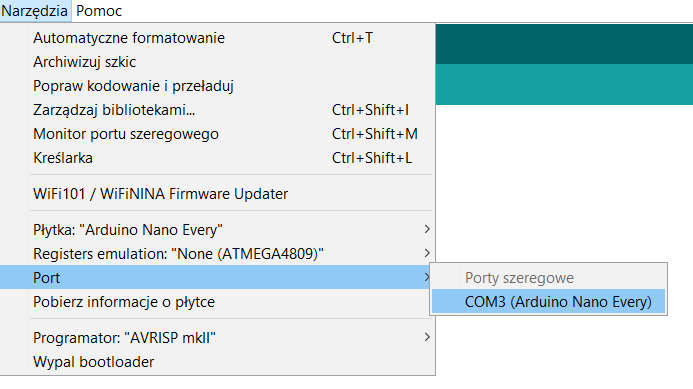
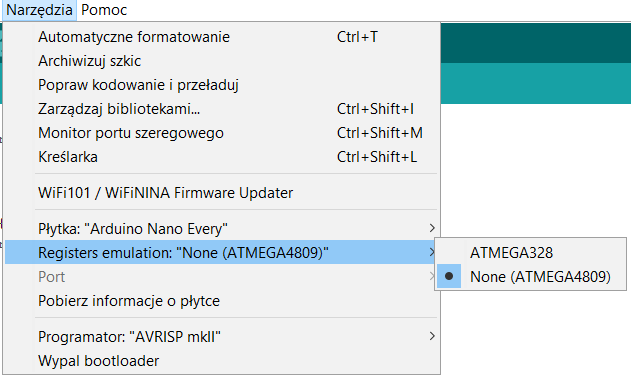
In the sketch, we choose the Arduino NANO Every board, and the COM port (emulated on USB), which appeared after connecting the board:
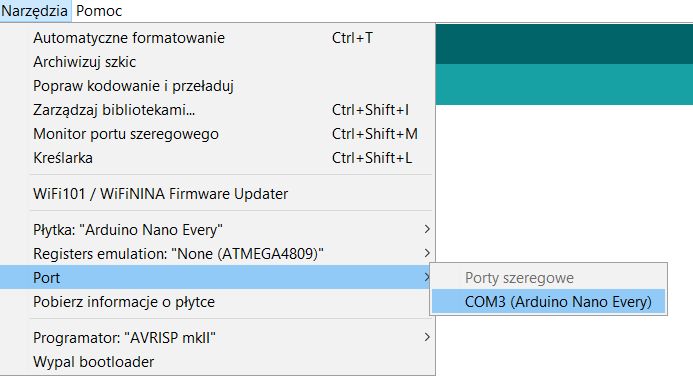
We will also find the option of emulating the ATmega328P registers, was it a announcement of possible compatibility problems?
At the beginning a simple communication test with the board and test LED flashing - the test was successful:
Preliminary tests showed problems with running TimerOne, MsTimer2 libraries, or attempts to manually modify the T0, T1, T2 timer registers known from the Arduino nano version, e.g. the OCR1A register, etc. Personally in Arduino Nano, I got used to timers that allowed deterministic triggering of interrupts , time measurement, pulse counting or waveform generation.
If you compare iom328p.h and iom4809.h files located in the directory:
\ Arduino-1.8.9 \ hardware \ tools \ avr \ avr \ include \ avr
it turns out that in ATMega4809 we have a different set of registers available, including RTC registers:
http://ww1.microchip.com/downloads/en/AppNotes/TB3213-Getting-Started-with-RTC-90003213A.pdf
The NANO Every version has 5 PWM outputs (in the previous nano version 6 PWM outputs were available), the difference is for the D11 output - no PWM in the Every version.
In the NANO Every version we will also find more settings regarding ADC reference voltage:
https://www.arduino.cc/reference/en/language/functions/analog-io/analogreference/
Let's try to do something more complicated, get SD card and save samples from the analog input, see if there is any problem with library compatibility. We will use RTC interruptions to collect samples from ADC periodically. We have more RAM available, so we will use two buffers alternately filled with data from the ADC, and then saved to a file on the SD card. In this way, a voltage value recorder at the ADC input will be created, with data saved to a file on the SD card. We will sample the voltage quite slowly, 256 times per second. One of the available reference voltages "INTERNAL4V3" was chosen for the test, so we can record voltages in the range 0-4.3V, with a theoretical resolution of 10b.
The board works with 5V, so we need an SD card adapter matching voltage levels and providing 3.3V power for the card.
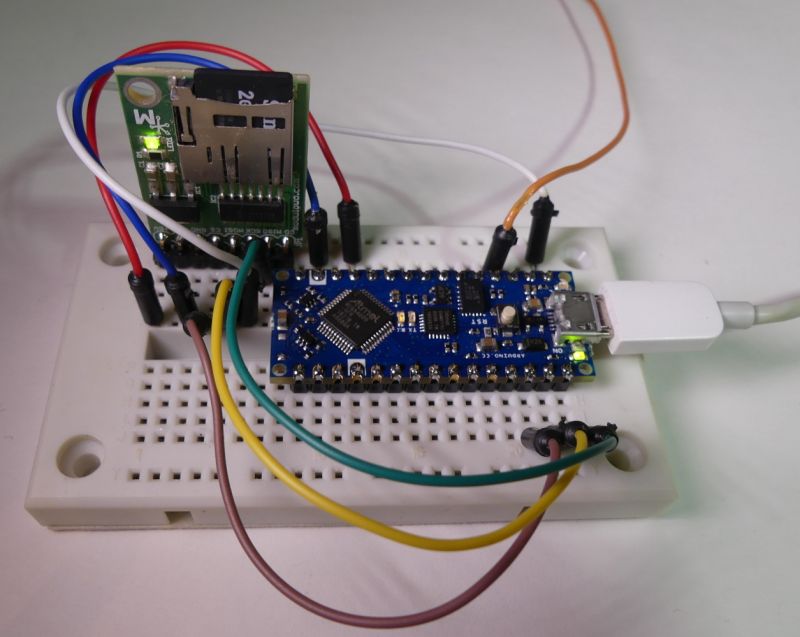
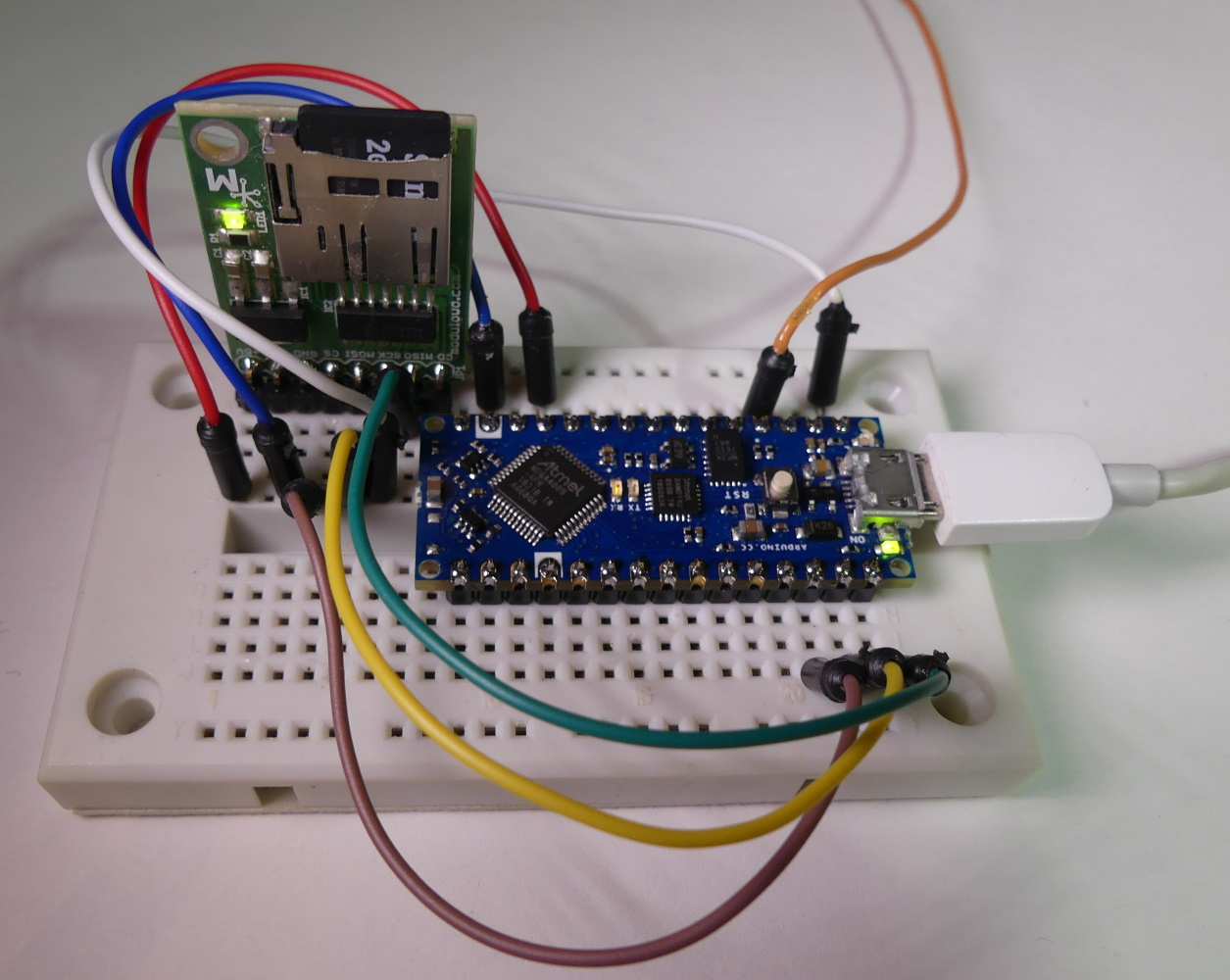
We connect the SD card pins with the module pins:
CS - D10
DI - MOSI
DO - MISO
SLCK - SCK
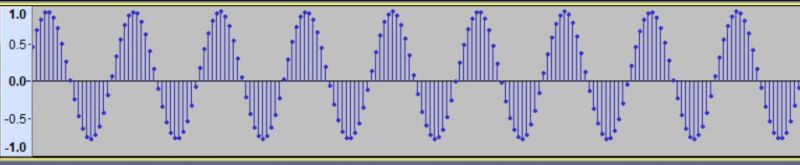
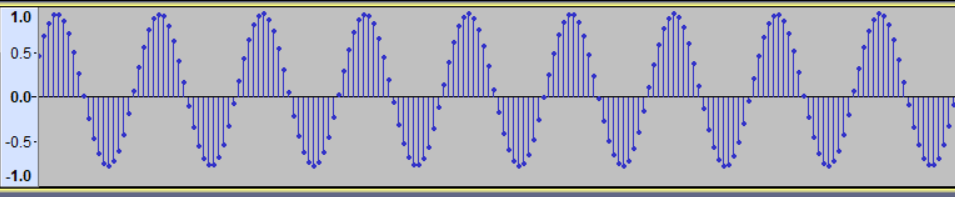
Sine wave voltage 10Hz 4.3Vpp conected to input A0, and the data was stored in the file on the SD card, this can be visualized e.g. in the audio program Audacity. We can import raw data (16bit, big-endian, 1 channel). After standardization you can see a sine wave:
A simple system for recording voltage changes works:

Built-in RTC encouraged me to connect the ENC28J60 and try to synchronize time via Ethernet using NTP, unfortunately the UIPEthernet library did not want to work with NANO Every board.
Sumary: an interesting and cheap module using a new microcontroller, which was created after the fusion of Atmel and Microchip. We get new possibilities, but alsocompatibility problems with the previous version of nano. On the PCB we can find a USB<->UART converter, which after changing the firmware can become another HID USB device. The new form of the board allows you to mount module SMT without goldpins. We will see if Arduino environment will be developed to get compatibility of NANO Every with previous nano model, or if new versions of libraries have to be created and we can't transfer the code from nano to NANO Every.
What do you think of Arduino NANO Every?










Comments
328 register simulation did not help? [Read more]
The problem is that it didn't work, even a little disappointing, but I give this CD a chance, we'll see what time it brings. More and more questions about these incompatibilities: https://forum.arduino.cc/index.php?board=137.0... [Read more]
It's better to look at NANO 33 BLE. At least there Arbedino HAL is based Mbed OS. [Read more]
And here the board from Microchip with ATmega 4809 and built-in debugger for 19.28 PLN net. It is not enough that cheaper are all the pins derived https://pl.farnell.com/microchip/dm320115/curiosity-nano-eval-board-8-bit/dp/2932048?st=atmega4809... [Read more]
Additionally, Curiosity Nano Base should be bought at a net price of 86.48 PLN, so that you can use this question sensibly as a test / prototype. [Read more]
What for? [Read more]
Well, "khoam" for what? for arduino nano you also buy "base" or stick to contact sheet. [Read more]
In the case of Nano, I don't have to add the USB-UART bridge. Of course, this note applies to programming in the Arduino environment (which is the subject of this article) and to those who do not... [Read more]
but there's a USB-UART in the Microchip board [Read more]
Then write what you need to do to be able to use the serial port monitor, e.g. in the Arduino IDE. [Read more]
So the system that does for the USB UPDI adapter has more computing power than this megi ... If they put ARMA there anyway, why do they even make such a record? Isn't it better to make a CD on... [Read more]
A much more interesting alternative to NANO Every is the tile Teensy 4.0 with NXP iMXRT1062 processor (ARM Cortex-M7). This module has good support from popular "arduin" libraries - definitely... [Read more]
Teensy 4.0 wastes terribly pins. This circuit has a lot of GPIO from what I orientate, but only part of it is derived from the board. This is a bad habit that is becoming more and more popular nowad... [Read more]
There are additional tiles available from below: https://obrazki.elektroda.pl/7073686300_1567699256_thumb.jpg [Read more]
Well, what about the fact that arm-y are better since x-years ago when avr-y came it was expensive and inaccessible. I do not intend to learn the periphery, assembler just because I will have 32 bits at... [Read more]
Fortunately, not everywhere. The Nano 33 models have ARMs: nRF 52840 or SAMD21G18A. [Read more]
Assembler on ARM? Do you write at ASM at AVR? More frames, SPI, I2C, RAM, FLASH, DMA often at a lower price than AVR. I could overwhelm with examples where AVR, even Xmega, has no chance to accomplish... [Read more]
No, sometimes I do insertions in the interrupt, but I mainly check what the compiler spit out, because I had several times that the program did not go as I wanted by over-optimizing the compiler. ... [Read more]
There are no such problems in ARM. ASM inserts do not need to be made or the compiler improved. Which Xmega has 1MB RAM? In which interrupts have 16 levels? Ethernet? 4-bit SD card support?... [Read more]