logo elektroda
logo elektroda
X
logo elektroda

How to Enable Web Authentication in OpenBeken Version 1.17.342 and newer

castorw  16 3363 Cool? (+2)
šŸ“¢ Listen (AI):

TL;DR

  • OpenBeken version 1.17.342 and newer adds web authentication for the administrative interface, protecting the web portal and APIs with HTTP basic authentication.
  • Enable it in Config → Configure WiFi & Web configuration, then use the Web Authentication section to turn on authentication and set the Admin Password.
  • The username is always admin, and the feature is supported on OpenBK7231T, OpenBK7231N, OpenXR809, and OpenBL602.
  • Once enabled, the device requires admin and the configured password for web access, including any web-based API integrations.
  • Safe Mode still keeps authentication enabled by default, and global flag 44 can disable it there, though that is not recommended.
Generated by the language model.
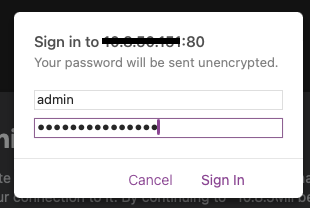
Login window for the administrative interface with the password field filled.
Intro
Authentication to administrative interface is present for most connected devices and a basic security requirement. OpenBeken supports web authentication since version 1.17.342. Web authentication is implemented using simple HTTP basic authentication mechanism. This allows protection of devices against unwanted access or malicious configuration or control. When web authentication is enabled the entire web admin interface and APIs are protected with HTTP basic authentication. This (currently) does not apply to various integrations implemented within OpenBeken.

Supported platforms:
* OpenBK7231T,
* OpenBK7231N,
* OpenXR809,
* OpenBL602.

Setup
To enable web password authentication login to your OpenBeken device web interface and enter Config -> Configure WiFi & Web configuration section.

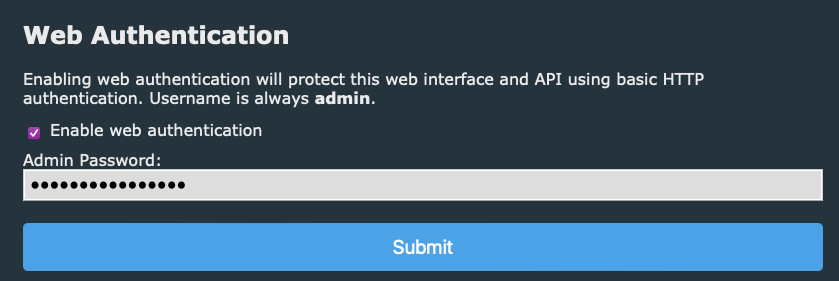
On the bottom you can see Web Authentication section. This section provides two options:
* Enable web authentication - enables web authentication and will require user to log in before accessing web admin interface,
* Admin Password - password to be used.

Username is always admin.

Screenshot showing network authentication interface with an enabled option and a password field.


Usage
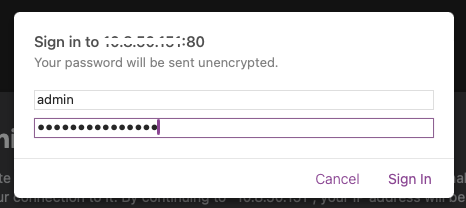
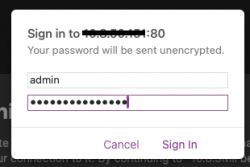
Next time you will access web portal or API, you will be required to enter username (admin) and configured password. Any integrations using any web-based API will need to authenticate as well.

Login window with basic HTTP authentication showing user admin.


Safe Mode
By default web authentication (if configured) is enabled even when the device enters Safe Mode. This acts as a security measure, since device creates open AP to which anyone can connect and could possibly control the device or even misconfigure it to cause damage (eg. relays used to control heating, water pumps, etc.).

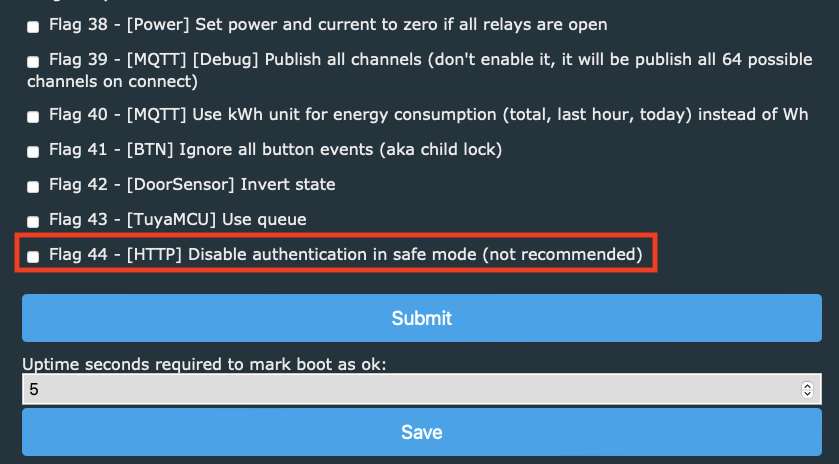
If you, however, wish to disable password authentication is safe mode, this can be done using global flag 44 in Config -> Configure General/Flags section. It is not recommended though.

Configuration window with flag options in the OpenBeken interface.


And that would be all, now your device has at least some basic security when it comes to administration šŸ˜‰

About Author
castorw
castorw wrote 1 posts with rating 2 . Been with us since 2023 year.

Comments

p.kaczmarek2 13 Dec 2023 23:25

This is surely a very important feature. Here's a link to the first public build that includes it: https://github.com/openshwprojects/OpenBK7231T_App/releases/tag/1.17.343 Btw, the LittleFS issue we've... [Read more]

mbk_med 29 Sep 2024 19:35

Hi, is it possible to have Authentication on the W600 platform? Thank you. [Read more]

p.kaczmarek2 29 Sep 2024 19:40

@divadiow do you have W600 at hand? @max4elektroda ? [Read more]

max4elektroda 29 Sep 2024 19:58

Sorry, no W600 here, but W800, which is in the same line with W600 for the define in new_pins.h. So I could try with W800 [Read more]

divadiow 29 Sep 2024 20:04

a transplanted TW-02 in a mini switch. Air602 in the post. [Read more]

max4elektroda 29 Sep 2024 20:36

PR1369 is compiling ATM Added after 27 [minutes]: Ahh, its missing a "char webPassword[33]" in "mainConfig_t". If I calculated correctly and we have "initCommandLine[512]" starting at 0x000005E0... [Read more]

mbk_med 29 Sep 2024 20:47

Hi, I have 3 wall sockets with a W600 that I just successfully flashed. [Read more]

p.kaczmarek2 29 Sep 2024 20:57

My memory may not be right but I seem to remember that there was some issue with config size on W600 or W800.... that it was failing to save config when the config size was bigger than given threshold...... [Read more]

max4elektroda 29 Sep 2024 21:21

O.k, made a PR with a password reduced to 30 bytes. Tested W800 : After OTA I had to restart it by hand and then at least WiFi config was gone (started as Open AP). But setting SSID and PW worked and... [Read more]

divadiow 29 Sep 2024 21:29

https://obrazki.elektroda.pl/1561370500_1727638305_thumb.jpg https://obrazki.elektroda.pl/1833429400_1727637621_thumb.jpg [Read more]

max4elektroda 29 Sep 2024 21:34

Nice, did your config "survive" the update on W600? [Read more]

p.kaczmarek2 29 Sep 2024 21:37

Wait, shouldn't config stay if you don't change the size of config structure? As per new_cfg.c: static byte CFG_CalcChecksum(mainConfig_t *inf) { int header_size; int remaining_size; byte crc; int... [Read more]

max4elektroda 29 Sep 2024 21:43

I didn't attach serial, so I can't tell what was wrong... In the end it seems to work [Read more]

divadiow 29 Sep 2024 22:10

appears to have done. did OTA to latest public then OTA to PR. The only minor behavioural thing is that the password is ineffective if you use the same browser session after setting the password. device... [Read more]

max4elektroda 29 Sep 2024 22:20

Yes, that's the problem with the used basic auth, it's saved in the browser as long as the tab/window isn't closed; since there is no additional information, it will access the device even after a reb... [Read more]

max4elektroda 17 Oct 2024 16:17

Since @divadiow asked in git: @pkaczmarek2 could you please take a look in git if my assumption about the reason is reasonable ;-)? [Read more]

FAQ

TL;DR: OpenBeken 1.17.342+ adds HTTP basic auth; enabling it blocks ā€œ100 % of unauthenticated web/API callsā€ [Elektroda, castorw, post #20859771] ā€œThis is surely a very important featureā€ [Elektroda, p.kaczmarek2, post #20860396] Setup takes under 60 s via Config → WiFi & Web menu.

Why it matters: A single checkbox now shields your smart socket or light switch from drive-by reconfiguration attacks.

Quick Facts

• Added in firmware v1.17.342 (Dec 2023) [Elektroda, castorw, post #20859771] • First public binary: v1.17.343, size reduced by 2 KB [Elektroda, p.kaczmarek2, post #20860396] • Supported SoCs today: BK7231T, BK7231N, XR809, BL602 [Elektroda, castorw, post #20859771] • Default username = admin; password 1-32 chars (W600/W800: 1-30 chars) [Elektroda, castorw, post #20859771][Elektroda, max4elektroda, post #21244064] • Config block hard-limit: 2 048 bytes flash sector [Elektroda, max4elektroda, post #21244064]

What chips are supported right now?

Current builds protect devices running BK7231T, BK7231N, XR809 and BL602 SoCs [Elektroda, castorw, post #20859771] W600/W800 support is under active pull-request testing (see below).

How do I turn the password on?

  1. Log into the web UI.
  2. Open Config → Configure WiFi & Web.
  3. Tick ā€œEnable web authentication,ā€ enter a password, Save & Reboot. This three-step flow takes about 60 s and locks both UI and REST/MQTT APIs [Elektroda, castorw, post #20859771]

Does the protection also cover JSON/REST APIs?

Yes. All web endpoints, including the JSON, Tuya-style and Home-Assistant APIs, now demand the same Basic-Auth header [Elektroda, castorw, post #20859771]

Can I disable the password when the device drops into Safe Mode?

You can clear authentication in Safe Mode by unsetting global flag 44 under Config → General/Flags, but the author calls this ā€œnot recommendedā€ because the device exposes an open AP [Elektroda, castorw, post #20859771]

Where do I get the firmware that already includes the fix for LittleFS?

Grab v1.17.343 from the official GitHub releases page; its binary size was cut by 2 KB to resolve the LittleFS overflow [Elektroda, p.kaczmarek2, post #20860396]

What happens if the config grows beyond 2 048 bytes?

On W600/W800 the device may fail to save settings. Developers reduced the password buffer and other fields to stay below the 2 048-byte threshold [Elektroda, max4elektroda, post #21244064] This limitation does not affect BK7231T/N builds.
Generated by the language model.
%}