logo elektroda
logo elektroda
X
logo elektroda

How to publish MQTT string/JSON to control other devices (OBK, Tasmota, Zigbee) from OpenBeken?

p.kaczmarek2  2 2211 Cool? (+2)
📢 Listen (AI):

TL;DR

  • OpenBeken MQTT scripting can publish strings or JSON to other devices in the MQTT network, including OBK relays and Zigbee2MQTT endpoints.
  • The core command is `publish [TopicName] [Payload] [bRawMode]`, and `bRawMode` controls whether the OBK topic prefix is stripped.
  • A relay on `Uticnica2` is controlled with `publish Uticnica2/1/set 0 1`, where `1` is the channel index and payload `0`/`1` sets off/on.
  • A Zigbee2MQTT TS0012 switch accepts escaped JSON, for example `publish zigbee2mqtt/test2/set ... {"state_left":"TOGGLE"} ...`, proving OBK can handle quoted payloads.
  • The published commands changed target device states directly, avoiding Home Assistant automations and showing OBK can drive other MQTT devices itself.
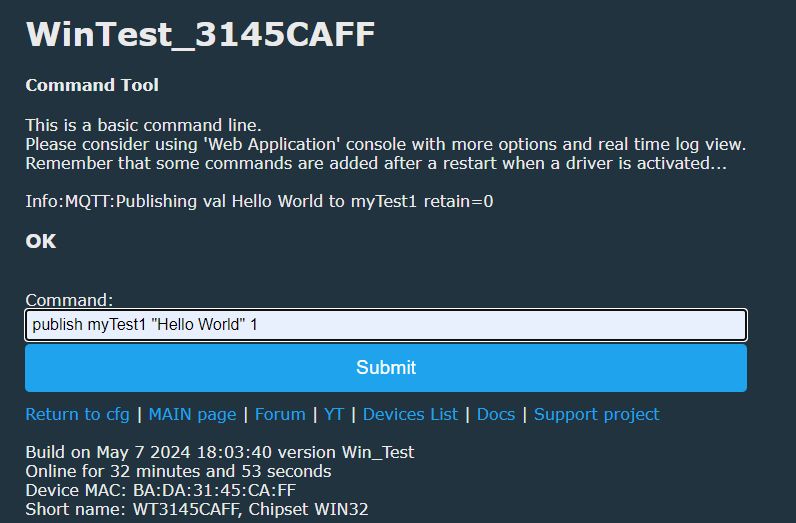
Screenshot of WinTest_3145CAFF command line tool with MQTT command.
OpenBeken provides a scriptable set of MQTT-related commands that can be used to publish data not only directly to Home Assistant, but also to other devices in the MQTT network. This way you can for example control a Zigbee switch directly from OBK, without writing any automations in HA. In this tutorial I will show you how you can do this in few simple steps.

Basic requirements
This tutorial assumes that you already have OBK device and that your device is connected to MQTT. I am using Home Assistant for this purpose.


OBK publish command
OBK provides multiple commands for publishing data, but most important is just publish command.

publish [TopicName] [Payload] [bRawMode]

First argument is MQTT topic name, second is payload, third is optional, used to strip prepended OBK device name to the topic name.
The payload can include escaped quotation marks, I will show an example soon.
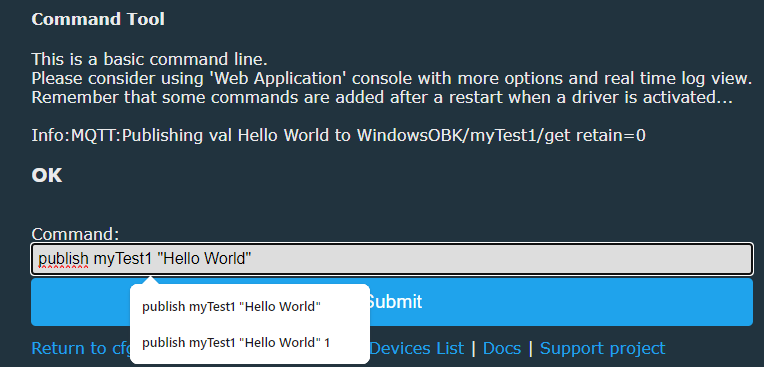
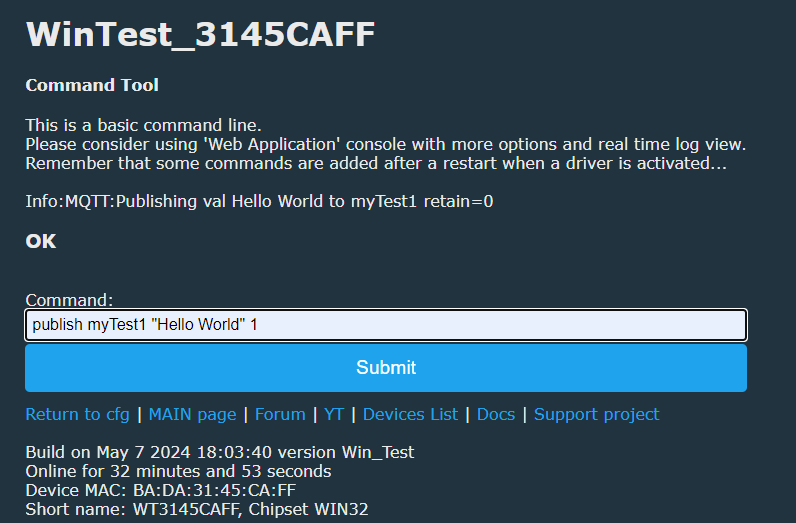
The bRawMode disabled prepending OBK prefix, let's see how it looks in both cases:
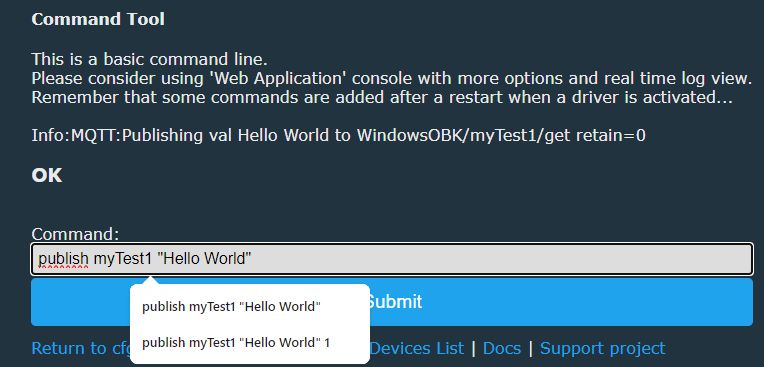
Command tool interface with an example MQTT command.
Screenshot of the command input tool for OpenBeken.
Can you spot the difference? Yes, one command has "WindowsOBK/" and "/get" added.
For more information on commands, see: https://github.com/openshwprojects/OpenBK7231T_App/blob/main/docs/commands.md

Controlling OBK device from OBK
Let's say that your target device is called "Uticnica2". It's OBK device, so it follows naming here:
https://github.com/openshwprojects/OpenBK7231T_App/blob/main/docs/mqttTopics.md
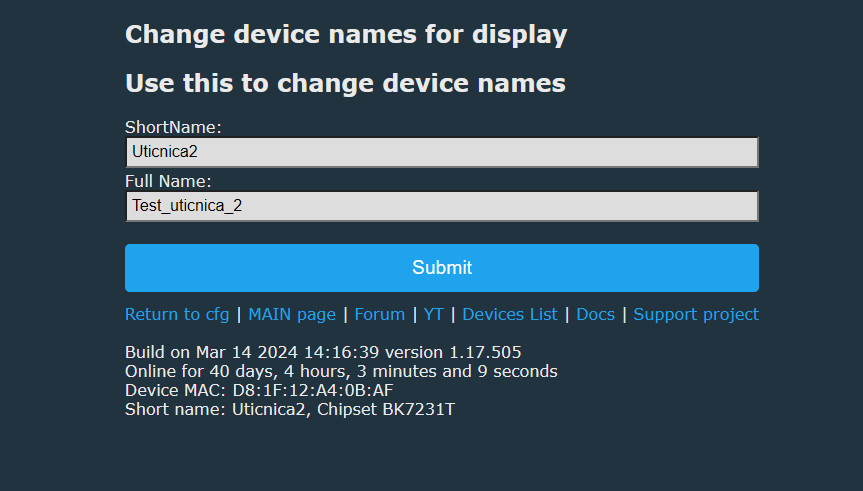
It's important to remember that short name is used for MQTT:
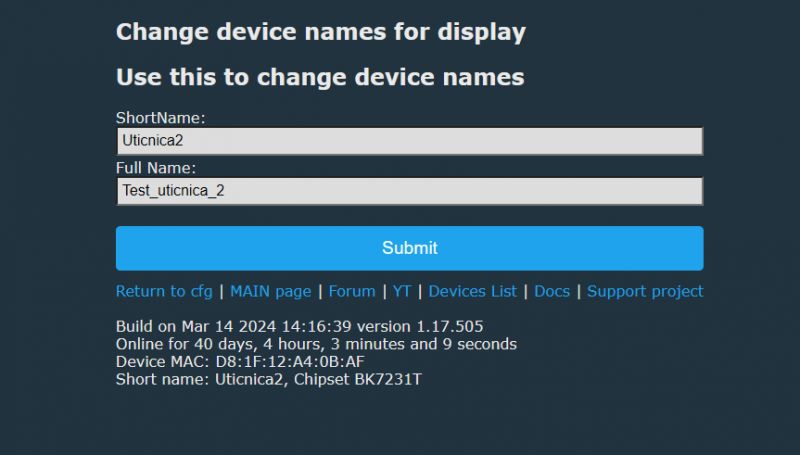
Screenshot of the device name change interface in OpenBeken.
So, the publish to control relay will use name Uticnica2/1/set.
1 there stands for channel index.
Then, payload can be either 0 or 1, to set it on or off.
So the full command is:

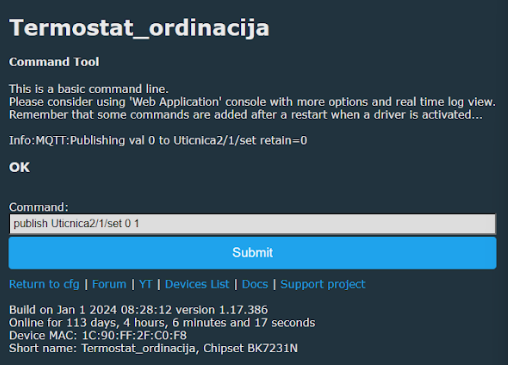
publish Uticnica2/1/set 0 1

Let's run it:
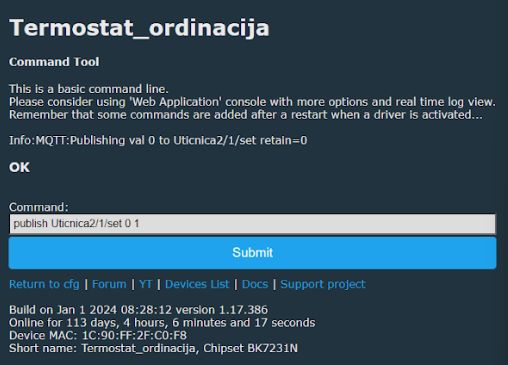
OpenBeken thermostat tool panel with MQTT command
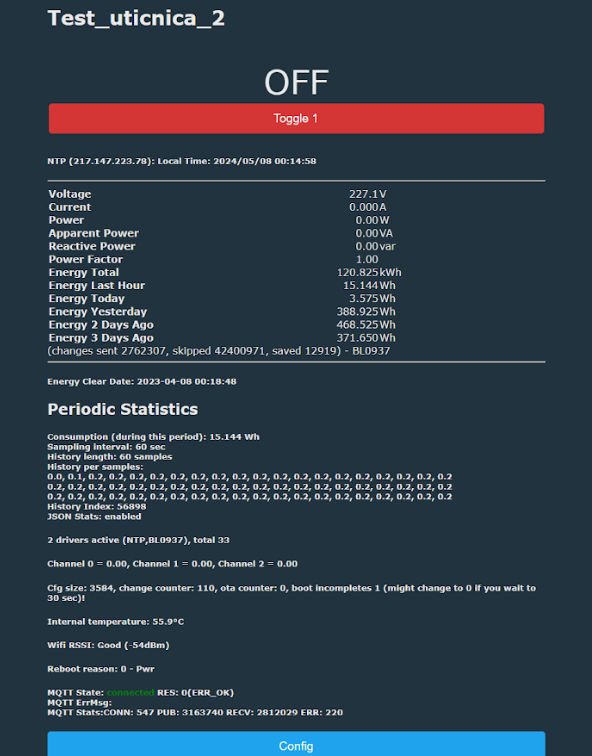
The following command should change the state of target device accordingly.
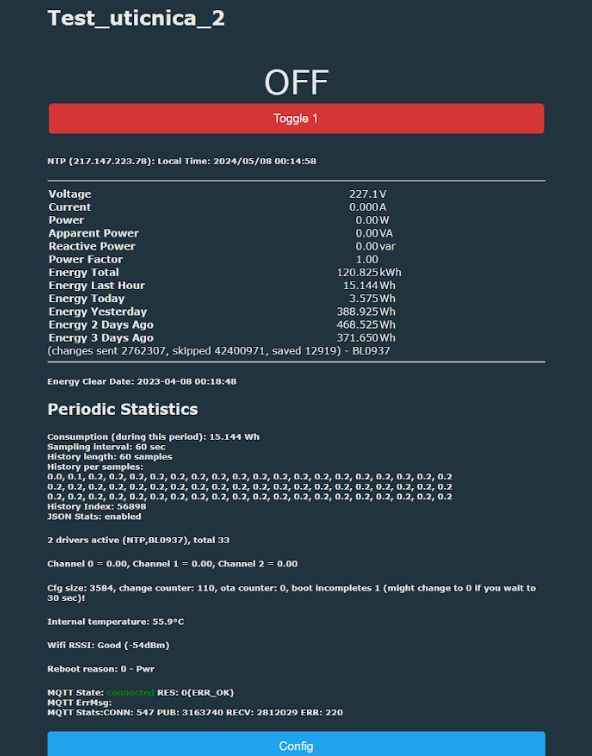
Screenshot of the OpenBeken device interface named Test_uticnica_2 showing measurement data and status.

Controlling Zigbee device from OBK
Now let's try something more seemingly complicated. Let's control a Zigbee device from OBK.
First, let's look up the topics of Zigbee2mqtt device I have:
https://www.zigbee2mqtt.io/devices/TS0012.html
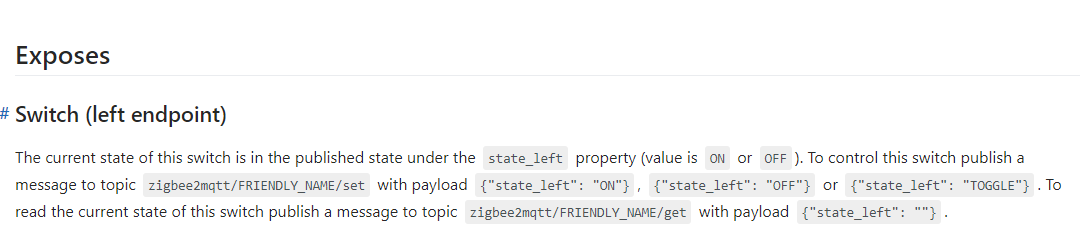
As you can see, there is a clear instruction how to control it, but can OBK do it?
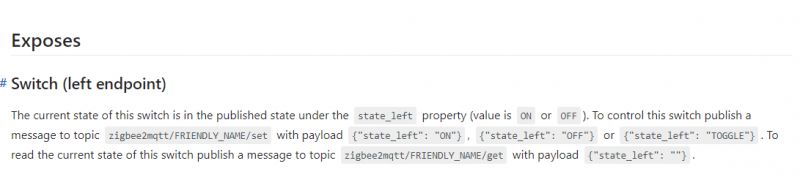
Excerpt from documentation on controlling a switch using MQTT.
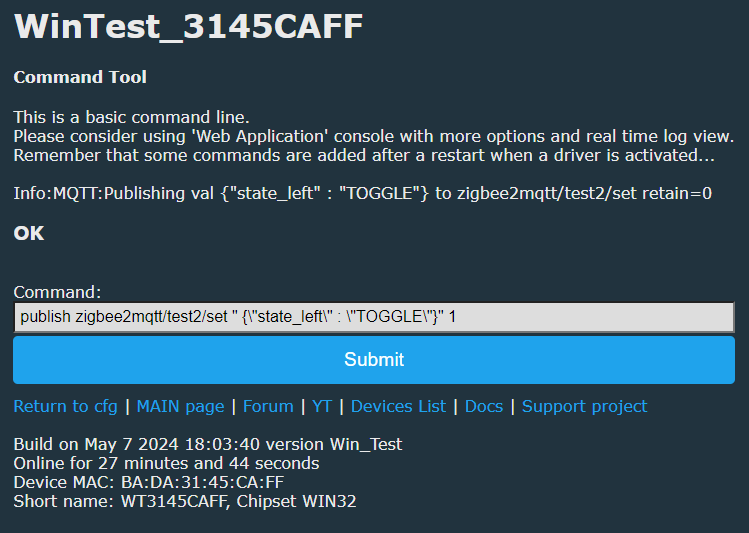
Let's try executing:

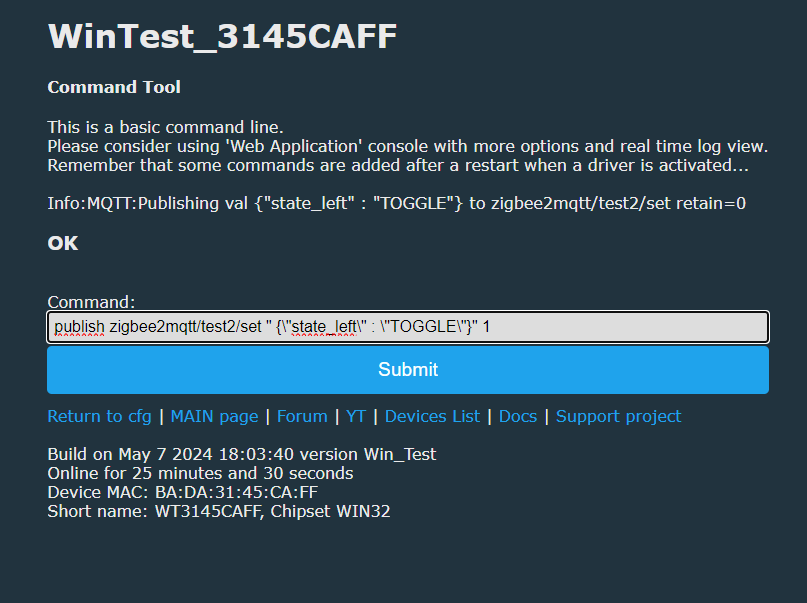
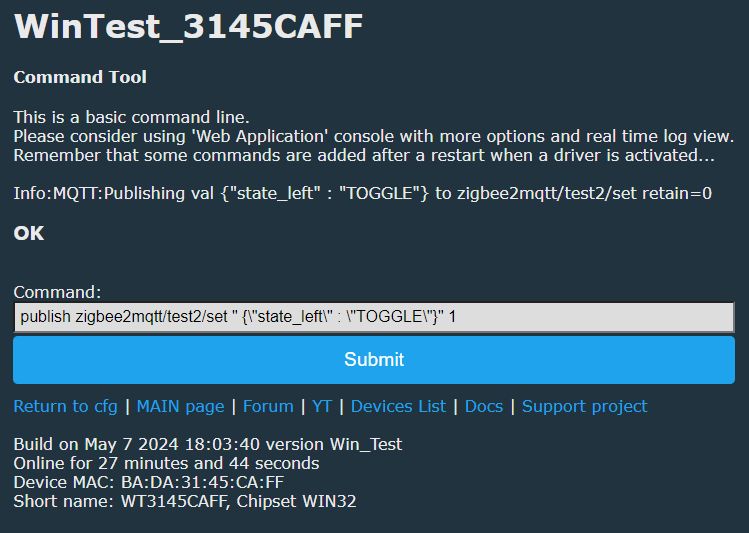
publish zigbee2mqtt/test2/set " {\"state_left\" : \"TOGGLE\"}" 1
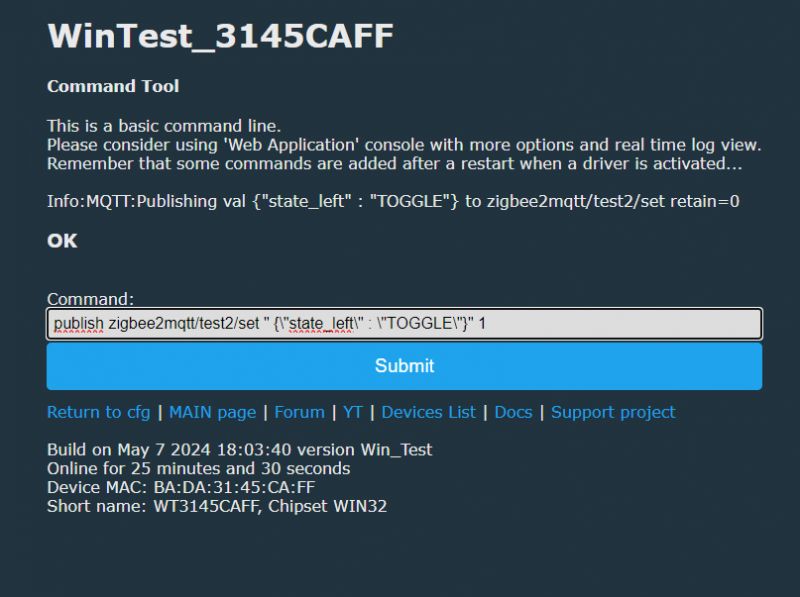
Screenshot showing the command input tool in WinTest_3145CAFF.
The state of Zigbee device was changed. It works correctly.

Summary
As you can see, it's very easy to publish data via OBK scripting command. The method I have presented above is working even for JSON commands with the quotation marks, all thanks to the possiblity of escaping the quotes. With this mechanism, you can create advanced automations without involving the HA scenes system itself. I hope you'll find it useful.
PS: In the next topic we will check if it's possible to publish a file from LittleFS, we will also look into variables expansion


About Author
p.kaczmarek2
p.kaczmarek2 wrote 14221 posts with rating 12114 , helped 647 times. Been with us since 2014 year.

Comments

DeDaMrAz 08 May 2024 01:25

To add an example to this: publish <short name>/<channel number>/set <VALUE 0 or 1> 1 publish Uticnica2/1/set 0 1 [Read more]

p.kaczmarek2 08 May 2024 01:29

Next idea - as some of the readers may know, typical Home Assistant Discovery looks somewhat like this: Message 23 received on homeassistant/sensor/multifunction_alarm_OpenBK7231N_E1552B06_sensor_2/config... [Read more]

FAQ

TL;DR: Publish from OpenBeken in one line; 1 command toggles any MQTT-linked relay with 0/1. "It just works" [Elektroda, p.kaczmarek2, post #21073836] Typical LAN MQTT round-trip is 30 – 50 ms [IBM, 2023]. Use bRawMode 1 to drop the OBK prefix.

Why it matters: Direct OBK-to-device messages avoid Home Assistant latency and YAML overhead.

Quick Facts

• Command format: publish [Topic] [Payload] [bRawMode] [Elektroda, p.kaczmarek2, post #21073836] • Auto-prefix example: WindowsOBK/Uticnica2/1/get [Elektroda, p.kaczmarek2, post #21073836] • Valid payloads: plain 0/1 or escaped JSON; MQTT allows ≤ 268 435 455 bytes [OASIS, 2019] • Typical local latency: 30–50 ms per hop [IBM, 2023] • Use QoS 1 for state changes, QoS 0 for logs [Elektroda, DeDaMrAz, post #21073840]

What is the basic publish syntax in OpenBeken?

Use: publish . The third argument is optional. Omitting it prepends the OBK short name and "/get" suffix automatically [Elektroda, p.kaczmarek2, post #21073836]

How do I stop OpenBeken from adding its own prefix to the topic?

Set the third argument, bRawMode, to 1. Example: publish zigbee2mqtt/test2/set "{\"state_left\":\"TOGGLE\"}" 1. The topic is sent exactly as typed [Elektroda, p.kaczmarek2, post #21073836]

Can I control another OBK relay directly?

Yes. Topic pattern is //set with payload 0 or 1. Example: publish Uticnica2/1/set 0 1 toggles channel 1 off [Elektroda, DeDaMrAz, post #21073840]

How do I send JSON to a Zigbee2MQTT device?

Escape quotes inside the JSON string and pass it as payload. Example: publish zigbee2mqtt/test2/set "{\"state_left\":\"TOGGLE\"}" 1 changes the left button state [Elektroda, p.kaczmarek2, post #21073836]

Is there a quick three-step method to flip a Zigbee left button from OBK?

  1. Copy the Zigbee topic: zigbee2mqtt//set.
  2. Craft payload: {"state_left":"TOGGLE"} and escape quotes.
  3. Run: publish zigbee2mqtt//set "{\"state_left\":\"TOGGLE\"}" 1. Done [Elektroda, p.kaczmarek2, post #21073836]

What QoS level should I choose?

QoS 1 is recommended for command reliability because the broker confirms delivery; success was shown in forum examples [Elektroda, DeDaMrAz, post #21073840]

How large can my payload be?

MQTT v3.1.1 allows up to 268 435 455 bytes (256 MB) per message [OASIS, 2019]. OBK’s RAM is much smaller, so practical JSON should stay well under 1 kB to avoid overflow.

What happens if I publish to a wrong topic?

The broker accepts the message, but no subscriber acts. OBK prints no error, so always confirm topic spelling to avoid silent failure [Elektroda, p.kaczmarek2, post #21073836]

Can I push Home Assistant Discovery JSON from a file?

Planned. The publishFile command will read a LittleFS file and send its contents, enabling one-shot discovery payloads [Elektroda, p.kaczmarek2, post #21073842]

How do I escape quotation marks inside the payload?

Use backslash () before each internal quote. OBK’s command parser keeps escaped characters intact, so the broker receives valid JSON [Elektroda, p.kaczmarek2, post #21073836]

Is there an edge case that can break the publish command?

Yes. Forgetting bRawMode 1 when sending to external topics prepends the OBK short name, producing an invalid path and no action [Elektroda, p.kaczmarek2, post #21073836] "Always set bRawMode for cross-device calls," advises the author.

Does publishing add noticeable delay?

On a wired LAN the extra hop adds roughly 30–50 ms, well below typical human perception [IBM, 2023].
%}