logo elektroda
logo elektroda
X
logo elektroda

Wemos D1 ESP8266+DHT11 weather station with charts part 2 - Flash memory recording

p.kaczmarek2  2 2403 Cool? (+3)
📢 Listen (AI):

TL;DR

  • A Wemos D1 ESP8266 plus DHT11 weather station stores temperature and humidity readings in Flash memory while serving charts on the web.
  • It uses the ESP8266 EEPROM library as Flash emulation, writing a circular buffer with put, get, begin, and commit calls.
  • The board reserves 4096 bytes and keeps 255 samples, with each record built around a 16-byte measurement structure.
  • Adding a CRC32 checksum fixes invalid startup data, so the graph loads correctly and readings survive reboot and power loss.
  • Flash wear remains the big limitation: one sector is rated for 100,000 erase cycles, so frequent logging is a poor fit.
Generated by the language model.
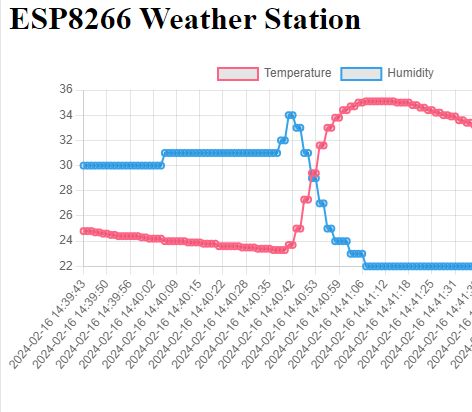
Temperature and humidity chart displayed on the ESP8266 Weather Station webpage .
I invite you to the second part of the adventure with the Wemos D1 ESP8266 board and the DHT11 temperature/humidity sensor. In this part I will expand my program to write the results to the Flash memory of the ESP8226, I will use a library with the graceful name EEPROM . Why is the class for writing to Flash called here EEPROM ? Let's find out!

Previous topic in the series:
Wemos D1 "Arduino" and DHT11 - a simple weather station with graphs on the web .

We're about to start, but first...
Flash memory usage warning .
In this topic I present the recording of results in Flash memory. It's simple and accessible, so as tempting as possible, but it can also be deceptive. Flash memory gets used up quite quickly due to the erase cycles performed.
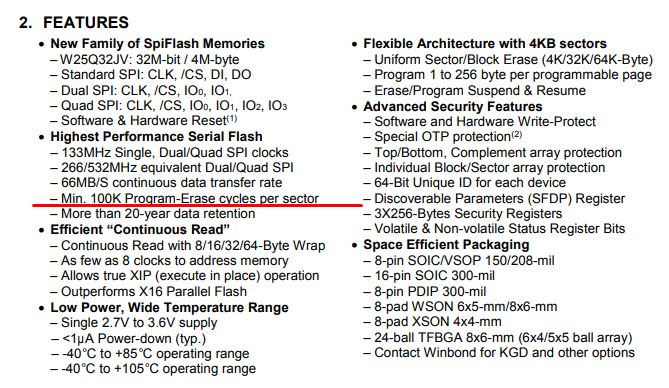
Let's assume that our module with ESP8266 has W25Q32 memory on board, this is the memory connected to it via SPI, in this memory our program is stored, but we can also write measurements there.... however, this memory has some limitations. The datasheet says one line about them, sewn into a lot of other information:
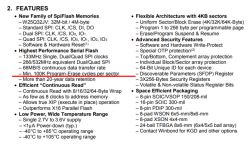
Screenshot of the technical documentation for W25Q32JV Flash memory. .
100,000 erase cycles per sector.... assuming the worst case scenario that we write measurements to one sector, and assuming that each write is preceded by an erase, then we have 100 000 measurement write events.
100 000 measurements, how many is that? Let's assume one measurement per hour.
100000/24 is about 4166 days. That is about 11 years...
Not likely to be a very good result if we want to create something more than a simple program to play with. And with e.g. 10 times the recording frequency we already drop to 1 year.... (minimum).
However, I will solve this problem in the third part, for now let's try to skip it and just learn the simplest way to write to Flash .

Here we go. As a reminder, I am posting the code from the previous topic:
Code: C / C++
Log in, to see the code
.


Memory "EEPROM" .
The ESP8266 does not have an EEPROM, but someone came up with the idea of emulating it via Flash memory. To start with, we can try to use this. It's not a very good idea, because frequent writing will consume our precious flash erase cycles, so we have to avoid writing too often, but as an exercise we can try to do it anyway.
So we include the header:
Code: C / C++
Log in, to see the code
.
As luck would have it, all the documentation is here:
https://arduino-esp8266.readthedocs.io/en/latest/libraries.html
There is also a warning about rapid flash consumption in the documentation:
Quote:
.
Note that the sector needs to be re-flashed every time the changed EEPROM data needs to be saved, thus will wear out the flash memory very quickly even if small amounts of data are written. Consider using one of the EEPROM libraries mentioned down below.
.
It is also worth seeing the source code of the library used:
https://github.com/esp8266/Arduino/blob/master/libraries/EEPROM/EEPROM.cpp
For writing and reading we have the template functions put and get , which do everything for us. In addition you need to start the EEPROM with the function begin :
Code: C / C++
Log in, to see the code
.
In place of x we insert the size of the EEPROM to be used.
The EEPROM here can be up to 4096 in size, so you need to count how much space what will take up. Our structure is, recall:
Code: C / C++
Log in, to see the code
.
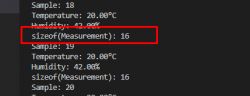
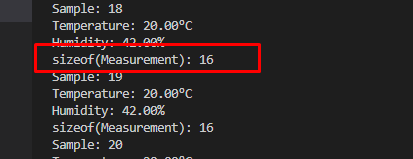
This has 16 bytes with us, by the way, let's check, sizeof the truth will tell us:
Code: C / C++
Log in, to see the code
.
16 bytes:
Console showing measurement sample data and size of measurement structure. .
Since this is the case, this structure will fit a whole 256 times in 4096, but we still want to be able to store the index of the last measurement, so let's assume we will store 255 samples:
Code: C / C++
Log in, to see the code
.
So we implement, first - read:
Code: C / C++
Log in, to see the code
.
At position 0 in memory, there will be an integer - the index of the last sample from the circular buffer, followed by the samples in sequence.
Now the notation:
Code: C / C++
Log in, to see the code
.
The record still needs to be called commit to make a proper record of the changes.
It remains to be seen whether this works. For this purpose I have additionally given a display to the console of the index of the last sample:
Code: C / C++
Log in, to see the code
.
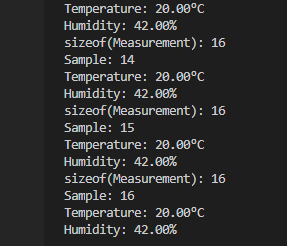
We upload and observe the changes in the console:
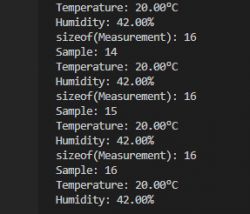
Temperature and humidity measurement results in the console. .
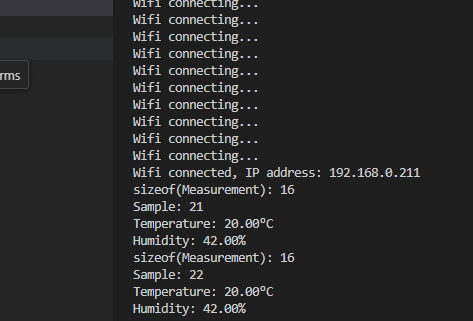
When the board is restarted, will the sample countdown resume from the saved index?
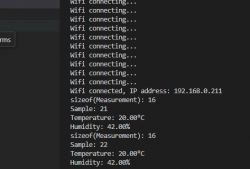
Console displaying temperature and humidity from ESP8266 .
Yes, it looks like the save works .
But wait a minute...
The graph does not display! .
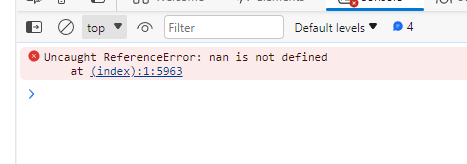
We get an error in the console:
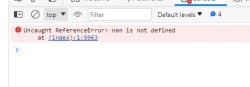
Screenshot of JavaScript console error .
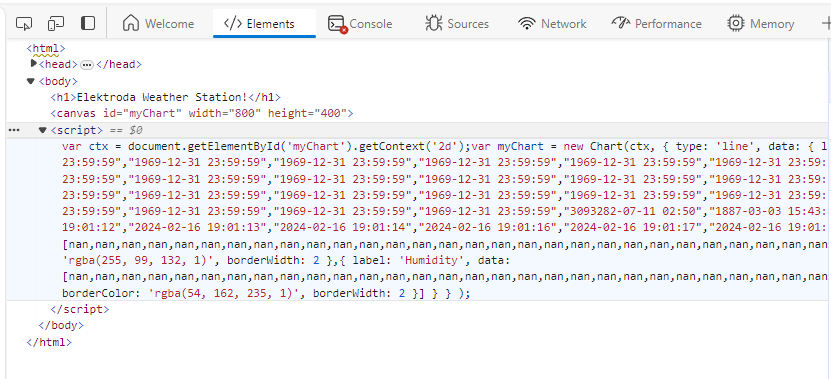
We execute "Examine Source" on the page to see what went wrong:
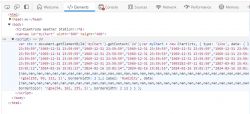
Error on Elektroda Weather Station page with nan values. .
We have a bunch of values in memory nan , meaning "not a number". This needs to be fixed.


Protect against junk in memory .
Our The problem stems from the fact that the current version of the code naively loads from memory what is there, without any verification of this data. And after all, this system has only just been developed and we don't know what is in that memory, the values there could be quite undefined.
It would be possible to just manually clear this memory once and set the zeros there alone, but you could also manage a bit more cleverly. Just use the checksum .
A checksum is a special value which is calculated from more data in memory. The checksum function is designed so that a small change in the data results in an immediate change in the result of this sum. Thus, if we calculate the checksum for an array and flip even one bit in that array, the checksum should already have changed. Of course, this is not an ideal solution, as there are so-called collisions, but for this application, let me ignore that....
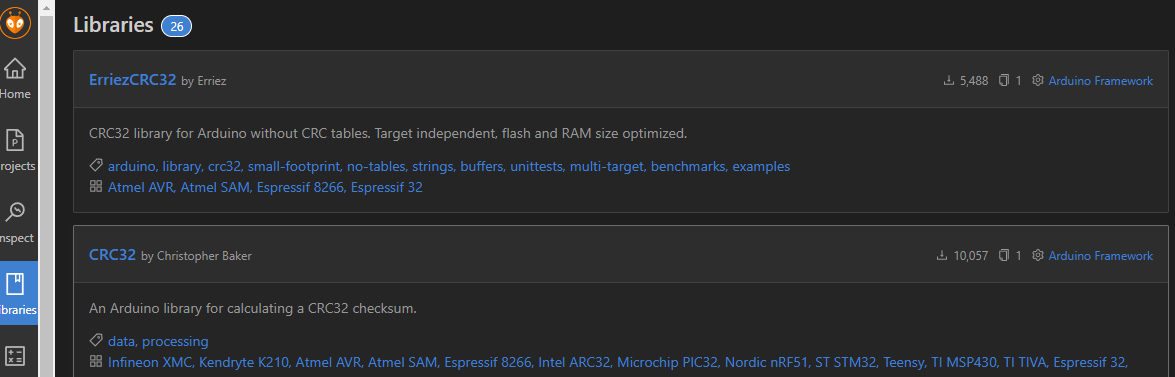
A popular checksum system is CRC32. Just right for 4 bytes, 32 bits, we also have a library ready for it:
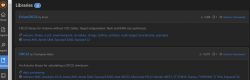
Screenshot of a list of CRC32 libraries on the Arduino platform. .
Example from the author of the library:
Code: C / C++
Log in, to see the code
.
We need to count the checksum of the entire data block each time it is written, and write it then to the EEPROM:
Code: C / C++
Log in, to see the code
.
For simplicity I don't count the checksum for the index of the last sample either, but in general I should do that too.
As of now, my memory structure is as follows:
- offset 0 - last sample (integer, 4 bytes)
- offset 4 - crc32 checksum (integer, 4 bytes)
- offset 8 - measurement data
At program start, when reading samples, we have to read the "old" checksum and count the same for the loaded data. We then compare these values and if they are the same, we assume that no unwanted change has occurred. If they are different, then surely something has gone wrong or there were no samples in memory:
Code: C / C++
Log in, to see the code
.
If we already know that there is no valid data in memory, we also need to manually clear that memory, count the correct checksum and write that data to it:
Code: C / C++
Log in, to see the code
.
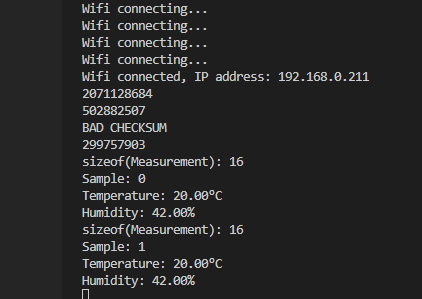
It is time to test the mechanism developed. At this point there are unexpected values in memory, so we will expect a bad checksum message once, and then with each reboot of the board this checksum should be fine.
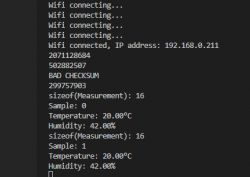
Arduino console showing WiFi connection status and DHT11 data .
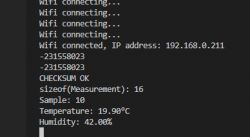
After pressing RESET:
Console display with information about Wi-Fi connection, checksum, and current temperature and humidity readings. .
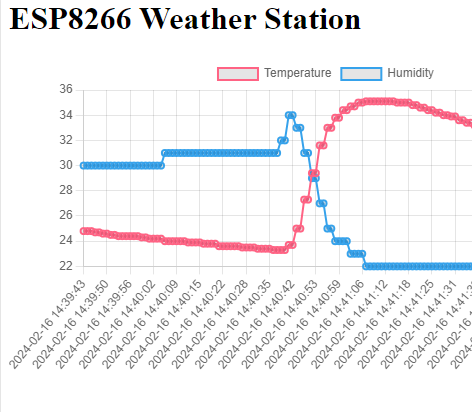
Indeed, on the second reading the checksum was already correct. The system works:
Temperature and humidity chart displayed on the ESP8266 Weather Station webpage .
The measurement values are properly remembered, even after the power supply to the device is lost.

Summary .
In this section we learned about the EEPROM class which in this release provides access to... Flash memory and we organised a working but not very efficient write of data to this class. By the way, we practised topics such as checksum, etc.
The developed system works, but is not suitable for frequent writing of results. Still, if we had used the EEPROM to save some settings (e.g.. WiFi passwords, only when they are changed by the user) then this would be better, but for frequent writes this is not suitable.
For this reason in the third part I will rewrite this program and optimise it to reduce Flash memory usage. We'll see (and count) how many times I can extend the estimated lifetime of our poor sectors.
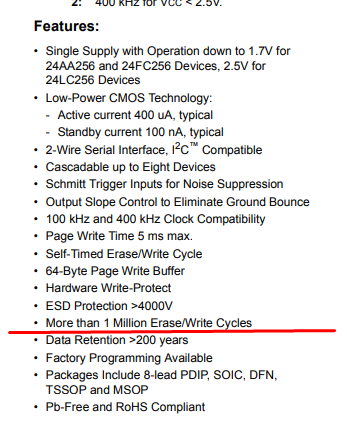
Of course, you could also just use an external EEPROM.... the code would be easy to flip on that. Let's look to the datasheet note of some EEPROM how many cycles it will last. For example the 24LC256:
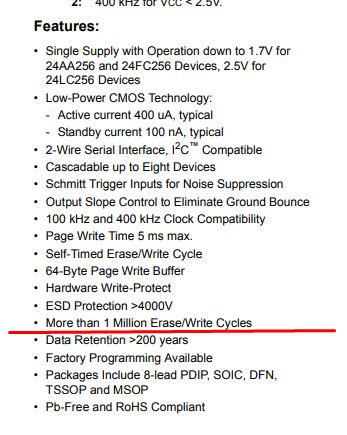
Partial technical documentation of the EEPROM 24LC256. .
So far - that's it. Feel free to share your own experiences with the subject under discussion, how would you organise the storage of these measurements?


About Author
p.kaczmarek2
p.kaczmarek2 wrote 14451 posts with rating 12432 , helped 650 times. Been with us since 2014 year.

Comments

Anonymous 06 Jun 2024 13:46

The class EEPROM has not been developed for over 2 years. Instead, the class LittleFS is available and should be used for new projects. [Read more]

p.kaczmarek2 06 Jun 2024 14:01

Good point, LittleFS is also worth discussing. It will be included. [Read more]

FAQ

TL;DR: With 100,000 erase cycles per sector, “Flash gets used up quite quickly.” This FAQ helps Wemos D1 ESP8266 weather-station builders save DHT11 readings to EEPROM-emulated Flash, validate stored samples with CRC32, and avoid broken Chart.js graphs after reboot. [#21109374]

Why it matters: EEPROM emulation is easy on ESP8266, but careless logging can shorten Flash life and load invalid sensor history.

Option Best use in this thread Main limitation Thread takeaway
EEPROM emulation in internal Flash Simple experiments, rare settings writes Flash wear from frequent commits Works, but not for frequent logging
LittleFS New ESP8266 projects Not demonstrated here Prefer for new projects
External EEPROM Repeated measurement storage Extra hardware Easier long-term choice for heavy writes

Key insight: The project works because it stores samples plus a CRC32 check, but direct Flash logging is only a starter solution. If you log often, move away from EEPROM emulation or redesign the write pattern. [#21109374]

Quick Facts

  • The ESP8266 EEPROM emulation area used here is 4096 bytes, and one Measurement struct occupies 16 bytes, so the design stores 255 samples plus metadata. [#21109374]
  • The thread cites 100,000 erase cycles per sector for the onboard SPI Flash. At 1 measurement per hour, that worst-case math gives about 4,166 days, or roughly 11 years. [#21109374]
  • Increasing the write rate by 10× drops the same worst-case estimate from about 11 years to about 1 year, which makes naive EEPROM commits unsuitable for dense logging. [#21109374]
  • The stored layout is explicit: offset 0 = lastSample (4 bytes), offset 4 = CRC32 checksum (4 bytes), offset 8 = measurement data array. [#21109374]
  • One forum reply states the ESP8266 EEPROM class has not been developed for over 2 years and recommends LittleFS for new projects. [#21109511]

Why is the EEPROM class on the ESP8266 used to write Flash memory even though the chip has no real EEPROM?

Because on the ESP8266, EEPROM is an emulation layer over internal Flash, not a physical EEPROM block. The thread states this directly and warns that every saved change can trigger a sector re-flash, which consumes limited erase cycles. That makes the API convenient, but the storage medium is still Flash with wear limits. [#21109374]

How do you save DHT11 temperature and humidity measurements to ESP8266 Flash using the Arduino EEPROM library on a Wemos D1?

You save them by storing each Measurement struct and the current circular-buffer index in EEPROM-emulated Flash, then calling commit(). 1. Start storage with EEPROM.begin(4096). 2. Write metadata with EEPROM.put(0, lastSample) and the sample at its byte offset. 3. Finish with EEPROM.commit() so the data is actually written to Flash. [#21109374]

What is CRC32 and how does it help detect junk or corrupted data in EEPROM-emulated Flash on the ESP8266?

"CRC32" is a checksum algorithm that summarizes a block of bytes into a 32-bit value, making small data changes easy to detect. Here it helps identify junk or undefined EEPROM-emulated Flash contents after startup. The code stores a CRC32 beside the samples, recalculates it after loading, and clears memory if the values differ. That prevents invalid restored data from being treated as real measurements. [#21109374]

What is a circular buffer and how is it used to store weather station samples on a Wemos D1 ESP8266?

A circular buffer stores new samples by wrapping the write index back to zero after the last slot. In this project, lastSample increments, then uses modulo SAMPLES_COUNT, so the newest DHT11 reading overwrites the oldest one. The earlier RAM-only version used 24*6 entries, and the Flash version was resized to 255 entries to fit EEPROM emulation. [#21109374]

Why does an ESP8266 weather station graph stop displaying after loading saved samples from Flash and show nan values in Chart.js?

The graph breaks because the code loads unverified bytes from Flash, and some restored values become nan, which Chart.js cannot plot correctly. The thread shows that after reboot, the page source contained many nan entries. Adding checksum validation and clearing invalid memory fixed the broken graph. [#21109374]

How do you initialize, read, write, and commit data with EEPROM.begin(), EEPROM.get(), EEPROM.put(), and EEPROM.commit() on ESP8266?

You initialize the emulated area with EEPROM.begin(4096), read values with EEPROM.get(offset, variable), write them with EEPROM.put(offset, value), and persist changes with EEPROM.commit(). The thread stores lastSample at byte 0, the checksum at byte 4, and sample records starting at byte 8. Without commit(), the changed EEPROM buffer is not properly saved. [#21109374]

How much Flash wear should I expect on an ESP8266 if I log one DHT11 measurement per hour using EEPROM emulation?

In the thread’s worst-case estimate, about 100,000 erase cycles per sector gives roughly 100,000 logged measurements. At 1 measurement per hour, that works out to about 4,166 days, or around 11 years. The same math falls to about 1 year if you record 10 times more often. [#21109374]

What is the maximum EEPROM emulation size on ESP8266, and how do I calculate how many Measurement structs will fit in 4096 bytes?

The maximum EEPROM emulation size used here is 4096 bytes. The thread measures one Measurement struct at 16 bytes with sizeof, so 4096 / 16 = 256 possible structs in pure data terms. Because the design also stores lastSample, it reduces capacity to 255 samples to leave room for metadata. [#21109374]

How should I lay out offsets in ESP8266 EEPROM emulation when storing a last-sample index, a CRC32 checksum, and an array of Measurement structs?

Use a fixed layout with metadata first and sample data after it. The thread’s layout is: offset 0 for lastSample as a 4-byte integer, offset 4 for the CRC32 as another 4-byte integer, and offset 8 onward for the Measurement array. That layout makes reads predictable and lets startup code validate the full sample block. [#21109374]

When loading saved weather station data from ESP8266 Flash, what is the best way to recover if the checksum is invalid?

The safest recovery is to treat the stored history as invalid, clear the sample array, reset lastSample to 0, recalculate the checksum, and write the cleared state back to EEPROM. The thread does exactly that after printing BAD CHECKSUM. On the next reboot, it expects CHECKSUM OK instead of loading junk. [#21109374]

EEPROM vs LittleFS on ESP8266: which is better for new projects that need to store sensor readings or settings?

LittleFS is the better default for new ESP8266 projects, according to the forum reply. The reply says the EEPROM class has not been developed for over 2 years and explicitly recommends LittleFS instead. The original post still treats EEPROM emulation as useful for simple experiments or infrequent settings writes. [#21109511]

What are the drawbacks of saving DHT11 readings directly to ESP8266 internal Flash, and when should I switch to an external EEPROM like 24LC256?

The main drawback is Flash wear from frequent erase-and-write cycles. The thread calls this method simple but deceptive because repeated commits can consume the sector budget quickly. Use an external EEPROM when you need frequent measurement logging rather than occasional settings storage, because the author presents external EEPROM as the easier path for heavier write workloads. [#21109374]

How can I make Flash logging more durable on a Wemos D1 ESP8266 if I want to record measurements more often than once per hour?

Reduce how often you erase the same Flash sector or stop using EEPROM emulation for dense logging. The author says the current method is not suitable for frequent writes and promises a third-part redesign to optimize Flash usage and extend sector life. A second forum reply also points new projects toward LittleFS instead of EEPROM. [#21109374]

What problems can happen if I calculate a checksum over the wrong byte count or forget to include metadata like the lastSample index?

You can accept corrupted data as valid or reject good data as bad. The thread already notes one weakness: it calculates the checksum only for sample data, not for the lastSample index, and says that in general it should include that too. Another risk appears if the byte count is wrong, because the checksum no longer represents the actual stored block. [#21109374]

How do NTPClient timestamps, DHT11 readings, and Chart.js graphs work together in an ESP8266 web-based weather station?

They work as a pipeline: DHT11 supplies temperature and humidity, NTPClient supplies a Unix timestamp, and the web page turns stored history into Chart.js labels and datasets. Each sample stores float temperature, float humidity, and time_t timestamp. The ESP8266 web server on port 80 formats timestamps with strftime and sends a line chart page to the browser. [#21109374]
Generated by the language model.
%}