Flashing OpenBeken onto a BK7231N RGBCW lamp turns a cloud-tied light into a configurable IoT platform.
The unused Wi‑Fi module pads were exposed to gain ground, 3.3V power, and five scriptable GPIOs for extra hardware.
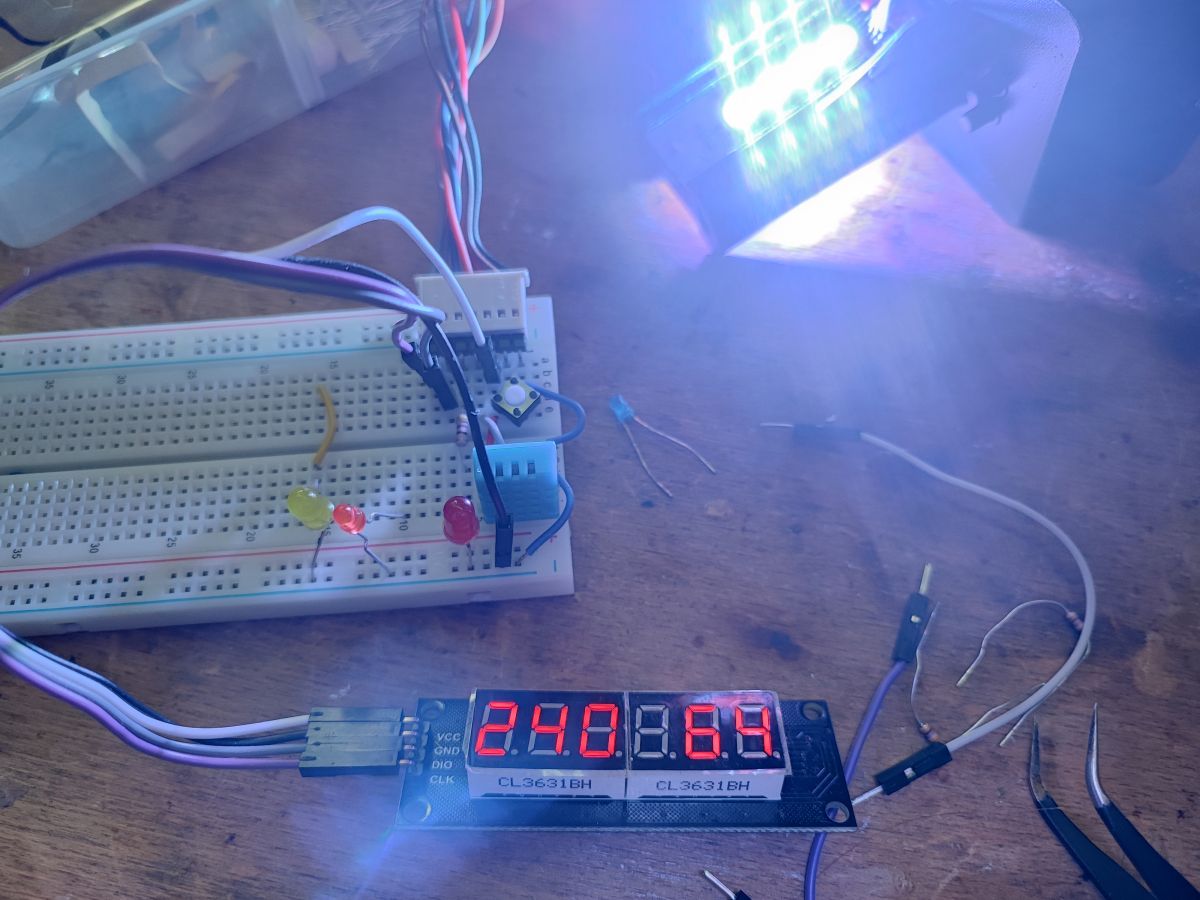
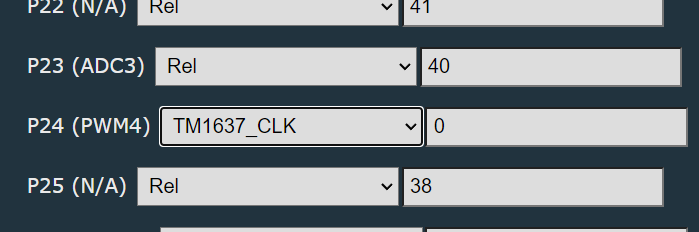
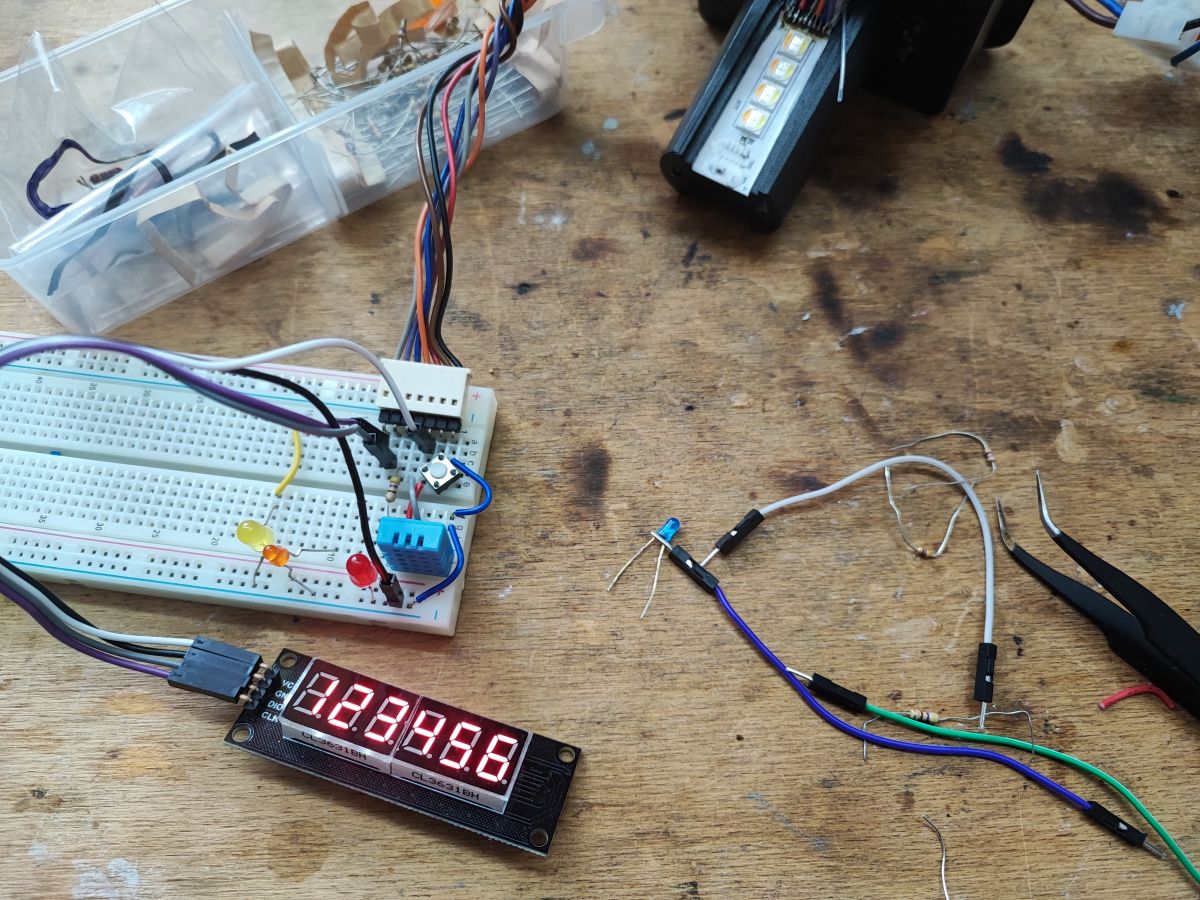
GPIO Doctor tested LEDs, a button, a DHT11 sensor, and a TM1637 display; the display used P24 as CLK and P8 as DIO.
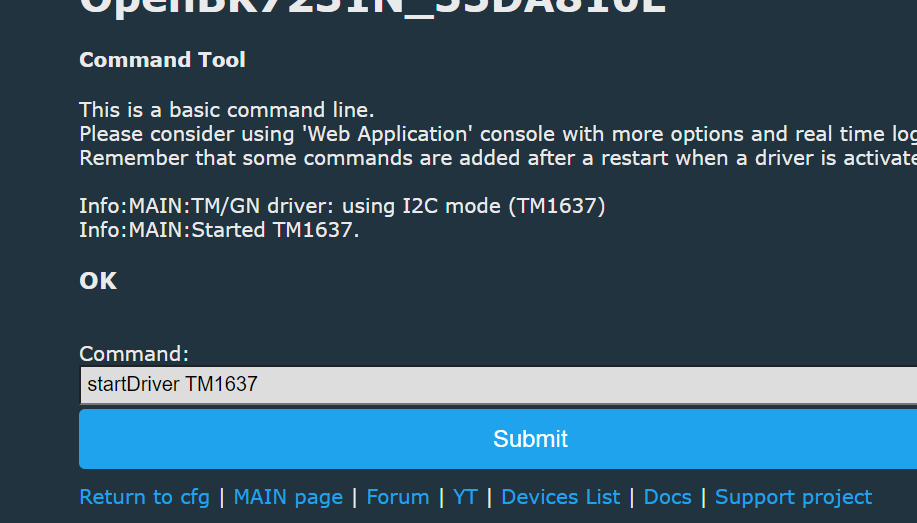
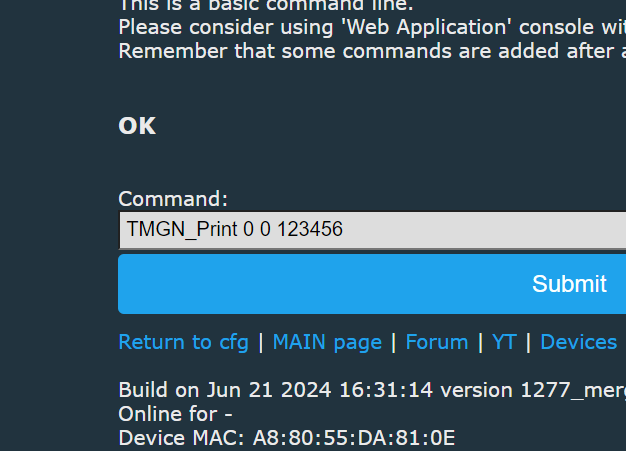
Home Assistant Discovery exposes the DHT11 readings, and OpenBeken can print sensor values on the TM1637 with a backlog command.
The main limitation is the lamp originally had no physical button, so control depended on the phone or network.
AI summary based on the discussion. May contain errors.
.
The topic of changing the firmware of IoT devices comes up all the time on the forum, but not everyone knows the purpose of doing such a thing. Here I will present one of the advantages of freeing our device from the cloud, namely the possibility of significantly extending its functionality and even with things that the manufacturer never thought of. All on the original Chinese WiFi chip from the middle! But from the beginning...
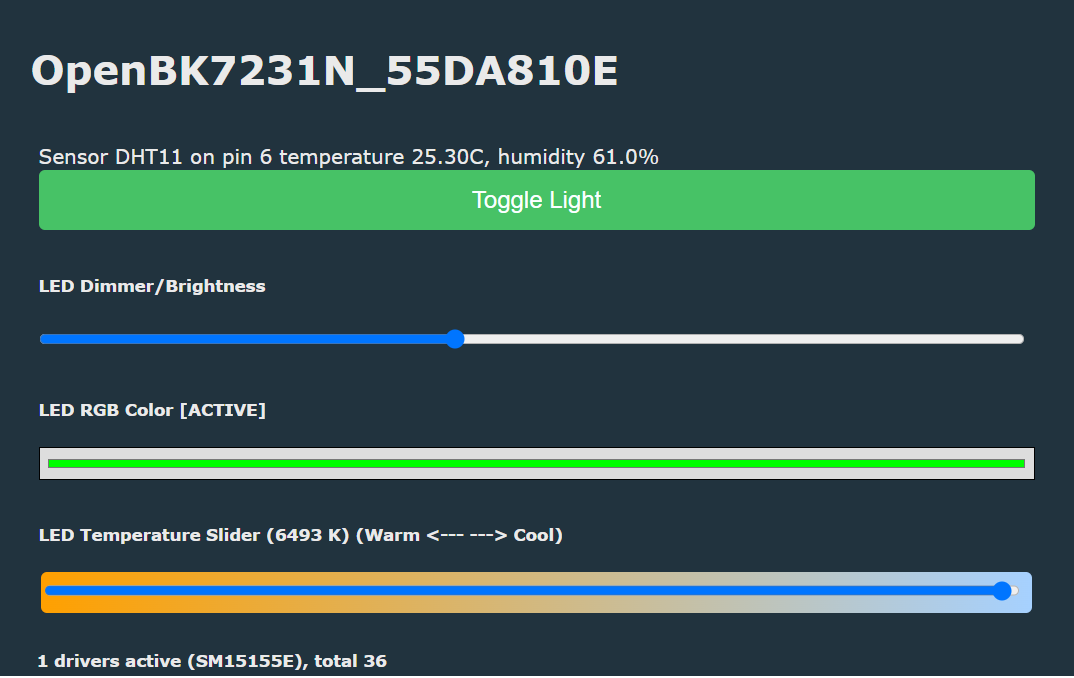
Current status of the lamp: the lamp has OpenBeken uploaded on BK7231N, works fine with HA, you can control colours, etc:
.
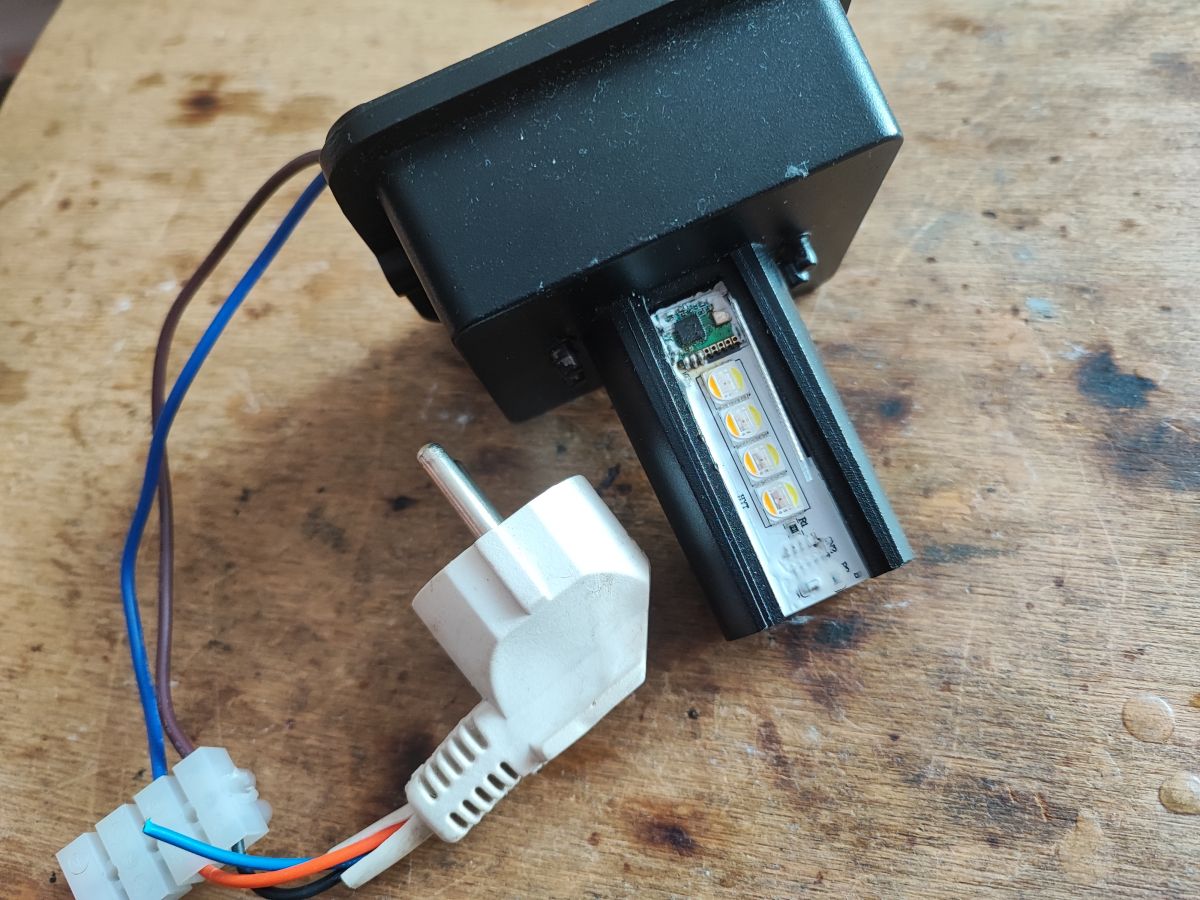
... although the fact is that there is no lampshade. I can't help it, the reader sent it to me without one.
Wire routing .
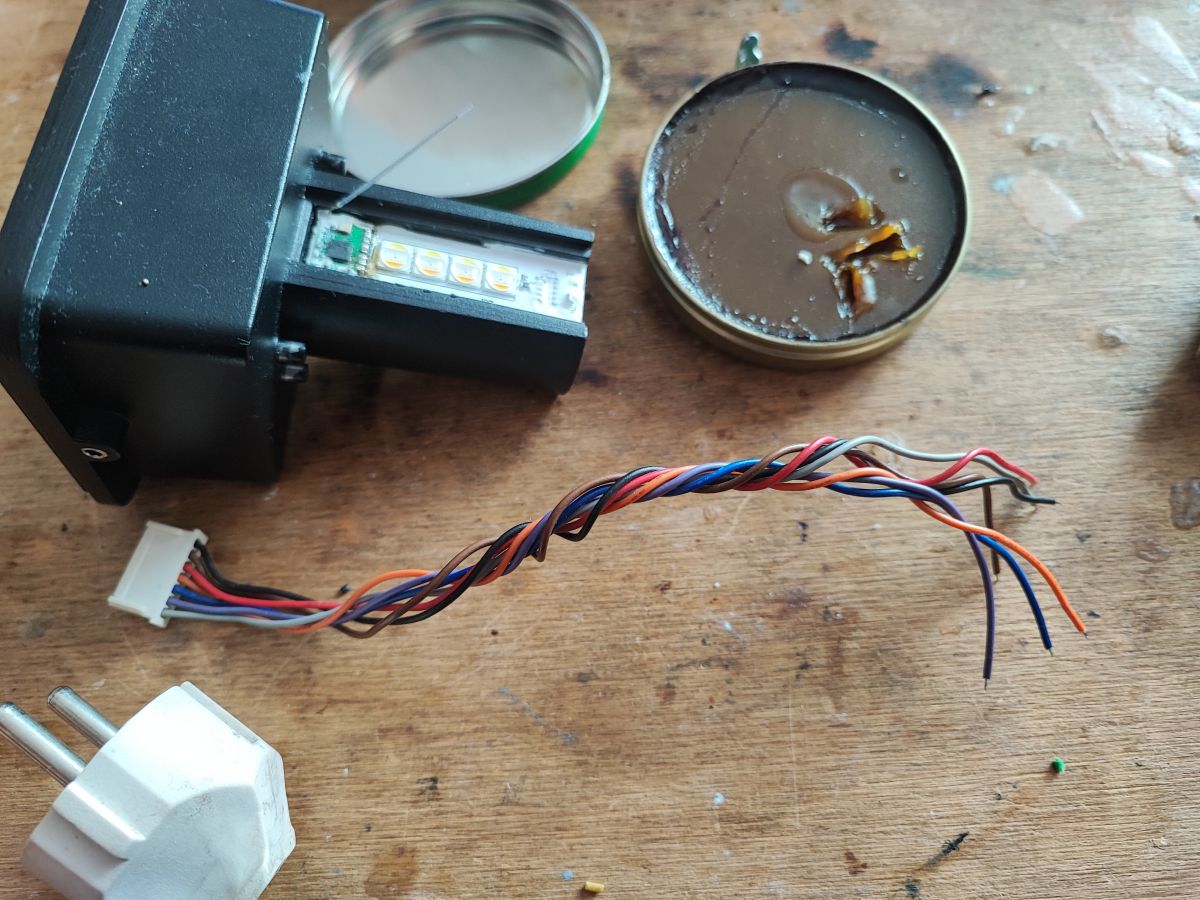
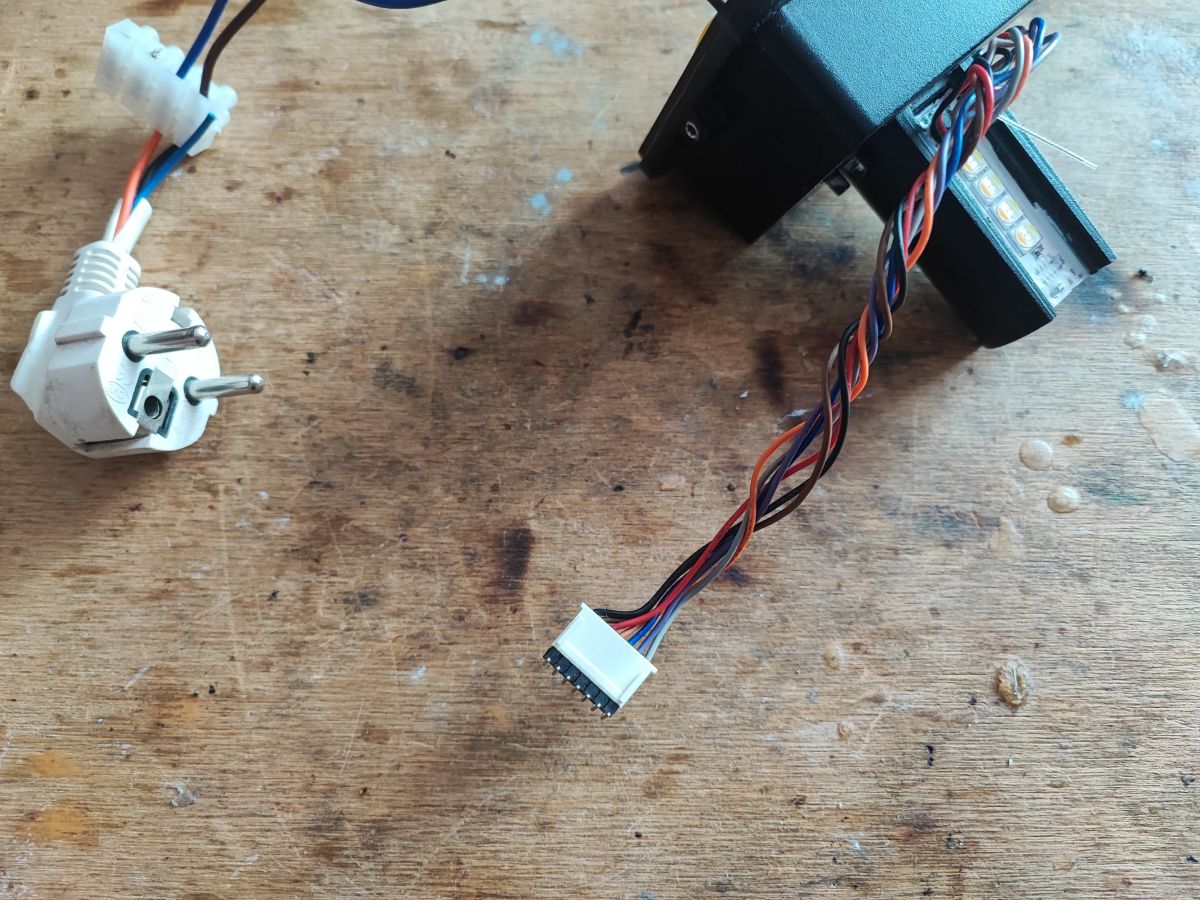
In the previous topic about this lamp, I desoldered its WiFi module in order to, among other things, read the markings of its pads. I now know where which signal is routed out. The lamp itself only uses one pin (from P16, that's the SPI hardware data output) to control a WS2812B style LED controller. The rest of the pads are free and can be used....
That being said, I'm reaching for the scrap cables, time to whittle and solder them:
.
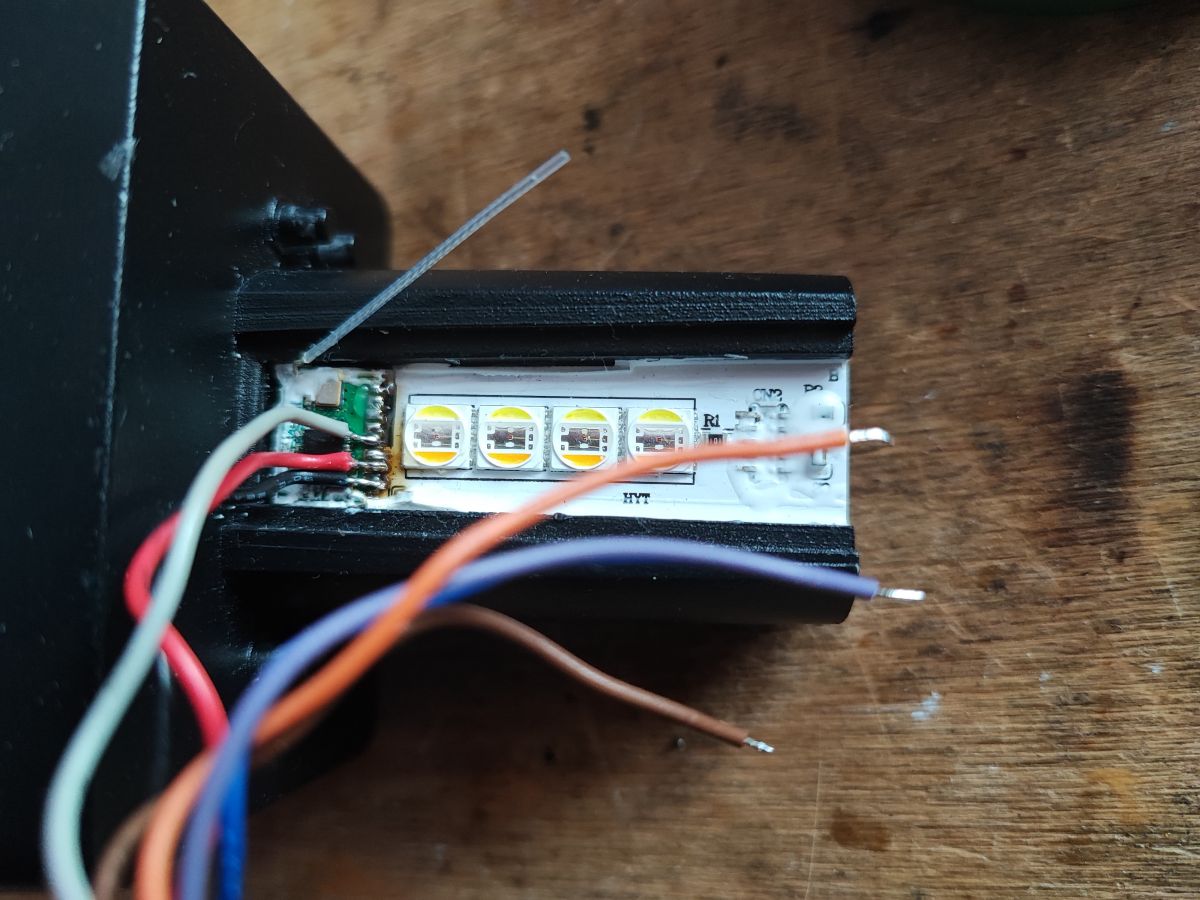
Done, I also checked everything for short circuits, there are none:
.
This way we get ground, 3.3V power supply and 5 scriptable GPIOs.
First tests .
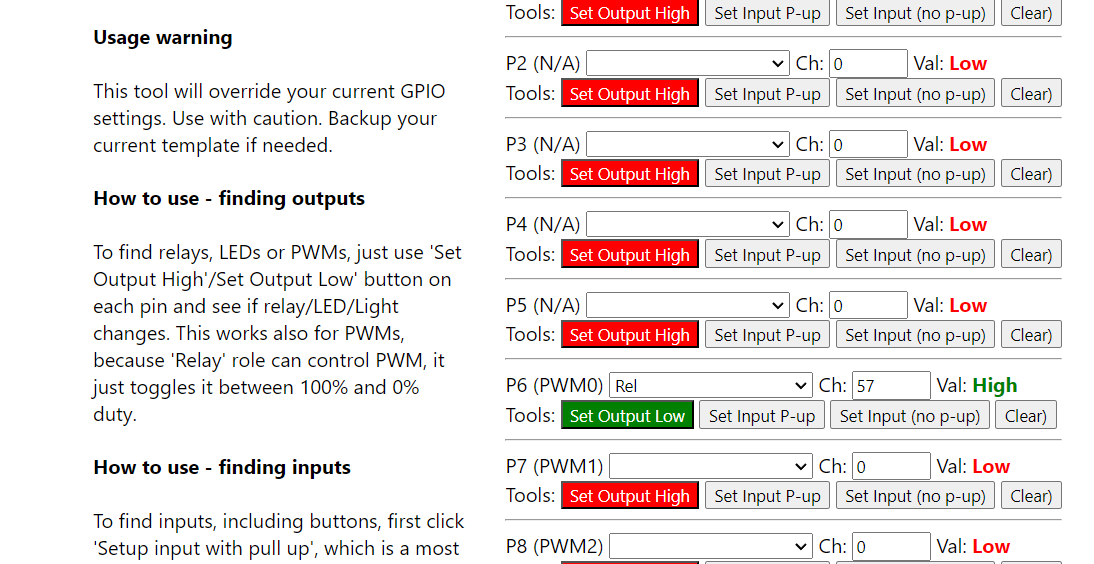
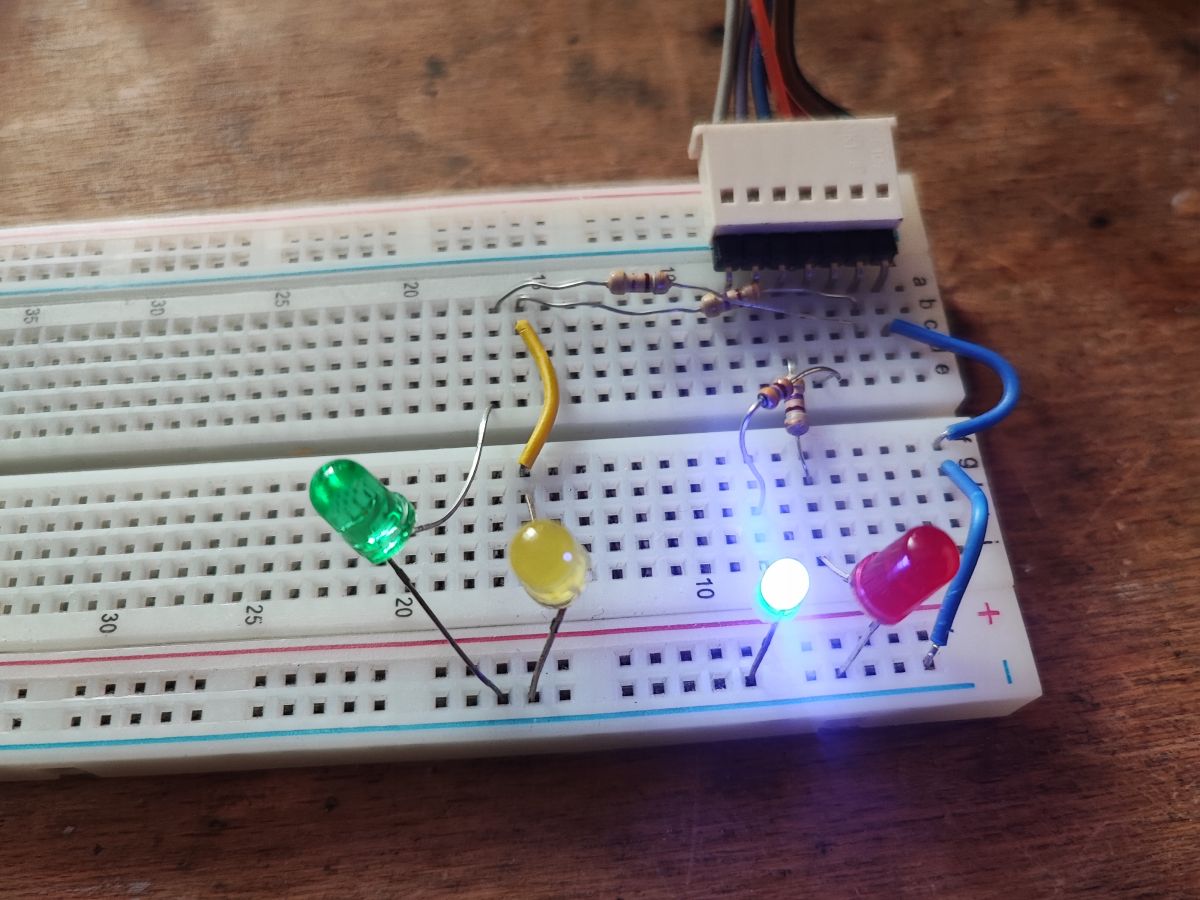
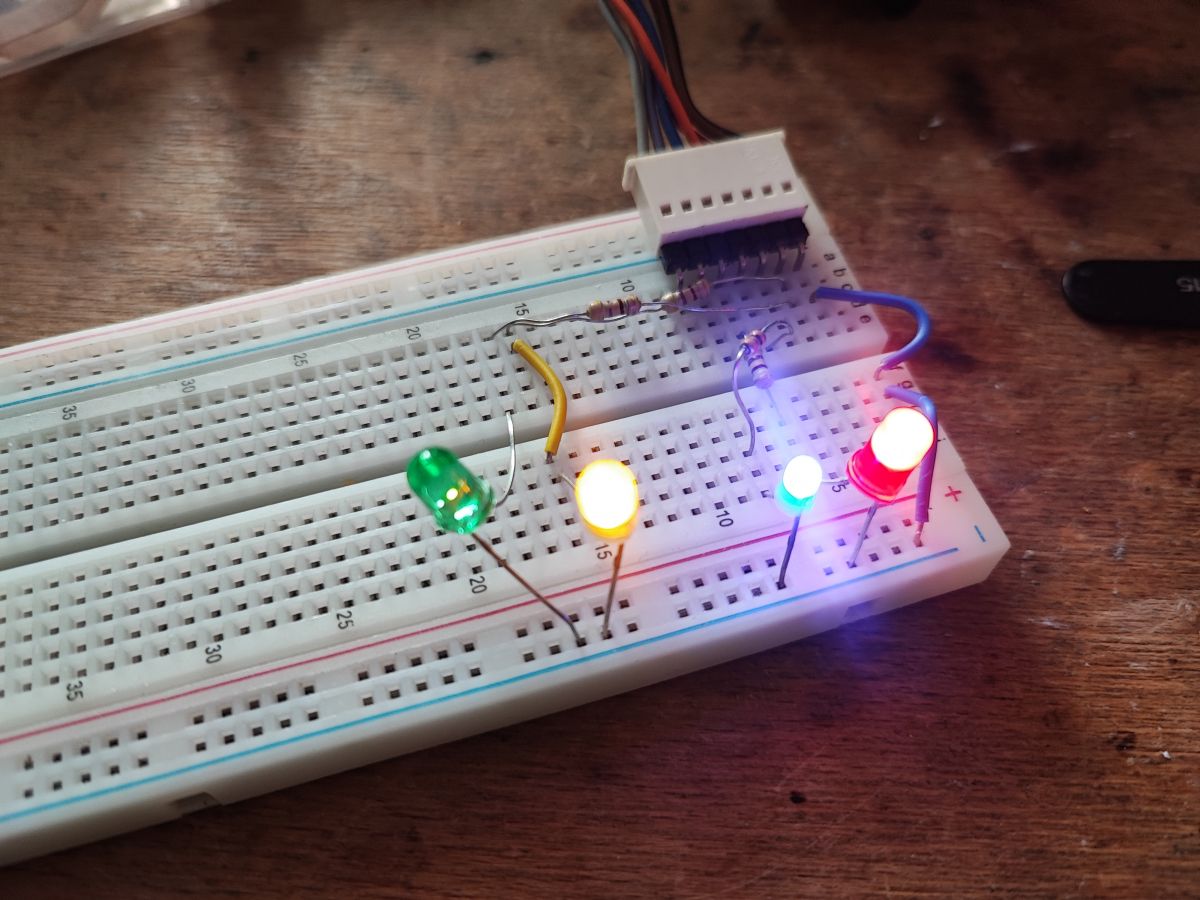
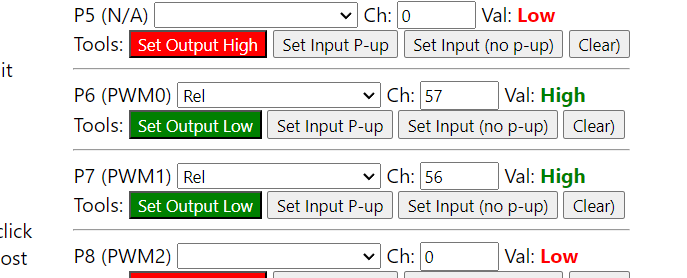
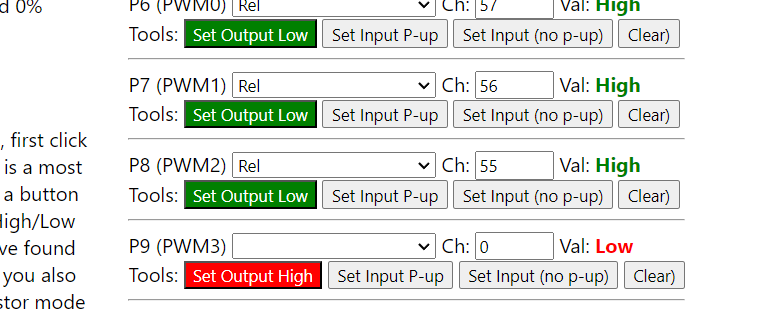
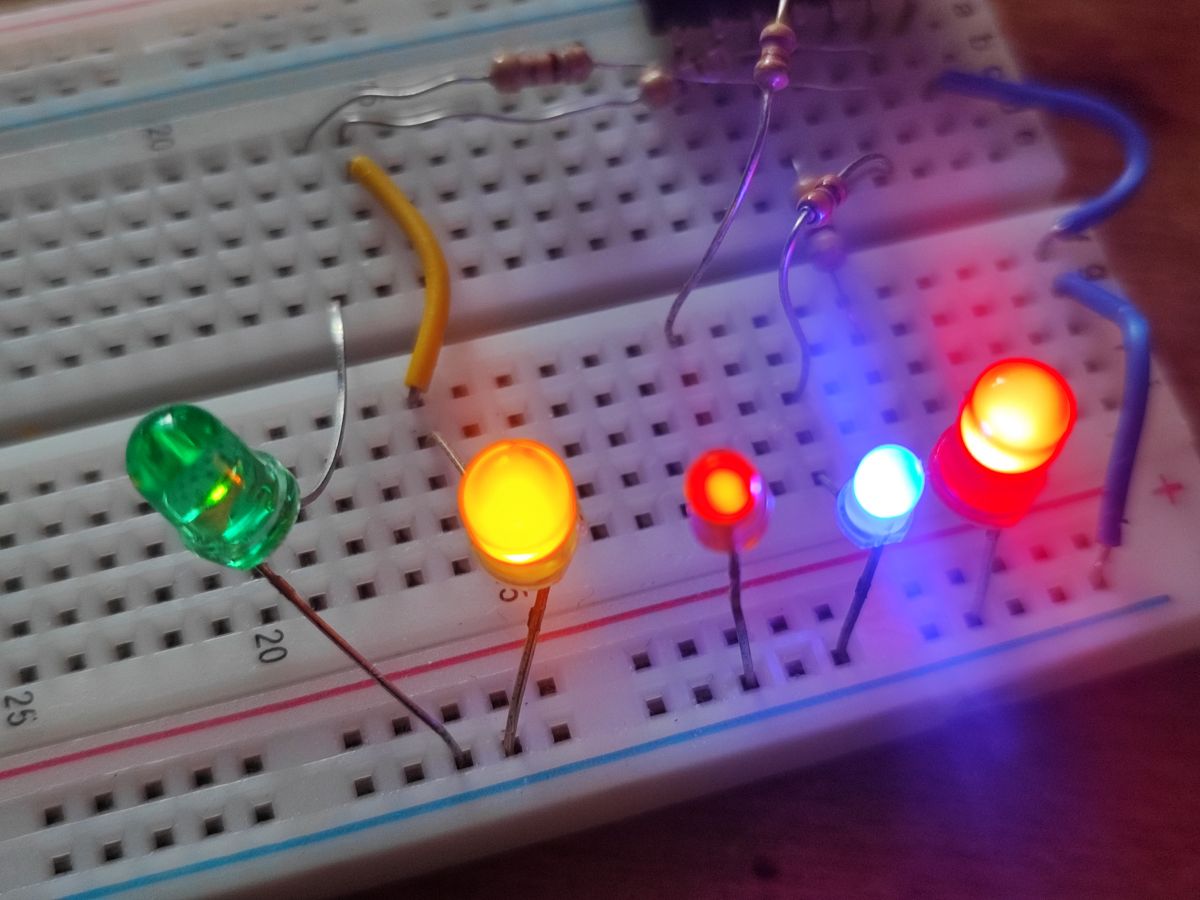
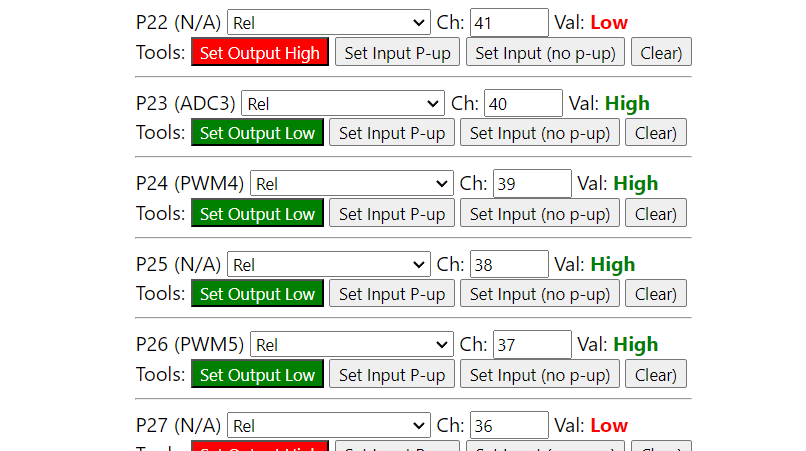
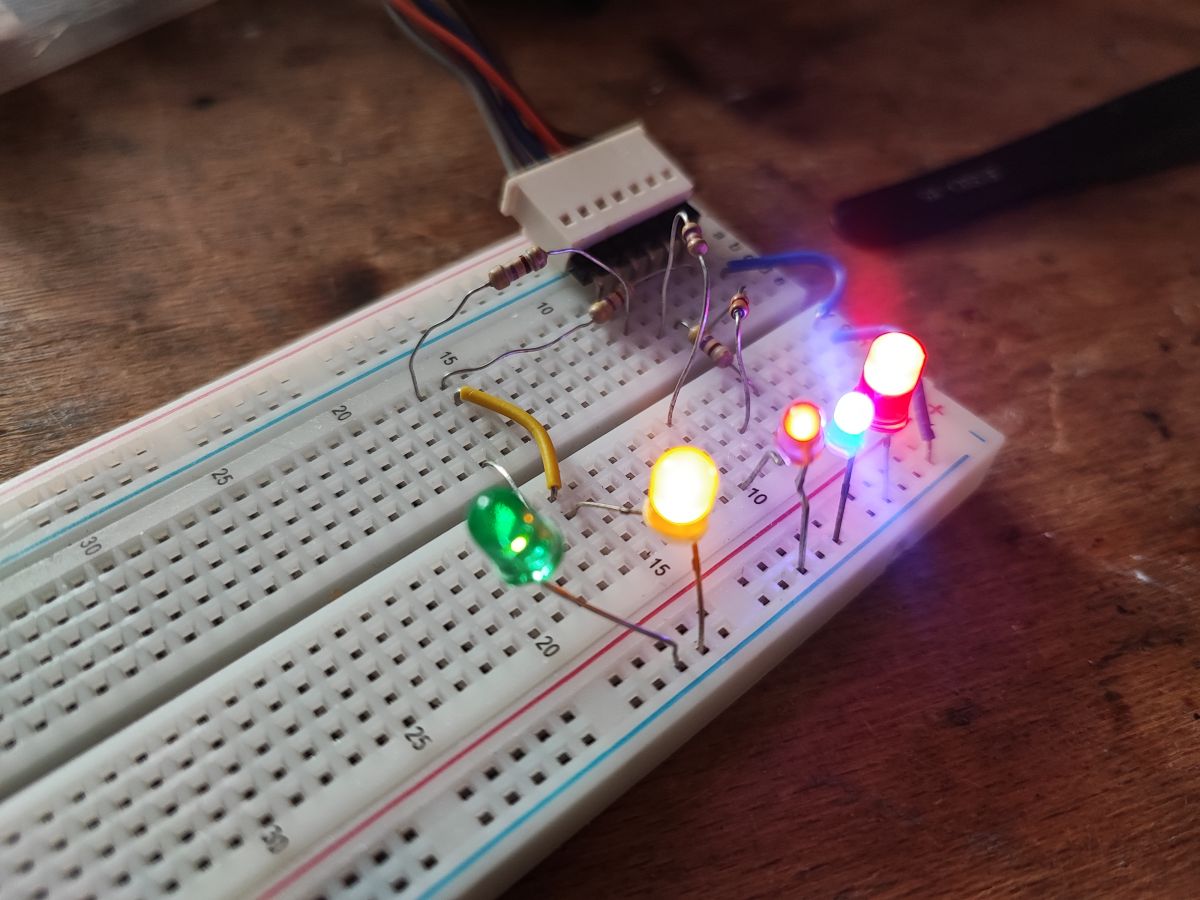
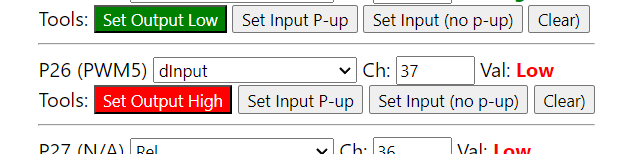
To start with something simple - LEDs. I connected these five LEDs, each with a suitable resistor, I had 0.47k on hand. I will test their operation using the GPIODoctor tool from OpenBeken. This tool allows you to quickly test all available GPIOs as inputs or outputs.
P6 is the blue LED:
.
.
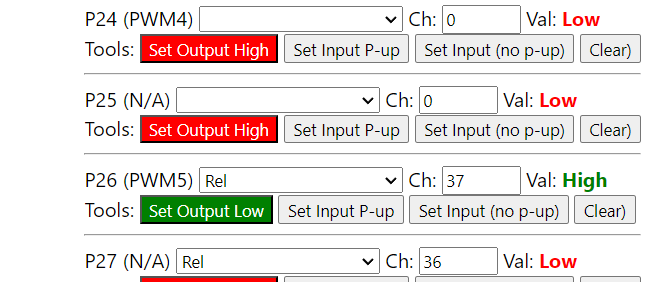
P26 yellow:
.
.
P7 red:
P8 orange:
.
.
P24 green (yes, I had it wired wrong):
.
.
Equipped with this knowledge, we can assign them one of the many ready-made GPIO roles supported by OBK:
https://github.com/openshwprojects/OpenBK7231T_App/blob/main/docs/ioRoles.md Or simply write our own driver in C:
How to create a custom driver for OpenBeken using online compilation .
Add a button .
OpenBeken offers many predefined GPIO roles that work as soon as they are configured, and this lamp did not normally have a button, making it useless without a phone. We can change this.
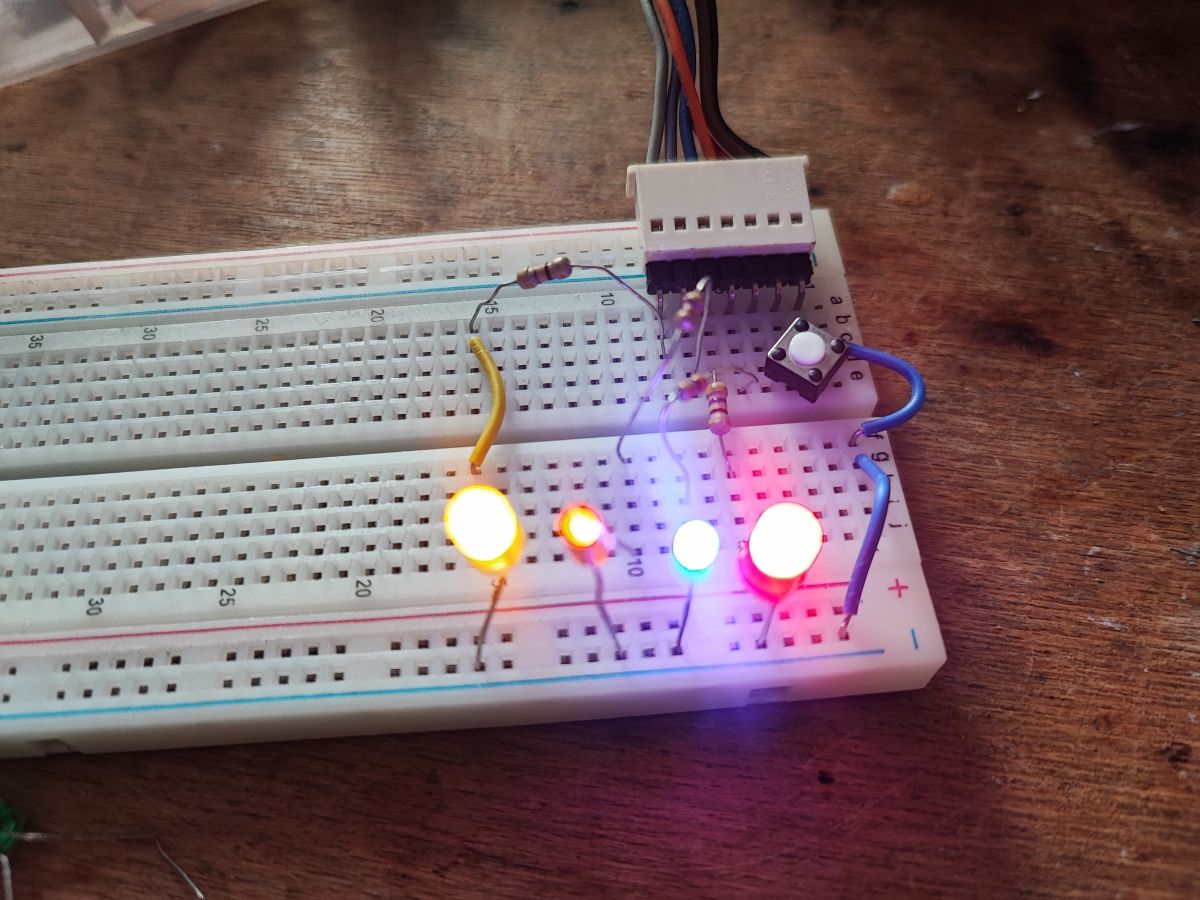
We connect the button to the selected GPIO. No resistor is needed as the BK7231 has internal configurable pull-up resistors:
.
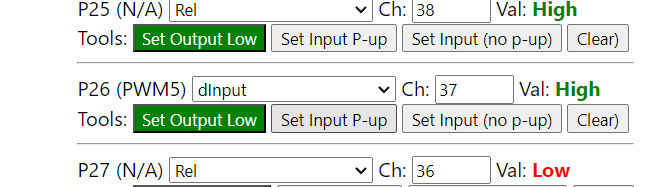
Then you can start by testing in GPIO Doctor if everything works:
.
.
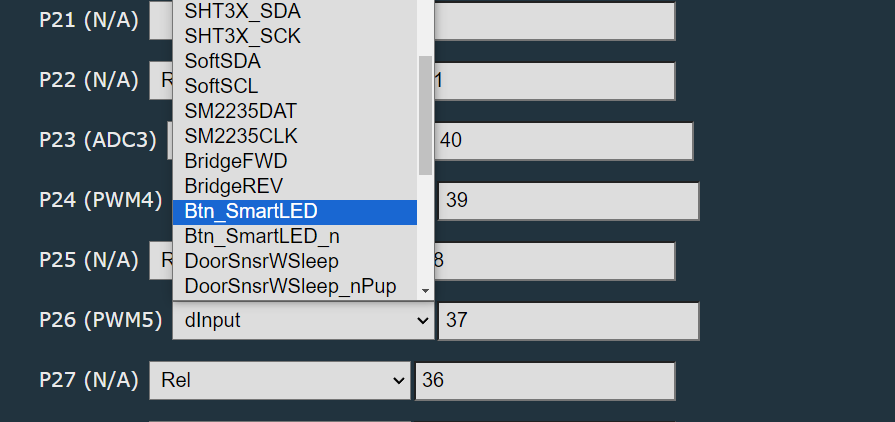
After that, you can normally in the GPIO roles assign for the selected GPIO one of the predefined roles for LED lamps, preferably Btn_SmartLED:
.
Test (click):
.
We test (press):
.
We test (double-click):
.
I think I need to improve the response times (there is a command for this), because I press too fast....
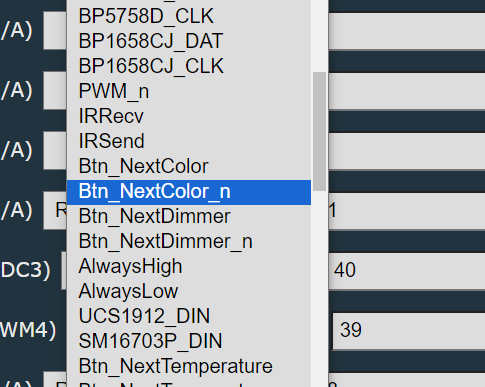
Of course, typing everything under one button might not be convenient - that way we also have separate roles, e.g. Btn_NextColor , but then you need more buttons.
.
DHT11 sensor .
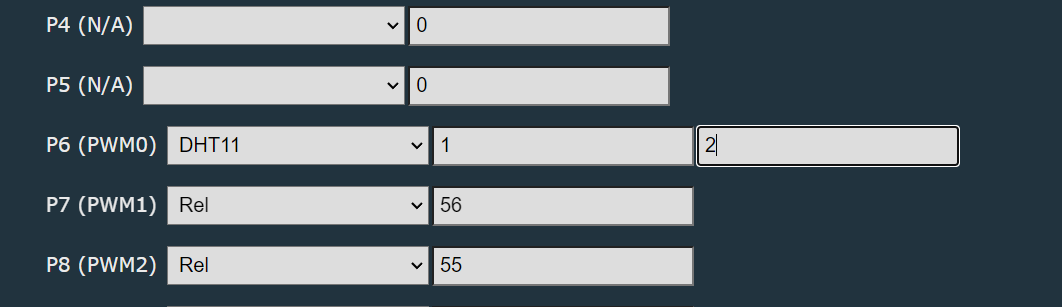
It's time for something more ambitious. Now we'll connect the DHT11 temperature and humidity sensor. Let's pick a pin, say P6:
.
In addition to the pin, you need to enter the channels in which the results will be stored. If we have a relay on a channel, for example, we skip that index and enter the next one.
And that's it, everything works:
.
After performing Home Assistant Discovery, these results will also be in HA.
IR receiver .
The IR receiver has already been presented, I will not repeat it here:
.
Result:
.
Separately, there is also a TextScroller driver for scrolling text (compatible with various displays), so you could add a dot and markings (e.g. letter C and H), but this is just an example, so that's enough.
And if we need quirks, you can always read the topic:
How to create a custom driver for OpenBeken using online compilation .
Summary .
Changing the firmware of an IoT device brings various benefits, here I have focused on one of them. After uploading the OBK on the BK7231 in a light from China, I got a de facto customisable "sandbox" to which various buttons, sensors, etc. can be connected, as well as being able to then easily pair with the Home Assistant via HASS Discovery. These measurements from the DHT11 can also be easily accessed in the HA.
In this way we can expand the functionality of our device, both by basic things ( how can a manufacturer sell lamps without physical buttons! What kind of nonsense is this? So if I lose my phone or if my router goes down, I can't turn this light off anymore? In my opinion, this is unacceptable... ), as well as for variety, such as DHT11 or there even BME280 (also supported).
That's it for now for this presentation. Now I only have one dilemma - what can I ultimately do with this lamp? The reader sent it to me without a lampshade, what will I fit to it to make it look and stick somehow? Does anyone have any ideas?
About Author
p.kaczmarek2 wrote 14797 posts with
rating 12954 , helped 659 times.
Been with us since 2014 year.
So basically it involves converting lamps, light bulbs, smart sockets into an Arduino of sorts? Nowadays it's seriously all programmable [Read more]
p.kaczmarek2
22 Jun 2024 18:46
It's fair to say that for me, everything (of the platforms supported by my batch) is 'Arduino'. At this point, I have managed to support and flash:
- BK7231T (WB3S, WB2S, WB2L, etc)
- BK7231N (CB2S,... [Read more]
FAQ
TL;DR: With 5 free GPIOs and one lamp reflashed on BK7231N, this guide shows why people replace stock IoT firmware: "useless without a phone" becomes a locally extendable light with buttons, sensors, displays, and Home Assistant support. It is for makers who want practical reasons, not just flashing steps. [#21127516]
Why it matters: Reflashing turns a cloud-tied lamp into a reusable hardware platform that keeps gaining functions after purchase.
Approach
Control path
Hardware expansion
Best use
Stock lamp firmware
Phone/cloud
None discussed
Basic app control
OpenBeken + GPIO roles
Local UI + HA
5 free GPIOs
Fast upgrades with built-in roles
OpenBeken + custom C driver
Local UI + HA
5 free GPIOs
Custom peripherals and edge cases
Key insight: The biggest benefit is not merely removing the cloud. It is gaining spare GPIOs, built-in roles, and driver hooks that let one WiFi lamp act like a small automation platform.
Quick Facts
The modded RGBCW lamp exposes ground, 3.3 V power, and 5 scriptable GPIOs after wiring out unused pads from the BK7231N module. [#21127516]
The author tested extra pins with five LEDs, each using an approximately 0.47 kΩ resistor, to verify output behavior before assigning final roles. [#21127516]
The lamp originally used one pin, P16, for the LED controller, leaving the remaining routed pads available for expansion. [#21127516]
A physical switch can be added without an external resistor because the BK7231 family provides internal configurable pull-up resistors. [#21127516]
The TM1637 example used 2 GPIOs: P24 for CLK and P8 for DIO, then printed DHT11 channel values to the display. [#21127516]
Why would someone replace the firmware in a smart IoT lamp, and what practical benefits does OpenBeken add beyond cloud control?
People replace the firmware to gain local control and add hardware the manufacturer never exposed. In this lamp, OpenBeken turned a cloud-only RGBCW bulb into a platform with 5 scriptable GPIOs, Home Assistant integration, button support, sensors, and display output. That solves a real usability gap because the original lamp had no physical button at all. The thread’s strongest practical example is simple: a lamp that was effectively dependent on a phone can now work with direct input and added peripherals. [#21127516]
How do you flash OpenBeken onto a BK7231N-based RGBCW lamp using UART and BK7231GUIFlashTool?
You flash it over UART with BK7231GUIFlashTool after accessing the lamp’s WiFi module. 1. Open the lamp and reach the BK7231N module pads. 2. Connect the module for UART flashing and use BK7231GUIFlashTool to upload OpenBeken. 3. Boot the lamp, then verify color control and Home Assistant operation. The thread confirms this exact RGBCW lamp already had OpenBeken uploaded on BK7231N and was flashed with the project’s UART flasher. [#21127516]
What is OpenBeken, and how does it turn devices like smart bulbs and sockets into more customizable hardware?
"OpenBeken" is firmware that replaces stock IoT software, adds local device control, and exposes configurable GPIO roles, driver support, and automation features. Its key characteristic is that it turns fixed-function WiFi products into expandable hardware without changing the main chip. In practice, that means smart lamps, bulbs, and sockets start behaving like reusable development platforms. The thread even compares the supported devices to “Arduino” in spirit because they become programmable and extensible after reflashing. [#21128407]
What is GPIO Doctor in OpenBeken, and how do you use it to test free pins as inputs or outputs?
"GPIO Doctor" is a diagnostic tool that quickly tests available GPIOs as inputs or outputs, with immediate feedback on whether a pin toggles or reads correctly. Its key characteristic is fast pin verification before final role assignment. The author used it to test five free pins by wiring LEDs and also to confirm button input behavior. That makes it the first stop after soldering, especially when you need to rule out shorts, wrong pin mapping, or a miswired peripheral. [#21127516]
How can you add a physical button to a smart lamp that originally had no button, and what does the Btn_SmartLED role do?
You add a button by wiring it to a free GPIO and ground, then assigning the pin the Btn_SmartLED role in OpenBeken. No external resistor is required because BK7231 has internal configurable pull-ups. The thread shows the button being tested in GPIO Doctor first, then mapped to Btn_SmartLED so click, hold, and double-click actions control lamp behavior. That gives a phone-only lamp a local user interface and fixes the thread’s core complaint: no physical way to operate the light. [#21127516]
Which OpenBeken GPIO roles are most useful for extending a WiFi lamp with buttons, LEDs, sensors, or custom functions?
The most useful roles are the built-in button roles, LED-related roles, and sensor roles that work immediately after configuration. The thread highlights Btn_SmartLED as the preferred general button role for a lamp, and it also names Btn_NextColor when you want a dedicated color-change button. For sensing, the DHT11 role stores readings in channels for later use and HA export. If the ready-made roles still do not fit, OpenBeken also allows writing a custom C driver. [#21127516]
How do you connect and configure a DHT11 sensor on a BK7231 device in OpenBeken so the readings appear in Home Assistant?
You wire the DHT11 to a chosen GPIO, assign the DHT11 role, and set the channels where temperature and humidity will be stored. In the example, the author used P6. You must avoid channel numbers already occupied by other functions, such as a relay, and choose the next free indexes instead. Once configured, the thread shows the readings working locally, and after Home Assistant Discovery they also appear in HA as exposed entities. [#21127516]
What is Home Assistant Discovery in the context of OpenBeken, and how are sensor channels exposed to HA?
Home Assistant Discovery is the OpenBeken process that publishes configured device functions so Home Assistant can detect them automatically. In the thread, DHT11 values are first written into assigned channels, then HA sees those channels after discovery. That means the channel mapping matters: if one channel is already used by another device function, you skip it and store the sensor values in the next free positions. The result is direct visibility of temperature and humidity inside HA without manual entity creation described here. [#21127516]
How do you wire and configure a TM1637 display with OpenBeken, and which commands are needed to show values from DHT11 channels?
You wire the TM1637 to two GPIOs, configure its driver, and print channel values with display commands. In the example, P24 is CLK and P8 is DIO. After enabling the display, the thread uses this command sequence to show DHT11 channels: backlog TMGN_Clear; TMGN_Print 0 0 $CH1; TMGN_Print 4 0 $CH2. That clears the screen and prints one value starting at column 0 and another at column 4, creating a simple two-field readout on the lamp add-on display. [#21127516]
Why might some OpenBeken display drivers be missing from public binary builds, and how do online builds solve that?
Some display drivers may be absent from public binaries because not every driver is included in every shared build. The thread explicitly warns that certain drivers are missing from public binary files and points to online builds as the fix. Online builds let you compile a firmware image that includes the specific drivers you need for your platform and peripheral mix. That matters when you add displays such as TM1637, TM1638, HT16K33, or HD2015 and discover the public image lacks the required module. [#21127516]
OpenBeken GPIO roles vs writing a custom C driver: which approach is better when extending a BK7231-based light?
Use GPIO roles first; write a custom C driver only when built-in roles cannot cover the device behavior. The thread shows roles as the fast path because many functions work immediately after configuration, including buttons and DHT11. A custom driver becomes the better choice when you need quirks, uncommon hardware, or behavior beyond the existing role list. That trade-off keeps simple upgrades simple while still leaving a path for advanced extensions on the same BK7231-based lamp. [#21127516]
What other chips and platforms besides BK7231N are supported by this flashing tool and firmware, such as BK7231T, XR809, BL602, W800, or LN882H?
The toolchain supports at least 10 platforms or platform groups beyond the single lamp shown. The thread lists BK7231T, BK7231N, BK7231M, T34, XR809, BL602, W800/W801, W600, LN882H, and even Windows through a simulator. It also notes one important exception: XR809 is the only platform mentioned there that still lacks OTA at that time. That wider support is why the author says the same style of modifications works across many reflashed IoT devices. [#21128407]
What common wiring mistakes and troubleshooting steps should you check when extra GPIOs on a smart lamp do not behave correctly after soldering?
First check for shorts, then verify pin mapping, then test each GPIO before assigning roles. The author explicitly checked the new wiring for short circuits after soldering and found none. He also caught one real mistake: the green LED on P24 was wired wrong. A reliable 3-step flow is: 1. Inspect solder joints and confirm no shorts. 2. Test pins in GPIO Doctor as inputs or outputs. 3. Correct miswiring and only then apply the final GPIO role. That prevents false debugging of software when the issue is physical wiring. [#21127516]
How could you reuse a smart lamp body sent without a lampshade, and what kind of enclosure or diffuser would fit such a modded light?
The thread does not provide a finished enclosure solution; it leaves that as an open design question. The author says the reader sent the lamp without a lampshade, confirms the electronics still work, and asks what could be fitted so it would “look and stick somehow.” The practical takeaway is narrower than a build guide: the lamp body can still serve as a mod platform for buttons, sensors, or a display, but the diffuser or final housing remains undecided in the discussion. [#21127516]
In what sense does reflashing smart lamps, sockets, and bulbs with OpenBeken make them 'like Arduino' for experimentation and automation?
It makes them “like Arduino” because reflashing unlocks programmable GPIOs, reusable hardware, and cross-device experimentation on many cheap IoT products. The thread’s reply states that, for the author, essentially every supported platform becomes “Arduino” once flashed, including BK7231T, BK7231N, XR809, BL602, W800, W600, and LN882H. That does not mean the boards are literally Arduino-compatible. It means they become flexible embedded targets where you can add inputs, outputs, sensors, displays, and automation logic instead of accepting the stock feature set. [#21128407]
AI summary based on the discussion. May contain errors.








Comments
So basically it involves converting lamps, light bulbs, smart sockets into an Arduino of sorts? Nowadays it's seriously all programmable [Read more]
It's fair to say that for me, everything (of the platforms supported by my batch) is 'Arduino'. At this point, I have managed to support and flash: - BK7231T (WB3S, WB2S, WB2L, etc) - BK7231N (CB2S,... [Read more]