Low-cost Chinese Wi‑Fi energy sockets and plugs can be flashed from vendor cloud firmware to OpenBeken for local control, measurements, automations, charts, and Home Assistant integration.
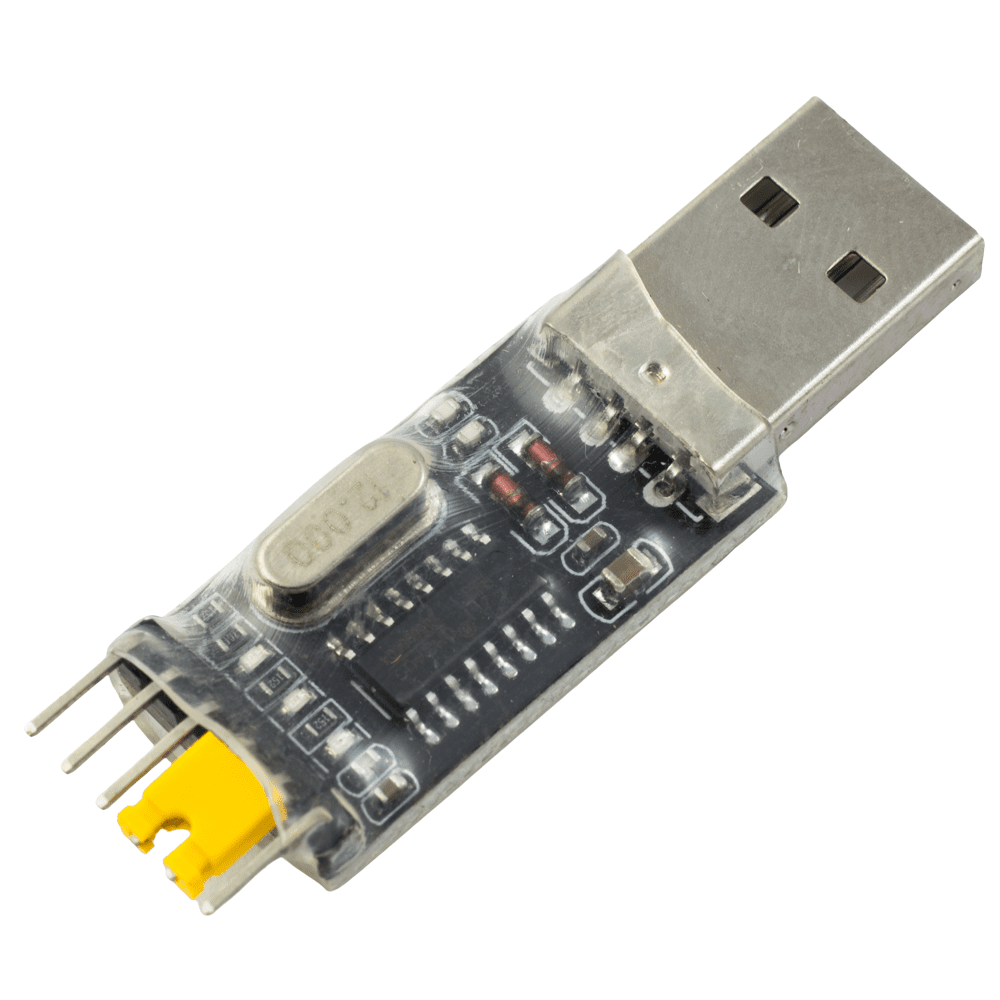
Supported targets include BK7231T/N/M, BL602/LF686, W800/W601, LN882H, and XR809 families, flashed with a USB-to-UART adapter and usually an external 3.3V LDO supply.
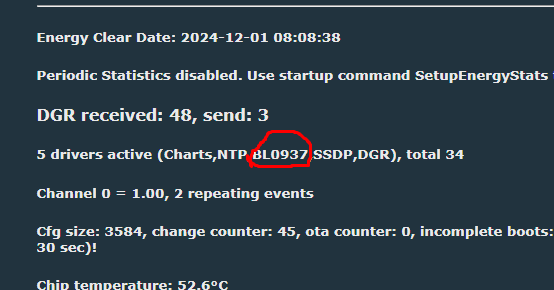
Energy metering commonly uses BL0942 over UART or BL0937 via CF, CF1, and SEL pins, with BK7231 devices having their pin roles auto-detected by the flasher.
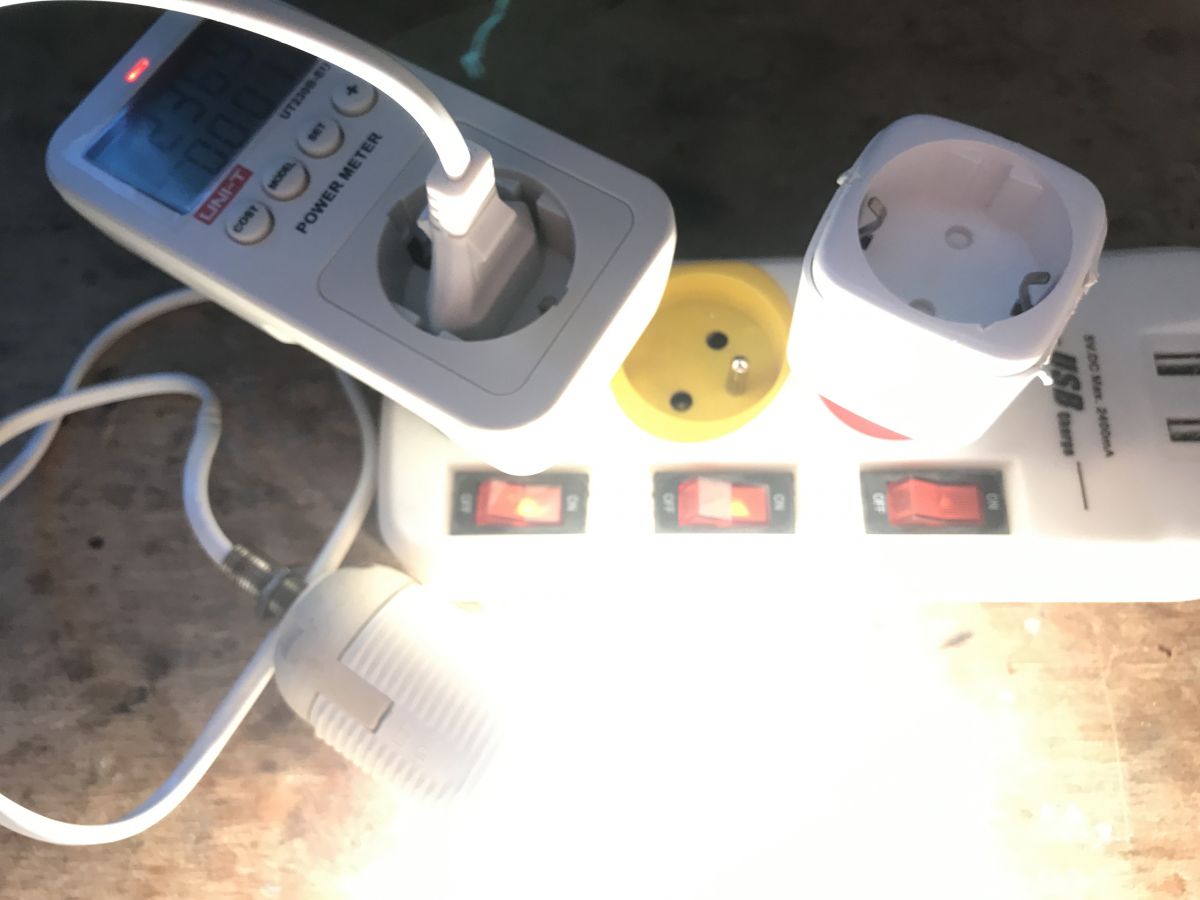
Calibration uses a known load such as a 60W bulb and commands like VoltageSet 230, PowerSet 60, and CurrentSet 0.236, after which the firmware stores the values.
OpenBeken can trigger events at thresholds, send GET measurements to an HTTP server, sync with Tasmota Device Groups and SSDP, and render on-device charts.
Generated by the language model.
.
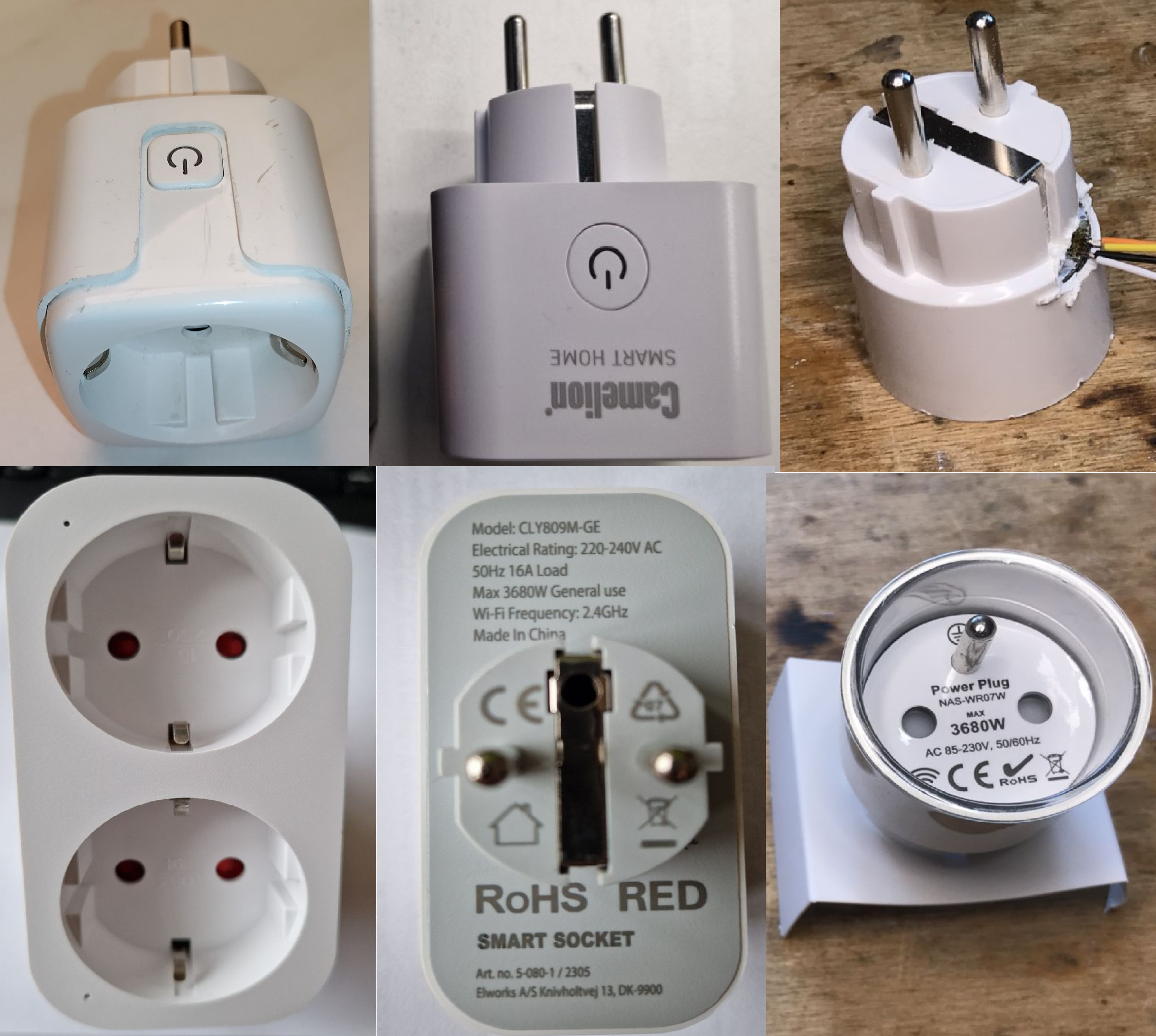
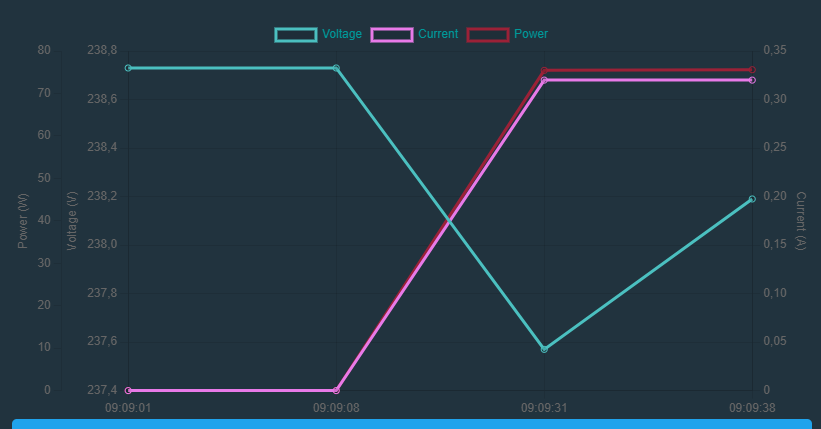
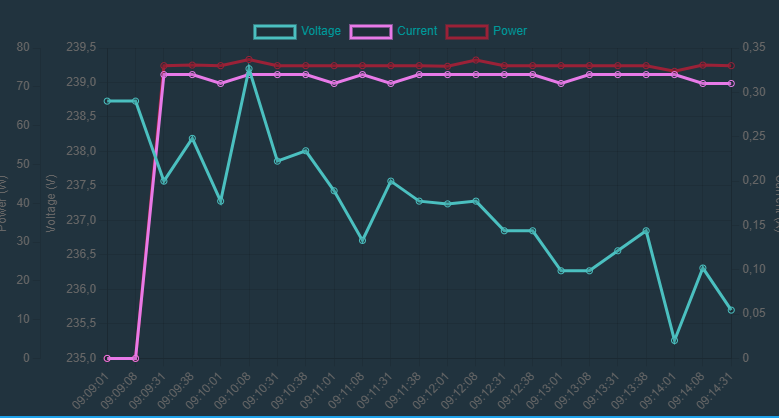
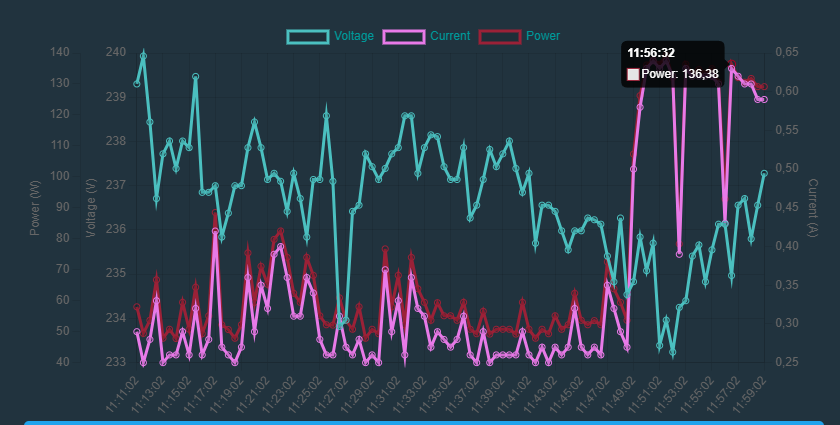
Various types of plugs, modules and sockets that offer energy measurement and normally work with the manufacturer's cloud can be bought cheaply on the web. Here I will show how such a socket can be freed from the cloud and configured independently, including how events can be triggered when, for example, a given voltage value is exceeded, and how measurements can be visualised in the form of graphs held on the same device. This topic will not be about a specific device, but rather more generally about a group of devices manufactured in China and available for cheap purchase from portals with names often starting with 'A'....
Why change the firmware? . Users give different reasons for wanting to change the firmware of a device, but these are usually driven by the desire to make the product cloud-free (off the manufacturer's servers), to avoid potential surveillance and problems when, for example, the manufacturer's cloud stops working and also the need to connect devices from different ecosystems. Once the firmware is changed to an open source solution, it is much easier to extend the functionality of a given product, additional sensors can be added to it, it can be freely programmed, it can be connected to the Home Assistant, etc.
Basic energy measurement . Based on over 650 descriptions of devices on our IoT list, I can say that the most common in this type of product are the BL0942 and BL0937 chips. The main difference between the two is that: - BL0942 uses the UART (the same UART port as for programming the WiFi module), possibly occasionally SPI - BL0937 uses the CF, CF1 and SEL pins (the frequency of the pulses issued to a given pin determines the power, voltage or current) For us, this means only one thing: - in the case of BL0942, you do not even need to specify the pins, because it is known in 99% of cases that UART1 is used - in the case of BL0937, you have to specify to which pins of the WiFi chip CF1, CF and SEL are connected. In the case of BK7231 based devices our flasher will detect the pin roles itself:
. e.g. in autoexec.bat , and in the case of BL0937 it is sufficient to set the corresponding pin roles. In both cases it is worth performing a reboot. We will find out from the web panel that the controller has booted: .
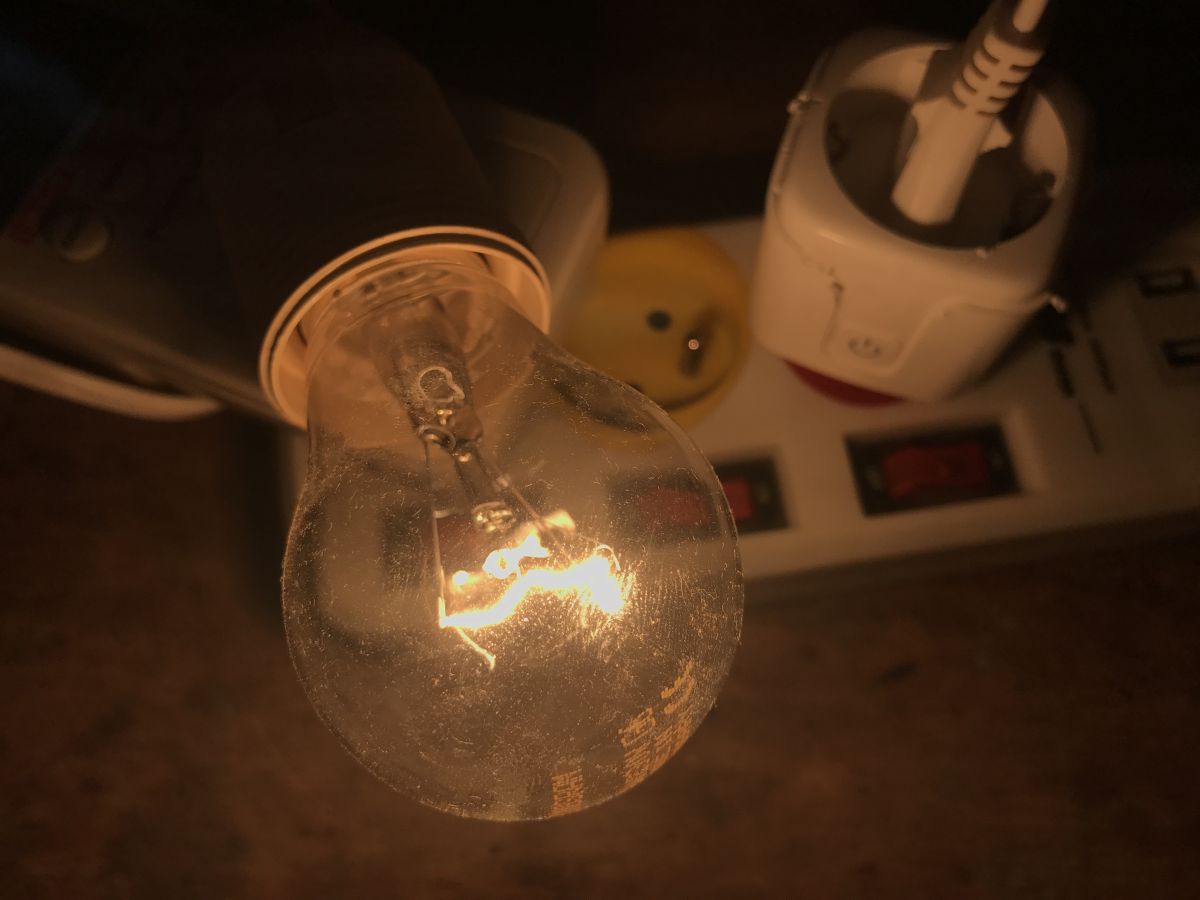
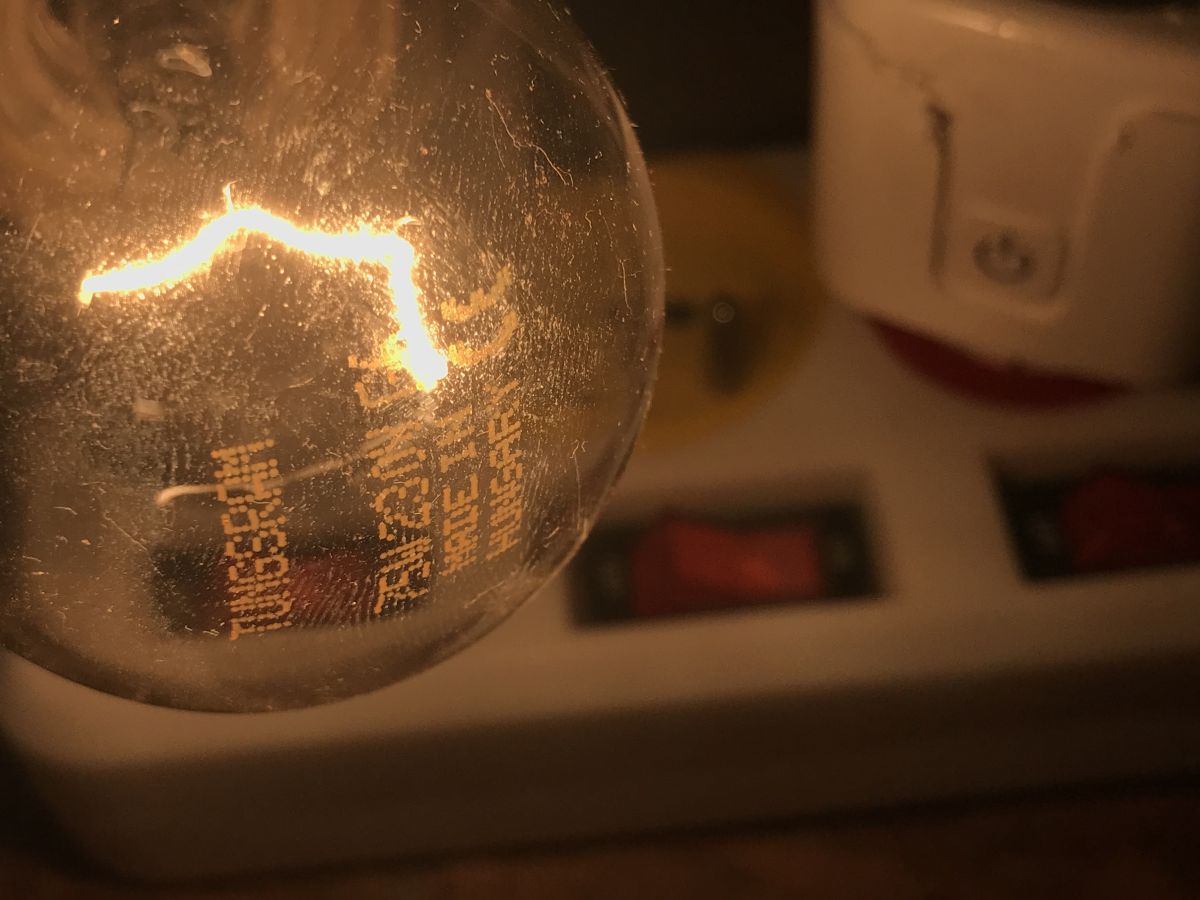
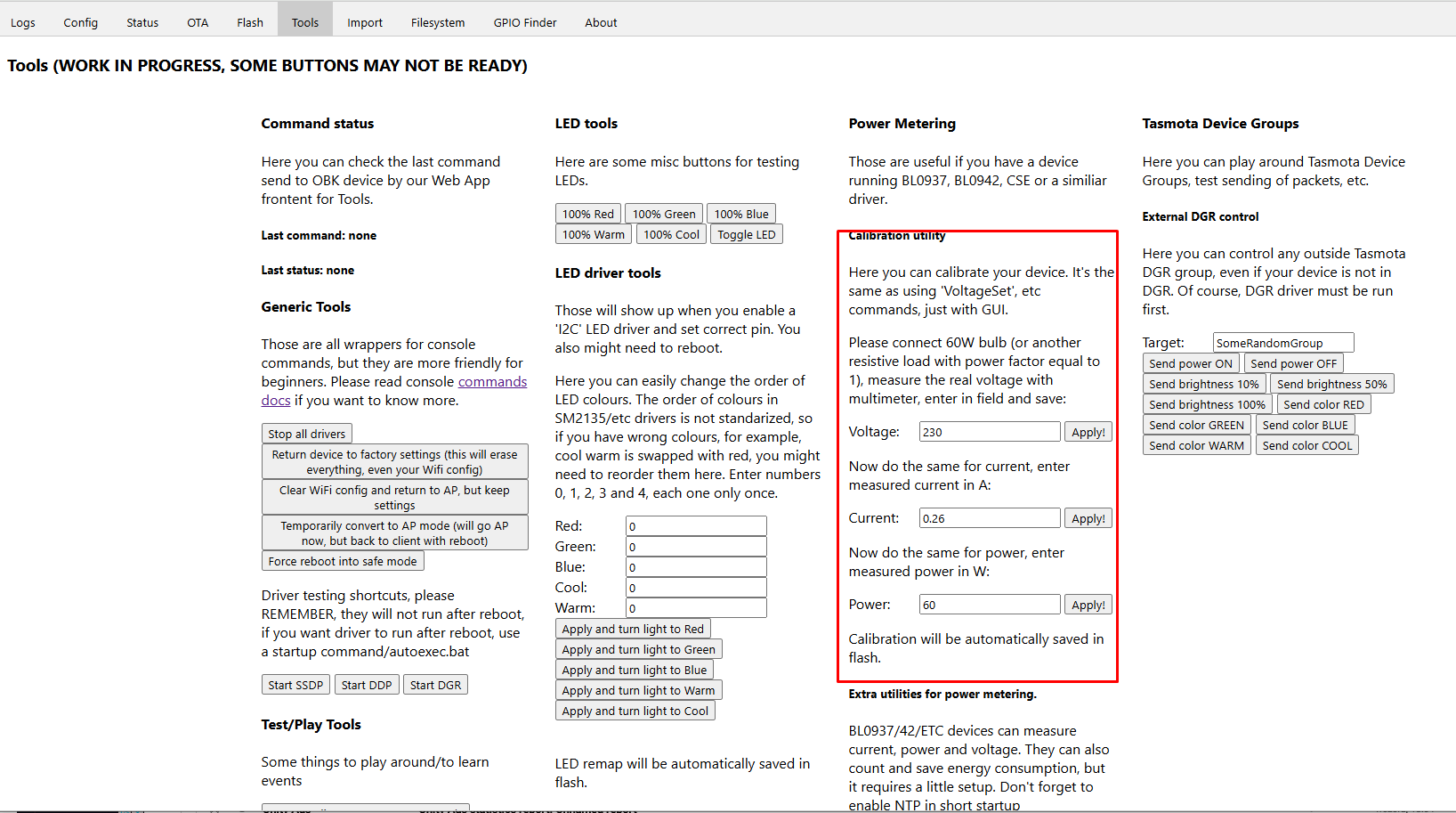
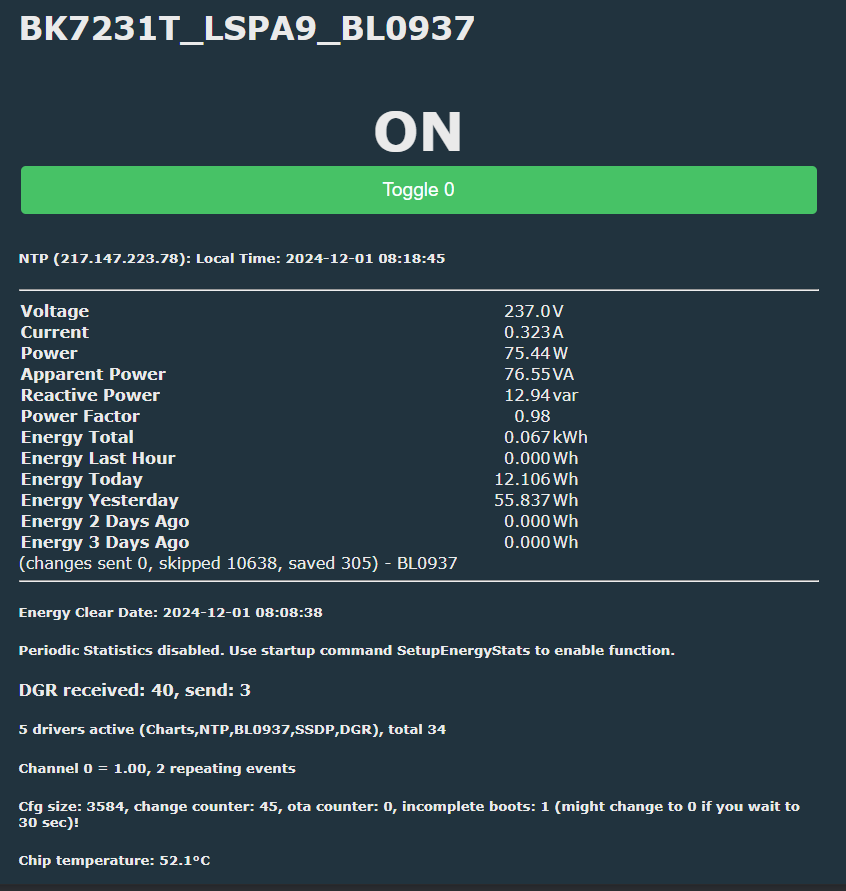
Calibration of energy measurement . Calibration is done in a similar way to the Tasmot. We take a higher-end energy meter, connect a resistive load in the form of a 60W light bulb, measure the voltage, current and power on it, and then enter these values into our product (having that light bulb connected and lit at all times). . The commands to enter are: - VoltageSet 230 - PowerSet 60 - CurrentSet 0.236 You used to have to manually write the results, but now the firmware will remember this itself. If you do not want to write commands, there is a form for this in the Web App under Tools: . This is what the device panel looks like after calibration:
.
Summarised energy measurement and consumption for the day (and more) is also available.
Events and automations . The scripting language itself also supports simple automations. They are all done programmatically, so we won't realise an ultra-fast fuse or surge protection on this, but we can, for example, limit the power drawn from a device:
addChangeHandler Power > 50 backlog POWER OFF; addRepeatingEvent 2 1 POWER ON
. Result:
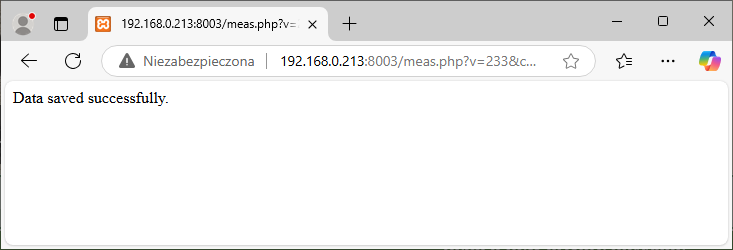
Sending measurements to HTTP server . The firmware is also able to send a GET request with the contained measurements, which we can direct to our publicly available or locally accessible server. Such GET arguments can, for example, be processed in PHP and saved to a database or file. Example script that writes the values of the v, c and p arguments from the GET to data.csv with the current time:
Integration with Tasmota Control . OpenBeken provides basic compatibility with Tasmota's JSON format, so applications such as Tasmota Control will also work with such devices. All over the local network:
.
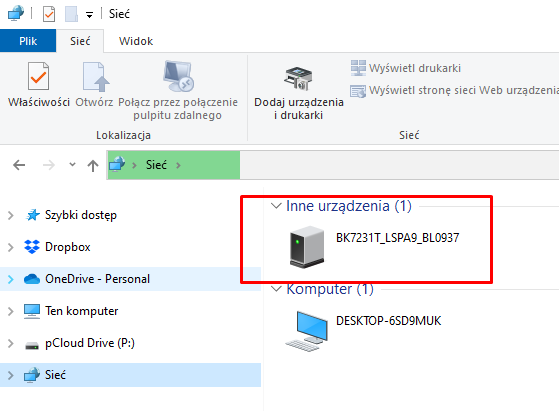
Integration with SSDP . The multi-platform SSDP driver makes devices with OpenBeken visible by, for example, Windows computers: . Tutorial:
Integration with Home Assistant . A socket programmed in this way can be connected easily to the Home Assistant, and then all the automations from the HA also gain control over it. It can then be integrated into various other ecosystems.
.
Modifiability . After changing the firmware, the chip's free GPIO from WiFi can be easily used - a temperature sensor or IR receiver, for example, can be connected:
Summary . Most budget WiFi-based energy meters on the market can be reprogrammed using the method shown here. If you are looking for a specific model (to purchase or information about) then I invite you to our list of device templates: https://openbekeniot.github.io/webapp/devicesList.html If you have a product that is not yet on this list, feel free to post in the forum - we will help with the conversion, step by step. Do you have any IoT devices to which you have changed or intend to change the firmware?
About Author
p.kaczmarek2 wrote 14451 posts with
rating 12431 , helped 650 times.
Been with us since 2014 year.
And at my place SmartDGM socket and bulb works, only the app doesn't work on the newer Android. That's also a good reason to change. :) [Read more]
p.kaczmarek2
01 Dec 2024 21:29
That's interesting, I don't associate this app.... According to the internet this is the famous socket what was sold in Ladybird? It looks like some kind of SmartLife clone, but maybe I'm wrong, I didn't... [Read more]
kmr
01 Dec 2024 23:53
Yes Biedronka. I bought 2 sockets and 1 light bulb. App cool. I did micro pv logs on the sockets. It works all the time only the app in the first launch works and then no longer. When I open the socket... [Read more]
Jawi_P
05 Dec 2024 19:43
Great stuff, I think I'll modify my sockets at some point. [Read more]
FAQ
TL;DR: For buyers of cheap Wi‑Fi energy sockets, 650+ device descriptions show many can run locally; "free them from the cloud," as the author puts it, with OpenBeken, then add metering, automations, HTTP logging, and on-device charts using a USB‑UART adapter and an external 3.3 V LDO supply. [#21327535]
Why it matters: Local firmware avoids vendor cloud failures, removes app lock-in, and lets one cheap socket join Home Assistant, Tasmota-style tools, or standalone LAN automations.
Option
Typical hardware path
Local setup detail
Best fit
BL0942 socket
Metering IC on UART
Start the BL0942 driver
Fastest basic setup
BL0937 socket
CF, CF1, SEL pins
Map the three pin roles first
Good when UART is unavailable
TuyaMCU meter
Separate MCU + Wi‑Fi module
Configure protocol and dpID values
More advanced meters with LCD or multi-phase
Key insight: The hard part is not the relay; it is identifying the Wi‑Fi module and metering path. Once you know the chip family and pins, OpenBeken can handle measurement, automation, LAN integration, and charting on the same device.
Quick Facts
The thread says the device list already contains 650+ descriptions, and detailed entries are the preferred starting point before flashing an unknown socket. [#21327535]
Safe flashing needs a USB-to-UART adapter plus an external 3.3 V LDO supply, because the CH340 adapter's own 3.3 V output does not provide enough current capacity. [#21327535]
The calibration example uses a resistive load: a 60 W bulb with reference values entered as 230 V, 60 W, and 0.236 A. [#21327535]
The chart example stores up to 100 samples, tracks 3 variables on 3 separate vertical axes, and logs a new point every 30 seconds. [#21327535]
A sample LAN export sends measurements every 60 seconds with SendGET, and the sample CSV shows line-by-line timestamps with voltage, current, and power values. [#21327535]
How do I run a low-cost Chinese energy-monitoring socket locally without the manufacturer's cloud using OpenBeken?
You replace the stock firmware with OpenBeken and then configure the metering chip locally. 1. Identify the Wi‑Fi module and flashing method from the project readme, videos, or device list. 2. Flash the module with a USB-to-UART adapter and external 3.3 V LDO supply. 3. Enable the meter driver or assign metering pins, reboot, and finish setup in the web panel. This removes dependence on the vendor cloud and keeps control, scripts, and graphs on the device itself. [#21327535]
Why do people replace the stock firmware in SmartLife-style energy sockets with Tasmota or OpenBeken?
People replace it to remove cloud dependence and gain local control. The thread gives four concrete reasons: avoid vendor surveillance, survive cloud outages, connect products from different ecosystems, and add functions such as extra sensors, free programming, and Home Assistant integration. The same change also helps when the vendor app stops working, which another poster reports on newer Android versions. [#21327535]
What is OpenBeken, and which Wi-Fi modules like BK7231T, BK7231N, BL602, W800, or LN882H does it support?
"OpenBeken" is open-source firmware that runs on low-cost Wi‑Fi IoT modules, replaces vendor cloud software, and adds local control, scripting, drivers, and integrations across several chip families. In this thread, the author lists support for BK7231T, BK7231N, BK7231M, T34, BL2028N, BL602, LF686, W800, W801, W600, W601, LN882H, and XR809. That makes it a multi-platform option for many cheap sockets and plugs sold under clone ecosystems. [#21327535]
What is TuyaMCU in more advanced power meters, and how does it differ from simpler sockets with BL0942 or BL0937 metering chips?
"TuyaMCU" is a microcontroller protocol layer that links a main device MCU with the Wi‑Fi module, usually in more complex products with extra functions such as LCD displays or multi-phase measurement. It differs from BL0942 and BL0937 sockets because those simpler sockets expose direct metering paths: BL0942 usually over UART, and BL0937 over CF, CF1, and SEL pins. TuyaMCU devices need protocol and dpID configuration, not just a driver start or pin-role assignment. [#21327535]
BL0942 vs BL0937 energy metering chips — what are the differences in wiring, configuration, and setup?
BL0942 usually needs less wiring work, while BL0937 needs explicit pin mapping. The thread says BL0942 commonly uses UART1, often on the same UART used for programming, so in 99% of cases you do not need to specify pins. BL0937 instead uses CF, CF1, and SEL pulse pins, so you must identify which Wi‑Fi GPIOs connect to those three signals before measurements will work correctly. [#21327535]
Which USB-to-UART adapter and power supply should I use to flash BK7231-based sockets safely, and why is the CH340's 3.3 V output not enough?
Use a USB-to-UART adapter such as a CH340, but power the target from an external 3.3 V LDO supply. The author explicitly uses a CH340 version and warns that the adapter's own 3.3 V output is not sufficient because it lacks the required current capacity. That means the UART adapter is fine for data lines, but the module should not rely on it as the main flash-time power source. [#21327535]
Where can I find pinout templates or detailed device entries for cheap Wi-Fi sockets before flashing them with OpenBeken?
Start with the OpenBeken device list and use only the detailed entries. The thread names three sources for flashing and pin discovery: the project readme, the Elektoda YouTube channel, and the online device list. It also states that, for BK7231 devices, the flasher can detect pin roles automatically; otherwise you should inspect the PCB with a multimeter or find a similar device in the list. As the author notes, “we only want detailed entries.” [#21327535]
What commands do I need to enable basic energy measurement in OpenBeken for a socket with a BL0942 chip?
For a BL0942 socket, the key command is startDriver BL0942. The thread says you can place it in autoexec.bat, then reboot the device and verify in the web panel that the controller has started correctly. Unlike BL0937 setups, this path does not usually require manual GPIO assignment, because BL0942 is typically already on UART1 in these low-cost products. [#21327535]
How do I calibrate voltage, current, and power readings in OpenBeken using a reference meter and a 60 W bulb?
Calibrate it with a known resistive load and three entered values. 1. Connect a higher-end energy meter and a 60 W bulb. 2. Measure the live voltage, current, and power while the bulb stays on. 3. Enter those numbers with commands such as VoltageSet 230, PowerSet 60, and CurrentSet 0.236. The thread adds that firmware now remembers calibration automatically, and the Web App also provides a calibration form under Tools. [#21327535]
In what way can I create an automation in OpenBeken that turns a relay off when power exceeds a set threshold and then turns it back on later?
Use a change handler for the threshold and a repeating event for recovery. The basic off rule is addChangeHandler Power > 50 POWER OFF, which cuts the relay after the measured power passes 50 W. The smarter version adds delayed re-enable: addChangeHandler Power > 50 backlog POWER OFF; addRepeatingEvent 2 1 POWER ON. In the example, the relay switches back on after about 2 seconds. [#21327535]
How can I send voltage, current, and power measurements from an OpenBeken socket to a local HTTP or PHP server as GET parameters?
Use SendGET and pass the live variables as URL parameters. The thread shows a PHP example that reads v, c, and p, adds a timestamp, and appends the values to data.csv. The matching OpenBeken automation is addRepeatingEvent 60 -1 SendGET http://.../meas.php?v=$voltage&c=$current&p=$power, which sends updates every 60 seconds to a local or public server that can process GET requests. [#21327535]
What steps are needed to store energy measurements in CSV and visualize them as charts hosted directly on the OpenBeken device?
You need one server-side logger and one on-device chart script. The PHP logger stores timestamped v, c, and p values into data.csv. For charts, the sample autoexec.bat starts the charts and NTP drivers, waits for NTPState 1, creates a chart with 100 samples, 3 variables, and 3 axes, then adds a new point every 30 seconds with chart_addNow $voltage $current $power. The result is local history and local visualization on the device. [#21327535]
How does OpenBeken integration work with Tasmota Control, SSDP discovery in Windows, and Home Assistant on a local network?
OpenBeken exposes enough local compatibility to work with all three. The thread says it supports basic Tasmota JSON compatibility, so Tasmota Control can manage the device over the local network. It also offers a multi-platform SSDP driver that makes devices visible to Windows computers, and it can be connected to Home Assistant so HA automations can control the socket and integrate it into other ecosystems. [#21327535]
What chip is likely inside the SmartDGM socket and bulb sold in Biedronka, and how can I identify whether it's ESP8266 or something else before flashing?
The exact chip is not confirmed in the thread, but the author suspects an ESP8266 may still be inside that SmartDGM socket. He describes it as looking like a SmartLife clone and asks for internal photos once the device is opened. Before flashing, the thread's practical method is to open the device, inspect the module markings, compare them with detailed device-list entries, and, if needed, trace pins with a multimeter. [#21328385]
Why might the SmartDGM Android app work only on first launch or fail on newer Android versions, and what local-control alternatives are available?
The thread reports the symptom but does not diagnose the Android bug. One poster says the SmartDGM socket and bulb still work, yet the app fails on newer Android and only works on the first launch. The practical alternative is to replace vendor firmware and move to local control with OpenBeken or Tasmota-style workflows, then manage the socket through its web panel, Tasmota Control compatibility, or Home Assistant on the LAN instead of the original app. [#21328096]







Comments
And at my place SmartDGM socket and bulb works, only the app doesn't work on the newer Android. That's also a good reason to change. :) [Read more]
That's interesting, I don't associate this app.... According to the internet this is the famous socket what was sold in Ladybird? It looks like some kind of SmartLife clone, but maybe I'm wrong, I didn't... [Read more]
Yes Biedronka. I bought 2 sockets and 1 light bulb. App cool. I did micro pv logs on the sockets. It works all the time only the app in the first launch works and then no longer. When I open the socket... [Read more]
Great stuff, I think I'll modify my sockets at some point. [Read more]