





Teardown and How to recover ATMT BK7231N CB2S smart socket with BL0937 - no button response
TL;DR 
- A cheap ATMT Tuya smart socket with a BK7231N CB2S module and BL0937 power metering stopped responding to its button.
- Teardown and UART testing showed good 5V/3.3V supplies, but flash dumps failed with CRC errors because the first 0x100 bytes were corrupted.
- The repair wrote the first 4096 bytes from OpenBK7231N_QIO_1.18.288.bin to 0x0 with Custom Write to replace the damaged bootloader.
- The socket booted again, ran OpenBeken, and power readings matched another meter without calibration; automation now cuts power below 7 W for 15 minutes.
AI summary based on the discussion. May contain errors.
This topic describes how to recover broken tuya-based smart socket (BKN7231N, CB2S, BL0937) and then to flash it to OpenBeken.
I purchased a smart socket a couple years ago and use it to automatically switch off my Electric Unicycle charger when power consumption is very small for specific period of time. Just for safety reason – if charger consumes less than 7 Watts during the recent 15 minutes then I suppose than my EUC is charged and I want to cut power, just in case. The smart socket works with Yandex Smart Home.
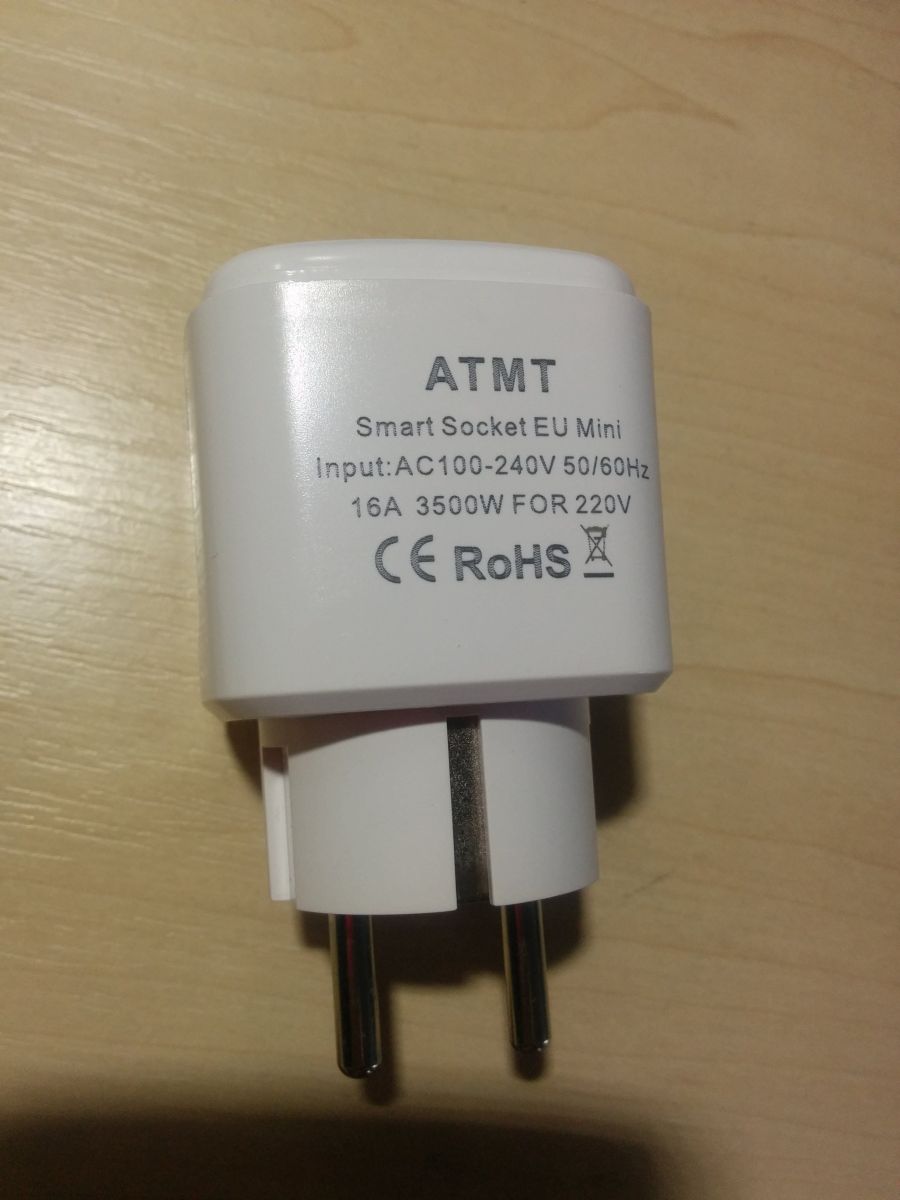
It was a cheap socket with “ATMT” brand and no model code on it. The only information is the following:
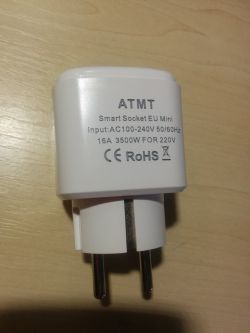
And one day it stopped working and did not react on button press.
I disassembled it and found out that it runs on BKN7231N MCU (CB2S module) and has BL0937 chip for power metering. 5V power supply is made on kp15051sp.
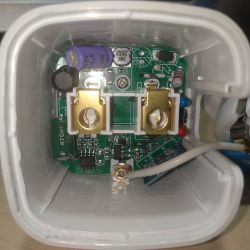
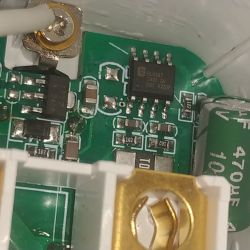
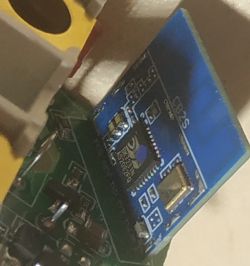
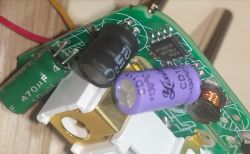
Then I checked capacitors, 5V and 3,3V power supplies – they are OK. So, main suspect is MCU.
Then I soldered power (directly to 5V capacitor) and UART (at CB2S pins) wires and connected them to USB-TTL adapter (switched to 3,3V level mode via jumper). (More details on CB2S and USB-TTL connection and MCU flashing can be found in topic https://www.elektroda.com/rtvforum/topic4087228.html )
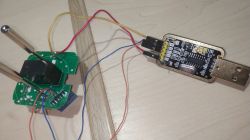
And tried to dump flash with BK7231GUIFlashTool and ltchiptool. Both tools failed with CRC errors. I have found that CRC errors happened for the first 0x100 bytes only – so, bootloader was corrupted. Then I connected to UART2 pins on CB2S module and saw in terminal that boot started but then freezed in some seconds.
So, flash was faulty, but I still had a chance to re-write faulty page in hope that it will recover.
I verified that my smart socket has the same bootloader as OpenBeken - the first 64k bytes of OpenBK7231N_QIO and the first 64k bytes of my smart socket's dump were the same excluding those faulty bytes in the beginning. So, I have cut the first 4096 bytes from OpenBK7231N_QIO_1.18.288.bin file into a separate file and write it into BK7231N at 0x0 offset using Custom Write functionality.
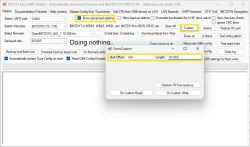
And it helped, the socket booted and worked correctly!
But I wanted to try OpenBeken itself. So, I have written it to my socket. Then I applied config from original dump, set WiFi SSID and password. And wrote OBK config.
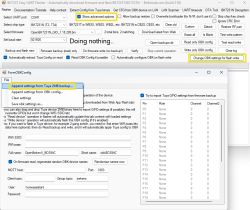
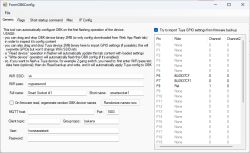
I dind't use the following information since everything has configured automatically. But let it be here:
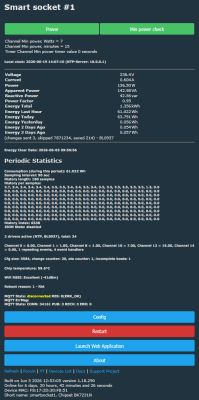
Rebooted the socket, and opened its web-page in web-browser to check that power metering works fine – Power, Voltage and Amperage values shown in web-app were correct (compared with another power metering device) – so, no calibration was required.
Then created the following autoexec.bat to implement required functionality (if power consumption is less than 7 Watts during the recent 15 minutes then turn power off):
Everything works as I want!
JSON template from Web Application main tab :
I purchased a smart socket a couple years ago and use it to automatically switch off my Electric Unicycle charger when power consumption is very small for specific period of time. Just for safety reason – if charger consumes less than 7 Watts during the recent 15 minutes then I suppose than my EUC is charged and I want to cut power, just in case. The smart socket works with Yandex Smart Home.
It was a cheap socket with “ATMT” brand and no model code on it. The only information is the following:
And one day it stopped working and did not react on button press.
I disassembled it and found out that it runs on BKN7231N MCU (CB2S module) and has BL0937 chip for power metering. 5V power supply is made on kp15051sp.
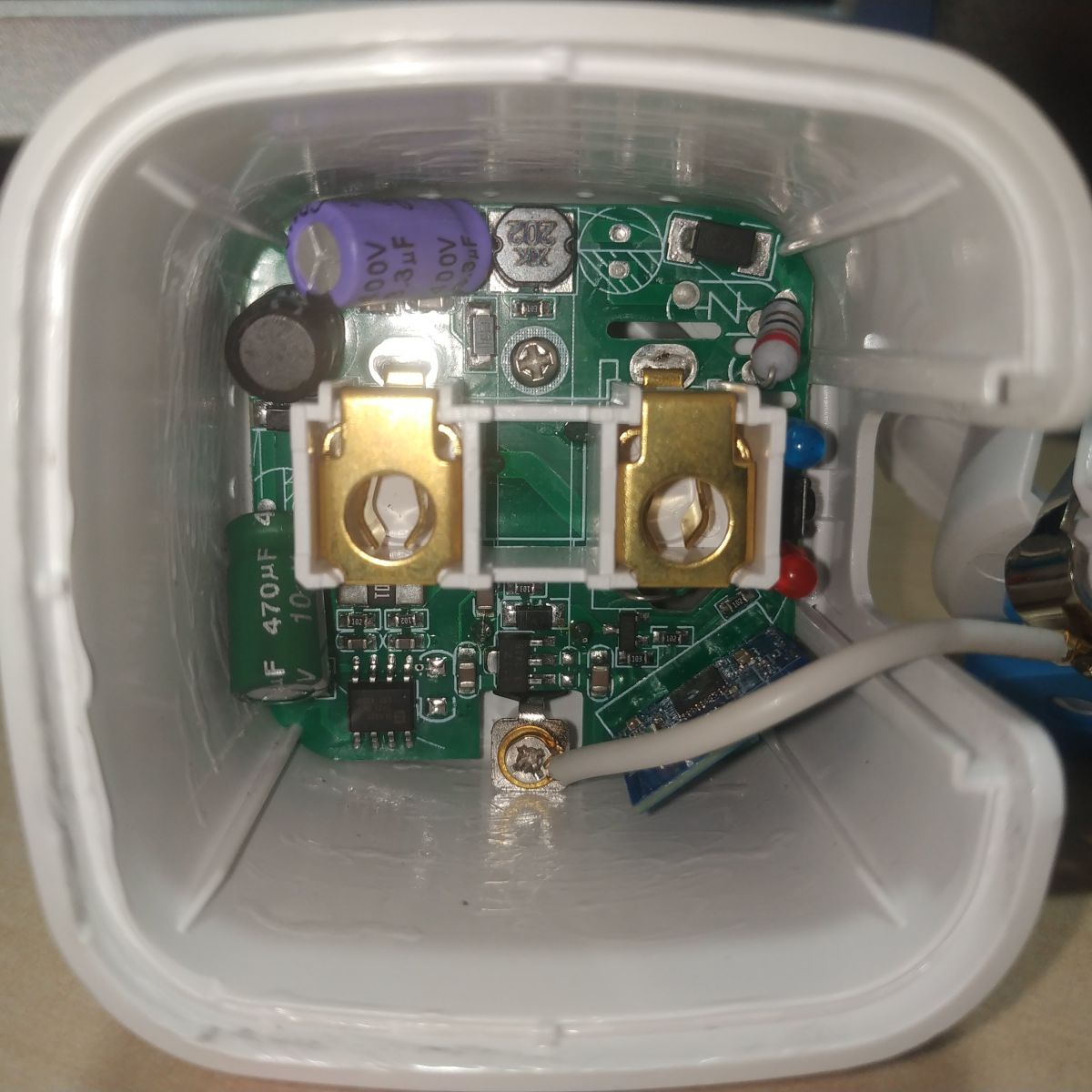
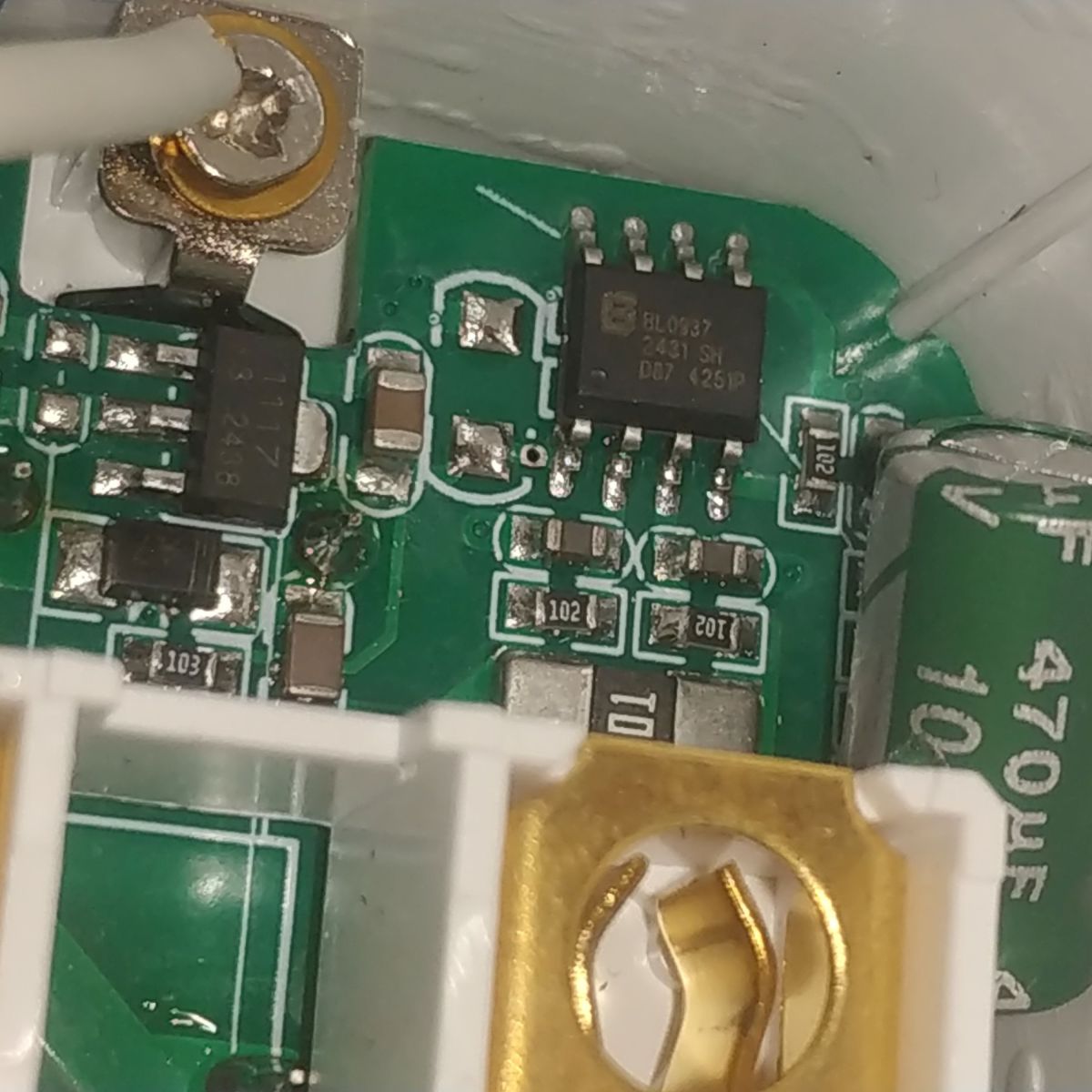
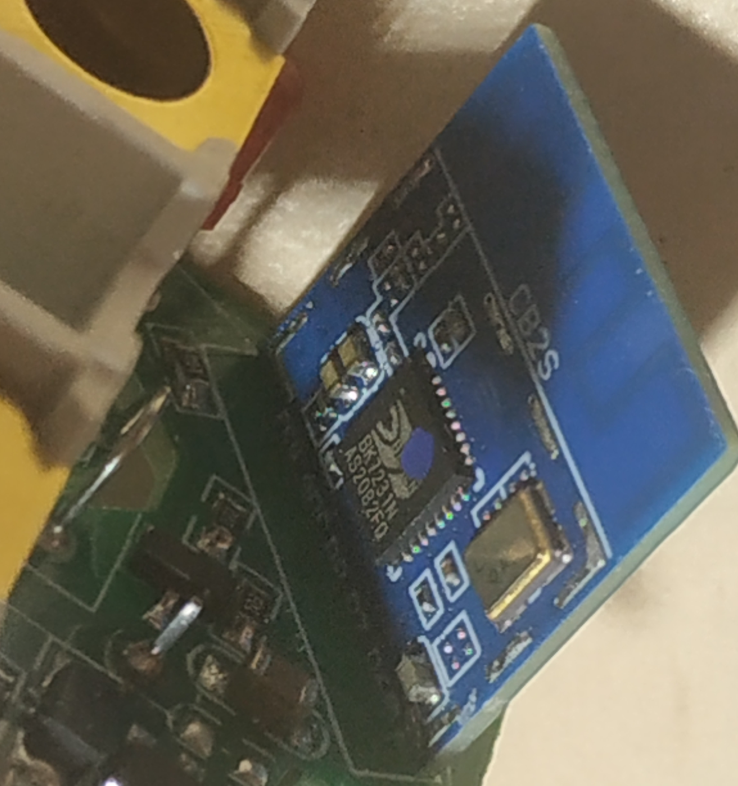
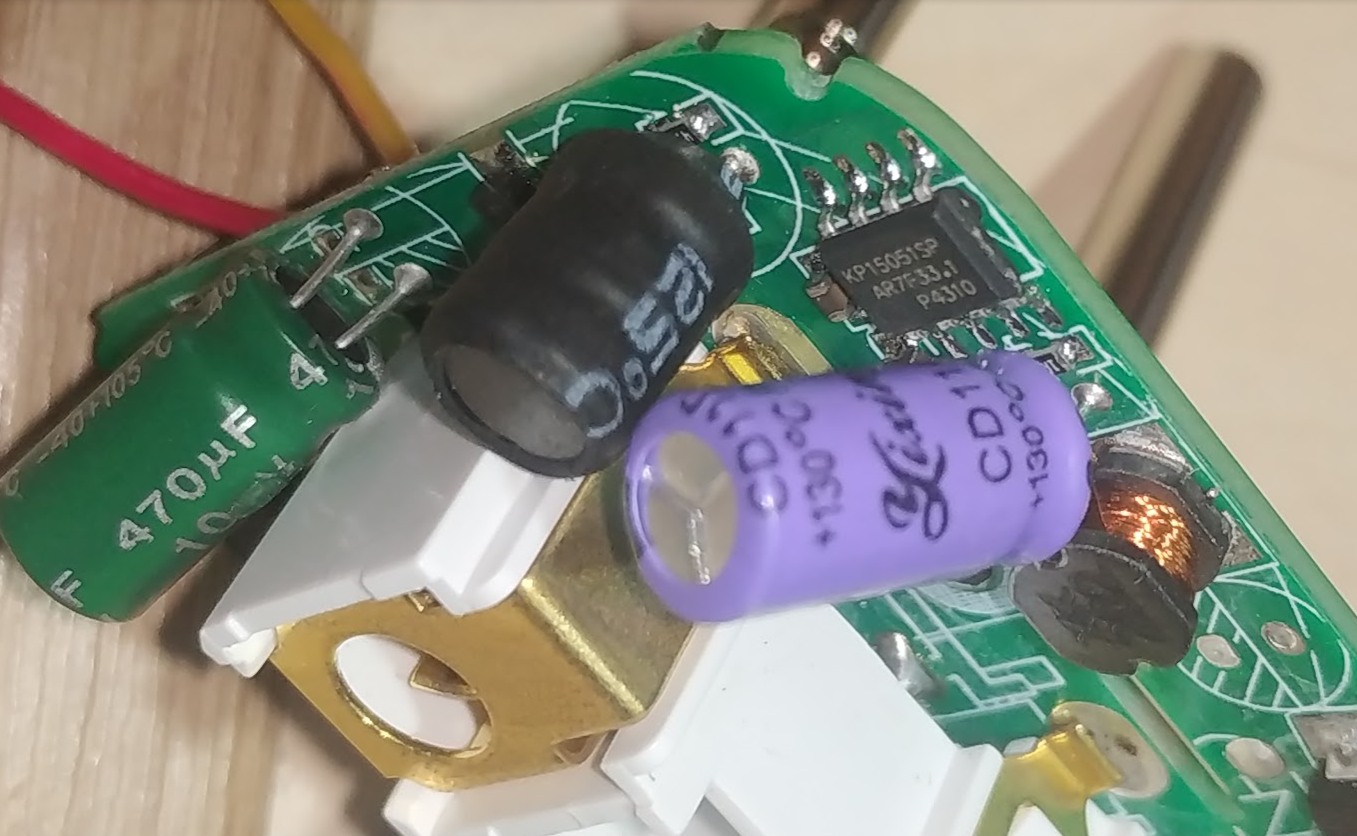
Then I checked capacitors, 5V and 3,3V power supplies – they are OK. So, main suspect is MCU.
Then I soldered power (directly to 5V capacitor) and UART (at CB2S pins) wires and connected them to USB-TTL adapter (switched to 3,3V level mode via jumper). (More details on CB2S and USB-TTL connection and MCU flashing can be found in topic https://www.elektroda.com/rtvforum/topic4087228.html )
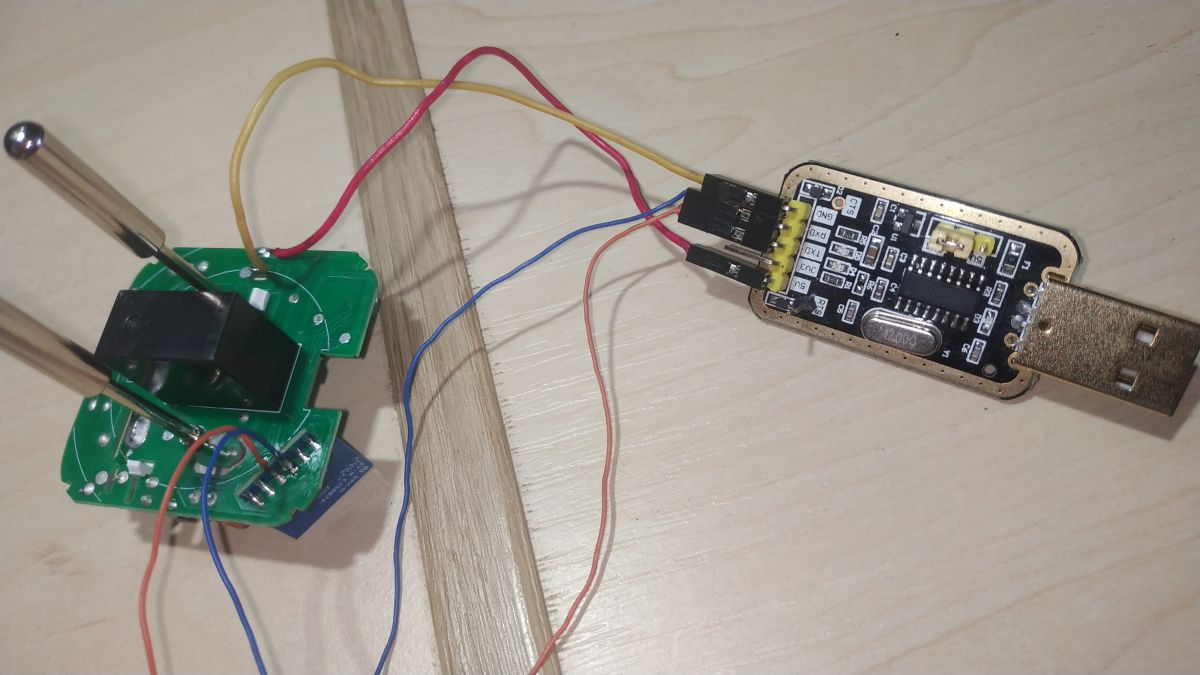
And tried to dump flash with BK7231GUIFlashTool and ltchiptool. Both tools failed with CRC errors. I have found that CRC errors happened for the first 0x100 bytes only – so, bootloader was corrupted. Then I connected to UART2 pins on CB2S module and saw in terminal that boot started but then freezed in some seconds.
So, flash was faulty, but I still had a chance to re-write faulty page in hope that it will recover.
I verified that my smart socket has the same bootloader as OpenBeken - the first 64k bytes of OpenBK7231N_QIO and the first 64k bytes of my smart socket's dump were the same excluding those faulty bytes in the beginning. So, I have cut the first 4096 bytes from OpenBK7231N_QIO_1.18.288.bin file into a separate file and write it into BK7231N at 0x0 offset using Custom Write functionality.
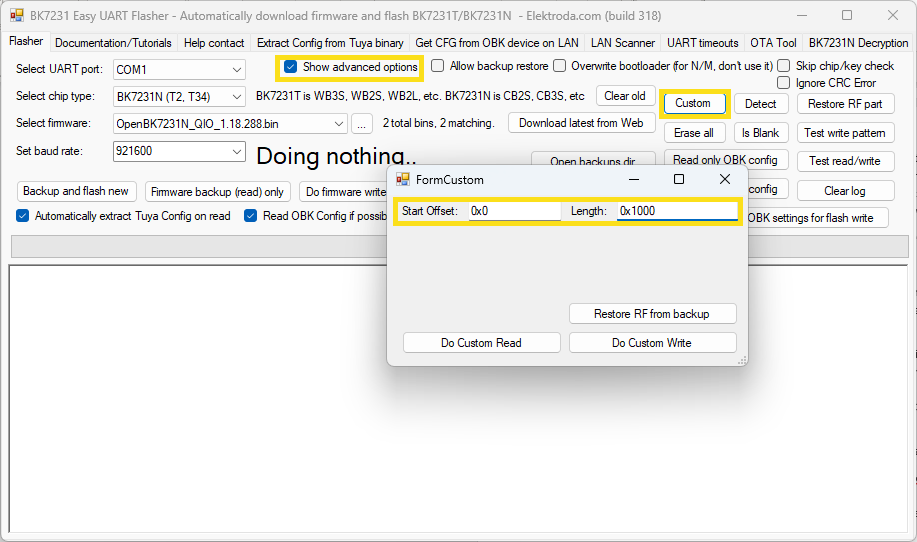
And it helped, the socket booted and worked correctly!
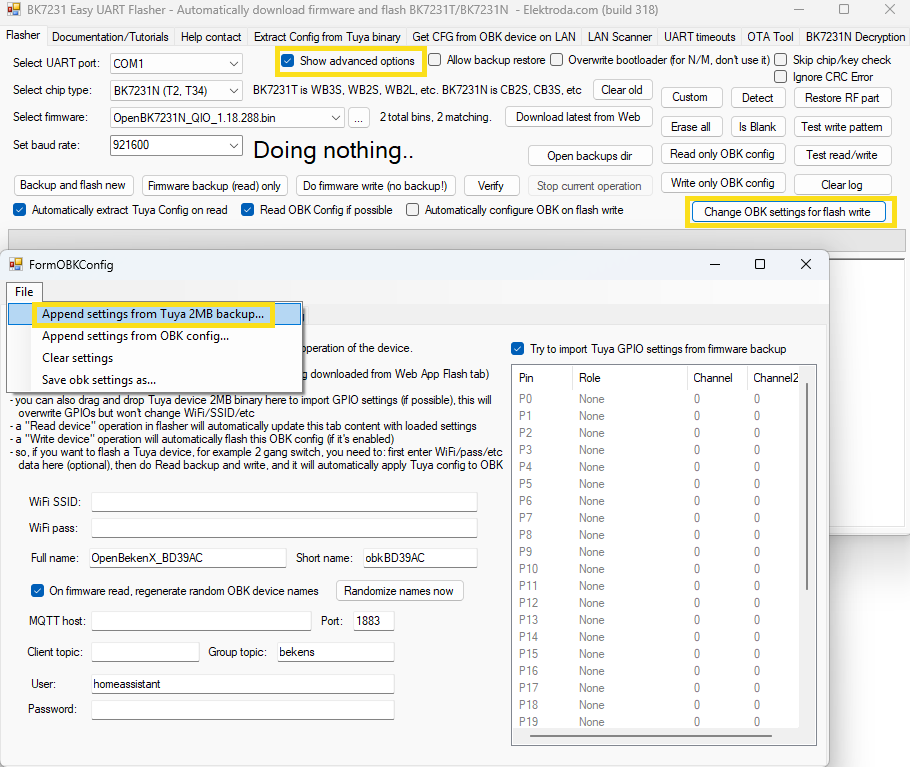
But I wanted to try OpenBeken itself. So, I have written it to my socket. Then I applied config from original dump, set WiFi SSID and password. And wrote OBK config.
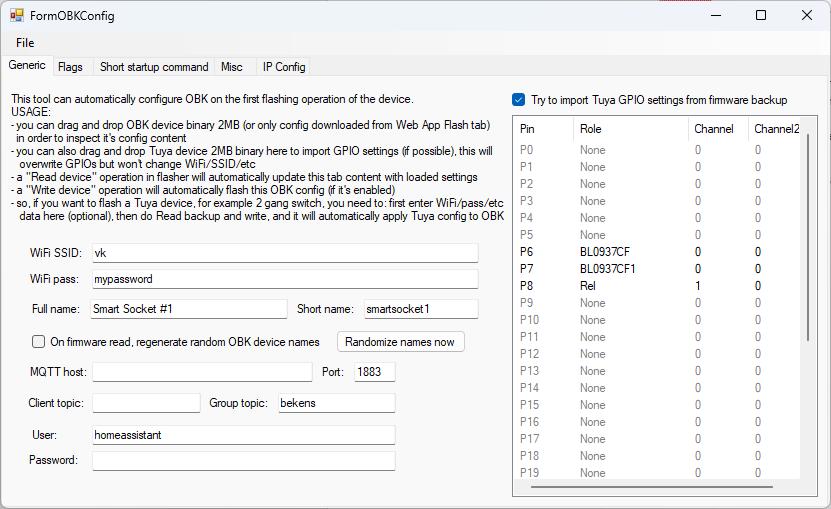
I dind't use the following information since everything has configured automatically. But let it be here:
Spoiler:
Device configuration, as extracted from Tuya:
- BL0937 SEL on P26
- Button (channel 1) on P24
- BL0937 VI (CF1) on P7
- WiFi LED on P23
- BL0937 ELE (CF) on P6
- Relay (channel 1) on P8
Device seems to be using CB2S module, which is using BK7231N.
Device internal platform - bk7231n, equals BK7231N.
And the Tuya section starts, as usual, at 2023424 (0x1EE000)
It has converted to the following configuration after socket reboot:
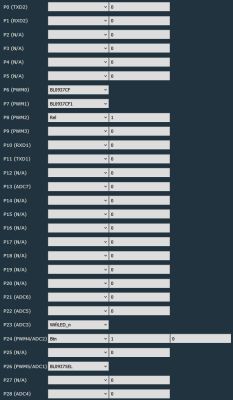
- BL0937 SEL on P26
- Button (channel 1) on P24
- BL0937 VI (CF1) on P7
- WiFi LED on P23
- BL0937 ELE (CF) on P6
- Relay (channel 1) on P8
Device seems to be using CB2S module, which is using BK7231N.
Device internal platform - bk7231n, equals BK7231N.
And the Tuya section starts, as usual, at 2023424 (0x1EE000)
It has converted to the following configuration after socket reboot:
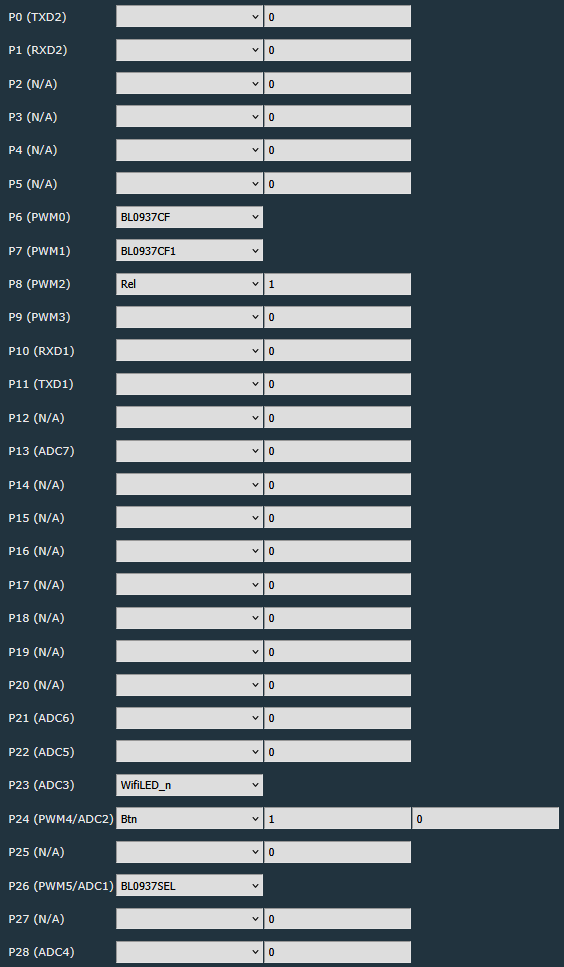
Rebooted the socket, and opened its web-page in web-browser to check that power metering works fine – Power, Voltage and Amperage values shown in web-app were correct (compared with another power metering device) – so, no calibration was required.
Then created the following autoexec.bat to implement required functionality (if power consumption is less than 7 Watts during the recent 15 minutes then turn power off):
Code: Lua
Everything works as I want!
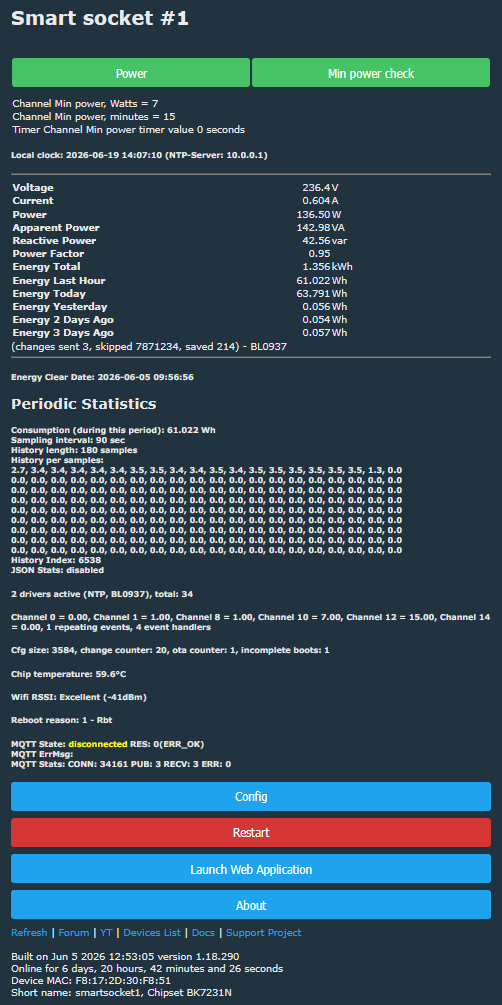
JSON template from Web Application main tab :
Code: JSON
Comments
Very interesting, I was sure it will be about capacitors again, which are known to fail quickly in these LSPA9 clones. And yet, the flash was the culprit... I wonder how could it happen? To be clear... [Read more]
It is hard to say how it actually happened. Most probrbly it is defective MCU. And the issue will return one day for sure. The socket was totally offline - it was offline in Yandex Smart Home app and... [Read more]
It's curious for me because as far as I know, the bootloader never gets overwritten by app in any way. Yet, you are saying it was corrupt at 0x0 offset, first bytes? Maybe a stray flash write command... [Read more]
I've seen similar thing happen on brownout situations for mains powered devices, similar to what goes wrong with battery powered devices when they become depleted fully. Couple of modules on the bench... [Read more]