logo elektroda
logo elektroda
X
logo elektroda
Dostępna jest polska wersja

Czy wolisz polską wersję strony elektroda?

Nie, dziękuję Przekieruj mnie tam

How do I combine a bistable switch with a Tuya module for roller shutters?

gruniu 7281 19
ADVERTISEMENT
Treść została przetłumaczona polish » english Zobacz oryginalną wersję tematu
  • #1 18355247
    gruniu
    Level 18  
    Hello

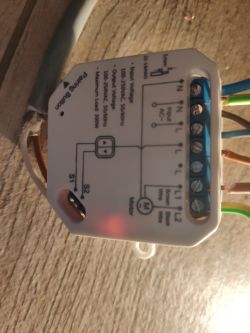
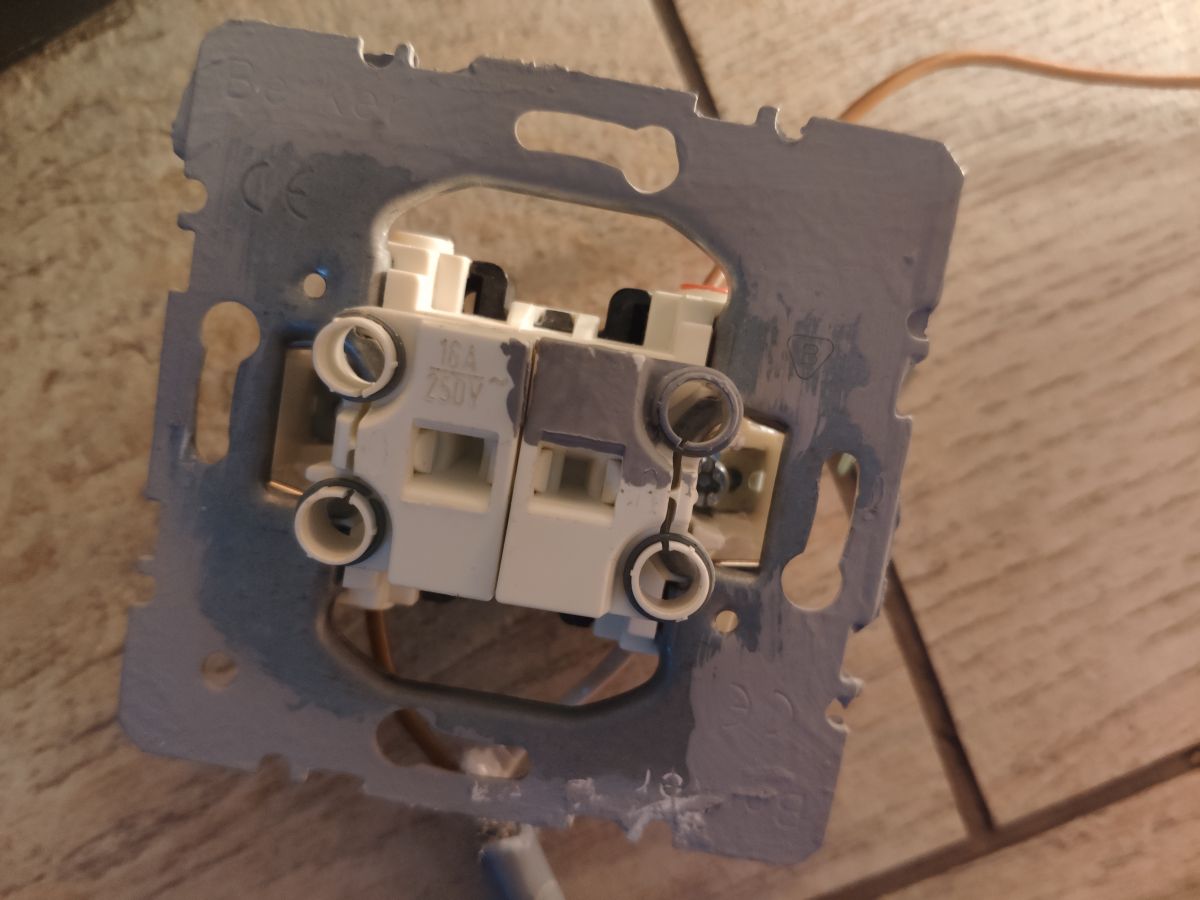
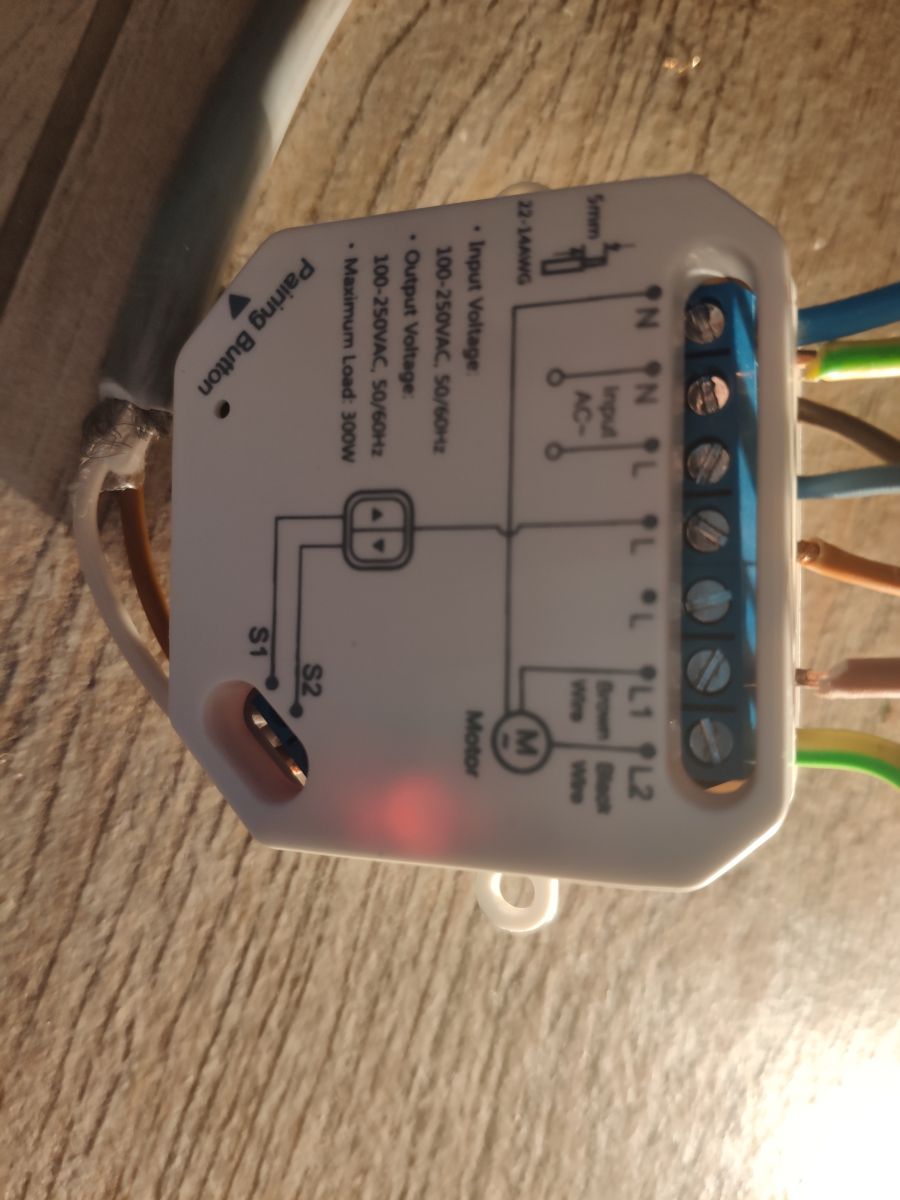
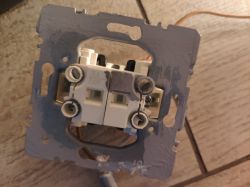
    I have purchased a tuya module for the back box so that I can control the roller shutters from my phone. Everything works great, until I don't use the switch (as in the picture). Applying voltage to the motor, via the switch, makes it impossible to control from the phone.
    The module, after a while, will disconnect the application of current to the motor through this switch (I did tests on light bulbs), but I still cannot control from the phone.
    Does anyone have any ideas?
    The two buttons on this switch, are bistable, with a mechanical interlock, so that I cannot apply voltage to open and close the roller shutter.
    How do I combine a bistable switch with a Tuya module for roller shutters? .
    How do I combine a bistable switch with a Tuya module for roller shutters? .
  • ADVERTISEMENT
  • #2 18356468
    kosmos99
    Level 38  
    The photo does not say the type of this relay. By the way, does this motor have a protective wire connected?
    Because from the photo you can see that the yellow-green is used to control the direction.
  • #3 18356530
    gruniu
    Level 18  
    For the purpose of testing, I connected the bulbs. :) .
  • ADVERTISEMENT
  • #4 18377443
    gruniu
    Level 18  
    No one has any idea how to mount it?
  • #5 18377457
    kosmos99
    Level 38  
    And shouldn't there be a phase connected to this L terminal next to L1?
  • #6 18377620
    gruniu
    Level 18  
    I don't think so. In the instructions you don't connect anything there. When you start the module, there is voltage there all the time.
  • #7 18377649
    kosmos99
    Level 38  
    Have you checked that there is definitely no voltage between S1 and N or S2 and N when this problem occurs?
    Maybe try shorting S1 or S2 to N without a switch and see if the situation recurs.
  • #8 18378393
    gruniu
    Level 18  
    WITH N?
    Not with an L?
    I'll make a video tomorrow and show in detail.
    -------------
    In the video you can see how there is no backup. After 1 min, the module shuts off the voltage to the roller shutter motor (for the video, to the bulb), but the pressed button on the switch still gives a signal to the module, making it impossible to control from the phone.
    Attachments:
    • VID_20200106_154020.mp4 (37.47 MB) You must be logged in to download this attachment.
  • ADVERTISEMENT
  • #9 19043453
    aleSMARTdom
    Level 1  
    Hello,
    I have an identical controller installed at my place. everything works flawlessly.
    According to the specifications of the device, it only works with monostable switches and that's probably where the problem came from.
    If this was not the cause then I would be happy to know the solution.

    Regards
  • #10 19043568
    gruniu
    Level 18  
    I fitted switches to the roller shutters, controlled by the Tuya system. Everything is working beautifully.
  • ADVERTISEMENT
  • #11 19373978
    kasuj
    Level 11  
    Hello.
    I need help as I can't find instructions anywhere for setting up the roller shutters more fully in the tuya app.
    My 3 roller shutters open and close completely according to a schedule - with this I have no problem.
    However, I would like, for example, one of them (in the morning) to open earlier by a certain percentage - to brighten up the room before I leave for work, then fully open according to the schedule.
    How and where do I enter this opening percentage in the application?
    Please help me with what to do and enter one by one.
    Thank you.
  • #12 19374340
    gruniu
    Level 18  
    There is no such thing as a percentage opening of a roller shutter.
    I have a set time, e.g. the roller shutters close all the way (until the limit switch switches them off) and they have a set time for this. Then they open, for 5 sec.
    They make a slight gap. Winter useful, as the roller blind does not freeze to the window sill.
    The commands in brief:
    1) Close the roller shutter - 30sec.
    2) open roller shutter - 5sec
    3) stop
  • #13 19376091
    kasuj
    Level 11  
    Thanks for the hint I will try to do it that way.

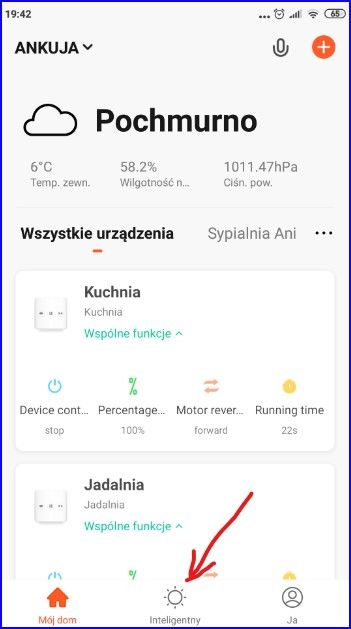
    But at the bottom of the screen is "Smart".
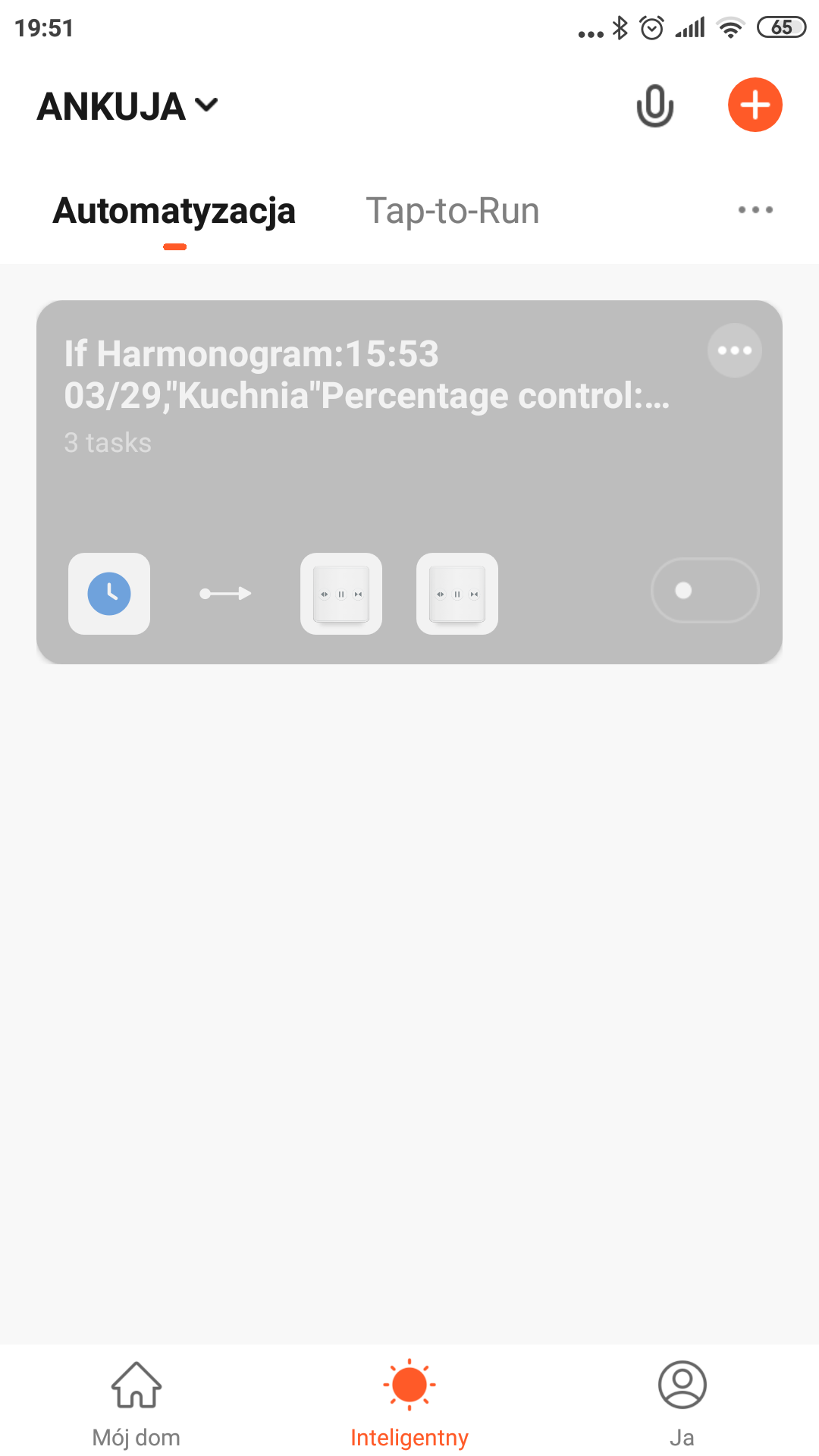
    Clicking on this goes into "Automation" and next to Tap-to-Run" and at the top "+".
    Clicking on the "+" sets the condition and task.
    Somehow I set it and got the text:
    "If Schedule 15:53 03/29, 'Kitchen'"Percentage control20%....
    - so there is something here for setting percentages, however it doesn't work as expected for me.
    I could not find instructions for setting the blinds, also in English.
  • #14 19376119
    gruniu
    Level 18  
    On what basis, will the system be able to determine how many percent will open the roller shutter? For this you need an encoder.
    Who mounts the encoder to the roller shutter?
  • #15 19376128
    kasuj
    Level 11  
    Only this: https://support.tuya.com/en/help/_detail/K9hutfnqcnby1

    Added after 4 [minutes]:

    Maybe the opening % value is set somewhere.
    Also, in the main window with my finger by sliding the slider I can set the % opening and it works, but it is with my finger and I would like to set this % in tuya programmatically.
  • #16 19376428
    gruniu
    Level 18  
    Show me a screenshot of this roller shutter control module.
  • #17 19377860
    kasuj
    Level 11  
    How do I combine a bistable switch with a Tuya module for roller shutters? .

    Added after 32 [seconds]:

    How do I combine a bistable switch with a Tuya module for roller shutters? .

    Added after 1 [minute]:

    Does that first screen look any different on you?
  • #18 19388676
    kasuj
    Level 11  
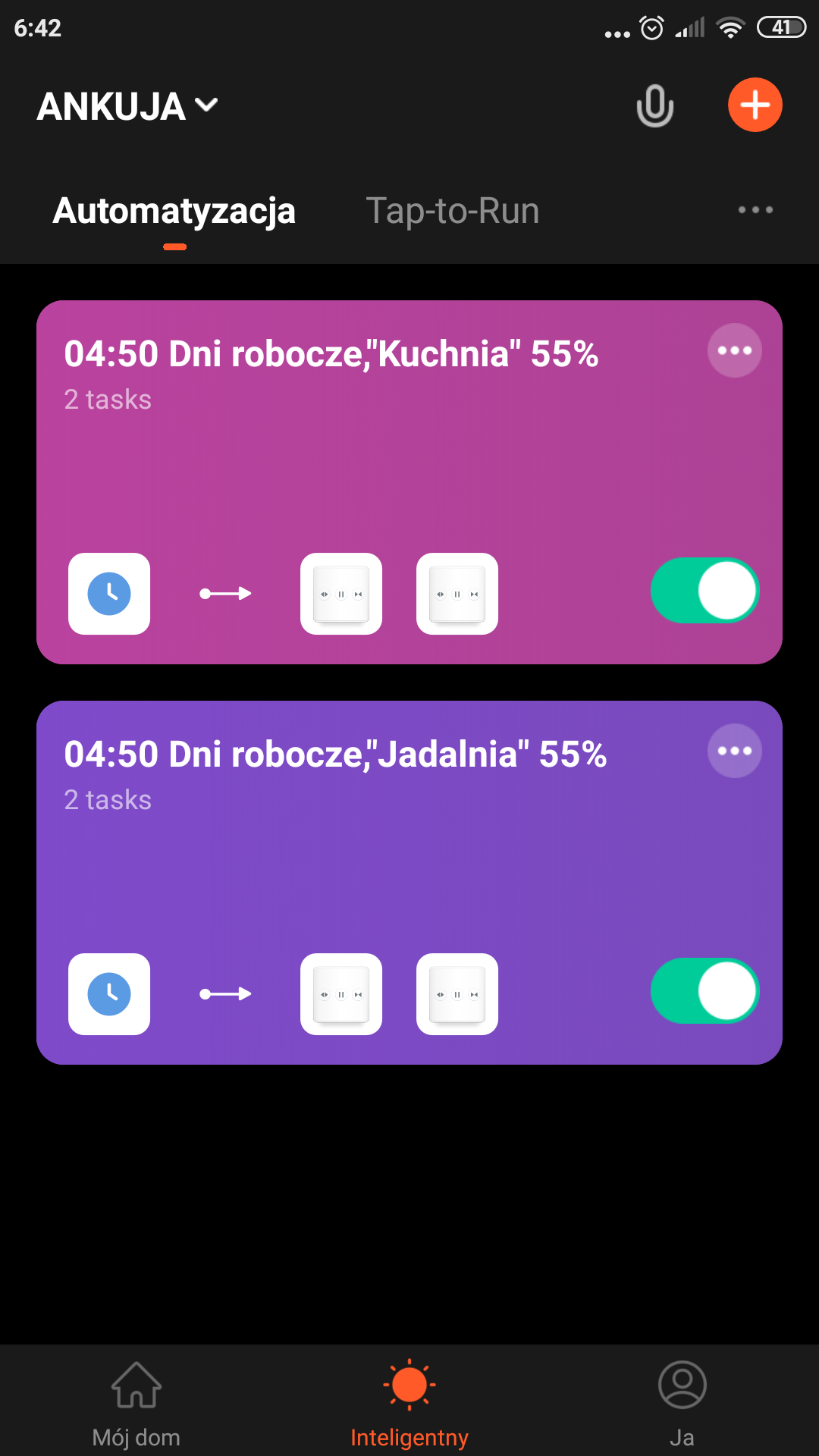
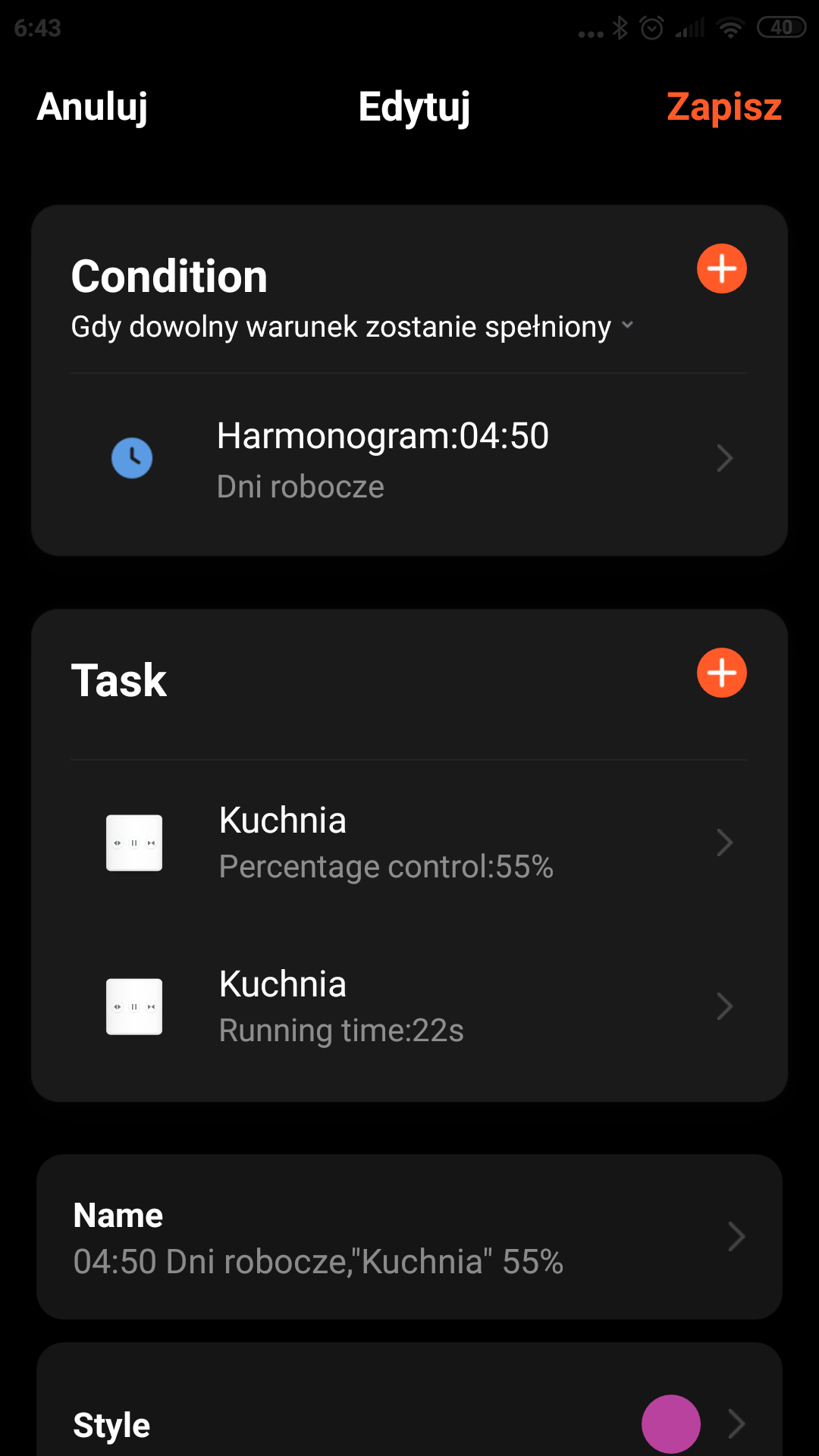
    I managed to set in Tuya the automatic opening of the blinds in the morning to 55%.
    I am attaching the screenshots.
    How do I combine a bistable switch with a Tuya module for roller shutters? How do I combine a bistable switch with a Tuya module for roller shutters? .
  • #19 20043215
    stalman1
    Level 4  
    gruniu wrote:
    On what basis, the system will department how many percent will open the roller shutter? For this you need an encoder.
    Who mounts the encoder to the roller shutter?
    .

    Based on time. When setting up the roller shutter i.e. calibration, Tuya assumes the opening time of the roller shutter as 100 %. This is not an accurate indication, but some kind of approximation, and in addition creates problems with longer roller shutters, because the time of opening and closing differs by about 2s, which causes the roller shutter to stop at 95% open. This does not change the fact that the indication is there.
  • #20 20383234
    stalman1
    Level 4  
    kasuj wrote:
    Hello.
    I need help as I can't find instructions anywhere for setting up the blinds more fully in the Tuya app.
    The 3 roller shutters open and close completely according to my schedule - with this I have no problem.
    However, I would like, for example, one of them (in the morning) to open earlier by a certain percentage - to brighten up the room before I leave for work, then fully open according to the schedule.
    How and where do I enter this opening percentage in the application?
    Please help me with what to do and enter one by one.
    Thank you.
    .

    This is possible in the scene setting in the schedule. There are three options
    1. setting how many percent to be
    2. by how many percent it should open
    3. by how much of a percentage to close

Topic summary

✨ The discussion revolves around integrating a bistable switch with a Tuya module for controlling roller shutters. The user reports issues where the Tuya module disconnects the motor after a period of inactivity, preventing phone control. Responses suggest checking the wiring, particularly the connection to the L terminal, and confirm that the Tuya module is designed for monostable switches, which may be the root of the problem. Some users successfully operate their roller shutters with the Tuya system, while others inquire about setting specific opening percentages through the app, which appears to be limited without an encoder for precise control.
Generated by the language model.

FAQ

TL;DR: Pressed bistable inputs can lock Tuya shutter control—"impossible to control from the phone"—and a safety cutoff stops power after about 1 minute. [Elektroda, gruniu, post #18378393]

Why it matters: This FAQ helps DIYers wire compatible switches, fix lockouts, and set reliable percentage schedules for Tuya-based roller shutters.

Quick Facts

Can I use a bistable (latching) wall switch with a Tuya shutter module?

No. Use a monostable (momentary) switch. Latching inputs keep the module busy and block app control. As one installer put it, “it only works with monostable switches.” Replace bistable rockers with spring‑return up/down switches designed for shutters. This ensures the input is a short pulse, not a permanent command. After swapping to monostable, the wall switch and app can coexist cleanly without lockouts. [Elektroda, aleSMARTdom, post #19043453]

Why does phone control stop after I press the wall switch?

Your bistable switch holds S1/S2 active, so the module treats it as a continuous command. The motor times out and power cuts after about 1 minute, but the latched input still blocks app control until you release the switch. Replace the switch with monostable or stop using latched presses. This behavior matches field tests with a bulb on the outputs. [Elektroda, gruniu, post #18378393]

How do I test S1/S2 inputs without the switch?

Use a brief neutral short to simulate a button press. 1) Measure voltage between S1 and N (and S2 and N) during idle and actuation. 2) Momentarily short S1 to N to simulate “Up,” then test S2 to N for “Down.” 3) Remove the short immediately; do not hold it. This verifies whether the module expects an N-referenced pulse on S1/S2 and whether app control resumes when inputs are idle. [Elektroda, kosmos99, post #18377649]

Should I bridge phase to the L terminal next to L1 on my module?

Follow the module’s wiring diagram only. Some Tuya shutter modules internally provide live on that L pad; adding a jumper is unnecessary and unsafe. One user confirmed that terminal is live after power‑up and the manual shows no external link there. If your manual does not call for a bridge, do not add it. [Elektroda, gruniu, post #18377620]

Does Tuya support percentage control and scheduling?

Yes. In Smart > Automation scenes, you can set absolute position or adjust by a percentage. The scene task offers three options: set to X%, open by +X%, or close by −X%. Use schedules or triggers to run these tasks at specific times. This lets you predefine comfort or privacy positions without manual slider use. [Elektroda, stalman1, post #20383234]

How do I set a morning open to exactly 55%?

Create an Automation scene. 1) Smart > Automation > “+” > Schedule for the desired time. 2) Task > select your shutter > Percentage control > set 55%. 3) Save and enable the scene. A user confirmed automatic 55% opening with this approach, sharing screenshots from the Tuya app. This keeps light comfortable before a full open later on your main schedule. [Elektroda, kasuj, post #19388676]

How does Tuya calculate percent open without sensors?

“Based on time.” During calibration, the app maps full travel time to 0–100%. On long shutters, open and close times can differ by about 2 seconds. This timing asymmetry can cause a shutter to stop around 95% instead of fully open. Recalibrate or use absolute full‑open/full‑close tasks to resync limits. Quote: “Based on time.” [Elektroda, stalman1, post #20043215]

Can I get true position feedback from my shutters?

Not with time‑based modules alone. You need an encoder or a motor/controller that reports position. Without a position sensor, the app estimates percent from run time, which can drift. As one member noted, “For this you need an encoder.” If precise feedback is critical, choose motors or controllers with built‑in position sensing. [Elektroda, gruniu, post #19376119]

What’s a simple way to crack the shutter for winter ventilation?

Use a timed macro. Command a full close until the limit switch stops the motor, then briefly open and stop. One effective sequence is: 1) Close 30 seconds, 2) Open 5 seconds, 3) Stop. This leaves a narrow gap to prevent freezing to the sill while maintaining privacy. Implement as a Tap‑to‑Run or Automation. [Elektroda, gruniu, post #19374340]

Is it safe to use the yellow‑green wire for control?

No. Yellow‑green indicates the protective earth (PE). A photo showed yellow‑green used to control direction, raising a safety concern. Verify your motor’s protective wire is correctly connected to earth, and use proper line/neutral conductors for control. Correcting this is essential for both safety and compliance before further troubleshooting. [Elektroda, kosmos99, post #18356468]

Will app and wall control coexist after switching to monostable?

Yes. After fitting compatible shutter switches designed for Tuya control, one user reported, “Everything is working beautifully.” Momentary inputs give the module brief pulses, so local and app commands no longer fight. This restores reliable dual control without lockouts from latched contacts. [Elektroda, gruniu, post #19043568]

What if open and close times differ and my shutter stops around 95%?

That is a known edge case from time‑based calibration. Long runs often have about a 2‑second mismatch between directions. The result is stopping near 95% open or closed. Recalibrate travel, or schedule a follow‑up “Open by +X%” nudge to finish. Alternatively, stick to full open/close commands to re‑align endpoints. [Elektroda, stalman1, post #20043215]
Generated by the language model.
ADVERTISEMENT