




logo elektroda
logo elektroda
X
logo elektroda
Dostępna jest polska wersja

Czy wolisz polską wersję strony elektroda?

Nie, dziękuję Przekieruj mnie tam

GOSUND SP111 v1.1 socket - problem uploading Tasmota on Ubuntu and internal Wi-Fi card

a2d2a2m 5025 9
Best answers

Why does tuya-convert fail to connect to my GOSUND SP111 v1.1 socket on Ubuntu with the internal Wi‑Fi card, and how can I flash Tasmota instead?

If tuya-convert will not connect to your SP111 v1.1, the thread suggests the over-the-air method may be blocked or simply unreliable, so the practical solution is to flash Tasmota over UART/RS232 instead [#20036280][#20280292] Open the socket and connect a UART converter to the RX, TX, GND and Vcc 3.3V pins; the socket cannot be powered from the mains during this procedure [#20030313] Tasmotizer is suggested as a helpful tool for the serial flash [#20030313] One user reported that flashing over RS232 worked without any problem [#20283887]
Summary generated by AI based on the discussion content.
ADVERTISEMENT
Treść została przetłumaczona polish » english Zobacz oryginalną wersję tematu
  • #1 20030245
    a2d2a2m
    Level 15  
    Posts: 213
    Help: 9
    Rate: 25
    I have a problem uploading Tasmota to this socket.
    I am doing on ubuntu uploaded to the laptop using the internal wi-fi card.
    Tuya-convert installed and running. It shows the resulting network with which the smartphone connects. Unfortunately the socket flashing blue does not connect to tuya-convert.
    The version of socket is v1.1.
    Has anyone encountered a case that the manufacturer has blocked the possibility of reprogramming via tuya, or am I making a mistake?
    Maybe the internal card is the problem or the laptop itself?
    Sockets freshly purchased.
  • ADVERTISEMENT
  • #2 20030313
    xury
    Automation specialist
    Posts: 7078
    Help: 878
    Rate: 1495
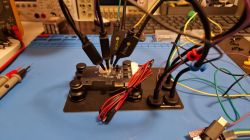
    You can upload Tasmota by dismantling the socket and connecting with a UART converter to the RX,TX,GND Vcc 3.3V pins . Of course the socket then cannot be powered from the mains.
    The Tasmotizer program will be helpful for this.
  • ADVERTISEMENT
  • #3 20030669
    a2d2a2m
    Level 15  
    Posts: 213
    Help: 9
    Rate: 25
    Yes I know but over the net quicker, if it works of course. And still uploading via cables which soft to this socket.
    I'd like to get back to the tuya-convert, one description said not to press anything, just connect to power. In another, however, the button should be pressed for 5sec. Then I noticed that the flickering is faster.
  • ADVERTISEMENT
  • #4 20036280
    a2d2a2m
    Level 15  
    Posts: 213
    Help: 9
    Rate: 25
    Unfortunately it was not possible to do this over wifi. I don't know if it's the manufacturer's block or the fault of my hardware.
    I prepared myself "pins" and uploaded via cable. Fortunately, the socket is easily dismantled.
  • ADVERTISEMENT
  • #6 20280292
    a2d2a2m
    Level 15  
    Posts: 213
    Help: 9
    Rate: 25
    This method did not work for me. It is possible that the manufacturer has blocked this possibility.
    Not all sockets can be fitted with tasmota. It has to be SP111, for EP you can't. At least that was the case, it was the socket wi-fi module.
  • #7 20280436
    opaaa
    Level 4  
    Posts: 284
    Rate: 32
    a2d2a2m wrote:
    This method did not work for me. It is possible that the manufacturer has blocked this possibility.
    Not for all sockets will you upload a tasmota. It has to be SP111, for EP you cannot. At least that was the case, it is about the socket wi-fi module.
    .
    And did you manage to upload via RS232?
    I also read that if you run the socket on the manufacturer's software then you can block the possibility of uploading another firmware.
  • #8 20283887
    a2d2a2m
    Level 15  
    Posts: 213
    Help: 9
    Rate: 25
    Over RS232 it went without a problem.
  • #9 20655960
    Wiesmin
    Level 11  
    Posts: 4
    Rate: 1
    a2d2a2m wrote:
    [...]You will not upload Tasmota to all sockets. It has to be SP111, you won't upload to EP. At least it was, it's about the socket Wi-Fi module.


    It is possible to upload the Tasmota to the EP2 via tuya-convert, but you have to ask support to make the newer firmware available.
  • #10 20672034
    opaaa
    Level 4  
    Posts: 284
    Rate: 32
    It's good that someone wrote back not long ago. I am just looking for a solution to upload the firmware in reverse. Is it possible to upload TUYA firmware to some ESP no D1 MINI?

Topic summary

✨ The discussion revolves around difficulties encountered while attempting to upload Tasmota firmware to the GOSUND SP111 v1.1 smart socket using Ubuntu and an internal Wi-Fi card. Users report issues with the tuya-convert tool, with some suggesting that the manufacturer may have blocked the reprogramming capability. Alternative methods, such as using a UART converter for direct connection, are mentioned as viable solutions. Some users successfully uploaded Tasmota via RS232, while others noted that not all GOSUND models are compatible with Tasmota. The conversation highlights the challenges of flashing firmware over Wi-Fi and the potential for manufacturer restrictions on firmware uploads.
Summary generated by AI based on the discussion content.
ADVERTISEMENT