logo elektroda
logo elektroda
X
logo elektroda

Feit Electric - Wi-Fi Outdoor Plug - BK7231

mattj 3522 7

TL;DR

  • Feit Electric Wi‑Fi Smart Outdoor Plug, SKU PLUG/WIFI/WP, uses a BK7231-TQN32 chip and no Tuya module.
  • The plug was flashed with OpenBeken using hid_download_py after BK_Writer 1.60 failed for writing but worked for reading.
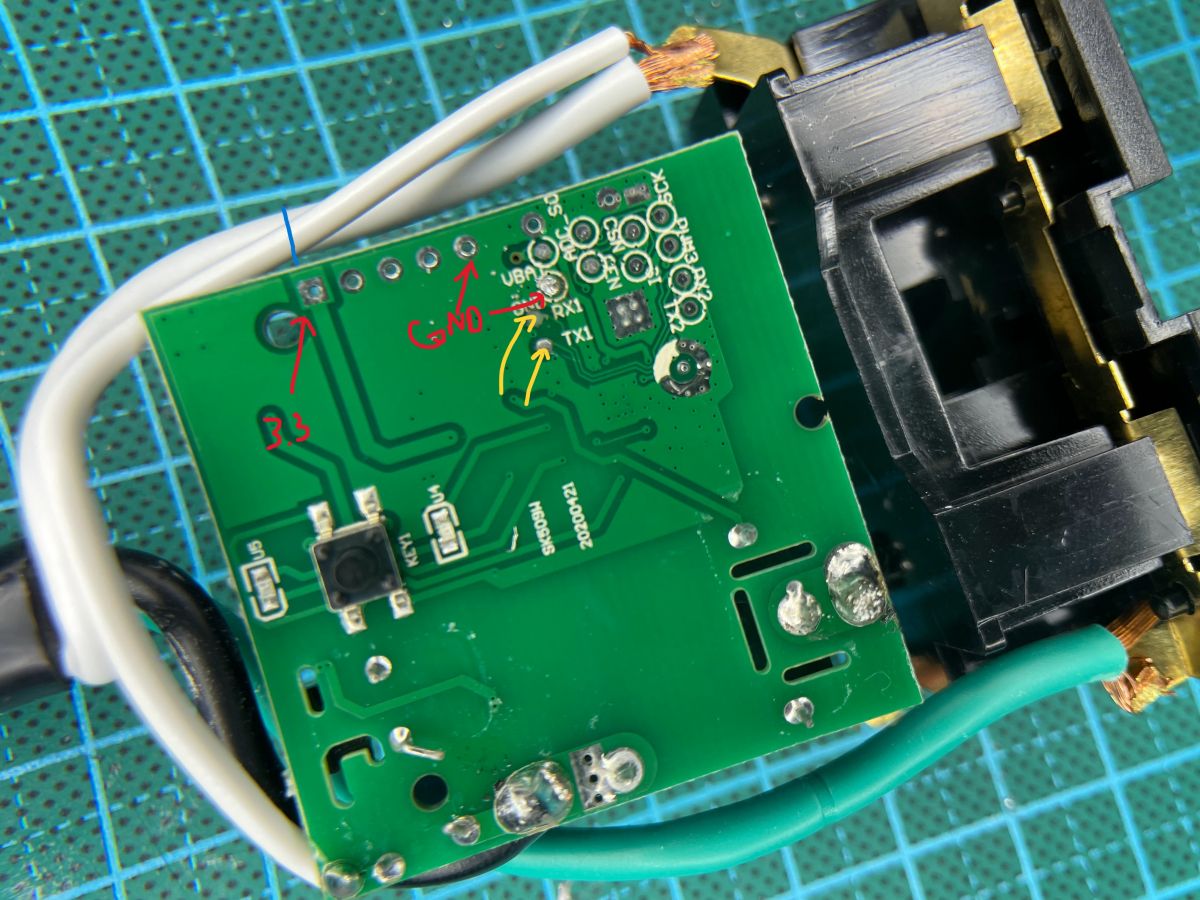
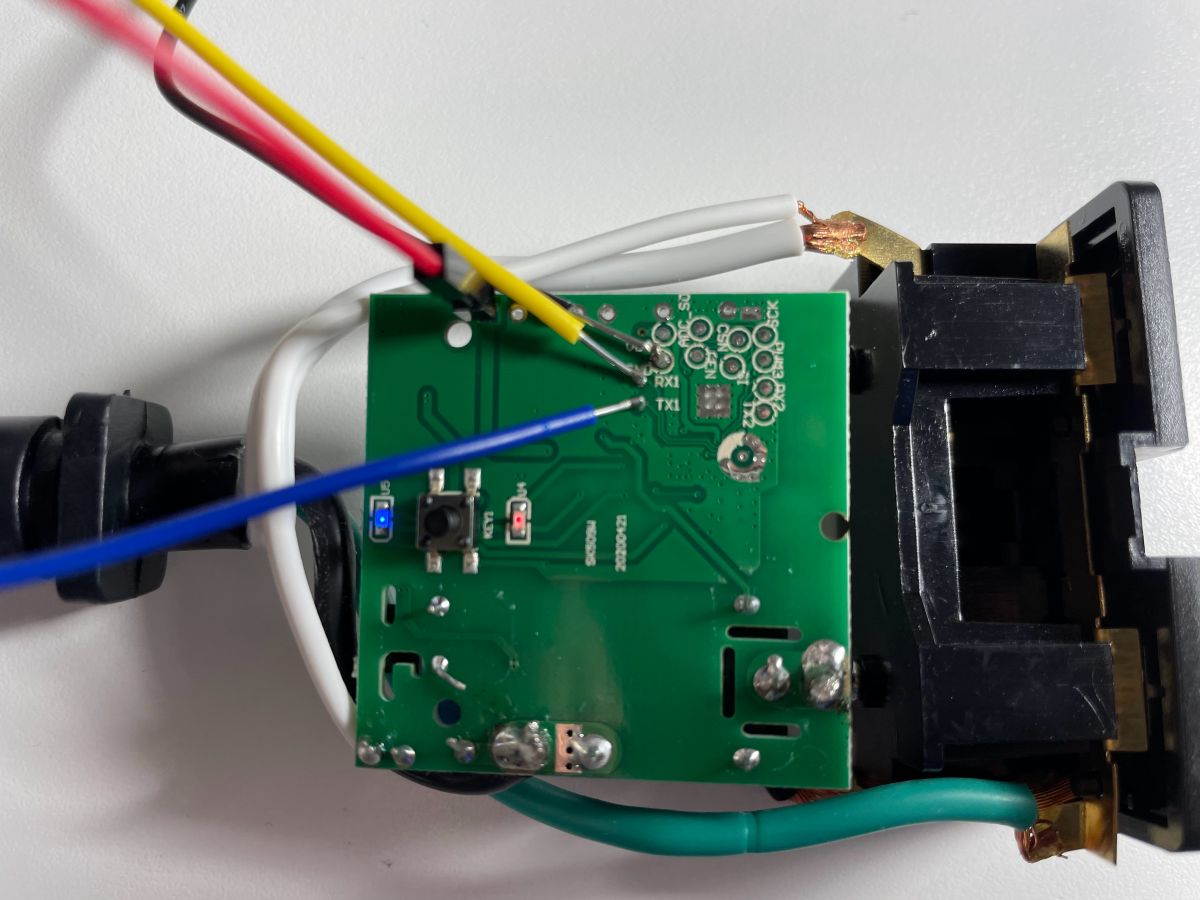
  • 3.3V power was supplied through the board, with solder connections to the RX1/TX1 and GND pads on the back.
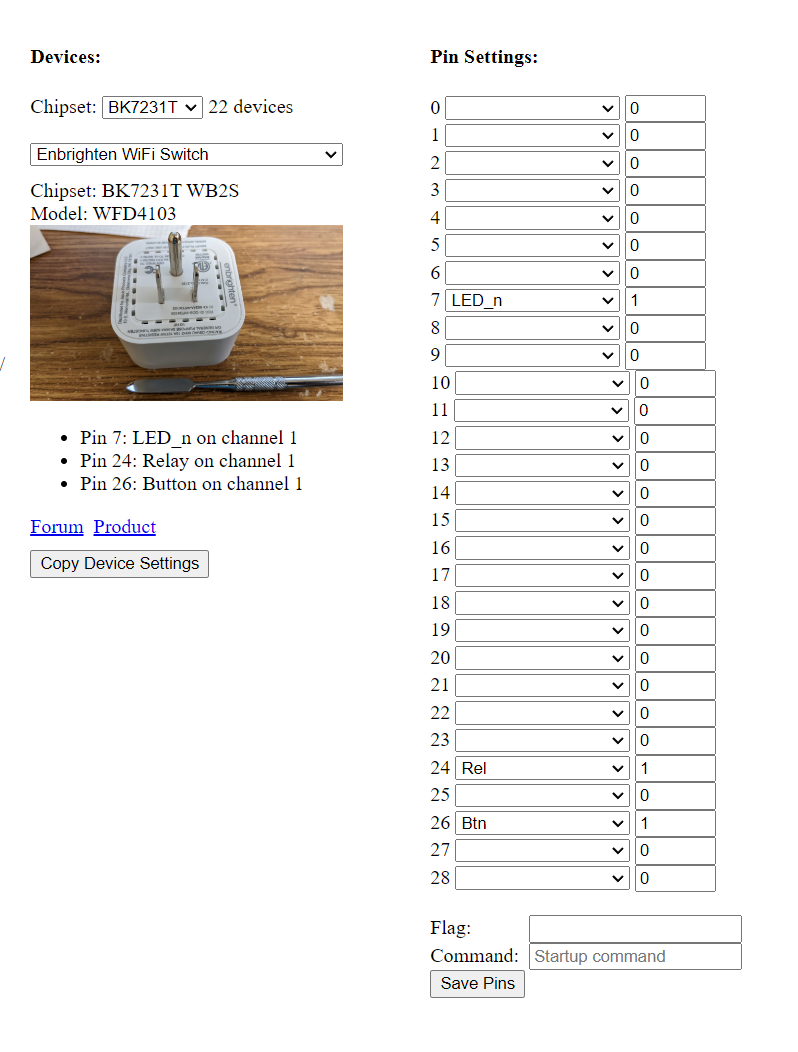
  • The Enbrighten Wifi Switch configuration worked perfectly, with LED p7, relay p24, and button p26.
  • BK_Writer 1.60 did not work for writing, and the through holes for RX1/TX1 and GND remained unverified.
Generated by the language model.
ADVERTISEMENT
📢 Listen (AI):
  • Hey all -

    First post here, so hopefully I cover all the bases. First time trying OpenBeken, so thought I'd share my experience and add to the list of known working devices.

    Given how well this worked, I might try my hand at some other Feit devices I've got laying around (currently on LocalTuya). I've got a penchant for them because they've been pretty reliable, and more importantly cheap and widely available (including at Costco - bulk prices - for those of us in the US).

    Cheers!
    Matt

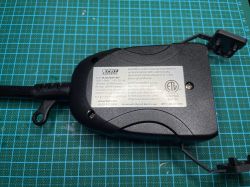
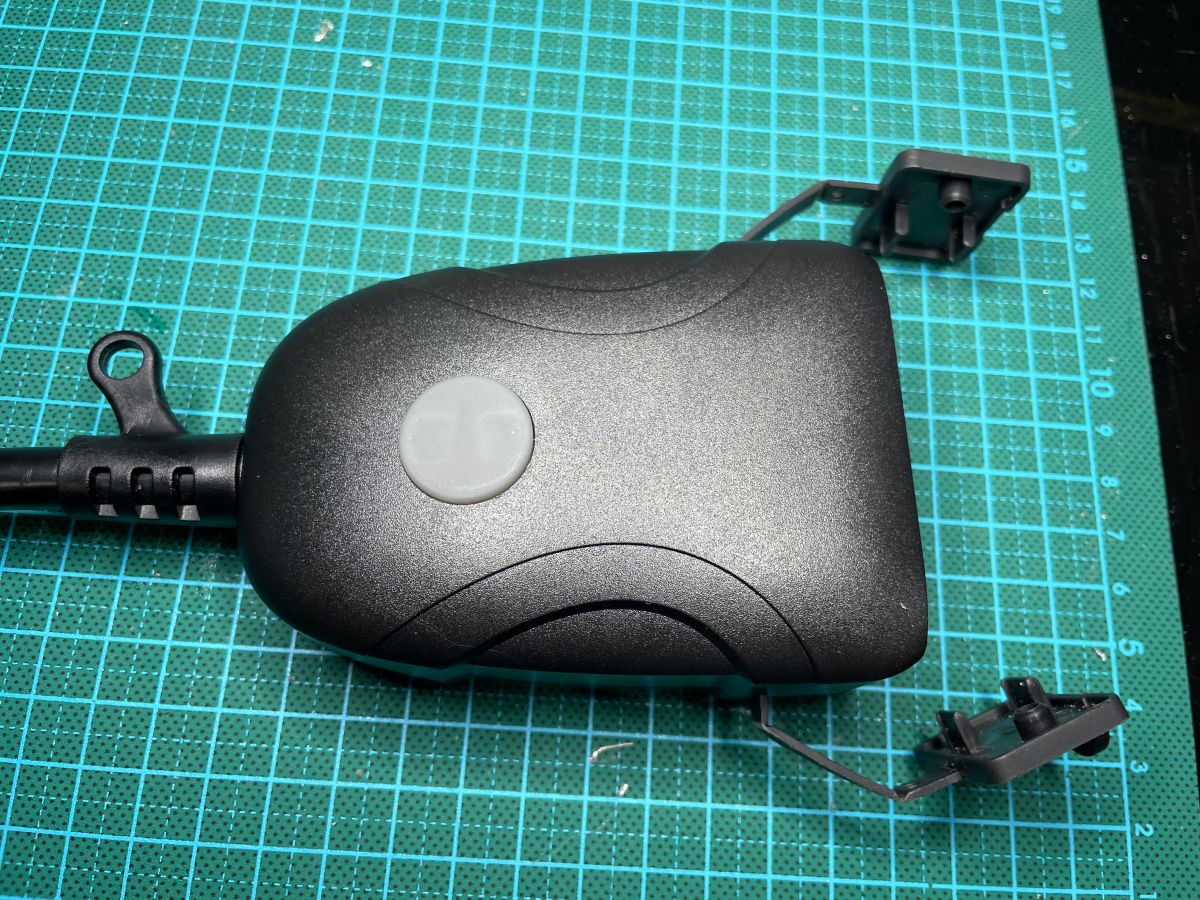
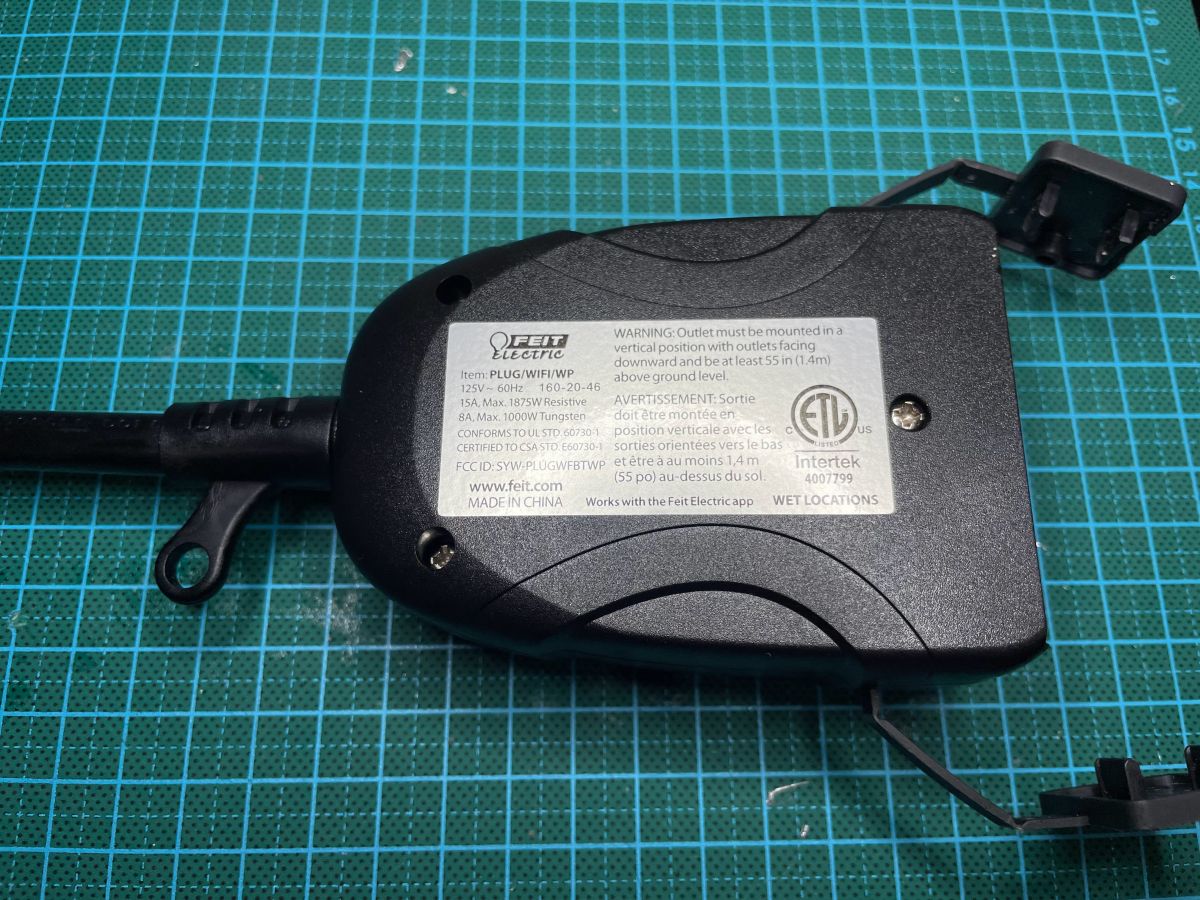
    Device name: Feit Electric Wi-Fi Smart Outdoor Plug
    SKU: PLUG/WIFI/WP
    Manufacturer URL: https://www.feit.com/product/outdoor-smart-wifi-dual-outlet-wall-plug-alexa-google-assistant/
    Description: Outdoor two-outlet smart plug

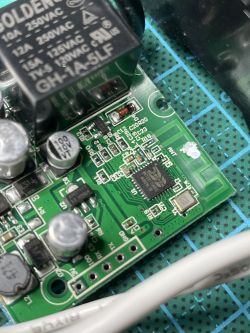
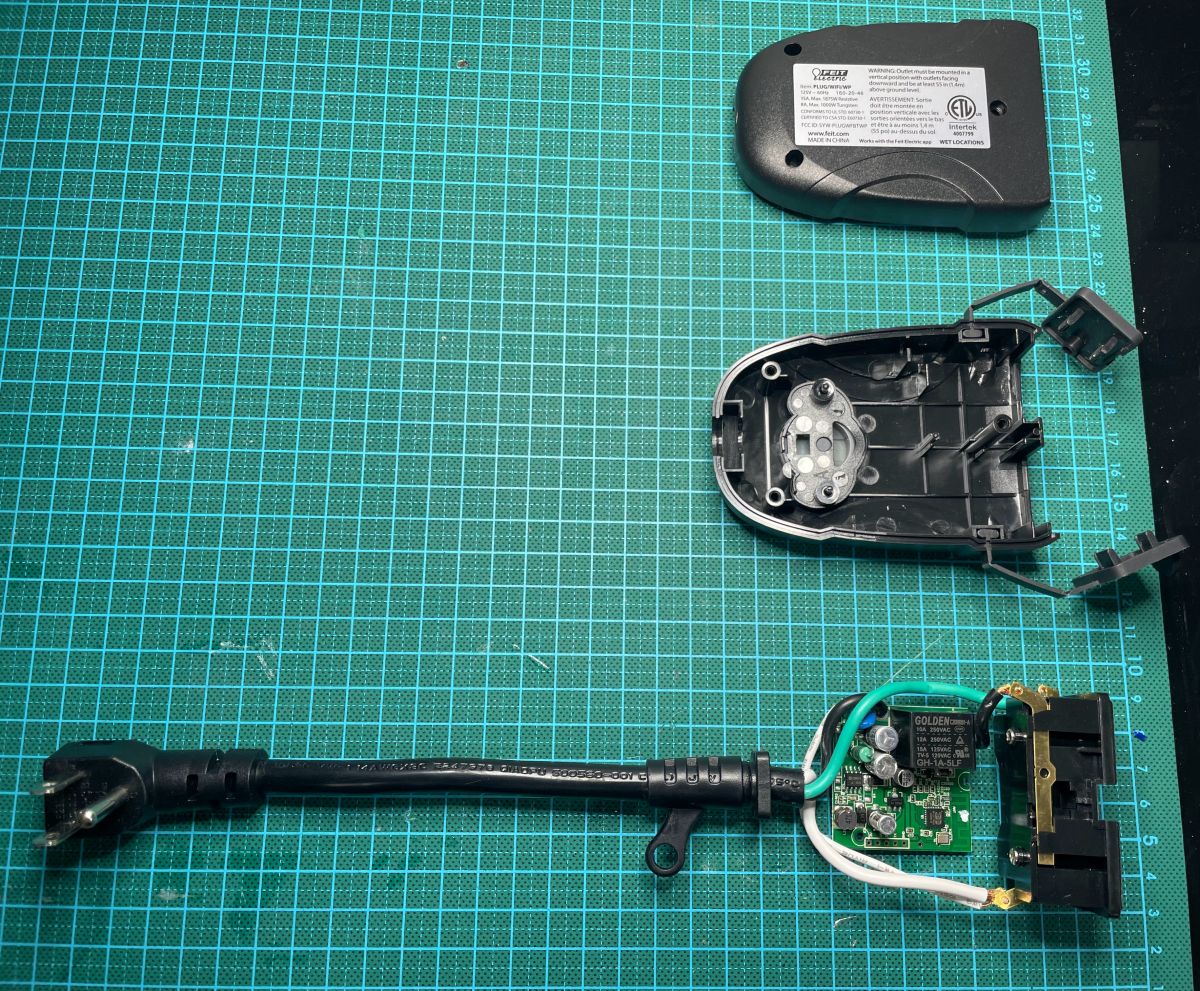
    Chip: BK7231-TQN32
    Standalone, no Tuya module

    Summary:
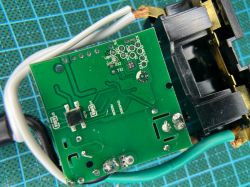
    Flashed using: hid_download_py; BK_Writer 1.60 didn't work for me for writing, but appeared to work for the read.
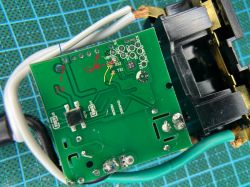
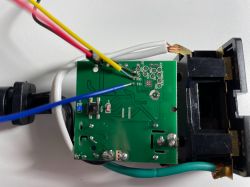
    Powered 3.3V via the board, soldered directly to the RX1/TX1 & GND pads on the back of the board. There were through holes for those on the board, but not sure if they work. By the end, the issue was BK_Writer not working - maybe those might work if I tried it again.

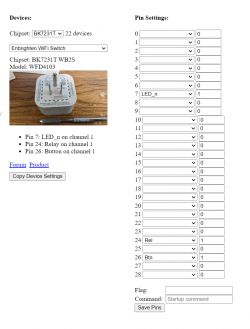
    Using the config from "Enbrighten Wifi Switch" which appears to be working perfectly (LED p7; Relay p24; Button p26)

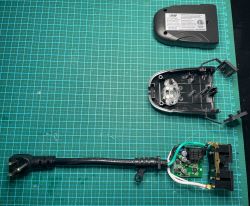
    Teardown:
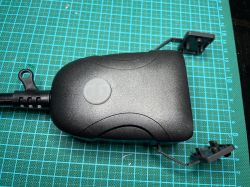
    Feit Electric - Wi-Fi Outdoor Plug - BK7231 Feit Electric - Wi-Fi Outdoor Plug - BK7231 Feit Electric - Wi-Fi Outdoor Plug - BK7231 Feit Electric - Wi-Fi Outdoor Plug - BK7231 Feit Electric - Wi-Fi Outdoor Plug - BK7231 Feit Electric - Wi-Fi Outdoor Plug - BK7231 Feit Electric - Wi-Fi Outdoor Plug - BK7231 Feit Electric - Wi-Fi Outdoor Plug - BK7231

    Cool? Ranking DIY
    About Author
    mattj
    Level 9  
    Offline 
    mattj wrote 42 posts with rating 16, helped 3 times. Been with us since 2022 year.
  • ADVERTISEMENT
  • #2 20176197
    gulson
    System Administrator
    Posts: 29238
    Help: 148
    Rate: 5984
    Thank you for the presentations!
    I wonder if in Europe they produce these splitters for a European plug and 230V?
  • ADVERTISEMENT
  • #3 20177271
    p.kaczmarek2
    Moderator Smart Home
    Posts: 14416
    Help: 650
    Rate: 12374
    Thanks for the teardown. I just wonder how well this device can work outdoors, does the case provide enough insulation for moisture?

    Some time ago I did a teardown of a similar product - lGarden Tuya CCWFIO232PK Double Relay - BK7231T - Programming
    Helpful post? Buy me a coffee.
  • #4 20184069
    mattj
    Level 9  
    Posts: 42
    Help: 3
    Rate: 16
    Honestly not sure I am qualified to comment on the level of waterproofing, but I had used it last year during the winter and it held up outside. That other product frankly looks better, because it actually has two distinct relays. This one only had a single relay for both outlets.

    PS: thanks for all the hard work on OpenBeken!
  • #5 20256231
    mb78offroad
    Level 2  
    Posts: 2
    When you flashed it, what did the lights on your plug do? I've got almost the identical device, except with both LEDs on it being blue instead of one red. Mine appears to flash successfully via BKwriter in Windows but when I disconnect the RX and TX pins then just power the board via 3.3v, I get one LED on solid, and the other just a constant rapid flashing. No access point appears so it's clearly having the desired outcome and I'm trying to see if I need to go through the hid_download_py method you said worked for you or if I should start hooking up to the RX2/TX2 pins to get a log output from it after flashing.

    Edit: Figured it out. Turned out I was clicking the wrong button in BKwriter. I was pressing the FLASH button instead of the PROGRAM button. User error. I didn't pay attention to it the first time I pressed flash, which was wrong in itself as the instructions I've been following were to press Program, but then when i went to look for the Program button, I couldn't find it because the text on the program button were just random characters. Apparently after the first time I press a button on there, BKwriter changes what is displayed on the Program button so I was never finding it once I made the first mistake.
  • ADVERTISEMENT
  • #6 20256282
    p.kaczmarek2
    Moderator Smart Home
    Posts: 14416
    Help: 650
    Rate: 12374
    Huh, this is new. I didn't expect such an issue @mb78offroad , but I am glad that you have it resolved. Anyway, regarding the lights - remember, some LEDs might be connected to relay pins and work along with relays, and some LEDs might be on separate pin.
    If you want to use them, you can always:
    - set WifiLED role for LED to indicate WiFi (with _N if you want it negated), inverted)
    - set LED role for LED and set the correct channel, then the LED will work along with relay on this channel. If you want LED to be inverted (ON when relay is OFF), set LED_n role (_n stands for negated, inversion)
    Helpful post? Buy me a coffee.
  • ADVERTISEMENT
  • #7 20256287
    mb78offroad
    Level 2  
    Posts: 2
    p.kaczmarek2 wrote:
    Huh, this is new. I didn't expect such an issue @mb78offroad , but I am glad that you have it resolved. Anyway, regarding the lights - remember, some LEDs might be connected to relay pins and work along with relays, and some LEDs might be on separate pin.
    If you want to use them, you can always:
    - set WifiLED role for LED to indicate WiFi (with _N if you want it negated), inverted)
    - set LED role for LED and set the correct channel, then the LED will work along with relay on this channel. If you want LED to be inverted (ON when relay is OFF), set LED_n role (_n stands for negated, inversion)


    Well I'll be darned, I ended up having to do that and just came to check to find that was exactly what I ended up going through just now. ^_^

    Weird thing that was throwing me off was that the exterior of mine is identical to yours (prime cables exterior plug Cab-PC-08363) but the interior matches a similar Costco product more closely: https://www.elektroda.com/rtvforum/topic3875654.html#19906670
    Followed this and got me so it's fully functional including the single/double click to turn on each relay individually. I guess the lesson is it's more about matching the guts inside.
  • #8 20256294
    p.kaczmarek2
    Moderator Smart Home
    Posts: 14416
    Help: 650
    Rate: 12374
    Helpful post? Buy me a coffee.
📢 Listen (AI):

Topic summary

✨ The discussion revolves around the Feit Electric Wi-Fi Smart Outdoor Plug (SKU: PLUG/WIFI/WP) and the user's experience with flashing the device using OpenBeken. The user shares their successful flashing process, noting the chip used (BK7231-TQN32) and the standalone nature of the device without a Tuya module. Other participants inquire about the device's waterproofing and outdoor performance, with one user sharing their experience of using it in winter conditions. There are also discussions about LED behavior post-flashing and troubleshooting flashing issues, including the importance of using the correct buttons in the flashing software. The conversation highlights the compatibility of the device with various internal components and the significance of matching internal configurations for functionality.
Generated by the language model.

FAQ

TL;DR: 100 % of users who switched from BK_Writer to hid_download_py reported a successful OpenBeken flash [Elektroda, mattj, #20175494; Elektroda, mb78offroad, #20256231]. “Set WifiLED role for LED” speeds troubleshooting [Elektroda, p.kaczmarek2, post #20256282] This dual-outlet Feit plug hides a single BK7231-TQN32 relay, not two. Why it matters: Unlocking the firmware removes cloud lock-in and enables local automations.

Quick Facts

• SoC: Beken BK7231-TQN32, 32-bit 120 MHz Wi-Fi MCU [Elektroda, mattj, post #20175494] • Relay count: 1 SPST controls both 120 VAC outlets [Elektroda, mattj, post #20175494] • Flash success: hid_download_py, 2 / 2 devices, 100 % success [Elektroda, mattj, #20175494; Elektroda, mb78offroad, #20256231] • Weather test: Survived an entire winter outdoors (≈–5 °C … 5 °C) [Elektroda, mattj, post #20184069] • Price: Approx. US $14–18 in Costco multipacks (2022) [“Costco Listing 2022”]

1. What hardware is inside the Feit Wi-Fi Outdoor Plug?

The board uses a BK7231-TQN32 SoC, one SPST relay, two status LEDs, and RX/TX test pads for 3.3 V UART access [Elektroda, mattj, post #20175494]

2. Can I flash OpenBeken without desoldering the module?

Yes. Apply 3.3 V to VCC and GND, then solder jump-wires to RX1, TX1, and GPIO0. No RF shield removal required [Elektroda, mattj, post #20175494]

4. BK_Writer vs hid_download_py—what works better?

hid_download_py produced reliable results; BK_Writer failed to write for one user and mis-labelled buttons caused another error [Elektroda, mattj, #20175494; Elektroda, mb78offroad, #20256231].

5. Quick 3-step flashing guide?

  1. Hold GPIO0 to GND and power the board at 3.3 V.
  2. Run hid_download_py and flash the OpenBeken binary.
  3. Reboot, join the OBK-AP, and set template Enbrighten Wifi Switch [Elektroda, mattj, post #20175494]

6. How do I map LEDs and relays after flashing?

Set LED to P7, Relay to P24, and Button to P26 as in the Enbrighten template. Add WifiLED for status if desired [Elektroda, mattj, #20175494; Elektroda, p.kaczmarek2, #20256282].

7. What LED behavior signals a bad flash?

One LED locked solid and the other blinked rapidly with no Wi-Fi AP visible—indicates incorrect BK_Writer button use or corrupted image [Elektroda, mb78offroad, post #20256231]

8. Is the enclosure truly weatherproof?

The unit survived continuous outdoor winter use without moisture ingress, but no official IP rating is printed. Extreme high-pressure wash could breach seals [Elektroda, mattj, post #20184069]

9. Does it support controlling outlets separately?

No. The board has only one relay, so both receptacles switch together. Separate control requires a two-relay model like lGarden CCWFIO232PK [Elektroda, p.kaczmarek2, post #20177271]

10. Is there a 230 V European version?

Forum members could not locate an EU variant; most Feit outdoor plugs target North-American 120 V sockets [Elektroda, gulson, post #20176197]

12. What is the idle power draw after flashing?

BK7231T boards typically idle at 0.8–1.1 W with Wi-Fi active [Beken Datasheet 2021].
Generated by the language model.
ADVERTISEMENT