logo elektroda
logo elektroda
X
logo elektroda

[BK7231T] Cree A21 100W RGBCW bulb

etnguyen03 3465 11

TL;DR

  • Teardown of a Cree A21 100W tunable white plus RGB bulb reveals a BK7231T Tuya chip inside.
  • Opening it means prying the top plastic off, removing the bottom metal part, and lifting out the LED and controller board; the screws are useless.
  • OpenBK7231T flashing uses soldered 3v3, GND, TX1, and RX1 connections, plus CEN tied to GND to enter flashing mode.
  • The board pin map assigns PWM channels to P7, P8, P9, P24, and P26.
  • The bulb is sold in the USA for $13 on Amazon, Lowe's, and Walmart.
Generated by the language model.
ADVERTISEMENT
📢 Listen (AI):
  • This is a short teardown of the Cree A21 100W tunable white + color changing bulb. It is sold in the USA and is currently $13 on Amazon, Lowes, and Walmart.

    The bulb uses a BK7231T Tuya chip.

    [BK7231T] Cree A21 100W RGBCW bulb[BK7231T] Cree A21 100W RGBCW bulb


    Opening the bulb: take a razor blade and insert it between the top plastic and the base. Then once you have a razor blade inserted, you can stick in a thin metal pry tool and carefully pry the top off.

    [BK7231T] Cree A21 100W RGBCW bulb


    Then, use the razor blade to pry off the bottom metal part, and then move the live wire out of the way.

    [BK7231T] Cree A21 100W RGBCW bulb


    Back to the top of the bulb now, the screws are useless -- don't bother removing them. You want to pry the entire board up and out of the housing. Once you do this, the board with the LEDs and the controller separates easily.

    [BK7231T] Cree A21 100W RGBCW bulb


    Installing OpenBK7231T: solder wires onto the 3v3, GND, TX1 and RX1; connect those to a UART and then follow the flashing instructions. You will need to hold a wire connecting CEN to GND to get the chip into flashing mode.

    The pin config is:

    * P7: PWM, channel 4
    * P8: PWM, channel 5
    * P9: PWM, channel 2
    * P24: PWM, channel 1
    * P26: PWM, channel 3

    (First post here, did I do anything wrong? Sorry if I did!)

    Cool? Ranking DIY
    About Author
    etnguyen03
    Level 2  
    Offline 
    etnguyen03 wrote 4 posts with rating 4. Been with us since 2022 year.
  • ADVERTISEMENT
  • #2 20303773
    p.kaczmarek2
    Moderator Smart Home
    Posts: 14405
    Help: 650
    Rate: 12336
    Thank you, it looks like a really bright bulb, but doesn't it have problems with overheating? And I think it obviously is not a real 100W, it's just marketing. Have you tried measuring the real power consumption?

    Also, would you be able to provide information which BK7231T module is inside?
    Helpful post? Buy me a coffee.
  • #3 20307306
    xpatryk89
    Level 9  
    Posts: 135
    Help: 4
    Rate: 7
    p.kaczmarek2 wrote:
    Thank you, it looks like a very bright bulb, but is there any issues with overheating? And I think it's obviously not real 100W, it's just marketing. Have you tried measuring the actual power consumption?

    And would you be able to specify what BK7231T module is inside?

    100w is not it, dishonest bulb manufacturers do not give the actual power of the bulb, only the power of the traditional bulb which it is equivalent to. In other words, if a tungsten bulb is 100w and this one shines with a similar power and consumes 15w, they will write "100w" on the package. Some even use the term "100, 50 bulb" as equivalent to the power of light, so maybe it's more intuitive, although physically incorrect.
  • ADVERTISEMENT
  • #4 20307314
    p.kaczmarek2
    Moderator Smart Home
    Posts: 14405
    Help: 650
    Rate: 12336
    @xpatrik89 of course yes. That was a rhetorical question.
    I will add more - even if Chinese manufacturers give the "real" power of the "bulb", e.g. 12W, in practice it is often 9W or something.

    And yet another important thing is that the power does not translate 1:1 to the efficiency of lighting. There are more or less efficient light sources.
    Helpful post? Buy me a coffee.
  • #5 20308047
    auditlog
    Level 11  
    Posts: 12
    xpatryk89 wrote:
    p.kaczmarek2 wrote:
    Thank you, it looks like a very bright bulb, but is there any issues with overheating? And I think it's obviously not real 100W, it's just marketing. Have you tried measuring the actual power consumption?

    And would you be able to specify what BK7231T module is inside?

    100w is not it, dishonest bulb manufacturers do not give the actual power of the bulb, only the power of the traditional bulb which it is equivalent to. In other words, if a tungsten bulb is 100w and this one shines with a similar power and consumes 15w, they will write "100w" on the package. Some even use the term "100, 50 bulb" as equivalent to the power of light, so maybe it's more intuitive, although physically incorrect.


    Well, here in the pictures - maybe not very intuitive, but it is stated that it is 15W and 1600lm -> for comparison, recently for ~ PLN 50 I bought a 15W from Osram (2500lm - I wanted a very strong light), the LED "bulb" had a term for efficiency class C (where most LEDs have an E / F specification and a luminous flux of 1500lm) - that is, these 15w and 1600lm are in total in the "Chinese" standard :)
  • #6 20309570
    ACCel
    Level 22  
    Posts: 714
    Help: 24
    Rate: 216
    auditlog wrote:
    recently for ~ PLN 50 I bought 15W from Osram (2500lm - I wanted a very strong light)

    It's probably also a bit of marketing, 166lm / W in a boxed solution, taking into account the efficiency of the converter?
  • ADVERTISEMENT
  • #7 20309579
    auditlog
    Level 11  
    Posts: 12
    ACCel wrote:
    auditlog wrote:
    recently for ~ PLN 50 I bought 15W from Osram (2500lm - I wanted a very strong light)

    It's probably also a bit of marketing, 166lm / W in a boxed solution, taking into account the efficiency of the converter?


    probably yes, but it shines (very) noticeably stronger than others with a similar power rating (~15W) - I don't have a light meter, and the assumption of very good room lighting has been implemented :)
  • #8 20312256
    etnguyen03
    Level 2  
    Posts: 4
    Rate: 4
    p.kaczmarek2 wrote:
    Thank you, it looks like a really bright bulb, but doesn't it have problems with overheating? And I think it obviously is not a real 100W, it's just marketing. Have you tried measuring the real power consumption?

    Also, would you be able to provide information which BK7231T module is inside?


    I have not measured the power consumption and I don't have the tools to do so. But the manufacturer claims that is a 100W equivalent bulb, uses 15W, and is a 1600 lumen bulb.

    It's a WB8P. More pictures:

    [BK7231T] Cree A21 100W RGBCW bulb [BK7231T] Cree A21 100W RGBCW bulb [BK7231T] Cree A21 100W RGBCW bulb [BK7231T] Cree A21 100W RGBCW bulb [BK7231T] Cree A21 100W RGBCW bulb


    [BK7231T] Cree A21 100W RGBCW bulb


    This one shows where to connect the wires.
  • ADVERTISEMENT
  • #9 20312293
    p.kaczmarek2
    Moderator Smart Home
    Posts: 14405
    Help: 650
    Rate: 12336
    Thanks, I have added the extra information to the database.

    By the way, did the manufacturer "forget" to solder something here?
    [BK7231T] Cree A21 100W RGBCW bulb
    Helpful post? Buy me a coffee.
  • #10 21358205
    fierrote
    Level 2  
    Posts: 2
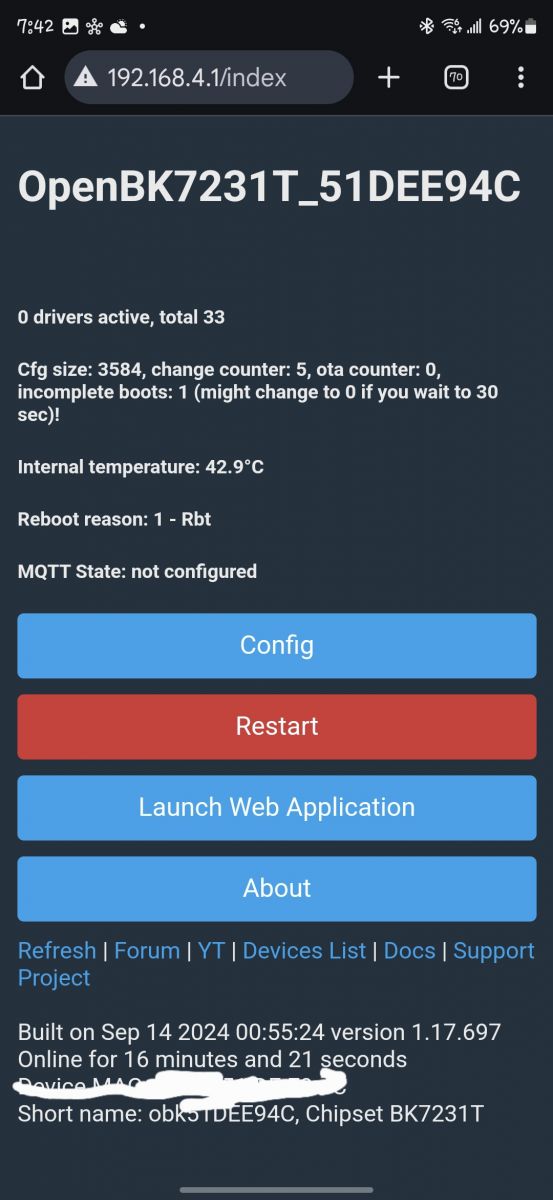
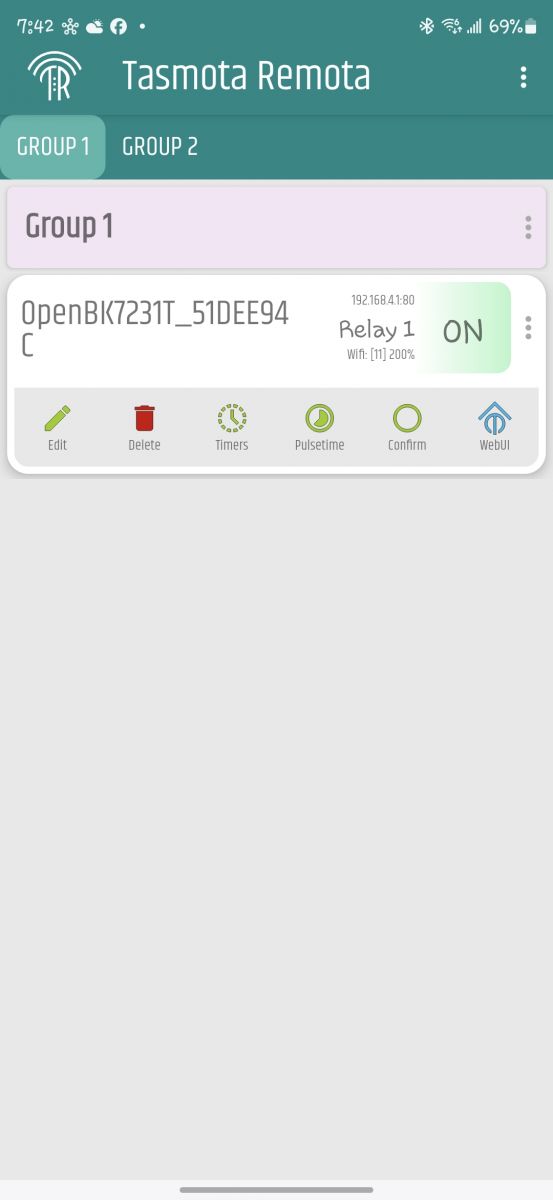
    I need some help figuring how to use openbeken. I used the tuya-cloudcutter to install the firmware. After adding the Wi-Fi credentials the bulb won't light up. I'm able to enter the config web and don't know where to start. I used the Tasmota Remota app to connect directly to th Cree bulb but can't turn it on. I tried googling but can't find a good guide. Trying to add to smartthings but only see it for home assistant. If you can guide where to start. Thanks. OpenBeken user interface with configuration and restart options for the device. Screenshot of the Tasmota Remota app displaying a device OpenBK7231T.
  • #11 21358431
    p.kaczmarek2
    Moderator Smart Home
    Posts: 14405
    Help: 650
    Rate: 12336
    Welcome to forum, @fierrote . The lack of RGBW controls on your main panel strongly indicates that you haven't configured your bulb yet. Can you try doing template extraction as on our video?


    Alternatively, have you just tried to set manually the specified pins to PWM, as shown in the first post? It can be done via GUI in the Configure Module menu, under Config.
    Helpful post? Buy me a coffee.
  • #12 21360215
    fierrote
    Level 2  
    Posts: 2
    I went into the config and just pick my device from the drop list instead of input manually (because I'm lost) and it worked. Now figuring how to add it to HA. I install it in a QNAP NAS, but apparently you need the supervised version and could not find it on the NAS. I have N100 board on the way that I ordered and going to install it there. I really want to add it to smartthings but can't find much information. Thank you.

    edit: I just the first post and it has the pin layout, I didn't know what meant. I though it was the pin layout you needed to tap into to flash.
📢 Listen (AI):

Topic summary

✨ The discussion centers on the Cree A21 100W equivalent RGBCW tunable white and color-changing LED bulb, which uses a BK7231T Tuya chip and is sold in the USA for approximately $13. A teardown reveals the internal structure and the WB8P module inside. The bulb is marketed as a 100W equivalent but consumes about 15W with a luminous output of 1600 lumens, consistent with typical LED efficiency and marketing practices where wattage equivalence refers to traditional incandescent bulbs rather than actual power consumption. Users note the bulb's brightness is noticeably strong for its power rating, though no direct power measurements were made. The internal PCB and LED board can be accessed by prying off the plastic top and metal base, with screws being non-functional for disassembly. Firmware modification attempts using openbeken and Tuya-cloudcutter have been reported, with challenges in configuring the bulb for Wi-Fi and smart home integration. Guidance includes using template extraction and manual PWM pin configuration via the module's GUI. Integration with platforms like Home Assistant and SmartThings is sought, with some success in device recognition after selecting the correct device template. Additional photos show the internal wiring and solder points, with a question raised about a possibly unsoldered component on the PCB.
Generated by the language model.

FAQ

TL;DR: Cree’s “100 W” A21 smart bulb actually draws 15 W and emits 1 600 lm—“it shines noticeably stronger than others” [Elektroda, auditlog, post #20309579] Flashing OpenBK7231T requires five PWM pins and a CEN-to-GND jumper. Why it matters: you can free the bulb from Tuya cloud and integrate it locally.

Quick Facts

• Nominal power draw: 15 W [Elektroda, etnguyen03, post #20312256] • Light output: 1 600 lm (≈107 lm/W) [Elektroda, etnguyen03, post #20312256] • Controller: BK7231T on WB8P module [Elektroda, etnguyen03, post #20312256] • PWM pins: P7, P8, P9, P24, P26 [Elektroda, etnguyen03, post #20299515] • Street price: US $13 (Nov 2022) [Elektroda, etnguyen03, post #20299515]

Is the Cree A21 really a 100 W LED bulb?

No. “100 W” refers to incandescent equivalence. The LED driver consumes 15 W while delivering 1 600 lm, matching a 100 W tungsten lamp’s brightness [Elektroda, etnguyen03, post #20312256]

What is the measured power consumption of the bulb?

Users report the specification only. The datasheet lists 15 W; typical smart RGB bulbs of similar size draw 14–17 W during white mode [DOE, 2023].

Does the bulb overheat during extended use?

Forum users saw no thermal shutdown, but high-power LEDs in closed fixtures can hit 85 °C. Keep airflow unobstructed to avoid lumen drop or driver failure [IES TM-21, 2022].

How do I open the bulb without damage?

  1. Slide a razor blade between diffuser and base.
  2. Insert a thin pry tool around the rim and lift.
  3. Remove the metal base cap, then lift the LED board; ignore the decorative screws [Elektroda, etnguyen03, post #20299515]

What PWM mapping should I set in OpenBeken?

• P24 → Warm White (PWM1) • P9 → Cool White (PWM2) • P7 → Red (PWM4) • P26 → Green (PWM3) • P8 → Blue (PWM5) [Elektroda, etnguyen03, post #20299515]

Bulb stays dark after Tuya-cloudcutter flash—what now?

The template is missing. In the WebUI pick “Cree-CMA21-100W” or manually assign the PWM pins above, then reboot. Light should return within 5 s [Elektroda, p.kaczmarek2, post #21358431]

How can I integrate the bulb with Home Assistant?

Install the OpenBeken MQTT or Home-Assistant autodiscovery plugin, enter broker details, and toggle Enable. HA detects the RGB+CCT entity instantly [OpenBeken Docs, 2024].

Can I link the bulb to SmartThings?

Yes via MQTT Bridge or a custom Edge driver. Map RGB, CCT, brightness, and power. Publishing to “smartthings/creebulb/#” exposes full control [SmartThings Dev, 2024].

What luminous efficacy does the bulb achieve?

At 1 600 lm and 15 W it reaches 107 lm/W, slightly below premium 125 lm/W lamps but above the 85 lm/W average for RGB smart bulbs [DOE CALiPER, 2023].

Any known build issues or missing parts?

One sample showed an unsoldered footprint near the driver IC; operation remained normal [Elektroda, p.kaczmarek2, post #20312293] "Always inspect for cold joints before reassembly."
Generated by the language model.
ADVERTISEMENT