How can I dump and flash the firmware on a TR6260/FL-M61 V2 Wi‑Fi smart switch module?
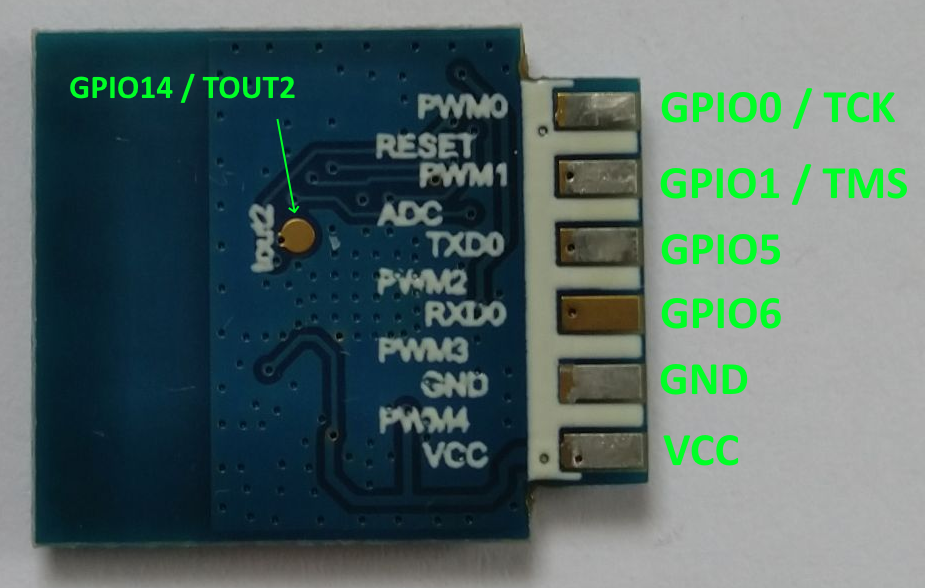
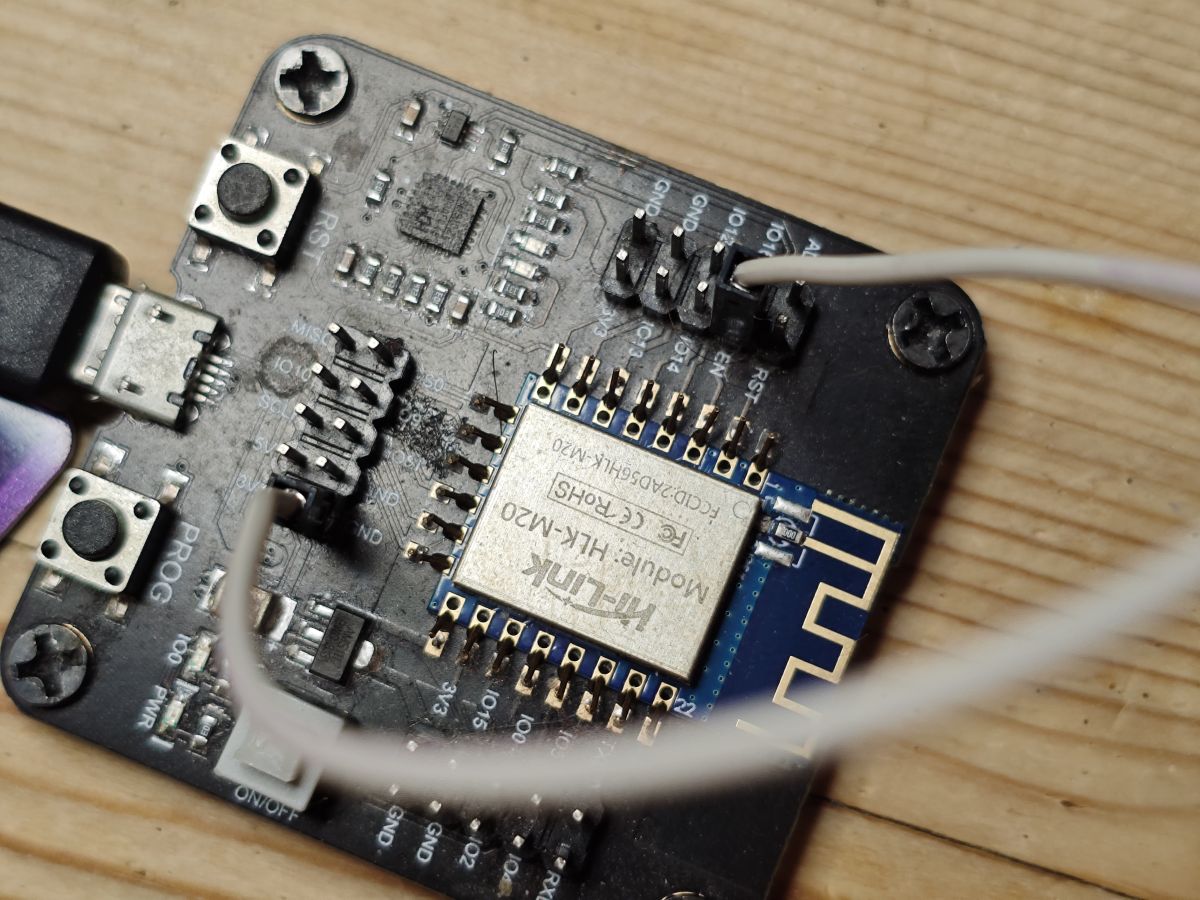
You can now back up and flash the TR6260/FL-M61 V2 module with the newer OpenTR6260 backup/flash tool and firmware, even though the earlier answer said no public SDK or firmware changer was known for it [#20460109][#21400373] First make a backup of the original firmware, because a backup from an FL-M61 V2 was confirmed to boot [#21400373][#21846875] To enter download/U-Boot UART mode, ground GPIO14/TOUT2 at power-on [#21846810] Then use the UART at 57600 baud; after that you should be able to read, write, and erase the flash [#21846816]
AI summary based on the discussion. May contain errors.
Hello, I own the relay shown in the pictures. I have soldered out the WiFi chip to show it and to try to change its firmware. Now the question is how and with what to go about this? I am doing this for the first time I can't find any information on this. Is it possible to upload Tasmota or SUPLI? I am interested in what can be uploaded here, not a replacement for another chip. USB to TTL I have a YP-01, thank you in advance for any hints.
At this moment I don't see the possibility to change the firmware of this module. The only thing left is to check the pinouts and do a replacement with ESP02S or similar (pinout equivalent of TYWE2S, WB2S, CB2S...) https://templates.blakadder.com/ESP-02S.html
Quote:
This module can replace modules such as: CB2S, FL_M99_V1, TYWE2S, TYZS6, TW-02, WR2, WB2, WBR2, WR2E, WB2S, WA2, XT-BL02
Of course when replacing you would also have to check that the pins match for sure, paying special attention to RST and so on.
You can keep the old WiFi module, maybe you can find an SDK or something new will appear.... you can also try to connect to it with the UART and at least collect its log (if it prints any log on the UART), I don't know, but in the log maybe there would be some additional information about the SDK used.
>>21400373 Hello my friend . Have the same chip on my bench soldered and i am trying to dump the firmware. Can you tell which is the fp14 pin from the schematics in order to enter dump mode ?
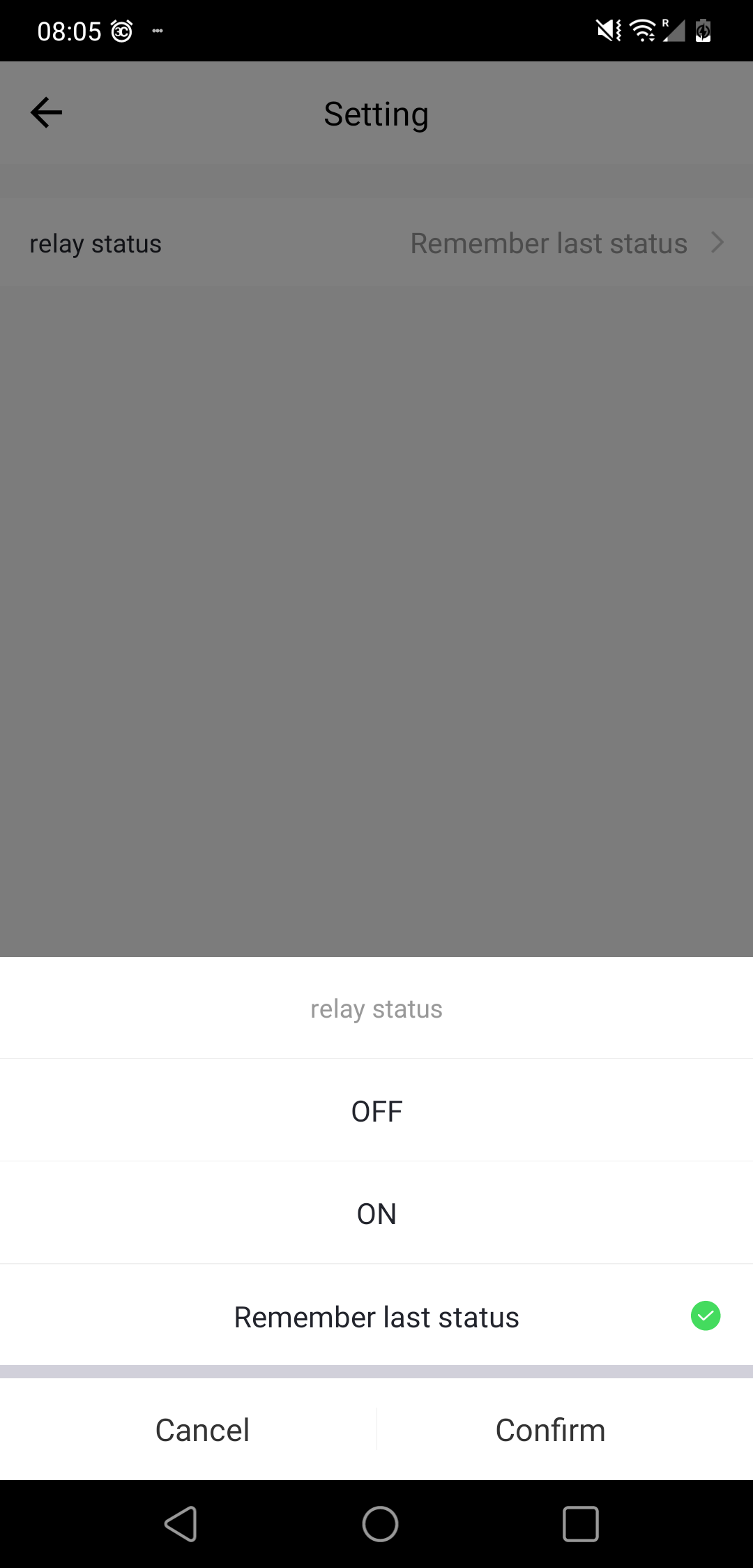
>>21850430 I believe it does cause it had it in the tuya app. Well for me as long as the relay has been found i am okay , but i wanted to complete in order to include it in the template database.
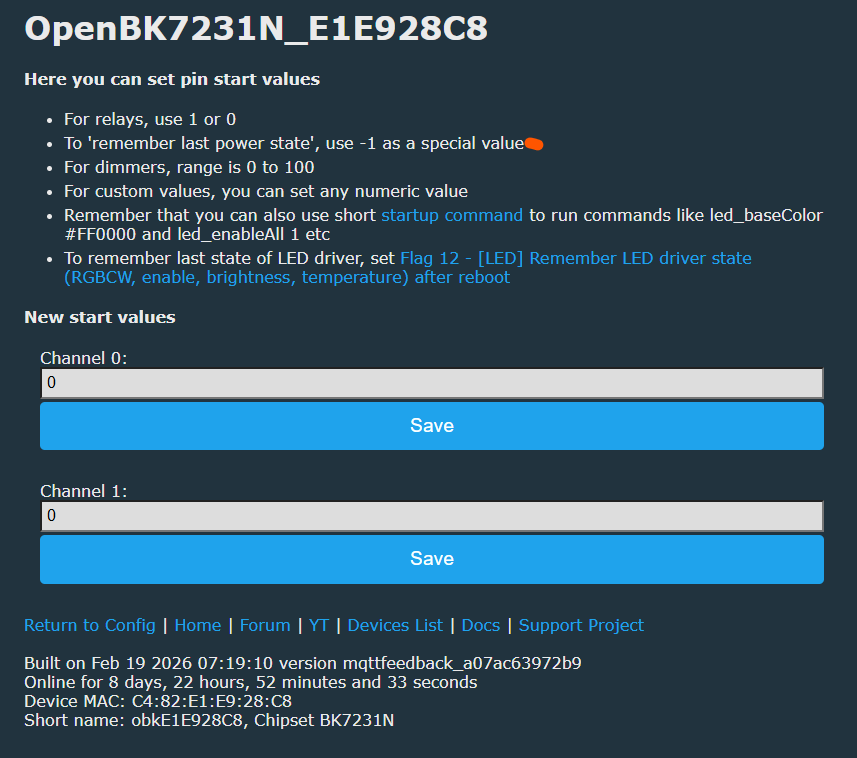
>>21850654 the toflchanontogl isnt the equivalent of the relay remeber last status \ on \off ?
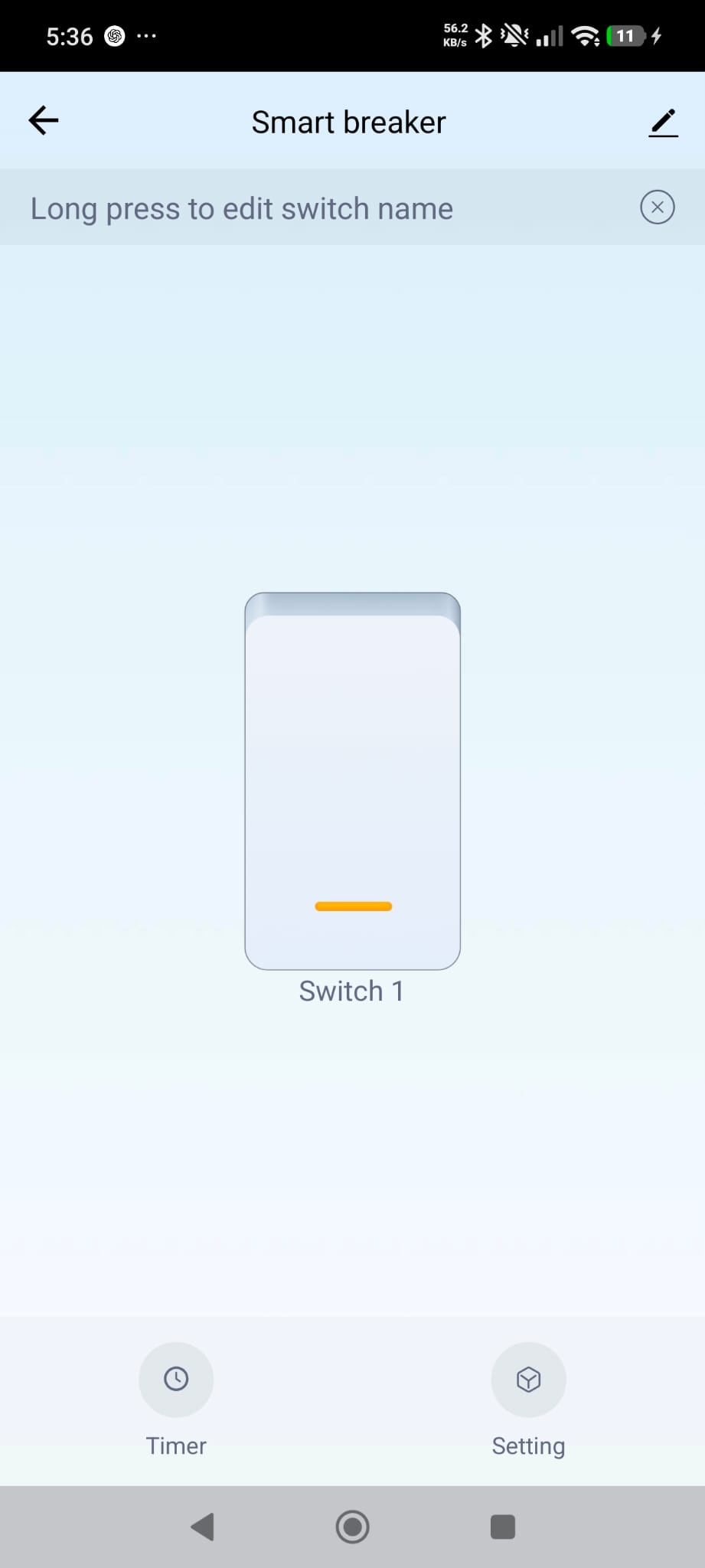
This is a photo from my 2nd switch with the same chip. If i am wrong then the template is complete.
The discussion concerns a Tuya-based WiFi smart relay using the TR6260S1 / FL-M61 V2 module and whether its firmware can be changed to Tasmota, SUPLA, or OpenBK. Initially the chip was considered unsupported and without a public SDK, so replacement with an ESP-compatible module was suggested. Later, a backup and flash tool plus OpenTR6260 firmware became available, enabling dumping and flashing the original module. The thread then covers entering UART download mode by grounding GPIO14 / TOUT2 at power-up, reading the firmware at 57600 baud, validating the dump, and preparing the device for OpenBK/OpenBeken configuration. Template work also identifies Tuya device metadata, relay/button/LED pin mapping, and startup behavior settings for the smart switch. AI summary based on the discussion. May contain errors.









![[TR6260S1/FL-M61 V2] WiFi Smart Switch how to change the firmware?](https://obrazki.elektroda.pl/1643181800_1677426605_thumb.jpg "[TR6260S1/FL-M61 V2] WiFi Smart Switch how to change the firmware?")
![[TR6260S1/FL-M61 V2] WiFi Smart Switch how to change the firmware?](https://obrazki.elektroda.pl/8631204600_1677426602_thumb.jpg "[TR6260S1/FL-M61 V2] WiFi Smart Switch how to change the firmware?")
![[TR6260S1/FL-M61 V2] WiFi Smart Switch how to change the firmware?](https://obrazki.elektroda.pl/5179928700_1677426597_thumb.jpg "[TR6260S1/FL-M61 V2] WiFi Smart Switch how to change the firmware?")
![[TR6260S1/FL-M61 V2] WiFi Smart Switch how to change the firmware?](https://obrazki.elektroda.pl/7272058600_1677426608_thumb.jpg "[TR6260S1/FL-M61 V2] WiFi Smart Switch how to change the firmware?")
![[TR6260S1/FL-M61 V2] WiFi Smart Switch how to change the firmware?](https://obrazki.elektroda.pl/5427658200_1677426611_thumb.jpg "[TR6260S1/FL-M61 V2] WiFi Smart Switch how to change the firmware?")
![[TR6260S1/FL-M61 V2] WiFi Smart Switch how to change the firmware?](https://obrazki.elektroda.pl/9057638200_1677426689_thumb.jpg "[TR6260S1/FL-M61 V2] WiFi Smart Switch how to change the firmware?")
![[TR6260S1/FL-M61 V2] WiFi Smart Switch how to change the firmware?](https://obrazki.elektroda.pl/5109213800_1677426690_thumb.jpg "[TR6260S1/FL-M61 V2] WiFi Smart Switch how to change the firmware?")
![[TR6260S1/FL-M61 V2] WiFi Smart Switch how to change the firmware?](https://obrazki.elektroda.pl/2404175100_1677426690_thumb.jpg "[TR6260S1/FL-M61 V2] WiFi Smart Switch how to change the firmware?")
![[TR6260S1/FL-M61 V2] WiFi Smart Switch how to change the firmware?](https://obrazki.elektroda.pl/1643181800_1677426605.jpg "[TR6260S1/FL-M61 V2] WiFi Smart Switch how to change the firmware?")
![[TR6260S1/FL-M61 V2] WiFi Smart Switch how to change the firmware?](https://obrazki.elektroda.pl/8631204600_1677426602.jpg "[TR6260S1/FL-M61 V2] WiFi Smart Switch how to change the firmware?")
![[TR6260S1/FL-M61 V2] WiFi Smart Switch how to change the firmware?](https://obrazki.elektroda.pl/5179928700_1677426597.jpg "[TR6260S1/FL-M61 V2] WiFi Smart Switch how to change the firmware?")
![[TR6260S1/FL-M61 V2] WiFi Smart Switch how to change the firmware?](https://obrazki.elektroda.pl/7272058600_1677426608.jpg "[TR6260S1/FL-M61 V2] WiFi Smart Switch how to change the firmware?")
![[TR6260S1/FL-M61 V2] WiFi Smart Switch how to change the firmware?](https://obrazki.elektroda.pl/5427658200_1677426611.jpg "[TR6260S1/FL-M61 V2] WiFi Smart Switch how to change the firmware?")
![[TR6260S1/FL-M61 V2] WiFi Smart Switch how to change the firmware?](https://obrazki.elektroda.pl/9057638200_1677426689.jpg "[TR6260S1/FL-M61 V2] WiFi Smart Switch how to change the firmware?")
![[TR6260S1/FL-M61 V2] WiFi Smart Switch how to change the firmware?](https://obrazki.elektroda.pl/5109213800_1677426690.jpg "[TR6260S1/FL-M61 V2] WiFi Smart Switch how to change the firmware?")
![[TR6260S1/FL-M61 V2] WiFi Smart Switch how to change the firmware?](https://obrazki.elektroda.pl/2404175100_1677426690.jpg "[TR6260S1/FL-M61 V2] WiFi Smart Switch how to change the firmware?")
![[TR6260S1/FL-M61 V2] WiFi Smart Switch how to change the firmware?](https://obrazki.elektroda.pl/9137632700_1677436142.png "[TR6260S1/FL-M61 V2] WiFi Smart Switch how to change the firmware?")
![[TR6260S1/FL-M61 V2] WiFi Smart Switch how to change the firmware?](https://obrazki.elektroda.pl/2861542000_1677436157.png "[TR6260S1/FL-M61 V2] WiFi Smart Switch how to change the firmware?")
![[TR6260S1/FL-M61 V2] WiFi Smart Switch how to change the firmware?](https://obrazki.elektroda.pl/9765206400_1677436275.png "[TR6260S1/FL-M61 V2] WiFi Smart Switch how to change the firmware?")

![Terminal screenshot: “[L] entry BootRom” and “[U] uart boot mode”, baud rate 57600](https://obrazki.elektroda.pl/5286917900_1771868838.png "BootRom messages in terminal at 57600 baud")