

logo elektroda
logo elektroda
X
logo elektroda

HT16K33 alphanumeric LED display module 14 segments 4 characters - protocol, Ard

p.kaczmarek2 3996 0

TL;DR

  • HT16K33 alphanumeric LED display module with I2C control is explored for Arduino use and multi-device bus addressing, covering 16 segments and up to 8 characters.
  • The driver sends HT16K33 commands for standby, display on, brightness, and per-character RAM writes, using the register map and I2C address selection bits A0–A2.
  • Each character uses two bytes, brightness has 16 levels, blinking can run at 2Hz, 1Hz, or 0.5Hz, and the default address shown is 0x70.
  • A 7-segment font renders on the 16-segment display and the logic analyzer shows correct I2C transactions, but a proper 16-segment font is still needed.
Generated by the language model.
ADVERTISEMENT
Treść została przetłumaczona polish » english Zobacz oryginalną wersję tematu
📢 Listen (AI):
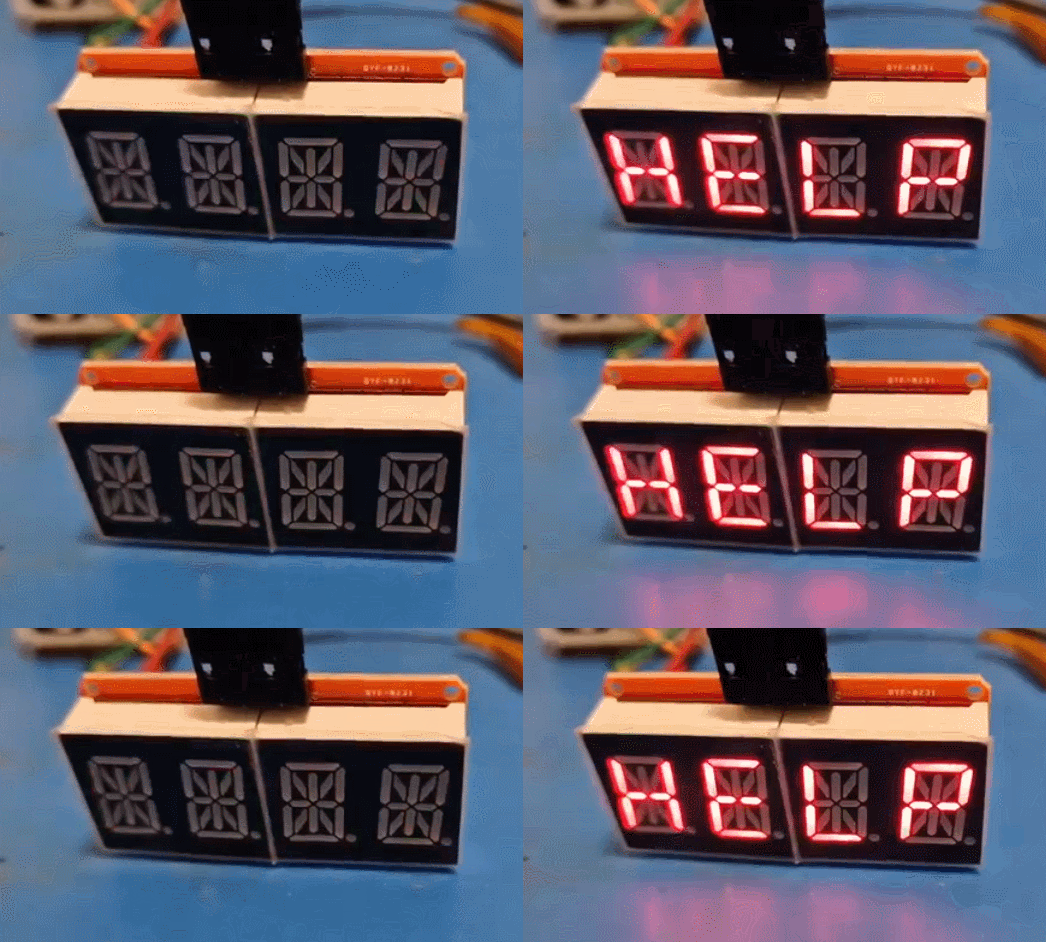
  • LED display module with two panels, each showing four digits on a blue background.
    I will present here an interesting LED display controller module that supports 16 segments and 8 characters via the I2C interface. Here I will discuss its communication protocol, demonstrate its implementation and also show how to run it with Arduino. The display discussed here will in my opinion be better than the previously shown TM1637, because it supports addressing multiple devices on one I2C bus, which was not possible in the case of the TM1637 with their strange I2C-style protocol.
    At the beginning, it is worth linking the topic about TM1637:
    7-segment displays on TM1637 - 4 and 6 digits - Arduino, protocol
    Here I would like to point out that the topic was created in cooperation with my tester, @DeDaMrAz, I do not physically have the module myself and all photos come from my tester.

    HT16K33 - purchase of the module
    The module is available in China for about PLN 20:
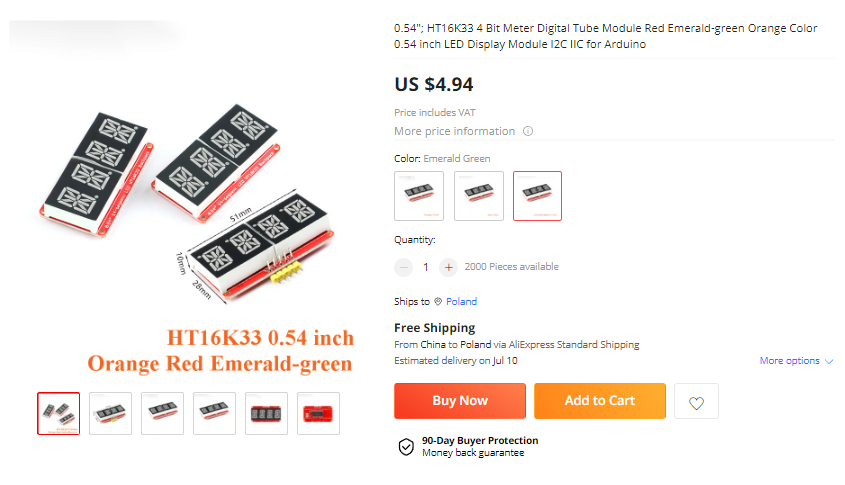
    HT16K33 alphanumeric LED display module 14 segments 4 characters - protocol, Ard
    Various LED colors can be selected.
    It is worth noting that this board uses up to 14 segments per character, and the chip itself supports up to 16 segments per character. This gives much more possibilities than a 7-segment display.
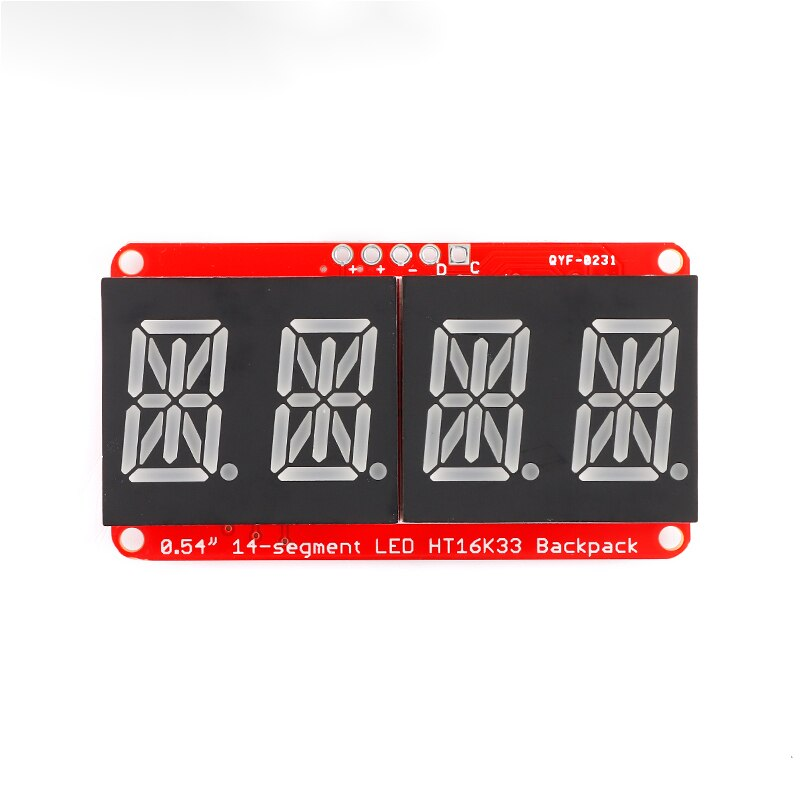
    HT16K33 alphanumeric LED display module 14 segments 4 characters - protocol, Ard
    Let's remind what such a display can do - I give "voice" to animations from Wikipedia:

    Image of a 16-segment LED display with red diodes. 16-segment LED display
    Source: https://en.wikipedia.org/wiki/Fourteen-segment_display, CC BY-SA 4.0 license.
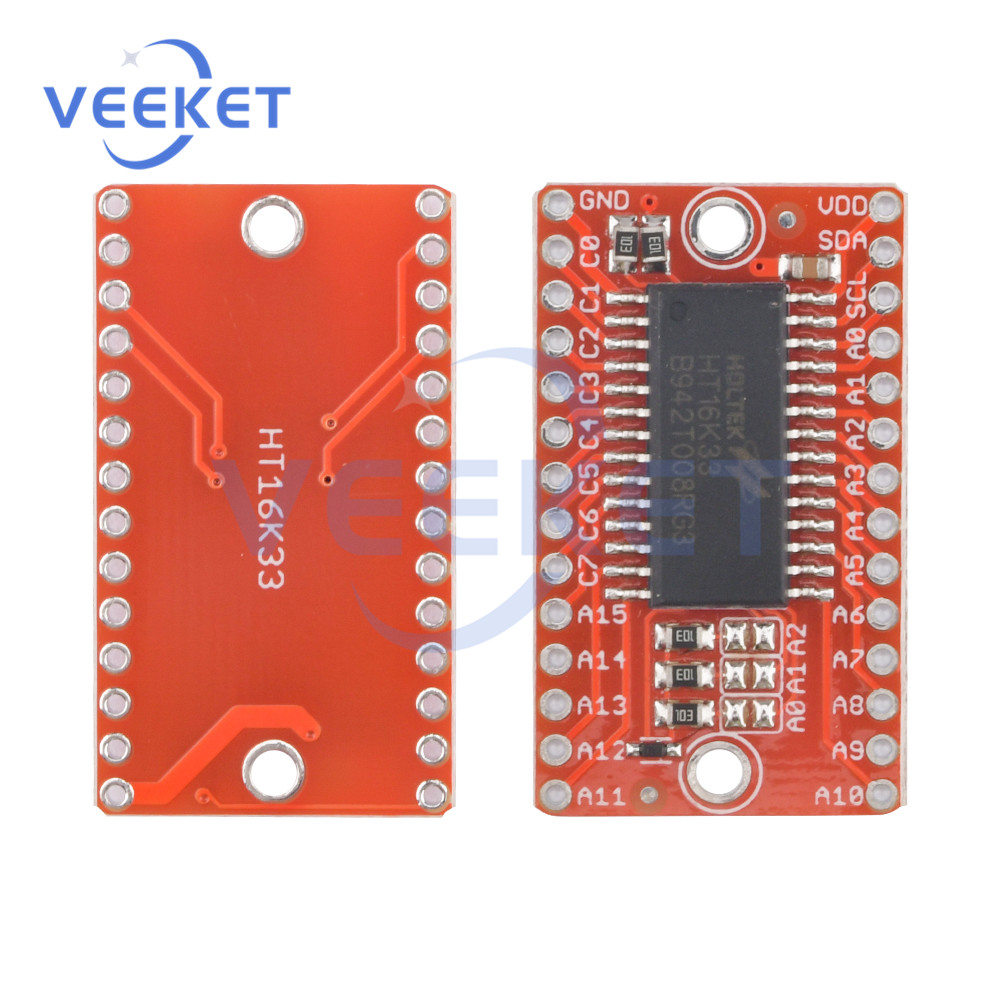
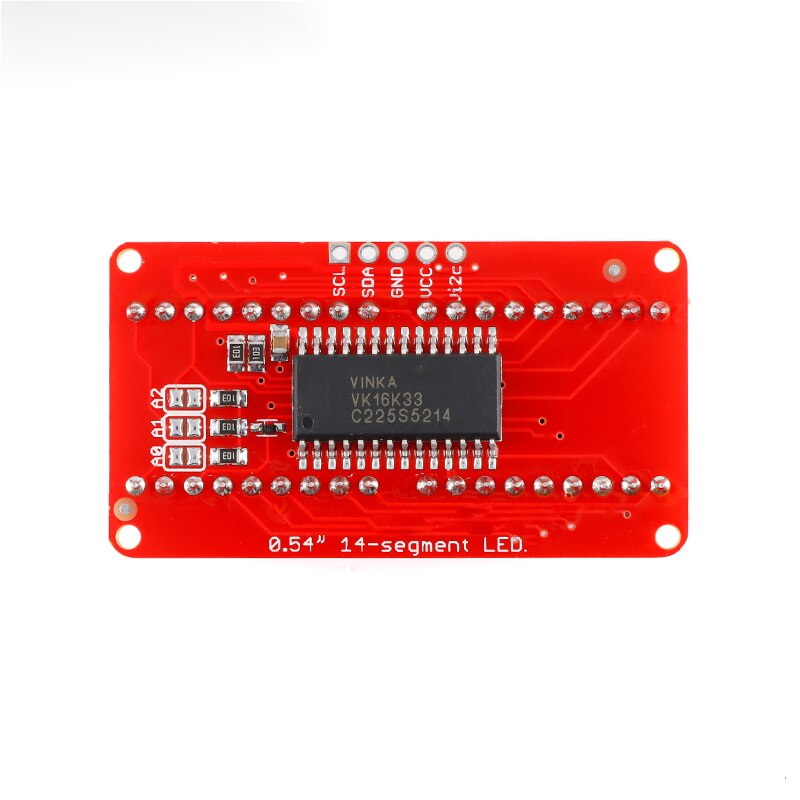
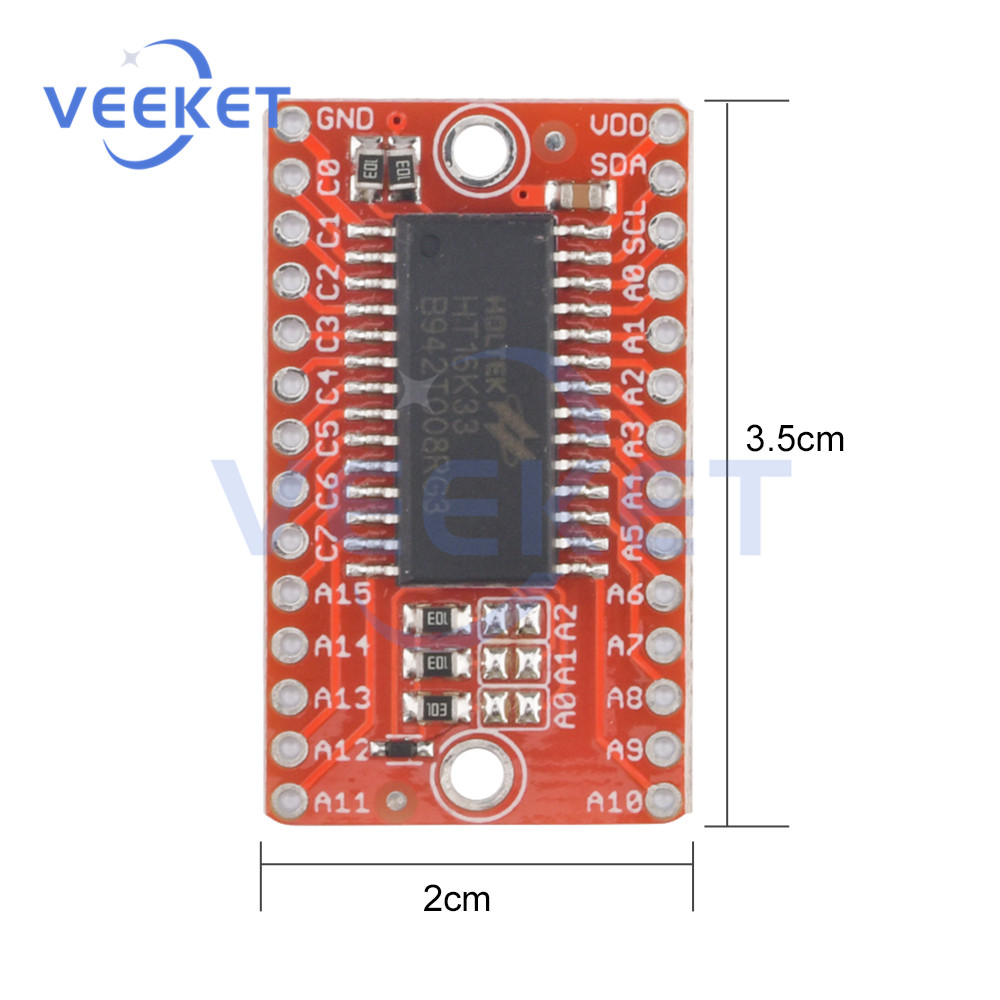
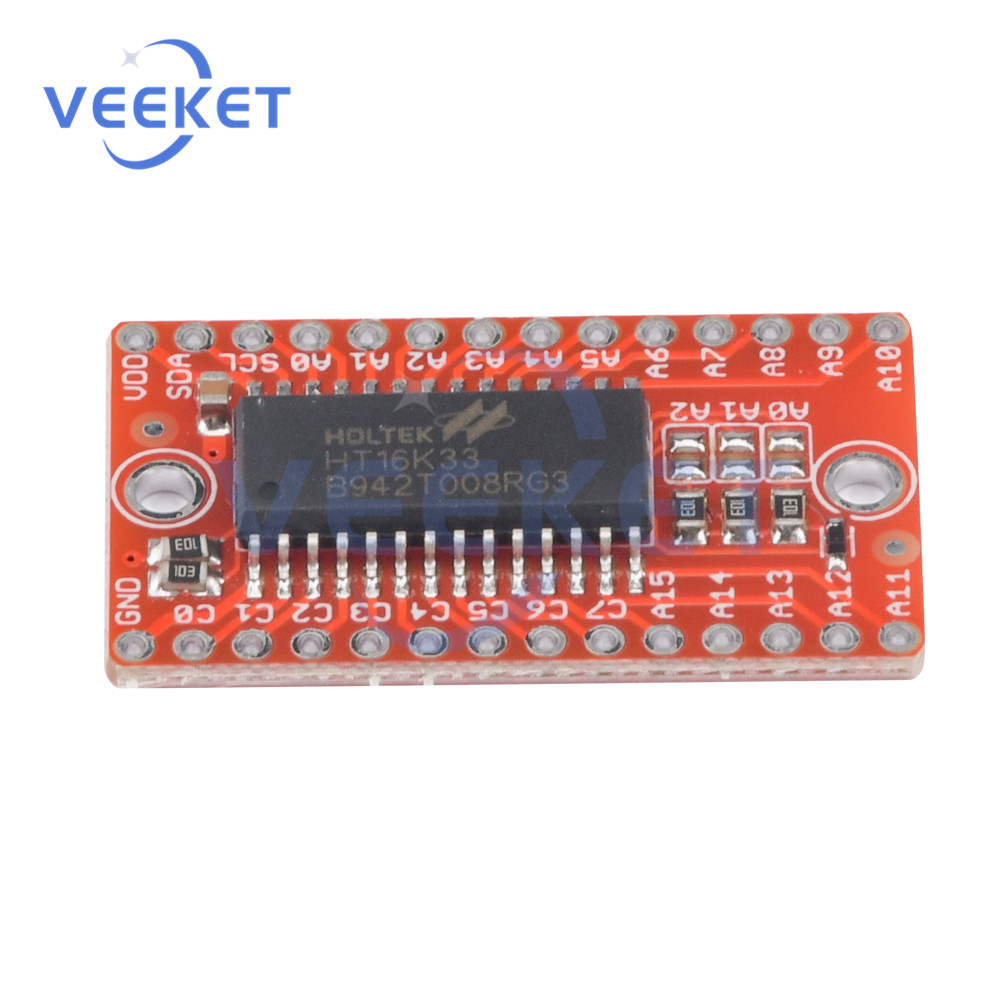
    Boards without a display are also available, half the price:
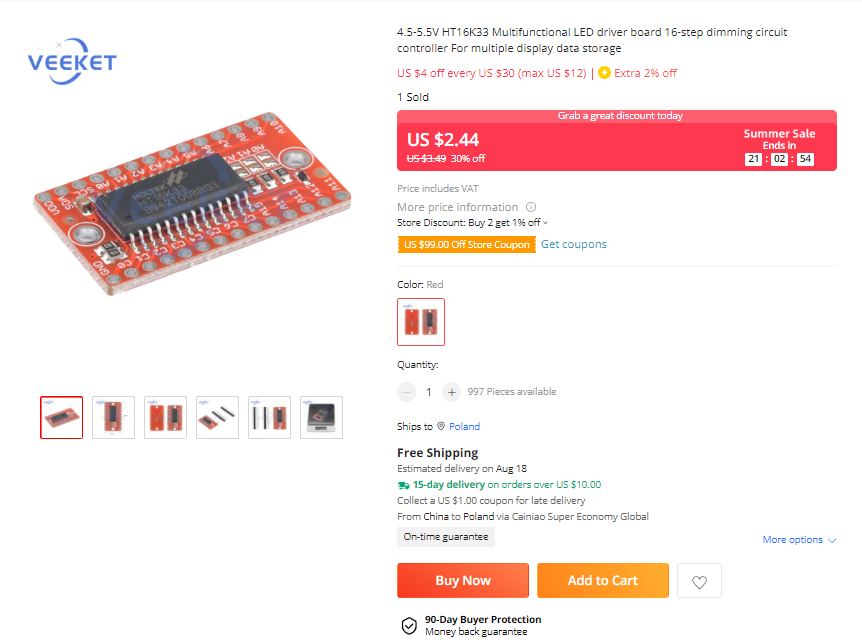
    HT16K33 alphanumeric LED display module 14 segments 4 characters - protocol, Ard
    HT16K33 alphanumeric LED display module 14 segments 4 characters - protocol, Ard
    HT16K33 alphanumeric LED display module 14 segments 4 characters - protocol, Ard
    HT16K33 alphanumeric LED display module 14 segments 4 characters - protocol, Ard
    HT16K33 alphanumeric LED display module 14 segments 4 characters - protocol, Ard
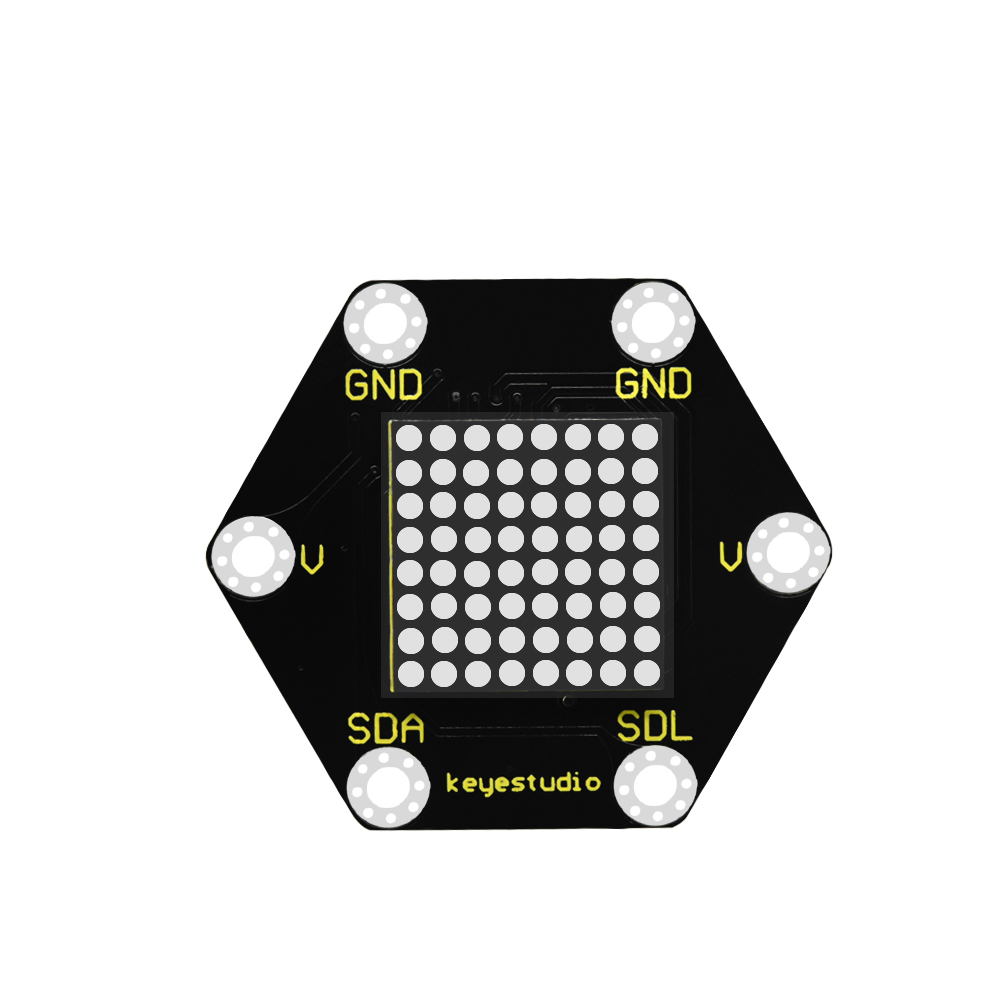
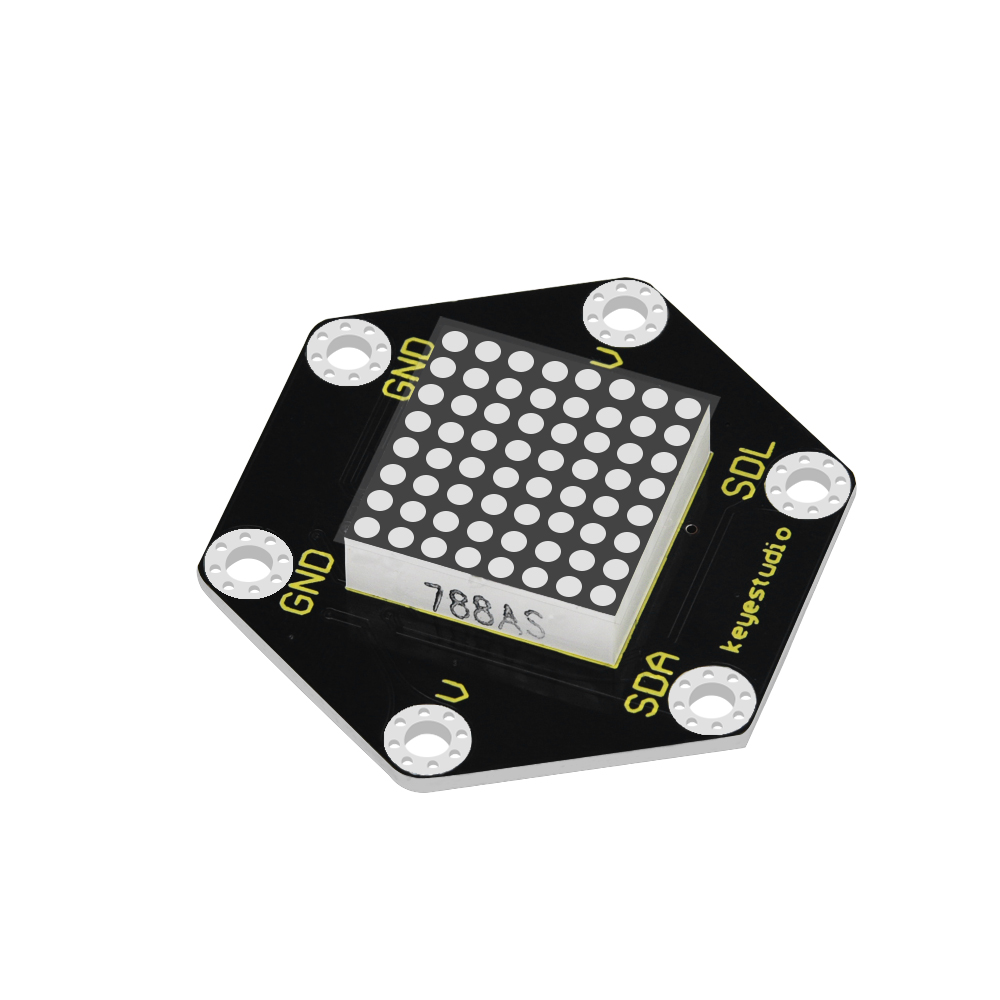
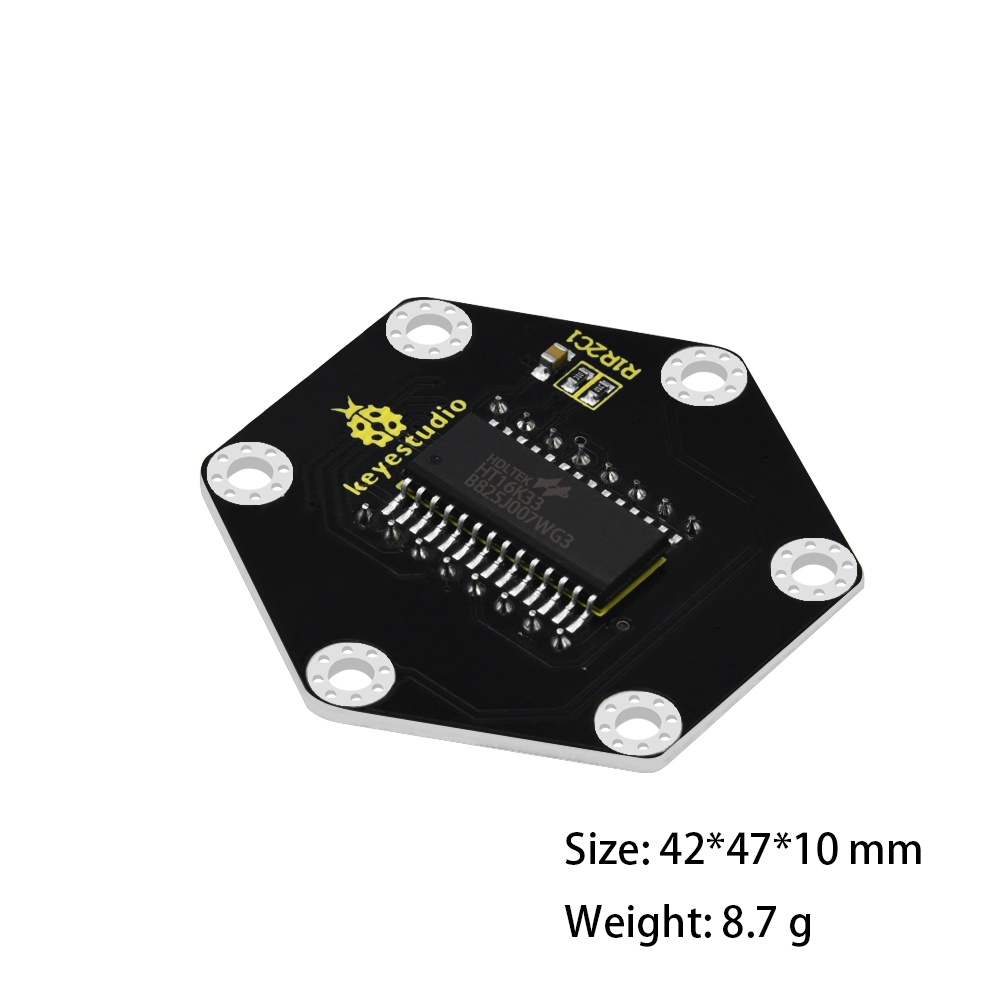
    There are also versions with an 8 by 8 display. Here, for example, for PLN 30:
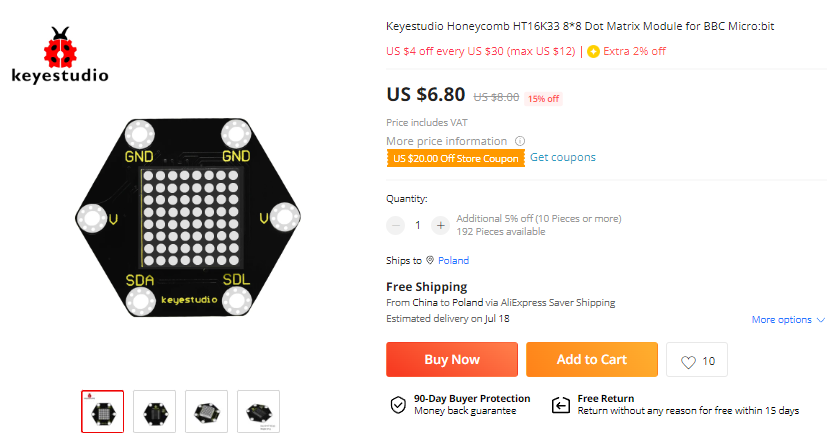
    HT16K33 alphanumeric LED display module 14 segments 4 characters - protocol, Ard
    HT16K33 alphanumeric LED display module 14 segments 4 characters - protocol, Ard
    HT16K33 alphanumeric LED display module 14 segments 4 characters - protocol, Ard
    HT16K33 alphanumeric LED display module 14 segments 4 characters - protocol, Ard

    HT16K33 - basics and data sheet
    Let's go through the catalog note together. To start with the basics, operating voltage, number of supported segments and characters:
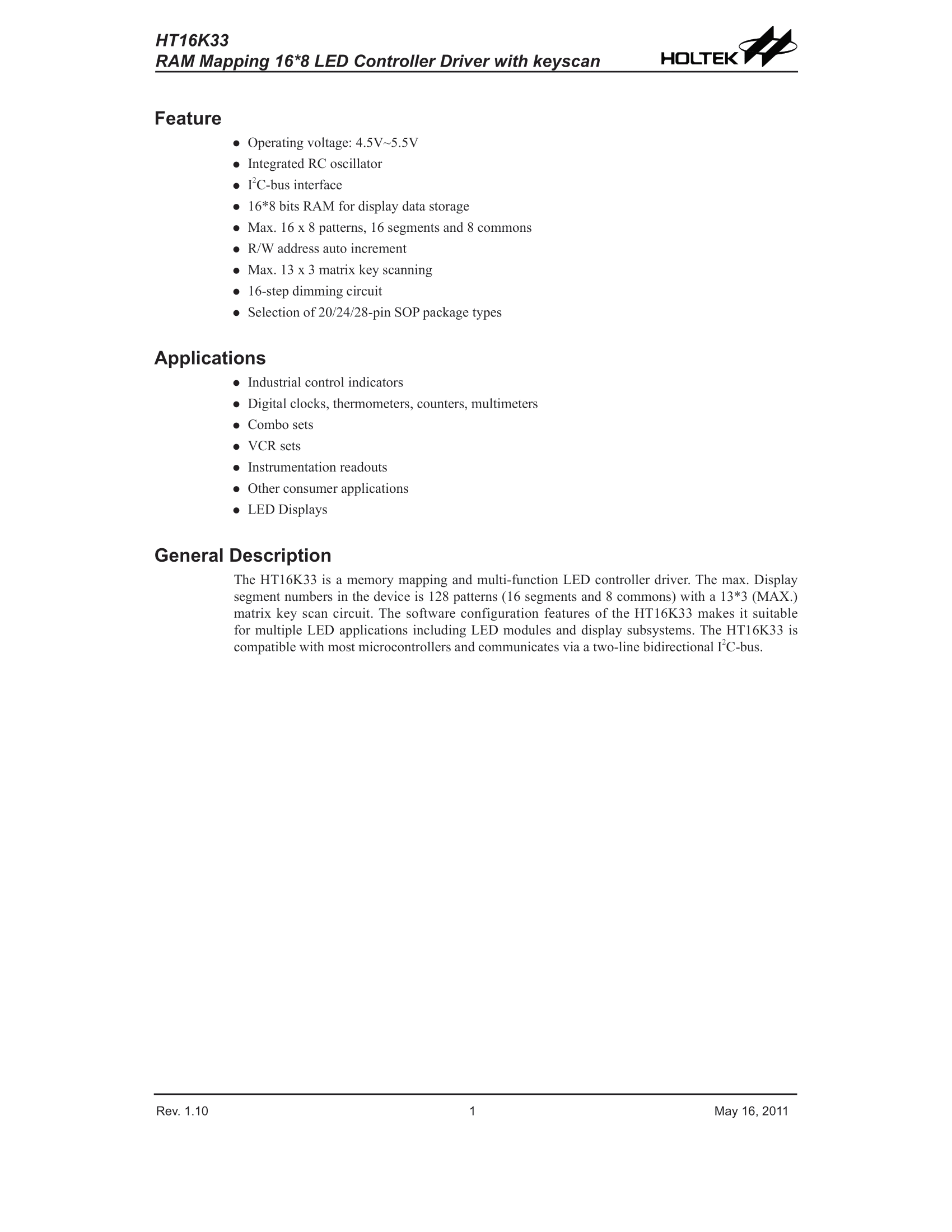
    HT16K33 alphanumeric LED display module 14 segments 4 characters - protocol, Ard
    This layout supports up to 16 segments and 8 characters. A whole 2 bytes per character.
    Yes, it is also possible to use the keyboard, but I will not discuss it here. Will be another time.
    Internal construction (pins A0, A1, A2 can be seen from the selection of the I2C address):
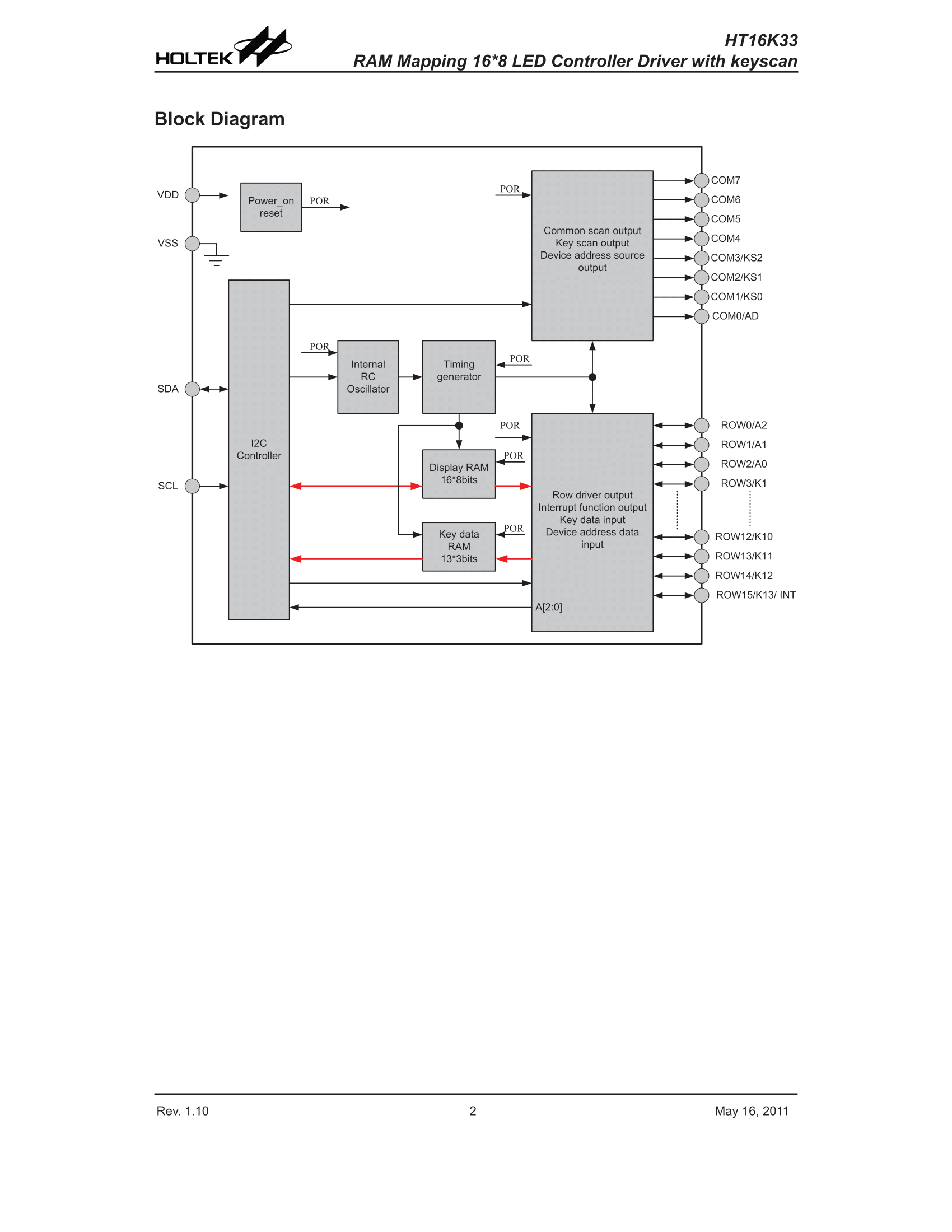
    HT16K33 alphanumeric LED display module 14 segments 4 characters - protocol, Ard
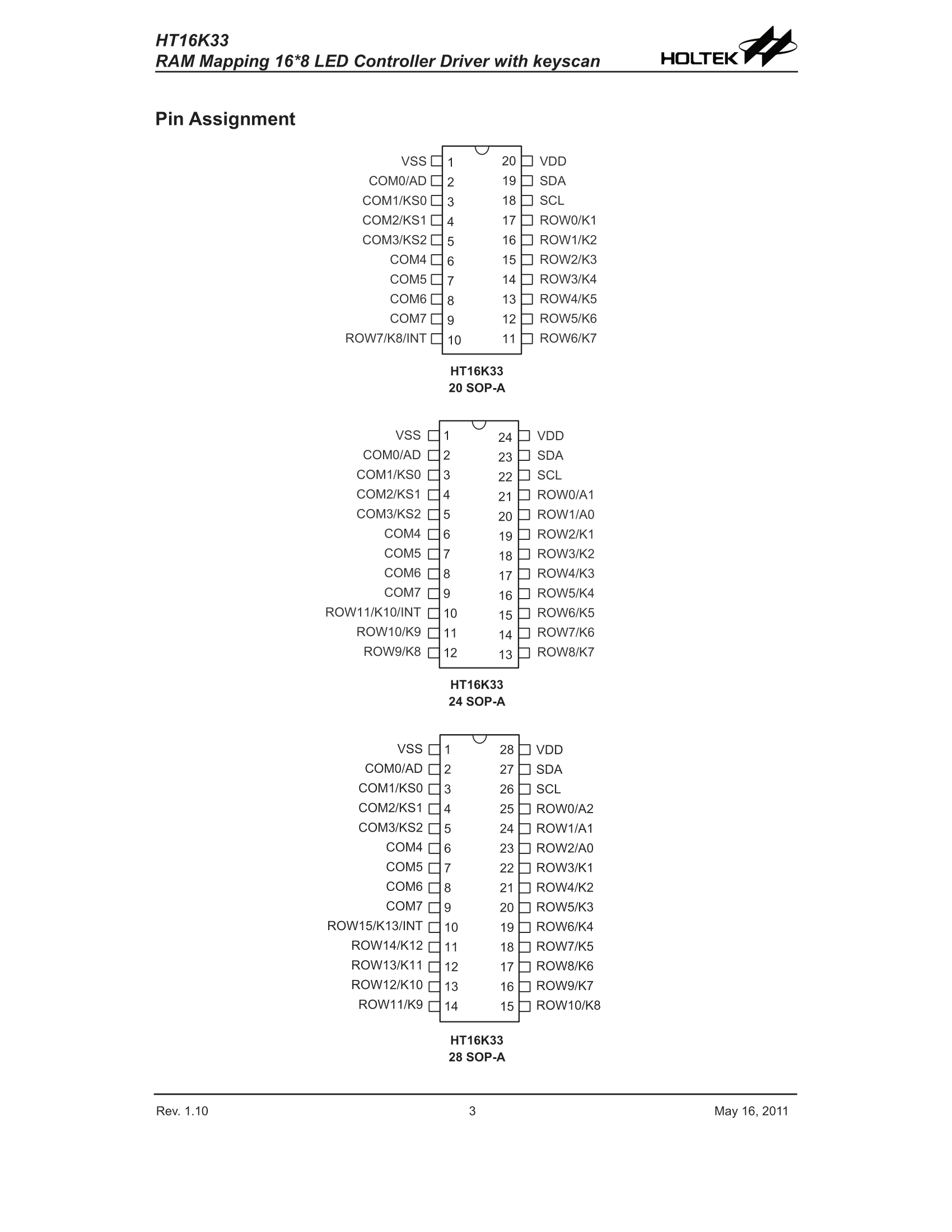
    Pinouts:
    HT16K33 alphanumeric LED display module 14 segments 4 characters - protocol, Ard
    Pin roles, some pins have several roles, e.g. the same ones are used for keyboard and display:
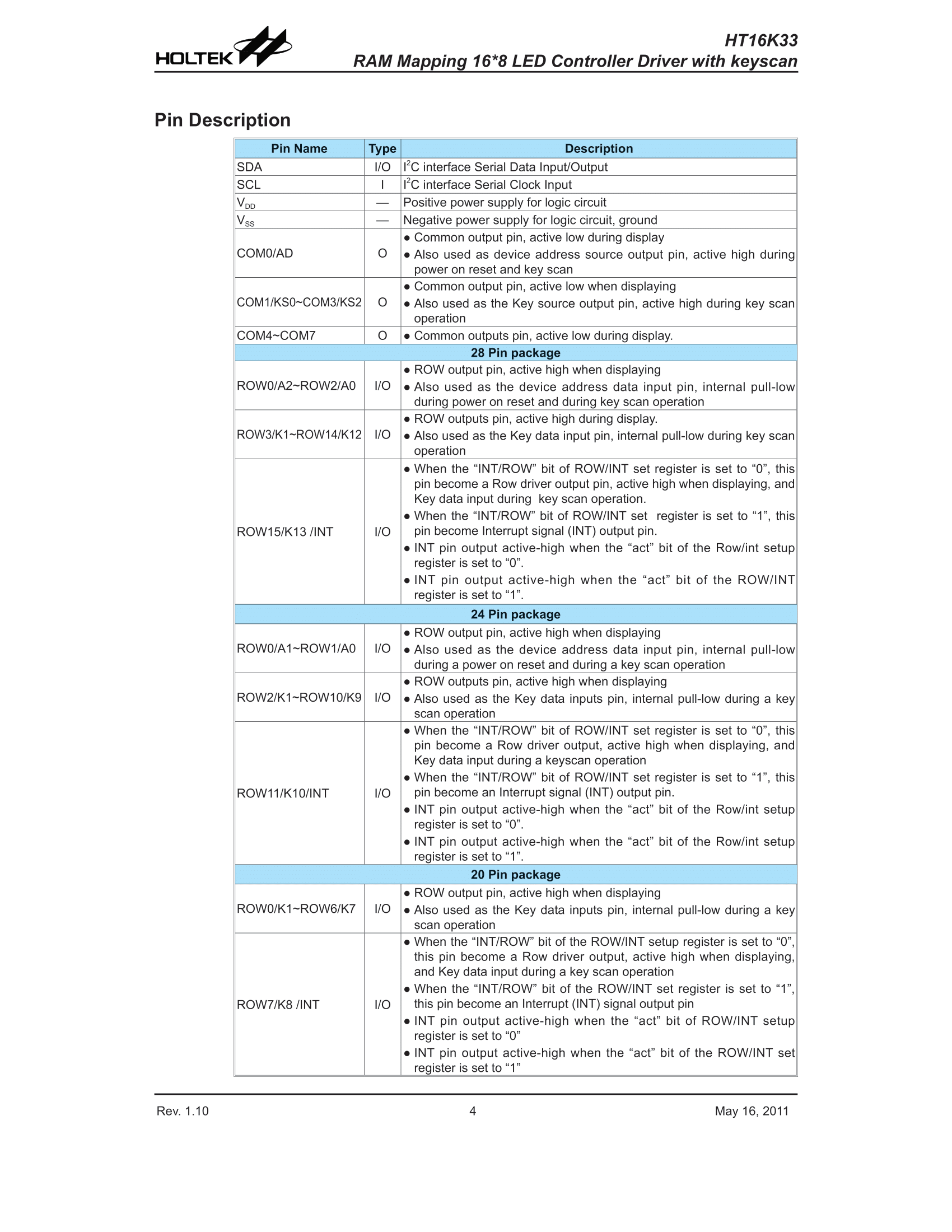
    HT16K33 alphanumeric LED display module 14 segments 4 characters - protocol, Ard
    Diagrams of port inputs (you can even see protection diodes for ground and power supply included here):
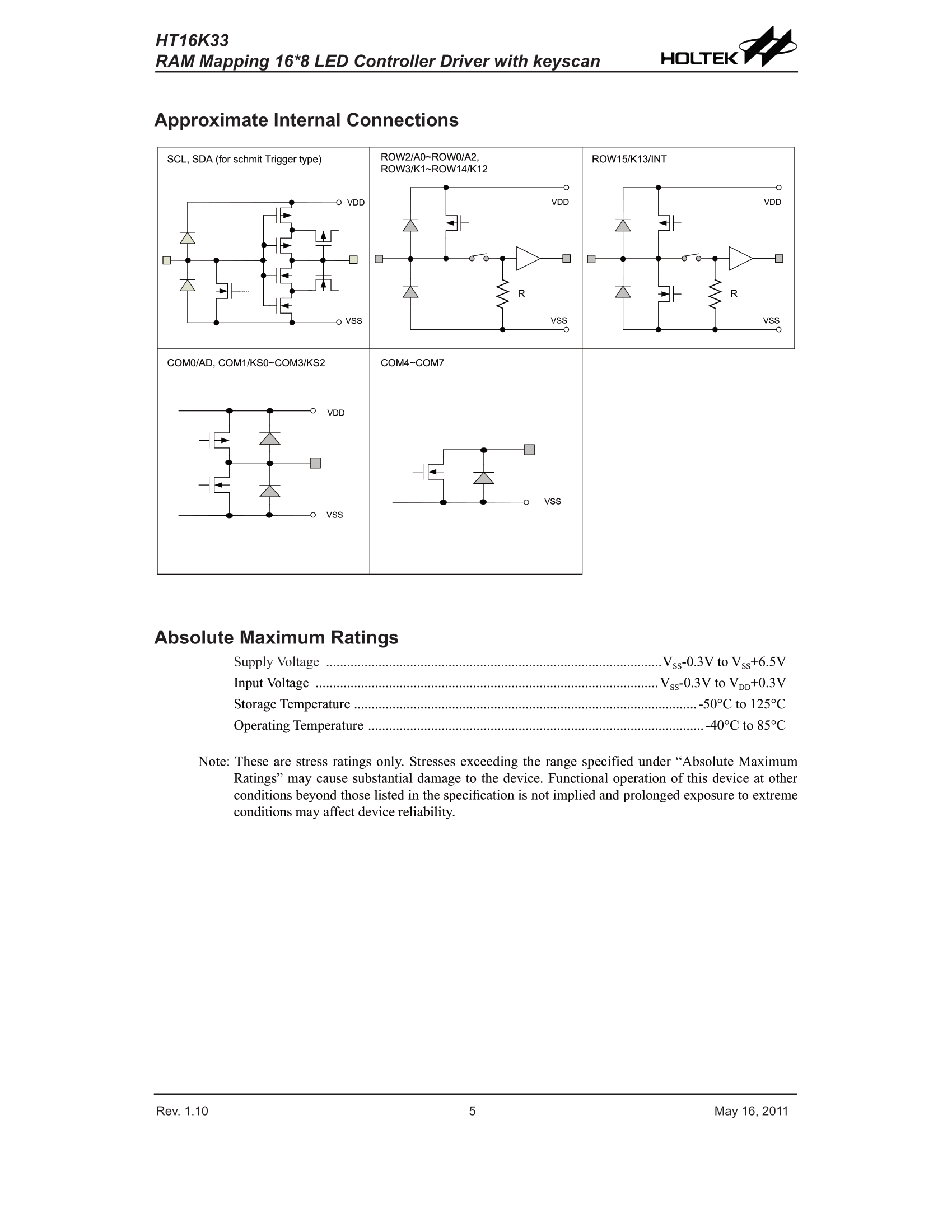
    HT16K33 alphanumeric LED display module 14 segments 4 characters - protocol, Ard
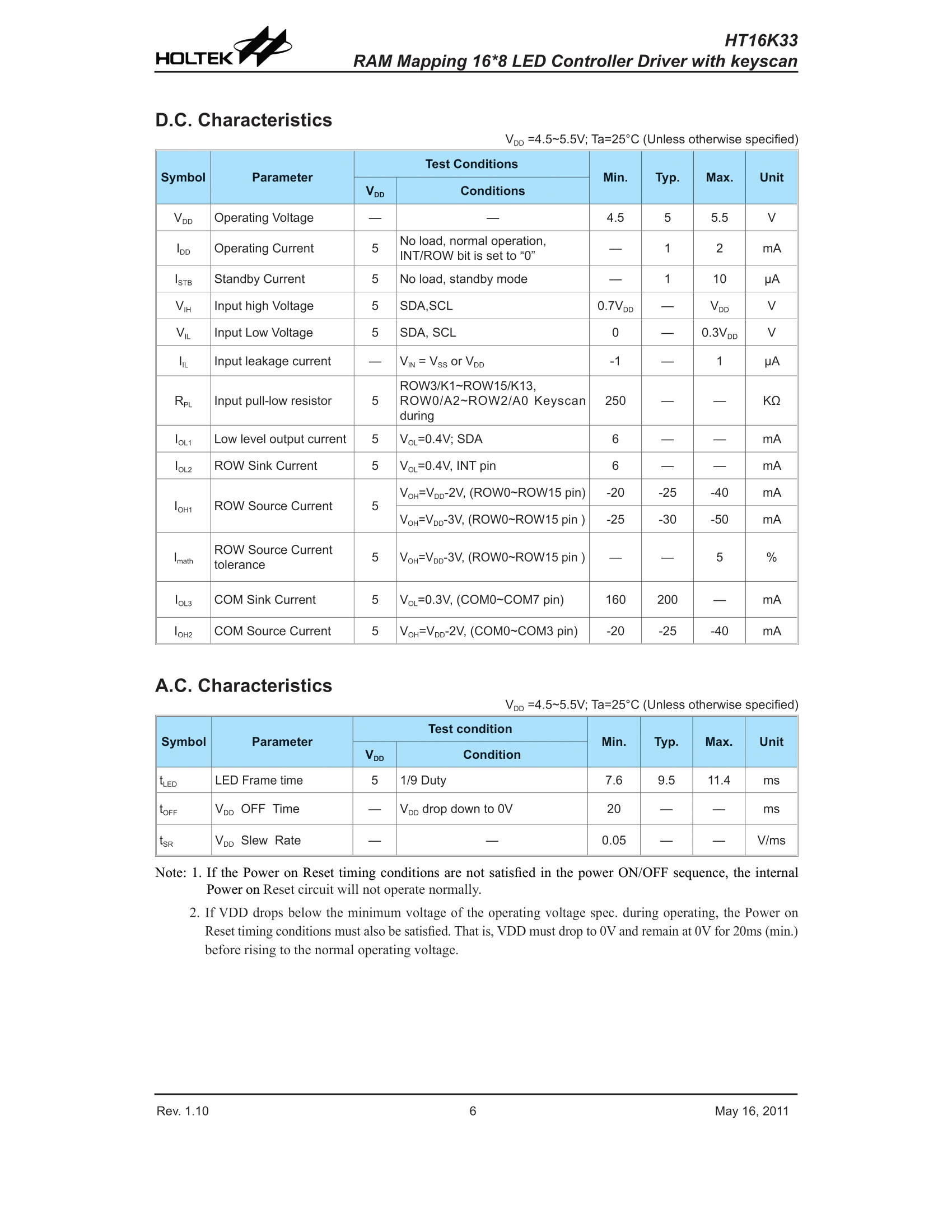
    Current parameters for the display and communication times (maximum 400kHz clock):
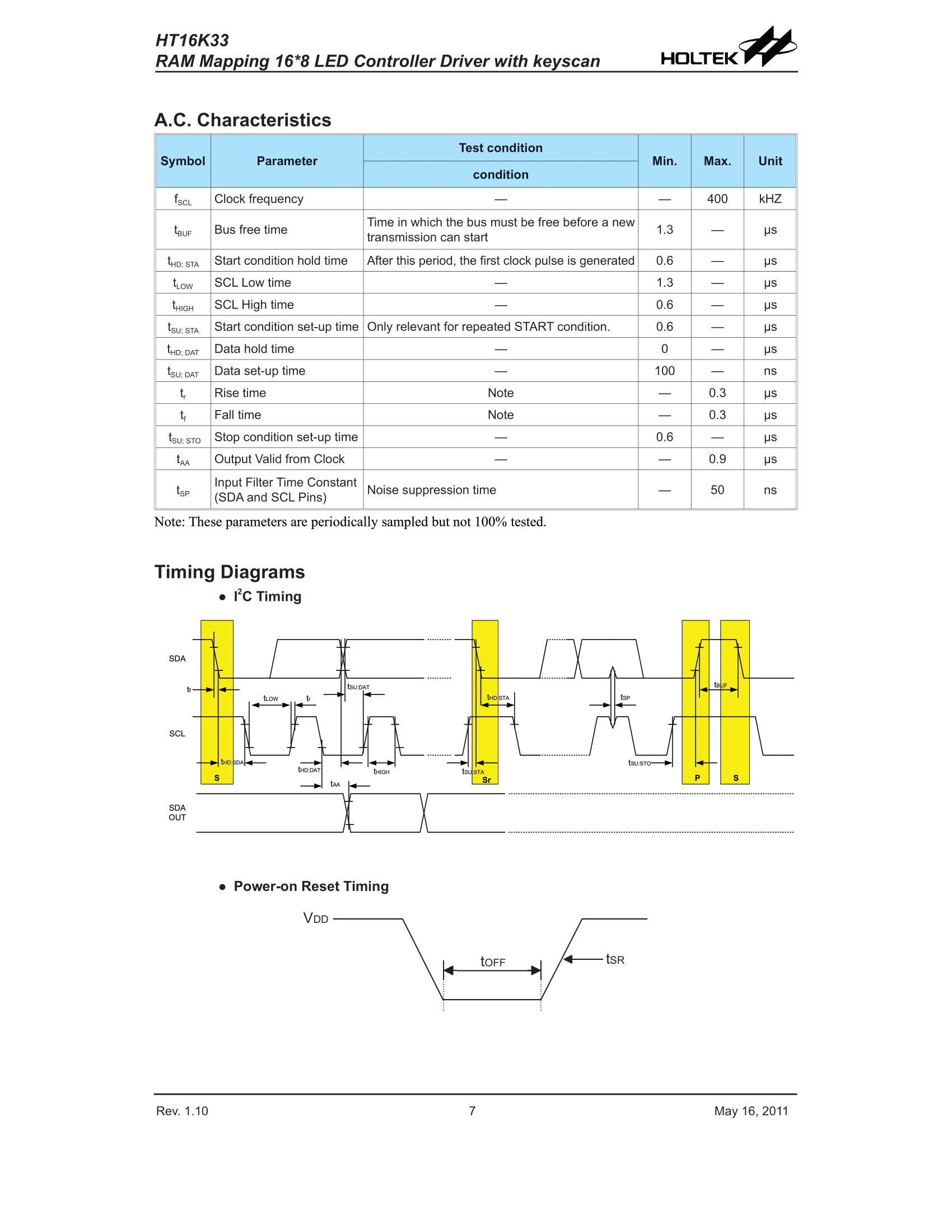
    HT16K33 alphanumeric LED display module 14 segments 4 characters - protocol, Ard HT16K33 alphanumeric LED display module 14 segments 4 characters - protocol, Ard
    Okay, maybe now it's time to get specifics. Communication protocol, and more specifically the available registers:
    HT16K33 alphanumeric LED display module 14 segments 4 characters - protocol, Ard HT16K33 alphanumeric LED display module 14 segments 4 characters - protocol, Ard
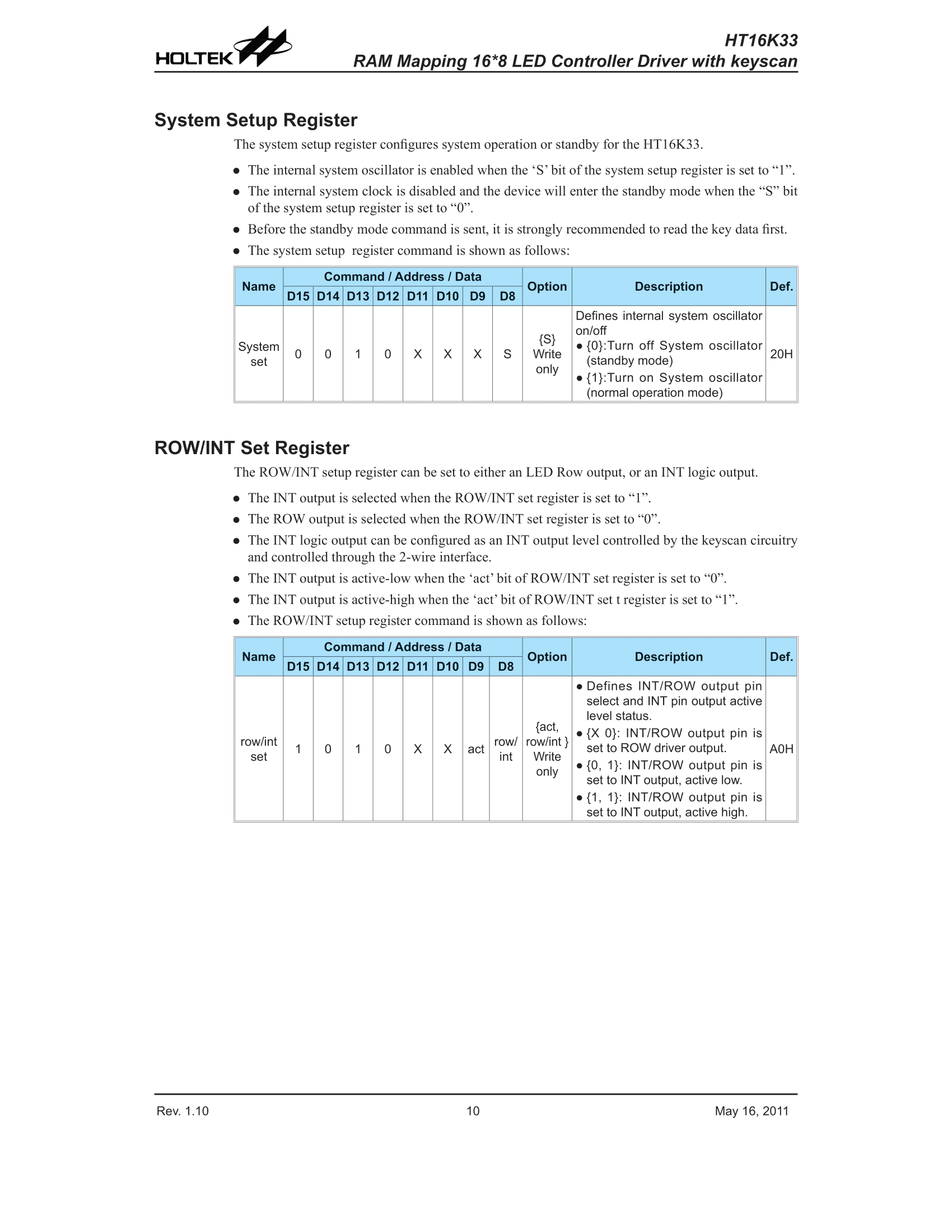
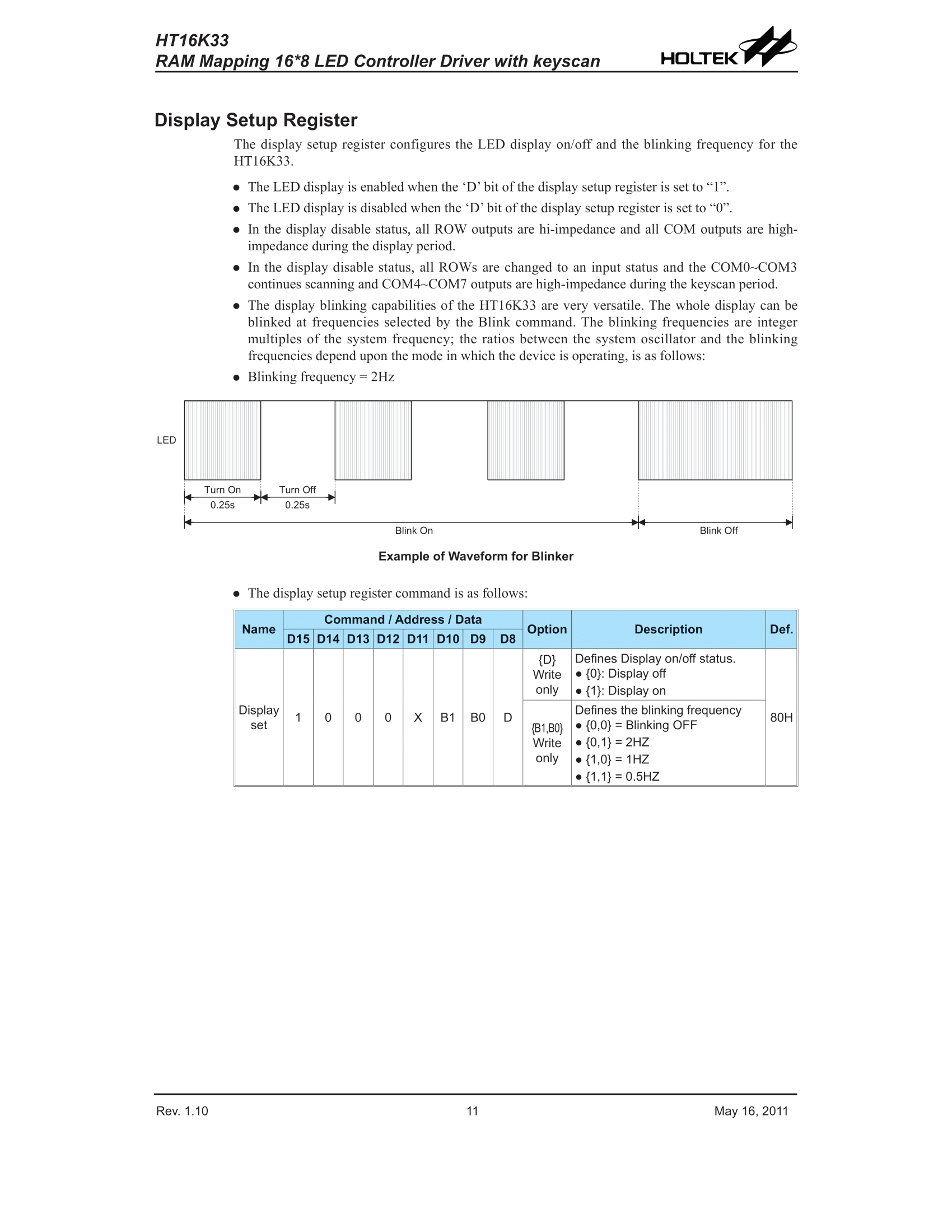
    The most important is probably the Display Setup Register. There we can turn the display on or off, although you also need to handle standby from the System Setup Register beforehand. We also have flashing settings there, we can simply set the display to flash at a frequency of 2Hz, 1Hz or 0.5Hz and it will happen automatically without our further intervention. It is worth paying attention to how the display knows which register we are writing to - simply, e.g. in Display Setup, as shown in the picture, bit D15 is 1, and e.g. in System Set, bit D15 is 0.
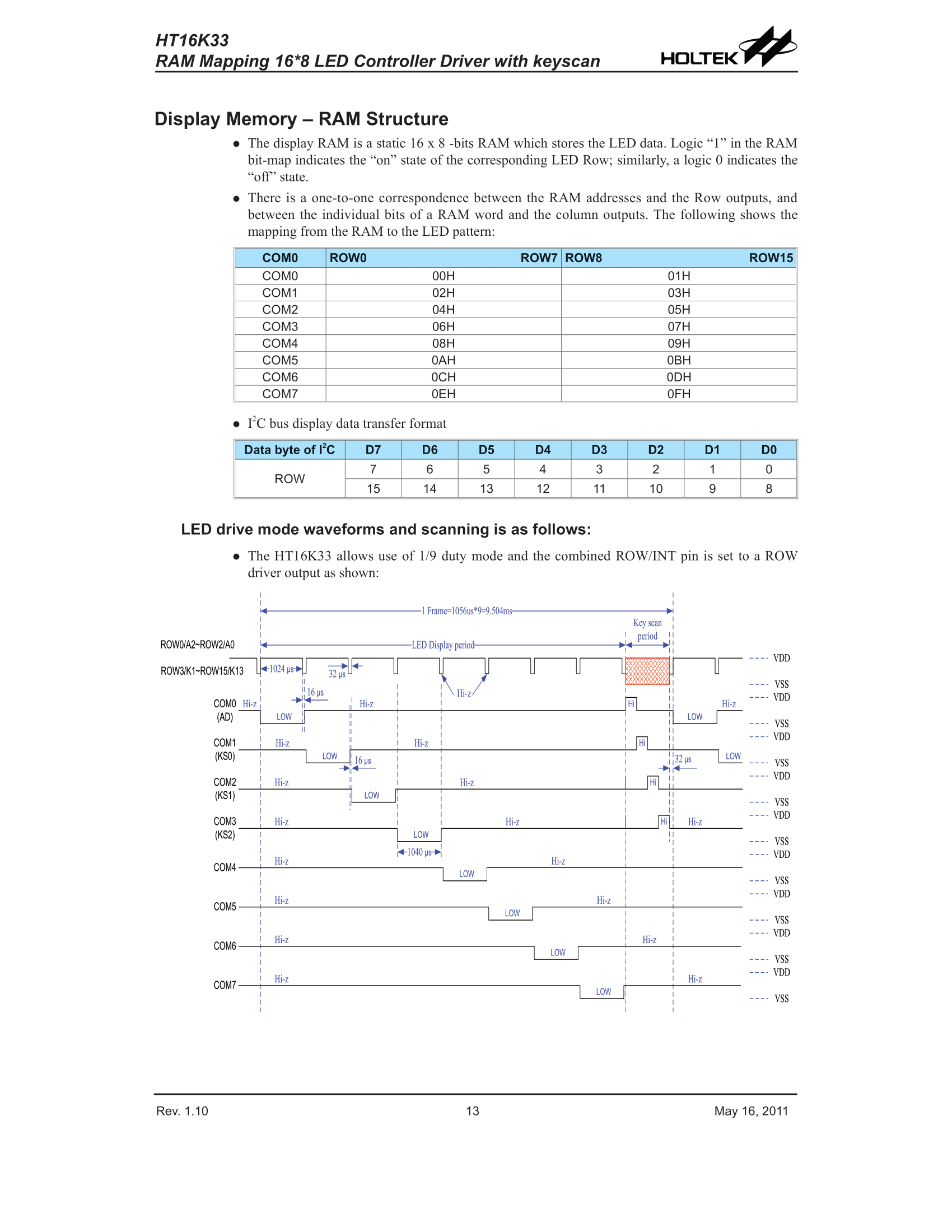
    We also have registers that contain what we want to display:
    HT16K33 alphanumeric LED display module 14 segments 4 characters - protocol, Ard
    It is a 16-segment display. Here we have two bytes per character. Each COM* specifies a character and consists of two bytes, as in the table.
    The system, of course, already performs multiplexing of the display itself.
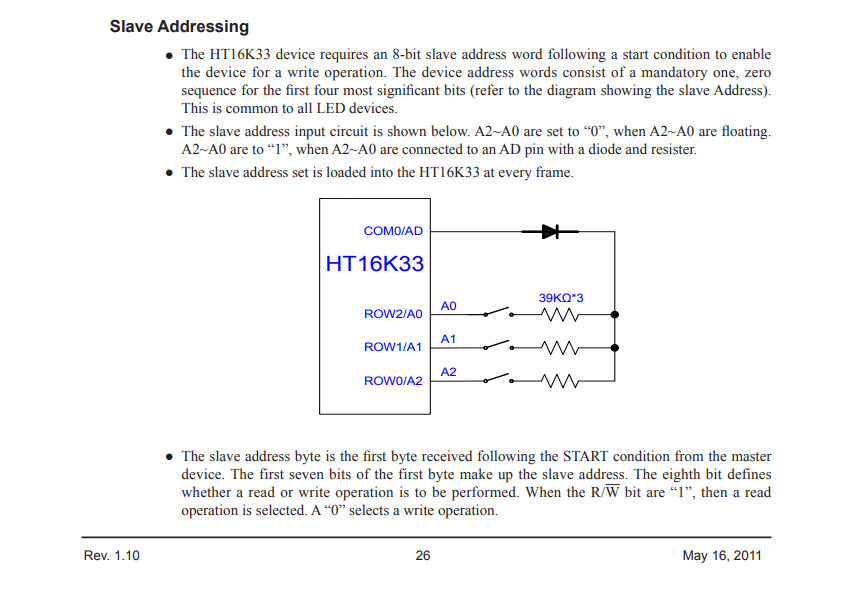
    Let us now turn our attention to the addressing issue. Here are the address details:
    HT16K33 alphanumeric LED display module 14 segments 4 characters - protocol, Ard
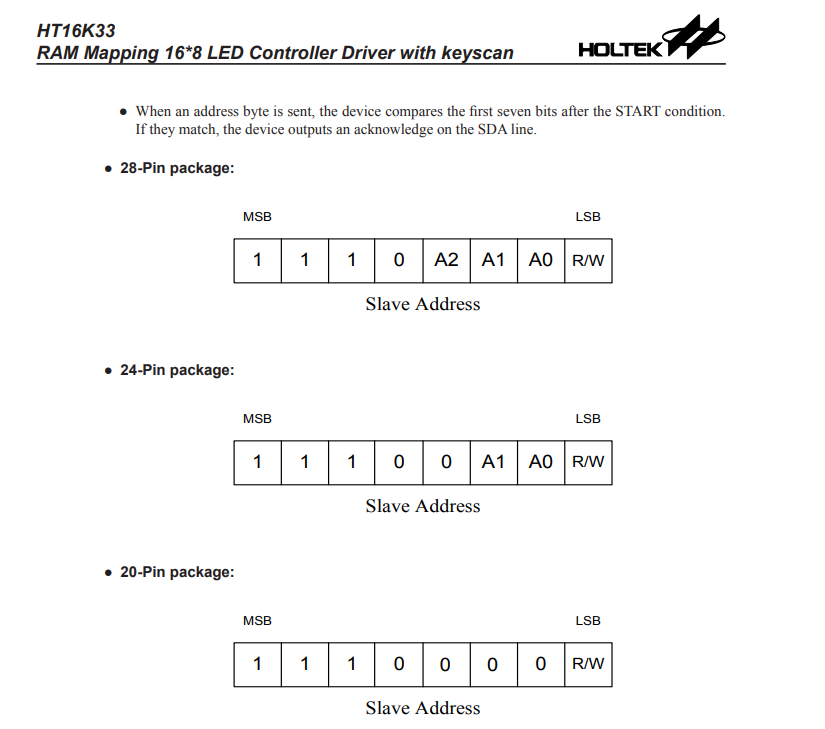
    And the structure of the address itself (interesting, depending on the housing, the addresses are different):
    HT16K33 alphanumeric LED display module 14 segments 4 characters - protocol, Ard
    By default, we have control over 3 address bits, so we have 2^3 different address options. It is the same in many other systems, I2C expanders, memory chips, etc. It is worth keeping an eye on whether we have the right address of the system, because communication will not work through the wrong address. If you are not sure about the address, you can always search for the I2C scanner on the Arduino network and search for this address in practice.
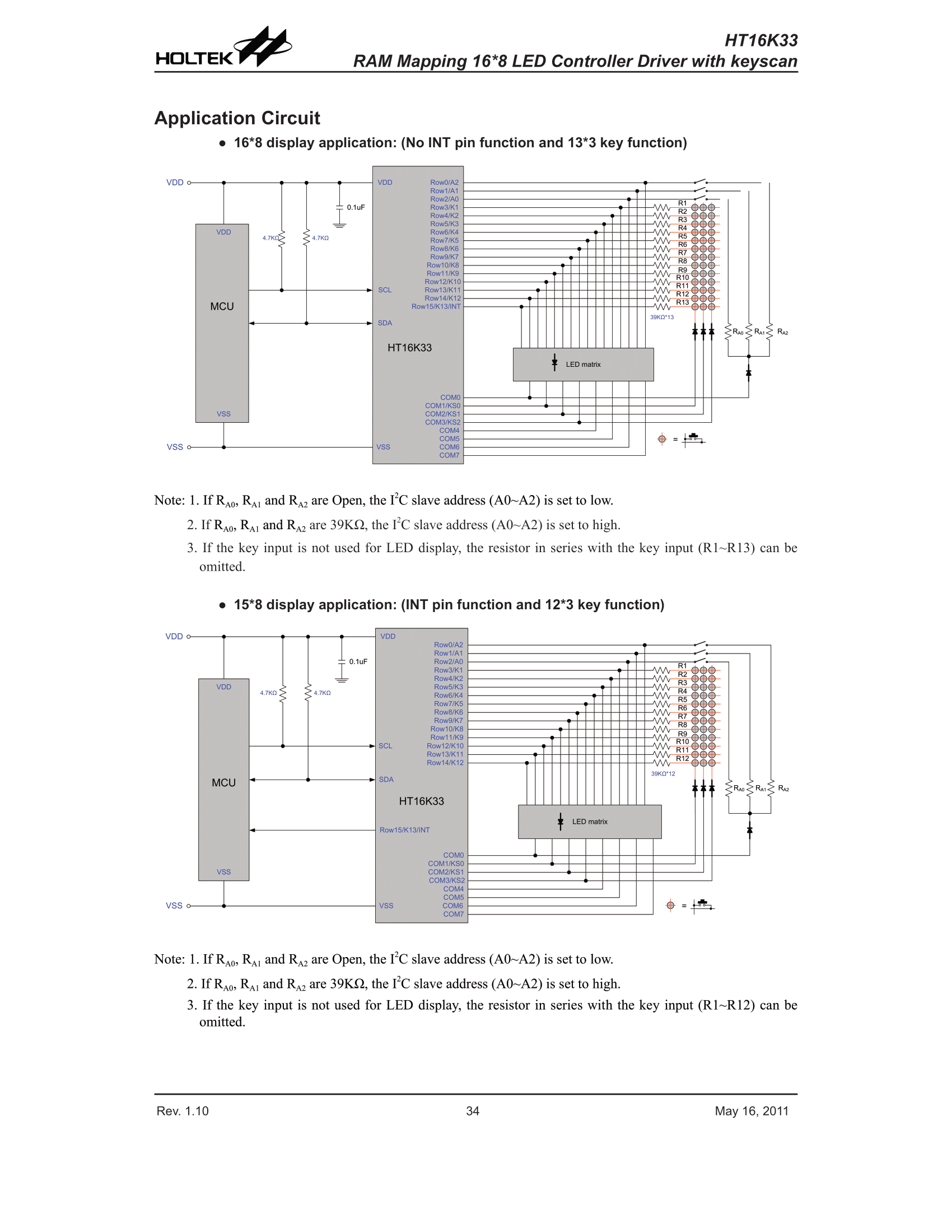
    Now, for illustrative purposes, sample applications:
    16*8 and 15*8 display:
    HT16K33 alphanumeric LED display module 14 segments 4 characters - protocol, Ard
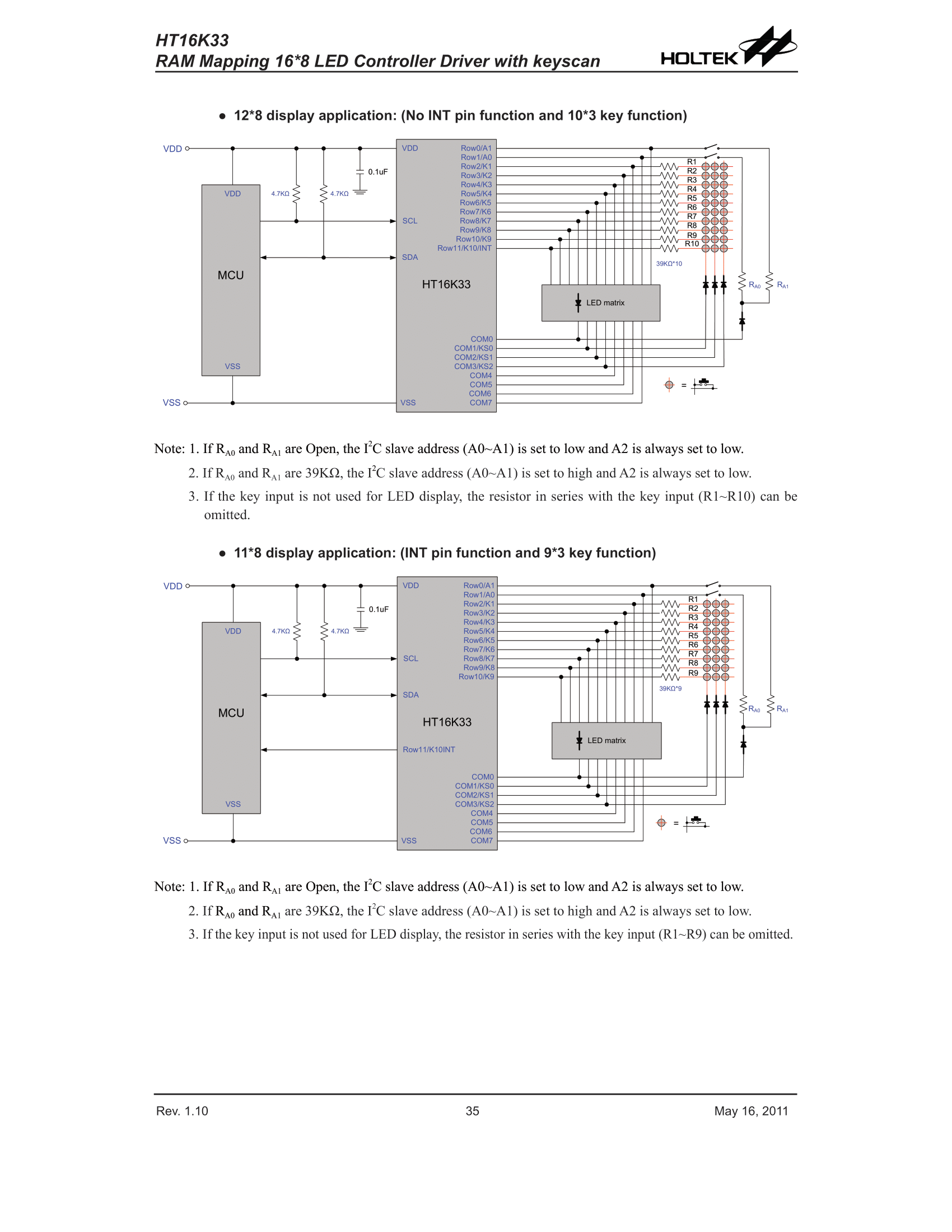
    12*8 and 11*8 display:
    HT16K33 alphanumeric LED display module 14 segments 4 characters - protocol, Ard
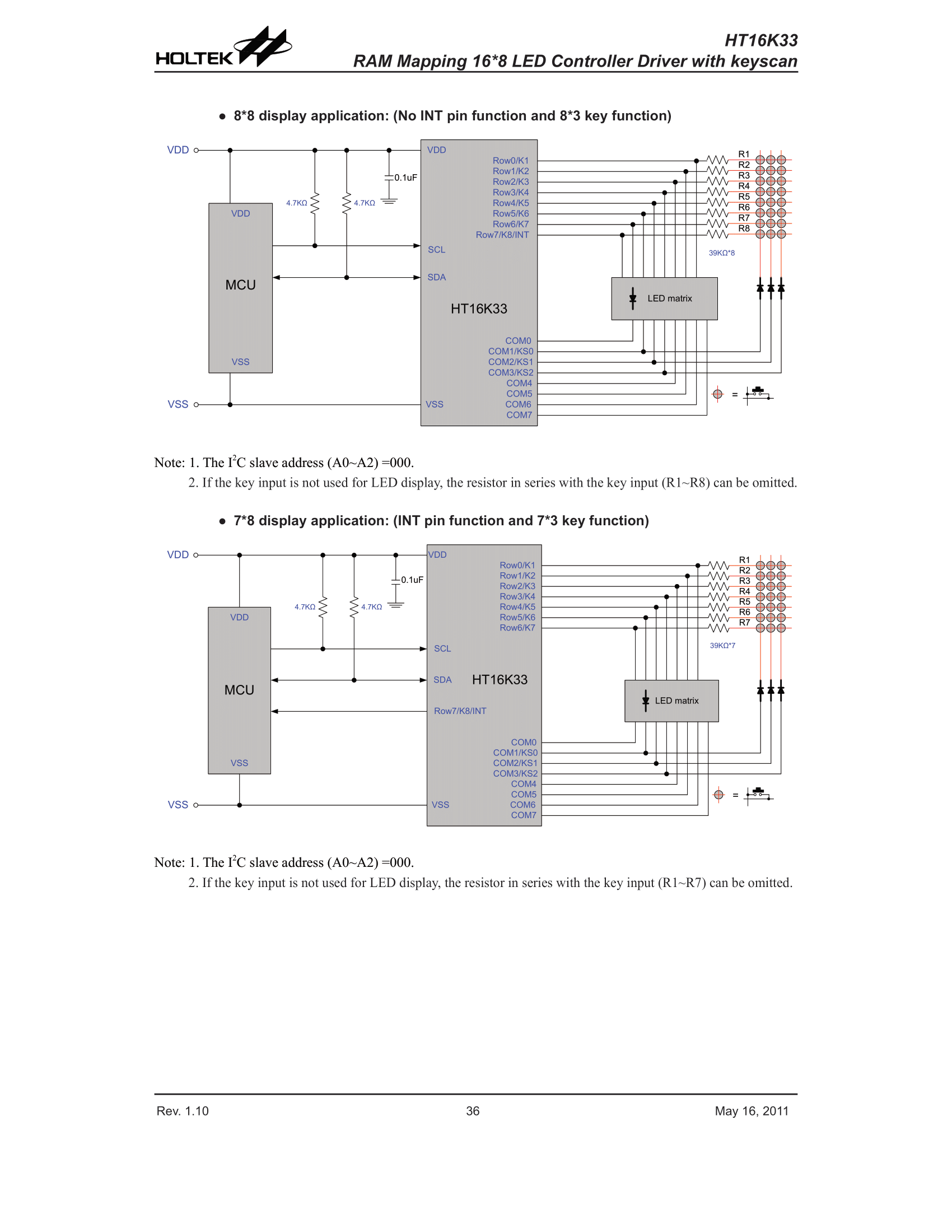
    8*8 and 7*8 display:
    HT16K33 alphanumeric LED display module 14 segments 4 characters - protocol, Ard
    The applications also show the matrix keyboard connection, you can see that it uses the same pins as the display. In addition, the method of selecting the I2C address was taken into account.


    HT16K33 - implementation in practice
    I implemented the driver in my own project OpenBeken , I was based on the catalog note and ready libraries for Arduino. Links to the full libraries on which I was based will be placed a little further in the topic. Please treat the following snippets as pseudocode. I started with I2C initialization:
    Code: C / C++
    Log in, to see the code

    Then I decided that it's worth sending a command first HT16K33 on but how should it be done?
    We look at the catalog note.
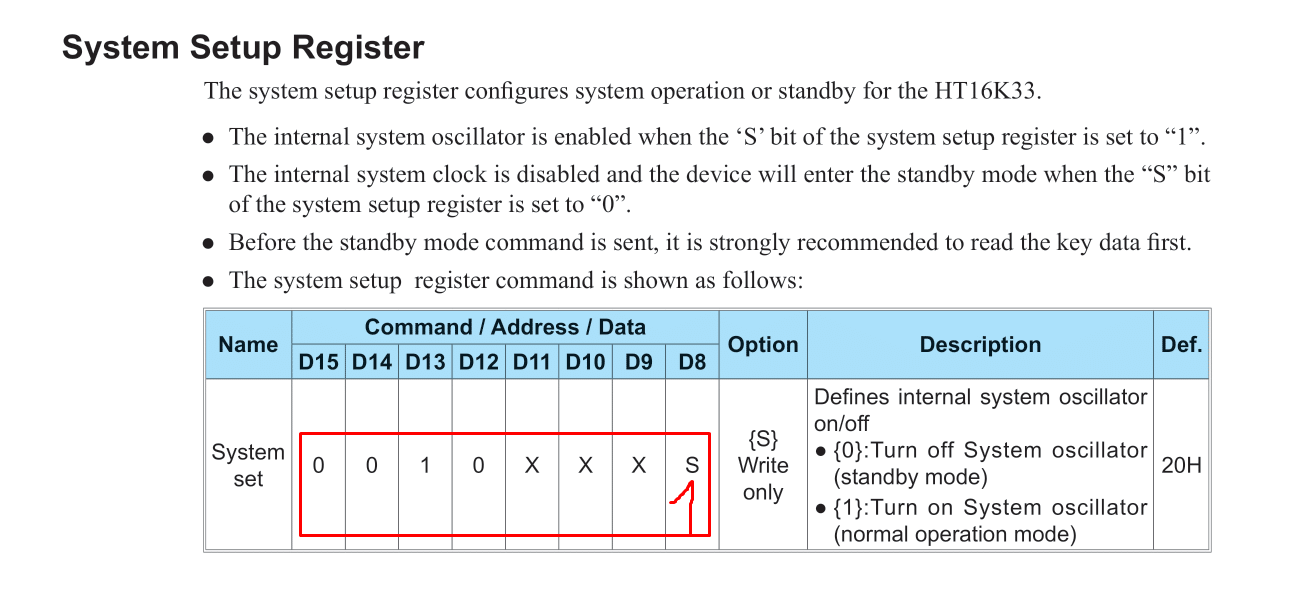
    HT16K33 alphanumeric LED display module 14 segments 4 characters - protocol, Ard
    We want to set Standby Mode to 1. We look at the table of what bits we want to send.
    You need to send 0010 0001, which is 0x21.
    Code: C / C++
    Log in, to see the code

    Then we want to send display on , similarly, we are looking for the appropriate table:
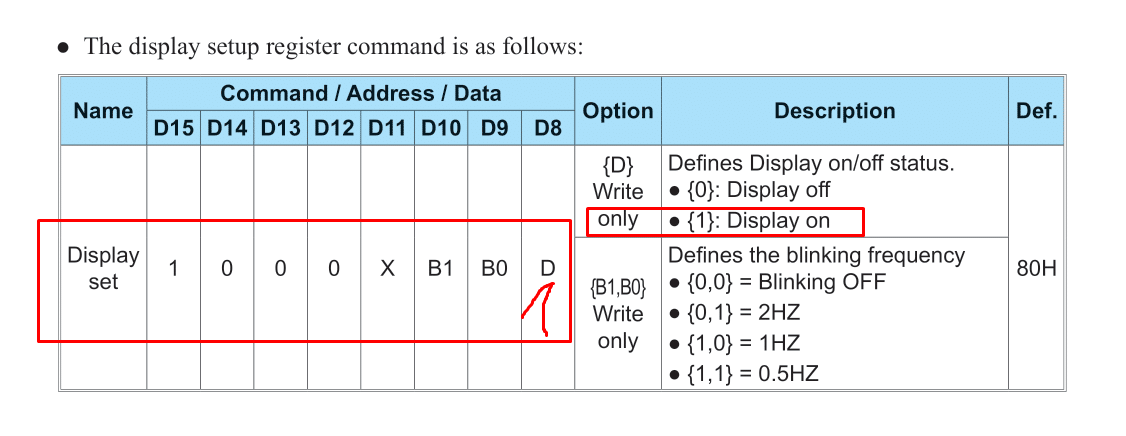
    HT16K33 alphanumeric LED display module 14 segments 4 characters - protocol, Ard
    We rewrite the bits, we have 1000 0001, this is 0x81:
    Code: C / C++
    Log in, to see the code

    Okay, but now just sending commands.
    First, we need to send the I2C address of the device (together with the R or W bit), in this case, sending the command looks like this:
    Code: C / C++
    Log in, to see the code

    This g_addr for me is a bit unfortunate because it is already shifted by one bit, normally the address is 0x70, but I have it written with a shift to make room for the RW bit.
    Now setting the brightness .
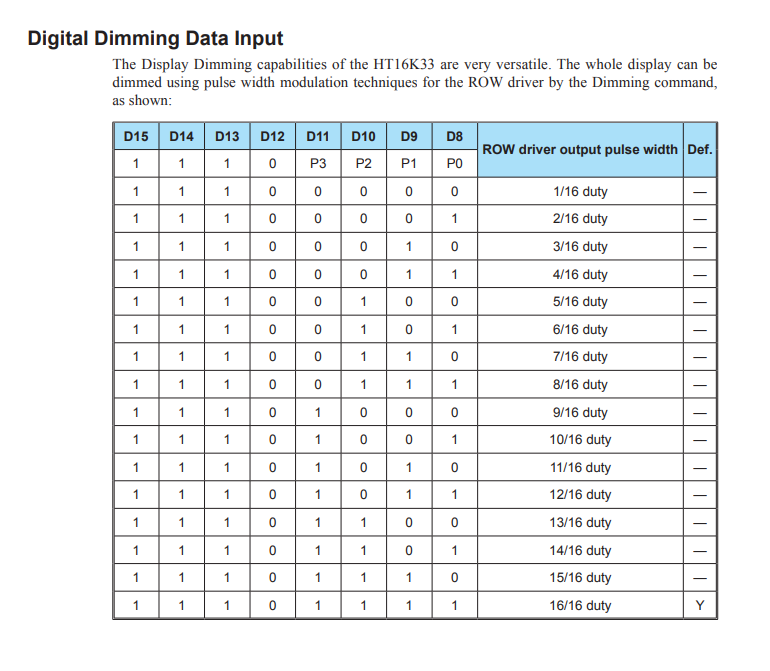
    HT16K33 alphanumeric LED display module 14 segments 4 characters - protocol, Ard
    The four least significant bits determine the brightness level. So we have 2^4 levels. Numerical values from 0 to 15 inclusive. In addition, you also need to send those constant bits that are at the beginning of the table, the oldest. How to do it?
    Code: C / C++
    Log in, to see the code

    Basically that's enough to add. By the way, there is also a condition in the code to remove invalid brightness values. Then we use our send command to send it and you're done.
    Now there are segments .
    In total, here is auto address increment but let's not complicate it, let's send one character at a time, maybe only 8 bits at the beginning.
    Remember when all the commands so far had one of the older bits set? In this situation, we do not set anything. We just send the address of the character and then its values.
    The position is times 2 because there are two bytes per character, not one byte.
    Code: C / C++
    Log in, to see the code

    At this stage, I also took a ready-made font from Github, and I note here, it is font for the 8-bit version, i.e. for the 7-segment display :
    Code: C / C++
    Log in, to see the code

    Yes, this code only sets the first byte of a given character, the second is always zero.
    And I tried to display something:
    Code: C / C++
    Log in, to see the code

    What happened then? I give the floor to graphics/photos from my tester in Serbia. Maybe some specifics first:
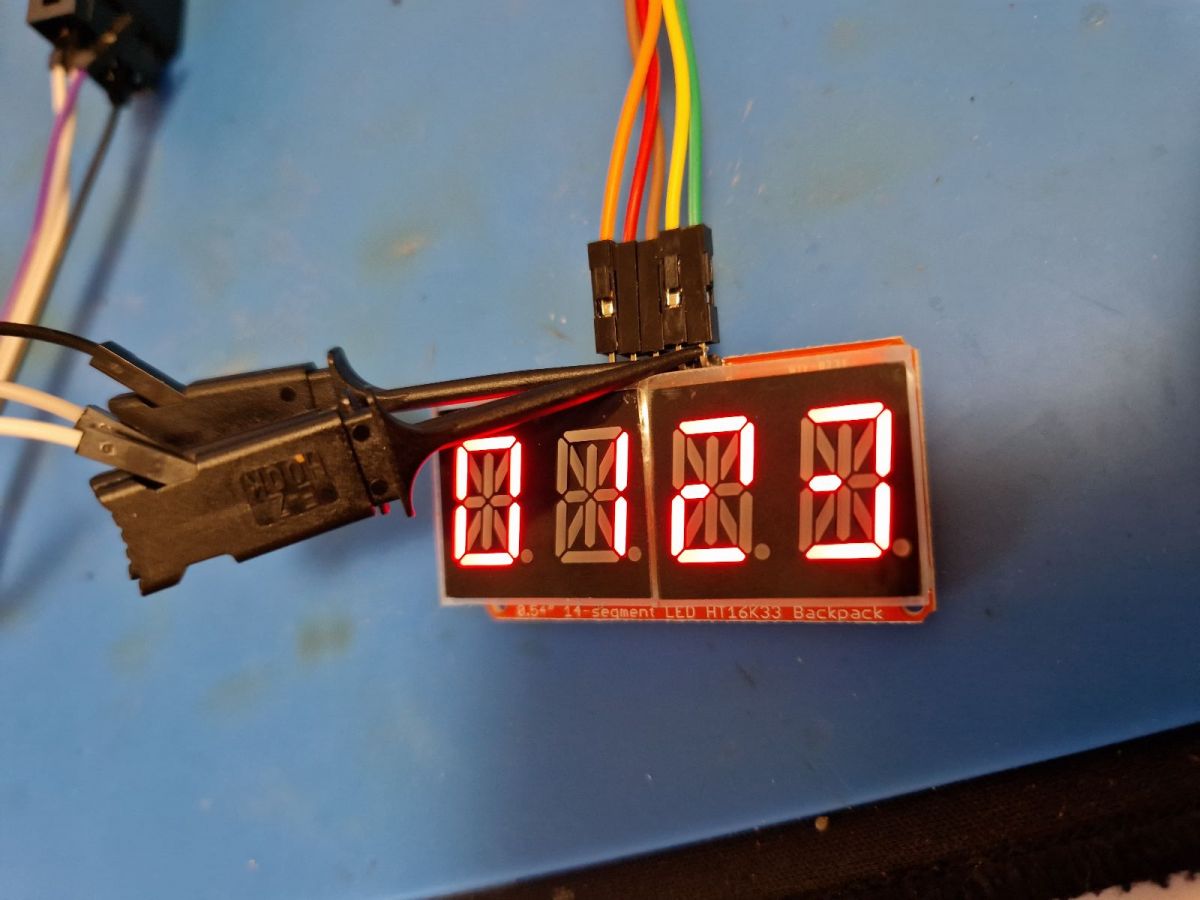
    HT16K33 alphanumeric LED display module 14 segments 4 characters - protocol, Ard
    Works! It's not perfect, but it works. So a 7-segment font matches this 16-segment...
    And now a preview of communication from the logic analyzer. It shows nicely I2C transactions. You can see the mentioned address 0x70, and then you can see the commands, and then also the writing to the display (and these offsets, respectively 0, 2, 4, 6 ...):
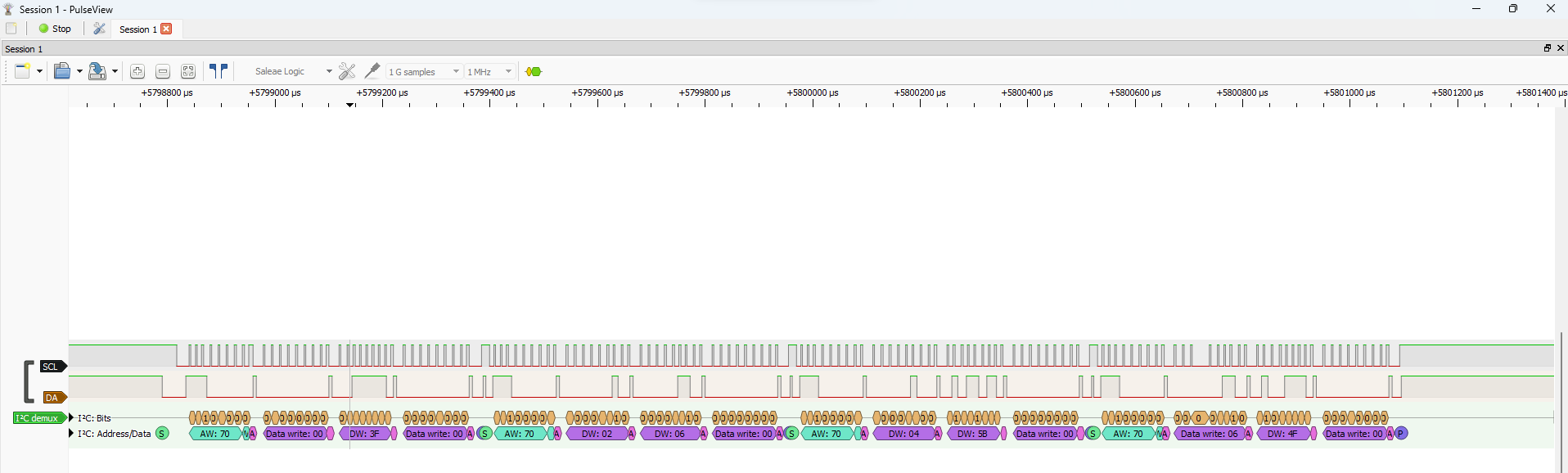
    HT16K33 alphanumeric LED display module 14 segments 4 characters - protocol, Ard
    This is a screenshot of the Sigrok app from here: https://sigrok.org/wiki/Downloads
    It's good, but rather you need to unleash all the possibilities of this module and start with a 16-bit font. Github has come to the rescue again:
    [syntax=c]

    unsigned short convert16seg(char c)
    {
    unsigned short c2;
    switch (c)
    {
    case ' ': c2 = 0x0000; break;
    case '.': c2 = 0x4000; break;
    case '+': c2 = 0x12C0; break;
    case '-': c2 = 0x00C0; break;
    case '*': c2 = 0x3FC0; break;
    case '/': c2 = 0x0C00; break;
    case '=': c2 = 0x00C8; break;
    case '>': c2 = 0x0900; break;
    case '

    Cool? Ranking DIY
    Helpful post? Buy me a coffee.

    About Author
    p.kaczmarek2
    Moderator Smart Home
    Offline 
    p.kaczmarek2 wrote 14612 posts with rating 12630, helped 655 times. Been with us since 2014 year.
  • ADVERTISEMENT
📢 Listen (AI):

FAQ

TL;DR: HT16K33 drives up to 16 segments and 8 characters; as the thread’s expert says, "better than TM1637" when one I2C bus must host multiple LED modules. This FAQ helps Arduino users wire, address, initialize, dim, map, and debug 14-segment alphanumeric displays. [#20622372] Why it matters: HT16K33 makes multi-module alphanumeric LED projects cleaner because it uses addressable I2C instead of a TM1637-style protocol.

Option Interface Addressing Display capability noted Practical impact
HT16K33 alphanumeric module I2C 3 address pins, 2^3 options Up to 16 segments × 8 characters Multiple modules can share one bus
TM1637 module I2C-style No comparable multi-address bus use noted 7-segment modules, 4 or 6 digits Harder to combine many modules
HT16K33 8×8 matrix module I2C Same controller family 8 by 8 LED matrix Better for symbols or pixel graphics

Key insight: The HT16K33 separates display control, brightness, addressing, and display RAM into simple I2C commands. The critical rule is that one character position occupies two bytes, even on a 14-segment module.

Quick Facts

  • HT16K33 supports up to 16 segments and 8 characters, so each character gets 2 bytes of display RAM. [#20622372]
  • The shown module cost about PLN 20 from China; bare controller boards were about half the price. [#20622372]
  • The I2C clock limit shown in the thread is 400 kHz, and the default visible address is 0x70. [#20622372]
  • Brightness uses command pattern 0xE0 | value, with 16 levels from 0 to 15. [#20622372]
  • Initialization in the example sends 0x21 for system on and 0x81 for display on before writing segment data. [#20622372]

What is the HT16K33 LED display controller and what kinds of displays can it drive?

HT16K33 is an I2C LED controller for multiplexed segment and matrix displays. It supports up to 16 segments and 8 characters, meaning 128 LED outputs in display use. The thread shows 14-segment 4-character modules, bare driver boards, and 8×8 LED matrix versions. It also mentions keyboard support, but the discussed implementation focuses on display control. [#20622372]

How does a 14-segment alphanumeric LED display differ from a standard 7-segment display?

A 14-segment display can form letters and symbols more clearly than a 7-segment digit display. The discussed board uses up to 14 segments per character, while HT16K33 itself supports 16. A 7-segment font can show numbers on it, but it leaves many diagonal and middle segments unused. That limits text quality on alphanumeric modules. [#20622372]

How do I connect and initialize an HT16K33 alphanumeric LED display module with Arduino over I2C?

Connect it to the Arduino I2C bus, then send setup commands before display data. The thread’s procedure is:
  1. Initialize I2C on SDA and SCL pins.
  2. Send 0x21 to leave standby and start the oscillator.
  3. Send 0x81 to enable the display, then write character RAM. The example used software I2C pins 26 and 24 in OpenBeken-style code, while Arduino uses its board-specific I2C pins. [#20622372]

What I2C address does the HT16K33 use by default, and how do the A0, A1, and A2 pins change it?

The default HT16K33 address shown is 0x70 in normal 7-bit I2C notation. The example code stores it as 0xE0 because that value is shifted left by 1 bit for the read/write bit. Pins A0, A1, and A2 provide 3 address bits, giving 2^3, or 8, address options. A wrong address prevents communication. [#20622372]

Why is the HT16K33 often a better choice than the TM1637 for using multiple display modules on one bus?

HT16K33 is better for multiple modules because it uses addressable I2C with selectable address bits. The thread contrasts this with TM1637 modules and their unusual I2C-style protocol. With HT16K33, A0, A1, and A2 give 8 possible addresses. That lets several display boards share one I2C bus without identical-address conflicts. [#20622372]

How do I turn on the HT16K33 oscillator and enable the display using commands like 0x21 and 0x81?

Send 0x21 first, then send 0x81 over I2C to the HT16K33 address. Command 0x21 sets the System Setup register so standby mode becomes active display operation. Command 0x81 sets Display Setup to display on. In the thread’s code, each command uses an I2C start, the shifted address 0xE0, one command byte, and stop. [#20622372]

How is brightness controlled on the HT16K33, and what do the 16 brightness levels mean?

Brightness is controlled by sending 0xE0 ORed with a 4-bit brightness value. The four least significant bits select levels 0 through 15, so HT16K33 exposes 16 brightness settings. The sample function clamps any value above 0x0F back to 0x0F. This prevents invalid brightness commands from reaching the controller. [#20622372]

How are characters and segments mapped in the HT16K33 display RAM?

Characters map into display RAM as sequential COM positions, with two bytes per position. Position 0 starts at address 0, position 1 at address 2, position 2 at address 4, and position 3 at address 6. The thread’s write function sends pos*2, then a low byte and a high byte. The controller handles multiplexing automatically. [#20622372]

Why does each HT16K33 character position use two bytes instead of one?

Each position uses two bytes because HT16K33 supports up to 16 segment bits per character. One byte carries only 8 bits, enough for many 7-segment patterns. A 14-segment or 16-segment character needs a 16-bit mask. The thread explicitly writes one mask byte plus a zero high byte during the early test. [#20622372]

How can I display numbers on a 14-segment HT16K33 module using an existing 7-segment font table?

Use the 7-segment byte pattern as the low byte and write 0 as the high byte. The thread tested values 0, 1, 2, and 3 with a 7-segment charmap. It worked on the 14-segment module, but it did not use all segments. This method suits numeric tests, not high-quality alphanumeric text. [#20622372]

What is the correct way to create or use a 16-bit font for a 14-segment HT16K33 alphanumeric display?

Use a 16-bit character map where each glyph sets both low and high segment bytes. A 7-segment table uses 8-bit values such as 0x3F for 0. A 16-segment map can use values such as 0x4000 for a dot or 0x12C0 for plus. The thread moved to a convert16seg(char c) function for full alphanumeric support. [#20622372]

How can I troubleshoot an HT16K33 module that does not respond on the I2C bus?

Check the I2C address first, because a wrong address stops communication. The default shown address is 0x70, while shifted code may use 0xE0. Verify A0, A1, and A2 settings, wiring, power, SDA, and SCL. Also keep the I2C clock within the noted 400 kHz limit. An I2C scanner gives the fastest address check. [#20622372]

What is an I2C scanner and how can it help find the address of an HT16K33 display module?

An I2C scanner is Arduino test code that probes bus addresses and reports responding devices. "I2C scanner is a diagnostic sketch that cycles through I2C addresses, detects acknowledgements, and reveals the active module address without needing to know A0, A1, or A2 settings first." It helps confirm whether the HT16K33 appears at 0x70 or another address. [#20622372]

How can Sigrok or a logic analyzer be used to inspect HT16K33 I2C communication?

Use a logic analyzer with Sigrok to decode I2C transactions and confirm commands and RAM writes. The thread shows address 0x70, setup commands, and display writes to offsets 0, 2, 4, and 6. This exposes failures such as missing acknowledgements, wrong shifted addresses, or incorrect byte order. Sigrok is named as the viewer used for the screenshot. [#20622372]

What are the practical differences between HT16K33 modules with 4-character alphanumeric displays and 8x8 LED matrix versions?

The 4-character alphanumeric module targets readable text and numbers, while the 8×8 matrix version targets pixel graphics. The thread shows a 14-segment 4-character module around PLN 20 and an 8 by 8 display version around PLN 30. Both use the HT16K33 family and I2C addressing. The display RAM mapping changes with the LED arrangement. [#20622372]
Generated by the language model.
ADVERTISEMENT