logo elektroda
logo elektroda
X
logo elektroda
Dostępna jest polska wersja

Czy wolisz polską wersję strony elektroda?

Nie, dziękuję Przekieruj mnie tam

[BK7231N - CB3S] Generic Tuya Wall Switch Touch Type 1-4 Gang with Neutral and also a Dimmer

theslydog 2655 1

TL;DR

  • Generic Tuya US-style touch wall switch with neutral and matching dimmer uses a Shawader Tuya-based CB3S module with BK7231N.
  • Tuya-Cloudcutter flashed it by firmware version and name, using the V1.1.0 dctrl switch and V2.1.6 common user config ty profiles.
  • The 1-gang switch pinout is P10 Btn, P11 LED_n, and P26 Rel, while the dimmer autoexec sets TuyaMCU channel 2 as a dimmer with range 2-1000.
  • OpenBeken-v1.17.130_bk7231n.ug.bin worked, but WIFILED_n made the off-blue indicator too dark, so LED_n was preferred; 2-4 gang versions are only assumed similar.
Generated by the language model.
ADVERTISEMENT
📢 Listen (AI):
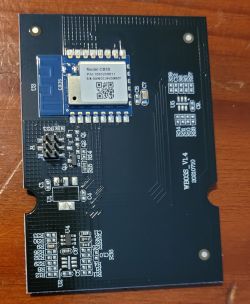
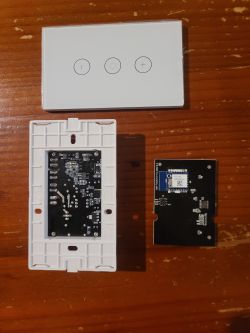
  • This is a short teardown of US type Generic Tuya Touch Wall Switch (With Neutral) with CB3S module.

    Basic information:
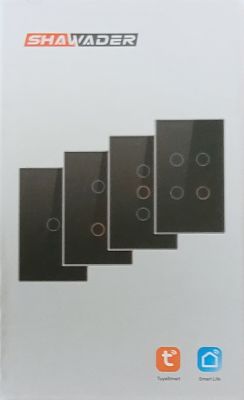
    Brand: Shawader (Tuya based)
    Model: WiFi Touch Switch & Dimmer WiFi Touch Switch
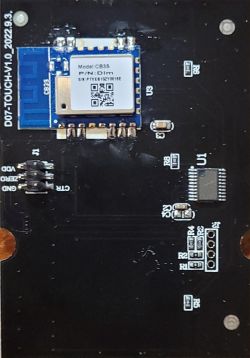
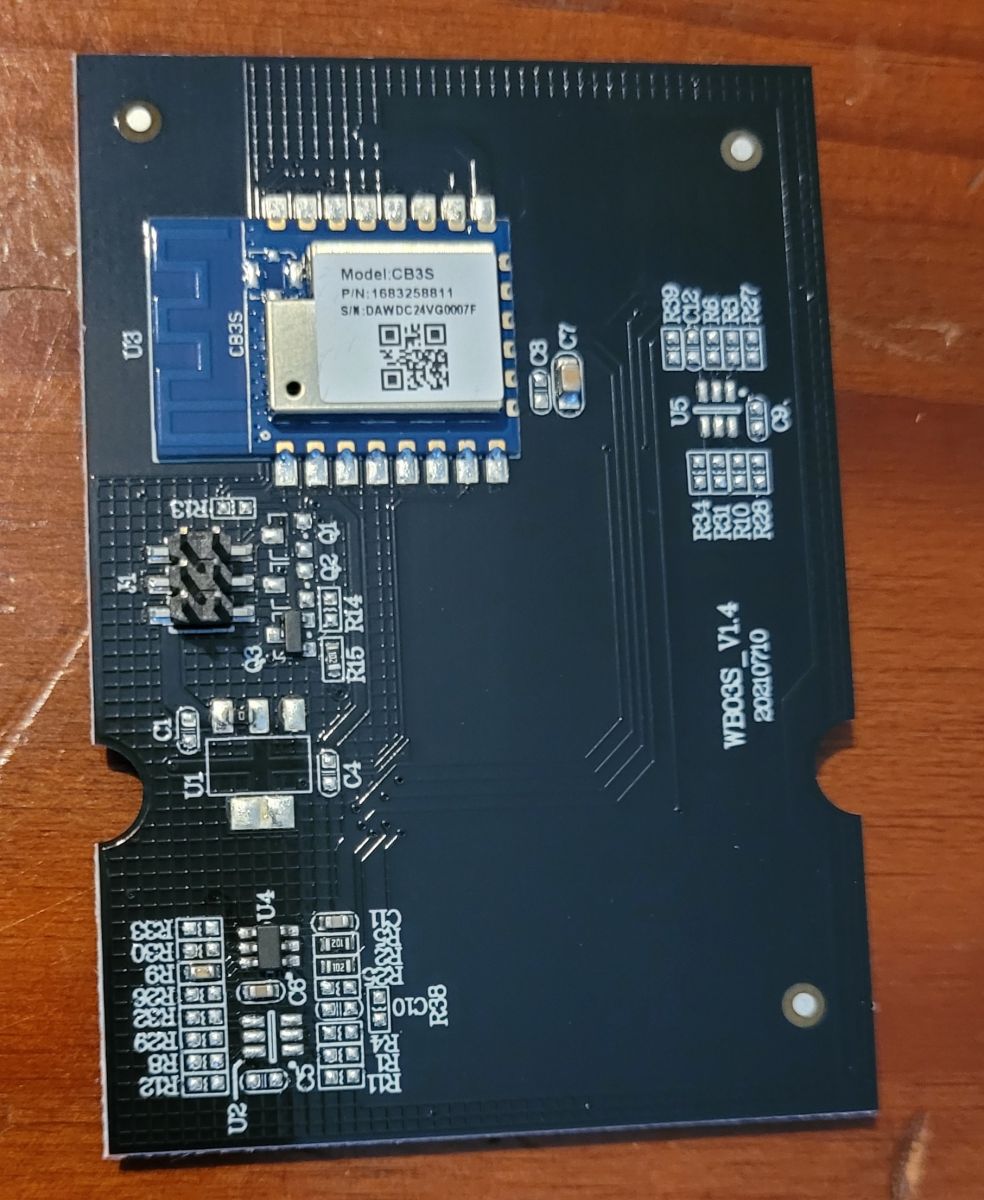
    Chip: BK7231N [CB3S]
    Local Vendor: https://shawader.aliexpress.com/store/4884178
    These switches look a lot like Makegood switches.
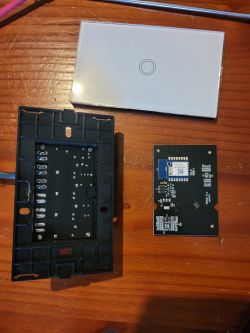
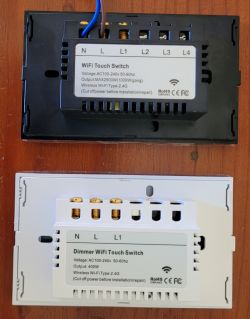
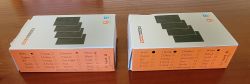
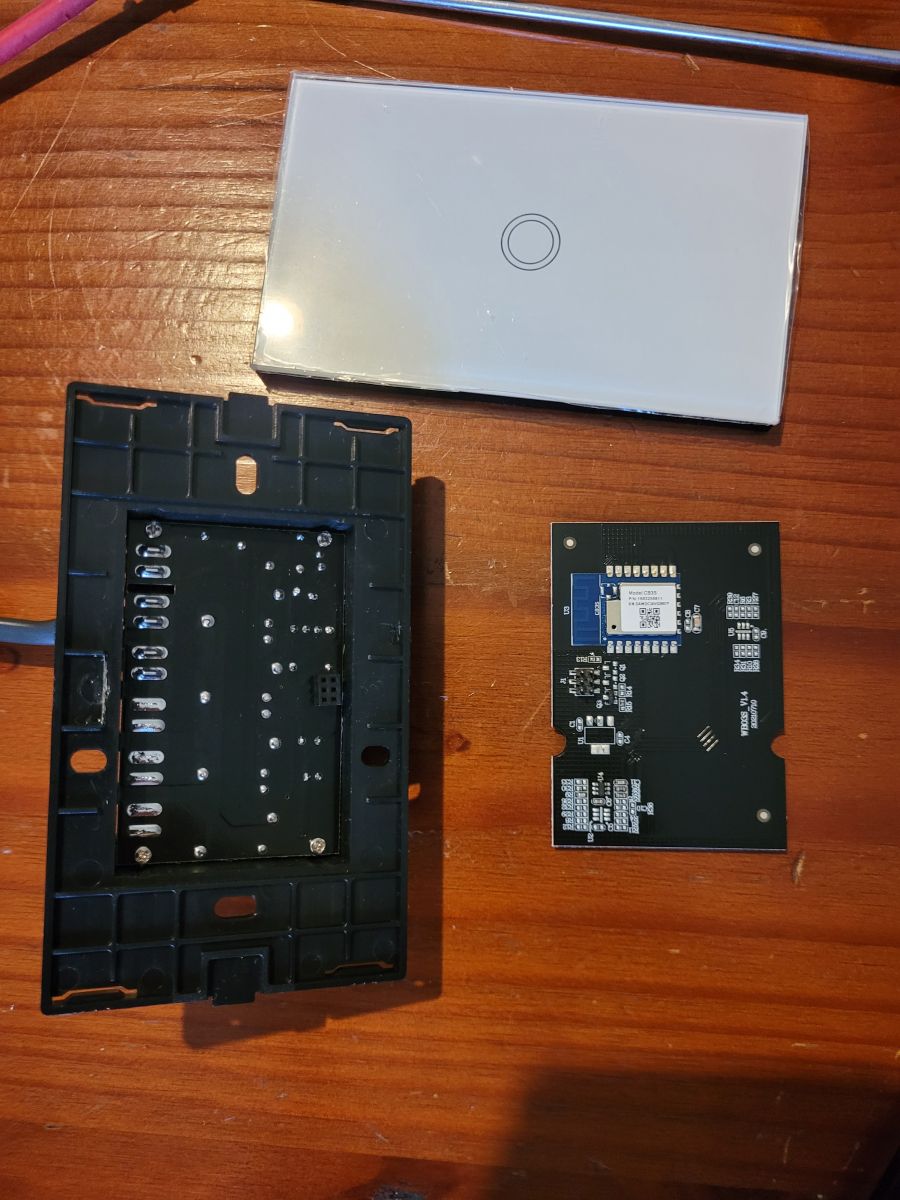
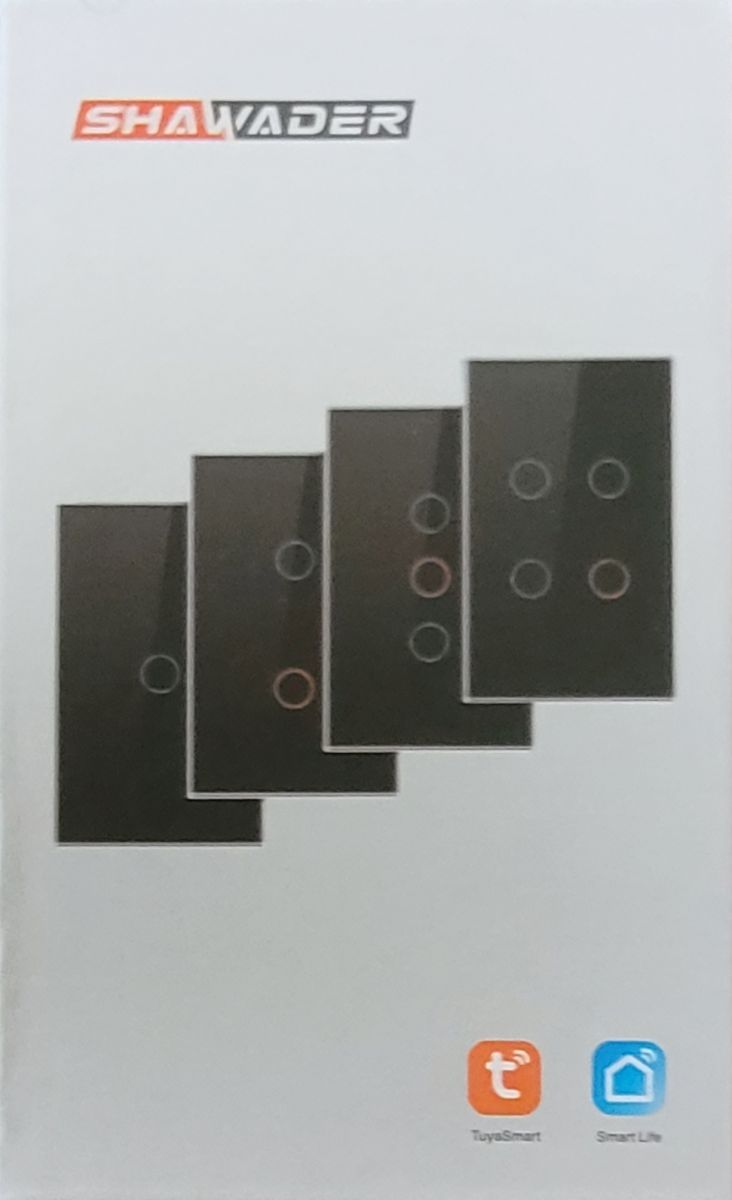
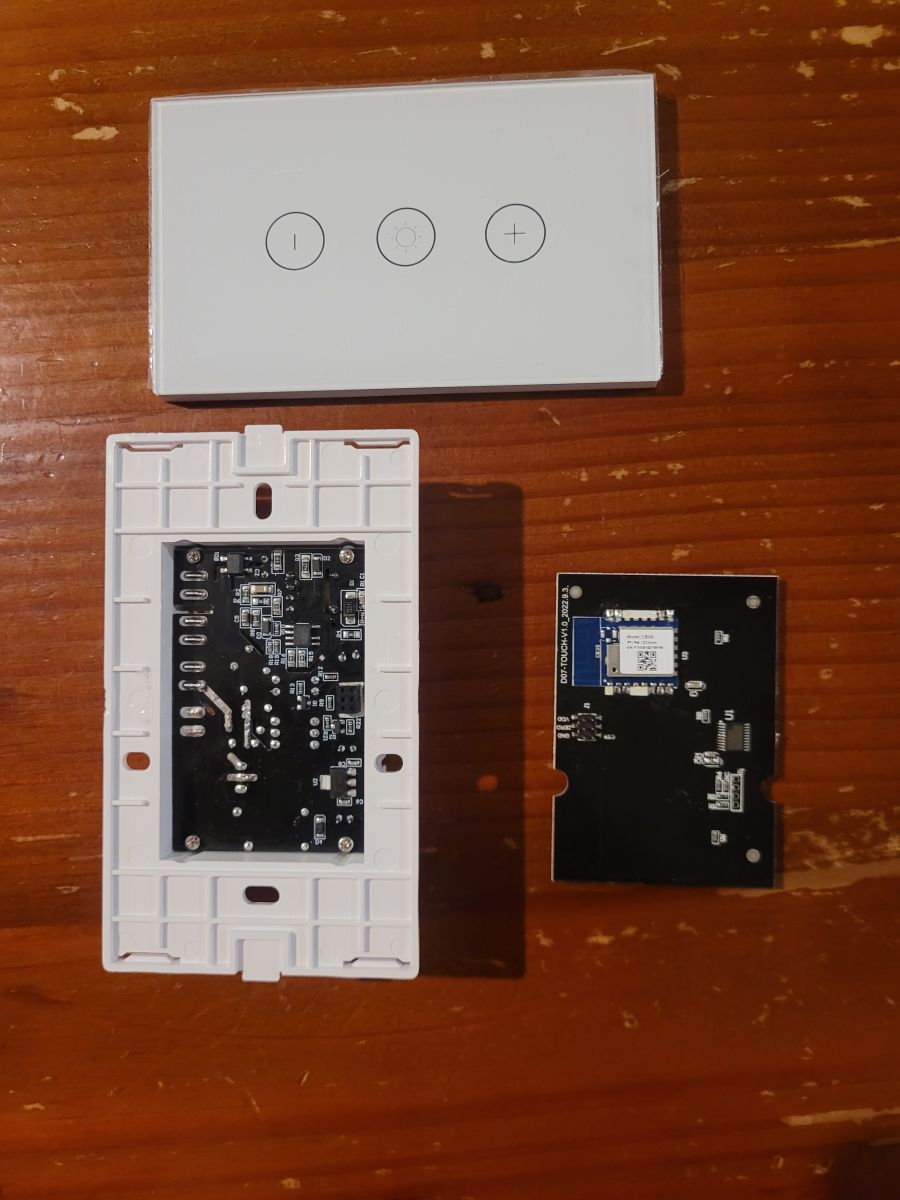
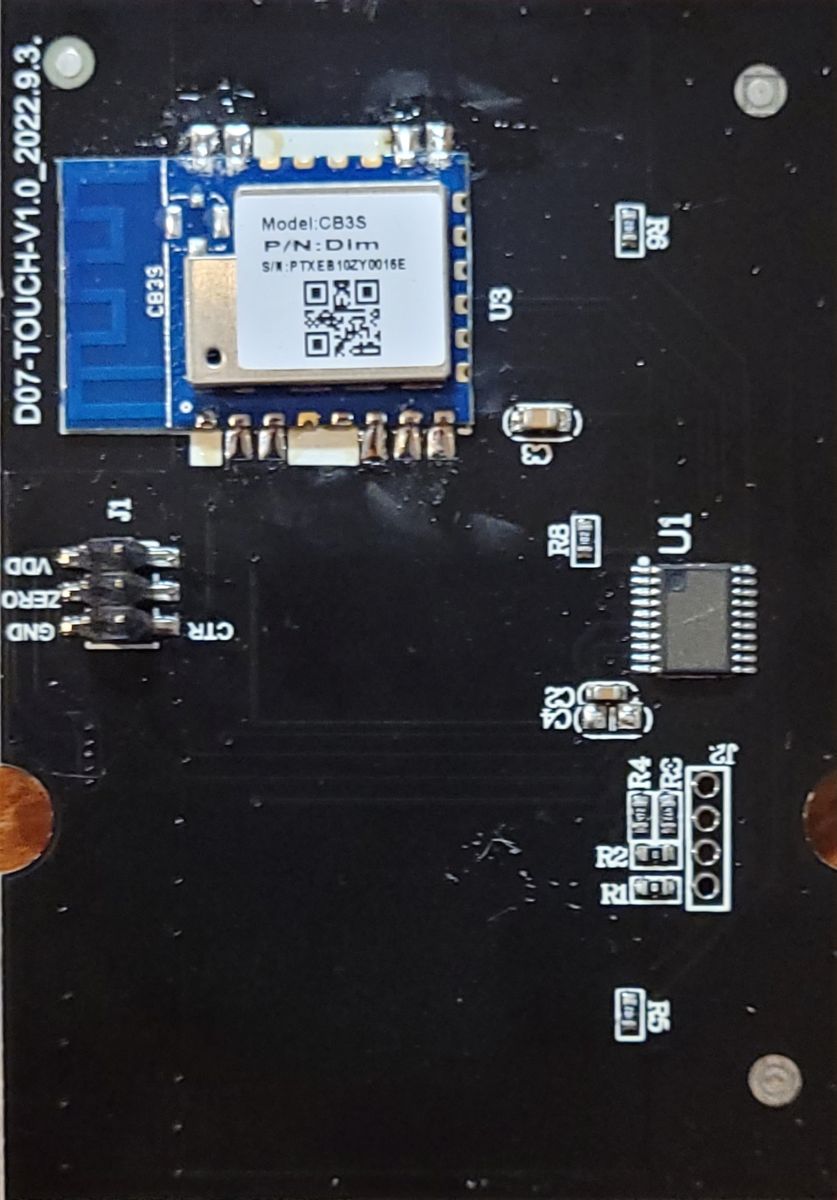
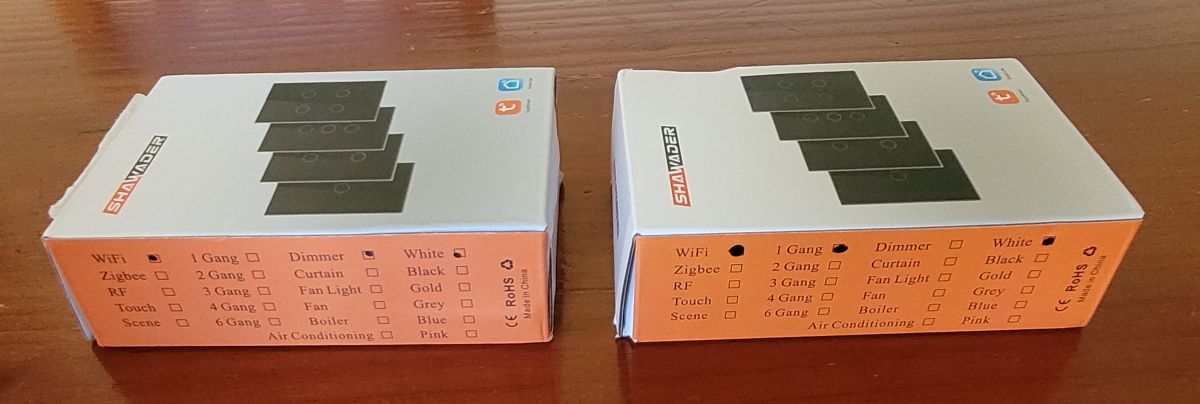
    Dismantled Shawader touch wall switch with CB3S module. CB3S module on a circuit board. Packaging of Shawader touch switch.
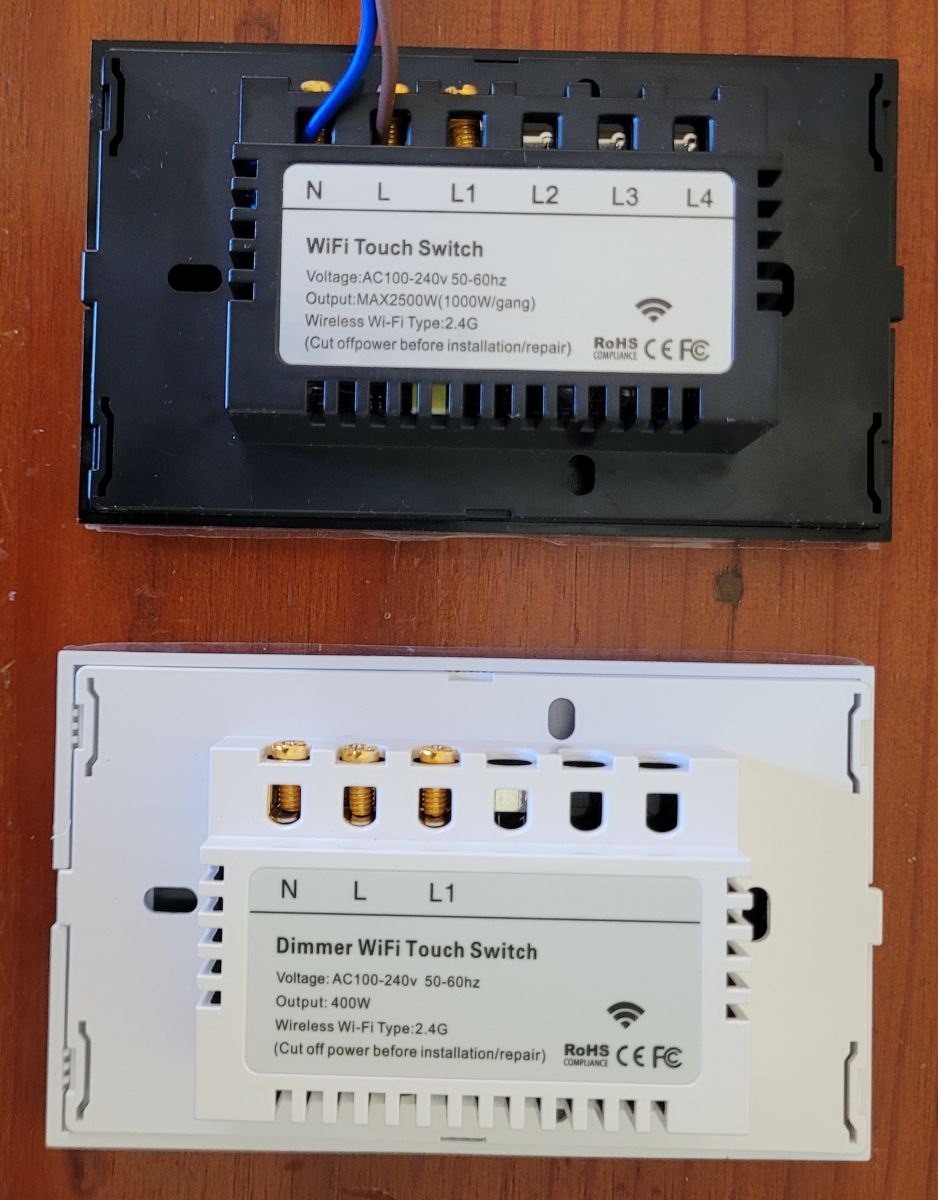
    Dismantling of Tuya touch switch with CB3S module. CB3S module embedded on a circuit board of the D07-TOUCH-V1.0_2022.9.3 touch switch. Two WiFi touch switches showing connection schematics.
    Two boxes of Shawader touch switches lying on a wooden surface.

    Main Module version in the Tuya app was V1.1.0 on the switch and V2.1.6 on the Dimmer.
    These can be flashed with Tuya-Cloudcutter.
    I used the option 2 > By firmware version and name.
    There is a V1.1.0 'dctrl switch' and V2.1.6 'common user config ty' file that both flashed fine.
    I think from memory they both flashed OpenBeken-v1.17.130_bk7231n.ug.bin

    ADVERTISEMENT


    This is only the one gang version but I would assume the 2,3,4 would be similar.

    This is what worked for me, I found with the switch that if I used WIFILED_n then the off blue was too dark so used LED_n instead the wifi led is under the cover anyway so you cant see it.

    Pinout for 1 gang switch:
    P10 Btn
    P11 LED_n
    P26 Rel

    JSON for 1 gang:
    Code: JSON
    Log in, to see the code


    autoexec.bat for dimmer:
    startDriver TuyaMCU
    setChannelType 1 toggle
    setChannelType 2 dimmer
    tuyaMcu_setDimmerRange 2 1000
    linkTuyaMCUOutputToChannel 1 1 1
    linkTuyaMCUOutputToChannel 2 2 2

    JSON for 1 dimmer:
    Code: JSON
    Log in, to see the code


    Hopefully this is useful to some.

    Cool? Ranking DIY
    About Author
    theslydog
    Level 4  
    Offline 
    theslydog wrote 7 posts with rating 2. Been with us since 2023 year.
  • ADVERTISEMENT
  • #2 20763713
    p.kaczmarek2
    Moderator Smart Home
    Posts: 14622
    Help: 655
    Rate: 12639
    Thank you for submitting configs. I have slightly edited your post for clarity. Devices are now added to our Elektroda teardowns list:
    https://openbekeniot.github.io/webapp/devicesList.html
    Helpful post? Buy me a coffee.
📢 Listen (AI):

FAQ

TL;DR: For OpenBeken users flashing Shawader Tuya wall hardware, 3 key values matter: P10, P11, and P26. “Both flashed fine,” the post reports for firmware V1.1.0 and V2.1.6 using Tuya-Cloudcutter, covering a 1-gang touch switch and a dimmer on BK7231N CB3S. [#20758972]

Why it matters: This FAQ gives a clean, extractable setup path for identifying, flashing, and configuring a generic Tuya touch switch or dimmer built around BK7231N and the CB3S module.

Alternative Firmware/app version Tuya-Cloudcutter choice OpenBeken detail
1-gang touch switch V1.1.0 dctrl switch Pin map: P10 Btn, P11 LED_n, P26 Rel
Dimmer V2.1.6 common user config ty Uses TuyaMCU with dimmer range 1000
Visible LED choice LED_n Preferred because WIFILED_n made the blue off-state too dark

Key insight: The most actionable takeaway is that the switch and dimmer need different OpenBeken handling: the 1-gang switch uses a direct pin map, while the dimmer relies on TuyaMCU commands instead of explicit GPIO assignments. [#20758972]

Quick Facts

  • Device family in the post: Shawader Tuya-based US-type touch wall switch and dimmer, both using BK7231N on a CB3S module. [#20758972]
  • Confirmed app firmware versions were V1.1.0 on the switch and V2.1.6 on the dimmer, and both were flashed with Tuya-Cloudcutter. [#20758972]
  • Working 1-gang switch GPIO map: P10 = Btn, P11 = LED_n, P26 = Rel. [#20758972]
  • The dimmer autoexec sets channel 1 = toggle, channel 2 = dimmer, then applies a dimmer range of 1000. [#20758972]
  • After submission, the devices were added to the Elektroda teardowns list, so there is a maintained catalog entry for this switch and dimmer family. [#20763713]

How do I flash a Shawader Tuya touch wall switch with a BK7231N CB3S module using Tuya-Cloudcutter?

Use Tuya-Cloudcutter by firmware version and name. 1. Read the device firmware in the Tuya app: the post saw V1.1.0 on the switch and V2.1.6 on the dimmer. 2. In Cloudcutter, choose option 2  By firmware version and name. 3. Select the matching profile and flash; the author says both devices took OpenBeken-v1.17.130_bk7231n.ug.bin successfully. [#20758972]

What pin mapping works for the 1-gang Shawader WiFi touch switch with CB3S and OpenBeken?

The working 1-gang mapping is P10 = Btn, P11 = LED_n, and P26 = Rel. The shared JSON template names the device “Shawader 1 gang light touch switch” and identifies the hardware as BK7231N on CB3S. [#20758972]

Why does using WIFILED_n make the blue off-state LED too dark on this Tuya touch switch, and how is LED_n different?

WIFILED_n made the blue off-state indicator too dark in this build, so LED_n worked better for the visible status light. The author states the Wi-Fi LED sits under the cover anyway, which removes the main reason to use WIFILED_n on this 1-gang switch. [#20758972]

What autoexec.bat settings are needed to configure the Shawader BK7231N dimmer with TuyaMCU in OpenBeken?

Use five lines in autoexec.bat: startDriver TuyaMCU, setChannelType 1 toggle, setChannelType 2 dimmer, tuyaMcu_setDimmerRange 2 1000, linkTuyaMCUOutputToChannel 1 1 1, and linkTuyaMCUOutputToChannel 2 2 2. This setup gives the dimmer one toggle channel and one dimmer channel. [#20758972]

Which Tuya-Cloudcutter profile should I choose for firmware versions V1.1.0 and V2.1.6 on these Shawader switches and dimmers?

Choose dctrl switch for firmware V1.1.0 and common user config ty for firmware V2.1.6. The post says both selections flashed correctly when Cloudcutter was used by firmware version and name. [#20758972]

How do I set the dimmer range to 1000 and link TuyaMCU outputs to channels on a BK7231N CB3S dimmer?

Set the range with tuyaMcu_setDimmerRange 2 1000 and then map outputs with linkTuyaMCUOutputToChannel 1 1 1 and linkTuyaMCUOutputToChannel 2 2 2. In the same file, set channel 1 as toggle and channel 2 as dimmer so OpenBeken handles both functions correctly. [#20758972]

What is the CB3S module in Tuya wall switches, and how does it relate to the BK7231N chip?

“CB3S” is a Wi-Fi module that hosts the main controller, identifying the board platform used inside the switch. In this thread, the hardware pairing is explicit: the device uses a BK7231N chip on a CB3S board, and both the switch and dimmer JSON entries name that combination directly. [#20758972]

What is TuyaMCU in the context of OpenBeken dimmers, and what does it control on a touch wall switch?

“TuyaMCU” is a device driver that links OpenBeken channels to the switch’s internal MCU-controlled functions, including on/off state and dimming. In this dimmer setup, it controls channel 1 as a toggle and channel 2 as a dimmer, then maps both outputs to OpenBeken channels. [#20758972]

LED_n vs WIFILED_n on a Tuya touch switch: which one is better for the visible status LED and why?

LED_n is better for the visible status LED on this specific switch. The tested result was clear: WIFILED_n made the blue off-state LED too dark, while LED_n gave a better visible result, and the Wi-Fi LED was hidden under the cover anyway. [#20758972]

How similar are the 2-gang, 3-gang, and 4-gang Shawader Tuya touch switches likely to be compared with the 1-gang version?

They are likely similar, but the thread does not confirm identical pin maps. The author only tested the 1-gang version and says the 2-gang, 3-gang, and 4-gang models would be assumed similar, so treat that as a useful starting point, not a verified template. [#20758972]

What JSON device template should I use for a 1-gang Shawader touch switch in OpenBeken?

Use the JSON template that names the device “Shawader 1 gang light touch switch,” sets chip to BK7231N, board to CB3S, and maps pins 10 = Btn;1, 11 = LED_n;1, and 26 = Rel;1. It also tags the vendor as Tuya and the keyword as switch. [#20758972]

How can I identify whether a generic Tuya wall switch is the same design family as a Makegood switch?

Use physical resemblance as a clue, not proof. The post says these Shawader switches “look a lot like Makegood switches,” which suggests a shared design family, but it does not confirm the same PCB, pinout, or firmware across brands. [#20758972]

What do the firmware labels "dctrl switch" and "common user config ty" mean in Tuya-Cloudcutter for these devices?

In this thread, those labels are the working Cloudcutter profile names matched to the device firmware versions. dctrl switch matched V1.1.0 on the switch, and common user config ty matched V2.1.6 on the dimmer; the post does not define the labels beyond that practical use. [#20758972]

What safety precautions should I take when opening, flashing, and testing a neutral-wire Tuya wall switch or dimmer connected to mains power?

This thread does not provide a safety procedure. It only identifies the hardware as a US-type wall switch and dimmer with neutral, so the safe takeaway is to avoid treating this post as a mains-safety guide and use it only for identification, flashing profiles, and OpenBeken configuration details. [#20758972]

Where can I find the Elektroda teardowns list entry for the Shawader BK7231N CB3S touch switch and dimmer after flashing?

You can find it in the Elektroda teardowns list entry that the moderator says now includes these devices. The follow-up post explicitly confirms that the submitted configs were added to the Elektroda teardown catalog after the original October 2023 post. [#20763713]
Generated by the language model.
ADVERTISEMENT