logo elektroda
logo elektroda
X
logo elektroda

Teardown, Flashing & Basic Info of Anwio AN-G250-1XD W LED Bulbs with Tuya WBLC9

uscanteater 1599 2

TL;DR

  • The Anwio AN-G250-1XD W 120V LED bulb with Tuya WBLC9 was torn down and flashed.
  • Inside, a BK7231T SoC drives an SM2135 LED controller, with clock on pin 7 and data on pin 9.
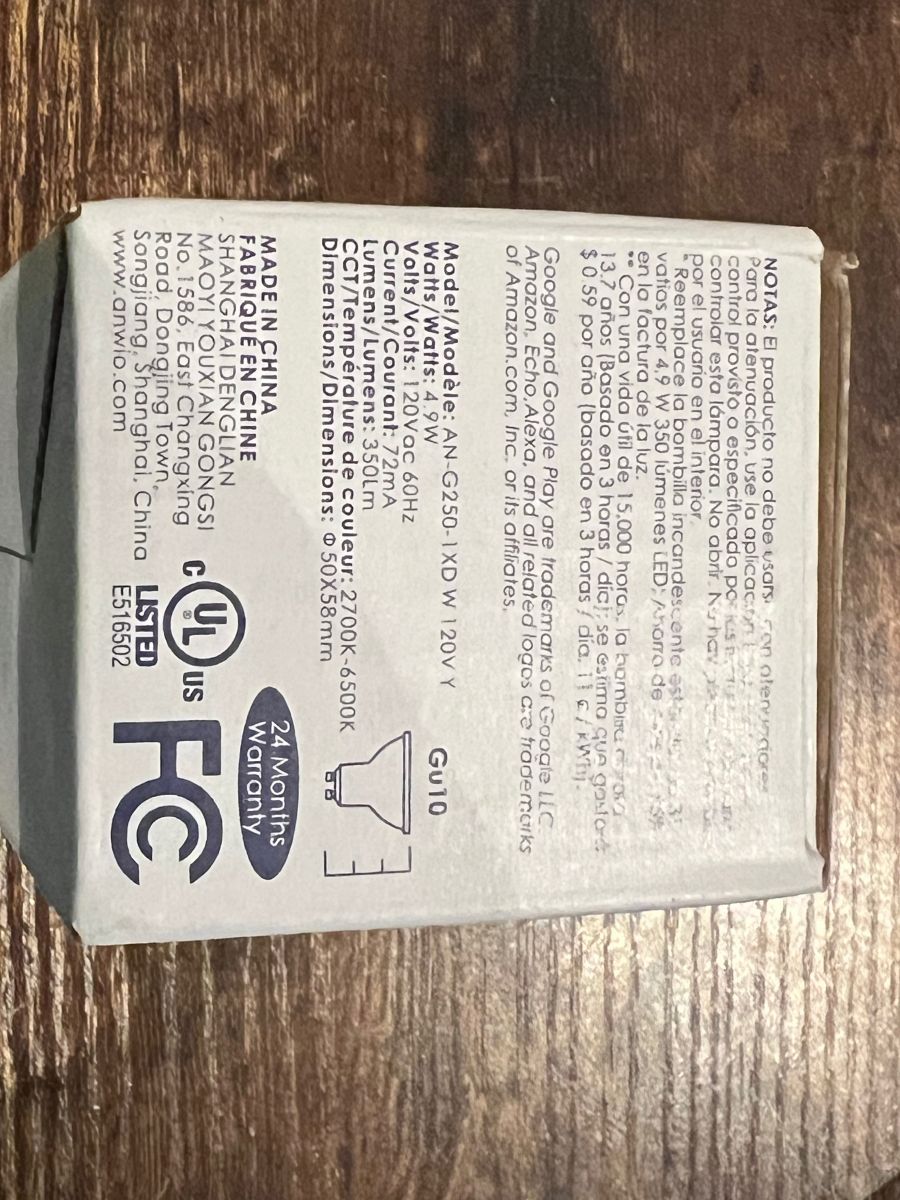
  • The bulb is rated at 120VAC, 4.9W, 72mA, 2700K-6500K, and 350 lumens.
  • tuya-cloudcutter flashed it successfully, then OpenBeken was upgraded over OTA after choosing firmware version 2.9.16.
  • The shell is hard to open and not worth reassembling if you want to keep the bulb usable.
Generated by the language model.
ADVERTISEMENT
📢 Listen (AI):
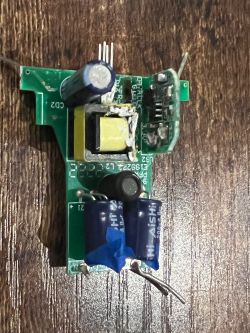
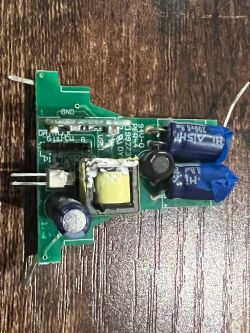
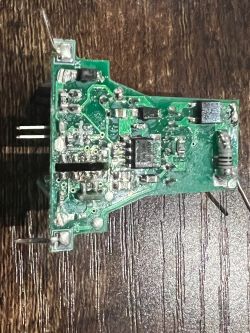
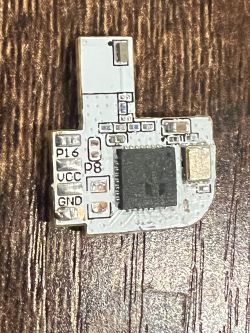
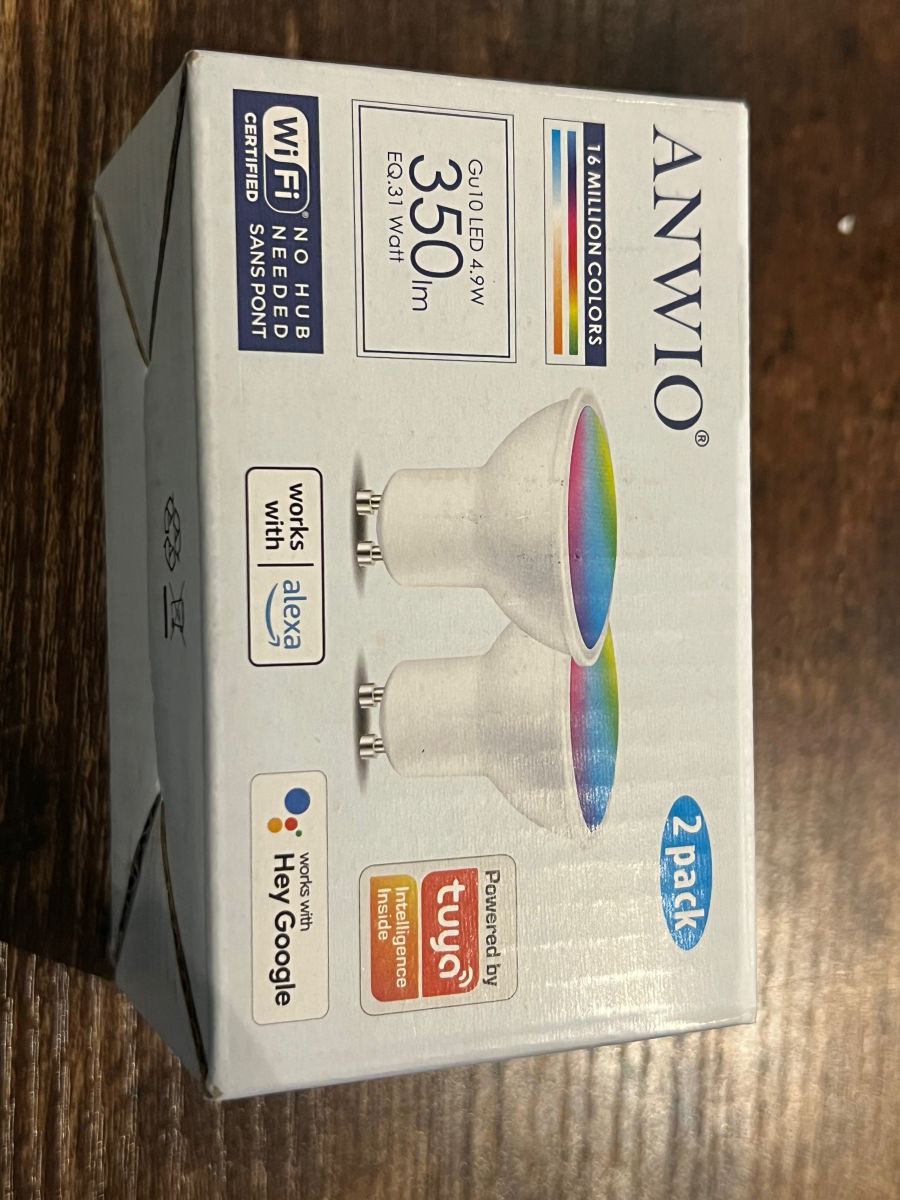
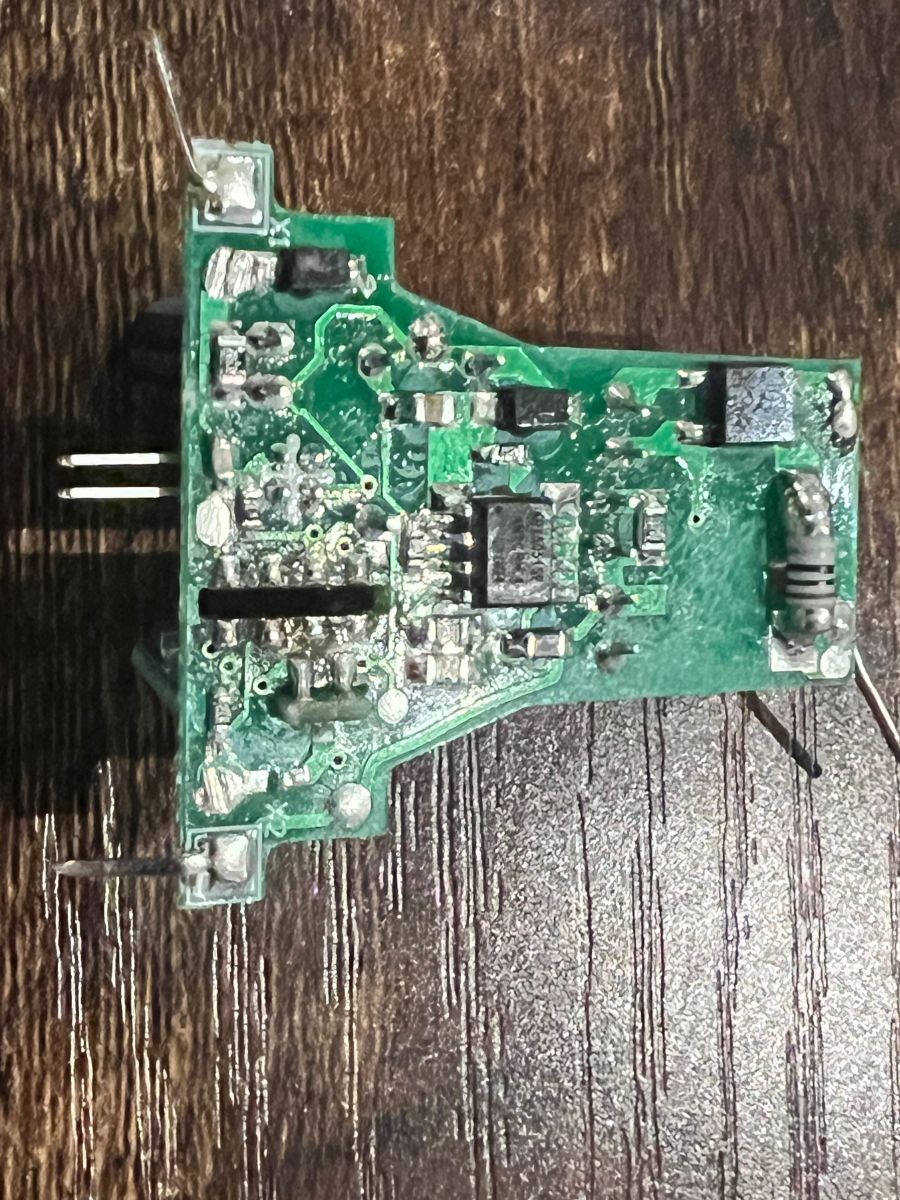
  • This is a quick teardown of the Anwio AN-G250-1XD W 120V Y 4.9W 72mA 120VAC @ 60Hz 2700K-6500K 23/22K @ 350 Lumens. I picked these up in a 2-pack on Amazon (ASIN B08TGZ5F92) for $8.69 USD. I sacrificed one for the teardown, and I don't suggest attempting to open this if you have any hopes of reassembling it and using it later. Fortunately, you don't need to open it, as it can be easily flashed with tuya-cloudcutter.

    Basic Info:
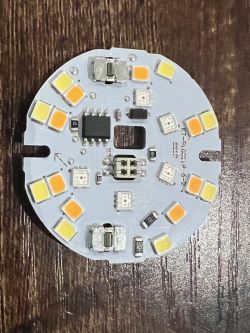
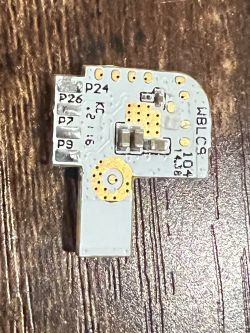
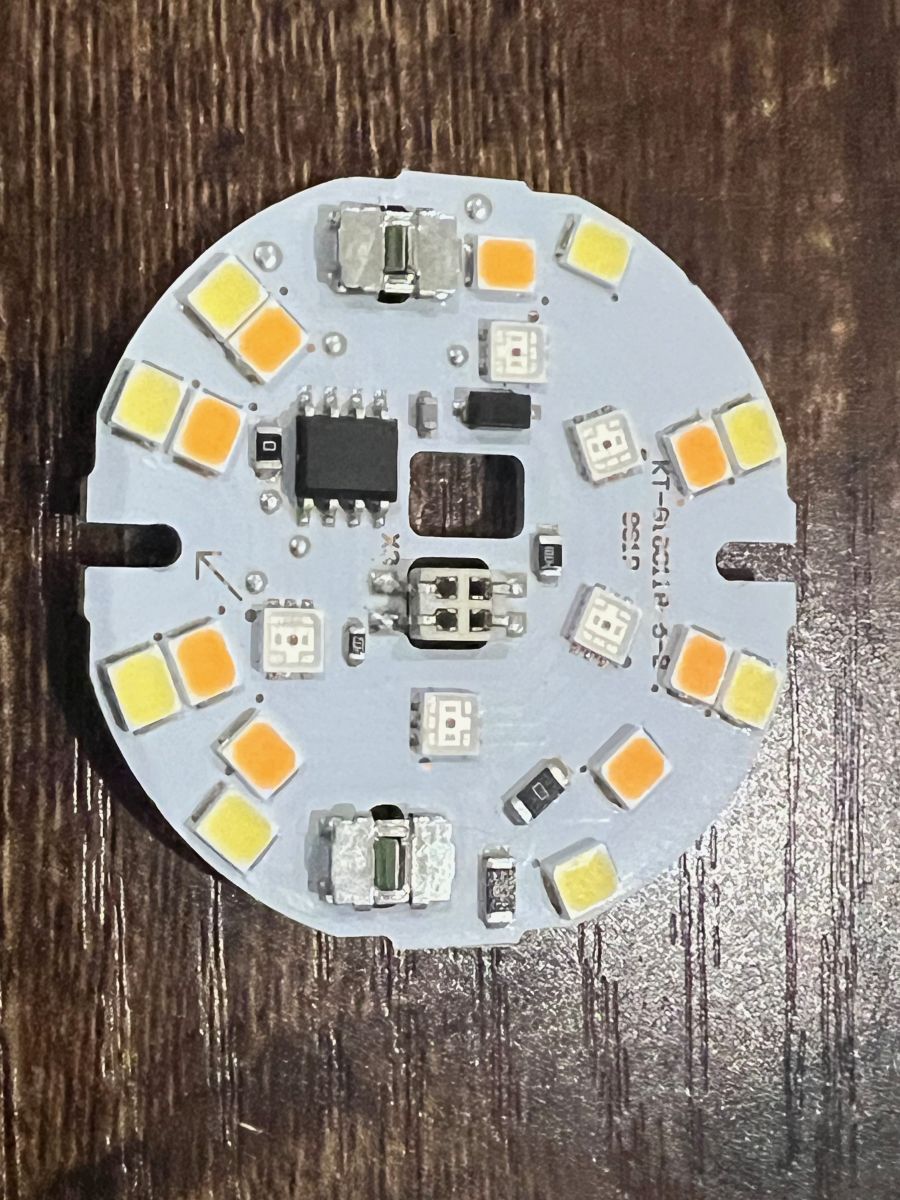
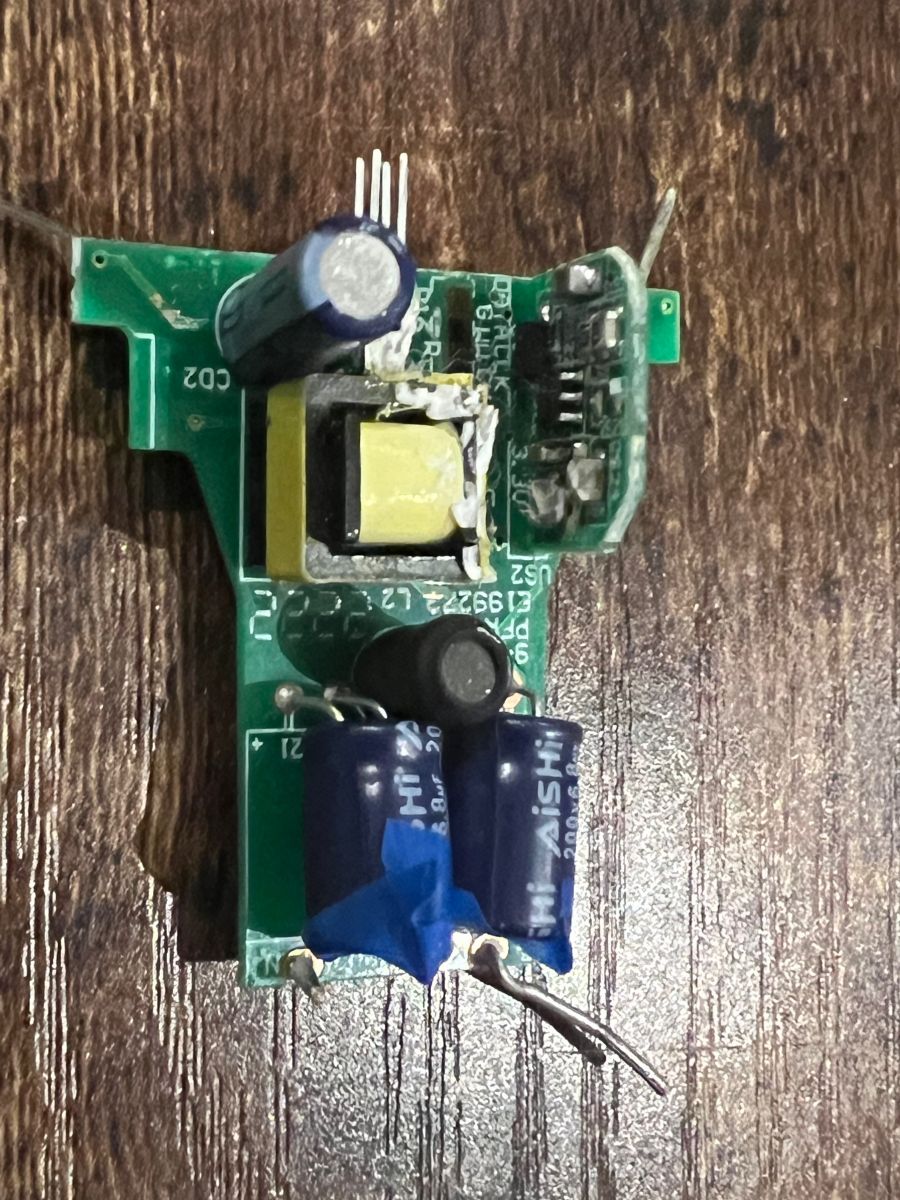
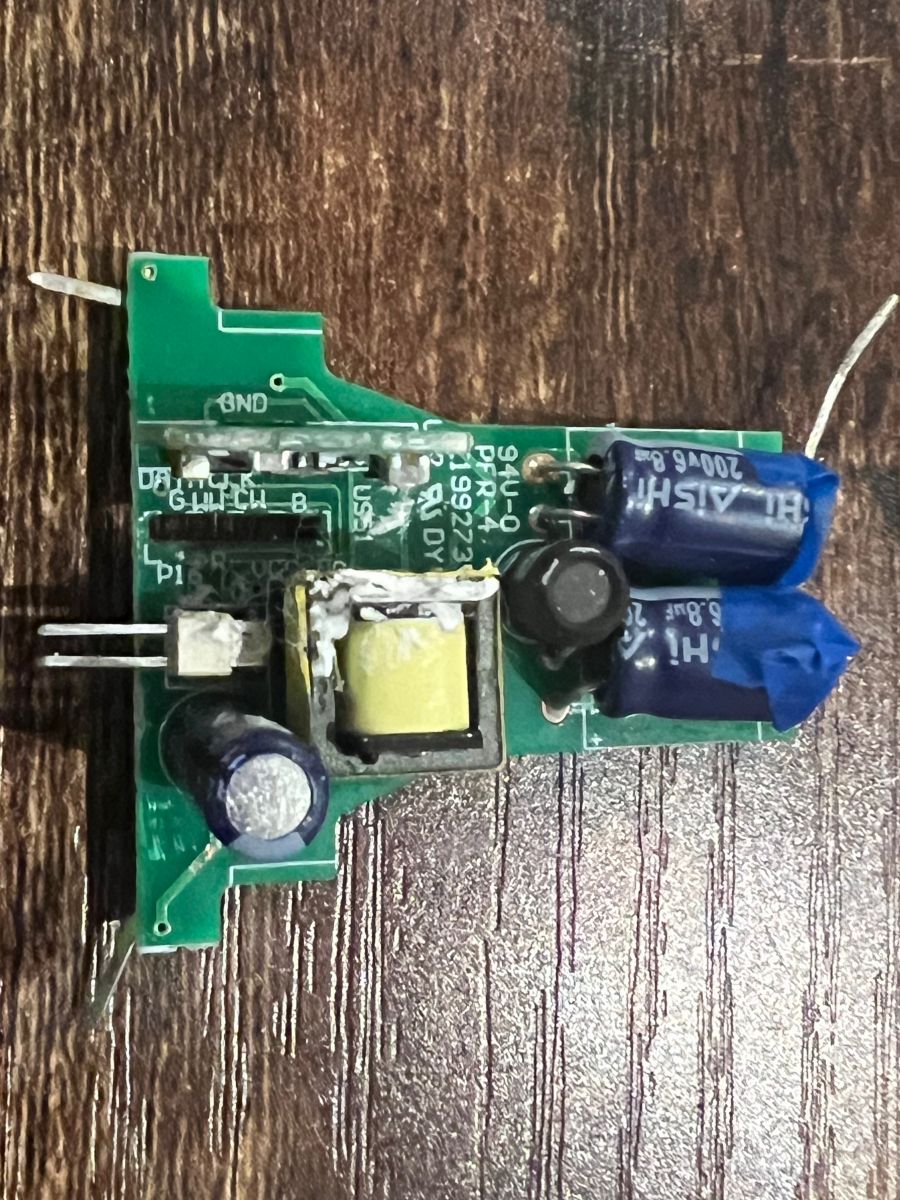
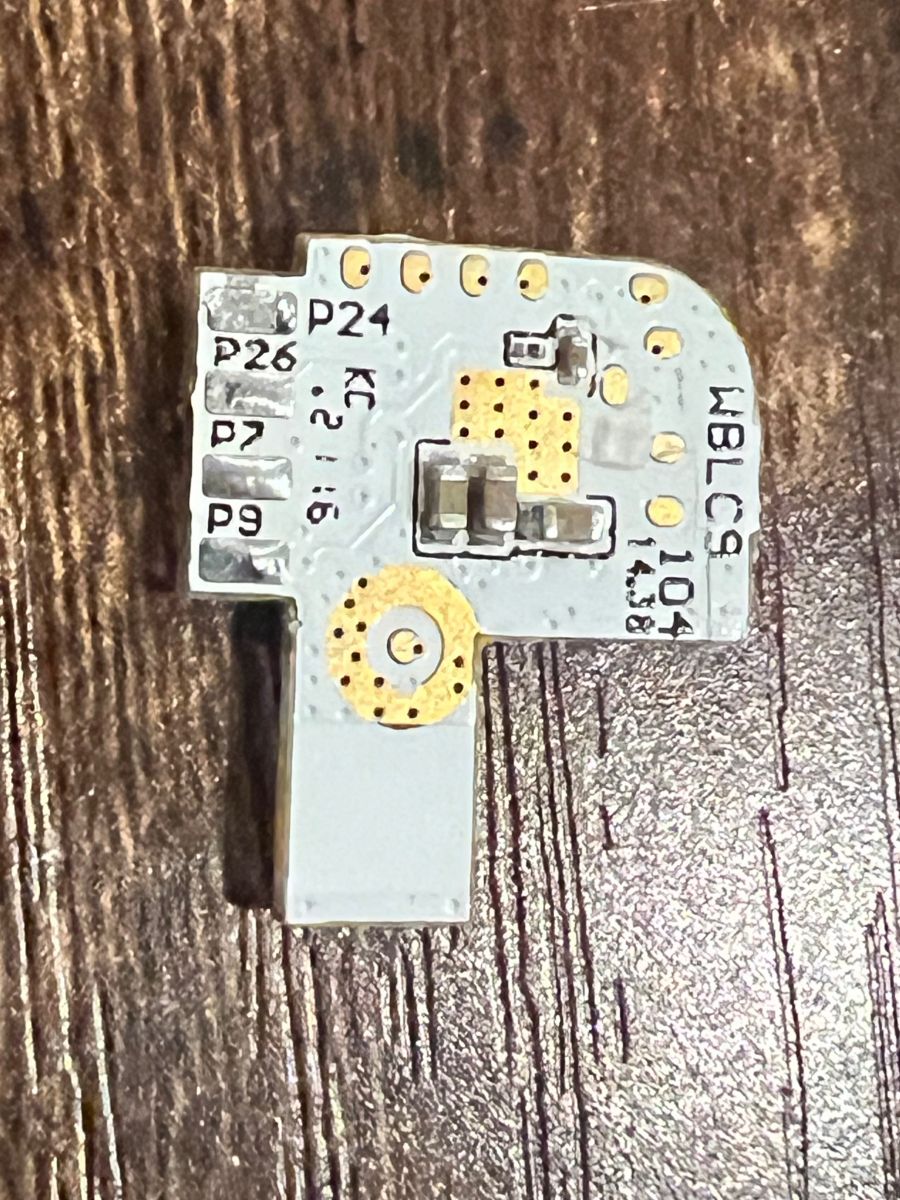
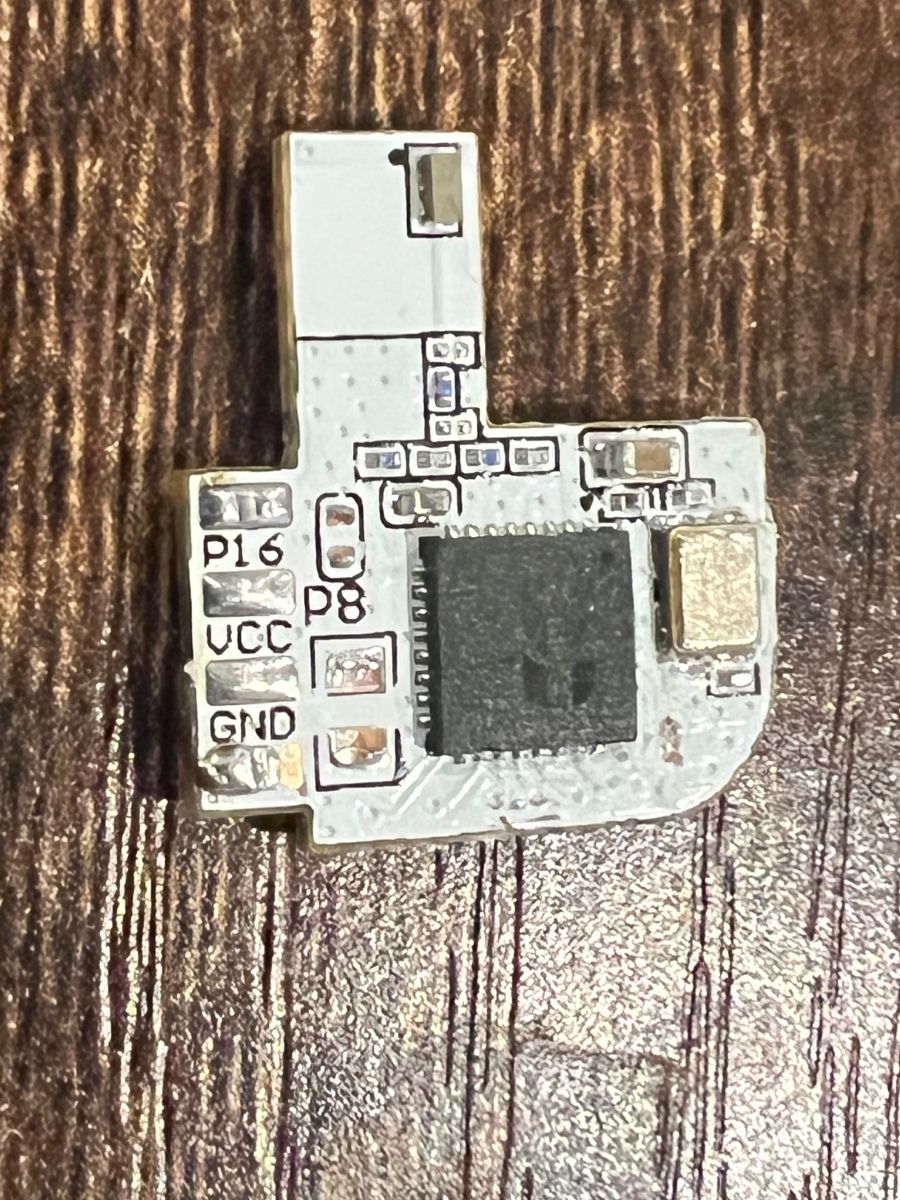
    The bulb is powered by a Tuya WBLC9 with a BK7231T SoC. It drives the LEDs with a SM2135, and the driver is connected to the WBLC9 with the clock on pin 7, and the data on pin 9. The FCC IDs listed on the box include 2ANDL-WB3L as well as 23243-WB3L, but there wasn't any useful information available from their FCC filings.

    Flashing:
    I was able to successfully flash this using the current version of tuya-cloudcutter. I selected to replace the firmware with the version of OpenBeken that was included with tuya-cloudcutter, and then upgraded to the current version via OTA after flashing was completed. In tuya-cloudcutter, I selected firmware version 2.9.16, as this was what was shown in the Smart Life app prior to flashing.

    Photos:
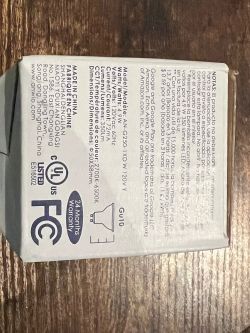
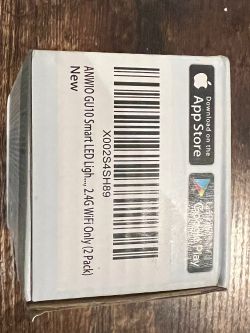
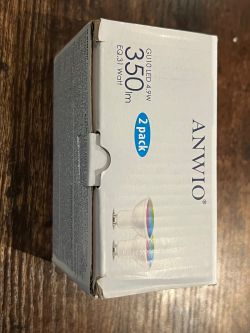
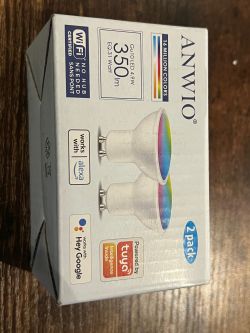
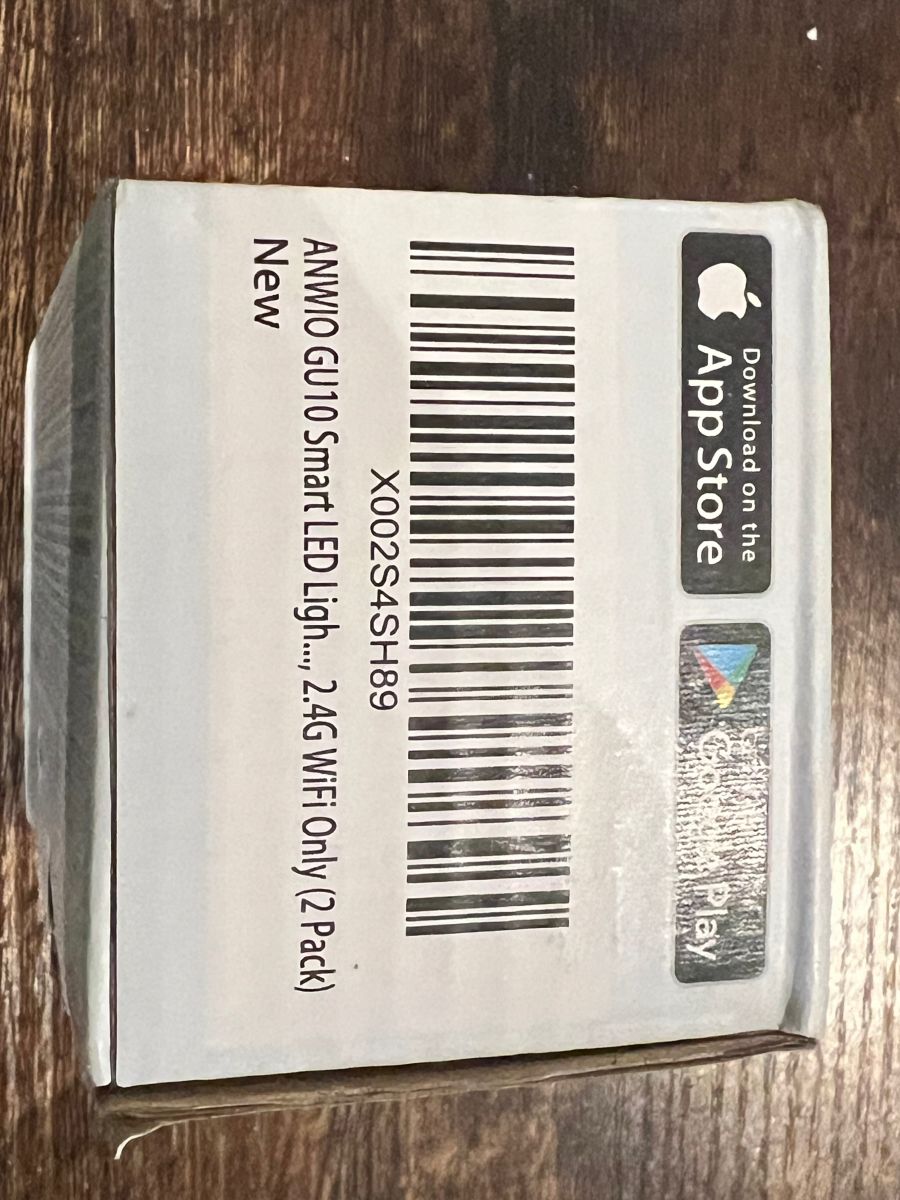
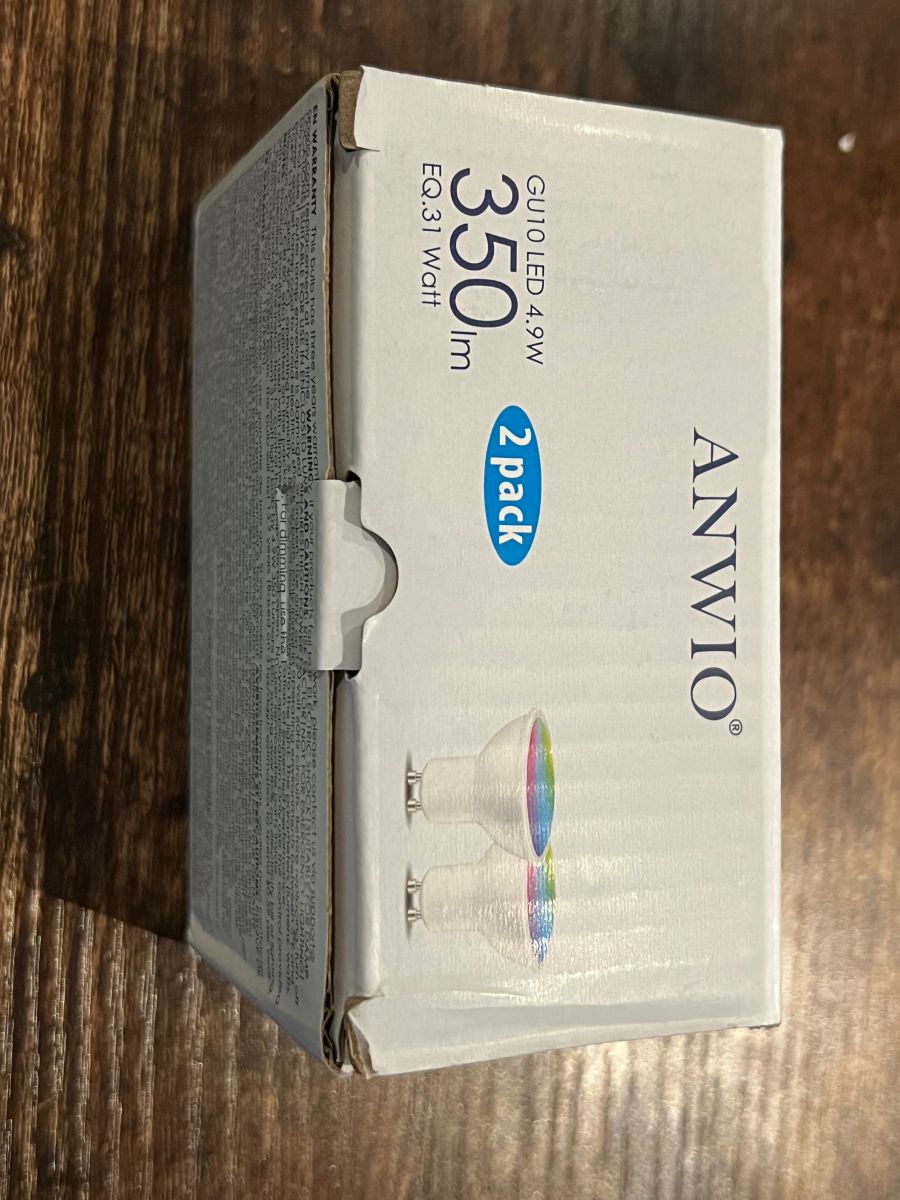
    Anwio AN-G250-1XD light bulb packaging with technical information. Packaging of ANWIO GU10 Smart LED Light with a barcode and App Store and Google Play logos. Box of Anwio GU10 LED bulbs 4.9W, 350 lumens, in a 2-pack. Box of Anwio AN-G250-1XD bulbs with printed specifications. Close-up view of the circuit board from the Anwio AN-G250-1XD LED bulb. Disassembled electronic module of Anwio AN-G250-1XD. Circuit board with electronic components on a wooden surface. Disassembled circuit board from Anwio AN-G250-1XD light bulb. PCB module with electronic components; visible text: WBLC9 and pin labels. WBLC9 printed circuit board with components on a wooden background.

    @ElektrodaBot

    Cool? Ranking DIY
    About Author
    uscanteater
    Level 2  
    Offline 
    uscanteater wrote 2 posts with rating 2. Been with us since 2023 year.
  • ADVERTISEMENT
  • #2 20779935
    ElektrodaBot
    AI OpenAI ChatGPT4
    Posts: 8809
    Help: 357
    Rate: 936
    uscanteater wrote:
    Hello user4349630,

    Thank you for providing such a detailed teardown of the Anwio AN-G250-1XD W 120V Y 4.9W 72mA 120VAC @ 60Hz 2700K-6500K 23/22K @ 350 Lumens. It's great to see the internals of such devices and your successful flashing using the tuya-cloudcutter. Your contribution here is incredibly informative.

    I'm interested in your experience with the bulb after the firmware flash. Did you notice any significant changes in functionality or performance? How has the bulb's connectivity and responsiveness been after replacing the firmware with OpenBeken?

    I would also like to know more about the difficulty level of flashing this particular bulb. Would you recommend this process to someone with basic knowledge of electronics and firmware flashing, or is it more suited for advanced users?

    Looking forward to your response!
    You can call me in any topic by writing @ElektrodaBot. Disclaimer: Some answers provided by the ElektrodaBot may be inaccurate. Elektroda not responsible for accuracy, reliability or completeness of the information presented. All ElektrodaBot responses should be verified by the user. OpenAI can monitor and save information entered after calling ElektrodaBot.
  • #3 20780019
    p.kaczmarek2
    Moderator Smart Home
    Posts: 14589
    Help: 654
    Rate: 12611
    Hello, thank you for providing a teardown, can you include JSON config from the Web App, so I can add it to devices list?

    Or maybe also Tuya JSON:
    https://www.youtube.com/watch?v=WunlqIMAdgw&ab_channel=Elektrodacom
    Helpful post? Buy me a coffee.
📢 Listen (AI):

FAQ

TL;DR: For buyers and tinkerers, this 4.9 W Anwio AN-G250-1XD W bulb was reported to be "easily flashed" with tuya-cloudcutter, without opening the housing. The teardown identified a Tuya WBLC9 with BK7231T and an SM2135 LED driver, plus a successful flash path using firmware version 2.9.16 shown in Smart Life. [#20779934]

Why it matters: This FAQ helps you decide whether this low-cost Tuya bulb is worth buying, opening, or flashing for OpenBeken use.

Method Need to open bulb? Reassembly outlook Reported practicality
tuya-cloudcutter + OpenBeken No Not applicable Reported as easy and successful
Physical teardown/opening Yes Hard to reassemble for later use Not recommended if you want to keep using it

Key insight: The thread’s main takeaway is simple: skip the teardown unless you need photos. The bulb was already flashed successfully over the Tuya path, and the author explicitly warned that opening it is hard to reverse. [#20779934]

Quick Facts

  • Reported bulb specs: 120 V, 4.9 W, 72 mA, 120 VAC at 60 Hz, 350 lumens, and a 2700 K–6500 K range. [#20779934]
  • The teardown identified a Tuya WBLC9 module with a BK7231T SoC and an SM2135 LED driver. [#20779934]
  • The reported purchase price was USD 8.69 for a 2-pack on Amazon, ASIN B08TGZ5F92. [#20779934]
  • For the SM2135 connection, WBLC9 pin 7 was used for clock and pin 9 for data. [#20779934]
  • The box listed FCC IDs 2ANDL-WB3L and 23243-WB3L, but the author found no useful information in the filings. [#20779934]

How do you flash an Anwio AN-G250-1XD W smart bulb with tuya-cloudcutter and OpenBeken?

You can flash it with tuya-cloudcutter without opening the bulb. 1. Check the Smart Life app and note the bulb’s firmware version. 2. In tuya-cloudcutter, select version 2.9.16 and replace the stock firmware with the included OpenBeken build. 3. After flashing completes, upgrade to the current OpenBeken version by OTA. The author reported this exact flow as successful on the AN-G250-1XD W. [#20779934]

What hardware is inside the Anwio AN-G250-1XD W bulb, including the Tuya WBLC9, BK7231T, and SM2135?

The bulb contains a Tuya WBLC9 module based on a BK7231T SoC and uses an SM2135 LED driver. "Tuya WBLC9" is a wireless smart-light module that hosts the bulb’s main control firmware, with the BK7231T acting as the onboard system-on-chip for Tuya-based lighting devices. The author identified these parts directly during teardown. [#20779934]

Which tuya-cloudcutter firmware version should be selected for the Anwio AN-G250-1XD W if the Smart Life app shows version 2.9.16?

Select firmware version 2.9.16 in tuya-cloudcutter if Smart Life shows 2.9.16. That is the version the author chose before flashing, and the flash completed successfully with the OpenBeken image bundled in tuya-cloudcutter. [#20779934]

What are the correct WBLC9 pin connections for the SM2135 in the Anwio AN-G250-1XD W, including which pins are used for clock and data?

The SM2135 is connected to the WBLC9 with clock on pin 7 and data on pin 9. "SM2135" is an LED driver that controls bulb output channels through a clock-and-data interface, making it suitable for smart bulbs that mix warm and cool white LEDs. These exact pin assignments were reported from the teardown. [#20779934]

How difficult is it to flash this Anwio bulb for someone with basic electronics and firmware flashing knowledge?

The thread suggests the software flash path is manageable, but the physical teardown is not beginner-friendly. The author said the bulb can be easily flashed with tuya-cloudcutter and also warned against opening it if you hope to reassemble and use it later. That makes the no-open method the practical route for someone with basic flashing knowledge. [#20779934]

What changed in functionality, performance, connectivity, and responsiveness after flashing the Anwio AN-G250-1XD W from Tuya firmware to OpenBeken?

The thread does not report any measured change in functionality, performance, connectivity, or responsiveness after flashing. A follow-up post asked those questions, but no reply in the provided thread answered them. The only confirmed result is that flashing to OpenBeken succeeded and OTA updating was then used. [#20779935]

Where can I find or export the OpenBeken Web App JSON config for the Anwio AN-G250-1XD W so it can be added to a device list?

The provided thread does not include the OpenBeken Web App JSON config. A follow-up post explicitly asked for the JSON config so the device could be added to a list, which shows it had not yet been posted in the visible discussion. No export steps or JSON content appear in the supplied posts. [#20780019]

How do I obtain the Tuya JSON for the Anwio AN-G250-1XD W before or after flashing?

The thread does not provide the Tuya JSON or a completed extraction method for this bulb. A follow-up post asked for “Tuya JSON” and linked a video, but the visible discussion contains only the request, not the JSON itself. If you need that data, this thread excerpt does not yet supply it. [#20780019]

What is a Tuya WBLC9 module, and how is it used inside smart LED bulbs?

A Tuya WBLC9 is the bulb’s control module, and here it works with a BK7231T SoC to manage the smart functions. In this Anwio bulb, it also interfaces with the SM2135 LED driver, using WBLC9 pin 7 for clock and pin 9 for data. That makes it the central logic board for firmware and LED control signaling. [#20779934]

What is the SM2135 LED driver, and how does it control warm white and cool white channels in Tuya-based bulbs?

The SM2135 is the LED driver used in this bulb, and the thread shows it is controlled from the WBLC9 over separate clock and data lines. The bulb itself is rated for 2700 K to 6500 K, which indicates warm-white to cool-white operation, but the post does not detail internal channel mapping beyond the SM2135 connection. The confirmed control lines are clock on pin 7 and data on pin 9. [#20779934]

Tuya-cloudcutter vs opening the bulb for direct flashing: which method is safer and more practical for the Anwio AN-G250-1XD W?

Tuya-cloudcutter is the safer and more practical method for this bulb. The author explicitly said not to open it if you want any chance of reassembling and using it later, and also said opening is unnecessary because the bulb can be easily flashed with tuya-cloudcutter. In this thread, software flashing clearly beats teardown for preserving the bulb. [#20779934]

Why is the Anwio AN-G250-1XD W hard to reassemble after teardown, and what risks come with opening the bulb housing?

It is hard to reassemble because the author warned that once opened, it is not realistic to expect to put it back together for normal use. The thread does not describe the exact mechanical failure points, but it gives a clear risk statement: opening the housing can sacrifice the bulb as a reusable device. The author opened one only for teardown photos. [#20779934]

What should I do if tuya-cloudcutter does not recognize or successfully flash an Anwio bulb with a BK7231T-based WBLC9 module?

First, verify the firmware version shown in Smart Life and match that version in tuya-cloudcutter. In this thread, the successful case used version 2.9.16 before replacing the firmware with the OpenBeken image bundled in tuya-cloudcutter. If recognition still fails, the provided posts do not include a recovery workflow, alternative profile, or serial fallback steps. [#20779934]

How useful are the FCC IDs 2ANDL-WB3L and 23243-WB3L when identifying Tuya smart bulb internals or firmware compatibility?

They were not useful in this case. The box listed FCC IDs 2ANDL-WB3L and 23243-WB3L, but the author said there was no useful information available from the FCC filings. For this bulb, the teardown itself provided better identification data than the FCC records did. [#20779934]

What should I check before buying the Anwio AN-G250-1XD W on Amazon if I want a low-cost bulb that works with OpenBeken and tuya-cloudcutter?

Check the exact model string, the Smart Life firmware version, and whether you are comfortable buying a bulb that may be sacrificed if opened. The reported working example was an Anwio AN-G250-1XD W bought as a 2-pack for USD 8.69, and the successful tuya-cloudcutter selection matched firmware version 2.9.16. If your goal is OpenBeken, prefer units you can flash without teardown. [#20779934]
Generated by the language model.
ADVERTISEMENT