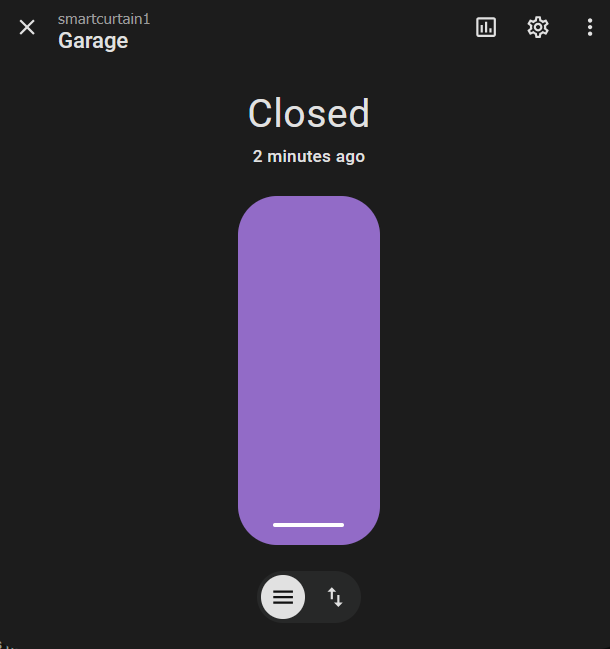
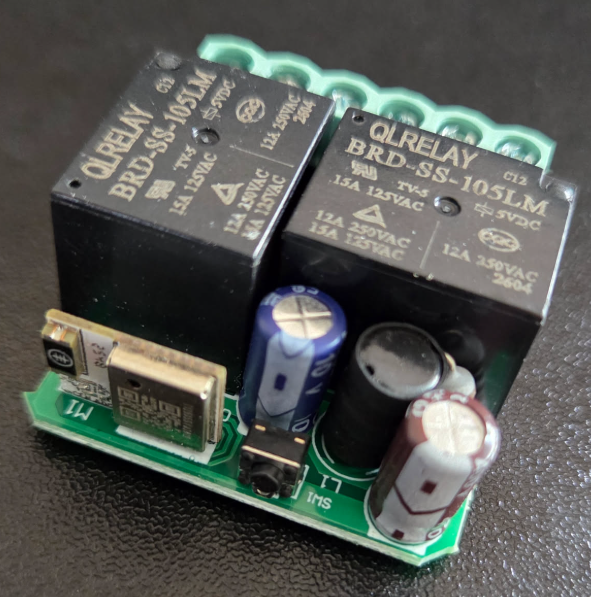
Today I have flashed a wifi roller shutter module, also known as curtain module.
The device model is QS-WIFI-S10-C04, but it is different from this one.
It looks like upgraded revision with thinner case and different wifi module.
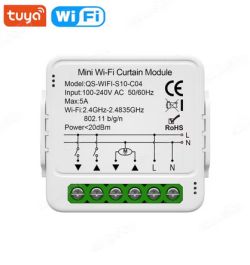
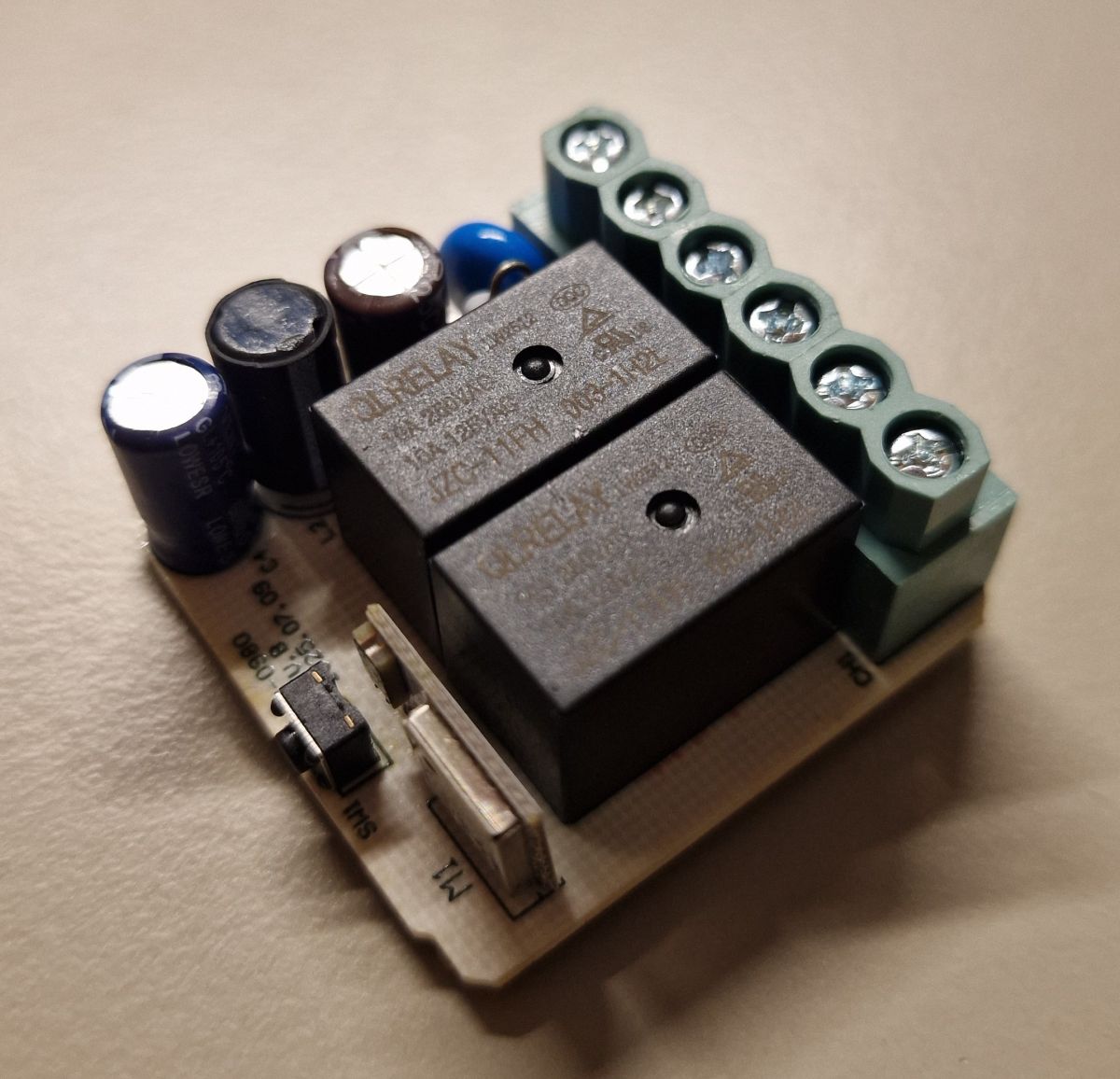
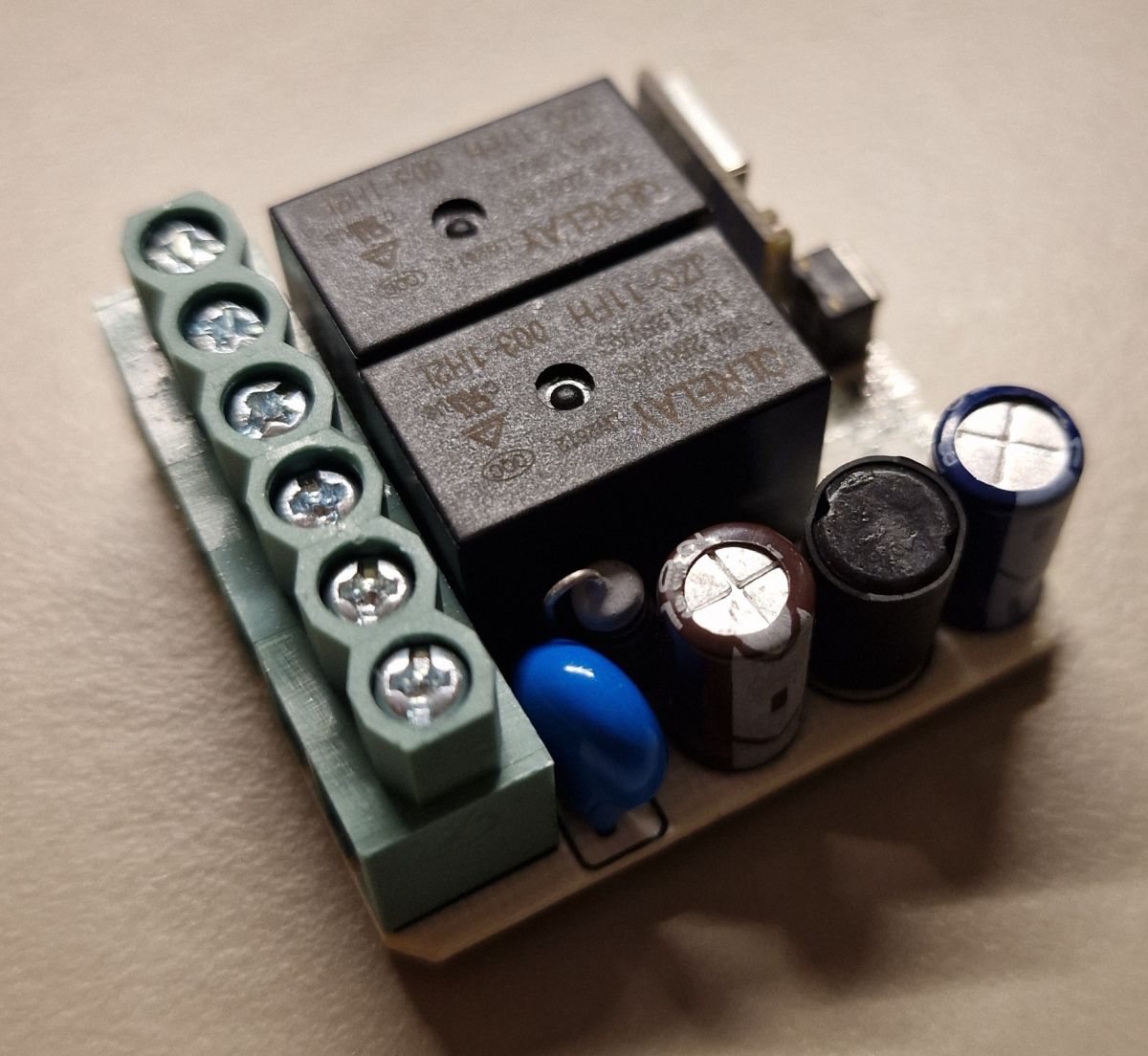
Generally, it has a built-in button, wifi LED, two 220 switch inputs and two relays.
Here is a wiring diagram for reference:
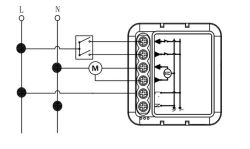
Active signal on external buttons is LOW, while it is triggered by phase to the external contact.
External buttons are probably made high voltage to allow the use for longer wires.
Here is what inside:
Wifi module is T1-M.
Flashing procedure is very human - unsolder the module and flash it with GUI Tool.
TX RX are not connected and it will probably flash without removing module.
Config seems to be encrypted and nothing has been automatically extracted, so I had to debug the pinout.
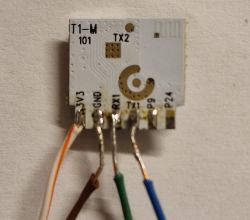
Here goes the template:
But thats not all.
Each relay is independent and we can enable them by buttons, but we need to implement the protection against enabling accidently two at once.
Also it is not very human to hold the button - thats why we need the timers to hold relay enabled for a while, then disable it.
My roller has stupid mechanical endstops at the ends and different drives for up and down direction.
It is ok if the relay stays on slightly longer than needed to fully open/close.
Here is autorun to make it happen:
I have improved scripts from another posts to work fine for me.
However here is still a room for improvement.
I want to make button response time instant. Right now it takes about half a second for button to trigger. I dont know currently more optimal functions - maybe there should be some kind of interrupts.
The device model is QS-WIFI-S10-C04, but it is different from this one.
It looks like upgraded revision with thinner case and different wifi module.
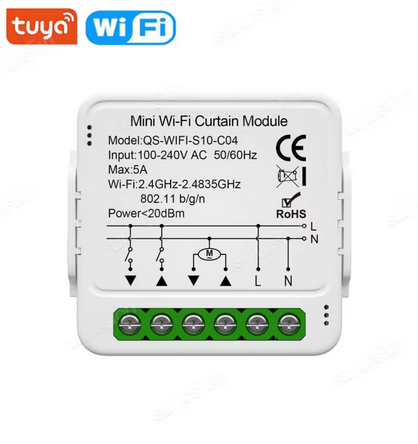
Generally, it has a built-in button, wifi LED, two 220 switch inputs and two relays.
Here is a wiring diagram for reference:
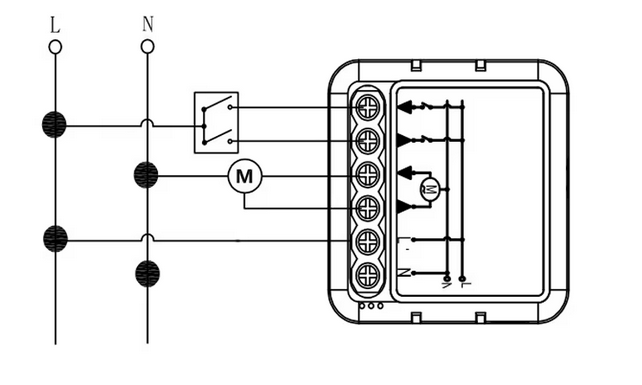
Active signal on external buttons is LOW, while it is triggered by phase to the external contact.
External buttons are probably made high voltage to allow the use for longer wires.
Here is what inside:
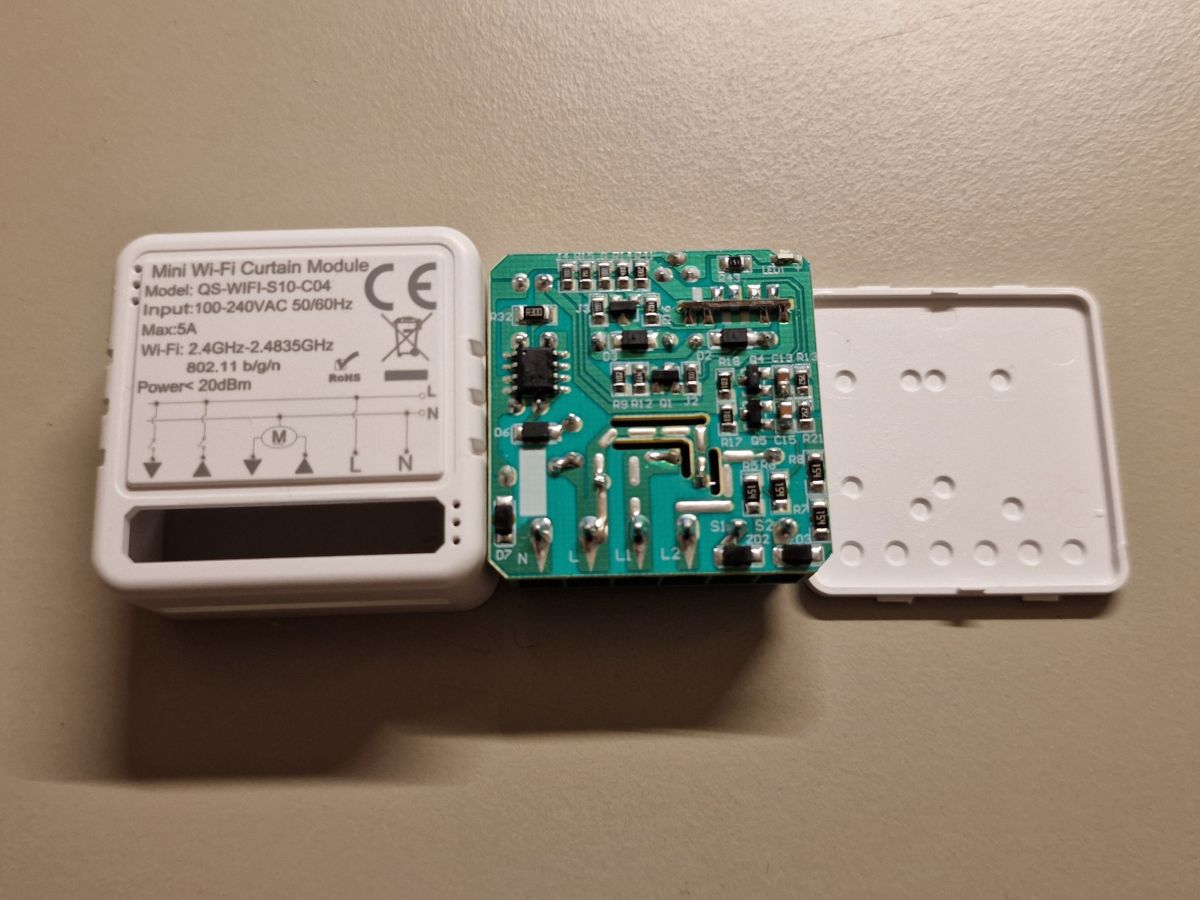 |  |  |
Wifi module is T1-M.
Flashing procedure is very human - unsolder the module and flash it with GUI Tool.
TX RX are not connected and it will probably flash without removing module.
Config seems to be encrypted and nothing has been automatically extracted, so I had to debug the pinout.
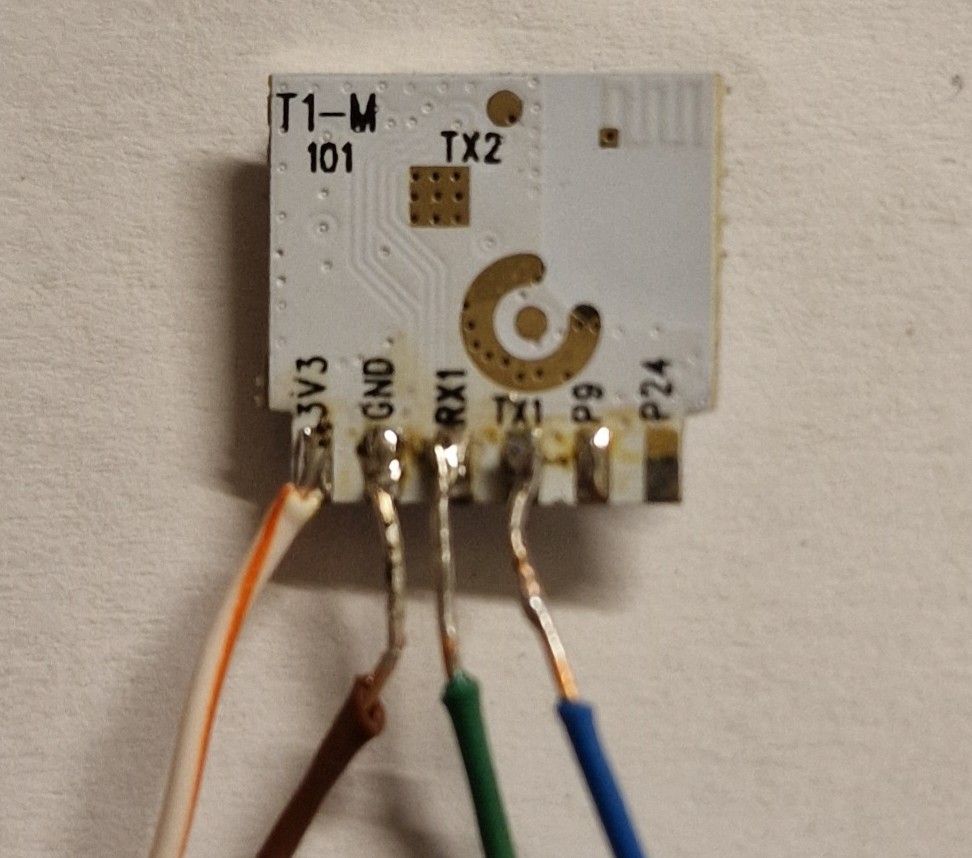
Here goes the template:
{
  "vendor": "Tuya",
  "bDetailed": "0",
  "name": "WIFI Roller shutter with automation",
  "model": "QS-WIFI-S10-C04",
  "chip": "BK7238",
  "board": "TODO",
  "flags": "0",
  "keywords": [
    "roller",
    "shutter",
    "curtain"
  ],
  "pins": {
    "6": "dInput;13",
    "8": "WifiLED_n;0",
    "9": "Rel;1",
    "24": "Rel;2",
    "26": "dInput;12"
  },
  "command": "",
  "image": "https://obrazki.elektroda.pl/7311259500_1772256606.png",
  "wiki": "https://www.elektroda.com/rtvforum/viewtopic.php?p=21850663"
}
But thats not all.
Each relay is independent and we can enable them by buttons, but we need to implement the protection against enabling accidently two at once.
Also it is not very human to hold the button - thats why we need the timers to hold relay enabled for a while, then disable it.
My roller has stupid mechanical endstops at the ends and different drives for up and down direction.
It is ok if the relay stays on slightly longer than needed to fully open/close.
Here is autorun to make it happen:
// State machine
//0: stopped/unknown position
//1: opening
//2: closing
//3: stopped/opened
//4: stopped/closed

// dn btn
SetPinChannel 6 13
SetPinRole 6 dInput

// up btn
SetPinChannel 26 12
SetPinRole 26 dInput

// up relay
SetPinChannel 9 1
SetPinRole 9 Rel

// dn relay
SetPinChannel 24 2
SetPinRole 24 Rel

// led
SetPinChannel 8 0
SetPinRole 8 WifiLED_n

// state
setChannelType 43 ReadOnly
ClampChannel 43 0 4
SetChannelVisible 43 0
setChannelLabel 43 State 1


// Logic
alias goto-opening-then-opened backlog cancelRepeatingEvent 1; cancelRepeatingEvent 2; setChannel 2 0; setChannel 1 1; setChannel 43 1; addRepeatingEventID 20 20 1 goto-opened
alias goto-opened backlog cancelRepeatingEvent 1; setChannel 1 0; setChannel 43 3

alias goto-closing-then-closed backlog cancelRepeatingEvent 1; cancelRepeatingEvent 2; setChannel 1 0; setChannel 2 1; setChannel 43 2; addRepeatingEventID 20 20 2 goto-closed
alias goto-closed backlog cancelRepeatingEvent 2; setChannel 2 0; setChannel 43 4

alias goto-stop backlog cancelRepeatingEvent 1; cancelRepeatingEvent 2; setChannel 1 0; setChannel 2 0; setChannel 43 0


// ext up dn buttons
alias btn-open if $CH43==0||$CH43==2||$CH43==4 then goto-opening-then-opened else btn-open-cancel
alias btn-open-cancel if $CH43==1 then goto-stop
addChangeHandler Channel12 == 0 btn-open

alias btn-close if $CH43==0||$CH43==1||$CH43==3 then goto-closing-then-closed else btn-close-cancel
alias btn-close-cancel if $CH43==2 then goto-stop
addChangeHandler Channel13 == 0 btn-close


// Hide default web buttons
setChannelVisible 1 0
setChannelVisible 2 0

// web up dn buttons
startDriver httpButtons
setButtonEnabled 41 1
setButtonLabel 41 Up
setButtonEnabled 42 1
setButtonLabel 42 Down

setButtonCommand 41 btn-open
setButtonCommand 42 btn-close


// stop on boot
addEvent 1 goto-stop
I have improved scripts from another posts to work fine for me.
However here is still a room for improvement.
I want to make button response time instant. Right now it takes about half a second for button to trigger. I dont know currently more optimal functions - maybe there should be some kind of interrupts.