logo elektroda
logo elektroda
X
logo elektroda

ChatGPT locally? AI/LLM assistants to run on your computer - download and installation

p.kaczmarek2 9672 10
ADVERTISEMENT
Treść została przetłumaczona polish » english Zobacz oryginalną wersję tematu
📢 Listen (AI):
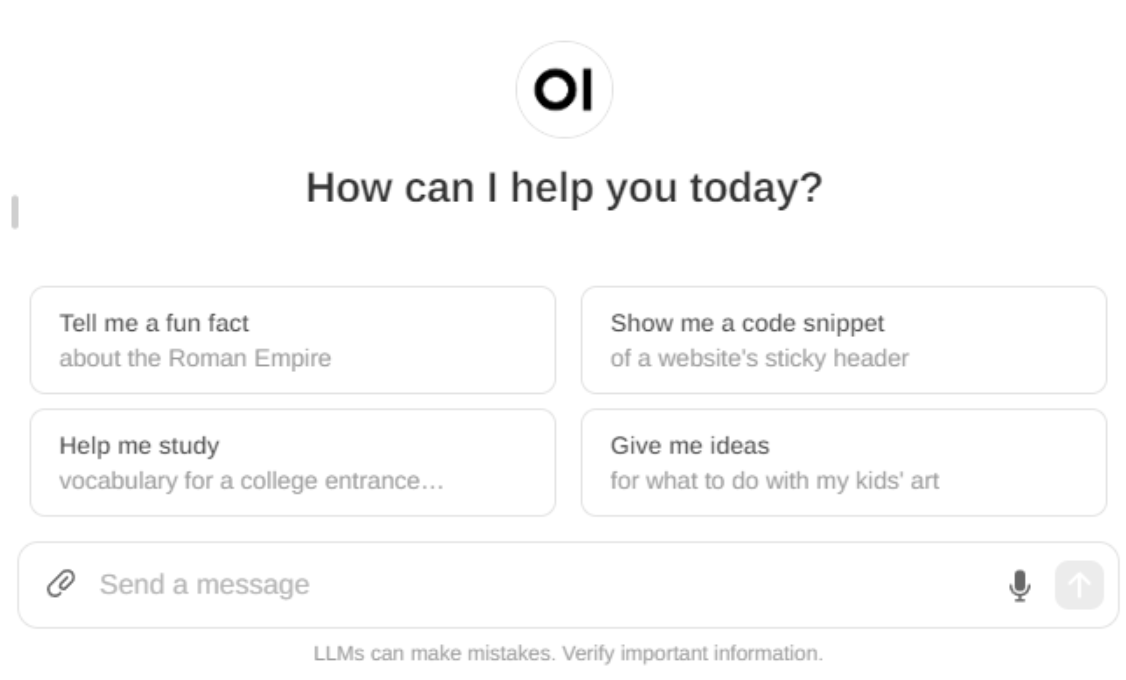
  • Screenshot of Open WebUI interface with options for questions.
    It would seem that today`s great AI models are inextricably linked to the cloud, and therefore also to the lack of privacy - nothing could be further from the truth! I will show here how you can easily download and run a 100% locally interesting alternative to ChatGPT along with a confusingly similar form of website offering the choice of the LLM model, chat history and even the possibility of e.g. interpreting the provided images and files.
    All this is offered by a project called Open-WebUI, link to homepage/repository below:
    https://github.com/open-webui/open-webui

    Open-WebUI installation
    There is a "Quick Start With Docker" section in the Readme, but as usual, the installation is actually more difficult than the project authors declare.
    Docker is an environment for running various projects that is characterized by containerization and software isolation, as well as its portability.
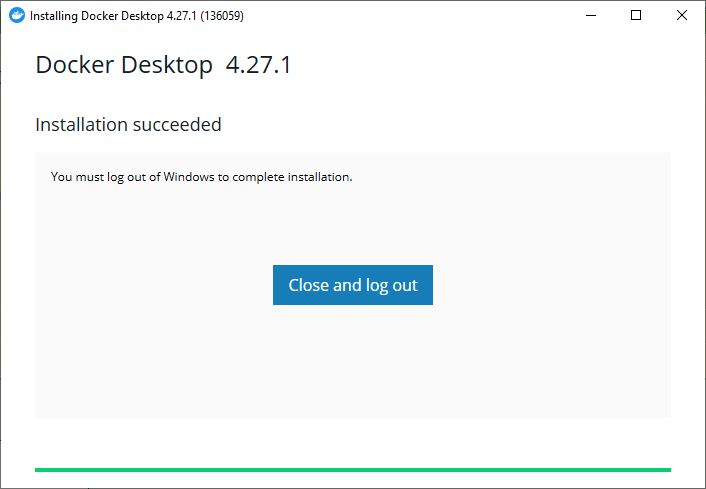
    Initially I tried to install Docker 4.27.1 on my Windows 10:
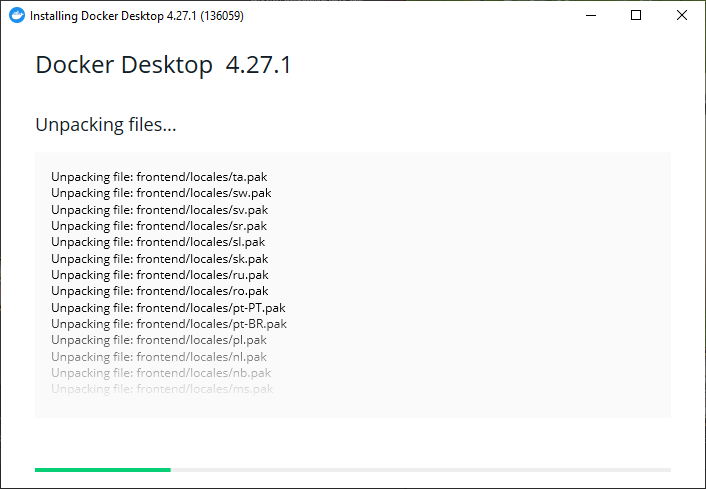
    Screenshot of Docker Desktop 4.27.1 installation showing file unpacking process.
    Unfortunately, it didn`t work - the spoiler explains why:

    Spoiler:

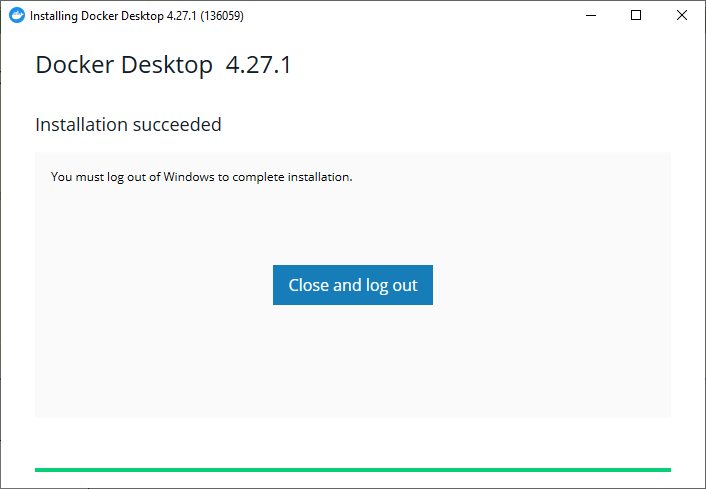
    It would seem that the installation was successful: Installation screen of Docker Desktop 4.27.1 showing installation success.
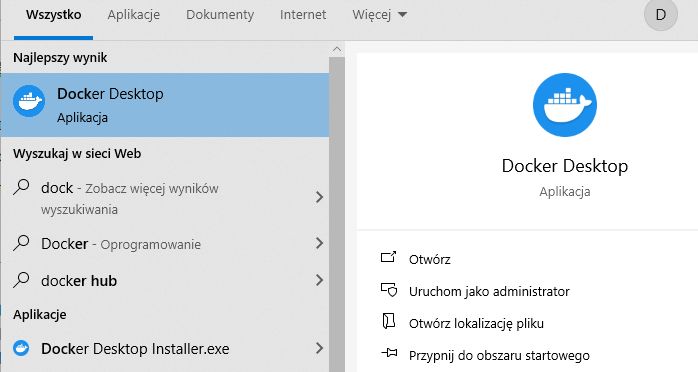
    We launch...
    Modified Windows Start menu with Docker Desktop application.
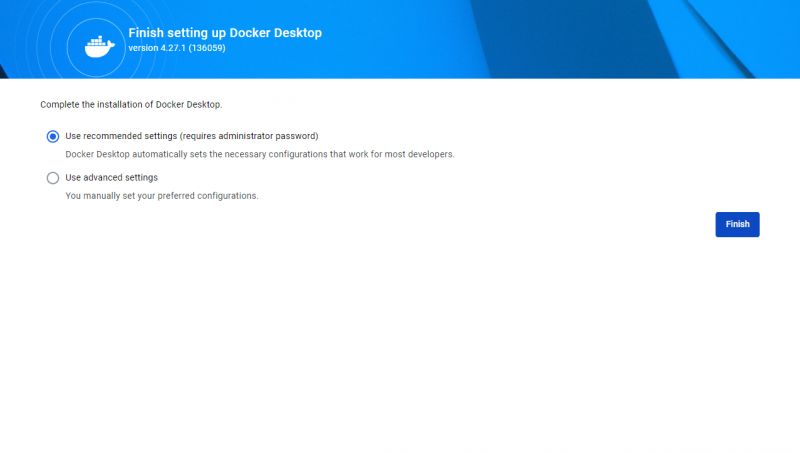
    We configure:
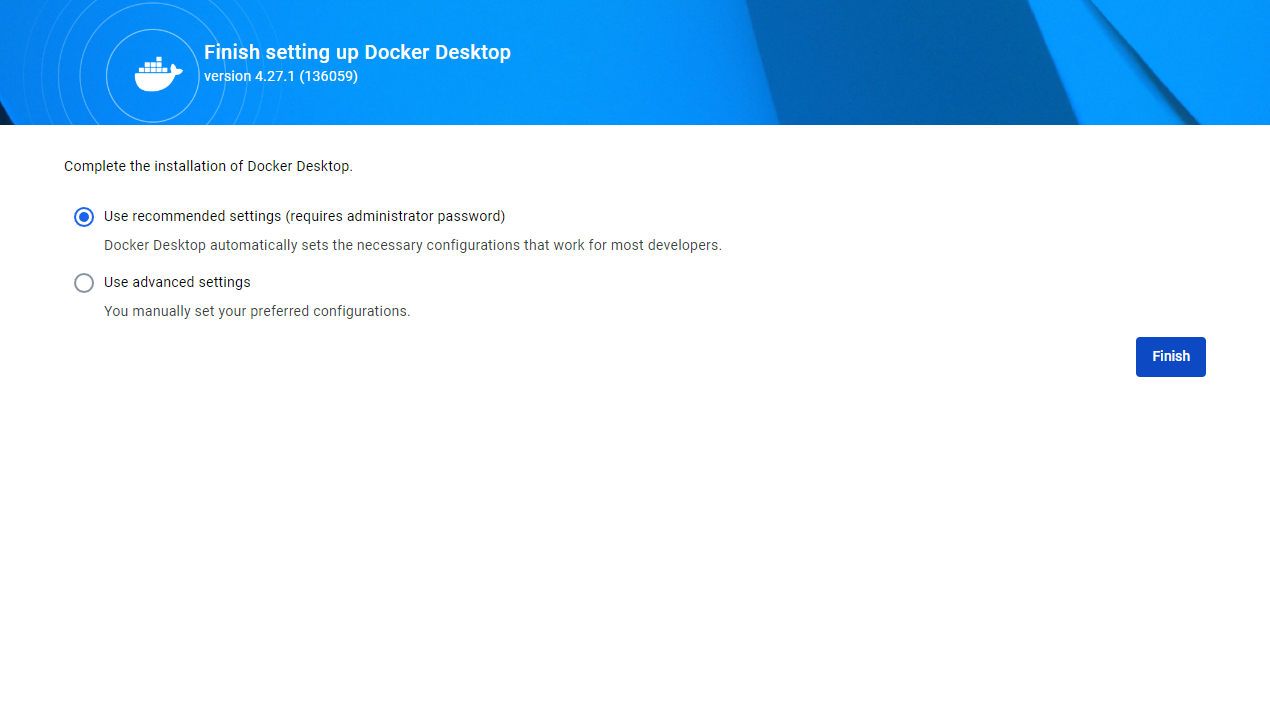
    Screen of Docker Desktop 4.27.1 setup completion with the option to use recommended settings selected.
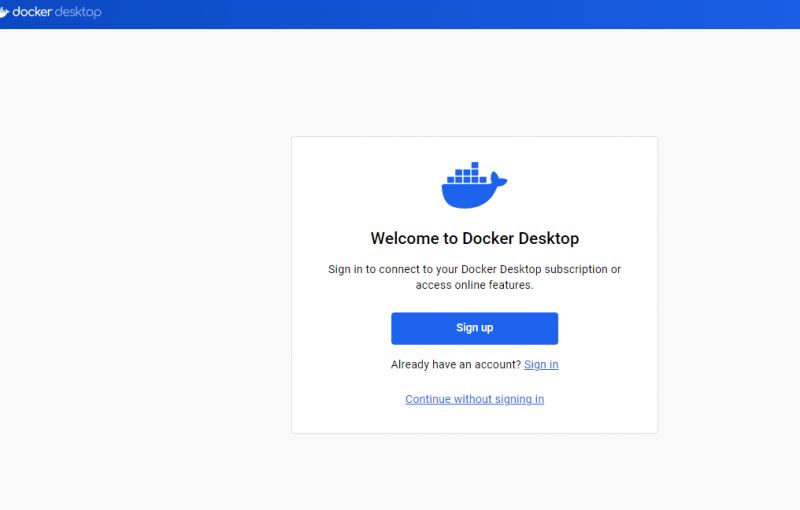
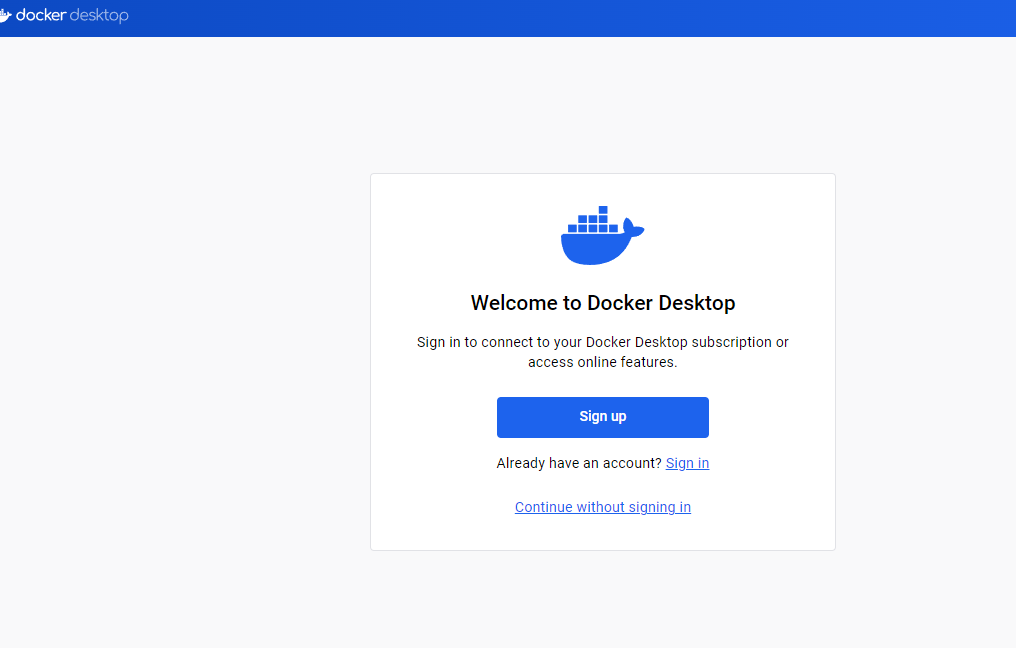
    Login is optional:
    Docker Desktop welcome screen with sign-up and login options.
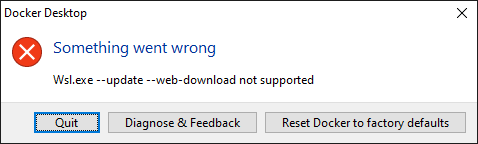
    And there is a problem, something is wrong with WSL, i.e. the "Linux" overlay on Windows:

    Docker Desktop error message with a Quit button.
    There are several topics on the docker forum about this:
    https://forums.docker.com/t/updating-wsl-upda...-update-n-web-download-not-supported/138452/9
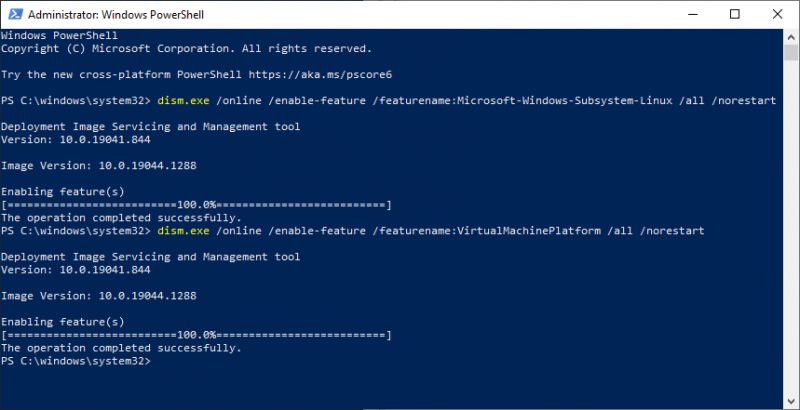
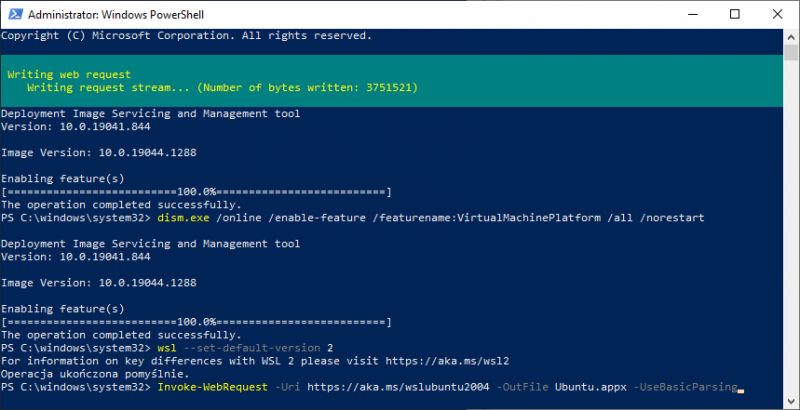
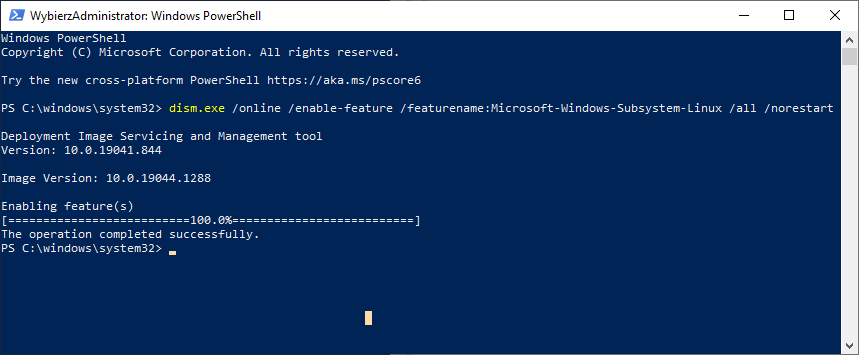
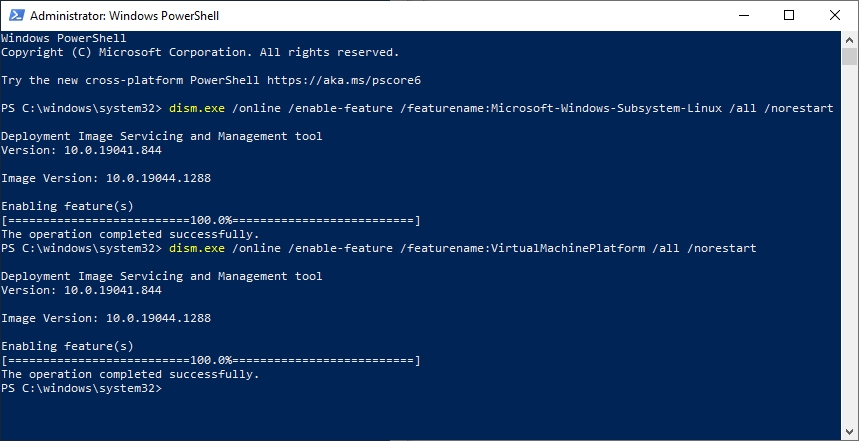
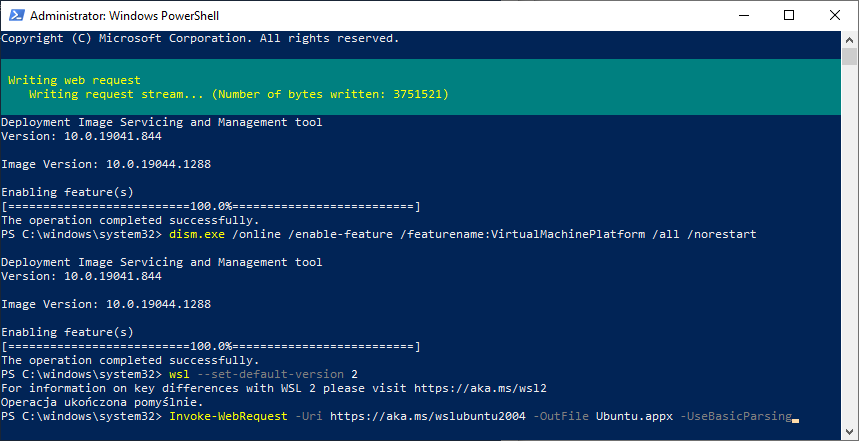
    Below are screenshots of my attempts to fix the problem - without positive results, so no comment:
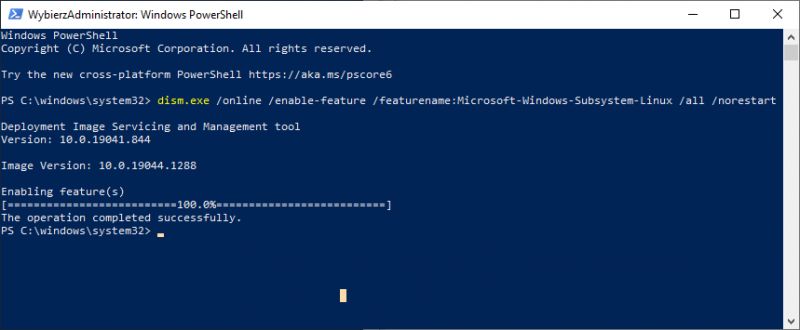
    PowerShell window with WSL feature enabled on Windows 10.
    Screenshot of a Windows PowerShell window with DISM commands.
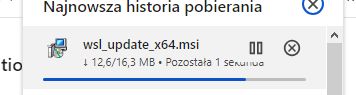
    Download progress bar for WSL Update file in the browser.
    Screenshot of Windows PowerShell console with a command to set the default WSL version to 2.
    Screenshot of Windows PowerShell window during installation process.

    To sum up, Open-WebUI did not work for me on the latest Docker, so I started checking previous versions of Docker and it turned out that in 4.24.1 the problem does not occur:
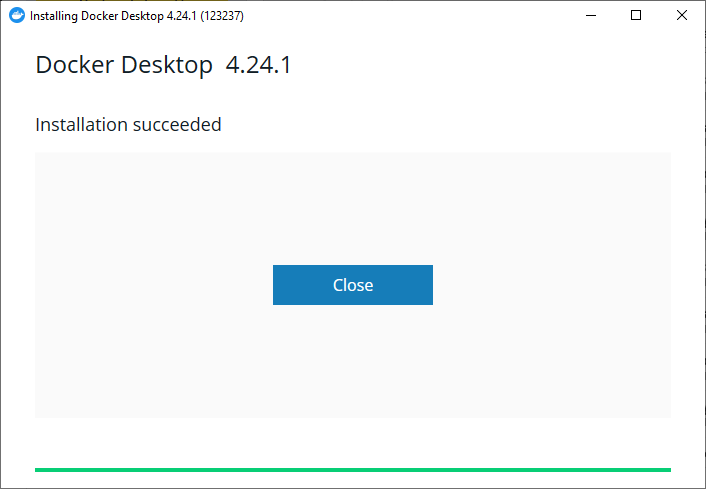
    Screenshot showing a successful installation message for Docker Desktop version 4.24.1.
    Success - we immediately have a docker panel:
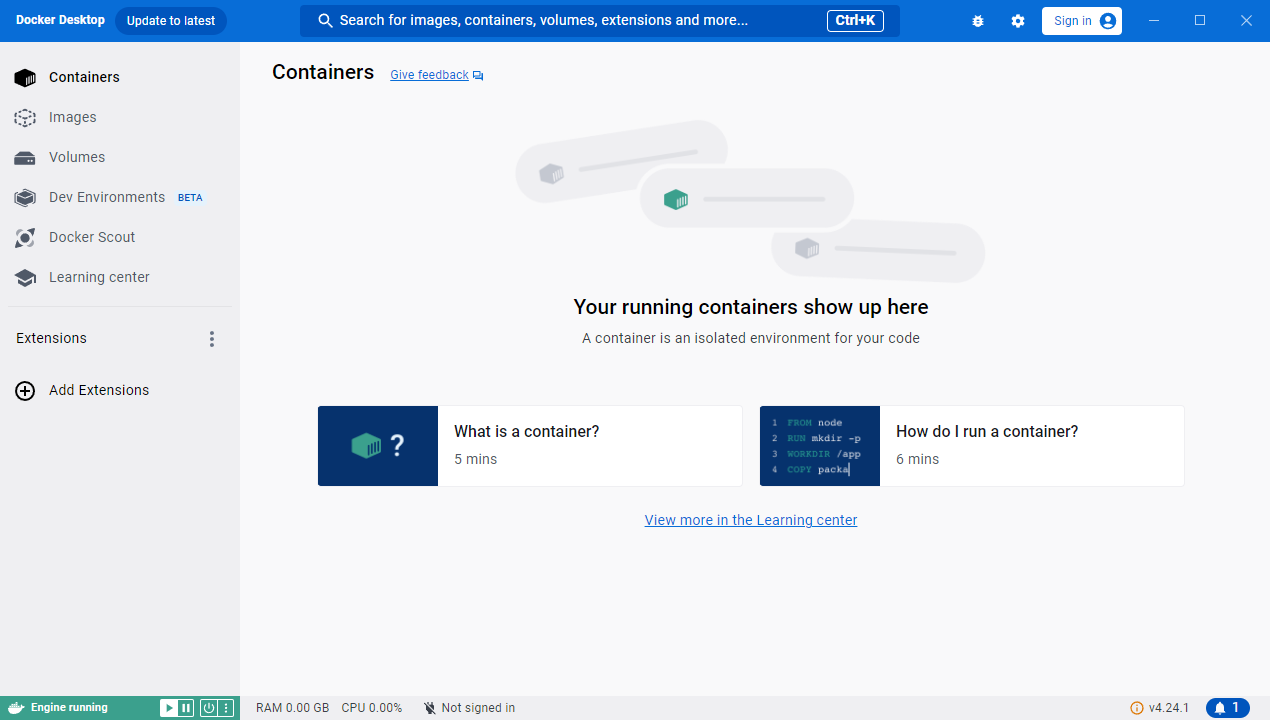
    Docker Desktop main panel with the containers section visible.
    Docker is ready. Now you need to download the repository, you can even do it through a browser, GIT is not necessary. We simply find the zip download:
    https://github.com/open-webui/open-webui
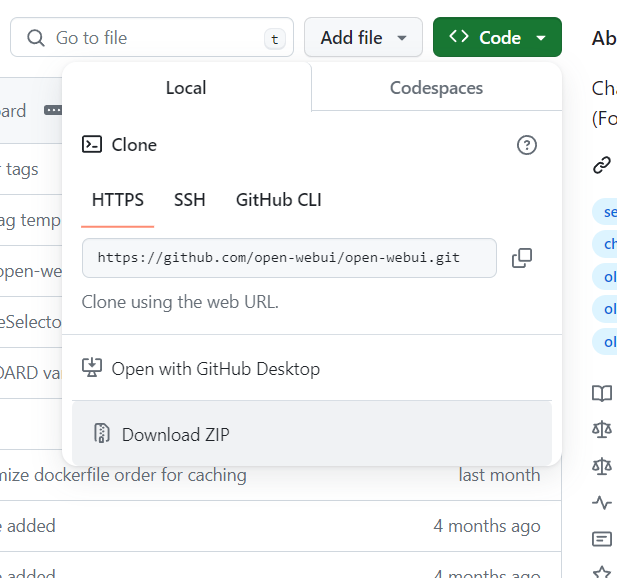
    Screenshot of a GitHub page with download options for the Open-WebUI repository.
    Then we install everything via docker, I chose the version without GPU support (everything will be counted on the CPU, RAM will also be required):
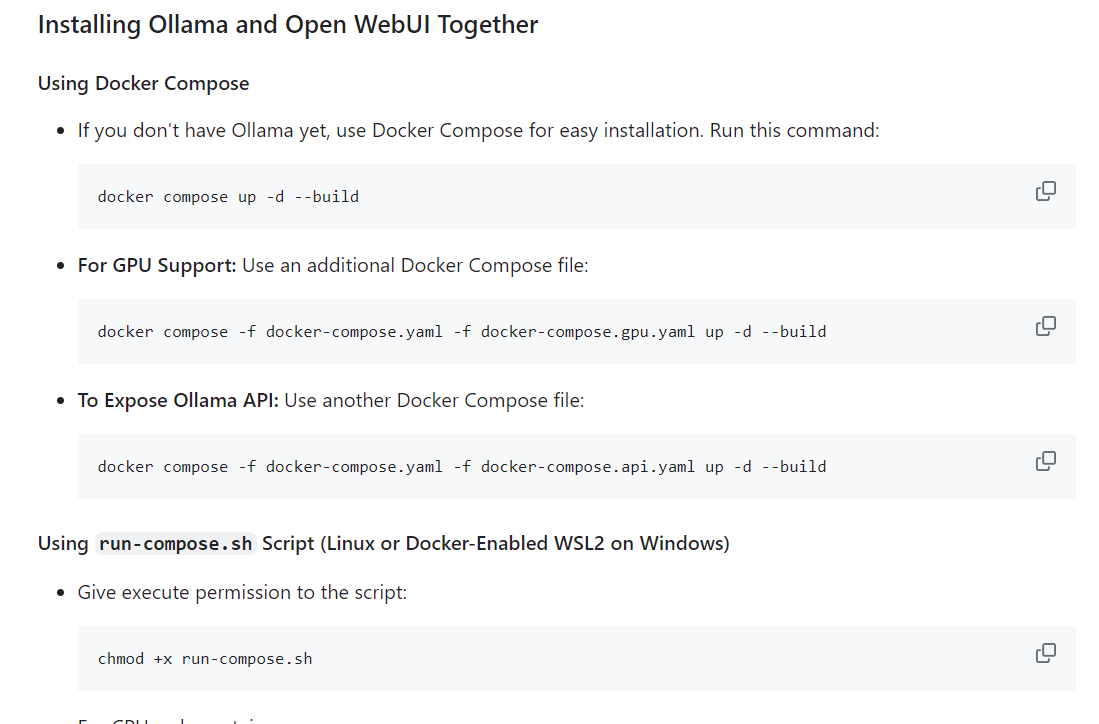
    Installation instructions for Open WebUI with Docker Compose.
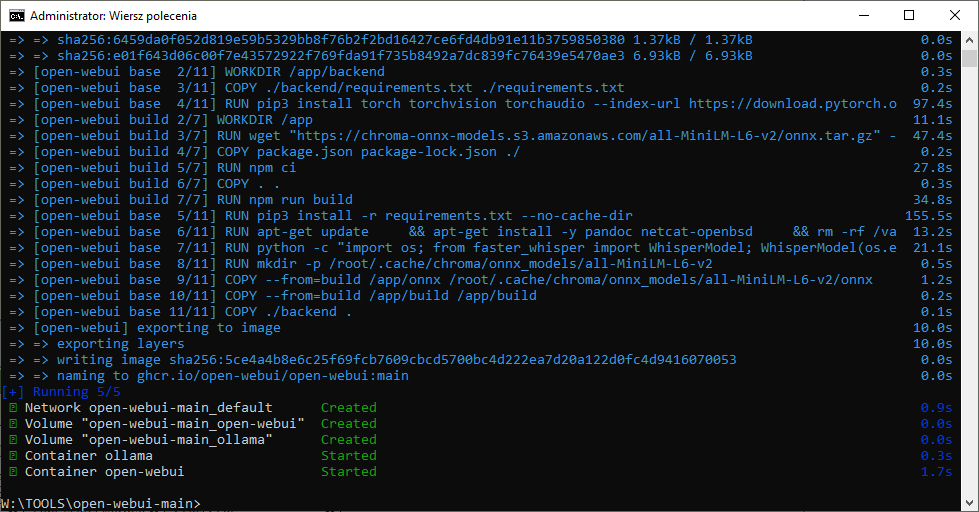
    Finally a flawless installation:
    Screenshot of a terminal showing the progress of installing Open-WebUI using Docker.
    From this point on they should be open webui in Docker:
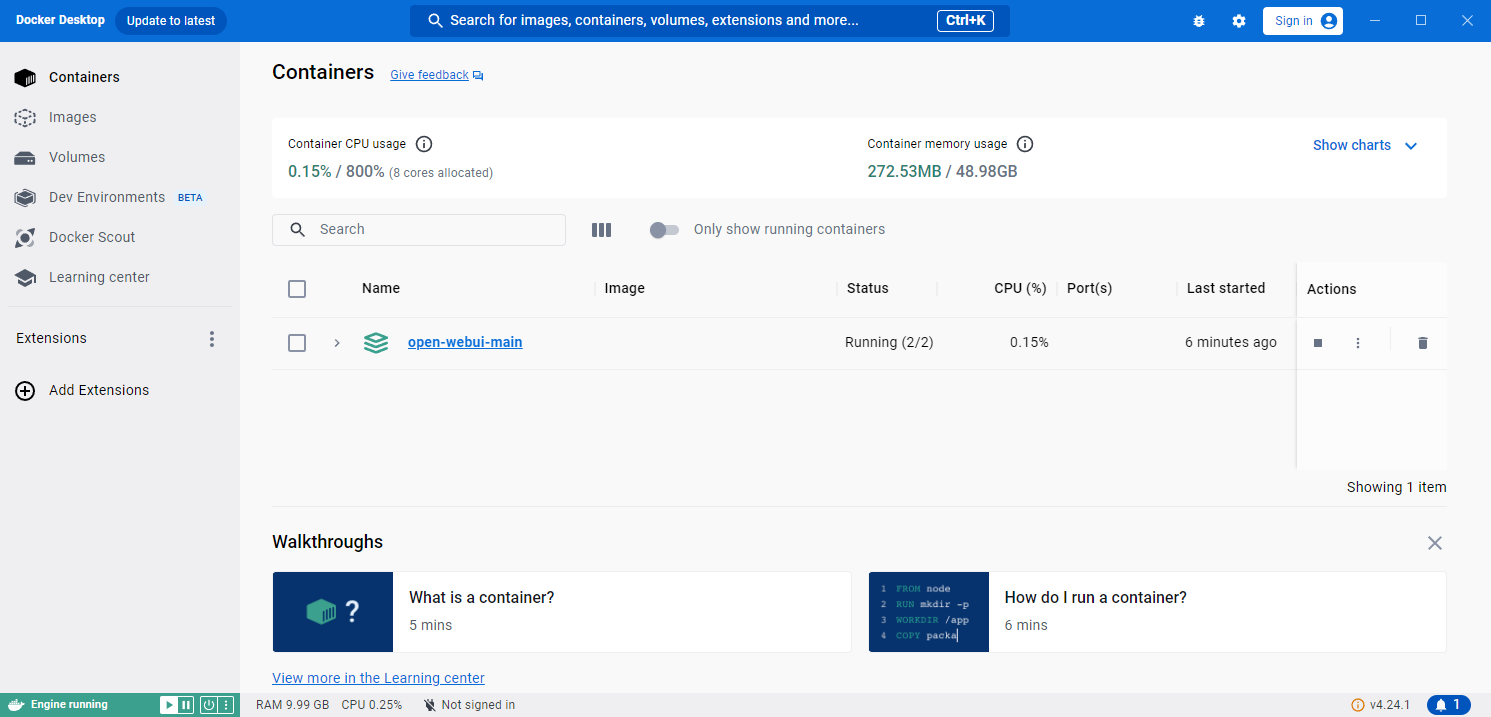
    Screenshot of Docker Desktop panel with running container open-webui-main.

    First run
    We run Open WebUI in Docker. Go to create a web service (our local IP + selected port) to see the web interface of the language models:
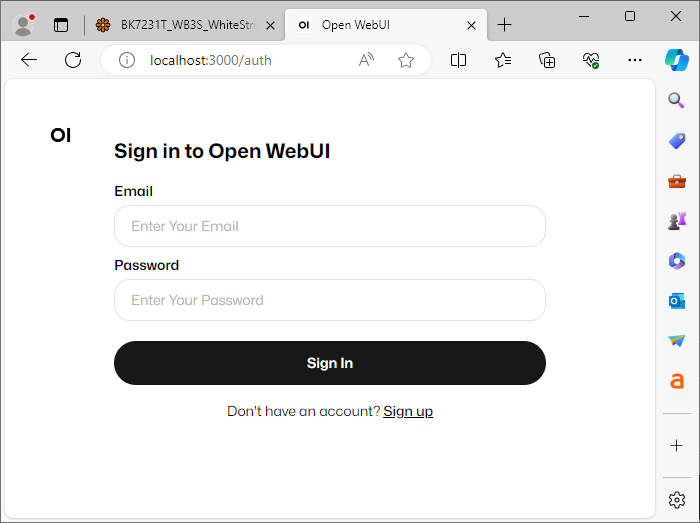
    Open WebUI login page with fields for email and password.
    The first login to WebUI will require creating an account, but we create this account on our server, everything is local:
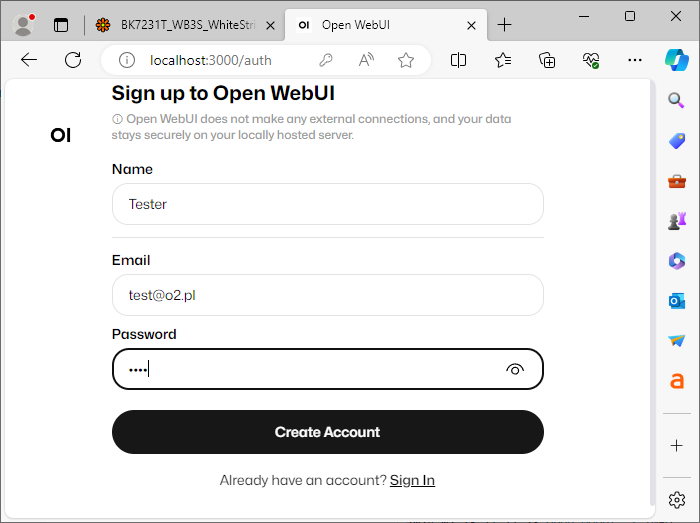
    Open WebUI registration screen with fields for name, email, and password.
    Then we are greeted by a web panel like the one known from ChatGPT:
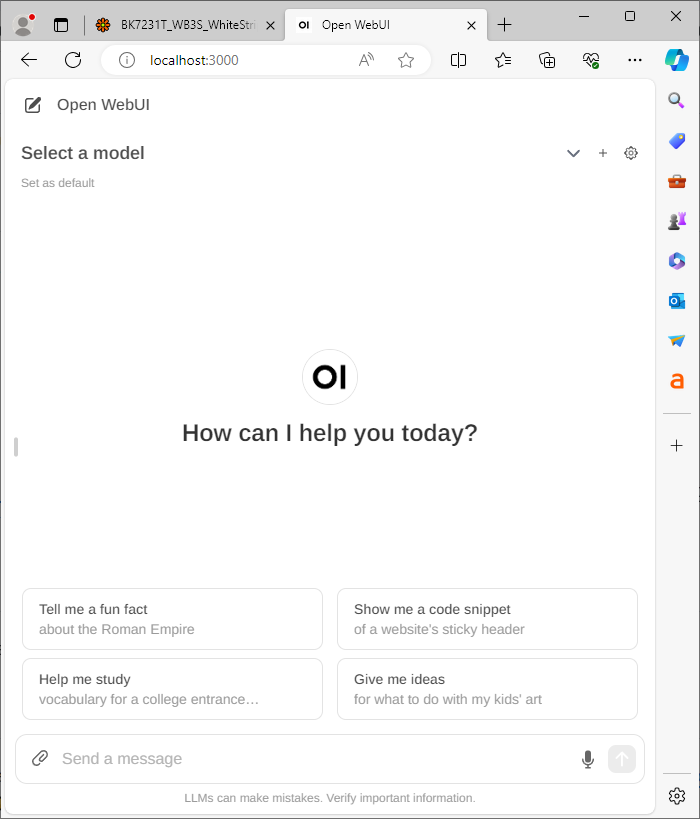
    Screenshot of the Open WebUI interface asking: How can I help you today?
    Nothing can be run at this point - we are missing language models:

    Open WebUI user interface with a model selection option.
    You have to click on the cog and download a model.
    To download a model, search for its name here:
    https://ollama.com/library
    And then paste it into the download as follows:
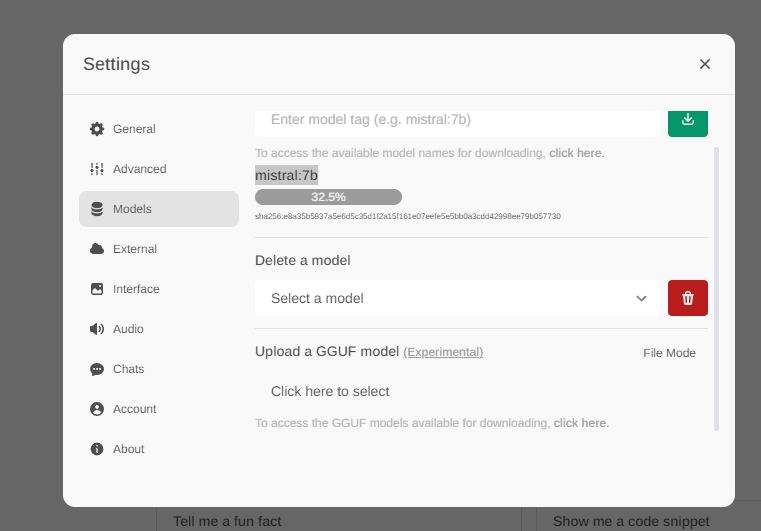
    Screenshot of the Open-WebUI settings panel with the mistral:7b model being downloaded.
    After downloading, the model will appear in the list to select:
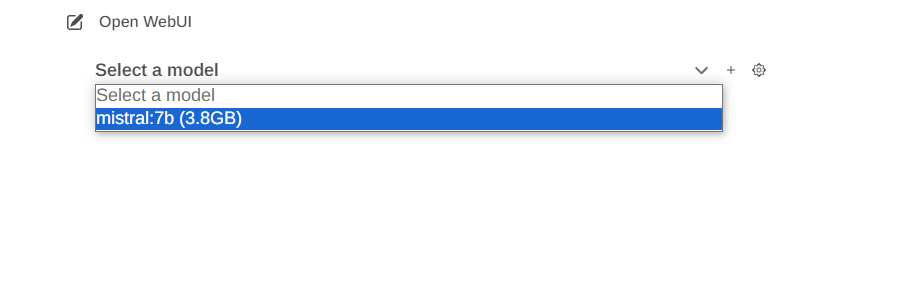
    Open WebUI interface with a dropdown menu for model selection.
    You can ask him questions just like in the case of ChatGPT, the capabilities themselves depend on the model, just as the RAM requirement and the token generation speed also depend on what we have chosen, there are "lighter" and "heavier" models.
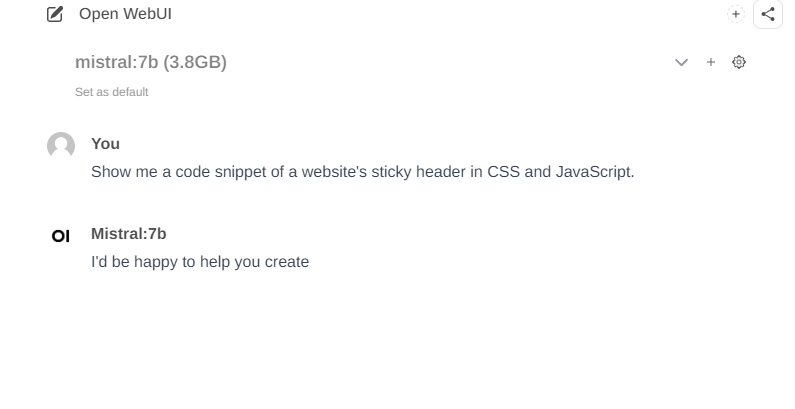
    Open WebUI user interface with a query about CSS and JavaScript code.

    Text and code
    Locally running models are able to generate code and complete text similarly to ChatGPT, although the final results depend on the model chosen. Here are some examples:
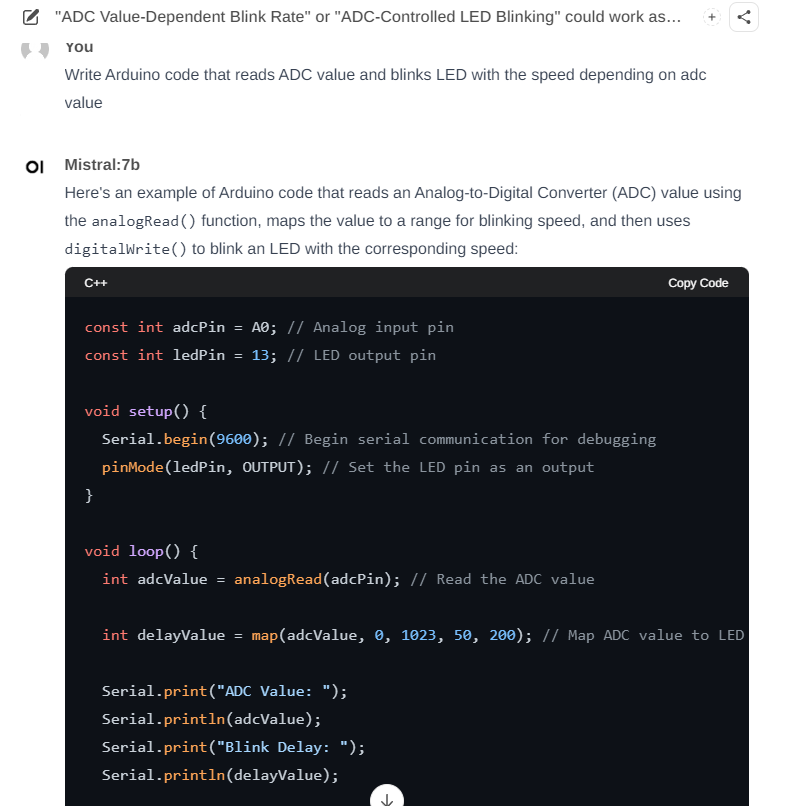
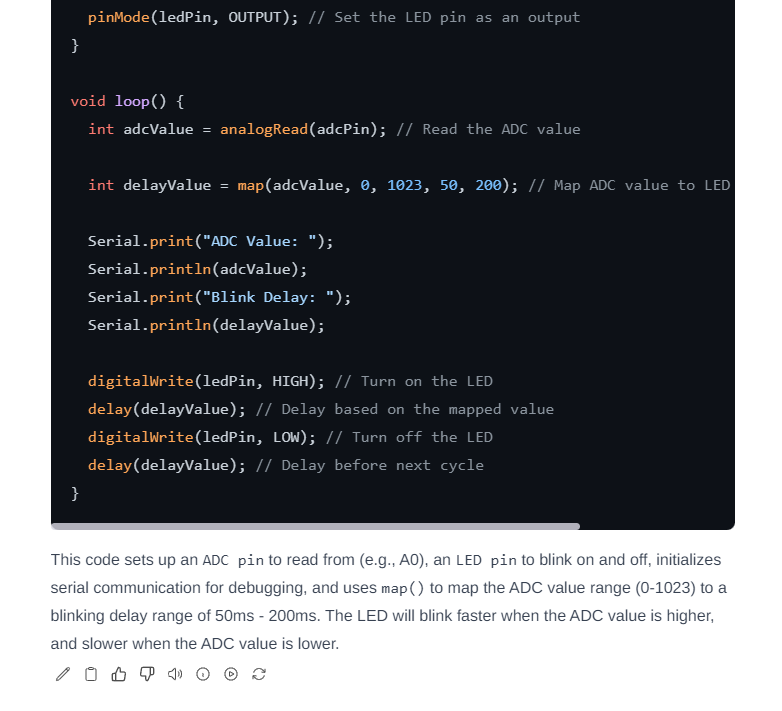
    Screenshot showing sample Arduino code for reading ADC value and blinking an LED.
    C++ code for controlling an LED using ADC readings.
    The above example with mapping the value read from the ADC to the LED blinking frequency is very similar to ChatGPT.
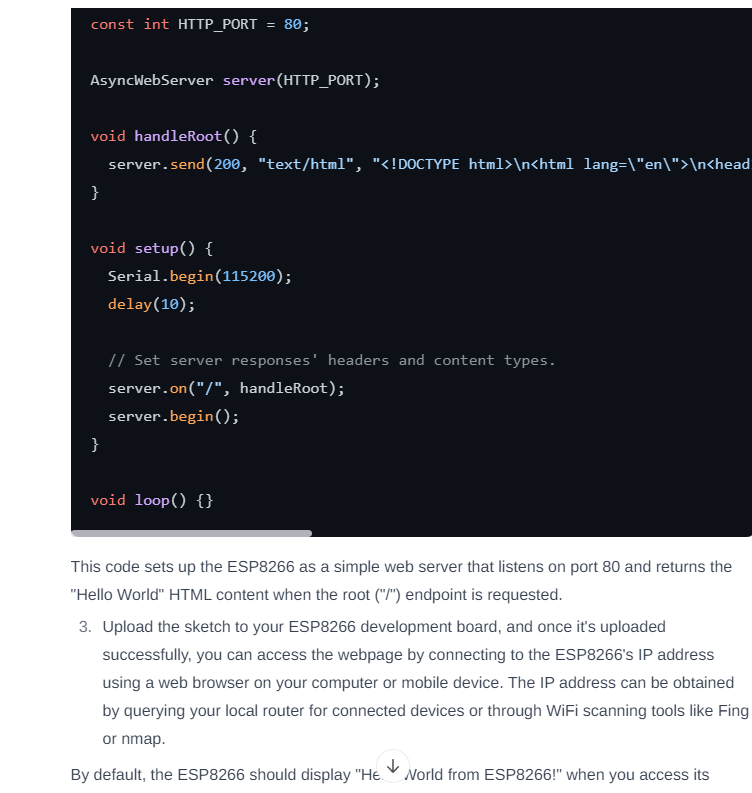
    Similarly with other codes:
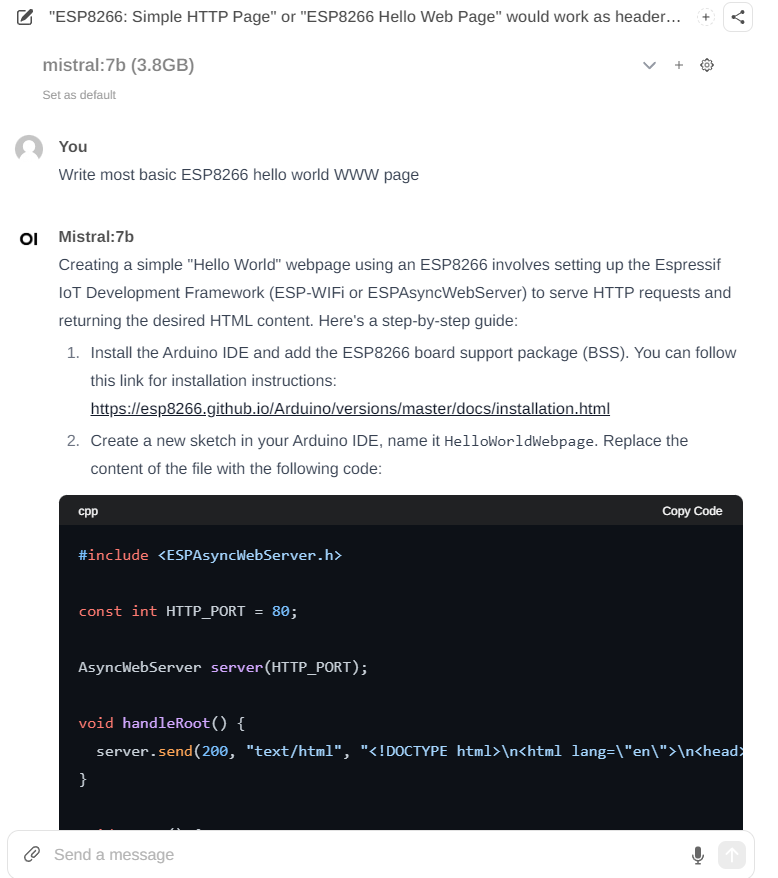
    Browser window with Open-WebUI interface showing a step-by-step guide for creating a WWW page for ESP8266.
    Code sets up the ESP8266 as a simple web server returning HTML content on request.
    He`s done some thinking here - e.g. this link does not lead to an existing page and the code itself is at least incomplete.
    Of course, models are also susceptible to hallucinations - here, for example, a code is created for a non-existent system MCP237017 which was created as a result of a typo I made:
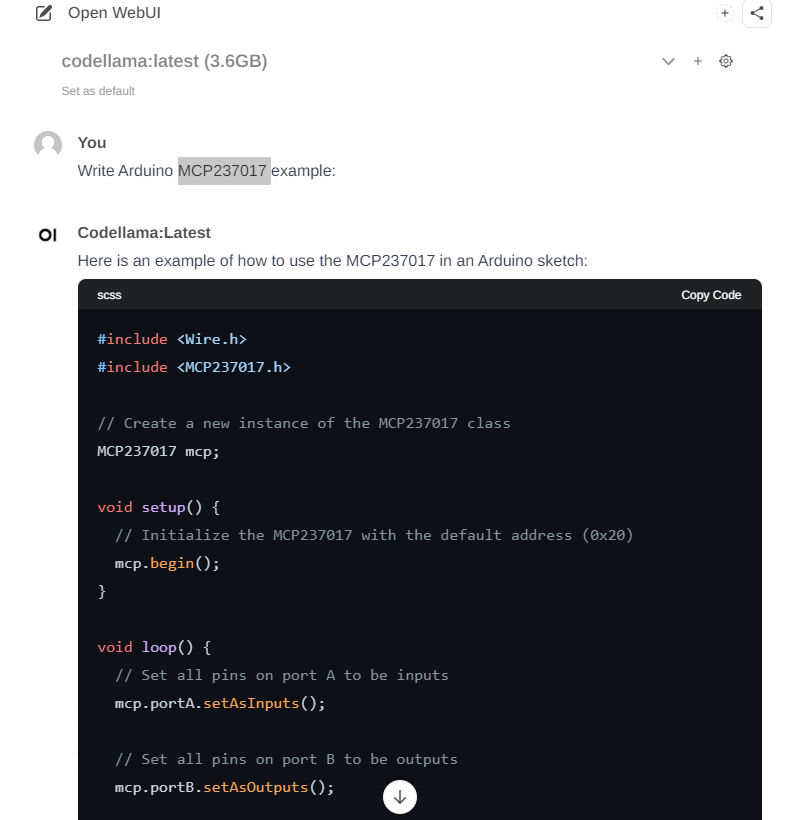
    Window showing Arduino code for non-existent MCP237017 chip in Open WebUI.

    Image analysis
    Some models can also describe images. An example is llava, which can, for example, describe an apple:
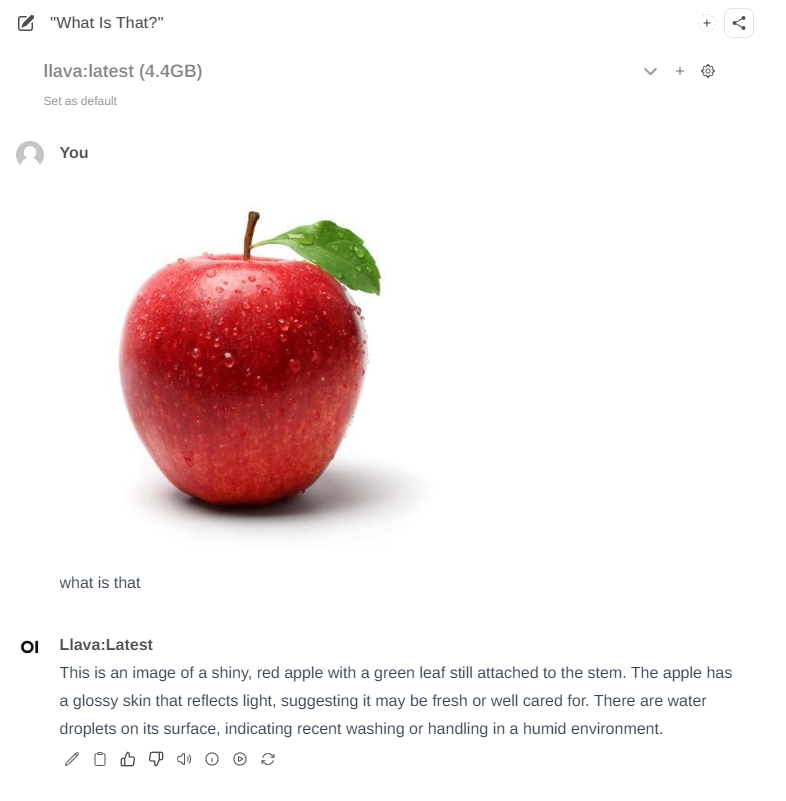
    Red apple with a green leaf covered in water droplets on a white background.
    She is not afraid of more difficult tasks - here she describes the LED "bulb":
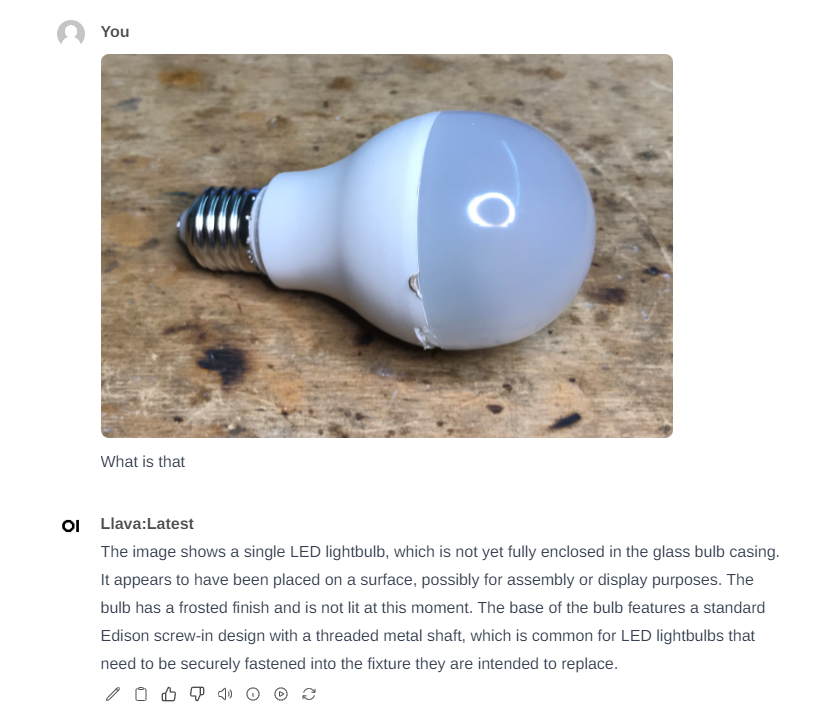
    Image of an LED light bulb lying on a wooden surface.
    Unfortunately, when it comes to slightly less popular issues, the model gets lost and creates hallucinations:
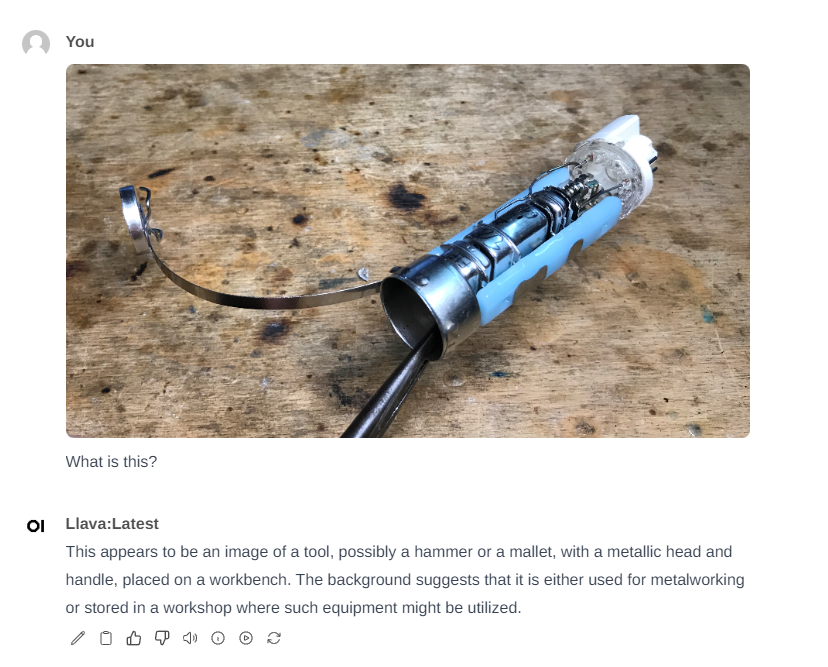
    The image shows a tool with a metallic head and handle, lying on a wooden workbench.
    If you want me to add an image to this model, please post the image in the topic, if I have a moment I will check the results.

    Advanced settings
    The Open WebUI offers much more than the OpenAI website - here we can change advanced language model settings, such as: Temperature, Mirostat, Top K, Stop Sequence, Max Tokens, Context Length and much more - for explanations, please refer to materials from the Internet.
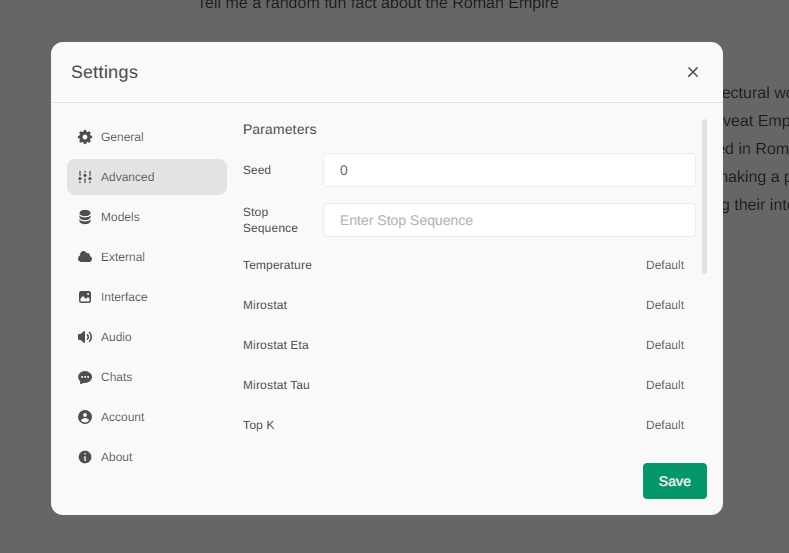
    Screenshot showing advanced settings of Open WebUI


    Hardware requirements?
    It all depends on whether we use the GPU or CPU version and what model we want to run, but in general it is not very fast, it also takes up a lot of RAM, here`s a screenshot from me after an hour of play:
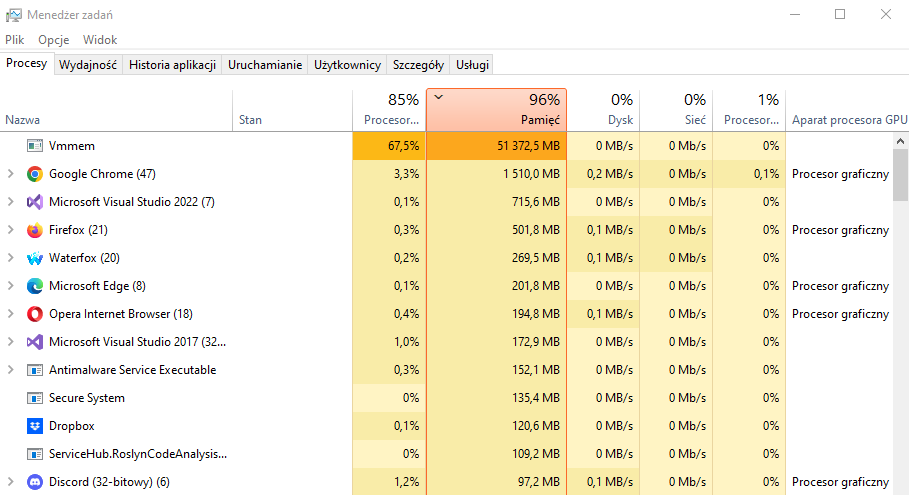
    Screenshot of Windows Task Manager with 96% memory usage.
    As for the reaction time... we will measure it, for example on Mistral:7b:

    Screenshot of Open WebUI interface showing a conversation about the Roman Empire
    The above response took 45 seconds to generate:
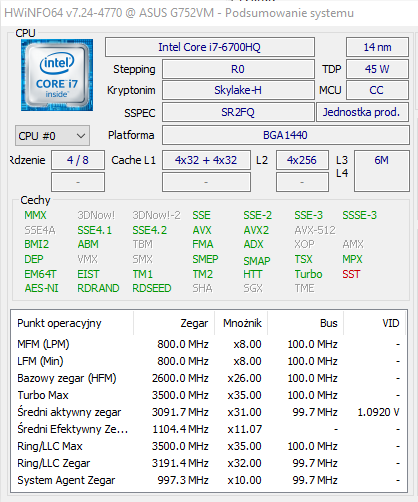
    Screenshot from HWiNFO64 showing details of the Intel Core i7-6700HQ processor.

    Summary
    These free, local equivalents will not beat commercial language models, but they actually provide more than a substitute for the popular ChatGPT locally. Additionally, there are plenty of these models and they offer a lot of parameterization and tuning options, which allows us to adapt them to our needs. In the future, I intend to try to compare them better and explore their possibilities, but I don`t know how to go about it yet and the huge selection of LLMs to download doesn`t make it easier.
    Installing the whole thing is quite simple as long as we don`t fall into the "trap" of the new Docker, but I wrote about it at the beginning, following my instructions we will install the whole thing without any problems.
    However, I don`t know what it`s like to run it on weaker hardware - if anyone wants to have fun, I invite you to test it and share your results!
    Have you tried running LLM language models locally, and if so, what were the results? I invite you to discuss.

    Cool? Ranking DIY
    Helpful post? Buy me a coffee.

    About Author
    p.kaczmarek2
    Moderator Smart Home
    Offline 
    p.kaczmarek2 wrote 14612 posts with rating 12630, helped 655 times. Been with us since 2014 year.
  • ADVERTISEMENT
  • #2 21031745
    dktr
    Level 26  
    Posts: 937
    Help: 45
    Rate: 729
    I ran Easy Diffusion locally on the GPU - RTX4070 and Core i9 10th. I`m surprised how well it already works and what quality graphics can be generated. A 720x720 image takes approximately 15 seconds to generate.
  • ADVERTISEMENT
  • #3 21036351
    Mateusz_konstruktor
    Level 37  
    Posts: 4208
    Help: 269
    Rate: 1104
    p.kaczmarek2 wrote:
    If you want me to add an image to this model, please post the image in the topic, if I have a moment I will check the results.

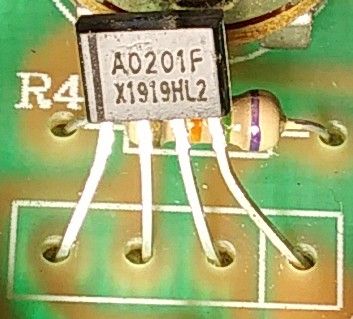
    Something more difficult.
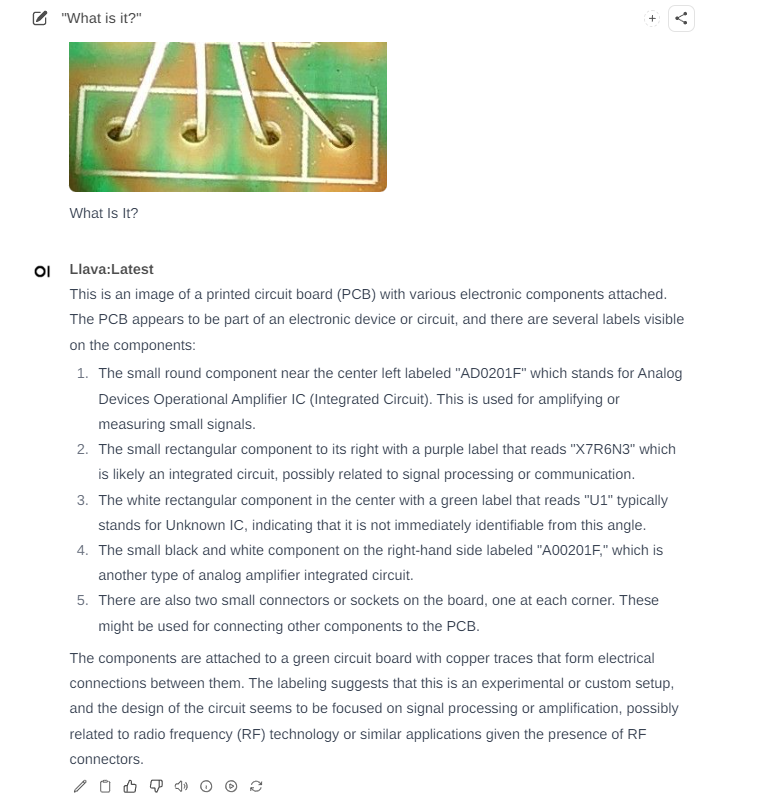
    Close-up of electronic components on a green circuit board, including an AO201F transistor and a resistor.

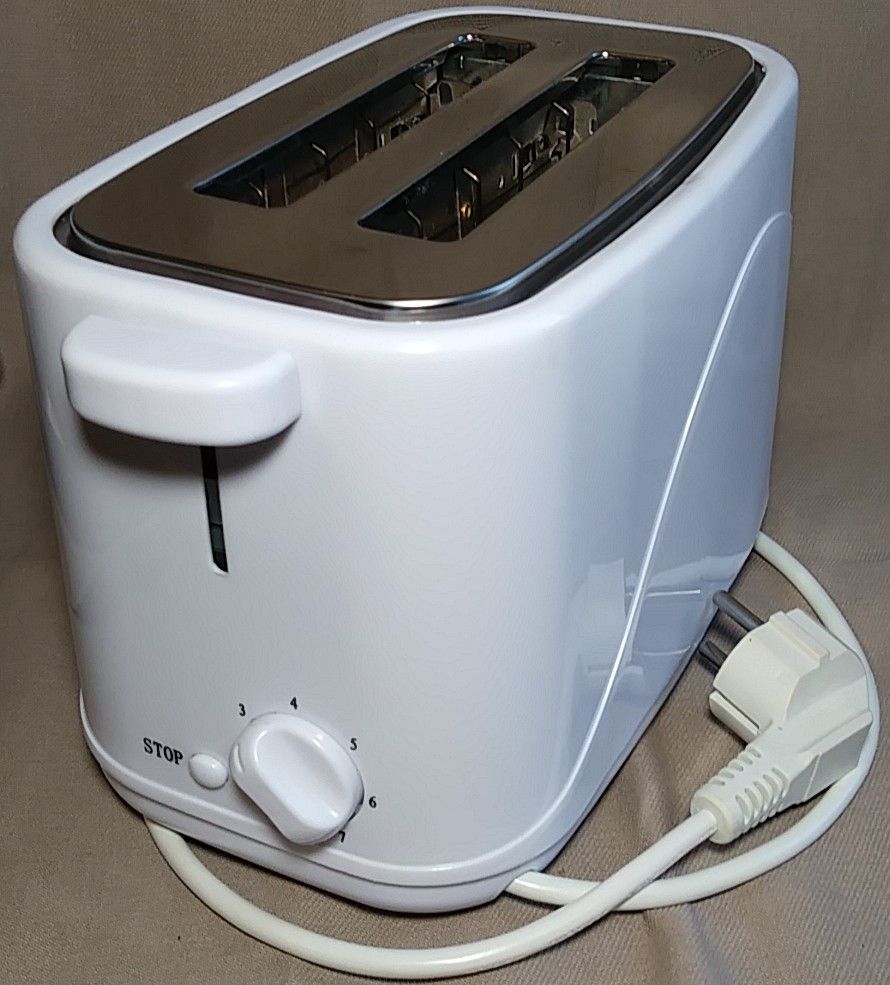
    Something easier.
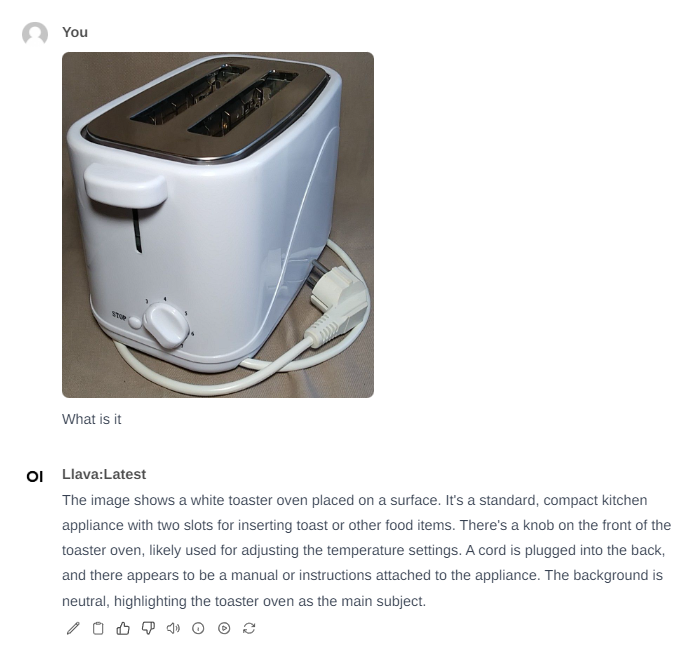
    White toaster with two slots and a dial for toast browning control.
  • #4 21036590
    p.kaczmarek2
    Moderator Smart Home
    Posts: 14612
    Help: 655
    Rate: 12630
    Before checking, I will write down my prediction: it will cope with the toaster, not so much with the chip, in the case of the chip it will read the marking incorrectly and write something about the IC.

    Checking:
    White toaster on a surface with two slots and a dial for adjustment.
    As I thought, the second one:
    Close-up of a printed circuit board (PCB) with several electronic components and descriptions.
    Also as expected, but even read well, AD0201F.

    Any other pictures I can check?
    Helpful post? Buy me a coffee.
  • ADVERTISEMENT
  • #5 21036696
    Mateusz_konstruktor
    Level 37  
    Posts: 4208
    Help: 269
    Rate: 1104
    p.kaczmarek2 wrote:
    Any other pictures I can check?

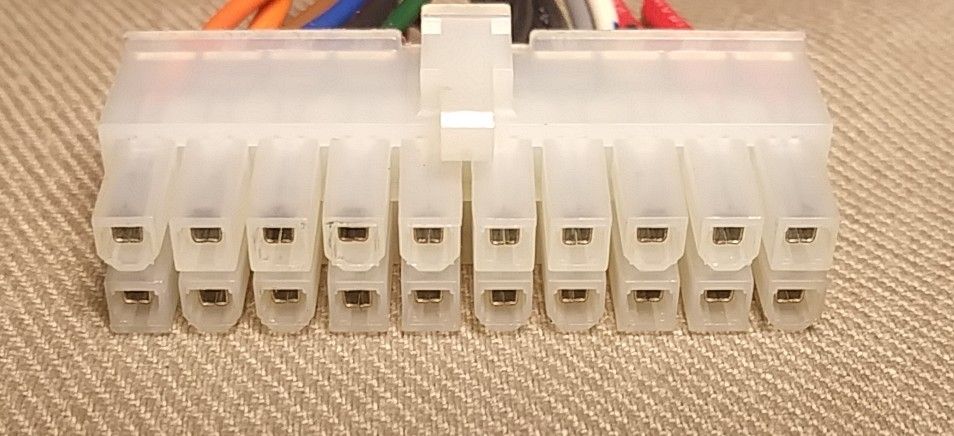
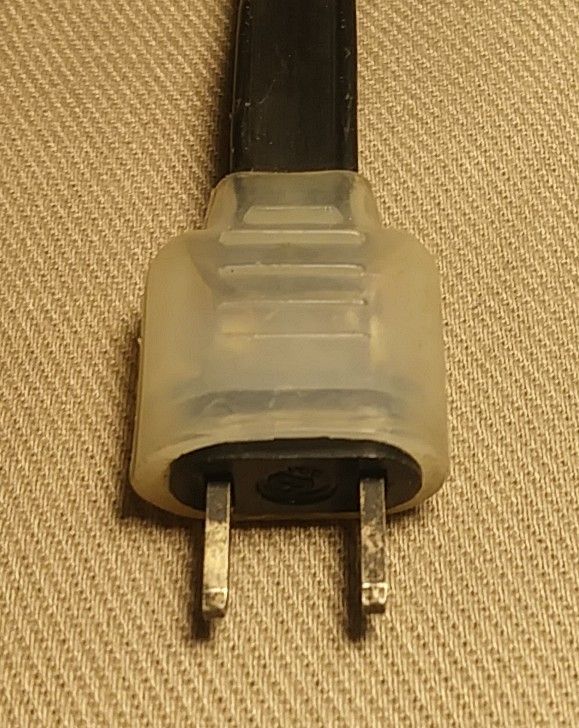
    Especially for my friend, at the same time deliberately not very sophisticated except for the last one.
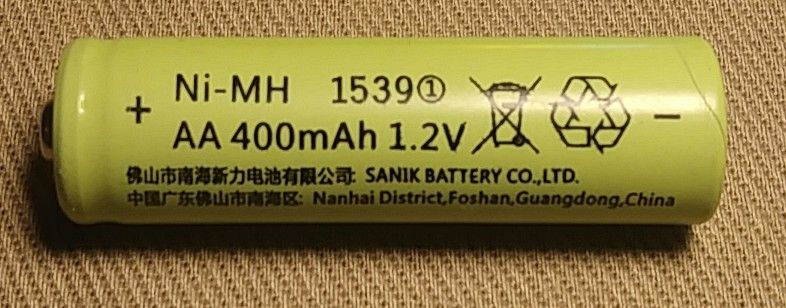
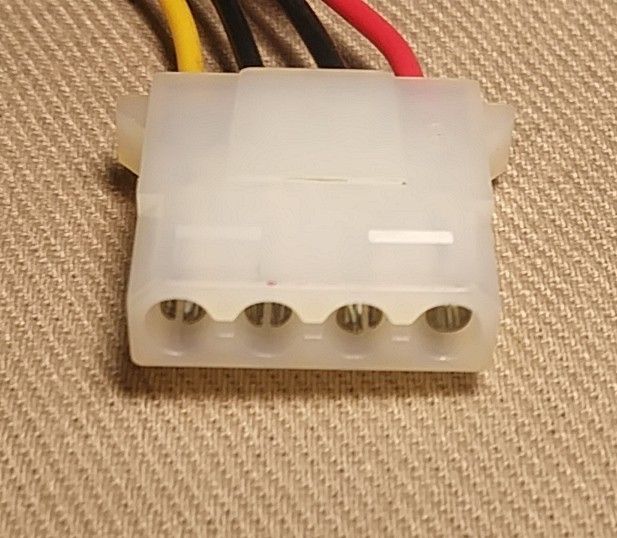
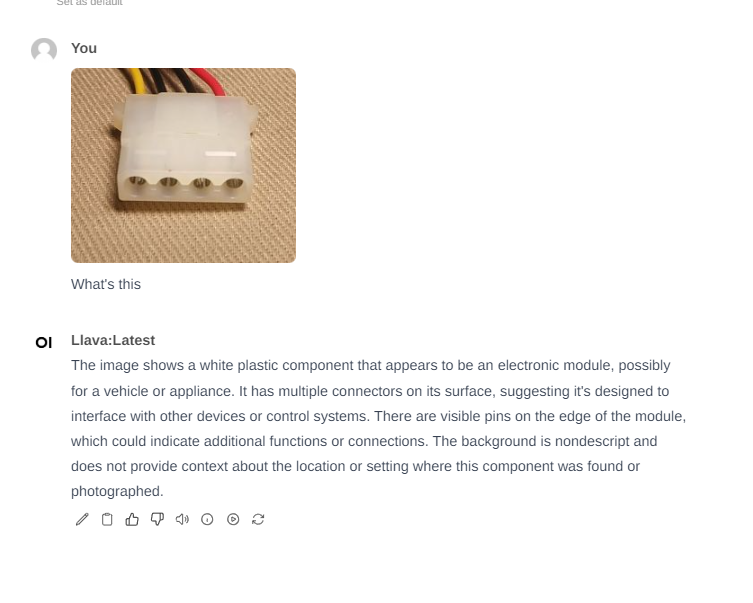
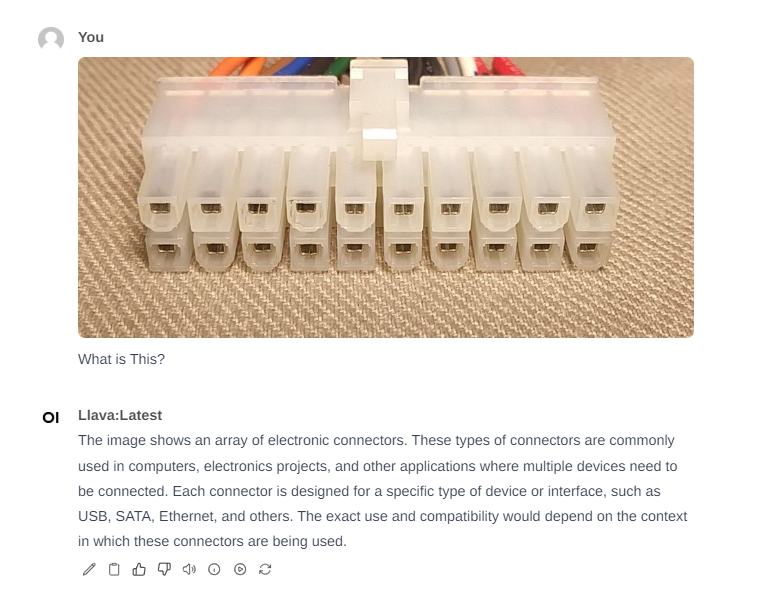
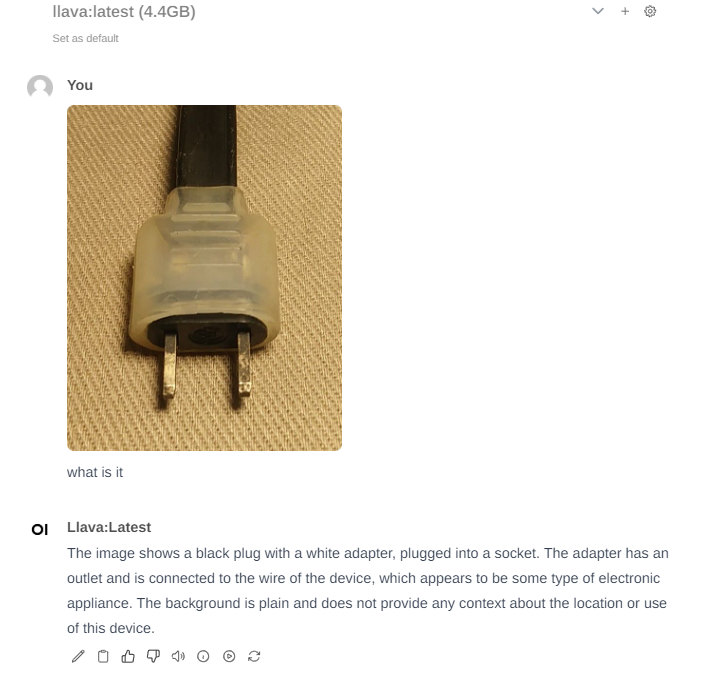
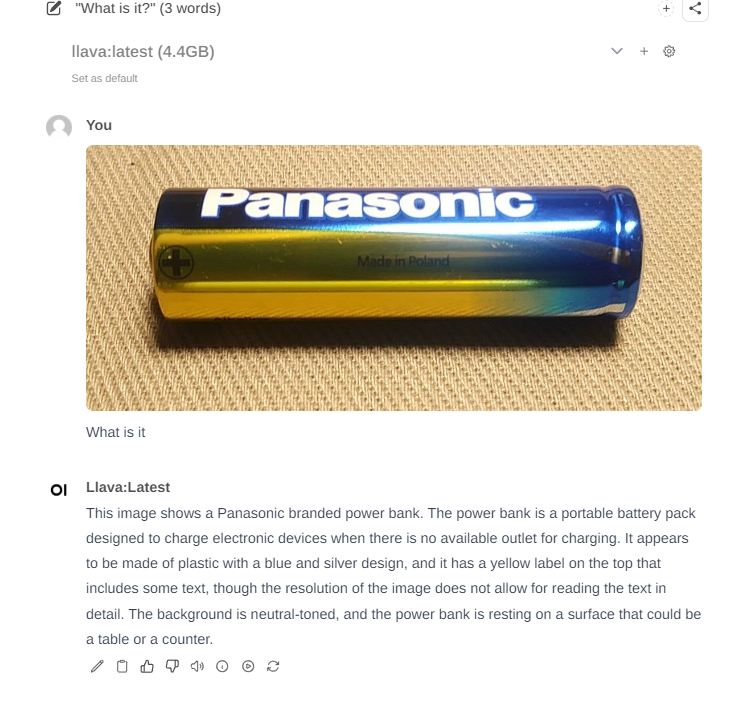
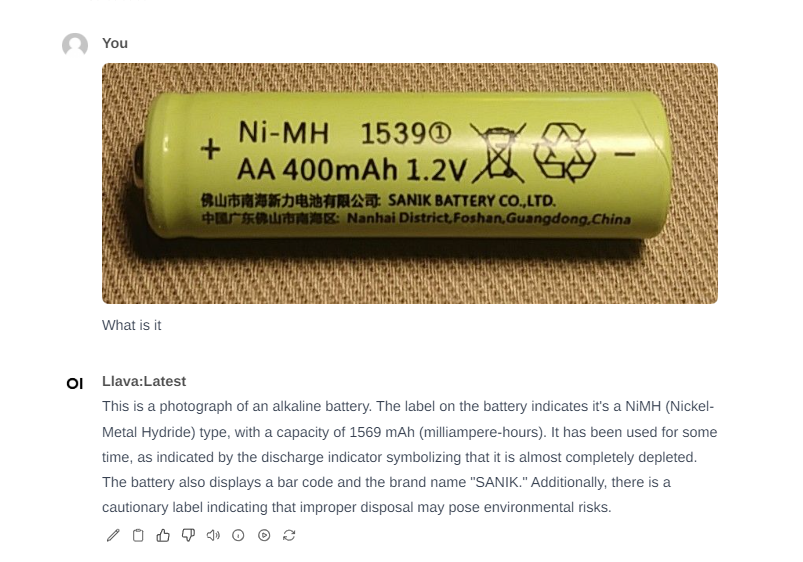
    Panasonic battery on a beige background with the text Made in Poland. AA Ni-MH 400mAh 1.2V battery on a fabric background. Molex power connector with four cables against a fabric background. Close-up of a 24-pin ATX connector on a fabric background. Two-prong electrical plug on textile material.
  • #6 21036871
    p.kaczmarek2
    Moderator Smart Home
    Posts: 14612
    Help: 655
    Rate: 12630
    Battery, a bit weak, read "Panasonic" but made heresy powerbank:
    Close-up of a Panasonic battery on a neutral surface.

    Here again sense and nonsense are mixed (he read 1539 as 1569 but converted it into a capacity), but he also read NiMH and SANIK...
    SANIK NiMH rechargeable battery with 400 mAh capacity and 1.2 V voltage

    Next are the connectors, but I know they weren`t in the training data, so we won`t discover anything new:
    The image shows a white plastic component with several wires, likely a Molex connector used in electronics.
    Image of a set of electronic connectors in a multi-pin plug.
    Black plug with a white adapter, plugged into a socket.
    Helpful post? Buy me a coffee.
  • #7 21037069
    Mateusz_konstruktor
    Level 37  
    Posts: 4208
    Help: 269
    Rate: 1104
    p.kaczmarek2 wrote:
    Next are the connectors, but I know they were not in the training data...

    Do we have these connectors added at this point?
    How is this "training" and adding further data performed?
  • #8 21037092
    p.kaczmarek2
    Moderator Smart Home
    Posts: 14612
    Help: 655
    Rate: 12630
    I see that a topic about the basics of LLM in general will be useful...

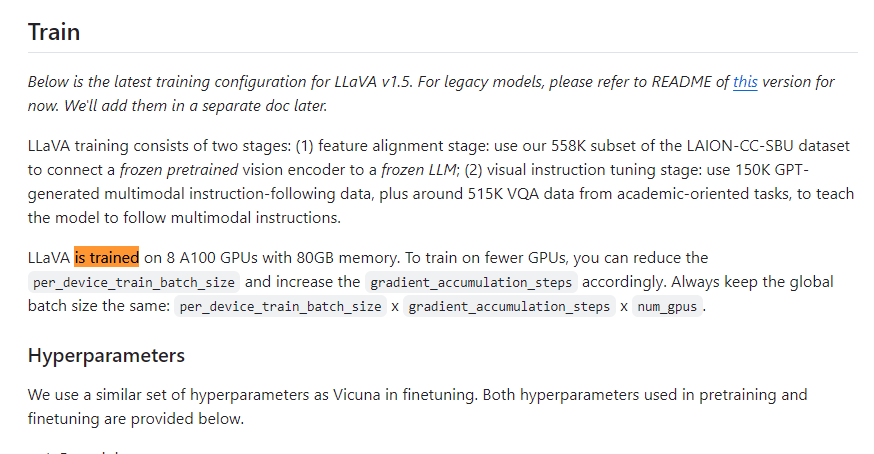
    A typical user is not able to train LLM, it requires enormous computing power and a huge number of teaching examples. You can read about teaching LLaVa here:
    ChatGPT locally? AI/LLM assistants to run on your computer - download and installation
    https://github.com/haotian-liu/LLaVA
    Quote:

    🔥[NEW!] LLaVA-1.5 achieves SoTA on 11 benchmarks, with just simple modifications to the original LLaVA, utilizes all public data, completes training in ~1 day on a single 8-A100 node, and surpasses methods that use billion-scale date.

    https://llava-vl.github.io/
    Additionally, training requires a huge amount of well-described training data, for example:
    https://huggingface.co/datasets/liuhaotian/LLaVA-Instruct-150K/viewer?row=0
    Rather, typical users are forced to download already trained models if they are made available.


    LLM also no longer studies while talking to him. LLM is a mechanism like a "mathematical function", you simply provide an image and text as input, and the output is an answer, LLM does not "remember" other conversations you have had with it. What I have is a model trained by others and made available for free, which I only run locally with different inputs. The only thing LLM "remembers" is the course of the current conversation as long as it fits in the context window.
    Helpful post? Buy me a coffee.
  • #9 21037557
    Mateusz_konstruktor
    Level 37  
    Posts: 4208
    Help: 269
    Rate: 1104
    AND.
    p.kaczmarek2 wrote:
    A typical user is not able to train LLM, it requires enormous computing power and a huge number of teaching examples.

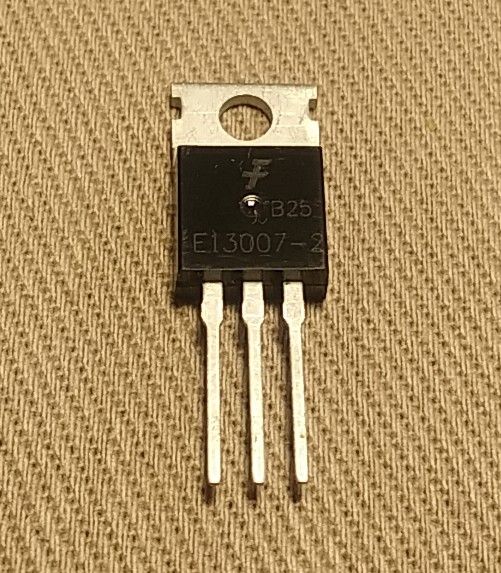
    Isn`t it the case that properly selected training examples require a small amount of computing power that is within the capabilities of even a relatively weak home computer? I am thinking of cases such as a transistor in a popular housing photographed in an appropriate way. Generally, the matter comes down to analyzing the shape of a geometric figure?
    I am attaching an example image.

    Transistor in a TO-220 package with three legs, on a fabric background.

    B
    Isn`t there, therefore, a function of sending ready-made results of studies made by individual users to the "cloud", so to speak?
  • #10 21037579
    p.kaczmarek2
    Moderator Smart Home
    Posts: 14612
    Help: 655
    Rate: 12630
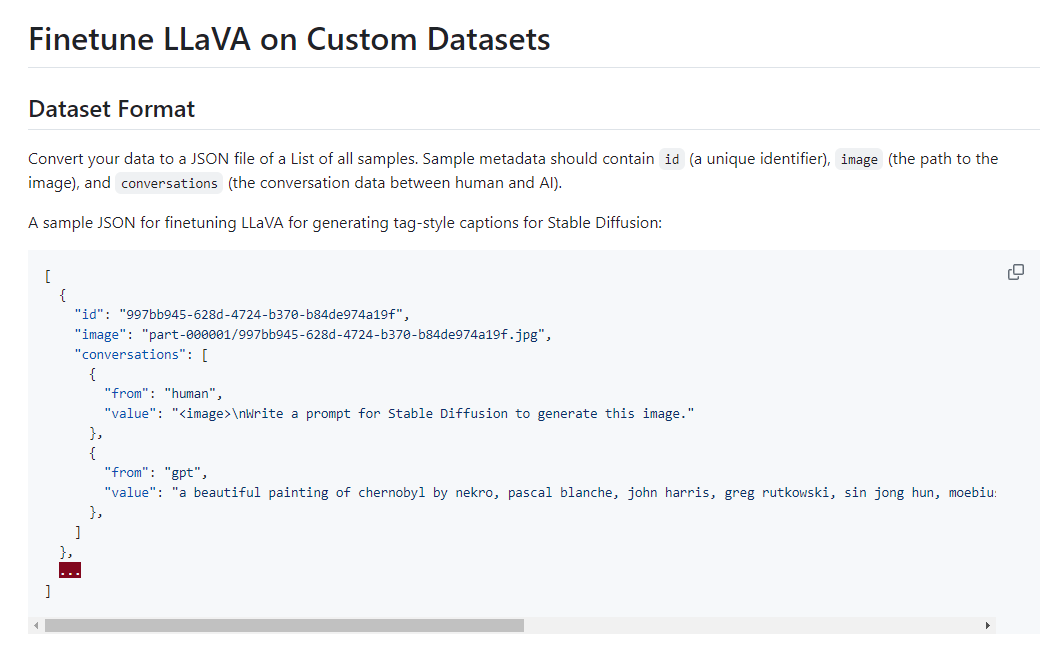
    It doesn`t work like that at all, the process you are asking about is called fine-tuning and it involves providing additional teaching examples in the format of a photo and text description.
    Snippet of documentation on dataset format for fine-tuning the LLaVA model
    You would have to have, for example, a dataset of transistors.
    Source:
    https://github.com/haotian-liu/LLaVA/blob/main/docs/Finetune_Custom_Data.md
    Video related to the topic:


    The model discussed here can be run fully locally, which means it works without the Internet. I simply downloaded the previously trained model (weights) and the environment to run it and I can run it on my computer.
    Helpful post? Buy me a coffee.
  • ADVERTISEMENT
  • #11 21037915
    Mateusz_konstruktor
    Level 37  
    Posts: 4208
    Help: 269
    Rate: 1104
    However, I expected some solution analogous to sending information about incorrect operation through the web browser.
    This would be an invaluable source of data, instead of some tedious training on machines that actually require huge computing power.
    In the form presented by my colleague, it is completely resource-intensive and ill-considered, when the mechanism supporting design and corrections described above has already been functioning for many years.
📢 Listen (AI):

Topic summary

✨ The discussion revolves around the feasibility of running AI models, specifically LLMs (Large Language Models), locally on personal computers, emphasizing privacy concerns associated with cloud-based solutions. The Open-WebUI project is highlighted as a viable alternative to ChatGPT, allowing users to download and operate LLMs locally. Installation challenges, particularly with Docker, are noted, alongside user experiences with local AI implementations, such as Easy Diffusion on an RTX 4070 GPU. The conversation also touches on the limitations of typical users in training LLMs due to the high computational requirements and the nature of fine-tuning models with additional data. The potential for user-generated data to improve model performance is discussed, although it is clarified that LLMs do not learn from individual interactions in real-time.
Generated by the language model.

FAQ

TL;DR: A local AI setup can answer with Mistral 7B in 45 seconds, and "everything is local" once installed. This FAQ is for Windows users who want ChatGPT-like LLMs on their own PC with better privacy, model choice, and image analysis, while avoiding the Docker/WSL installation trap reported in the thread. [#21029503]

Why it matters: The thread shows that local AI is practical for text, code, and some vision tasks, but setup choices and hardware limits decide whether it feels usable.

Option Installation result in thread Compute path Reported speed/result Best use in thread
Open-WebUI + Docker 4.27.1 on Windows 10 Failed because of WSL issues CPU build used Not completed Not recommended in this case
Open-WebUI + Docker 4.24.1 on Windows 10 Worked CPU build used Mistral 7B reply in 45 s Local chat, code, image tests
Easy Diffusion on RTX 4070 + Core i9 10th Worked well GPU 720×720 image in ~15 s Local image generation

Key insight: The biggest practical lesson is not model quality but platform fit: an older Docker build worked immediately, while the newer Windows/WSL path blocked the whole local Open-WebUI install.

Quick Facts

  • The thread reports a successful Open-WebUI setup on Windows 10 only after switching from Docker 4.27.1 to Docker 4.24.1. [#21029503]
  • In the author's CPU-based test, Mistral 7B needed about 45 seconds to generate one reply, showing that local inference works but is not fast on modest hardware. [#21029503]
  • A separate local AI workload, Easy Diffusion on RTX 4070 + Core i9 10th, generated a 720×720 image in about 15 seconds, which was dramatically faster for that task. [#21031745]
  • The thread links LLaVA training claims of roughly 1 day on a single 8-A100 node and references a public instruction dataset of 150K examples, underscoring why typical users download pre-trained weights instead of training from scratch. [#21037092]

How do I install Open-WebUI locally on Windows 10 with Docker step by step?

Install it with the older Docker build that worked in the thread. 1. Install Docker 4.24.1 on Windows 10 and confirm the Docker panel opens. 2. Download the Open-WebUI repository as a ZIP from GitHub and choose the non-GPU Docker setup. 3. Start the container, open the local web service at your local IP + selected port, create the first local account, then download a model before chatting. [#21029503]

Why does Docker 4.27.1 fail with WSL during Open-WebUI setup on Windows, and why did Docker 4.24.1 work instead?

In this thread, Docker 4.27.1 failed because its Windows setup hit a WSL problem during startup. "WSL is a Windows compatibility layer that runs Linux environments inside Windows, enabling container tools, but its configuration can block Docker before any app starts." The author tried fixes and still could not launch Open-WebUI. After downgrading to Docker 4.24.1, the Docker panel opened and the same local setup proceeded normally. [#21029503]

What is Open-WebUI, and how is it different from using ChatGPT in the cloud?

Open-WebUI is a local web interface for running downloaded language models on your own computer. "Open-WebUI is a self-hosted web interface that manages local LLM chats, model selection, and history, while keeping execution on the user's machine instead of a remote cloud service." In the thread, the first account was created on the local server, and the author stressed that everything is local after installation. [#21029503]

Where do I download LLM models for Open-WebUI, and how do I add them from the Ollama library?

Download model names from the Ollama library and add them inside Open-WebUI. The thread says to open the settings, find a model at ollama.com/library, copy its name, paste that name into the model download field, and wait for it to appear in the selection list. Open-WebUI does not chat until at least one model has been downloaded. [#21029503]

What hardware requirements should I expect when running local LLMs in Open-WebUI on CPU instead of GPU?

Expect high RAM use and noticeably slower responses on CPU. The author chose the non-GPU build, said CPU inference is not very fast, and showed a RAM-heavy system screenshot after about 1 hour of testing. The thread gives no exact RAM figure, but it clearly says requirements vary by model size, with lighter and heavier models changing both memory demand and speed. [#21029503]

How long does a local model like Mistral 7B take to answer, and what affects token generation speed?

In the thread, Mistral 7B took about 45 seconds to generate one response. Speed depends on the chosen model and the hardware path, because lighter models generate faster and heavier models need more RAM and compute. The author also notes that CPU-only operation is slower than GPU-backed workloads, which matches the much faster 15-second image generation reported for Easy Diffusion on an RTX 4070 system. [#21029503]

What is fine-tuning in LLaVA or other LLMs, and how is it different from training a model from scratch?

Fine-tuning means adapting an already trained model with additional examples, not building the whole model anew. "Fine-tuning is a post-training method that feeds a pre-trained model extra image-text examples for a narrower task, while full training learns model weights from massive datasets and much larger compute budgets." The thread says ordinary users usually download ready-made weights, because full LLaVA training was described as taking about 1 day on a single 8-A100 node. [#21037092]

What does the context window mean in an LLM, and what can the model actually remember during a conversation?

The context window is the amount of current conversation the model can still use while generating the next reply. "Context window is the active text span an LLM can process at once, letting it use recent messages temporarily, but it does not create permanent memory across separate chats." The thread states that the model does not remember other conversations and only retains the current exchange while it still fits inside that window. [#21037092]

Which is better for local AI use: Open-WebUI on CPU or a GPU-based setup like Easy Diffusion on an RTX 4070?

A GPU-based setup was clearly faster in this thread, but the better choice depends on your task. Open-WebUI on CPU handled chat, code, and image analysis, yet one Mistral 7B reply took 45 seconds. Easy Diffusion on RTX 4070 + Core i9 10th generated a 720×720 image in about 15 seconds. Choose CPU Open-WebUI for private local LLM experiments, and choose a GPU setup when speed matters. [#21031745]

How well do local vision models such as LLaVA recognize electronics photos like chips, batteries, connectors, and LED bulbs?

They handle simple objects reasonably well and struggle on niche electronics. In the thread, the model described an apple and an LED bulb acceptably, read a chip marking as AD0201F, and partly recognized battery markings such as NiMH and SANIK. It mixed correct and incorrect details on batteries and failed to identify connectors reliably, which the author expected because those examples were likely absent from training data. [#21036871]

Why do local LLMs hallucinate nonexistent parts like MCP237017 or misread markings on electronic components?

They hallucinate because they generate plausible text from patterns, not verified part lookups. The thread shows a code answer for a nonexistent MCP237017 created from the author's typo, and image tests where the model misread 1539 as 1569. These failures became more common on less popular electronics topics, where the model filled gaps with plausible but false interpretations instead of admitting uncertainty. [#21029503]

What do settings like Temperature, Mirostat, Top K, Stop Sequence, Max Tokens, and Context Length do in Open-WebUI?

Open-WebUI exposes advanced controls that change how the model generates text and how much conversation it can use. The thread lists Temperature, Mirostat, Top K, Stop Sequence, Max Tokens, and Context Length as tunable parameters available directly in the interface. The post does not define each one individually, but it makes a clear point: Open-WebUI offers substantially more model-side adjustment than the standard OpenAI website. [#21029503]

How is adding new data to a model actually performed when I want better recognition of parts like transistors or connectors?

You do not add single corrections directly into the model during ordinary use; you prepare a fine-tuning dataset. The thread says this process requires additional teaching examples in the form of photo + text description, such as a dedicated transistor dataset. It also states that typical users cannot fully train an LLM, because that needs enormous compute and a large number of examples, so most people rely on already trained models. [#21037579]

What dataset format do I need if I want to fine-tune a vision model on my own transistor photos and descriptions?

You need paired examples that combine each photo with its text description. The thread explicitly says fine-tuning uses additional teaching data in a photo and text description format, and it points to LLaVA custom-data instructions as the source. For a transistor use case, that means building a dataset of transistor images plus consistent labels or descriptions, not just uploading one corrected picture at a time. [#21037579]

How could user feedback about wrong identifications be collected and sent back to improve AI models, instead of retraining everything from scratch?

The thread proposes this as a useful idea, but it does not describe an implemented feedback pipeline. One participant expected a browser-like mechanism for reporting incorrect results, while another explained that the local model here simply runs downloaded weights offline and does not keep learning during conversation. In this setup, wrong identifications are not automatically sent to any cloud service; improving the model would still require curated fine-tuning data. [#21037915]
Generated by the language model.
ADVERTISEMENT