logo elektroda
logo elektroda
X
logo elektroda

Configuring EARU EAWCBT WiFi Relay with OpenBK on BK7231N Chip

earurelay 2322 7
ADVERTISEMENT
  • Helpful post
    #1 21384272
    earurelay
    Level 6  
    EARU Wifi Relay model EAWCBT support.

    Hi guys,

    I recently bought on Aliexpress some cheap WiFi Relay, and wanted to use OpenBK on it.

    This model is not yet in device database, but I managed to make it working with openBK.

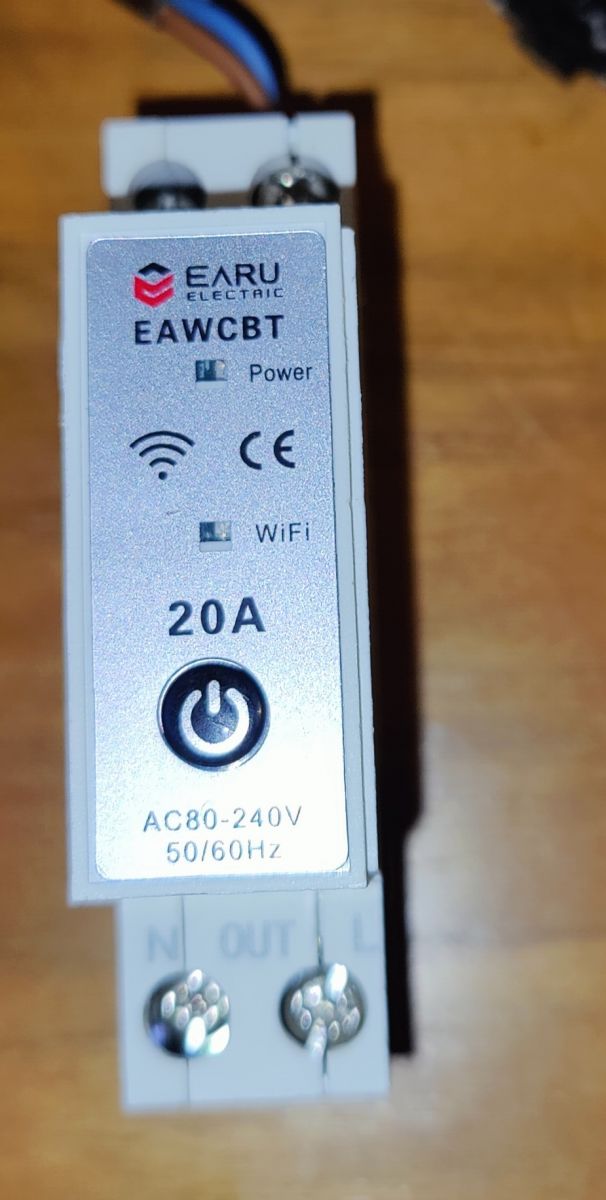
    This is the device : EARU EAWCBT Wi-Fi relay with connectors and labels.
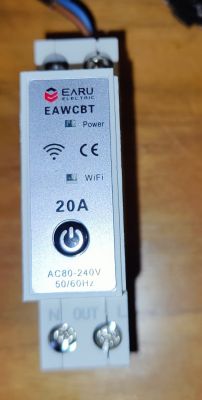
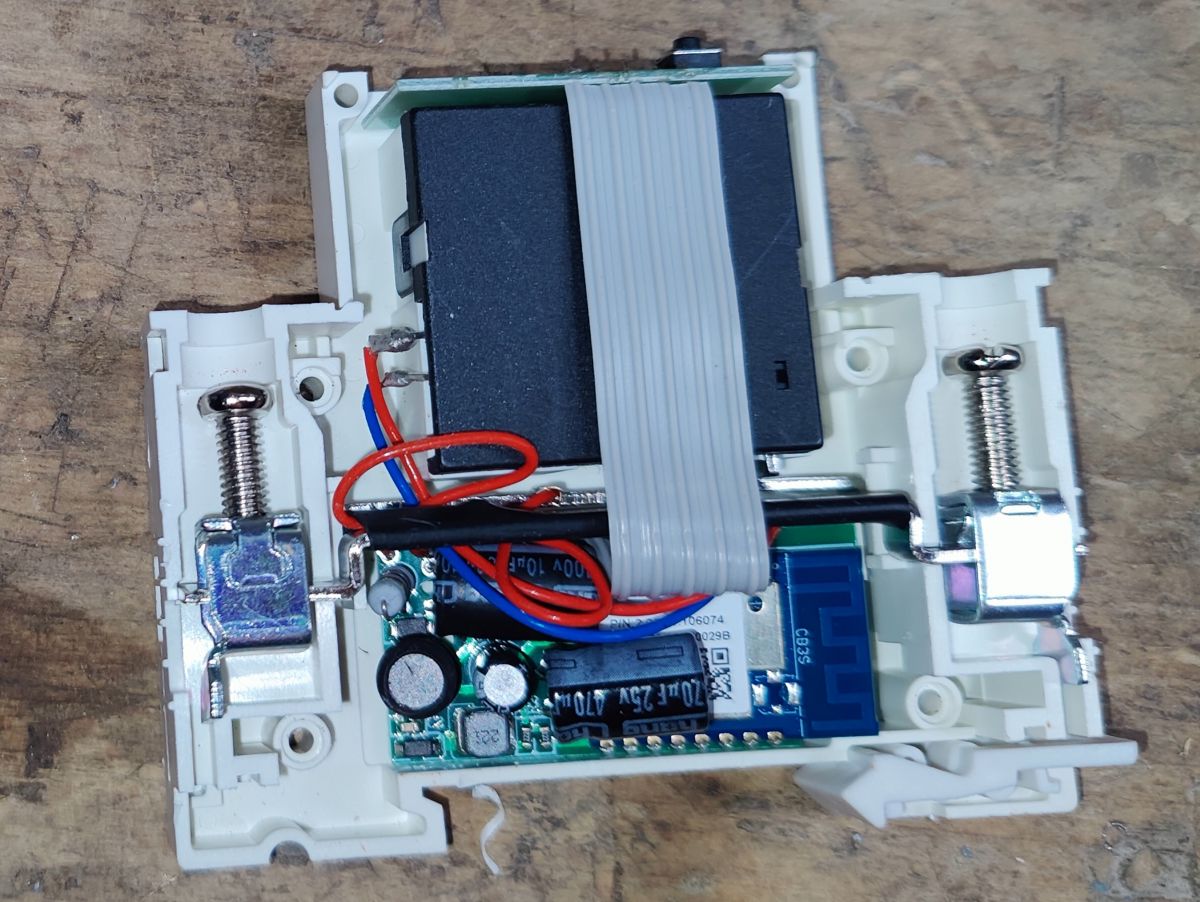
    I quickly opened it up, by drilling on existing rivets. They can be replaced with some screws later.

    Inside, it is a CBS3 chip (BK7231N) with a relay activated by a bridge.
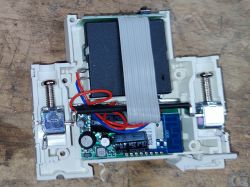
    Interior of an opened EARU Wi-Fi relay model EAWCBT with visible electronic components.


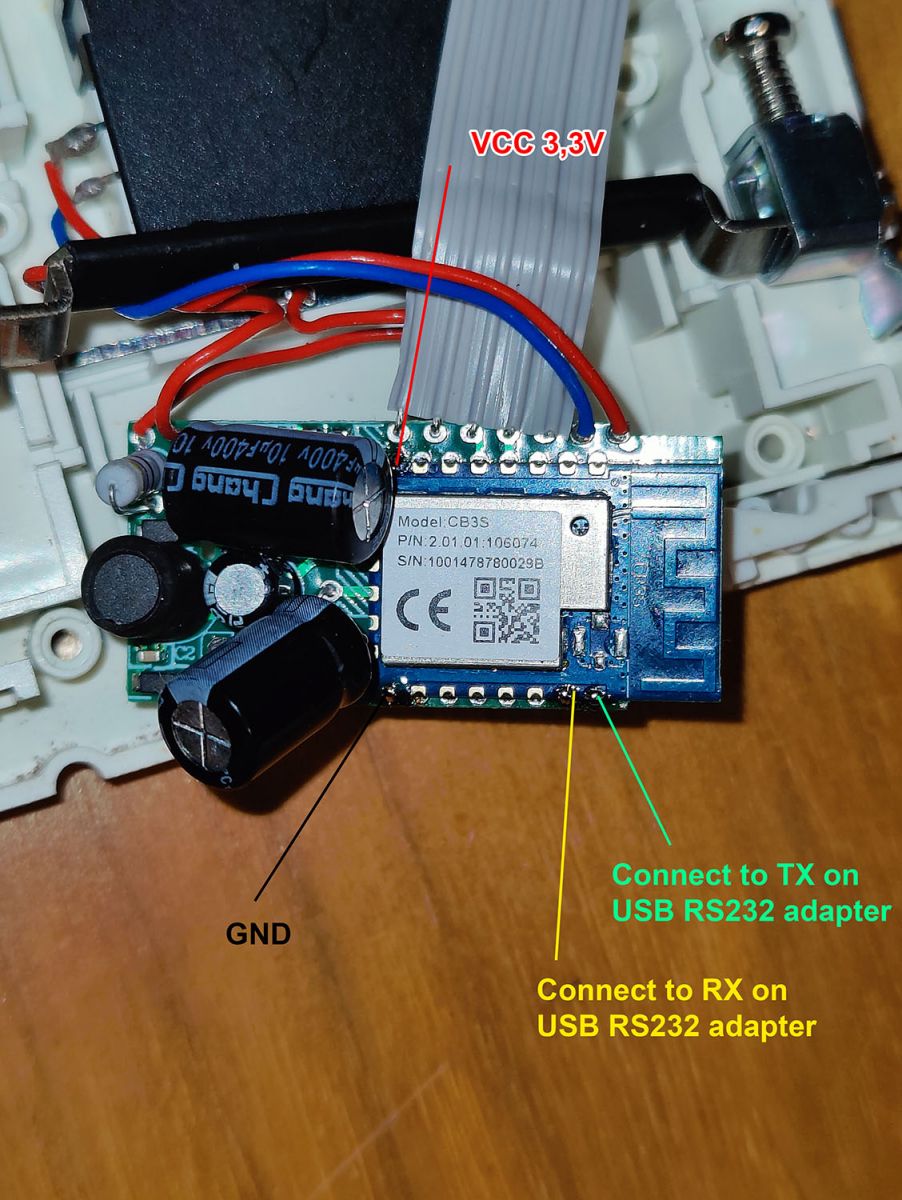
    I use this datasheet to find correct pinout : CB3S datasheet and BK7231 GUI Flash tool to flash it.

    Here is the correct pins to use when updating device:
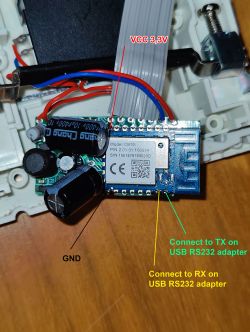
    Interior of a device with CB3S chip and cable connection labels.

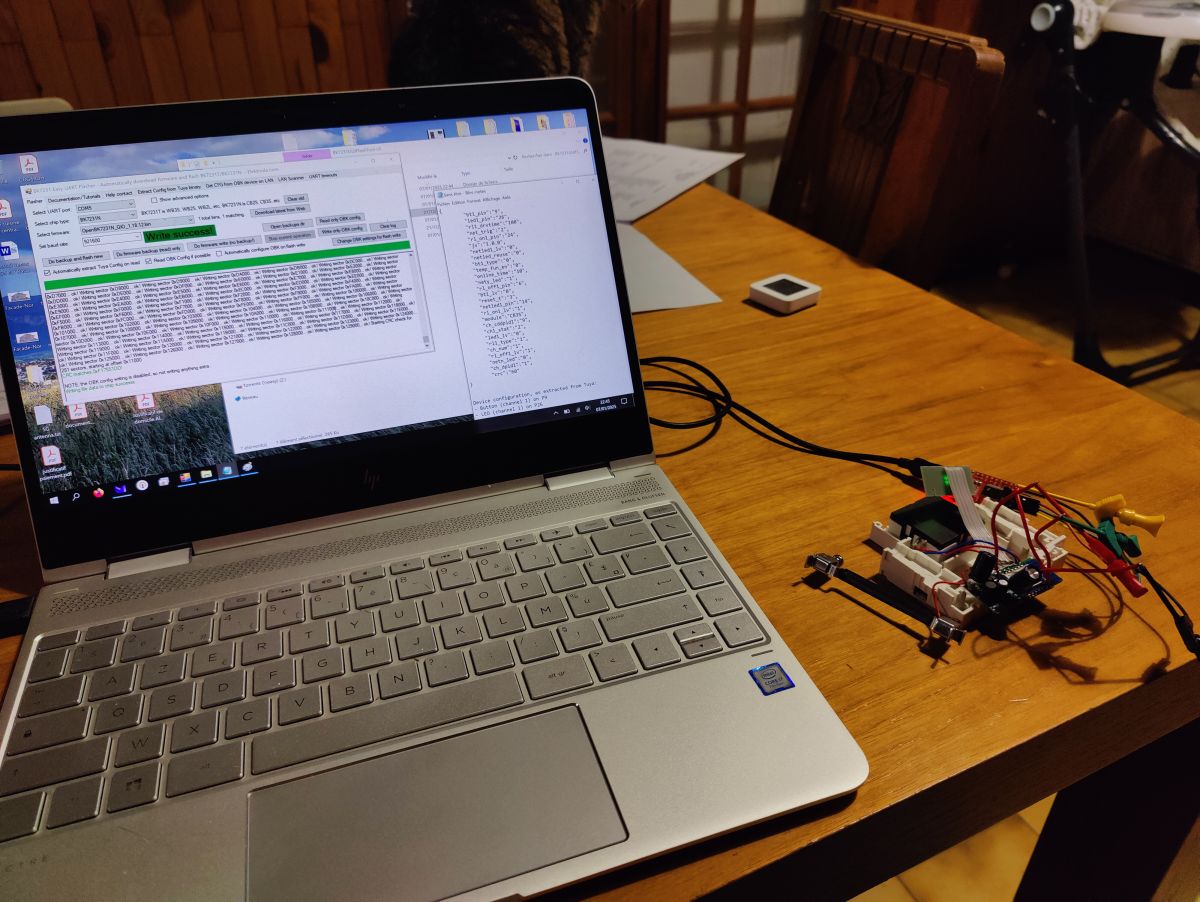
    It worked flawlessly :)
    Laptop with an open configuration sheet and EARU EAWCBT Wi-Fi relay on the desk.

    Then I connected to device using onboard AP, and configured it to use my wifi.
    On next reboot, I used the suggested configurations by the BK7231 Flash Tool, but it doesn't work. Relay was seen as a relay, not a bridge driven relay.

    After some testing, here is the configuration that works for me.

    Code: JSON
    Log in, to see the code


    Hope it helps!
  • ADVERTISEMENT
  • Helpful post
    #2 21385925
    p.kaczmarek2
    Moderator Smart Home
    Thank you for sharing. It's good to see another bridge relay device. Out of curiosity, have you tried to measure the power consumption of this device? The bridge relay requires only power to toggle, so it should be more efficient than "classic" relay, where coil in one state has to be energized all the time.

    By the way, I think you can also enable PowerSave 1 on this device. This will prolong the life of the power supply and reduce heating.
    Helpful post? Buy me a coffee.
  • ADVERTISEMENT
  • Helpful post
    #3 21386296
    earurelay
    Level 6  
    Hi p.kaczmarek2 ,

    Thank you for your message, it helps!

    First of all, I tried measuring consumption, and then I read your comment about PowerSave, it changed everything!

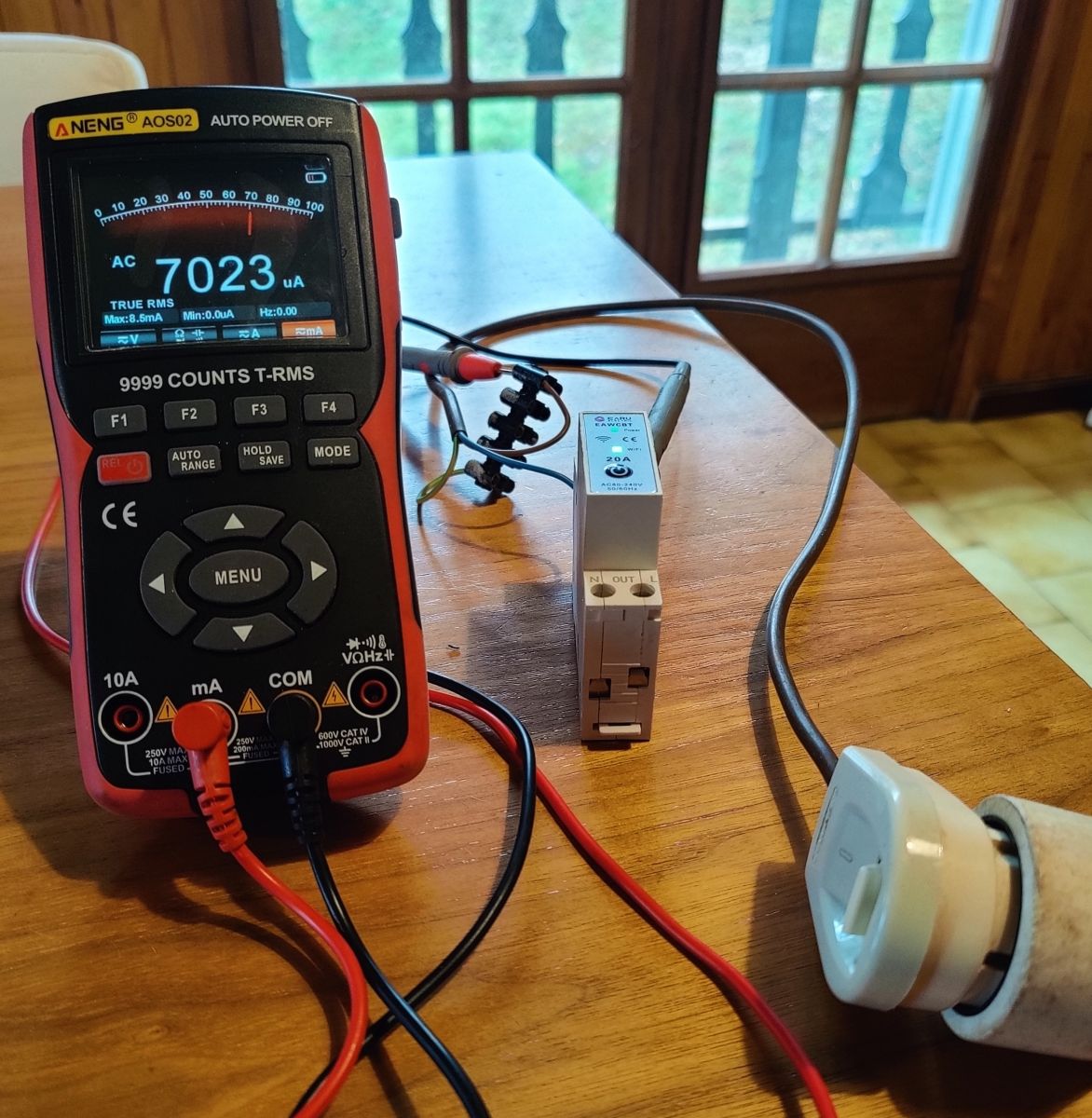
    ANENG AOS02 electrical meter and TONGOU relay on a wooden table.

    ConsumptionRelay activation
    Normal7mA28mA
    PowerSave 1
    1.3mA8.7mA


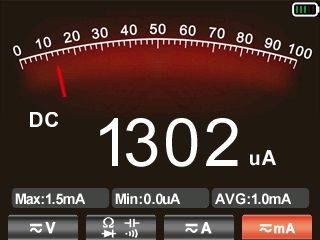
    Meter reading at 1302 microamps.
    1.3mA, this is excellent! Day consumption is (0.0013x230)*24 = 7.2 Watt!

    I was amazed it can change consumption like this!

    I also noticed that my whole relay setting was inverted. When I got Power OFF, I got power, and vice versa.
    I modified the config (and updated my first post) to make it match reality.
    By now, when I issue a POWER OFF command, JSON output match.
  • #4 21618740
    earurelay
    Level 6  
    Hi all,

    A quick update on this Earu relays.

    They work fine.

    I did update today to latest 1.18.141 firmware. Works perfectly.

    I also sorted out a strange behavior. If relay was ON when rebooting, device says OFF but relay was still ON. Need to cycle power button to fix it.

    I just set default value (-1) for both Channel 0 and Channel 1 and it did the trick (in Config menu, then Configure Startup).
    And I understood my error. As it is a bridge, it uses 2 channels (0 and 1) to change bridge state. Then it needs to know both values to restore correct state on a reboot.
  • ADVERTISEMENT
  • #5 21777226
    eguivigo
    Level 1  
    Hi all,
    I want to develop an application to read the power measurements and save it in a database from an EARU EAWCBT Wi-Fi.
    Could you give me some information about it?
  • ADVERTISEMENT
  • #6 21777234
    p.kaczmarek2
    Moderator Smart Home
    You mean after flashing with OBK?

    Use obk HTTP API.
    Helpful post? Buy me a coffee.
  • #7 21777373
    earurelay
    Level 6  
    >>21777226

    Hi,

    Power measurement is not available on this particular relay model.

    For other model, such as Earu EAKCB-T-M, reading is available with HTTP GET.
    I use it with RedNode to read wattage value.

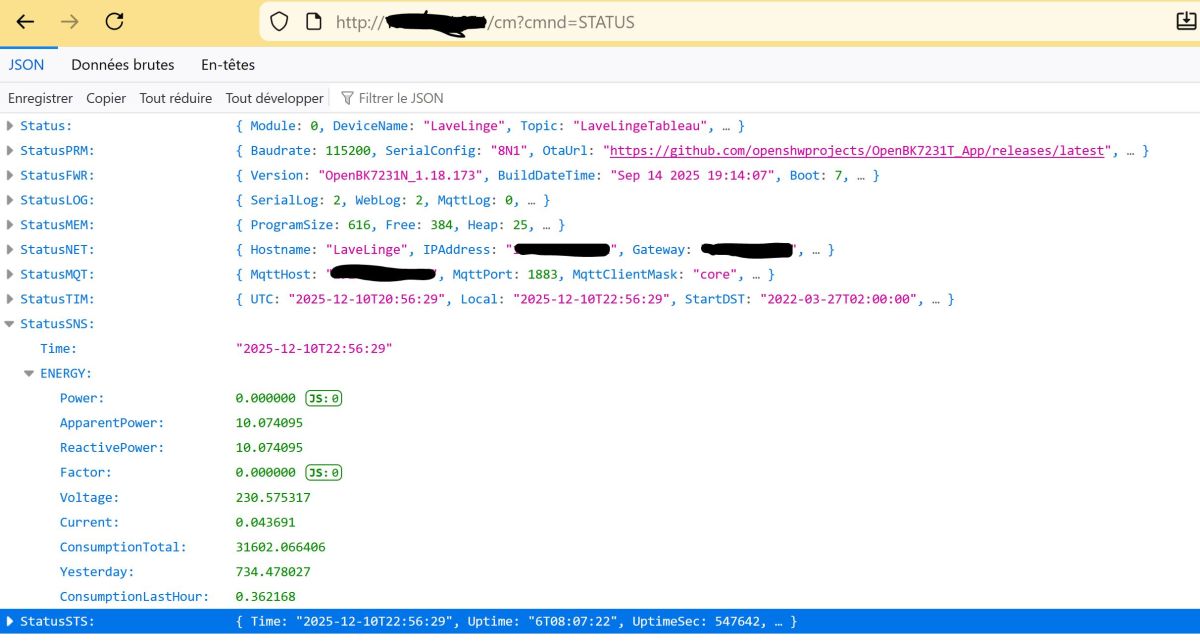
    This is an example of device answer with command: cm?cmnd=STATUS


    Screenshot of a JSON panel showing status data from an IoT device using OpenBK7231N


    You can see voltage, frequency, power, ...

    But only for relay with metering function available.

    Hope this helps
  • #8 21777387
    p.kaczmarek2
    Moderator Smart Home
    Ah yes, I apologize, I assumed that @eguivigo is asking for measurement access on the device that has it. Well, if your device does not feature power measurement, then there is no way to access it, obviously. First please double check in the product listing or within Tuya app, just to be sure. Then proceed to flashing.

    You can also use SendGET command with $voltage or $power or $current arguments (if your device has measurements). That way OBK can send data to HTTP server which you can later process in PHP.
    Helpful post? Buy me a coffee.

Topic summary

The discussion revolves around configuring the EARU EAWCBT WiFi relay using OpenBK firmware on a BK7231N chip. The user successfully managed to operate the device despite it not being listed in the device database. They provided insights into the internal components, including the CBS3 chip and relay activation method. Power consumption measurements were shared, revealing significant efficiency improvements when enabling PowerSave mode, reducing consumption from 7mA to 1.3mA. The user also corrected an inversion issue in the relay's power state configuration.
Summary generated by the language model.
ADVERTISEMENT