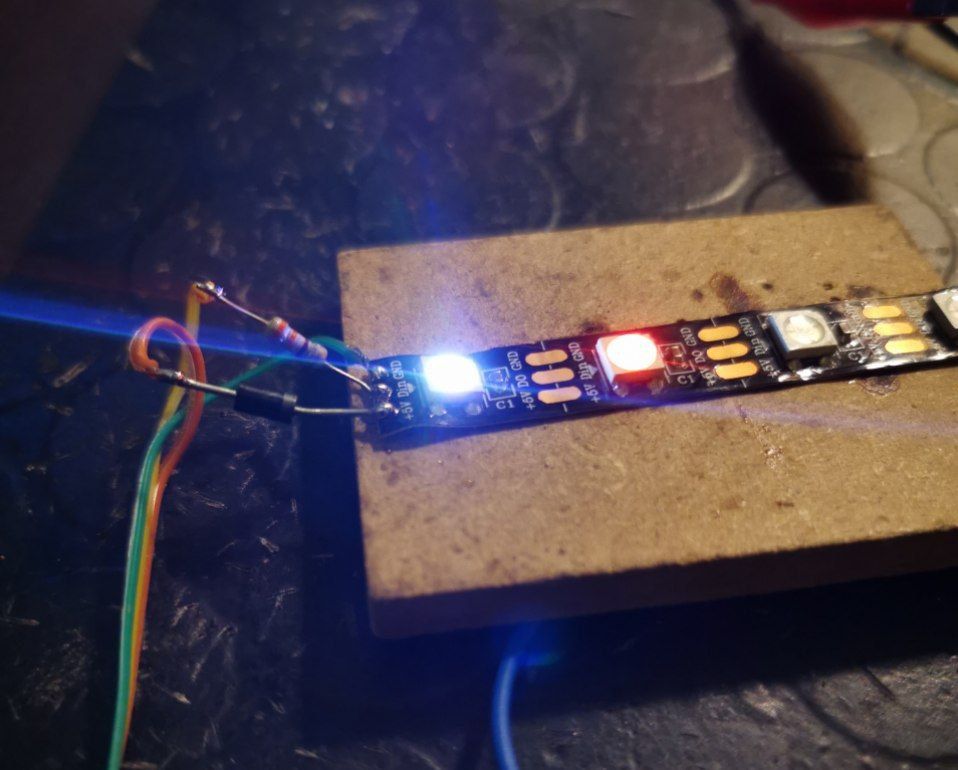
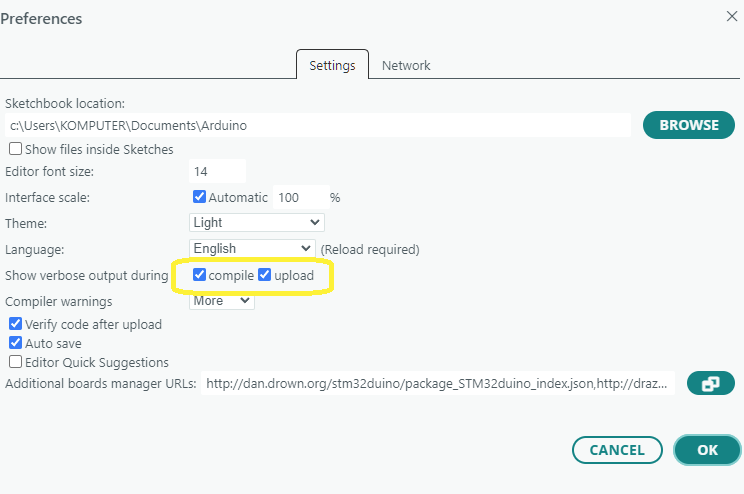
arduino-builder -dump-prefs -logger=machine -hardware /usr/share/arduino/hardware -hardware /home/darkmix/.arduino15/packages -tools /usr/share/arduino/hardware/tools/avr -tools /home/darkmix/.arduino15/packages -libraries /home/darkmix/Arduino/libraries -fqbn=esp32:esp32:esp32:JTAGAdapter=default,PSRAM=disabled,PartitionScheme=default,CPUFreq=240,FlashMode=qio,FlashFreq=80,FlashSize=4M,UploadSpeed=115200,LoopCore=1,EventsCore=1,DebugLevel=none,EraseFlash=none,ZigbeeMode=default -vid-pid=10C4_EA60 -ide-version=10819 -build-path /tmp/arduino_build_385637 -warnings=none -build-cache /tmp/arduino_cache_950965 -prefs=build.warn_data_percentage=75 -prefs=runtime.tools.xtensa-esp-elf-gdb.path=/home/darkmix/.arduino15/packages/esp32/tools/xtensa-esp-elf-gdb/14.2_20240403 -prefs=runtime.tools.xtensa-esp-elf-gdb-14.2_20240403.path=/home/darkmix/.arduino15/packages/esp32/tools/xtensa-esp-elf-gdb/14.2_20240403 -prefs=runtime.tools.mkspiffs.path=/home/darkmix/.arduino15/packages/esp32/tools/mkspiffs/0.2.3 -prefs=runtime.tools.mkspiffs-0.2.3.path=/home/darkmix/.arduino15/packages/esp32/tools/mkspiffs/0.2.3 -prefs=runtime.tools.esp32-arduino-libs.path=/home/darkmix/.arduino15/packages/esp32/tools/esp32-arduino-libs/idf-release_v5.4-2f7dcd86-v1 -prefs=runtime.tools.esp32-arduino-libs-idf-release_v5.4-2f7dcd86-v1.path=/home/darkmix/.arduino15/packages/esp32/tools/esp32-arduino-libs/idf-release_v5.4-2f7dcd86-v1 -prefs=runtime.tools.riscv32-esp-elf-gdb.path=/home/darkmix/.arduino15/packages/esp32/tools/riscv32-esp-elf-gdb/14.2_20240403 -prefs=runtime.tools.riscv32-esp-elf-gdb-14.2_20240403.path=/home/darkmix/.arduino15/packages/esp32/tools/riscv32-esp-elf-gdb/14.2_20240403 -prefs=runtime.tools.esp-rv32.path=/home/darkmix/.arduino15/packages/esp32/tools/esp-rv32/2411 -prefs=runtime.tools.esp-rv32-2411.path=/home/darkmix/.arduino15/packages/esp32/tools/esp-rv32/2411 -prefs=runtime.tools.mklittlefs.path=/home/darkmix/.arduino15/packages/esp32/tools/mklittlefs/3.0.0-gnu12-dc7f933 -prefs=runtime.tools.mklittlefs-3.0.0-gnu12-dc7f933.path=/home/darkmix/.arduino15/packages/esp32/tools/mklittlefs/3.0.0-gnu12-dc7f933 -prefs=runtime.tools.esp-x32.path=/home/darkmix/.arduino15/packages/esp32/tools/esp-x32/2411 -prefs=runtime.tools.esp-x32-2411.path=/home/darkmix/.arduino15/packages/esp32/tools/esp-x32/2411 -prefs=runtime.tools.openocd-esp32.path=/home/darkmix/.arduino15/packages/esp32/tools/openocd-esp32/v0.12.0-esp32-20241016 -prefs=runtime.tools.openocd-esp32-v0.12.0-esp32-20241016.path=/home/darkmix/.arduino15/packages/esp32/tools/openocd-esp32/v0.12.0-esp32-20241016 -prefs=runtime.tools.esptool_py.path=/home/darkmix/.arduino15/packages/esp32/tools/esptool_py/4.9.dev3 -prefs=runtime.tools.esptool_py-4.9.dev3.path=/home/darkmix/.arduino15/packages/esp32/tools/esptool_py/4.9.dev3 -prefs=runtime.tools.dfu-util.path=/home/darkmix/.arduino15/packages/arduino/tools/dfu-util/0.11.0-arduino5 -prefs=runtime.tools.dfu-util-0.11.0-arduino5.path=/home/darkmix/.arduino15/packages/arduino/tools/dfu-util/0.11.0-arduino5 -verbose /tmp/arduino_modified_sketch_460535/strandtest.ino
arduino-builder -compile -logger=machine -hardware /usr/share/arduino/hardware -hardware /home/darkmix/.arduino15/packages -tools /usr/share/arduino/hardware/tools/avr -tools /home/darkmix/.arduino15/packages -libraries /home/darkmix/Arduino/libraries -fqbn=esp32:esp32:esp32:JTAGAdapter=default,PSRAM=disabled,PartitionScheme=default,CPUFreq=240,FlashMode=qio,FlashFreq=80,FlashSize=4M,UploadSpeed=115200,LoopCore=1,EventsCore=1,DebugLevel=none,EraseFlash=none,ZigbeeMode=default -vid-pid=10C4_EA60 -ide-version=10819 -build-path /tmp/arduino_build_385637 -warnings=none -build-cache /tmp/arduino_cache_950965 -prefs=build.warn_data_percentage=75 -prefs=runtime.tools.xtensa-esp-elf-gdb.path=/home/darkmix/.arduino15/packages/esp32/tools/xtensa-esp-elf-gdb/14.2_20240403 -prefs=runtime.tools.xtensa-esp-elf-gdb-14.2_20240403.path=/home/darkmix/.arduino15/packages/esp32/tools/xtensa-esp-elf-gdb/14.2_20240403 -prefs=runtime.tools.mkspiffs.path=/home/darkmix/.arduino15/packages/esp32/tools/mkspiffs/0.2.3 -prefs=runtime.tools.mkspiffs-0.2.3.path=/home/darkmix/.arduino15/packages/esp32/tools/mkspiffs/0.2.3 -prefs=runtime.tools.esp32-arduino-libs.path=/home/darkmix/.arduino15/packages/esp32/tools/esp32-arduino-libs/idf-release_v5.4-2f7dcd86-v1 -prefs=runtime.tools.esp32-arduino-libs-idf-release_v5.4-2f7dcd86-v1.path=/home/darkmix/.arduino15/packages/esp32/tools/esp32-arduino-libs/idf-release_v5.4-2f7dcd86-v1 -prefs=runtime.tools.riscv32-esp-elf-gdb.path=/home/darkmix/.arduino15/packages/esp32/tools/riscv32-esp-elf-gdb/14.2_20240403 -prefs=runtime.tools.riscv32-esp-elf-gdb-14.2_20240403.path=/home/darkmix/.arduino15/packages/esp32/tools/riscv32-esp-elf-gdb/14.2_20240403 -prefs=runtime.tools.esp-rv32.path=/home/darkmix/.arduino15/packages/esp32/tools/esp-rv32/2411 -prefs=runtime.tools.esp-rv32-2411.path=/home/darkmix/.arduino15/packages/esp32/tools/esp-rv32/2411 -prefs=runtime.tools.mklittlefs.path=/home/darkmix/.arduino15/packages/esp32/tools/mklittlefs/3.0.0-gnu12-dc7f933 -prefs=runtime.tools.mklittlefs-3.0.0-gnu12-dc7f933.path=/home/darkmix/.arduino15/packages/esp32/tools/mklittlefs/3.0.0-gnu12-dc7f933 -prefs=runtime.tools.esp-x32.path=/home/darkmix/.arduino15/packages/esp32/tools/esp-x32/2411 -prefs=runtime.tools.esp-x32-2411.path=/home/darkmix/.arduino15/packages/esp32/tools/esp-x32/2411 -prefs=runtime.tools.openocd-esp32.path=/home/darkmix/.arduino15/packages/esp32/tools/openocd-esp32/v0.12.0-esp32-20241016 -prefs=runtime.tools.openocd-esp32-v0.12.0-esp32-20241016.path=/home/darkmix/.arduino15/packages/esp32/tools/openocd-esp32/v0.12.0-esp32-20241016 -prefs=runtime.tools.esptool_py.path=/home/darkmix/.arduino15/packages/esp32/tools/esptool_py/4.9.dev3 -prefs=runtime.tools.esptool_py-4.9.dev3.path=/home/darkmix/.arduino15/packages/esp32/tools/esptool_py/4.9.dev3 -prefs=runtime.tools.dfu-util.path=/home/darkmix/.arduino15/packages/arduino/tools/dfu-util/0.11.0-arduino5 -prefs=runtime.tools.dfu-util-0.11.0-arduino5.path=/home/darkmix/.arduino15/packages/arduino/tools/dfu-util/0.11.0-arduino5 -verbose /tmp/arduino_modified_sketch_460535/strandtest.ino
Using board 'esp32' from platform in folder: /home/darkmix/.arduino15/packages/esp32/hardware/esp32/3.2.0
Using core 'esp32' from platform in folder: /home/darkmix/.arduino15/packages/esp32/hardware/esp32/3.2.0
UWAGA: Kategoria 'Sound' w bibliotece ESP_I2S jest nieprawidłowa. Ustawiono na 'Uncategorized'
UWAGA: Kategoria 'Sensor' w bibliotece ESP_NOW jest nieprawidłowa. Ustawiono na 'Uncategorized'
UWAGA: Kategoria 'Sound' w bibliotece ESP_SR jest nieprawidłowa. Ustawiono na 'Uncategorized'
UWAGA: Kategoria '' w bibliotece ESP Insights jest nieprawidłowa. Ustawiono na 'Uncategorized'
UWAGA: Kategoria '' w bibliotece ESP RainMaker jest nieprawidłowa. Ustawiono na 'Uncategorized'
UWAGA: Kategoria '' w bibliotece TFLite Micro jest nieprawidłowa. Ustawiono na 'Uncategorized'
UWAGA: Kategoria '' w bibliotece WiFiProv jest nieprawidłowa. Ustawiono na 'Uncategorized'
/usr/bin/env bash -c "[ ! -f "/tmp/arduino_modified_sketch_460535"/partitions.csv ] || cp -f "/tmp/arduino_modified_sketch_460535"/partitions.csv "/tmp/arduino_build_385637"/partitions.csv"
/usr/bin/env bash -c "[ -f "/tmp/arduino_build_385637"/partitions.csv ] || [ ! -f "/home/darkmix/.arduino15/packages/esp32/hardware/esp32/3.2.0/variants/esp32"/partitions.csv ] || cp "/home/darkmix/.arduino15/packages/esp32/hardware/esp32/3.2.0/variants/esp32"/partitions.csv "/tmp/arduino_build_385637"/partitions.csv"
/usr/bin/env bash -c "[ -f "/tmp/arduino_build_385637"/partitions.csv ] || cp "/home/darkmix/.arduino15/packages/esp32/hardware/esp32/3.2.0"/tools/partitions/default.csv "/tmp/arduino_build_385637"/partitions.csv"
/usr/bin/env bash -c "[ -f "/tmp/arduino_modified_sketch_460535"/bootloader.bin ] && cp -f "/tmp/arduino_modified_sketch_460535"/bootloader.bin "/tmp/arduino_build_385637"/strandtest.ino.bootloader.bin || ( [ -f "/home/darkmix/.arduino15/packages/esp32/hardware/esp32/3.2.0/variants/esp32"/bootloader.bin ] && cp "/home/darkmix/.arduino15/packages/esp32/hardware/esp32/3.2.0/variants/esp32"/bootloader.bin "/tmp/arduino_build_385637"/strandtest.ino.bootloader.bin || "/home/darkmix/.arduino15/packages/esp32/tools/esptool_py/4.9.dev3"/esptool --chip esp32 elf2image --flash_mode dio --flash_freq 80m --flash_size 4MB -o "/tmp/arduino_build_385637"/strandtest.ino.bootloader.bin "/home/darkmix/.arduino15/packages/esp32/tools/esp32-arduino-libs/idf-release_v5.4-2f7dcd86-v1/esp32"/bin/bootloader_qio_80m.elf )"
esptool.py v4.8.1
Creating esp32 image...
Merged 2 ELF sections
Successfully created esp32 image.
/usr/bin/env bash -c "[ ! -f "/tmp/arduino_modified_sketch_460535"/build_opt.h ] || cp -f "/tmp/arduino_modified_sketch_460535"/build_opt.h "/tmp/arduino_build_385637"/build_opt.h"
/usr/bin/env bash -c "[ -f "/tmp/arduino_build_385637"/build_opt.h ] || : > "/tmp/arduino_build_385637"/build_opt.h"
/usr/bin/env bash -c ": > '/tmp/arduino_build_385637/file_opts'"
/usr/bin/env bash -c "cp -f "/home/darkmix/.arduino15/packages/esp32/tools/esp32-arduino-libs/idf-release_v5.4-2f7dcd86-v1/esp32"/sdkconfig "/tmp/arduino_build_385637"/sdkconfig"
Detecting libraries used...
"/home/darkmix/.arduino15/packages/esp32/tools/esp-x32/2411/bin/xtensa-esp32-elf-g++"   -c "@/home/darkmix/.arduino15/packages/esp32/tools/esp32-arduino-libs/idf-release_v5.4-2f7dcd86-v1/esp32/flags/cpp_flags" -w -Os -Werror=return-type -w -x c++ -E -CC -DF_CPU=240000000L -DARDUINO=10819 -DARDUINO_ESP32_DEV -DARDUINO_ARCH_ESP32 -DARDUINO_BOARD="ESP32_DEV" -DARDUINO_VARIANT="esp32" -DARDUINO_PARTITION_default -DARDUINO_HOST_OS="linux" -DARDUINO_FQBN="esp32:esp32:esp32:JTAGAdapter=default,PSRAM=disabled,PartitionScheme=default,CPUFreq=240,FlashMode=qio,FlashFreq=80,FlashSize=4M,UploadSpeed=115200,LoopCore=1,EventsCore=1,DebugLevel=none,EraseFlash=none,ZigbeeMode=default" -DESP32=ESP32 -DCORE_DEBUG_LEVEL=0 -DARDUINO_RUNNING_CORE=1 -DARDUINO_EVENT_RUNNING_CORE=1  -DARDUINO_USB_CDC_ON_BOOT=0  "@/home/darkmix/.arduino15/packages/esp32/tools/esp32-arduino-libs/idf-release_v5.4-2f7dcd86-v1/esp32/flags/defines" "-I/tmp/arduino_modified_sketch_460535" -iprefix "/home/darkmix/.arduino15/packages/esp32/tools/esp32-arduino-libs/idf-release_v5.4-2f7dcd86-v1/esp32/include/" "@/home/darkmix/.arduino15/packages/esp32/tools/esp32-arduino-libs/idf-release_v5.4-2f7dcd86-v1/esp32/flags/includes" "-I/home/darkmix/.arduino15/packages/esp32/tools/esp32-arduino-libs/idf-release_v5.4-2f7dcd86-v1/esp32/qio_qspi/include" "-I/home/darkmix/.arduino15/packages/esp32/hardware/esp32/3.2.0/cores/esp32" "-I/home/darkmix/.arduino15/packages/esp32/hardware/esp32/3.2.0/variants/esp32" "@/tmp/arduino_build_385637/build_opt.h" "@/tmp/arduino_build_385637/file_opts" "/tmp/arduino_build_385637/sketch/strandtest.ino.cpp" -o "/dev/null"
"/home/darkmix/.arduino15/packages/esp32/tools/esp-x32/2411/bin/xtensa-esp32-elf-g++"   -c "@/home/darkmix/.arduino15/packages/esp32/tools/esp32-arduino-libs/idf-release_v5.4-2f7dcd86-v1/esp32/flags/cpp_flags" -w -Os -Werror=return-type -w -x c++ -E -CC -DF_CPU=240000000L -DARDUINO=10819 -DARDUINO_ESP32_DEV -DARDUINO_ARCH_ESP32 -DARDUINO_BOARD="ESP32_DEV" -DARDUINO_VARIANT="esp32" -DARDUINO_PARTITION_default -DARDUINO_HOST_OS="linux" -DARDUINO_FQBN="esp32:esp32:esp32:JTAGAdapter=default,PSRAM=disabled,PartitionScheme=default,CPUFreq=240,FlashMode=qio,FlashFreq=80,FlashSize=4M,UploadSpeed=115200,LoopCore=1,EventsCore=1,DebugLevel=none,EraseFlash=none,ZigbeeMode=default" -DESP32=ESP32 -DCORE_DEBUG_LEVEL=0 -DARDUINO_RUNNING_CORE=1 -DARDUINO_EVENT_RUNNING_CORE=1  -DARDUINO_USB_CDC_ON_BOOT=0  "@/home/darkmix/.arduino15/packages/esp32/tools/esp32-arduino-libs/idf-release_v5.4-2f7dcd86-v1/esp32/flags/defines" "-I/tmp/arduino_modified_sketch_460535" -iprefix "/home/darkmix/.arduino15/packages/esp32/tools/esp32-arduino-libs/idf-release_v5.4-2f7dcd86-v1/esp32/include/" "@/home/darkmix/.arduino15/packages/esp32/tools/esp32-arduino-libs/idf-release_v5.4-2f7dcd86-v1/esp32/flags/includes" "-I/home/darkmix/.arduino15/packages/esp32/tools/esp32-arduino-libs/idf-release_v5.4-2f7dcd86-v1/esp32/qio_qspi/include" "-I/home/darkmix/.arduino15/packages/esp32/hardware/esp32/3.2.0/cores/esp32" "-I/home/darkmix/.arduino15/packages/esp32/hardware/esp32/3.2.0/variants/esp32" "-I/home/darkmix/Arduino/libraries/Adafruit_NeoPixel" "@/tmp/arduino_build_385637/build_opt.h" "@/tmp/arduino_build_385637/file_opts" "/tmp/arduino_build_385637/sketch/strandtest.ino.cpp" -o "/dev/null"
Using cached library dependencies for file: /home/darkmix/Arduino/libraries/Adafruit_NeoPixel/Adafruit_NeoPixel.cpp
Using cached library dependencies for file: /home/darkmix/Arduino/libraries/Adafruit_NeoPixel/Adafruit_Neopixel_RP2.cpp
Using cached library dependencies for file: /home/darkmix/Arduino/libraries/Adafruit_NeoPixel/esp.c
Using cached library dependencies for file: /home/darkmix/Arduino/libraries/Adafruit_NeoPixel/esp8266.c
Using cached library dependencies for file: /home/darkmix/Arduino/libraries/Adafruit_NeoPixel/kendyte_k210.c
Generating function prototypes...
"/home/darkmix/.arduino15/packages/esp32/tools/esp-x32/2411/bin/xtensa-esp32-elf-g++"   -c "@/home/darkmix/.arduino15/packages/esp32/tools/esp32-arduino-libs/idf-release_v5.4-2f7dcd86-v1/esp32/flags/cpp_flags" -w -Os -Werror=return-type -w -x c++ -E -CC -DF_CPU=240000000L -DARDUINO=10819 -DARDUINO_ESP32_DEV -DARDUINO_ARCH_ESP32 -DARDUINO_BOARD="ESP32_DEV" -DARDUINO_VARIANT="esp32" -DARDUINO_PARTITION_default -DARDUINO_HOST_OS="linux" -DARDUINO_FQBN="esp32:esp32:esp32:JTAGAdapter=default,PSRAM=disabled,PartitionScheme=default,CPUFreq=240,FlashMode=qio,FlashFreq=80,FlashSize=4M,UploadSpeed=115200,LoopCore=1,EventsCore=1,DebugLevel=none,EraseFlash=none,ZigbeeMode=default" -DESP32=ESP32 -DCORE_DEBUG_LEVEL=0 -DARDUINO_RUNNING_CORE=1 -DARDUINO_EVENT_RUNNING_CORE=1  -DARDUINO_USB_CDC_ON_BOOT=0  "@/home/darkmix/.arduino15/packages/esp32/tools/esp32-arduino-libs/idf-release_v5.4-2f7dcd86-v1/esp32/flags/defines" "-I/tmp/arduino_modified_sketch_460535" -iprefix "/home/darkmix/.arduino15/packages/esp32/tools/esp32-arduino-libs/idf-release_v5.4-2f7dcd86-v1/esp32/include/" "@/home/darkmix/.arduino15/packages/esp32/tools/esp32-arduino-libs/idf-release_v5.4-2f7dcd86-v1/esp32/flags/includes" "-I/home/darkmix/.arduino15/packages/esp32/tools/esp32-arduino-libs/idf-release_v5.4-2f7dcd86-v1/esp32/qio_qspi/include" "-I/home/darkmix/.arduino15/packages/esp32/hardware/esp32/3.2.0/cores/esp32" "-I/home/darkmix/.arduino15/packages/esp32/hardware/esp32/3.2.0/variants/esp32" "-I/home/darkmix/Arduino/libraries/Adafruit_NeoPixel" "@/tmp/arduino_build_385637/build_opt.h" "@/tmp/arduino_build_385637/file_opts" "/tmp/arduino_build_385637/sketch/strandtest.ino.cpp" -o "/tmp/arduino_build_385637/preproc/ctags_target_for_gcc_minus_e.cpp"
"/usr/bin/arduino-ctags" -u --language-force=c++ -f - --c++-kinds=svpf --fields=KSTtzns --line-directives "/tmp/arduino_build_385637/preproc/ctags_target_for_gcc_minus_e.cpp"
Kompilowanie szkicu...
"/home/darkmix/.arduino15/packages/esp32/tools/esp-x32/2411/bin/xtensa-esp32-elf-g++"  -MMD -c "@/home/darkmix/.arduino15/packages/esp32/tools/esp32-arduino-libs/idf-release_v5.4-2f7dcd86-v1/esp32/flags/cpp_flags" -w -Os -Werror=return-type -DF_CPU=240000000L -DARDUINO=10819 -DARDUINO_ESP32_DEV -DARDUINO_ARCH_ESP32 -DARDUINO_BOARD="ESP32_DEV" -DARDUINO_VARIANT="esp32" -DARDUINO_PARTITION_default -DARDUINO_HOST_OS="linux" -DARDUINO_FQBN="esp32:esp32:esp32:JTAGAdapter=default,PSRAM=disabled,PartitionScheme=default,CPUFreq=240,FlashMode=qio,FlashFreq=80,FlashSize=4M,UploadSpeed=115200,LoopCore=1,EventsCore=1,DebugLevel=none,EraseFlash=none,ZigbeeMode=default" -DESP32=ESP32 -DCORE_DEBUG_LEVEL=0 -DARDUINO_RUNNING_CORE=1 -DARDUINO_EVENT_RUNNING_CORE=1  -DARDUINO_USB_CDC_ON_BOOT=0  "@/home/darkmix/.arduino15/packages/esp32/tools/esp32-arduino-libs/idf-release_v5.4-2f7dcd86-v1/esp32/flags/defines" "-I/tmp/arduino_modified_sketch_460535" -iprefix "/home/darkmix/.arduino15/packages/esp32/tools/esp32-arduino-libs/idf-release_v5.4-2f7dcd86-v1/esp32/include/" "@/home/darkmix/.arduino15/packages/esp32/tools/esp32-arduino-libs/idf-release_v5.4-2f7dcd86-v1/esp32/flags/includes" "-I/home/darkmix/.arduino15/packages/esp32/tools/esp32-arduino-libs/idf-release_v5.4-2f7dcd86-v1/esp32/qio_qspi/include" "-I/home/darkmix/.arduino15/packages/esp32/hardware/esp32/3.2.0/cores/esp32" "-I/home/darkmix/.arduino15/packages/esp32/hardware/esp32/3.2.0/variants/esp32" "-I/home/darkmix/Arduino/libraries/Adafruit_NeoPixel" "@/tmp/arduino_build_385637/build_opt.h" "@/tmp/arduino_build_385637/file_opts" "/tmp/arduino_build_385637/sketch/strandtest.ino.cpp" -o "/tmp/arduino_build_385637/sketch/strandtest.ino.cpp.o"
Compiling libraries...
Compiling library "Adafruit_NeoPixel"
Użycie wcześniej skompilowanego pliku: /tmp/arduino_build_385637/libraries/Adafruit_NeoPixel/esp.c.o
Użycie wcześniej skompilowanego pliku: /tmp/arduino_build_385637/libraries/Adafruit_NeoPixel/esp8266.c.o
Użycie wcześniej skompilowanego pliku: /tmp/arduino_build_385637/libraries/Adafruit_NeoPixel/kendyte_k210.c.o
Użycie wcześniej skompilowanego pliku: /tmp/arduino_build_385637/libraries/Adafruit_NeoPixel/Adafruit_NeoPixel.cpp.o
Użycie wcześniej skompilowanego pliku: /tmp/arduino_build_385637/libraries/Adafruit_NeoPixel/Adafruit_Neopixel_RP2.cpp.o
Compiling core...
/usr/bin/env bash -c "echo -DARDUINO_CORE_BUILD > '/tmp/arduino_build_385637/file_opts'"
Użycie wcześniej skompilowanego pliku: /tmp/arduino_build_385637/core/ColorFormat.c.o
Użycie wcześniej skompilowanego pliku: /tmp/arduino_build_385637/core/esp32-hal-adc.c.o
Użycie wcześniej skompilowanego pliku: /tmp/arduino_build_385637/core/esp32-hal-bt.c.o
Użycie wcześniej skompilowanego pliku: /tmp/arduino_build_385637/core/esp32-hal-cpu.c.o
Użycie wcześniej skompilowanego pliku: /tmp/arduino_build_385637/core/esp32-hal-dac.c.o
Użycie wcześniej skompilowanego pliku: /tmp/arduino_build_385637/core/esp32-hal-gpio.c.o
Użycie wcześniej skompilowanego pliku: /tmp/arduino_build_385637/core/esp32-hal-i2c-ng.c.o
Użycie wcześniej skompilowanego pliku: /tmp/arduino_build_385637/core/esp32-hal-i2c-slave.c.o
Użycie wcześniej skompilowanego pliku: /tmp/arduino_build_385637/core/esp32-hal-i2c.c.o
Użycie wcześniej skompilowanego pliku: /tmp/arduino_build_385637/core/esp32-hal-ledc.c.o
Użycie wcześniej skompilowanego pliku: /tmp/arduino_build_385637/core/esp32-hal-matrix.c.o
Użycie wcześniej skompilowanego pliku: /tmp/arduino_build_385637/core/esp32-hal-misc.c.o
Użycie wcześniej skompilowanego pliku: /tmp/arduino_build_385637/core/esp32-hal-periman.c.o
Użycie wcześniej skompilowanego pliku: /tmp/arduino_build_385637/core/esp32-hal-psram.c.o
Użycie wcześniej skompilowanego pliku: /tmp/arduino_build_385637/core/esp32-hal-rgb-led.c.o
Użycie wcześniej skompilowanego pliku: /tmp/arduino_build_385637/core/esp32-hal-rmt.c.o
Użycie wcześniej skompilowanego pliku: /tmp/arduino_build_385637/core/esp32-hal-sigmadelta.c.o
Użycie wcześniej skompilowanego pliku: /tmp/arduino_build_385637/core/esp32-hal-spi.c.o
Użycie wcześniej skompilowanego pliku: /tmp/arduino_build_385637/core/esp32-hal-time.c.o
Użycie wcześniej skompilowanego pliku: /tmp/arduino_build_385637/core/esp32-hal-timer.c.o
Użycie wcześniej skompilowanego pliku: /tmp/arduino_build_385637/core/esp32-hal-tinyusb.c.o
Użycie wcześniej skompilowanego pliku: /tmp/arduino_build_385637/core/esp32-hal-touch-ng.c.o
Użycie wcześniej skompilowanego pliku: /tmp/arduino_build_385637/core/esp32-hal-touch.c.o
Użycie wcześniej skompilowanego pliku: /tmp/arduino_build_385637/core/esp32-hal-uart.c.o
Użycie wcześniej skompilowanego pliku: /tmp/arduino_build_385637/core/firmware_msc_fat.c.o
Użycie wcześniej skompilowanego pliku: /tmp/arduino_build_385637/core/stdlib_noniso.c.o
Użycie wcześniej skompilowanego pliku: /tmp/arduino_build_385637/core/wiring_pulse.c.o
Użycie wcześniej skompilowanego pliku: /tmp/arduino_build_385637/core/wiring_shift.c.o
Użycie wcześniej skompilowanego pliku: /tmp/arduino_build_385637/core/libb64/cdecode.c.o
Użycie wcześniej skompilowanego pliku: /tmp/arduino_build_385637/core/libb64/cencode.c.o
Użycie wcześniej skompilowanego pliku: /tmp/arduino_build_385637/core/Esp.cpp.o
Użycie wcześniej skompilowanego pliku: /tmp/arduino_build_385637/core/FirmwareMSC.cpp.o
Użycie wcześniej skompilowanego pliku: /tmp/arduino_build_385637/core/FunctionalInterrupt.cpp.o
Użycie wcześniej skompilowanego pliku: /tmp/arduino_build_385637/core/HEXBuilder.cpp.o
Użycie wcześniej skompilowanego pliku: /tmp/arduino_build_385637/core/HWCDC.cpp.o
Użycie wcześniej skompilowanego pliku: /tmp/arduino_build_385637/core/HardwareSerial.cpp.o
Użycie wcześniej skompilowanego pliku: /tmp/arduino_build_385637/core/IPAddress.cpp.o
Użycie wcześniej skompilowanego pliku: /tmp/arduino_build_385637/core/MD5Builder.cpp.o
Użycie wcześniej skompilowanego pliku: /tmp/arduino_build_385637/core/MacAddress.cpp.o
Użycie wcześniej skompilowanego pliku: /tmp/arduino_build_385637/core/Print.cpp.o
Użycie wcześniej skompilowanego pliku: /tmp/arduino_build_385637/core/SHA1Builder.cpp.o
Użycie wcześniej skompilowanego pliku: /tmp/arduino_build_385637/core/Stream.cpp.o
Użycie wcześniej skompilowanego pliku: /tmp/arduino_build_385637/core/StreamString.cpp.o
Użycie wcześniej skompilowanego pliku: /tmp/arduino_build_385637/core/Tone.cpp.o
Użycie wcześniej skompilowanego pliku: /tmp/arduino_build_385637/core/USB.cpp.o
Użycie wcześniej skompilowanego pliku: /tmp/arduino_build_385637/core/USBCDC.cpp.o
Użycie wcześniej skompilowanego pliku: /tmp/arduino_build_385637/core/USBMSC.cpp.o
Użycie wcześniej skompilowanego pliku: /tmp/arduino_build_385637/core/WMath.cpp.o
Użycie wcześniej skompilowanego pliku: /tmp/arduino_build_385637/core/WString.cpp.o
Użycie wcześniej skompilowanego pliku: /tmp/arduino_build_385637/core/base64.cpp.o
Użycie wcześniej skompilowanego pliku: /tmp/arduino_build_385637/core/cbuf.cpp.o
Użycie wcześniej skompilowanego pliku: /tmp/arduino_build_385637/core/chip-debug-report.cpp.o
Użycie wcześniej skompilowanego pliku: /tmp/arduino_build_385637/core/freertos_stats.cpp.o
Użycie wcześniej skompilowanego pliku: /tmp/arduino_build_385637/core/main.cpp.o
Użycie wcześniej skompilowanego pliku: /tmp/arduino_build_385637/core/core.a
Archiving built core (caching) in: /tmp/arduino_cache_950965/core/core_esp32_esp32_esp32_JTAGAdapter_default,PSRAM_disabled,PartitionScheme_default,CPUFreq_240,FlashMode_qio,FlashFreq_80,FlashSize_4M,UploadSpeed_115200,LoopCore_1,EventsCore_1,DebugLevel_none,EraseFlash_none,ZigbeeMode_default_a52bcb3f3beca066e01b260aaf12dfa7.a
/usr/bin/env bash -c ": > '/tmp/arduino_build_385637/file_opts'"
Linking everything together...
"/home/darkmix/.arduino15/packages/esp32/tools/esp-x32/2411/bin/xtensa-esp32-elf-g++" "-Wl,--Map=/tmp/arduino_build_385637/strandtest.ino.map" "-L/home/darkmix/.arduino15/packages/esp32/tools/esp32-arduino-libs/idf-release_v5.4-2f7dcd86-v1/esp32/lib" "-L/home/darkmix/.arduino15/packages/esp32/tools/esp32-arduino-libs/idf-release_v5.4-2f7dcd86-v1/esp32/ld" "-L/home/darkmix/.arduino15/packages/esp32/tools/esp32-arduino-libs/idf-release_v5.4-2f7dcd86-v1/esp32/qio_qspi" "-Wl,--wrap=esp_panic_handler" "@/home/darkmix/.arduino15/packages/esp32/tools/esp32-arduino-libs/idf-release_v5.4-2f7dcd86-v1/esp32/flags/ld_flags" "@/home/darkmix/.arduino15/packages/esp32/tools/esp32-arduino-libs/idf-release_v5.4-2f7dcd86-v1/esp32/flags/ld_scripts"  -Wl,--start-group "/tmp/arduino_build_385637/sketch/strandtest.ino.cpp.o" "/tmp/arduino_build_385637/libraries/Adafruit_NeoPixel/esp.c.o" "/tmp/arduino_build_385637/libraries/Adafruit_NeoPixel/esp8266.c.o" "/tmp/arduino_build_385637/libraries/Adafruit_NeoPixel/kendyte_k210.c.o" "/tmp/arduino_build_385637/libraries/Adafruit_NeoPixel/Adafruit_NeoPixel.cpp.o" "/tmp/arduino_build_385637/libraries/Adafruit_NeoPixel/Adafruit_Neopixel_RP2.cpp.o" "/tmp/arduino_build_385637/core/core.a"   "@/home/darkmix/.arduino15/packages/esp32/tools/esp32-arduino-libs/idf-release_v5.4-2f7dcd86-v1/esp32/flags/ld_libs"  -Wl,--end-group -Wl,-EL -o "/tmp/arduino_build_385637/strandtest.ino.elf"
"/home/darkmix/.arduino15/packages/esp32/tools/esptool_py/4.9.dev3/esptool" --chip esp32 elf2image --flash_mode "dio" --flash_freq "80m" --flash_size "4MB" --elf-sha256-offset 0xb0 -o "/tmp/arduino_build_385637/strandtest.ino.bin" "/tmp/arduino_build_385637/strandtest.ino.elf"
esptool.py v4.8.1
Creating esp32 image...
Merged 2 ELF sections
Successfully created esp32 image.
python3 "/home/darkmix/.arduino15/packages/esp32/hardware/esp32/3.2.0/tools/gen_esp32part.py" -q "/tmp/arduino_build_385637/partitions.csv" "/tmp/arduino_build_385637/strandtest.ino.partitions.bin"
/usr/bin/env bash -c "[ ! -d "/tmp/arduino_build_385637"/libraries/Insights ] || python3 "/home/darkmix/.arduino15/packages/esp32/hardware/esp32/3.2.0"/tools/gen_insights_package.py /tmp/arduino_build_385637 strandtest.ino "/tmp/arduino_modified_sketch_460535""
/usr/bin/env bash -c "[ ! -d "/tmp/arduino_build_385637"/libraries/ESP_SR ] || [ ! -f "/home/darkmix/.arduino15/packages/esp32/tools/esp32-arduino-libs/idf-release_v5.4-2f7dcd86-v1/esp32"/esp_sr/srmodels.bin ] || cp -f "/home/darkmix/.arduino15/packages/esp32/tools/esp32-arduino-libs/idf-release_v5.4-2f7dcd86-v1/esp32"/esp_sr/srmodels.bin "/tmp/arduino_build_385637"/srmodels.bin"
"/home/darkmix/.arduino15/packages/esp32/tools/esptool_py/4.9.dev3/esptool" --chip esp32 merge_bin -o "/tmp/arduino_build_385637/strandtest.ino.merged.bin" --fill-flash-size 4MB --flash_mode keep --flash_freq keep --flash_size keep 0x1000 "/tmp/arduino_build_385637/strandtest.ino.bootloader.bin" 0x8000 "/tmp/arduino_build_385637/strandtest.ino.partitions.bin" 0xe000 "/home/darkmix/.arduino15/packages/esp32/hardware/esp32/3.2.0/tools/partitions/boot_app0.bin" 0x10000 "/tmp/arduino_build_385637/strandtest.ino.bin"
esptool.py v4.8.1
Wrote 0x400000 bytes to file /tmp/arduino_build_385637/strandtest.ino.merged.bin, ready to flash to offset 0x0
Użycie biblioteki Adafruit_NeoPixel w wersji 1.15.1 z folderu: /home/darkmix/Arduino/libraries/Adafruit_NeoPixel
Szkic używa 300742 bajtów (22%) pamięci programu. Maksimum to 1310720 bajtów.
Zmienne globalne używają 21396 bajtów (6%) pamięci dynamicznej, pozostawiając 306284 bajtów dla zmiennych lokalnych. Maksimum to 327680 bajtów.
/home/darkmix/.arduino15/packages/esp32/tools/esptool_py/4.9.dev3/esptool --chip esp32 --port /dev/ttyUSB0 --baud 115200 --before default_reset --after hard_reset write_flash -z --flash_mode keep --flash_freq keep --flash_size keep 0x1000 /tmp/arduino_build_385637/strandtest.ino.bootloader.bin 0x8000 /tmp/arduino_build_385637/strandtest.ino.partitions.bin 0xe000 /home/darkmix/.arduino15/packages/esp32/hardware/esp32/3.2.0/tools/partitions/boot_app0.bin 0x10000 /tmp/arduino_build_385637/strandtest.ino.bin
esptool.py v4.8.1
Serial port /dev/ttyUSB0
Connecting......
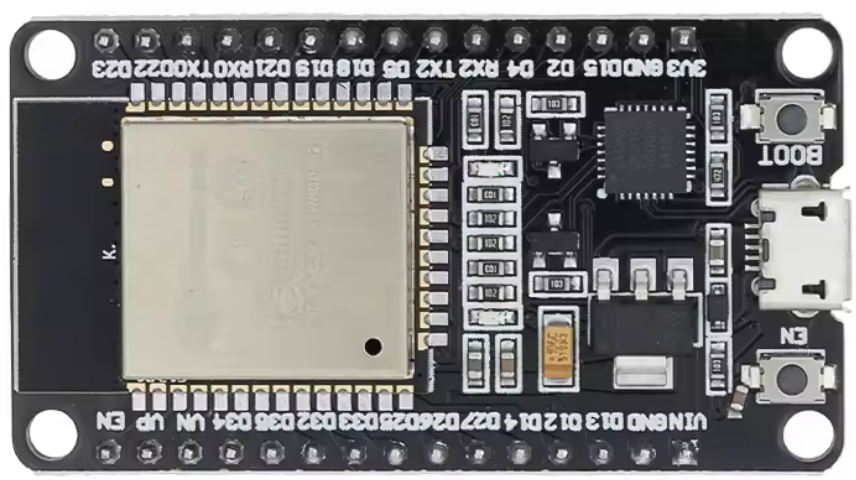
Chip is ESP32-D0WDQ6 (revision v1.0)
Features: WiFi, BT, Dual Core, 240MHz, VRef calibration in efuse, Coding Scheme None
Crystal is 40MHz
MAC: 3c:61:05:17:55:c0
Uploading stub...
Running stub...
Stub running...
Configuring flash size...
Flash will be erased from 0x00001000 to 0x00007fff...
Flash will be erased from 0x00008000 to 0x00008fff...
Flash will be erased from 0x0000e000 to 0x0000ffff...
Flash will be erased from 0x00010000 to 0x00059fff...
Compressed 24976 bytes to 15972...
Writing at 0x00001000... (100 %)
Wrote 24976 bytes (15972 compressed) at 0x00001000 in 1.8 seconds (effective 112.9 kbit/s)...
Hash of data verified.
Compressed 3072 bytes to 146...
Writing at 0x00008000... (100 %)
Wrote 3072 bytes (146 compressed) at 0x00008000 in 0.1 seconds (effective 474.3 kbit/s)...
Hash of data verified.
Compressed 8192 bytes to 47...
Writing at 0x0000e000... (100 %)
Wrote 8192 bytes (47 compressed) at 0x0000e000 in 0.1 seconds (effective 821.6 kbit/s)...
Hash of data verified.
Compressed 300880 bytes to 161601...
Writing at 0x00010000... (10 %)
Writing at 0x0001bfb0... (20 %)
Writing at 0x00029079... (30 %)
Writing at 0x0002e62d... (40 %)
Writing at 0x00033fa8... (50 %)
Writing at 0x000392aa... (60 %)
Writing at 0x0003e86a... (70 %)
Writing at 0x00043ea6... (80 %)
Writing at 0x0004b0a2... (90 %)
Writing at 0x00054422... (100 %)
Wrote 300880 bytes (161601 compressed) at 0x00010000 in 14.5 seconds (effective 166.3 kbit/s)...
Hash of data verified.

Leaving...
Hard resetting via RTS pin...









 .
.
 .
.


 .
.