logo elektroda
logo elektroda
X
logo elektroda

ESP32 RGBIC LED Controller 12V 15A with 6m WS2815 Strip and 12V 12A PSU Wiring

justylek09 345 7
ADVERTISEMENT
Treść została przetłumaczona polish » english Zobacz oryginalną wersję tematu
  • #1 21701468
    justylek09
    Level 7  
    I own these 3 products:
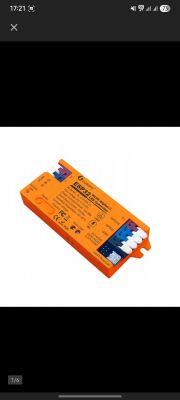
    ESP32 RGBIC LED controller 5-24 V, 15 A
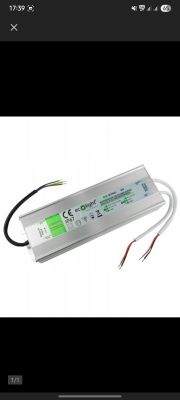
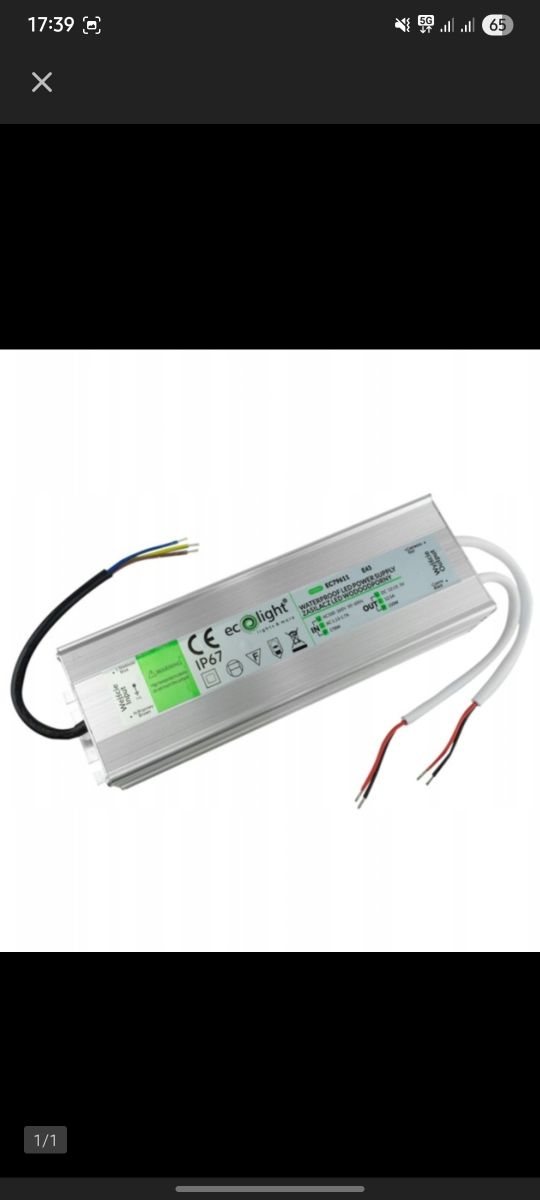
    Switching-mode power supply 12 V, 12 A, 150 W, hermetic IP67
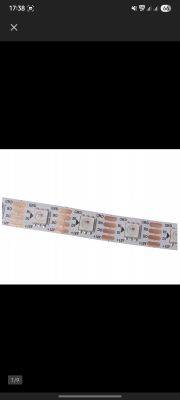
    LED strip 6 m WS2815
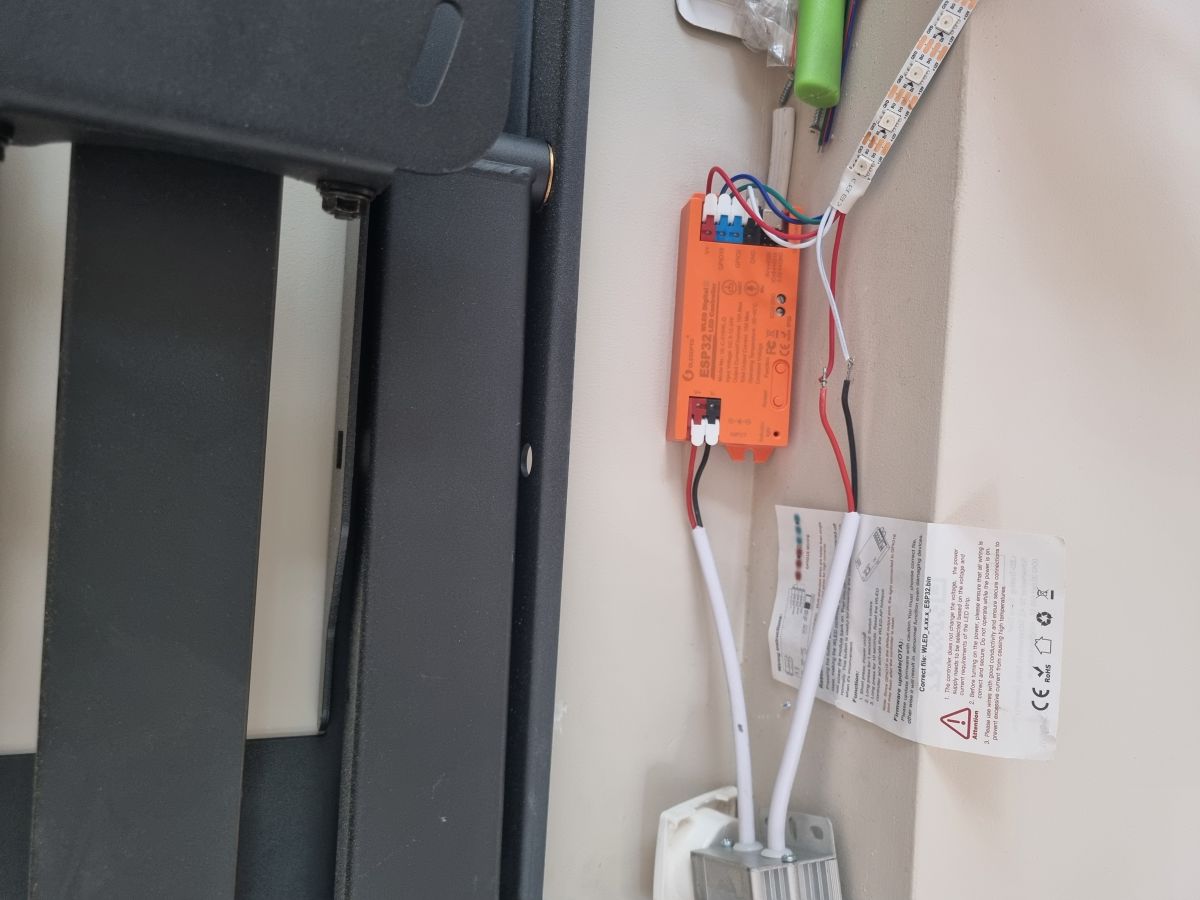
    Are these compatible with each other and how do I connect them to make the LEDs shine?
    ESP32 RGBIC LED Controller 12V 15A with 6m WS2815 Strip and 12V 12A PSU Wiring ESP32 RGBIC LED Controller 12V 15A with 6m WS2815 Strip and 12V 12A PSU Wiring ESP32 RGBIC LED Controller 12V 15A with 6m WS2815 Strip and 12V 12A PSU Wiring
  • ADVERTISEMENT
  • #2 21702176
    elktrod
    Level 40  
    Start by finding the instructions for your device: https://www.google.com/search?client=firefox-b-d&q=ESP32+WLED+controller+instructions
    The WS2815 digital LEDs you have are 12V DC, so they are compatible with the 12 DC power supply, which the photo is of is massacre and I'll take your word for it that 230V/ 12V DC....
    I think you've got the diodes with a double data line, but if you could provide a link to where you bought that would be great....
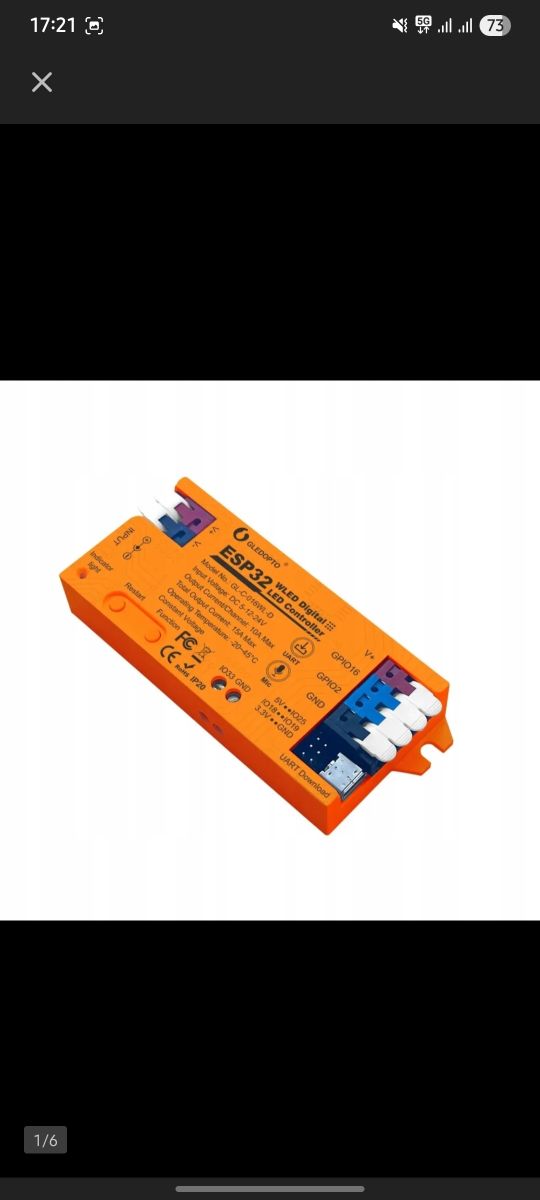
    I'll come back to the controller, if you can find a manual for it then attach it here as the photo is just as strikingly unreadable, I don't know where to connect the DATA INPUT line from the WS2815 diodes?
  • ADVERTISEMENT
  • #3 21702184
    justylek09
    Level 7  
    >>21702176
    Controller manual here: https://preview-static.clewm.net/cli/view-doc...n/o2uHJP/qWnofWg&app=&file_size=39.48 M&shareUrl=&shareName=(GL-C-I-016WL)ESP32%20WLED%20Digital%20LED%20Controller%20User%20Instruction&shareCodeUrl=&auth_app_maps=&auth_maps=&auth_maps_publickey=&auth_maps_time=&surl=&free=0&uni=&collect=0&from=h5&iosRenderer=v4&show_collect=1&show_share=1&isWxwork=&previewMode=2&filePreviewHideMenu=0&origin=CODE_FILE&show_powered_by=0&renderer=v4&is_free_version=false&codeWebUrl=https://qr61.cn/o2uHJP/qWnofWg
    Plus product links:
    https://allegro.pl/oferta/100cm-tasma-ws2815-...-18w-m-smart-magic-biale-pcb-ip30-16602317890
    https://allegro.pl/oferta/zasilacz-12v-150w-1...do-tasm-led-ip67-hermetyczny-metal-9413467397
    https://allegro.pl/oferta/kontroler-led-rgbic...fon-wifi-wled-home-assistant-mqtt-17258830100
  • #4 21702198
    elktrod
    Level 40  
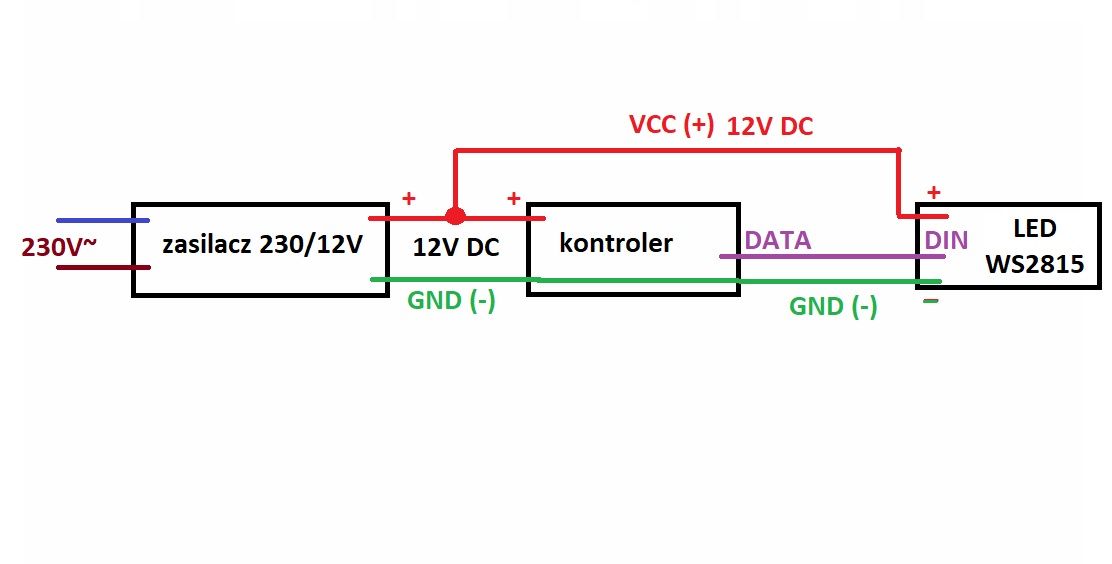
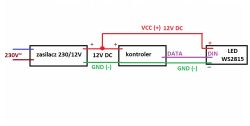
    The general principle of connection is this:
    ESP32 RGBIC LED Controller 12V 15A with 6m WS2815 Strip and 12V 12A PSU Wiring
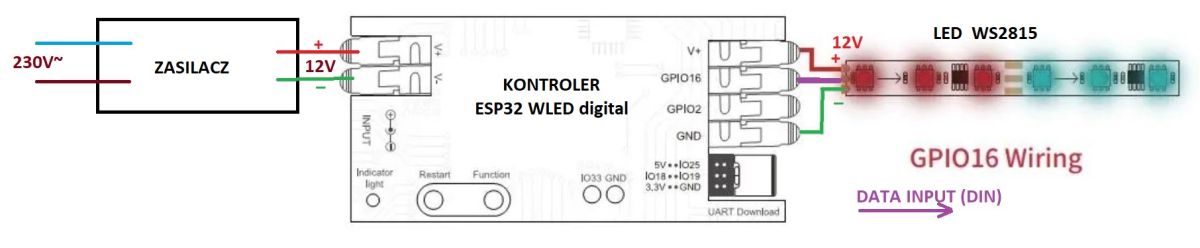
    But according to your instructions this is how it should look like:
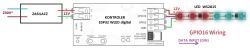
    ESP32 RGBIC LED Controller 12V 15A with 6m WS2815 Strip and 12V 12A PSU Wiring
    However, before connecting, check for yourself that in the controller the minuses of the input and output are the same, are the pluses the same i.e. is 12V DC on the controller supply as on the controller output or is it also 12V DC?
    Sometimes it doesn't matter if you connect as in my diagram and sometimes it can make a difference and it all depends on what level the controller is feeding the DATA signals: whether positive to minus or negative to plus, because as you know you have to blow on a lot of things.... As you have noticed I have drawn GND through the controller as if it were the same for the input as for the output, because this is often the case.... That's why it's a good idea to go over this sometimes and put together in your head what's happening and why and how you have it at your place....
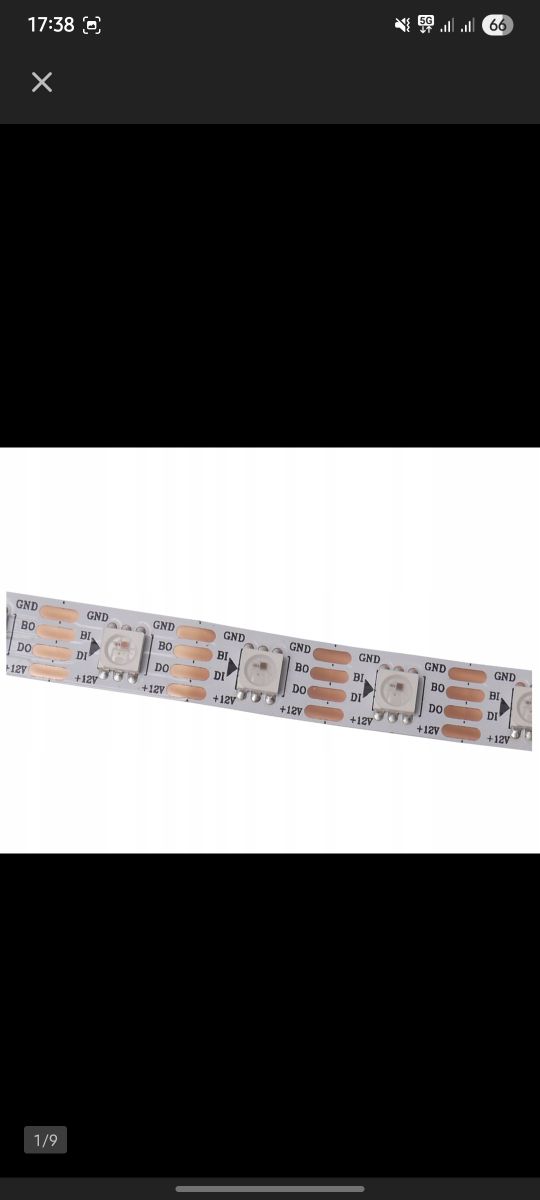
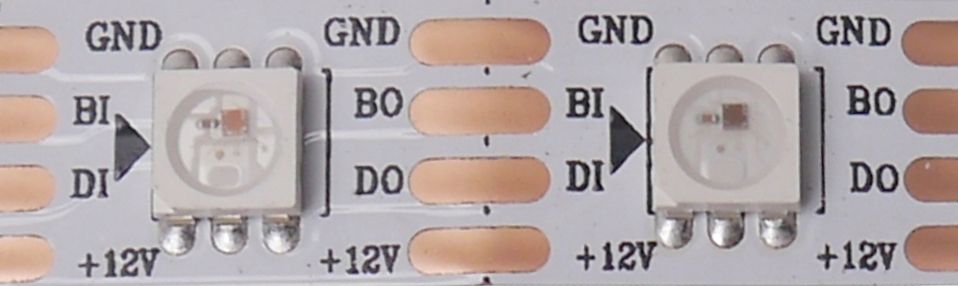
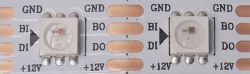
    The LEDs will only light up when there is a suitable signal on the DATA line and it reaches the subsequent LED.... On the LED strip, the B1-BO line is a spare, second (BIS) DATA line should you ever have the first DI-DO line go out....
    Don't get confused, because on your LEDs the plus is at the bottom and the minus (GND) is at the top and in the controller manual it is the other way around, the arrow on the LED strip shows the direction of travel of the DATA signals....
    ESP32 RGBIC LED Controller 12V 15A with 6m WS2815 Strip and 12V 12A PSU Wiring
    Additional question: did you also purchase the sensor - IR sensor GL-SW-001 mentioned in this link: Link ?
  • ADVERTISEMENT
  • #5 21703192
    justylek09
    Level 7  
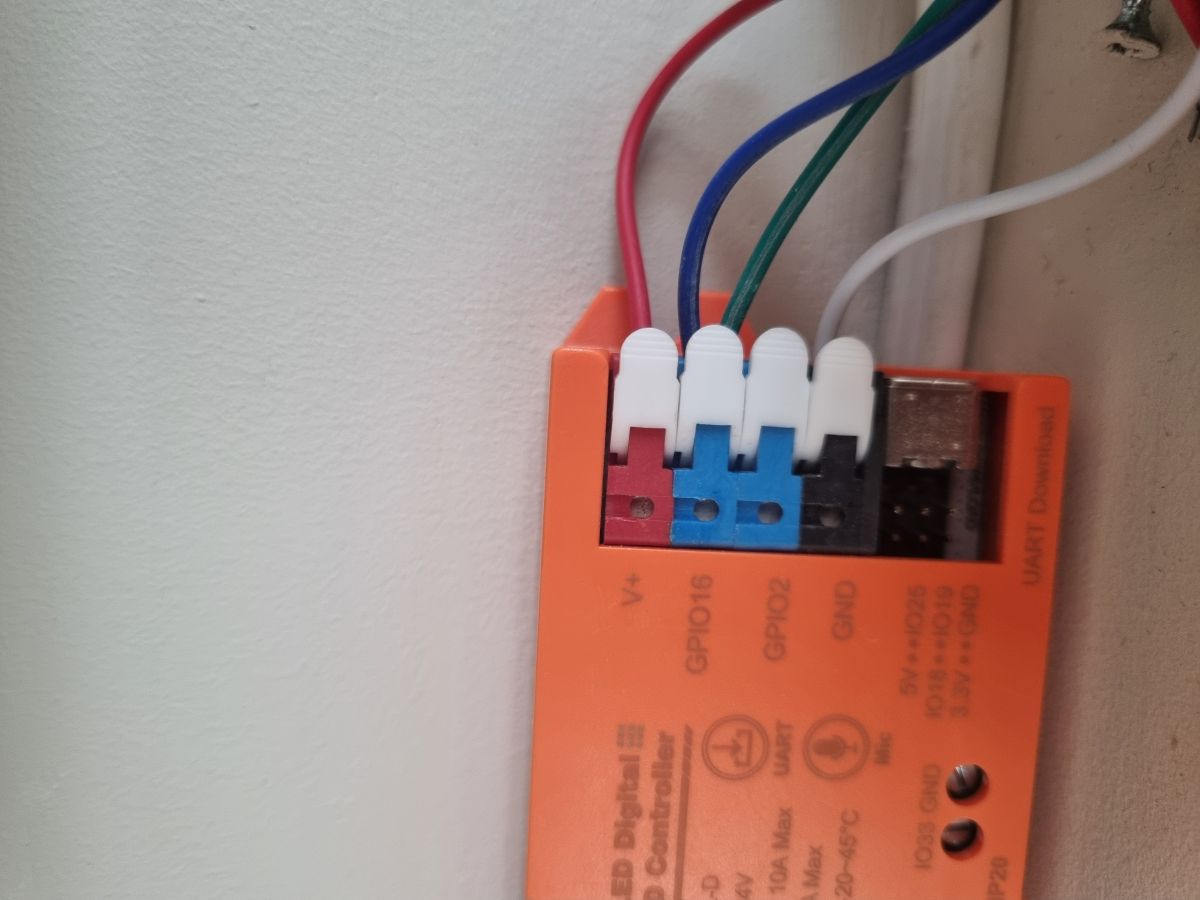
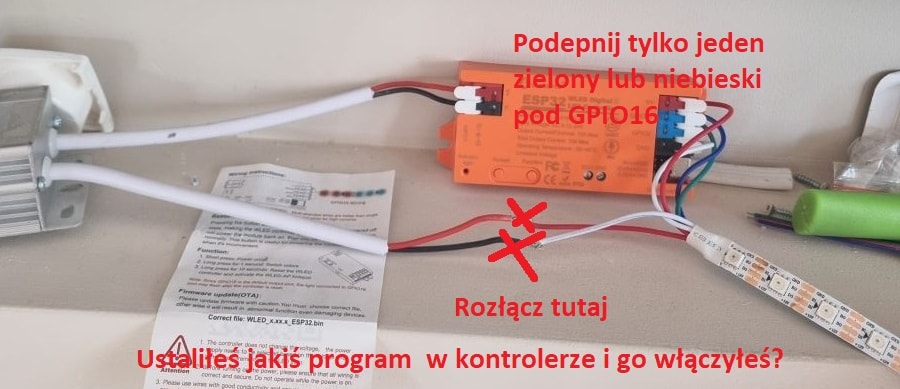
    I do not have the sensor. Connected everything according toESP32 RGBIC LED Controller 12V 15A with 6m WS2815 Strip and 12V 12A PSU Wiring ESP32 RGBIC LED Controller 12V 15A with 6m WS2815 Strip and 12V 12A PSU Wiring e your diagram and it does not work.
    I currently have this and it also does not work
  • ADVERTISEMENT
  • #7 21703242
    justylek09
    Level 7  
    With only the green or only the blue cable it does not work either.
    The controller has power, but the led will not light up even if I click on the button to turn the led on
  • #8 21703358
    elktrod
    Level 40  
    If you can't connect to your controller with your phone or computer, write to me on priv and I can send you a sample driver (controller) made for ARDUINO in order to connect it outside your ESP32 in order to diagnose, for example, if you have a working LED strip..... Of course, you can buy a controller on ALI for a few zlotys to diagnose your own programmable LED strips without requiring the internet or a computer, e.g. such as: Link For if you do not have anything to check and you do not have any working replacements: driver, power supply, tape, then sometimes you can play with it for weeks without success, especially because you do not write if and what are the supply voltages on individual devices or you do not have an oscilloscope to check if any signal appears on the DATA line? Sometimes the first diode on the DATA line gets hot, for example, so try feeding the DATA signal to the next diode? With ARDUINO, they recommend plugging a 330 Ohm resistor in series at the start of the DATA line to protect this line from surges....
    In general, reset the controller to factory settings and try again until success. I have included a translator translation in the appendix.
    I don't know if it matters, but in this video the additional DATA line is connected by the author under GND: https://www.youtube.com/watch?v=mjBjRQ38bIM This is also recommended by the WS2815 datasheet on page 4. Personally, however, I think it doesn't matter as long as both DATA lines are working....
ADVERTISEMENT