logo elektroda
logo elektroda
X
logo elektroda

BK7238 (T1-3S) Tuya 4-Gang Switch – Physical Buttons Stuck in LongPress Need Pull-Down Input Support

Xtr33m 1491 20
Best answers LABEL_AI_GENERATED

How can I make a BK7238-based Tuya T1-3S wall switch with active-high/common-live wiring detect the physical latch switches correctly in OpenBeken?

Yes—OpenBeken added pull-down variants for BK7238, so this kind of common-live wiring should use the new pd roles instead of the original Btn role [#21815018] A test build was provided where buttons use pulldowns instead of pullups, and the author asked to test both Btn and Btn_n; for rocker/latch switches, the dedicated toggle role TglChanOnTgl_pd was then requested and added [#21815018] [#21815749] [#21815887] After fixing a mapping bug, the new build worked correctly and the changes were merged into the main codebase [#21816953] [#21818815] For later builds, there was also a bug introduced in 1.18.248, so try 1.18.256 or newer if you still see Button_OnLongPressHold spam [#21831451]
AI summary based on the discussion. May contain errors.
ADVERTISEMENT
  • BK7238 inputs need external pull-down for active-high switches

    #1 21814405
    Xtr33m
    Level 2  
    Posts: 8
    Hello,

    I am using a Tuya T1-3S 4-gang switch module with BK7238 and flashed OpenBeken 1.18.247.

    Relay control via UI/MQTT works correctly, but physical wall switches do not work.

    Hardware details:

    Module: T1-3S

    MCU: BK7238

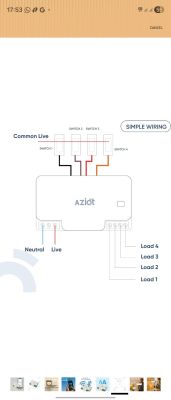
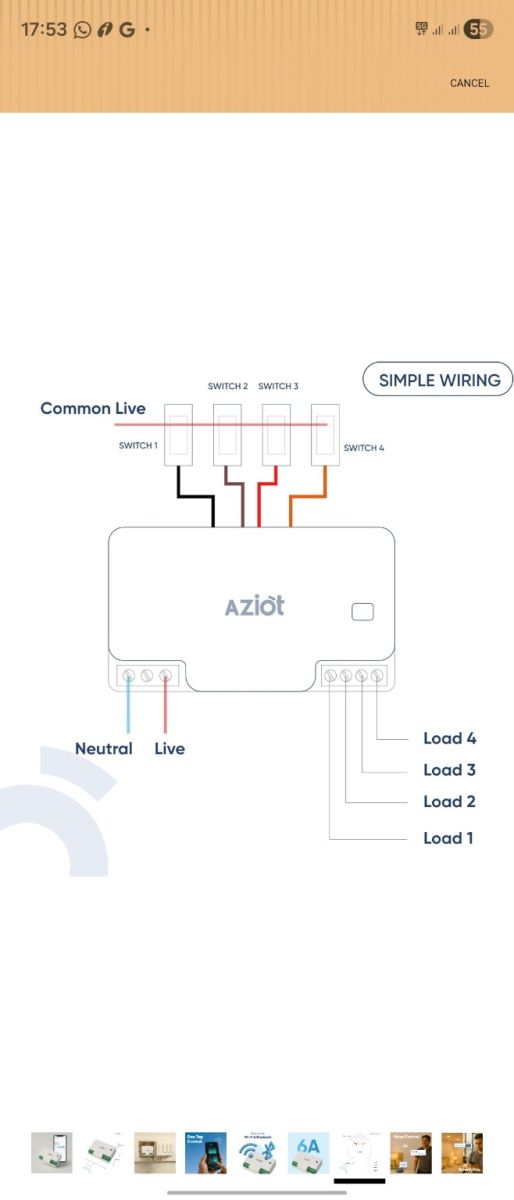
    Switch wiring: Common LIVE (active-HIGH)

    Original Tuya firmware worked fine with this wiring.

    Current Pin Mapping:

    Relays:

    P9 = Relay 1
    P24 = Relay 2
    P23 = Relay 3
    P6 = Relay 4


    Switch Inputs:

    P8 = Input CH1
    P10 = Input CH2
    P22 = Input CH4
    P26 = Input CH3


    Configured as:

    dInput / Btn / dInput_n tested
    Channel type = Toggle

    Problem:

    In OpenBeken log I constantly get:

    Button_OnLongPressHold


    on all button GPIOs:

    8, 10, 22, 26


    This happens even when no button is pressed.

    So OpenBeken always sees the inputs as "held", and no toggle event is generated.

    Root Cause (Suspected):

    My switches are wired as Active-HIGH (LIVE → switch → GPIO).

    BK7238 seems to only support internal pull-UP, not pull-DOWN.

    Because of this:

    GPIO idle state floats or stays HIGH

    No stable LOW state exists

    Long-press condition is triggered permanently

    Attempted Fix:

    Tried to use:

    PinMode 8 input_pulldown


    But received:

    Error: CMD PinMode NOT found

    Conclusion:

    It appears that BK7238 hardware does not support internal pull-down resistors, so active-HIGH common-live switch wiring cannot work without:

    External pulldown resistors (ex: 10k to GND), or

    Rewiring switches to dry-contact logic (GPIO → Switch → GND)

    Question:

    Is there any planned support for:

    Software pulldown emulation (if possible), or

    Better documentation for BK7238 input limitations with AC common-live Tuya boards?

    Thanks.
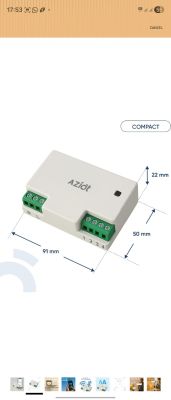

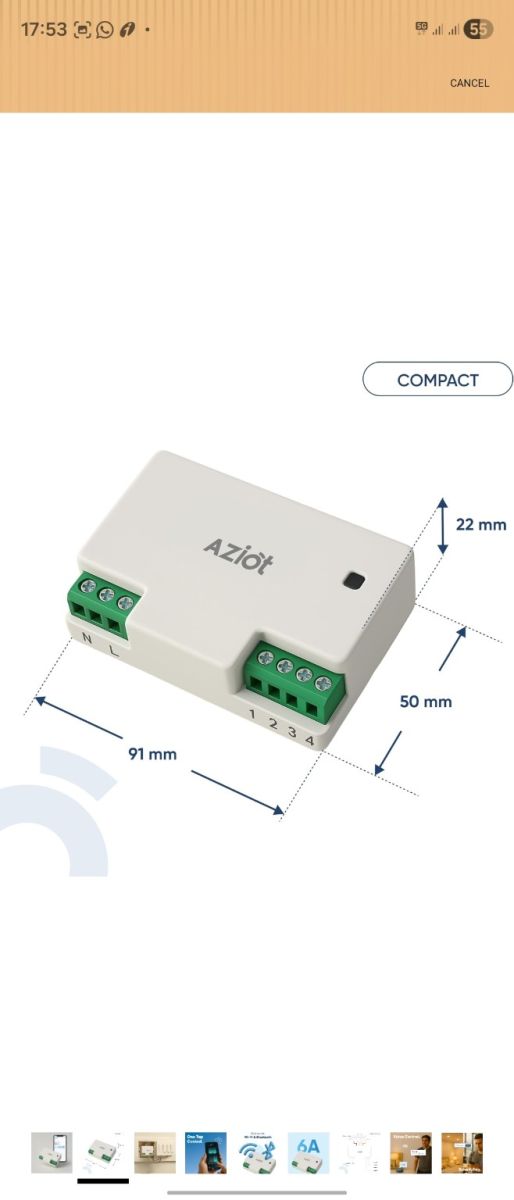
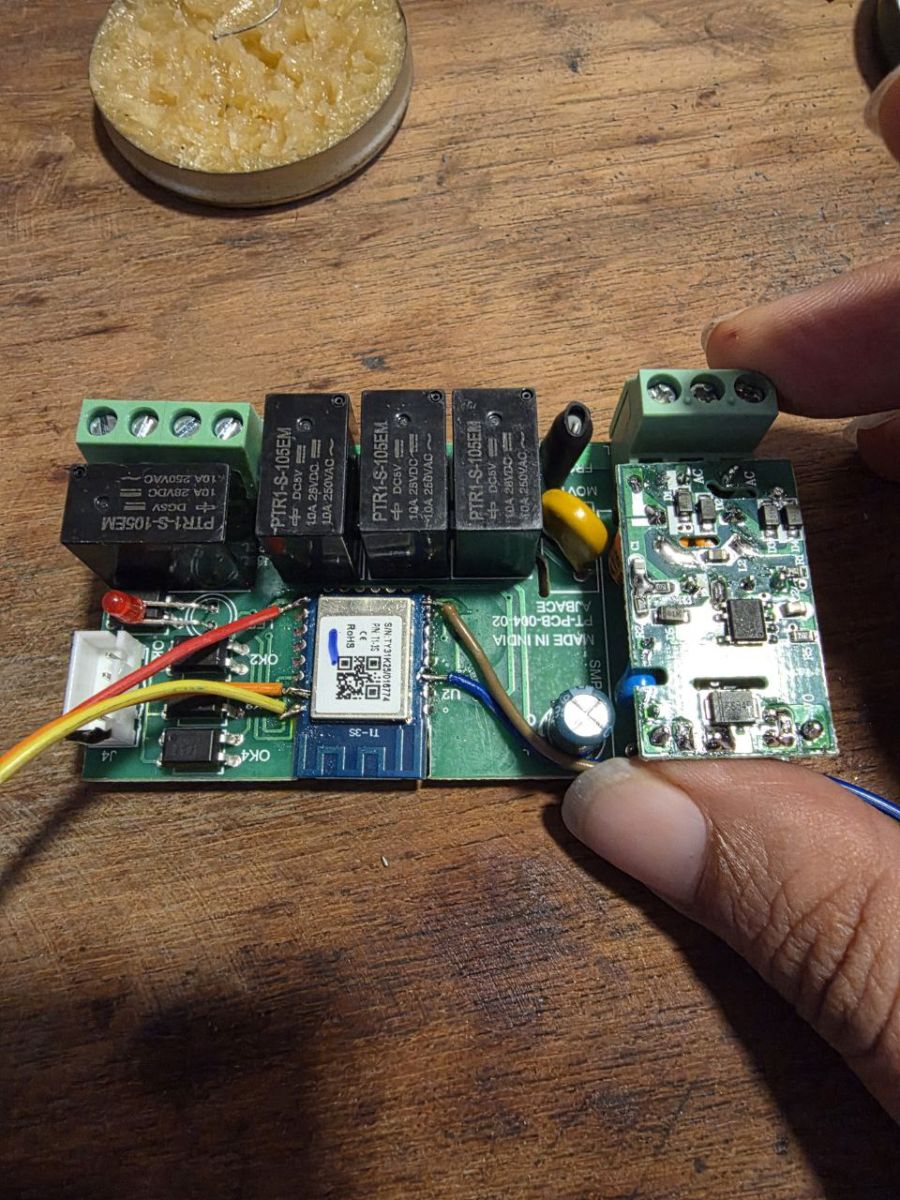
    AZIoT electric module in compact casing with labeled terminals and size 91x50x22 mm Wiring diagram of AZIOT controller with 4 switches and 4 loads connected
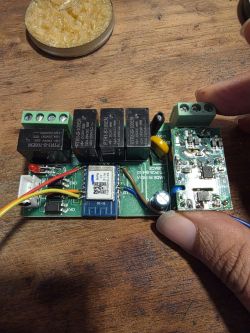
    Managed to flash it
    Electronic board with relays and Wi-Fi module on a wooden surface

    {
      "rl1_lv":"1",
      "netled_lv":"0",
      "bt1_pin":"8",
      "onoff_clear_t":"5",
      "net_trig":"1",
      "cd_flag2":"1",
      "ffc_select":"1",
      "nety_led":"0",
      "netled_pin":"11",
      "total_stat":"2",
      "bt1_lv":"1",
      "module":"T1-3S",
      "rl2_pin":"24",
      "light_status_select":"1",
      "bt2_lv":"1",
      "rl1_pin":"9",
      "rl4_lv":"1",
      "onoff_rst_m":"1",
      "rl3_pin":"23",
      "onoff_cnt":"7",
      "rl3_lv":"1",
      "onoff_n":"3",
      "rl4_pin":"6",
      "jv":"1.2.1",
      "pd_category":"1",
      "ext_bt_type":"3",
      "bt3_lv":"1",
      "reset_t":"5",
      "rl2_lv":"1",
      "ch_flag1":"1",
      "ch_flag3":"1",
      "bt4_pin":"22",
      "ch_flag4":"1",
      "bt3_pin":"26",
      "ch_cddpid1":"7",
      "ble_pair_time":"30",
      "clean_t":"5",
      "bt4_lv":"1",
      "zero_select":"0",
      "bt2_pin":"10",
      "ch_cddpid4":"10",
      "ch_cddpid2":"8",
      "ch_cddpid3":"9",
      "ch_num":"4",
      "ch_dpid3":"3",
      "ch_dpid4":"4",
      "netn_led":"1",
      "ch_dpid1":"1",
      "ch_dpid2":"2",
      "crc":"98"
    }
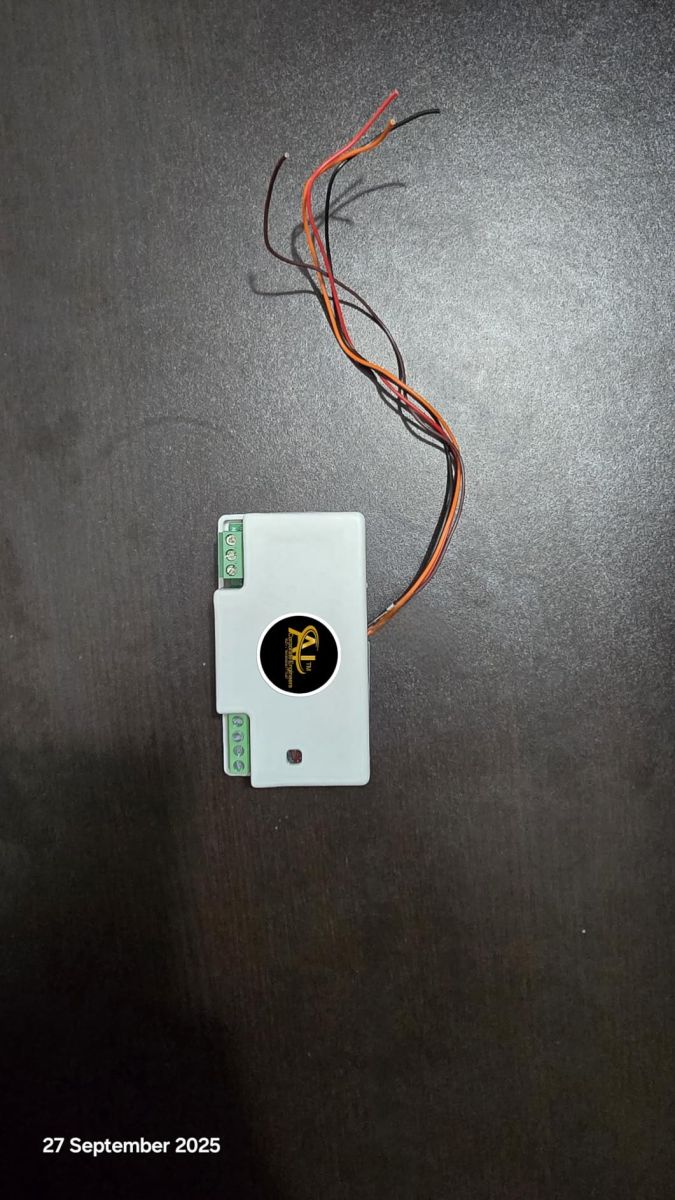


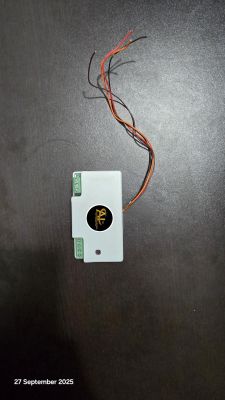
    Small electronic module with connectors and exposed wires on a dark surface
  • ADVERTISEMENT
  • Test binaries with pull-down button inputs

    #2 21815018
    p.kaczmarek2
    Moderator Smart Home
    Posts: 14770
    Help: 659
    Rate: 12913
    So you basically want a button but with a programmable pull down resistor, not a pull up, like it has in obk?

    It's very, very hard to read your post with those extra lines formatting.

    Beken should just support programmable pull down resistors.

    Let's made a test - I changed buttons to use pulldowns instead of pullups, get binaries here:
    https://github.com/openshwprojects/OpenBK7231T_App/pull/1953
    Test both Btn and Btn_n.

    Do any of them works good for you?

    If yes, then I will later add dedicated roles, like, Btn_pd and Btn_pd_n. Still, let's try it first.
    Helpful post? Buy me a coffee.
  • Request for TglChanOnTgl_pd toggle input support

    #3 21815749
    Xtr33m
    Level 2  
    Posts: 8
    >>21815018

    Confirmed! The test firmware works. I set the pins to Button (with channels 1, 2, 3, 4) and the electrical issue is solved.

    However, I have rocker switches (latch), not push buttons. Currently, the Button role acts weirdly (it sees the switch as a 'long press' because it stays ON).

    Could you please add the TglChanOnTgl_pd (Toggle with Pull-Down) role? This would make my switches work perfectly.
  • #4 21815771
    p.kaczmarek2
    Moderator Smart Home
    Posts: 14770
    Help: 659
    Rate: 12913
    Ahhh, so we need to add Btn_pd, Btn_pd_n, and TglChanOnTgl_pd?
    Helpful post? Buy me a coffee.
  • #5 21815783
    Xtr33m
    Level 2  
    Posts: 8
    >>21815771 Yes, I need both so that I can test both.

    Thanks
  • ADVERTISEMENT
  • #6 21815887
    p.kaczmarek2
    Moderator Smart Home
    Posts: 14770
    Help: 659
    Rate: 12913
    Ok, here build with 3 pd roles - button, button_n and tglontoggle:
    https://github.com/openshwprojects/OpenBK7231T_App/pull/1954
    Can you check, can we merge it into main release?
    Helpful post? Buy me a coffee.
  • TglChanOnTgl_pd appears mapped to button handler

    #7 21816681
    Xtr33m
    Level 2  
    Posts: 8
    >>21815887 Feedback on PR #1954: I flashed the new build and selected the TglChanOnTgl_pd role.

    However, it is not acting like a Toggle switch. It behaves like a Button. The logs are spamming: Info:GEN:22 Button_OnLongPressHold.

    It seems that TglChanOnTgl_pd is accidentally using the Button handler (interpreting the switch state as a Long Press) instead of the Toggle handler. Could you please check the mapping?
  • ADVERTISEMENT
  • #8 21816953
    p.kaczmarek2
    Moderator Smart Home
    Posts: 14770
    Help: 659
    Rate: 12913
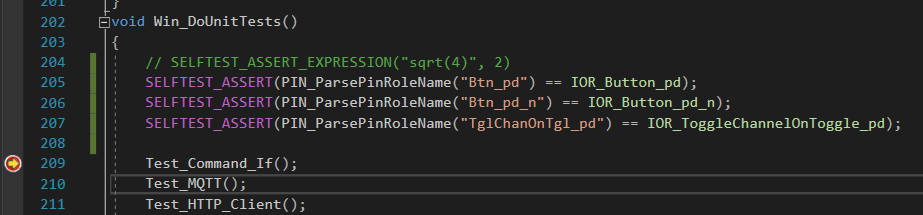
    Are you sure? It passes self test for me:

    C code fragment with unit test function and SELFTEST_ASSERT calls

    I will try to investigate futher tomorrow.

    Added after 6 [hours] 16 [minutes]:

    Ahhh, I see a problem. I updated the PR.
    Helpful post? Buy me a coffee.
  • #9 21817672
    Xtr33m
    Level 2  
    Posts: 8
    >>21816953

    Now everything works perfectly.

    Thanks for your time.
  • Helpful post
    #10 21818815
    p.kaczmarek2
    Moderator Smart Home
    Posts: 14770
    Help: 659
    Rate: 12913
    Thank you, the changes are now merged into the main codebase!

    Can we close the issue now, or can I somehow help you futher? Do you have any other feature suggestions for our firmware?
    Helpful post? Buy me a coffee.
  • #11 21819480
    Xtr33m
    Level 2  
    Posts: 8
    >>21818815

    Sure, you can close the issue.

    I will DM you some more suggestions.
  • ADVERTISEMENT
  • #12 21819521
    p.kaczmarek2
    Moderator Smart Home
    Posts: 14770
    Help: 659
    Rate: 12913
    You can just open new topic with suggestions, so other people can also have their vote.
    Helpful post? Buy me a coffee.
  • #13 21821015
    belveder79
    Level 6  
    Posts: 15
    Help: 1
    Rate: 2
    >>21819521 Note that this did not solve the issue on this one >>21821007.
  • Btn_pd input still not working on BK7238 switch

    #14 21822799
    j5boot
    Level 5  
    Posts: 3
    Hello.
    I recently purchased some BSEED E-series switches, and the 2-gang model has a T1-3S chip (1- and 3-gang have C3BS).
    I flashed it with firmware 1.18.250 and configured it. Initially, I set each switch to Btn, and Button_OnLongPressHold appears in the log, just like Xtr33m.
    If I change that port to Btn_pd, the switch still doesn't work. I don't know what I'm doing wrong. I'm relatively new to Openbeken. Can you help me or give me some ideas?
    Thanks.
  • #15 21822801
    p.kaczmarek2
    Moderator Smart Home
    Posts: 14770
    Help: 659
    Rate: 12913
    Can you share factory 2MB flash backup or Tuya config dump?

    Would you be able to investigate how are buttons connected?

    Does the problem happen only on BK7238, or does it also appears on BK7231?
    Helpful post? Buy me a coffee.
  • BK7238 uses T1-3S config at 0x1F5000

    #16 21822880
    j5boot
    Level 5  
    Posts: 3
    Of course.

    Here is the link to download the firmware backup:
    TUYA-20260...-3-001.zip (2.04 MB)You must be logged in to download this attachment.

    I have included both, the 1-gang switch firmware (BK7231) and the 2-gang switch firmware (BK7238 - T1-3S).

    The problem only affects the BK7238. I have four units, and all four have the same problem. The BK7231 units work correctly.

    This is the config dump of one BK7238

    Code: JSON
    Log in, to see the code


    Device configuration, as extracted from Tuya:
    - Button (channel 1) on P11
    - LED (channel 1) on P23
    - Backlit IO pin on P20
    - Relay (channel 2) on P8
    - Button (channel 2) on P10
    - LED (channel 2) on P22
    - Relay (channel 1) on P9
    Device seems to be using T1-3S module, which is using BK7238.
    And the Tuya section starts at 2052096 (0x1F5000), which is a default T1/XR806 and some T34/BK7231N offset.
  • BK7238 buttons only trigger long-press hold logs

    #17 21822985
    j5boot
    Level 5  
    Posts: 3
    I have investigated the BK7238 pins and the button configuration extracted by the program is correct:

    P11 on Pin 16 is Button ch1.
    P10 on Pin 15 is Button ch2.

    The remaining configuration is correct because I can turn the LEDs and relays on and off from the web interface.

    The tracks that go to the buttons go to a series of components whose internal function I don't know. They look like resistors and capacitors, but I don't know if they change the usual state of the button

    Two electronic modules with blue PCBs lying on a wooden surface.

    Sorry for the quality of the photo; at the moment I don't have the device with me.

    UPDATE:
    Today I was able to run some tests with the multimeter and I see that when the button is pressed, a negative signal reaches input P10 or P11.

    The problem I see is that the button press is not detected. In the logs of a BK7231, I can see a message like “Info:GEN:11 key_short_press,” but in the BK7238, I don't see any similar message. If I configure the input as dInput, dInput_n, or tglChanOnTgl, it works while I hold down the button:

    Press
    Info:GEN:CHANNEL_Set channel 2 has changed to 0 (flags 0)
    Info:MQTT:Channel has changed! Publishing 0 to channel 2
    Release
    Info:GEN:CHANNEL_Set channel 2 has changed to 1 (flags 0)
    Info:MQTT:Channel has changed! Publishing 1 to channel 2


    If I configure the pins as btn, I get a log flood
    Info:GEN:11 Button_OnLongPressHold


    If I configure the pins as btn_n, btn_pd, btn_pd_n, dInput_NoPullUp, dInput_NoPullUp_n, or tglChanOnTgl_pd, I get no results.
  • btn_pd directives not triggering on CB3S buttons

    #18 21826865
    e285ne
    Level 2  
    Posts: 3
    Hi,
    should I create a new topic or is it okay to post here? My symptoms are very similar to the above mentioned )))
    I have similar problem with TUYA 2 Gang switch (I also have 1 Gang version, but I haven't flashed it yet) - the buttons don't toggle relays, but I can toggle relays via web UI.
    MCU is CB3S
    I tried using btn_pd_n and btn_pd directives on 248 and 252 firmware releases, no luck
    I see no events in logs when I push buttons with "btn_pd" and "btn_pd_n" directives

    here is what flashtool gave me as config
    Spoiler:

    
    {
            "rl1_lv":"1",
            "netled_lv":"0",
            "bt_type":"1",
            "bt1_pin":"9",
            "rand_dpid":"18",
            "net_trig":"2",
            "cd_flag2":"1",
            "led_dp":"15",
            "jv":"1.1.0",
            "backlit_select":"1",
            "backlit_io_lv":"1",
            "nety_led":"1",
            "backlit_io_pin":"11",
            "netled_pin":"23",
            "total_stat":"2",
            "bt1_lv":"0",
            "reset_t":"5",
            "rl2_lv":"1",
            "ch_flag1":"1",
            "inch_dp":"19",
            "module":"CB3S",
            "dctrl_select":"0",
            "ch_cddpid1":"7",
            "init_conf":"14",
            "rl2_pin":"26",
            "light_status_select":"0",
            "zero_select":"0",
            "bt2_pin":"7",
            "ch_cddpid2":"8",
            "backlit_dp":"16",
            "cyc_dpid":"17",
            "ch_num":"2",
            "bt2_lv":"0",
            "rl1_pin":"6",
            "netn_led":"0",
            "ch_dpid1":"1",
            "ch_dpid2":"2",
            "crc":"7"
    }


    here's the config with dinput_n which toggles relays, but only when I hold the button of course
    Spoiler:

    
    {
      "vendor": "Tuya",
      "bDetailed": "0",
      "name": "Full Device Name Here",
      "model": "enter short model name here",
      "chip": "BK7231N",
      "board": "TODO",
      "flags": "1024",
      "keywords": [
        "TODO",
        "TODO",
        "TODO"
      ],
      "pins": {
        "6": "Rel;1",
        "7": "dInput_n;2",
        "9": "dInput_n;1",
        "23": "WifiLED_n;0",
        "26": "Rel;2"
      },
      "command": "",
      "image": "https://obrazki.elektroda.pl/YOUR_IMAGE.jpg",
      "wiki": "https://www.elektroda.com/rtvforum/topic_YOUR_TOPIC.html"
    }


    here is the firmware I've backed up before flashing with openbeken
    readResult...-13-41.bin (2 MB)You must be logged in to download this attachment.

    I can provide any additional info, please feel free to request if needed.
  • #19 21831451
    divadiow
    Level 38  
    Posts: 5220
    Help: 449
    Rate: 918
    there was a bug introduced in version 1.18.248. Please try 1.18.256+
  • #20 21874864
    Xtr33m
    Level 2  
    Posts: 8
    >>21831451 thanks
  • Startup state sync for pull-down switch input

    #21 21914663
    MotoHolic
    Level 3  
    Posts: 7
    p.kaczmarek2 wrote:
    Do you have any other feature suggestions for our firmware?

    I have the same hardware as the author of this post, and thank you for adding button support with pull-down resistors - it’s very useful.

    I’d like to suggest adding a true Switch (with PD) input type in addition to the current toggle.

    The current toggle only changes the relay state when the switch position changes. A true switch would read its physical state on startup and restore the correct relay state after a reboot. For example, if the physical switch is ON when the device restarts, the corresponding relay should also turn ON automatically.

    With the current toggle behavior, after a reboot the relay remains OFF until the switch is toggled. This can also lead to the switch and relay states becoming out of sync (e.g., the switch is OFF while the relay is ON).

    Please consider adding a Switch with PD function that reads and applies the switch state during startup.

Topic summary

LABEL_AI_GENERATED
Discussion about a Tuya T1-3S 4-gang wall switch using BK7238 and OpenBeken, where relay control via UI/MQTT worked but physical switches were misdetected as permanently held buttons, producing repeated Button_OnLongPressHold logs. The root cause was active-HIGH switch wiring requiring pull-down input support instead of the default pull-up behavior. A test firmware added pull-down button roles, which fixed the electrical detection, but rocker/latching switches still needed a toggle-style pull-down role. After adding Btn_pd, Btn_pd_n, and TglChanOnTgl_pd support and correcting the toggle mapping, the switch inputs worked properly. The fix was merged into the main codebase, and later reports noted a separate bug in version 1.18.248, with affected users advised to upgrade to 1.18.256+.
AI summary based on the discussion. May contain errors.
ADVERTISEMENT