logo elektroda
logo elektroda
X
logo elektroda

OpenBeken on LSC Smart Plug CB2S (Action) - how to upload and use the template correctly?

artin.bruyen 393 13
ADVERTISEMENT
Treść została przetłumaczona polish » english Zobacz oryginalną wersję tematu
  • #1 21766621
    artin.bruyen
    Level 17  
    Hi. I want to install Openbeken on a socket from Action, LSC Smart Home plug.
    It is in on a CB2S board.
    The first time I installed, only the blue LED was on. The second time I reflashed and it doesn't work at all. How to upload properly on this socket?
    I understand that you have to copy these templates to the flasher, but how and what.
    In general, it is a small "mess" on the forum, making it a problem for me amateur OBK to find specific infromation.
    Thanks in advance.

    PS. If the wrong section then please move to the correct one

    https://www.elektroda.pl/rtvforum/topic4087228.html
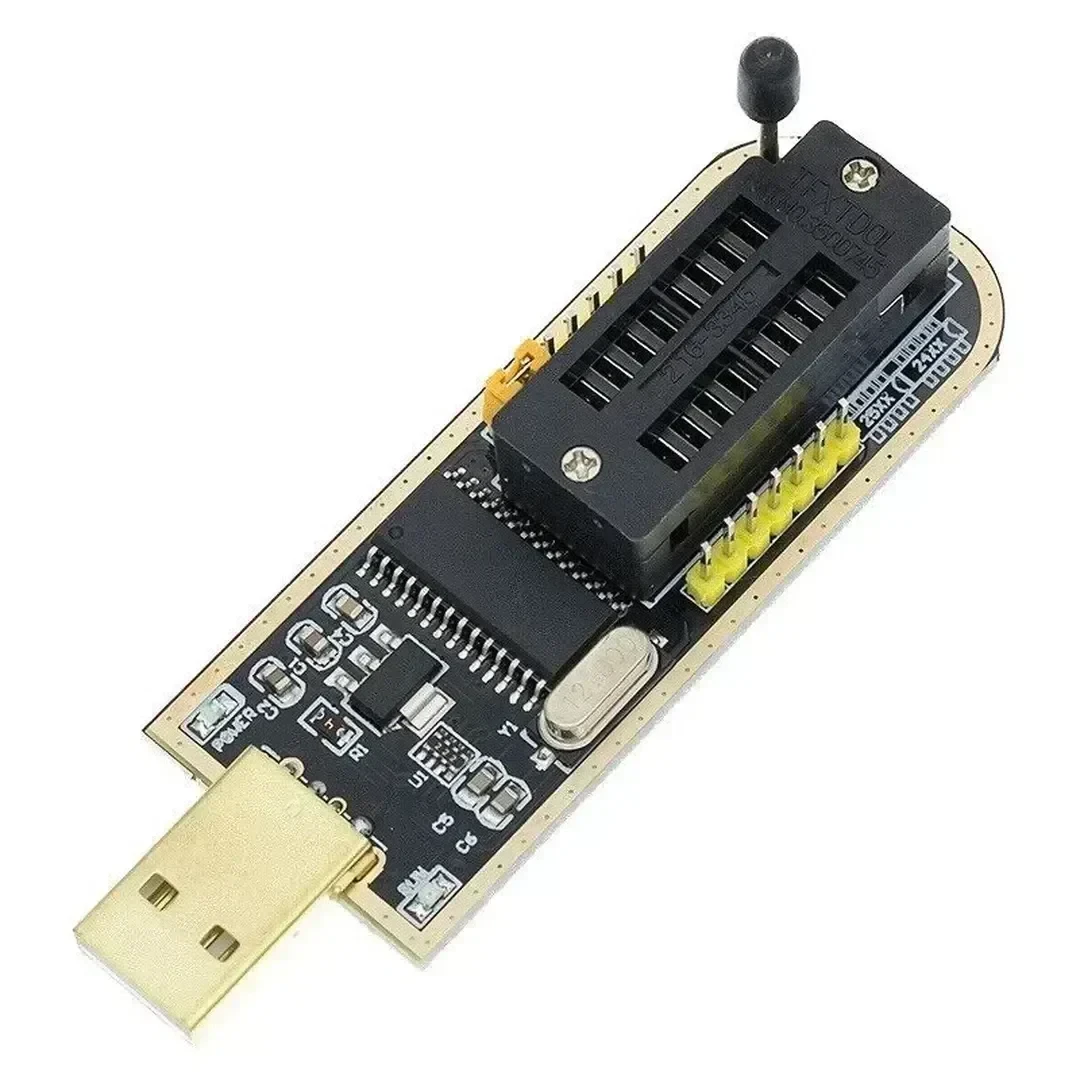
    I flash according to this tutorial and nothing. Seemingly the installation completes successfully, but the wifi does not see the hotspot. I have soldered the board even from this socket and it doesn't do anything.
  • ADVERTISEMENT
  • #2 21767604
    p.kaczmarek2
    Moderator Smart Home
    You upload the templates via the web panel https://www.youtube.com/watch?v=WunlqIMAdgw
    i wouldn't worry about them at this stage.

    The first step is to upload the batch to the socket so that the access point configuration appears. The access point should appear even if you have a loose CB2S soldered out, as long as you supply it with 3.3V and the power supply has sufficient current capacity - the 3.3V pin from CH340 is not enough.

    If, by some miracle, the access point doesn't appear at all (even after cutting it off for a while and restoring power) then you only have to think and look for what's wrong. I've programmed hundreds of devices myself and don't remember such a situation at my place, but the basic diagnosis is to collect the UART log from the TX2 pin on the "back" CB2S, baud 115200, to debug log output.

    As long as you have a copy of the original batch from before pairing with Tuya, you can post that too, it will allow us to see what device you have and maybe extract its pins.

    Occasionally on the forum we've already come across unusual circuits like the BK7231M (not N) in the chassis from the CB2S, so it's potentially worth checking further to see what's going on, whereas I wouldn't be concerned about damaging the CB2S - you're unlikely to break it.

    Maybe show pictures of what it looks like now to start with, as that might help with diagnosis too. How do you power the CB2S, etc. I always power through a separate 3.3V LDO on the board (I have a TC1264-3.3V, but it could be any 3.3V) and it always works. If the current capacity is too low, the CB2S will fall into a boot loop and not show AP.
    Helpful post? Buy me a coffee.
  • ADVERTISEMENT
  • #3 21767920
    artin.bruyen
    Level 17  
    He programs through this programmer. Do you think it gives it too little current to fire it up?
    I'll have to find a 3.3V stabiliser somewhere on the board then. ;(

    OpenBeken on LSC Smart Plug CB2S (Action) - how to upload and use the template correctly?
  • #4 21769855
    artin.bruyen
    Level 17  
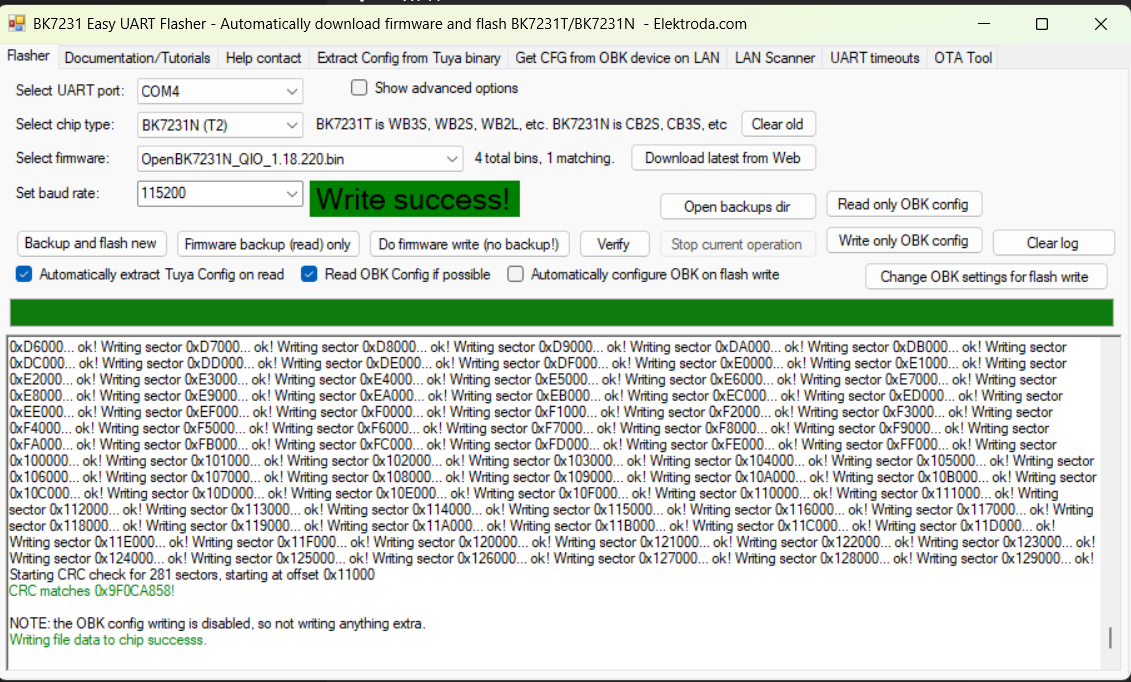
    Still nothing. It installs as shown in the screenshot. I also tried with the U, M etc tip but then it shows errors.
    I powered it with a lab power supply, gave it 3.3V and 1A but it doesn't even eat 0.01A.
    What am I doing wrong? ;(

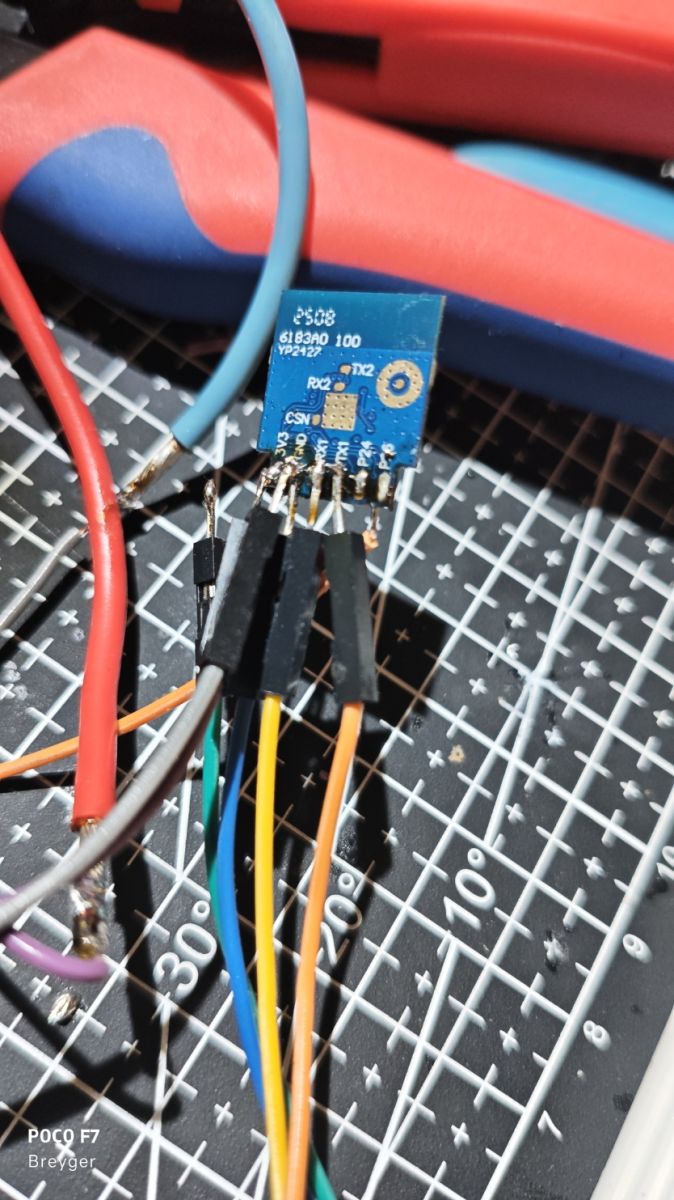
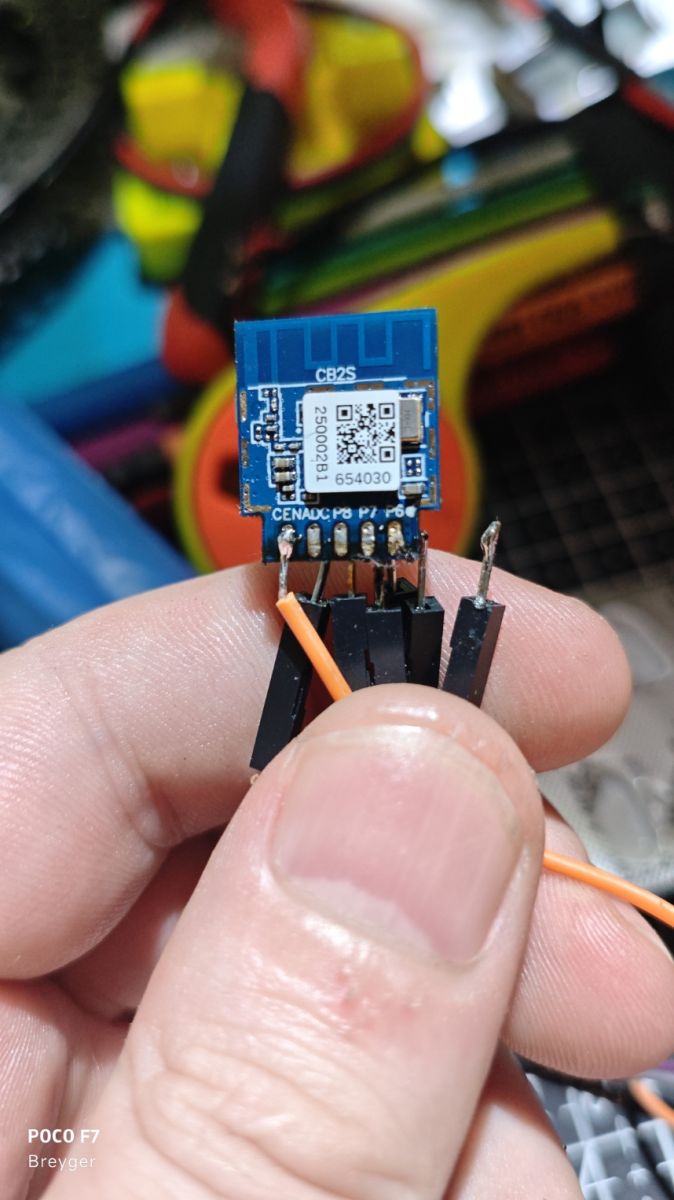
    PS. There are no shorts on the pins. It just looks like this in the picture.

    BK7231 Easy UART Flasher screen with Write success! message
    YP-2422 module connected with jumper wires on a measurement mat
    CB2S module with jumper wires connected, held between fingers
  • Helpful post
    #5 21769872
    p.kaczmarek2
    Moderator Smart Home
    CH341 has an AMS1117-3.3V on the LDO board.

    At this point you can do two things:
    1. peel off the sticker, is it definitely a BK7231N or maybe a BK7231M? There have been cases like this
    2. This is what the log shows on the UART under TX2 at 115200 baud?

    Added after 1 [minutes]:

    It would also help a lot if you posted a 2MB copy of the original batch, then we could see if it runs on a normal CB2S
    Helpful post? Buy me a coffee.
  • #6 21769936
    artin.bruyen
    Level 17  
    I accidentally junked that circuit there, I dialled the voltage wrong on the power supply :D but nothing lost, I took the other socket and reflashed it. Success. It worked. I connected to it normally, but now I don't know myself what to configure next to hook it up to HA. I also have a Zigbee gateway as something.
    Would you advise what to enter and where? Those jonson etc?


    {
    	"sel_pin_pin":"11",
    	"rl1_lv":"1",
    	"bt1_pin":"7",
    	"led1_pin":"6",
    	"net_trig":"4",
    	"jv":"1.0.4",
    	"netled1_lv":"1",
    	"netled_reuse":"1",
    	"bt1_type":"0",
    	"ffc_select":"1",
    	"vi_pin":"24",
    	"over_cur":"17800",
    	"resistor":"1",
    	"bt1_lv":"0",
    	"reset_t":"5",
    	"netled1_pin":"10",
    	"chip_type":"0",
    	"lose_vol":"180",
    	"over_vol":"264",
    	"module":"CB2S",
    	"ele_pin":"26",
    	"ch_cddpid1":"9",
    	"ch1_stat":"0",
    	"led1_lv":"1",
    	"rl1_type":"0",
    	"ch_num":"1",
    	"ele_fun_en":"1",
    	"rl1_pin":"8",
    	"vol_def":"0",
    	"ch_dpid1":"1",
    	"sel_pin_lv":"1",
    	"crc":"98"
    }


    Device configuration, as extracted from Tuya: 
    - BL0937 SEL on P11
    - Button (channel 1) on P7
    - LED (channel 1) on P6
    - BL0937 VI (CF1) on P24
    - WiFi LED on P10
    - BL0937 ELE (CF) on P26
    - Relay (channel 1) on P8
    Device seems to be using CB2S module, which is using BK7231N.
    And the Tuya section starts, as usual, at 2023424
    
  • #7 21769948
    p.kaczmarek2
    Moderator Smart Home
    Uploading JSON templates:


    Pairing with HA:


    Very important - enable PowerSave:


    Adding devices to Windows Network Places (SSDP):


    Control from the Tasmota Control app:


    Helpful post? Buy me a coffee.
  • #8 21769991
    artin.bruyen
    Level 17  
    Ok. Thank you. Somehow I almost managed to do it. Unfortunately these videos are outdated, because HA itself and the add-ons already look different and are configured differently. Or (as is likely) I'm too stupid for that.

    I would also add that it is actually a BK7231N.
    I won't insert a picture of the circuit because I haven't gotten a microscope camera yet :)
  • ADVERTISEMENT
  • Helpful post
    #9 21770001
    p.kaczmarek2
    Moderator Smart Home
    Can you show where specifically the HA has changed, etc.? You do the HA Discovery operation on OpenBeken, how HA displays it is a matter for HA. You simply type in the MQTT bearing and start Discovery.
    Helpful post? Buy me a coffee.
  • #10 21770012
    artin.bruyen
    Level 17  
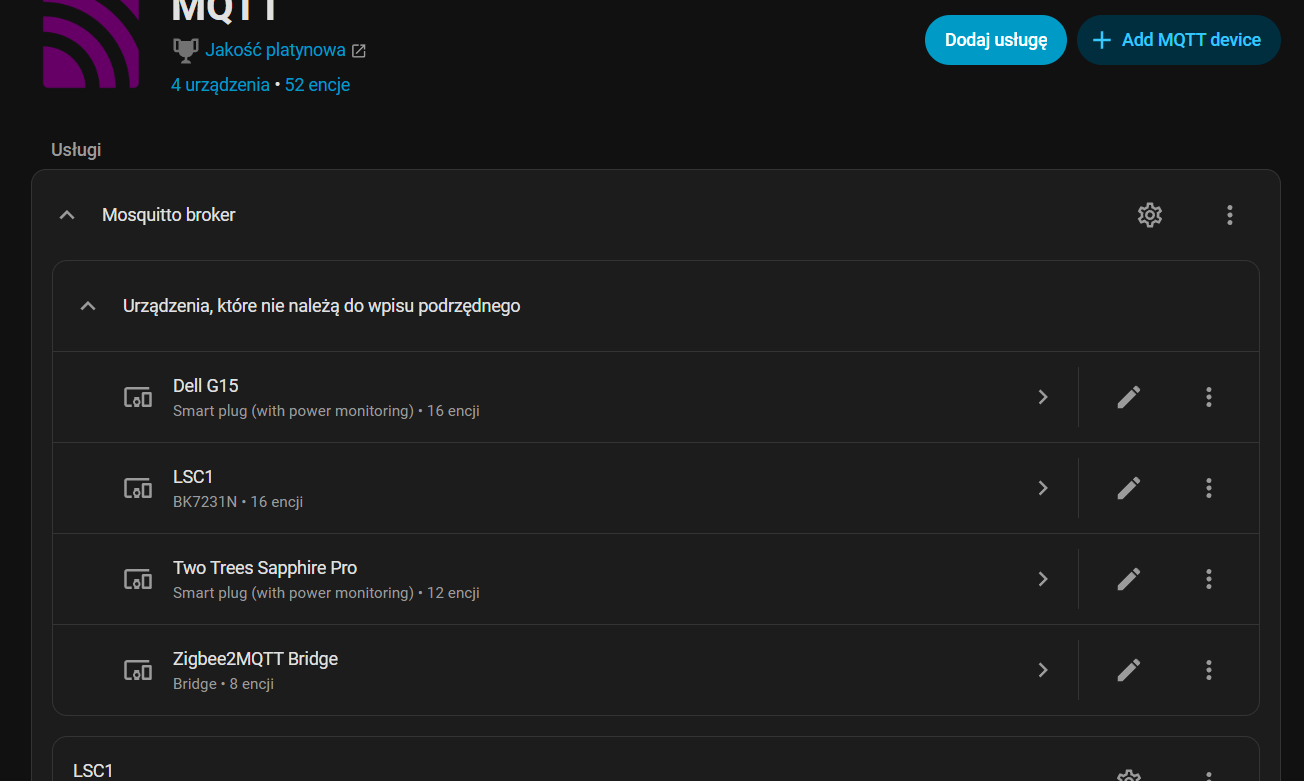
    E.g. video 2, 1:00 minute of the video. i have no such thing as a configuration in the MQTT add-on. I have something like this:

    MQTT panel with icon and 4 devices text on dark background
    MQTT add-on interface showing device list and Mosquitto broker


    EDIT:
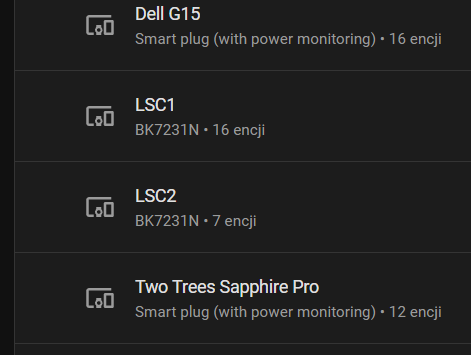
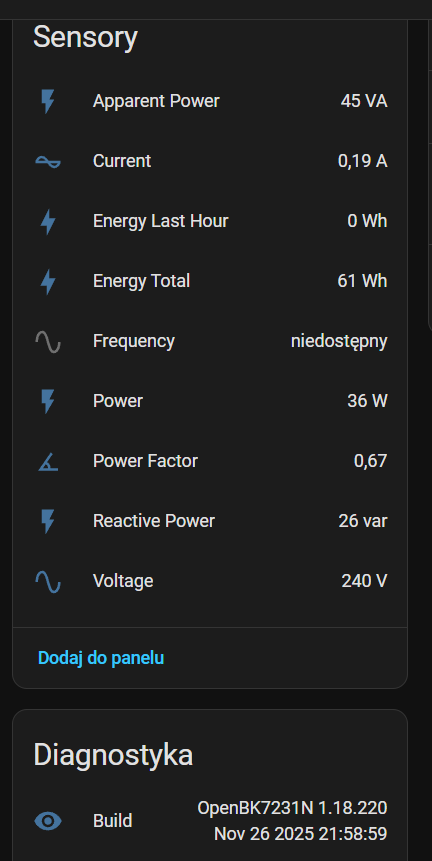
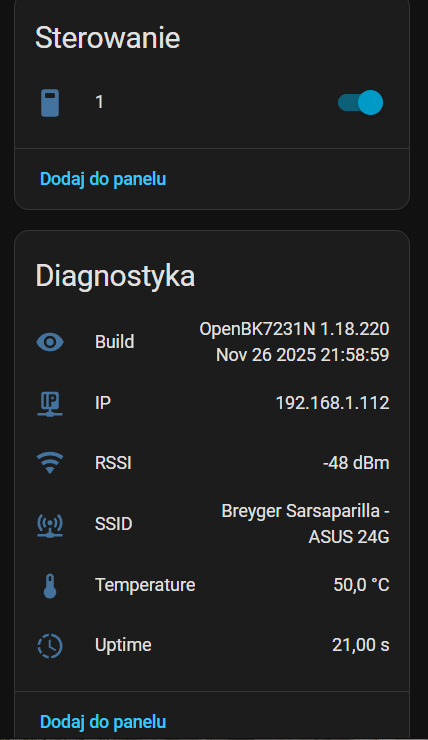
    Why do I have 16 entities together with energy in LSC1, while LSC2 has 7 entities and none with energy (energy, I mean sensors)? I've checked everything I think, and it seems that everything is configured the same. What to check?


    Smart plug devices list showing different entity counts, two with 16 and one with 7.
    Sensor and diagnostics panel of OpenBK7231N with displayed energy metrics
    OpenBK7231N diagnostics panel showing network info and device temperature
  • Helpful post
    #11 21770117
    p.kaczmarek2
    Moderator Smart Home
    And I see, HA has changed the interface for downloading the MQTT password. So much for this being a rather independent piece of configuration and on top of that it is rather basic, one can assume that the user rather knows himself how to retrieve his broker's bearing beforehand.... i will think about possibly recording a newer version of the video.

    And the socket itself sees the energy measurement? HA Discovery has to be done with that measurement on, if you do Discovery first and then turn the measurement on, HA won't see it.
    Helpful post? Buy me a coffee.
  • #12 21770143
    artin.bruyen
    Level 17  
    p.kaczmarek2 wrote:
    As I see it, HA has changed the interface for retrieving the MQTT password. So much for this being a rather independent configuration item and on top of that it is rather basic, one can assume that the user rather knows himself how to retrieve his broker's bearing beforehand.... i will think about possibly recording a newer version of the video.

    And the socket itself sees the energy measurement? HA Discovery needs to be done with that measurement on, if you do Discovery first and then turn the measurement on, HA won't see it.


    Thanks. They appeared on their own, probably HA must have "thought of something".
    And as for the tutorials, I don't resent :D just HA or those who make these add-ons like MQTT mix things up too much. I am slowly starting to think about going back from HA to iObroker because I thought HA must be easy like everyone else has and yet not so much for me.

    As for that password, I didn't download it. (That long string of random characters) because I don't even know where it is. For that I added in MQTT in HA in the configuration my username and password and the same I entered in OpenBeken and it's guitar :)
  • ADVERTISEMENT
  • #13 21770227
    p.kaczmarek2
    Moderator Smart Home
    Well, unfortunately, I am well aware of this, they like to rummage around and make nonsense changes that spoil older material. So much the good thing about OBK is that you just need to know those MQTT contacts and that's it.

    I'm also "on the other side" of software development myself, but at my place I just try to avoid spoiling backward compatibility if I can.

    What's difficult about HA? If you have any suggestions on what I can cover in a tutorial on the forum, let me know. For now, I'm planning a material about the button-card plugin from HACS.
    Helpful post? Buy me a coffee.
  • #14 21770320
    artin.bruyen
    Level 17  
    p.kaczmarek2 wrote:

    What is difficult about HA? If you have any suggestions on what I can cover in a tutorial on the forum, let me know. For now, I'm planning material about the button-card plugin from HACS.


    It's just these frequent nonsense changes, even to a stupid interface and then the whole entities, srences, helpers, assholes thing gets all confused. At least for me.
    This kind of material is useful. Some more about how to make yourself a cool dashboard panel to have a tablet on the wall with it.
    In general, I watch you a lot here on the forum, I read your various tests, etc. for which you a lot of praise and thanks.

    I can not hide that by creating a topic here, I hoped that you will help and I was not wrong :D already once helped me with NSpanel :)
ADVERTISEMENT