logo elektroda
logo elektroda
X
logo elektroda

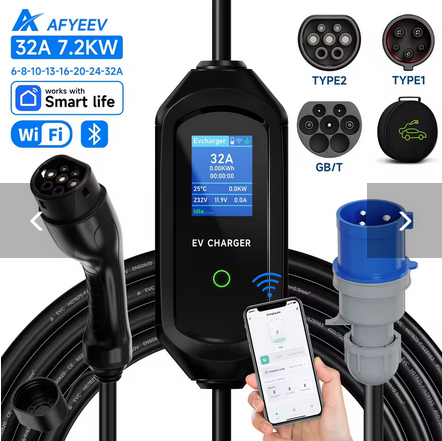
AFYEEV 32A 7.2KW EV Charger Type2/Type1 with BK7231N-CBU-IPEX Module Info

lamero345 1359 12
Best answers LABEL_AI_GENERATED

How can I map the Tuya datapoints and run this AFYEEV EV charger with ESPHome/OpenBeken on a BK7231N CBU-IPEX module, and can the charging current be set in 1 A steps?

You can run it as a Tuya UART device at 9600 baud and map the main datapoints in ESPHome/OpenBeken: dp18 is the enable switch, dp4 is charge current, dp14 is work mode, dp1 is total energy, dp3 is charger state, dp5 and dp9 are power readings, dp24 is temperature, and dp25 is session energy [#21837929] The suggested ESPHome setup uses `bk72xx: board: cbu`, a UART on RX1/TX1, and `tuya:` linked to that UART with Home Assistant time [#21837929] Work mode values are 0 = Charge now, 1 = Charge by percentage, 2 = Charge by energy, and 3 = Scheduled charge, while charger state maps 0–7 to Free, Plug inserted, error, Waiting, Charging, Paused, Charge ended, and Fault [#21837929] Temperature on dp24 can be used for protection, with one example automation turning the charger off above 70°C [#21837929] Although the schema says dp4 should accept 1–255 A in 1 A steps, one user could only set 6, 8, 10, 13, or 16 A through SmartLife/Tuya/local tools, so the limitation may be in the charger MCU rather than the app [#21926959] If you want to flash or replace the firmware, the advice was to first make a 2 MB flash backup and expect to solder, because no reliable no-solder flashing method was known [#21926959]
AI summary based on the discussion. May contain errors.
ADVERTISEMENT
  • Helpful post

    AFYEEV charger uses BK7231N CBU-IPEX module

    #1 21800476
    lamero345
    Level 2  
    Posts: 33
    Help: 1
    Rate: 3
    Name: AFYEEV 32A 7.2KW Type2 Type1EV

    URL: https://www.aliexpress.com/item/1005007587878624.html

    Module: BK7231N - CBU-IPEX

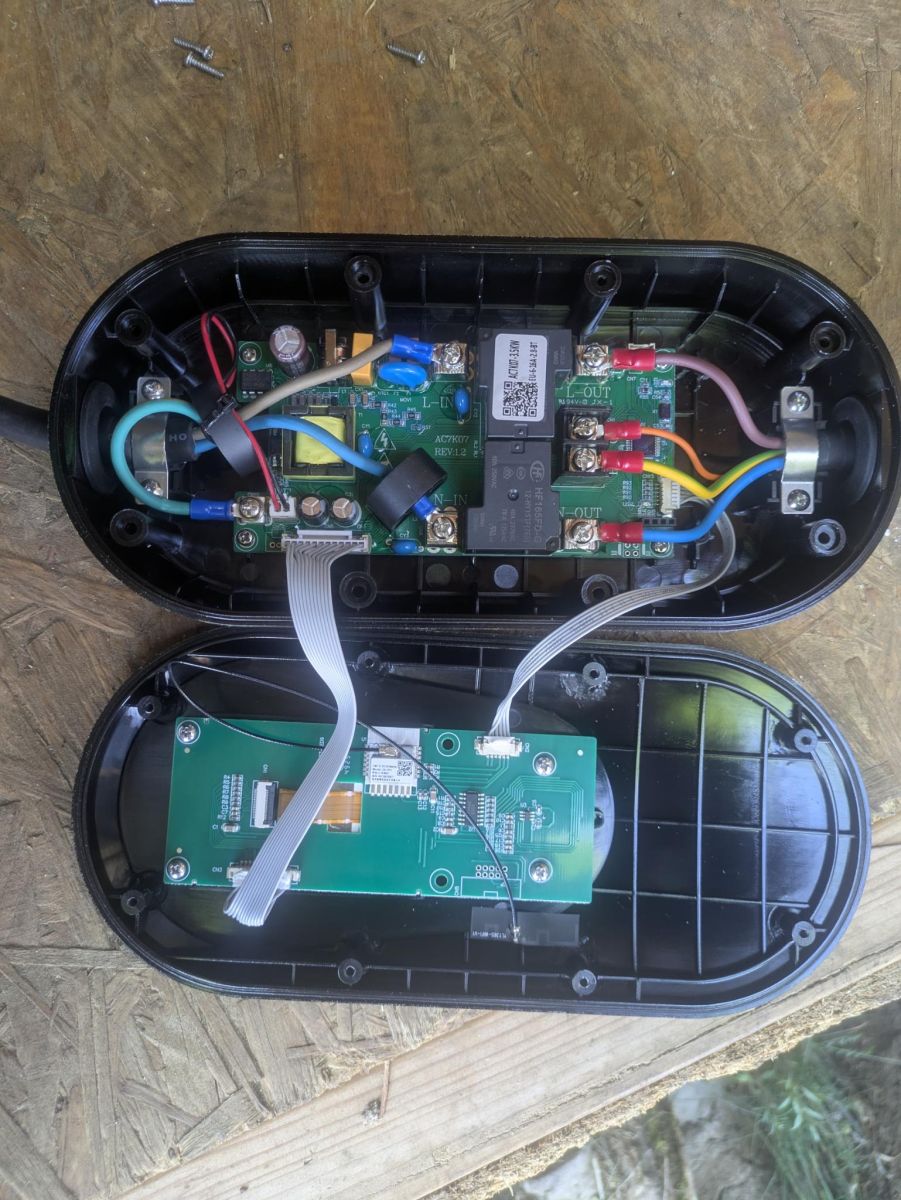
    Photos:
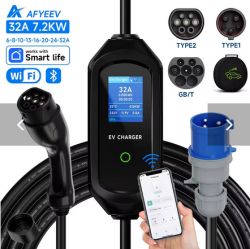
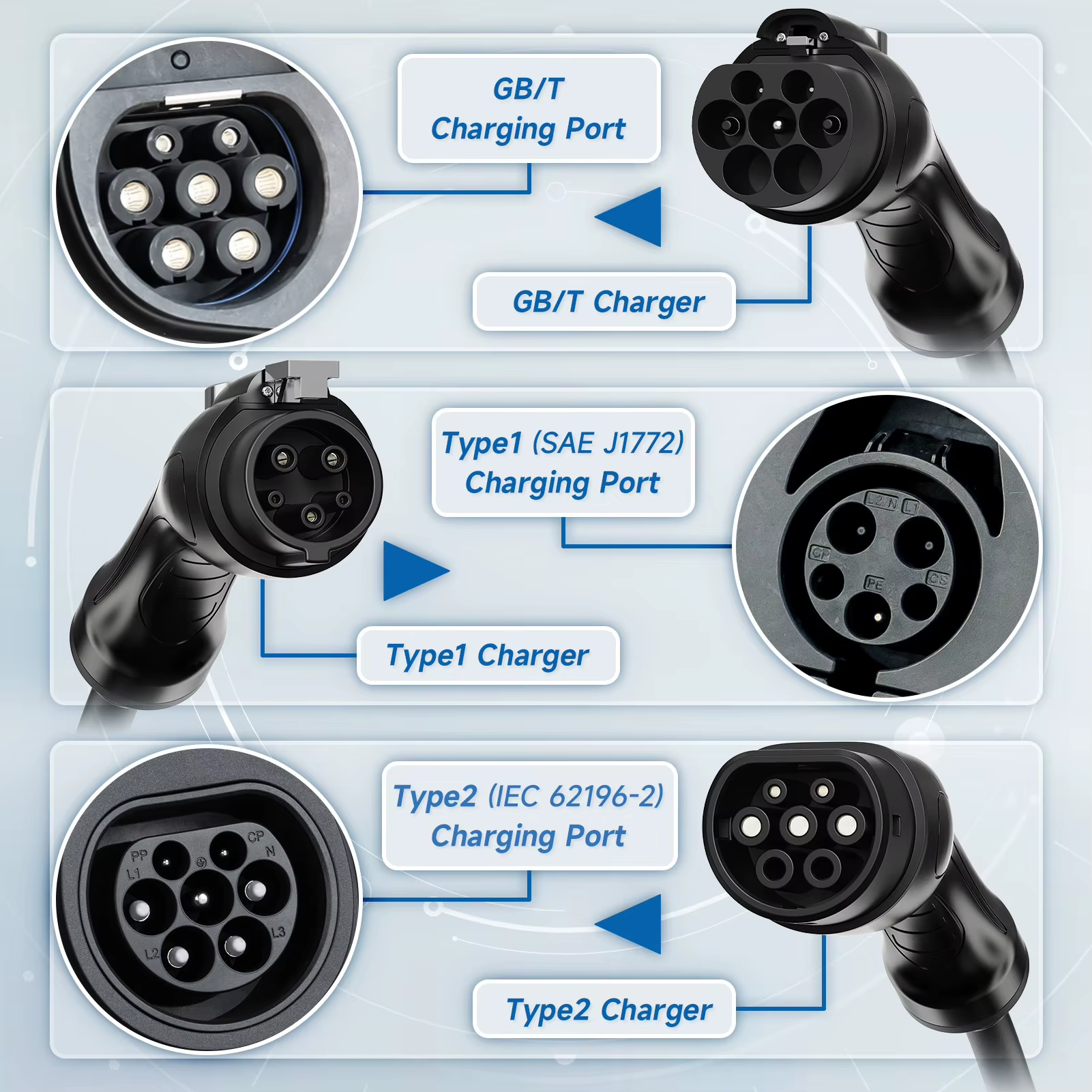
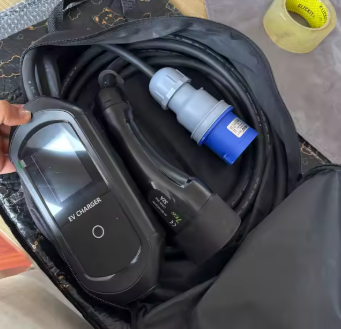
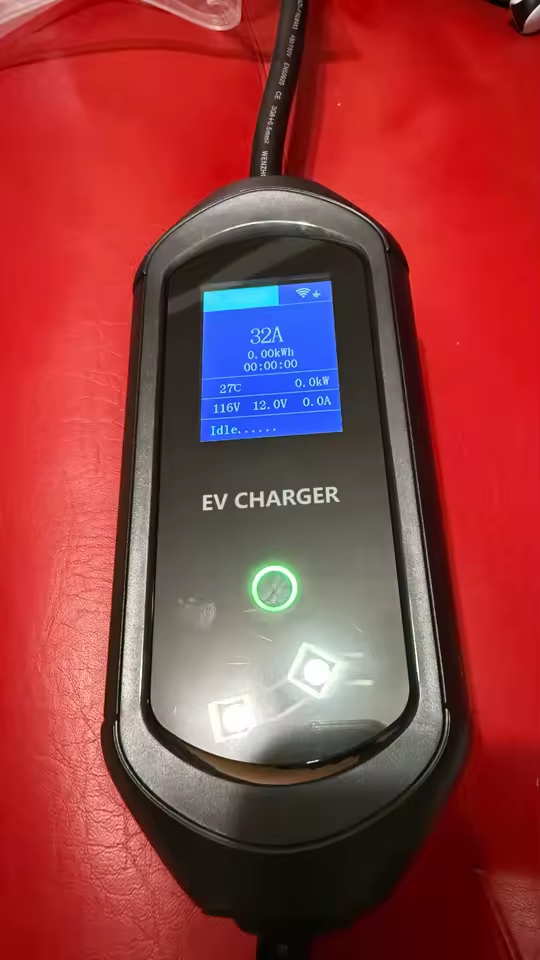
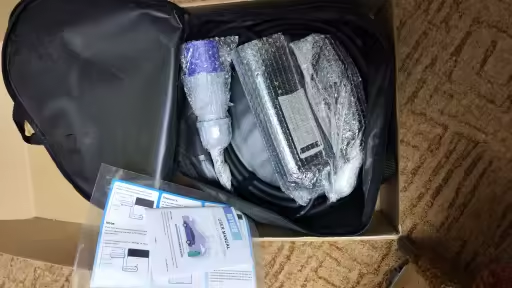
    EV charger 32A with LCD screen, Wi-Fi support, connectors Type1, Type2, GB/T

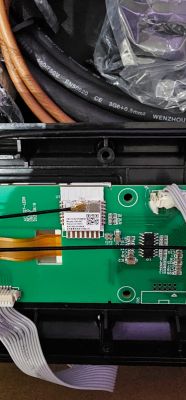
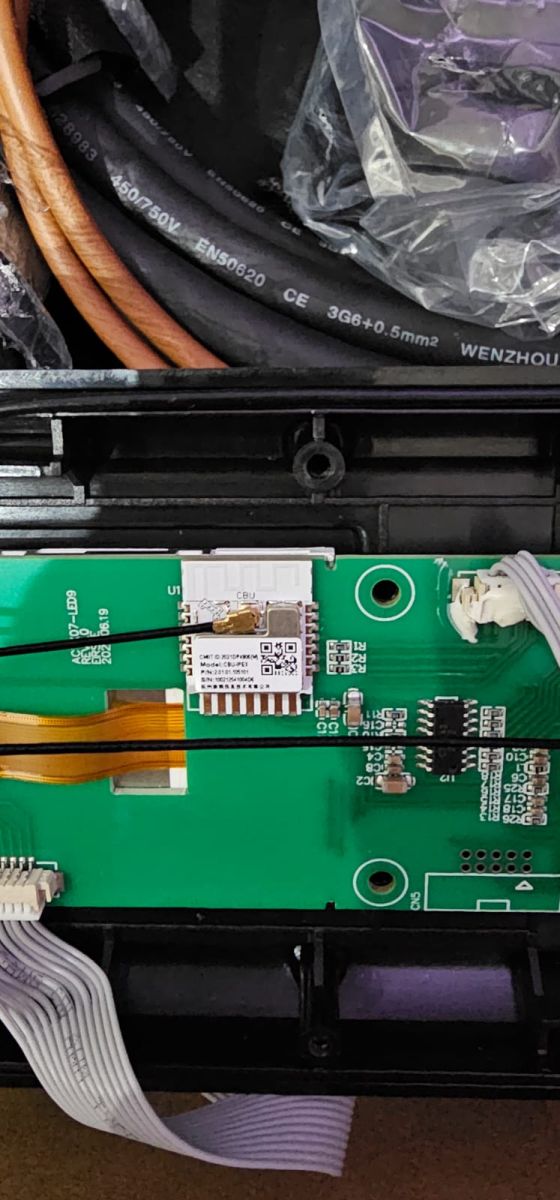
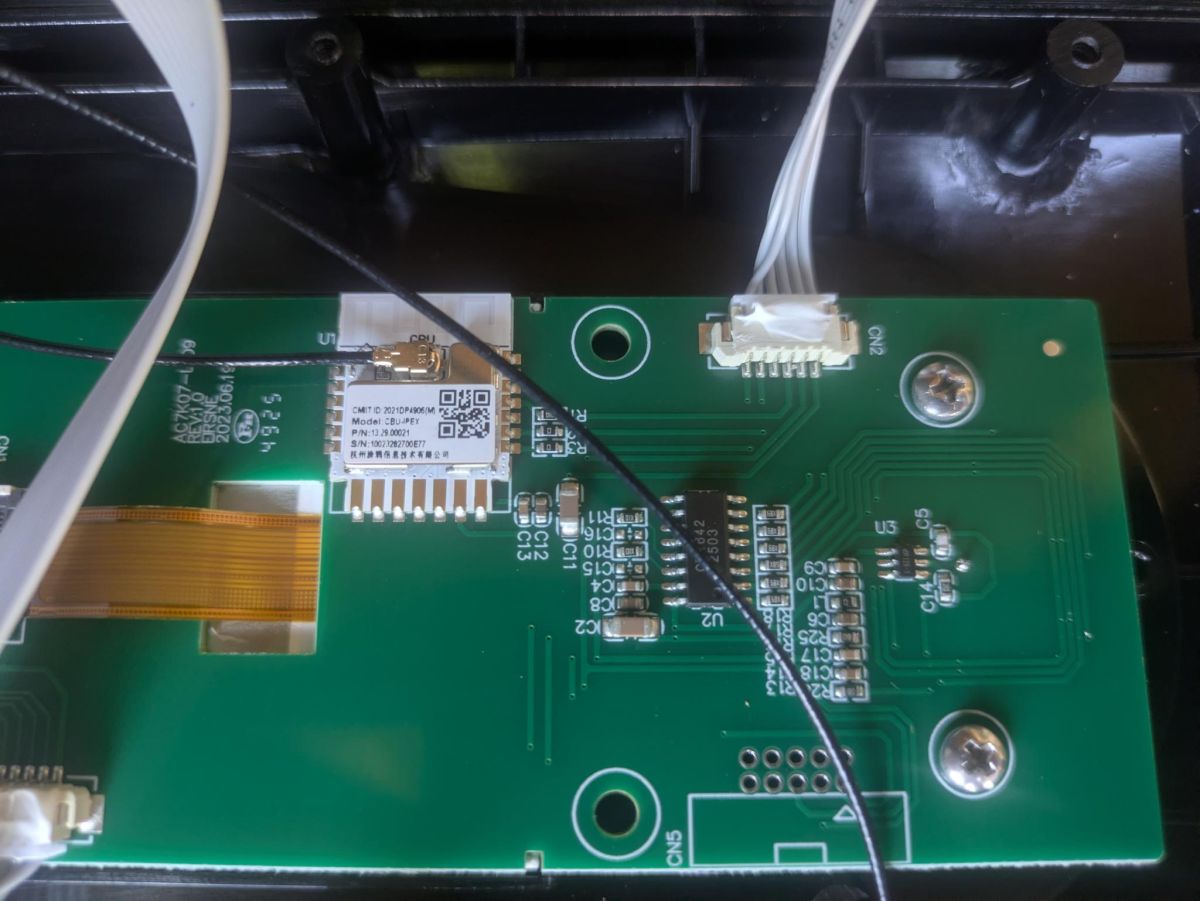
    Printed circuit board with communication module and connected wires

    Connection: https://developer.tuya.com/en/docs/iot/cbuipex-module-datasheet?id=Kaedsyurckrhu

    Tuya DP
    
    {
      "result": {
        "category": "qccdz",
        "functions": [
          {
            "code": "charge_cur_set",
            "dp_id": 4,
            "type": "Integer",
            "values": "{\"unit\":\"A\",\"min\":1,\"max\":255,\"scale\":0,\"step\":1}"
          },
          {
            "code": "work_mode",
            "dp_id": 14,
            "type": "Enum",
            "values": "{\"range\":[\"charge_now\",\"charge_pct\",\"charge_energy\",\"charge_schedule\"]}"
          },
          {
            "code": "switch",
            "dp_id": 18,
            "type": "Boolean",
            "values": "{}"
          }
        ],
        "lang_config": {},
        "status": [
          {
            "code": "forward_energy_total",
            "dp_id": 1,
            "type": "Integer",
            "values": "{\"unit\":\"kW·h\",\"min\":0,\"max\":99999999,\"scale\":2,\"step\":1}"
          },
          {
            "code": "work_state",
            "dp_id": 3,
            "type": "Enum",
            "values": "{\"range\":[\"charger_free\",\"charger_insert\",\"charger_free_fault\",\"charger_wait\",\"charger_charging\",\"charger_pause\",\"charger_end\",\"charger_fault\"]}"
          },
          {
            "code": "charge_cur_set",
            "dp_id": 4,
            "type": "Integer",
            "values": "{\"unit\":\"A\",\"min\":1,\"max\":255,\"scale\":0,\"step\":1}"
          },
          {
            "code": "sigle_phase_power",
            "dp_id": 5,
            "type": "Integer",
            "values": "{\"unit\":\"kW\",\"min\":0,\"max\":99999999,\"scale\":3,\"step\":1}"
          },
          {
            "code": "power_total",
            "dp_id": 9,
            "type": "Integer",
            "values": "{\"unit\":\"kW\",\"min\":0,\"max\":99999999,\"scale\":3,\"step\":1}"
          },
          {
            "code": "work_mode",
            "dp_id": 14,
            "type": "Enum",
            "values": "{\"range\":[\"charge_now\",\"charge_pct\",\"charge_energy\",\"charge_schedule\"]}"
          },
          {
            "code": "switch",
            "dp_id": 18,
            "type": "Boolean",
            "values": "{}"
          },
          {
            "code": "temp_current",
            "dp_id": 24,
            "type": "Integer",
            "values": "{\"unit\":\"℃\",\"min\":-40,\"max\":200,\"scale\":0,\"step\":1}"
          },
          {
            "code": "charge_energy_once",
            "dp_id": 25,
            "type": "Integer",
            "values": "{\"unit\":\"kW·h\",\"min\":0,\"max\":999999,\"scale\":2,\"step\":1}"
          }
        ]
      },
      "success": true,
      "t": "XXX",
      "tid": "XXX"
    }
    Attachments:
    • readResult_BK7231N_QIO_2026-05-1-22-46-03.bin (2 MB) You must be logged in to download this attachment.
  • ADVERTISEMENT
  • Asking whether OBK has been configured already

    #2 21800825
    p.kaczmarek2
    Moderator Smart Home
    Posts: 14770
    Help: 659
    Rate: 12913
    Thanks for sharing! I rarely see CBU with antenna. I guess long range really matters there!

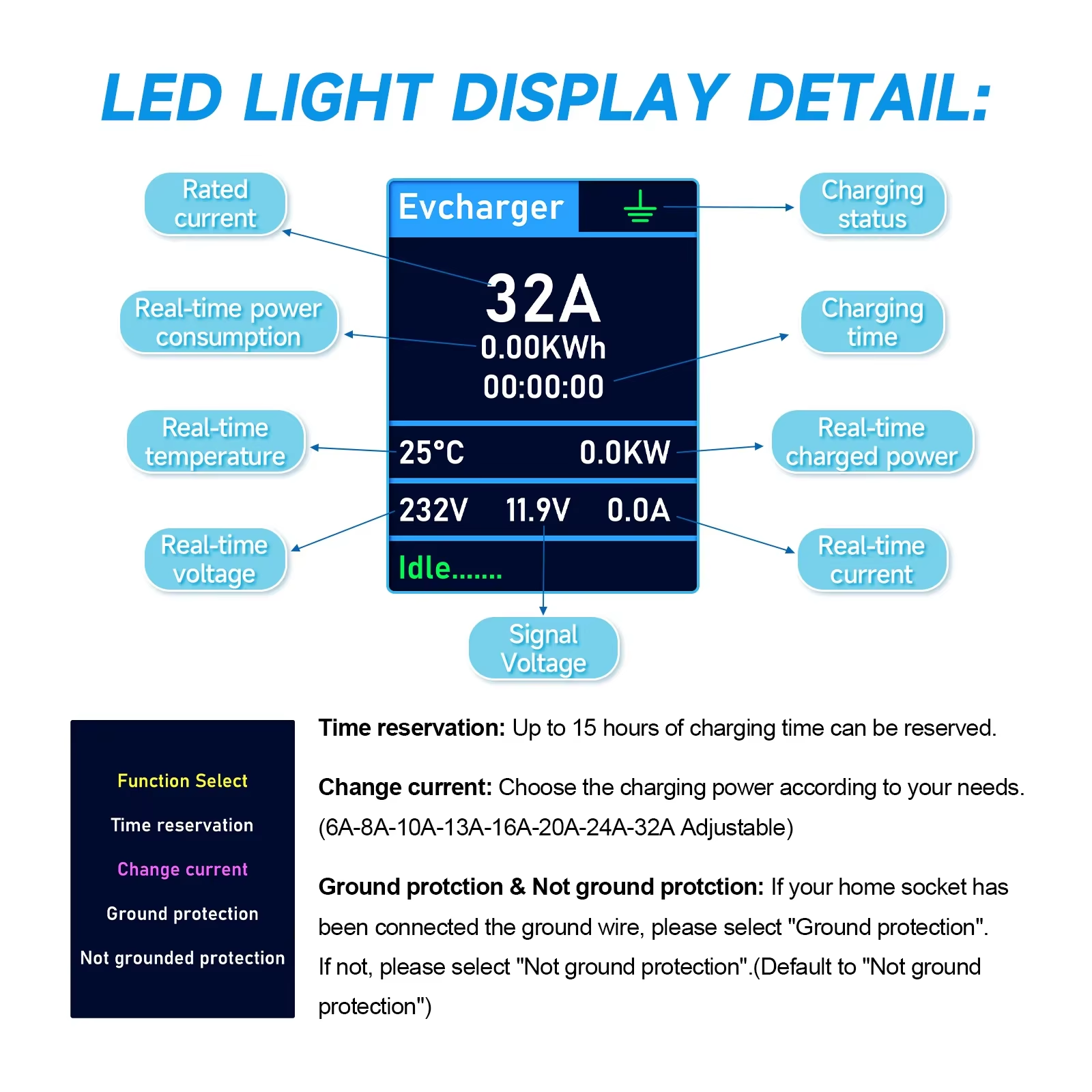
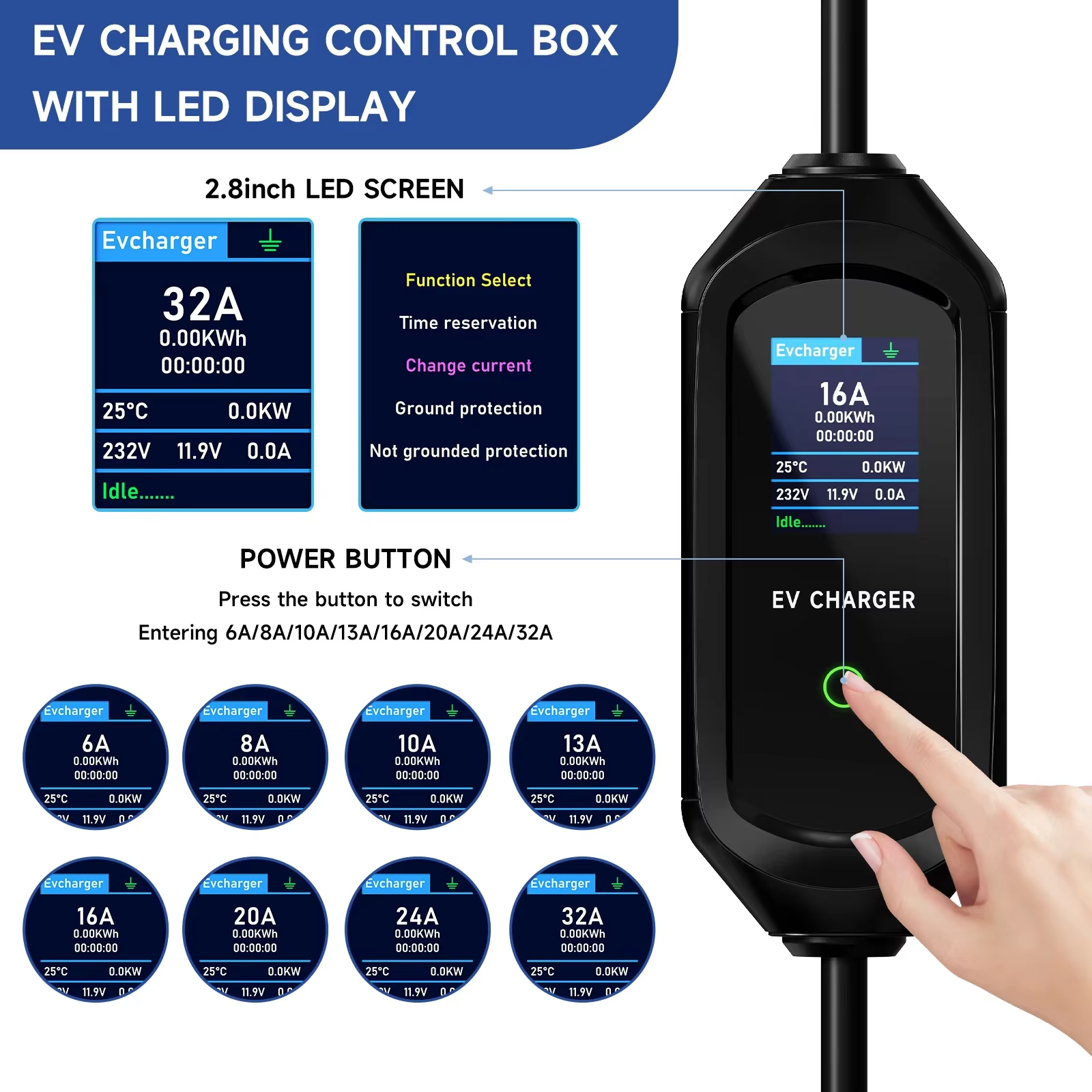
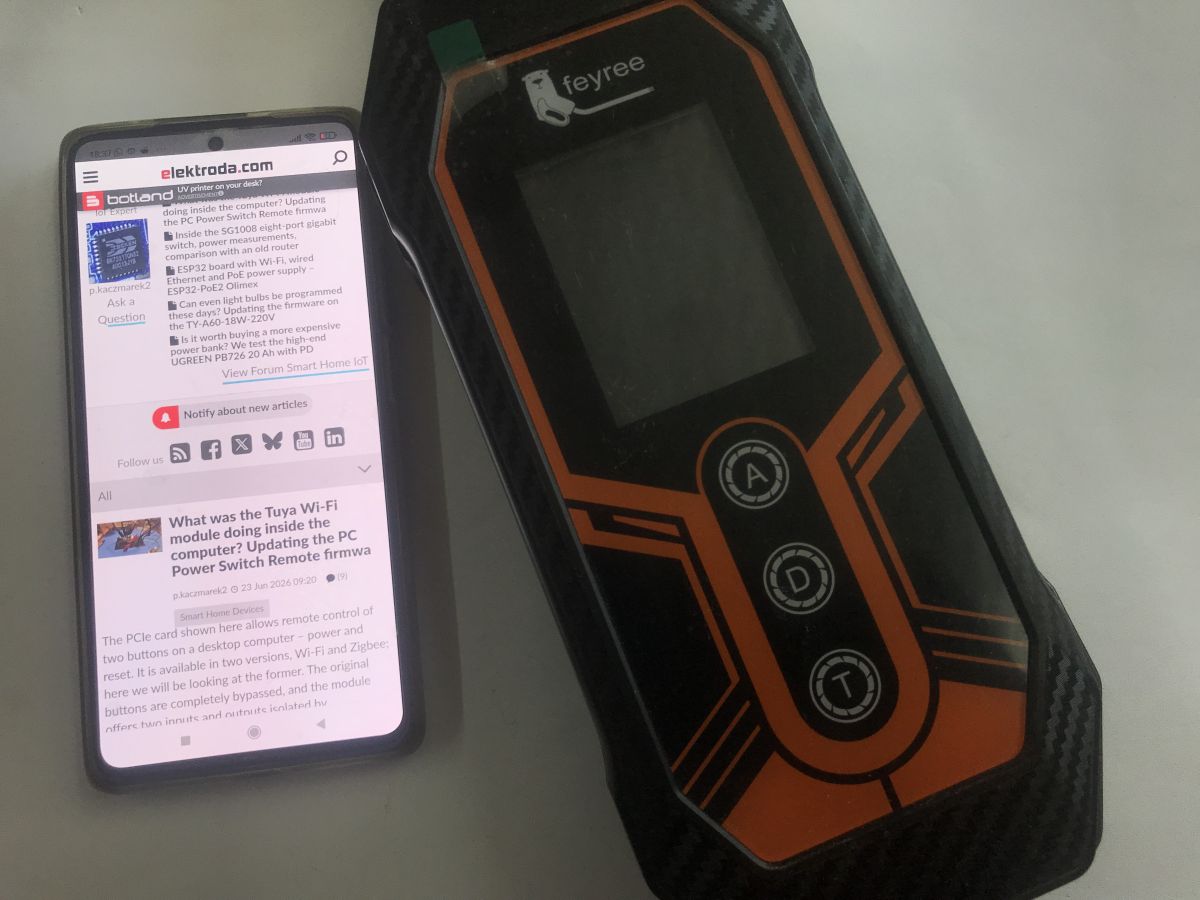
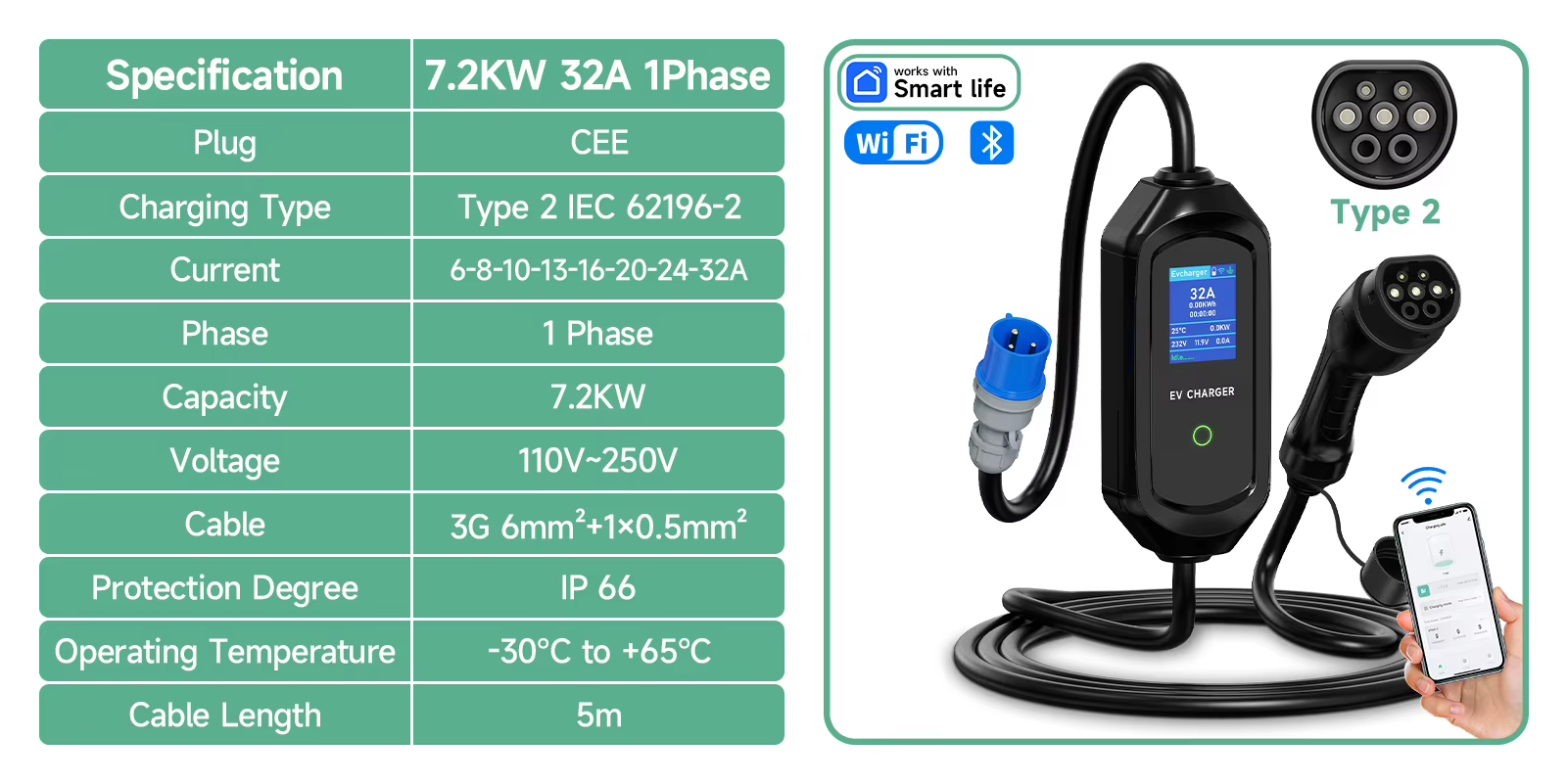
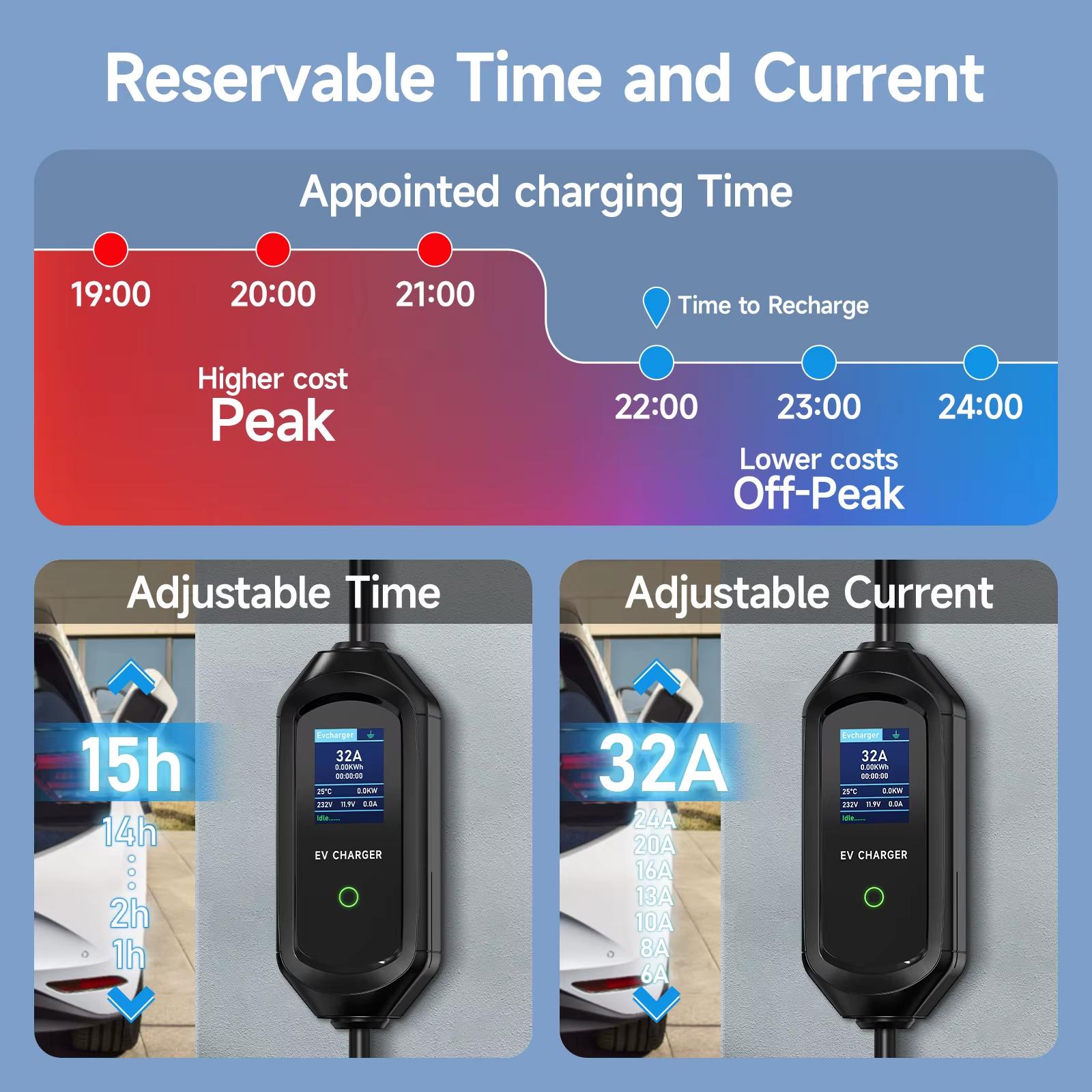
    Here is a bit more information about this device that I've found on the Aliexpress page:

    AFYEEV 32A 7.2KW EV Charger Type2/Type1 with BK7231N-CBU-IPEX Module Info
    AFYEEV 32A 7.2KW EV Charger Type2/Type1 with BK7231N-CBU-IPEX Module Info
    AFYEEV 32A 7.2KW EV Charger Type2/Type1 with BK7231N-CBU-IPEX Module Info
    AFYEEV 32A 7.2KW EV Charger Type2/Type1 with BK7231N-CBU-IPEX Module Info
    AFYEEV 32A 7.2KW EV Charger Type2/Type1 with BK7231N-CBU-IPEX Module Info


    AFYEEV 32A 7.2KW EV Charger Type2/Type1 with BK7231N-CBU-IPEX Module Info
    AFYEEV 32A 7.2KW EV Charger Type2/Type1 with BK7231N-CBU-IPEX Module Info
    AFYEEV 32A 7.2KW EV Charger Type2/Type1 with BK7231N-CBU-IPEX Module Info
    AFYEEV 32A 7.2KW EV Charger Type2/Type1 with BK7231N-CBU-IPEX Module Info

    Have you tried configuring OBK already?
    Helpful post? Buy me a coffee.
  • ESPhome Tuya datapoints and overheat cutoff for charger

    #3 21800972
    lamero345
    Level 2  
    Posts: 33
    Help: 1
    Rate: 3
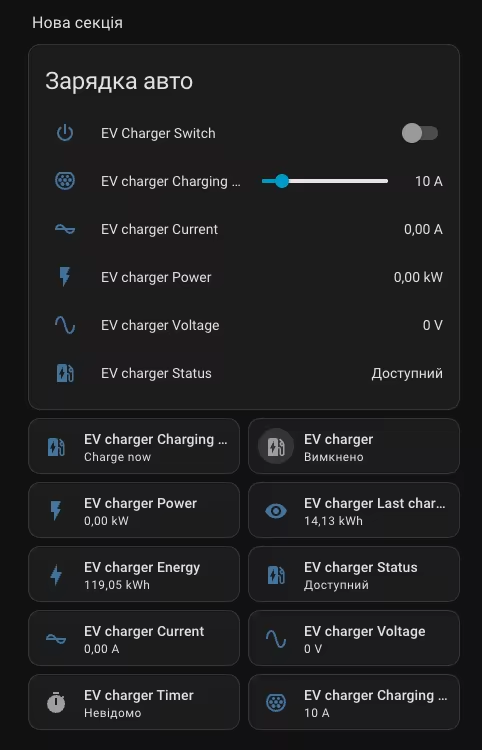
    I'm sorry. I am not an expert of OBK template. But I can give you ESPHOME configuration:

    
    uart:
      id: tuya_uart
      rx_pin: RX1
      tx_pin: TX1
      baud_rate: 9600
    
    time:
      - platform: homeassistant
        id: homeassistant_time
    
    tuya:
      uart_id: tuya_uart
      time_id: homeassistant_time
    
    switch:
      - platform: tuya
        id: ev_charger_enable
        name: "EV Charger Enable"
        switch_datapoint: 18
        icon: "mdi:ev-station"
    
    number:
      - platform: tuya
        name: "EV Charge Current"
        number_datapoint: 4
        min_value: 1
        max_value: 32
        step: 1
        unit_of_measurement: "A"
        icon: "mdi:current-ac"
    
    select:
      - platform: tuya
        name: "EV Work Mode"
        enum_datapoint: 14
        icon: "mdi:cog-sync"
        options:
          0: "Charge now"
          1: "Charge by percentage"
          2: "Charge by energy"
          3: "Scheduled charge"
    
    sensor:
      - platform: tuya
        name: "EV Total Energy"
        sensor_datapoint: 1
        unit_of_measurement: "kWh"
        device_class: energy
        state_class: total_increasing
        accuracy_decimals: 2
        filters:
          - multiply: 0.01
    
      - platform: tuya
        name: "EV Power Total"
        sensor_datapoint: 9
        unit_of_measurement: "kW"
        device_class: power
        accuracy_decimals: 3
        filters:
          - multiply: 0.001
    
      - platform: tuya
        name: "EV Single Phase Power"
        sensor_datapoint: 5
        unit_of_measurement: "kW"
        accuracy_decimals: 3
        filters:
          - multiply: 0.001
    
      - platform: tuya
        name: "EV Temperature"
        id: ev_temperature
        sensor_datapoint: 24
        unit_of_measurement: "°C"
        device_class: temperature
        on_value:
          then:
            - if:
                condition:
                  lambda: 'return id(ev_temperature).state > 70;'
                then:
                  - switch.turn_off: ev_charger_enable
    
      - platform: tuya
        name: "EV Session Energy"
        sensor_datapoint: 25
        unit_of_measurement: "kWh"
        accuracy_decimals: 2
        filters:
          - multiply: 0.01
    
    text_sensor:
      - platform: tuya
        id: ev_charger_state
        name: "EV Charger State"
        sensor_datapoint: 3
        icon: "mdi:ev-plug-type2"
        filters:
          - map:
              - from: 0
                to: "Free"
              - from: 1
                to: "Plug inserted"
              - from: 2
                to: "Free fault"
              - from: 3
                to: "Waiting"
              - from: 4
                to: "Charging"
              - from: 5
                to: "Paused"
              - from: 6
                to: "Charge ended"
              - from: 7
                to: "Fault"
    
    binary_sensor:
      - platform: template
        name: "EV Charging"
        device_class: running
        icon: "mdi:ev-station"
        lambda: |-
          return id(ev_charger_state).state == "Charging";
    
      - platform: template
        name: "EV Overheat"
        lambda: |-
          return id(ev_temperature).state > 70;
        device_class: safety
    
    
  • #4 21800977
    p.kaczmarek2
    Moderator Smart Home
    Posts: 14770
    Help: 659
    Rate: 12913
    Thanks, those data point mappings can be also useful.
    Helpful post? Buy me a coffee.
  • ADVERTISEMENT
  • Helpful post

    TuyaOS boot log from BK7231N backup

    #5 21801058
    divadiow
    Level 38  
    Posts: 5220
    Help: 449
    Rate: 918
    boot log from that backup. TMDA/pk:dsmsam7xpb3ht7rl

    Code: Text
    Log in, to see the code


    Code: JSON
    Log in, to see the code
  • #6 21836508
    ruisjm1
    Level 3  
    Posts: 4
    >>21800972 Hi, does it work OK with ESPHome? I had one already working with local Tuya, but I really want to install ESPHome to avoid problems in the future; I have a spare CBU module from another EV charger I removed because I do not use Wi-Fi. I will flash it to test
  • ADVERTISEMENT
  • ESPHome Tuya config for BK7231N EV charger

    #7 21837929
    lamero345
    Level 2  
    Posts: 33
    Help: 1
    Rate: 3
    Try this

    
    esphome:
      name: wallbox
      friendly_name: wallbox
    
    bk72xx:
      board: cbu
    
    logger:
      baud_rate: 0
      level: INFO
    
    api:
    
    ota:
      platform: esphome
    
    wifi:
      ssid: !secret wifi_ssid
      password: !secret wifi_password
    
    uart:
      id: tuya_uart
      rx_pin: RX1
      tx_pin: TX1
      baud_rate: 9600
    
    time:
      - platform: homeassistant
        id: homeassistant_time
    
    tuya:
      uart_id: tuya_uart
      time_id: homeassistant_time
    
    switch:
      - platform: tuya
        id: ev_charger_enable
        name: "EV Charger Enable"
        switch_datapoint: 18
        icon: "mdi:ev-station"
    
    number:
      - platform: tuya
        name: "EV Charge Current"
        number_datapoint: 4
        min_value: 1
        #max_value: 32
        max_value: 20
        step: 1
        unit_of_measurement: "A"
        icon: "mdi:current-ac"
    
    select:
      - platform: tuya
        name: "EV Work Mode"
        enum_datapoint: 14
        icon: "mdi:cog-sync"
        options:
          0: "Ricarica immediata"
          1: "Ricarica fino a percentuale"
          2: "Ricarica per energia"
          3: "Ricarica programmata"
    
    sensor:
      - platform: tuya
        name: "EV Total Energy"
        sensor_datapoint: 1
        unit_of_measurement: "kWh"
        device_class: energy
        state_class: total_increasing
        accuracy_decimals: 2
        filters:
          - multiply: 0.01
    
      - platform: tuya
        name: "EV Power Total"
        sensor_datapoint: 9
        unit_of_measurement: "kW"
        device_class: power
        accuracy_decimals: 3
        filters:
          - multiply: 0.001
    
      - platform: tuya
        name: "EV Single Phase Power"
        sensor_datapoint: 5
        unit_of_measurement: "kW"
        accuracy_decimals: 3
        filters:
          - multiply: 0.001
    
      - platform: tuya
        name: "EV Temperature"
        id: ev_temperature
        sensor_datapoint: 24
        unit_of_measurement: "°C"
        device_class: temperature
        # SE TEMPERATURA ALTA INTERROMPE
        on_value:
          then:
            - if:
                condition:
                  lambda: 'return id(ev_temperature).state > 70;'
                then:
                  - switch.turn_off: ev_charger_enable
    
      - platform: tuya
        name: "EV Session Energy"
        sensor_datapoint: 25
        unit_of_measurement: "kWh"
        accuracy_decimals: 2
        filters:
          - multiply: 0.01
    
    text_sensor:
      - platform: tuya
        id: ev_charger_state
        name: "EV Charger State"
        sensor_datapoint: 3
        icon: "mdi:ev-plug-type2"
        filters:
          - map:
              - from: 0
                to: "Free"
              - from: 1
                to: "Plug inserted"
              - from: 2
                to: "Free with error"
              - from: 3
                to: "Waiting"
              - from: 4
                to: "Charging"
              - from: 5
                to: "Pause"
              - from: 6
                to: "Charging finished"
              - from: 7
                to: "Fault"
    
    binary_sensor:
      - platform: template
        name: "EV Charging"
        device_class: running
        icon: "mdi:ev-station"
        lambda: |-
          return id(ev_charger_state).state == "Charging";
    
  • #8 21838155
    ruisjm1
    Level 3  
    Posts: 4
    >>21837929 I will try it. I will replace programmed CBU with ESPHome and see the results. Thanks
  • Local Tuya limits charge current to preset values

    #9 21926473
    julienc
    Level 2  
    Posts: 3
    Hello,

    I have this Afyeev charger and finally got it to work with local Tuya (a real pain in the ass to get there with SmartLife and Tuya cloud)... This is so frustrating when open standards exist!

    Any feedback on this ESPHome/OpenBeken/Tasmota flash?

    Sorry if these are dumb questions, but can the flashing be accomplished without desoldering/soldering on this device?

    Using SmartLife, Tuya cloud, Local Tuya, or TinyTuya, I couldn't set the DPS 4 charge_cur_set to something else than 6 A, 8 A, 10 A, 13 A, or 16 A (if I inject another value, it is not changed), although the config states it could be set with 1 A steps. Is there any hope that the charge current could be set to 5 A or 7 A after flashing?

    It would be great to be able to use my solar surplus to charge the car...

    Thanks a lot for your work and info sharing!
    Best regards
  • ADVERTISEMENT
  • Backup flash before soldering to flash OBK

    #10 21926959
    p.kaczmarek2
    Moderator Smart Home
    Posts: 14770
    Help: 659
    Rate: 12913
    It's certainly strange that you can't change this data point to alternate integer values. According to the schema, it should be possible:
    
            "code": "charge_cur_set",
            "dp_id": 4,
            "type": "Integer",
            "values": "{\"unit\":\"A\",\"min\":1,\"max\":255,\"scale\":0,\"step\":1}"
    

    That being said, it could be also the limitation of the MCU. It's hard to tell for sure.

    We can help you with running this device with OBK. Probably first step is to take 2 MB backup of the flash.

    I am not aware about any reliable flashing methods without soldering. Futhermore, as I said - we strongly recommend taking backup first, so in order to do that, you'd still need to solder.
    Helpful post? Buy me a coffee.
  • #11 21927140
    julienc
    Level 2  
    Posts: 3
    >>21926959

    Thanks a lot for your quick, clear and kind answer.
    I'll keep an eye on this topic if somebody else manages to set the charge current with 1 A steps. Right now, I don't feel confident enough in my soldering skills and don't really feel like spending more hours on this charger just now, but as soon as I will grow frustrated by the lack of granularity and brave enough, I'll do some research and ask for help if needed.

    Best regards.
  • #12 21927245
    p.kaczmarek2
    Moderator Smart Home
    Posts: 14770
    Help: 659
    Rate: 12913
    Hmm ok, can you check what kind of WiFi module do you have in your charger? Just open a case and take some photo? Because as it happens, I actually seem to have one charger at hand...

    AFYEEV 32A 7.2KW EV Charger Type2/Type1 with BK7231N-CBU-IPEX Module Info
    Maybe I could try to perform some tests on my side, maybe dpIDs are matching?
    Helpful post? Buy me a coffee.
  • #13 21929315
    julienc
    Level 2  
    Posts: 3
    Hi,

    Sorry for the delay, here are 2 pics of the WiFi card (CBU-IPEX P/N 13 29/00021 CMIT ID 2021DP4906M). Looks very much like the one from OP.


    AFYEEV 32A 7.2KW EV Charger Type2/Type1 with BK7231N-CBU-IPEX Module Info AFYEEV 32A 7.2KW EV Charger Type2/Type1 with BK7231N-CBU-IPEX Module Info

    Thanks for investigating this!

Topic summary

LABEL_AI_GENERATED
Discussion about the AFYEEV 32A 7.2 kW EV charger (Type 2/Type 1) using a BK7231N CBU-IPEX Tuya Wi‑Fi module. The thread shares device photos, Tuya datapoint mappings, and ESPHome configuration examples for integrating the charger locally. Key datapoints include charge current control on DP 4, enable switch on DP 18, work mode on DP 14, and energy reporting. A user reports that Local Tuya/TinyTuya only accepts discrete current values of 6/8/10/13/16 A despite the schema indicating 1 A steps, and asks whether flashing to ESPHome/OpenBeken/Tasmota could unlock finer control. The response suggests the limitation may be in the MCU or firmware, recommends making a full 2 MB flash backup before any modification, and notes that reliable no-solder flashing methods are not known. Later posts confirm the charger’s Wi‑Fi card is the same CBU-IPEX variant and continue investigating matching datapoints and ESPHome operation.
AI summary based on the discussion. May contain errors.
ADVERTISEMENT