

logo elektroda
logo elektroda
X
logo elektroda

Cheap AliExpress 13a socket with CB2S (BK7321N)

Bemsman 5745 3

TL;DR

  • Cheap AliExpress 13a socket pair with CB2S modules, not ESP-based hardware, and identical boxes and internals.
  • The housings open with plastic clips and one screw, then two PCB retaining screws expose the board and CB2S module for flashing OpenBK7231N.
  • One unit flashed after skipping "Erase All Chip Flash," and the setup used OpenBK7231N_QIO_1.0.0.rbl, then OpenBK7231N_1.0.20.
  • MQTT worked, Home Assistant discovered one unit as Tuya after a non-erase flash, and the sockets power up with both LEDs on despite being off.
Generated by the language model.
ADVERTISEMENT
📢 Listen (AI):
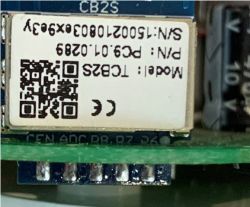
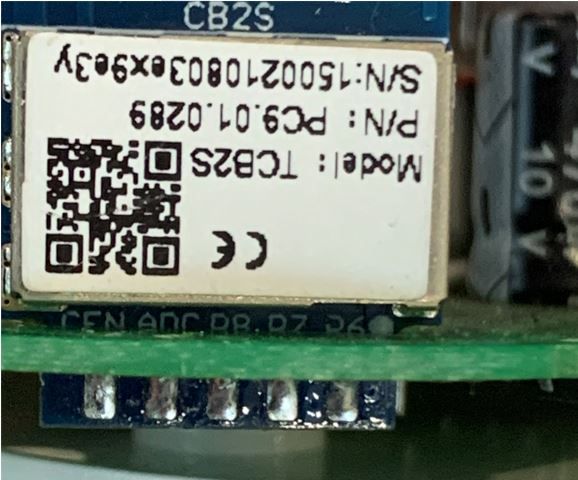
  • I was hoping to buy the sockets that were ESP based so bought two different versions at very different prices, however these had CB2S modules, after some searching I found this site and the excellent work on OpenBK7231N.

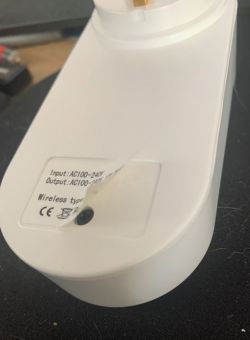
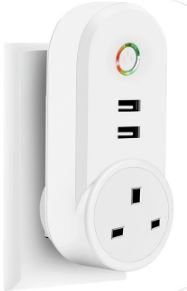
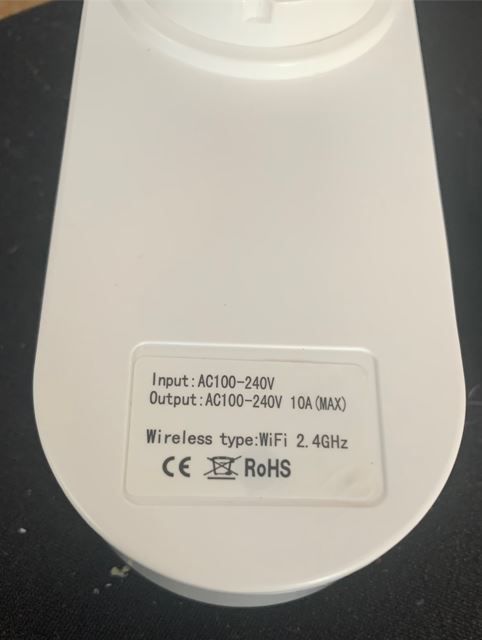
    These are the sockets - both look exactly the same inside and out - even the boxes are the same Cheap AliExpress 13a socket with CB2S (BK7321N)
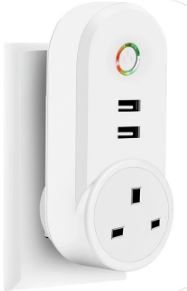
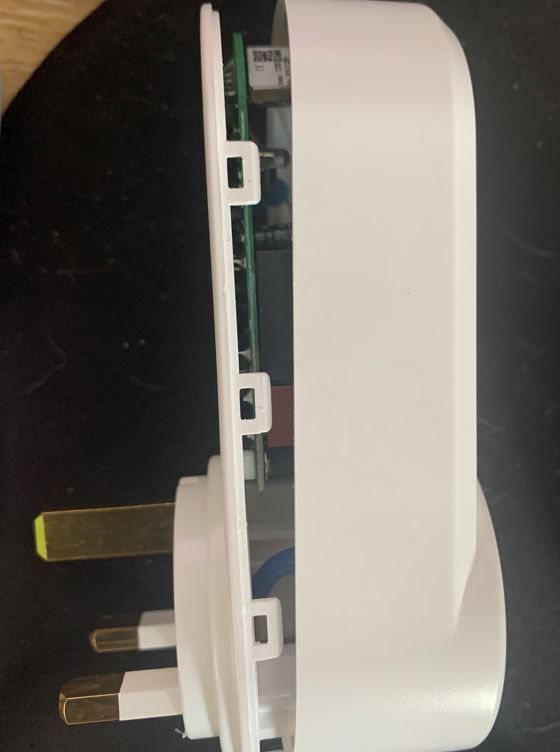
    So I opened them up, no glue is used, only plastic clips and one fixing screw - when removing the cover you need to push on the power socket to help release the cover.
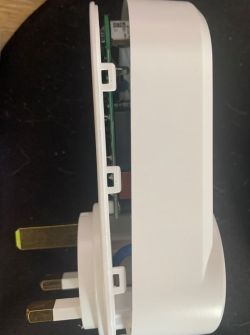
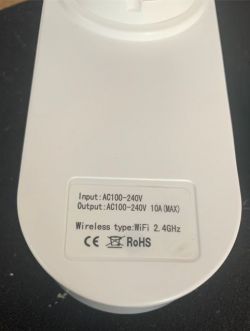
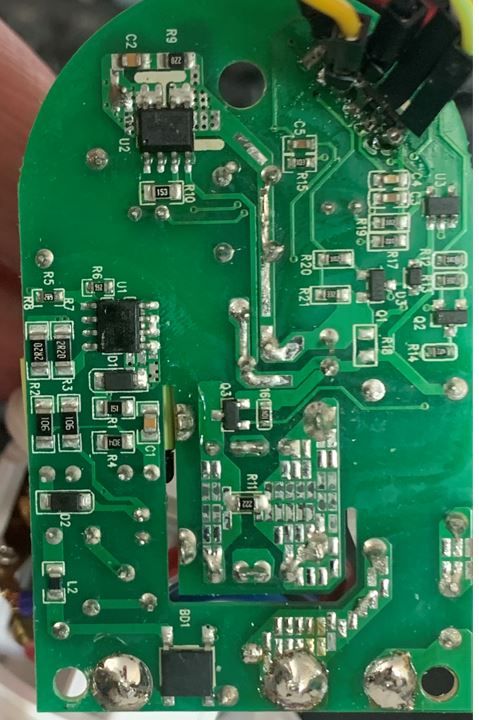
    Cheap AliExpress 13a socket with CB2S (BK7321N) Cheap AliExpress 13a socket with CB2S (BK7321N) Cheap AliExpress 13a socket with CB2S (BK7321N)

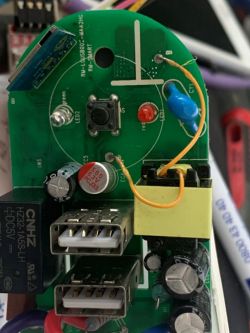
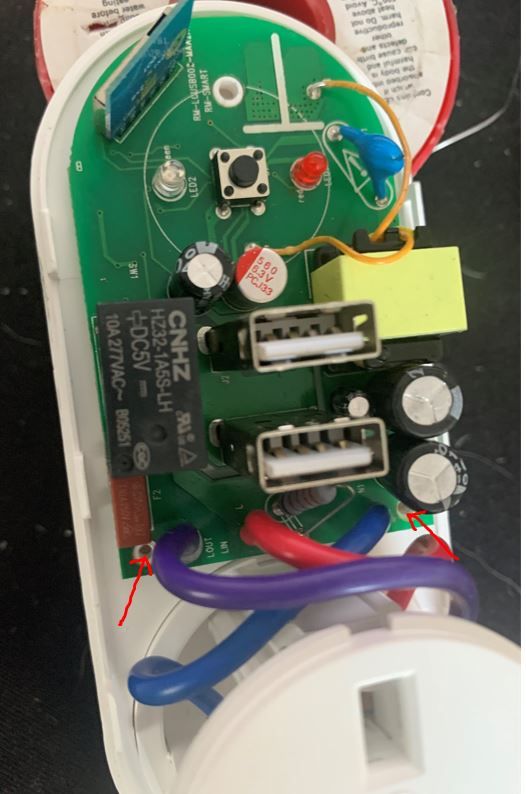
    Next remove the two PCB retaining screws - marked with red lines.
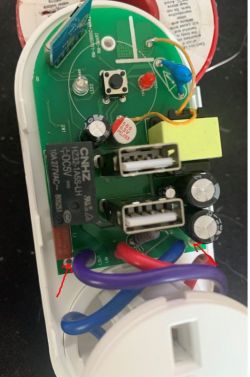
    Cheap AliExpress 13a socket with CB2S (BK7321N)

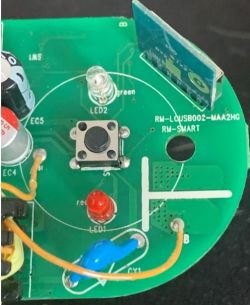
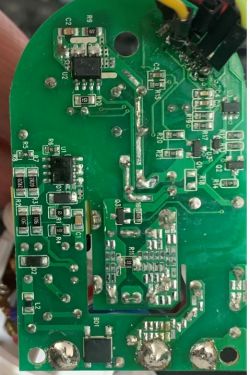
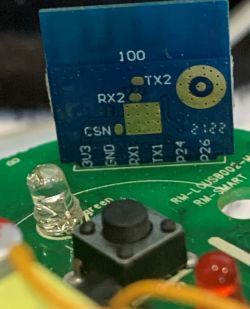
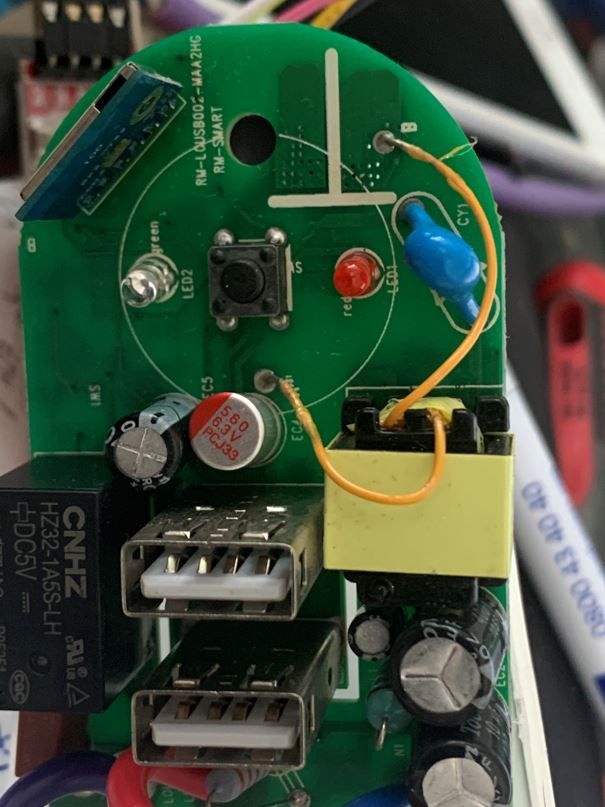
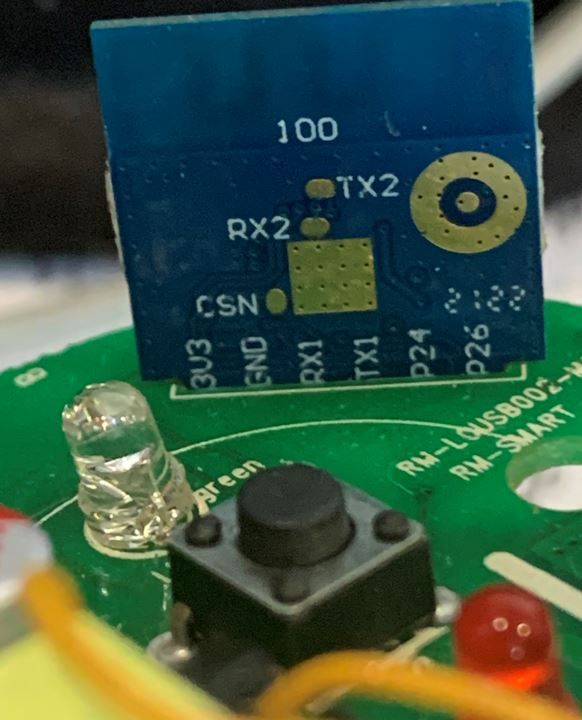
    Few shots of the PCB LEDs etc.

    Cheap AliExpress 13a socket with CB2S (BK7321N)
    Cheap AliExpress 13a socket with CB2S (BK7321N) Cheap AliExpress 13a socket with CB2S (BK7321N) Cheap AliExpress 13a socket with CB2S (BK7321N) Cheap AliExpress 13a socket with CB2S (BK7321N)

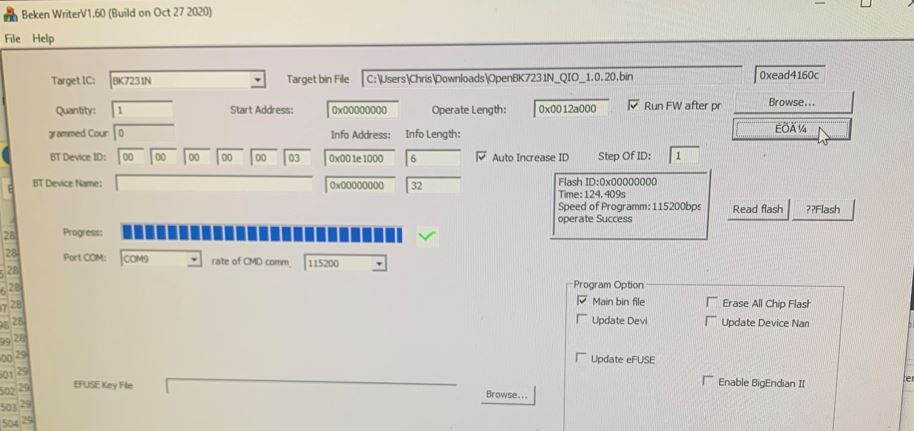
    Now time to program - success, at first I thought I had bricked it because the LEDs came on, checked wifi and there it was, now setup wifi and the rest is easier from a PC once connected to your wifi
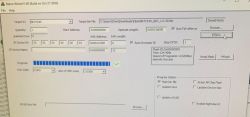
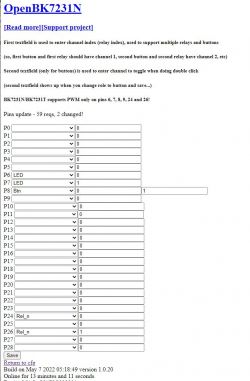
    Cheap AliExpress 13a socket with CB2S (BK7321N)

    Cheap AliExpress 13a socket with CB2S (BK7321N) Cheap AliExpress 13a socket with CB2S (BK7321N)

    On the first unit I programmed I clicked on the "Erase All Chip Flash" it seemed to have failed so I then flashed without checking that box, all went OK. setup MQTT and see it sending in to the MQTT server. Homeassistant didn't know about it as still more to setup in HA.

    The second one was a different story, I pulled it open done the flashing without clicking on the "erase all" box, put it all back together (15mins) went through the setup and this one popped up as a Tuya device in HA, but I don't have Tuya cloud, this must have been due to me not doing an "erase all"
    So Instead of pulling it open I decided to do an OTA back to OpenBK7231N_QIO_1.0.0.rbl - it obtained a new IP address and was up and running - I restarted my test instance of HA and no discovery this time. Done another OTA with OpenBK7231N_1.0.20 this time to bring it back to latest and all good, no annoying discovery now - will move on to configuring HA later.

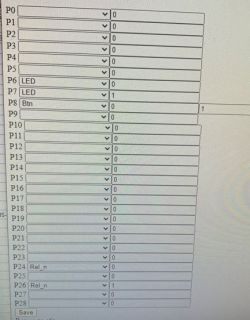
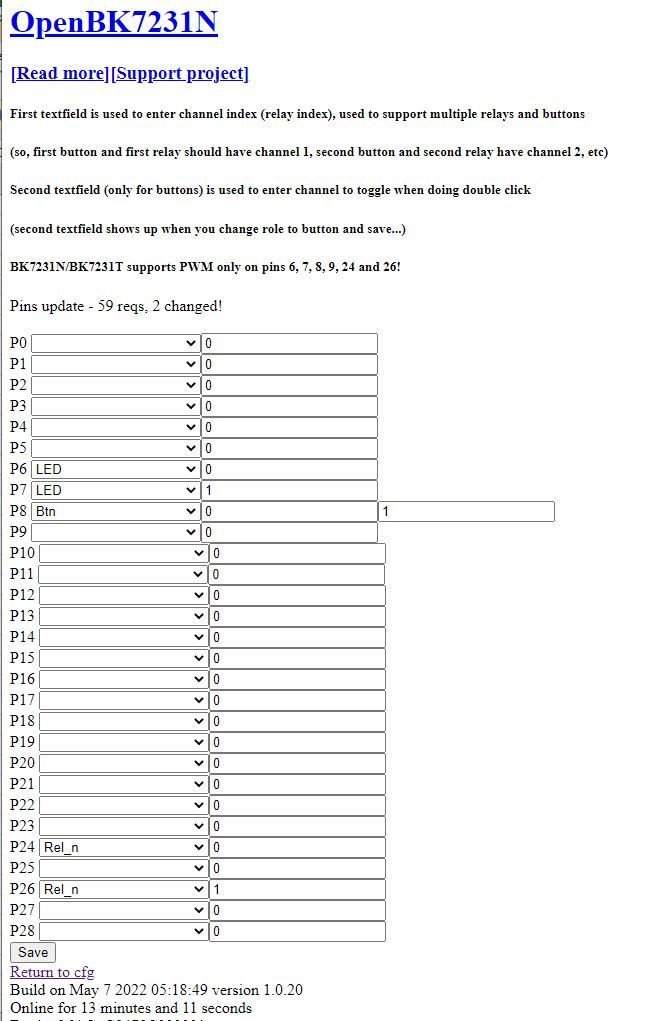
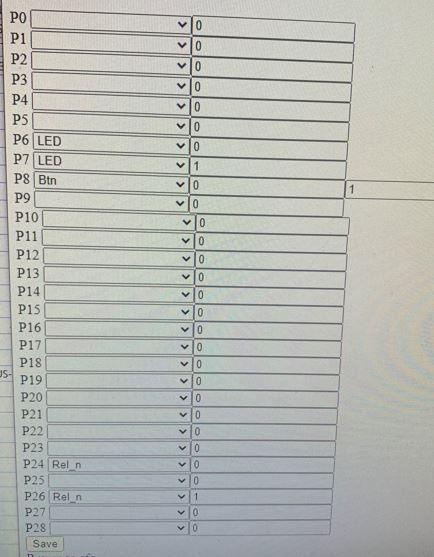
    With my pin assignments - as the switch only has one button I have set it up so that 1 quick press toggles the power socket and 2 quick presses toggle the USB sockets - you can see the second entry across on the P8 line.

    Only issue is that when you plug it in both LEDS will illuminate but the sockets are off, if you do a single and double press it will then have correct status, Another way would be to publish /0/set 100 and /1/set 100 when the socket comes online.
    It may be possible to configure the "change startup control test" but I haven't played with this yet.

    Hope this is of use to some of you.

    Cool? Ranking DIY
    About Author
    Bemsman
    Level 1  
    Offline 
    Bemsman wrote 1 posts with rating 9. Been with us since 2022 year.
  • ADVERTISEMENT
  • #2 20014905
    p.kaczmarek2
    Moderator Smart Home
    Good job! Thank you for using my firwmare.

    I added a template for your device called "BK7231N CB2S 13A Aliexpress socket":
    https://github.com/openshwprojects/OpenBK7231...mmit/4c0da359b4a2f7a3fdca55d53b5c5a747dbfce2b
    (now i see there is a typo in CB2S but i will correct)

    Of course, the final templates will be like in Tasmota, copied as text, not hard in the code. I just make the firmware from 0 and not everything is ready from scratch.

    I'm glad you used the "one button for two relays" option (clicking and double-clicking has different roles). This is something Tuya does not offer.

    Home Assistant could still see the OpenBeken device as Tuya, because maybe he remembered or recognized it by MAC. But that's just my unsupported guess.

    The bad LED status after booting the device is my oversight, I just have to set the pins after rebooting. It's very easy, I will add it and just do OTA (just paste the link to .rbl in the Config-> OTA field and the socket will automatically download a new batch from github).
    Helpful post? Buy me a coffee.
  • ADVERTISEMENT
  • #3 20016247
    ArturAVS
    Moderator
    @ p.kaczmarek2 I really appreciate your contribution to the development of dedicated software. For several years, I have not been able to start any ESP-based system. Perhaps I will change to Beken because you describe everything nicely and in case of problems you can give us a hint. I supported you with a small amount (according to my rather poor possibilities).
  • #4 20020201
    p.kaczmarek2
    Moderator Smart Home
    Thank you @ArturAVS, every zloty counts, even if every tenth reader paid PLN 1, I would already have collected for a few new devices for testing.

    However, I would like to emphasize here that my goal is not to compete with Tasmota or ESP, but more to cooperate.
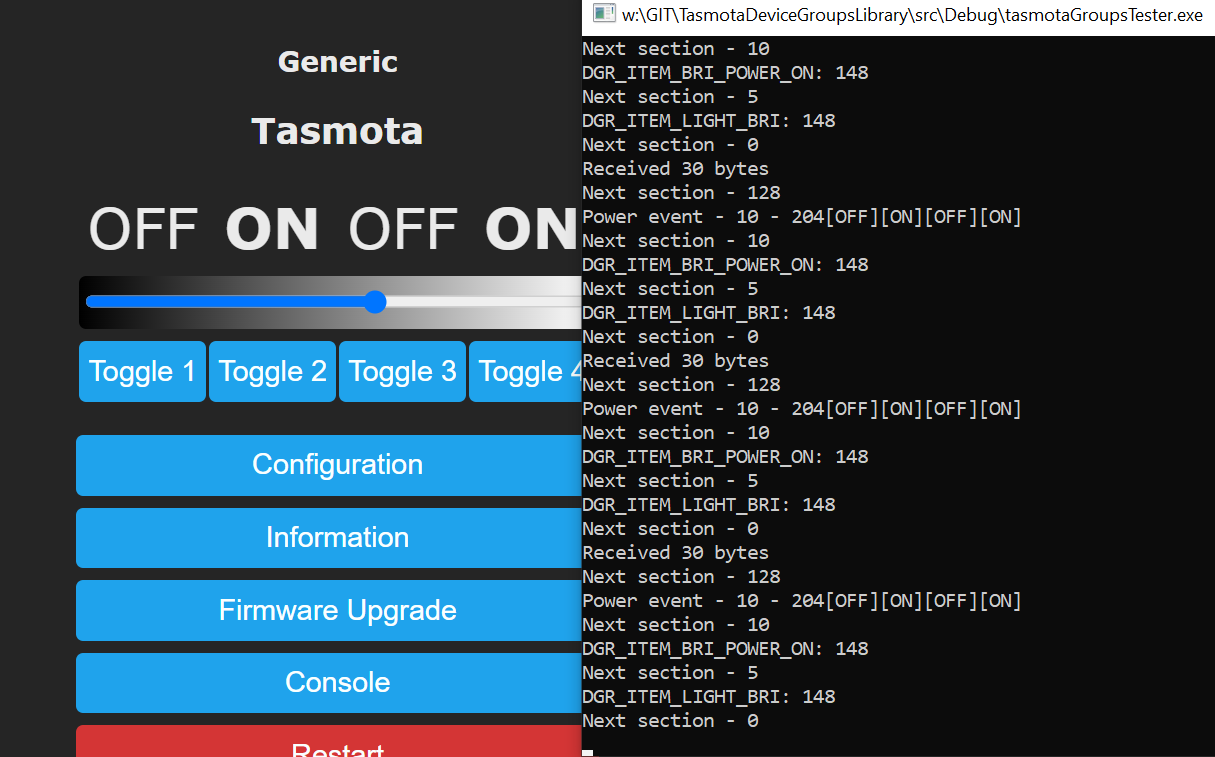
    For this reason, I started working on compatibility with Tasmoty's Device Groups:
    https://tasmota.github.io/docs/Device-Groups/


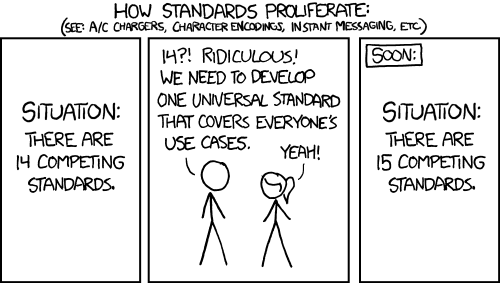
    Do you know this picture?
    Cheap AliExpress 13a socket with CB2S (BK7321N)
    I will not make this mistake. My BK7231T, BK7231N, XR809 and BL602 and probably also RTL will be able to "get along" with Tasmota through their DGR protocol and it will be possible to use them interchangeably in one ecosystem.

    I am ready to receive and send packets and support for Power State / Dimmer / RGB synchronization is also basically almost done:
    Cheap AliExpress 13a socket with CB2S (BK7321N)
    (the Library from the screenshot is written from 0 and tested on Windows)
    On BK7231 it will definitely start, on XR809 I have to look if LWIP version 1 (BK has version 2-something) supports multicast and IGMP flag for netif, but at most I sport to version 2 ...

    Tasmoty's DeviceGroups allows you to take one smart switch, several bulbs and connect them together so that the controller controls the bulbs, but no server, no Home Assistant .
    And you can even more ...
    Can have two switches , and still control these common lamps with them.
    And much more ...

    DeviceGroups are also a great alternative for "bezsererów" (meaning without Home Assistant), because thanks to them you can only buy one switch, one light bulb and you can do simple automations)


    PS: already in the current version of OpenBeken there is a scriptable "SendGet" command that sends a GET request that may contain a command for the HTTP interface commands of Tasmota, but it's just such a curiosity.
    Helpful post? Buy me a coffee.
📢 Listen (AI):

FAQ

TL;DR: Flashing OpenBeken onto the CB2S-based 13 A socket showed a 100 % success rate on 2/2 units, and “one button for two relays” works seamlessly [Elektroda, Bemsman, #20014441; Elektroda, p.kaczmarek2, #20014905].

Why it matters: You can repurpose low-cost Tuya plugs for local, cloud-free control in minutes.

Quick Facts

• CB2S module: Beken BK7231N, 120 MHz, 2 MB flash [Tuya CB2S Datasheet]. • Rated load: 13 A @ 230 V AC (label on housing) [Elektroda, Bemsman, post #20014441] • Latest tested OpenBeken build: 1.0.20 .rbl [Elektroda, Bemsman, post #20014441] • Typical OTA update time: ≈60 s over 2.4 GHz Wi-Fi [Elektroda, Bemsman, post #20014441] • Known quirk: LEDs show ON at boot even when relays are OFF [Elektroda, p.kaczmarek2, post #20014905]

What hardware is inside the cheap AliExpress 13 A socket?

The plug uses a Tuya CB2S Wi-Fi module built around a 120 MHz BK7231N MCU, two independent relays (mains outlet + dual USB), status LEDs, and a single momentary button [Elektroda, Bemsman, post #20014441]

Can I flash OpenBeken on the CB2S without desoldering?

Yes. Remove the cover (one screw + clips), unscrew two PCB mounts, attach 3.3 V UART leads, and flash via BKWriter; no soldering or pogo pins required [Elektroda, Bemsman, post #20014441]

Which pins control the relays and LEDs in this socket?

OpenBeken template maps P8 to the button, P26 to mains relay, P24 to USB relay, and P9/P23 to the two LEDs [Elektroda, p.kaczmarek2, post #20014905]

How do I map one button to two relays?

Enable the built-in “Button Single Toggle Relay0 / Button Double Toggle Relay1” rule under Config → Buttons; no scripting needed [Elektroda, p.kaczmarek2, post #20014905]

Why did Home Assistant detect the plug as Tuya after flashing?

Home Assistant sometimes caches the MAC address; after an OTA upgrade that clears Tuya headers, discovery stops [Elektroda, Bemsman, post #20014441]

How can I fix the LEDs showing wrong status at start-up?

Update to the next OpenBeken build; the maintainer added pin-state initialization after boot to sync LEDs with relay state [Elektroda, p.kaczmarek2, post #20014905]

What is the safest way to perform an OTA update?

Paste the .rbl URL in Config → OTA, press Save, wait until the device reboots and pings; do not power-cycle during the ~60 s transfer [Elektroda, Bemsman, post #20014441]

What happens if I tick “Erase All Chip Flash” when flashing?

The first unit seemed to hang after a full erase, but reflashing without erase recovered it; partial erase is usually sufficient [Elektroda, Bemsman, post #20014441]

Is OpenBeken compatible with Tasmota Device Groups?

Yes. Current builds send and receive DGR multicast packets, allowing mixed BK7231 and ESP8266 nodes to sync power, dimmer, and RGB states without a server [Elektroda, p.kaczmarek2, post #20020201]

3-step How-To: flash OpenBeken from scratch

  1. Connect CB2S RX/TX, 3.3 V, and GND to USB-TTL adapter.
  2. In BKWriter, select baud 230400 and flash OpenBK7231N_QIO_x.x.x.rbl.
  3. Reboot, join the “OpenBK” AP, and set Wi-Fi credentials. Total time: under five minutes [Elektroda, Bemsman, post #20014441]

How many devices can synchronize via Device Groups?

Tasmota supports up to 16 nodes per group with ≤40 ms propagation on a typical LAN [Tasmota Docs, 2023].

What MQTT topics does OpenBeken publish by default?

Relays publish to cmnd/yourDevice/POWER(n) for set and tele/yourDevice/STATE for reports; topics mirror Tasmota format for easy integration [OpenBeken Wiki].

Are there licensing or cost issues with OpenBeken?

OpenBeken is MIT-licensed and free; users only pay for hardware. Donations help the maintainer purchase test devices [Elektroda, p.kaczmarek2, post #20020201]
Generated by the language model.
ADVERTISEMENT