Hi.
I am getting alot of Button_OnLongPressHold messages in log - as in continuously, as if I am holding the button down on the device.
I have this TH08 /1? temperature / humidity sensor - wifi only.
Link
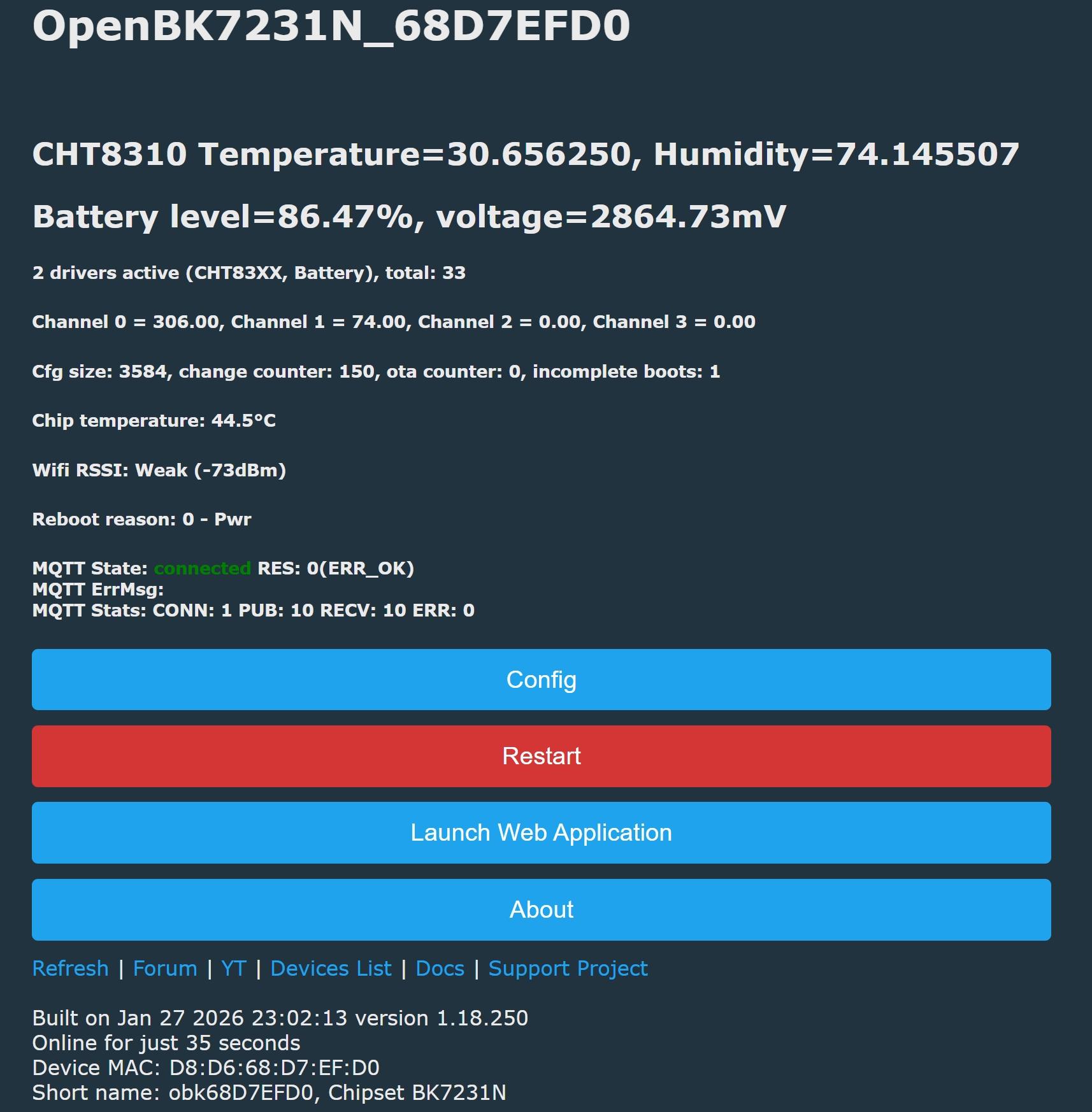
Firmware version: Built on Jan 27, 2026 23:02:13, version 1.18.250
This is what the log looks like.
I can not get addEventHandler OnHold 14 to work in either template/config or autoexec.bat, and now I am thinking it is because the firmware thinks it is being pressed continuously.
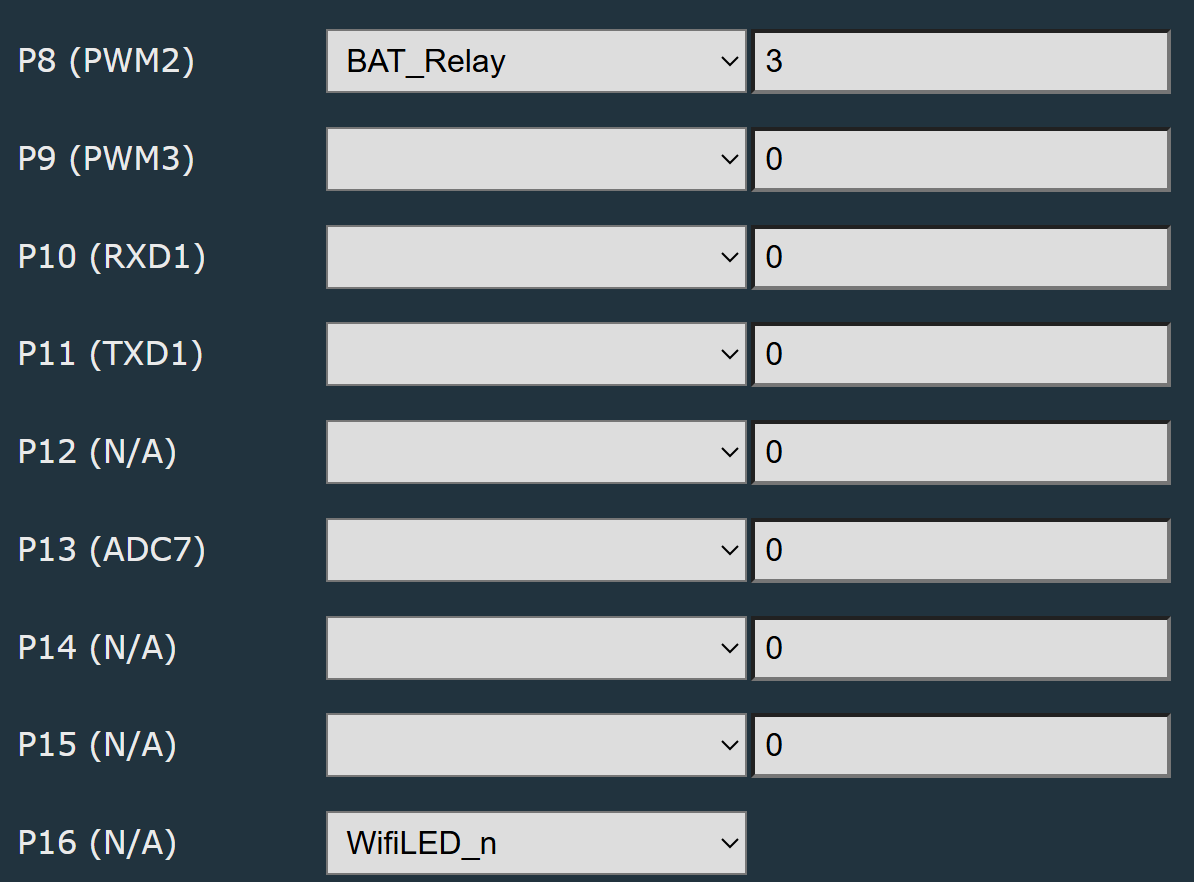
If I configure the pin as "14": "Btn;4;0", it get the Button_OnLongPressHold continuously in log. If I set pin to Btn_pd. Btn_pd_n or Btn_n the Button_OnLongPressHold messages in log go, but the button press is not detected.
It looks like a similar problem to the post: [url=]https://www.elektroda.com/rtvforum/topic4162671.html
I am wanting to be able to press the button at boot, to stop autoexec from running or to check in autoexec for button press to cancel deepsleep.
Here is the tuya dump from when I flashed sensor
Is it possible to fix this, if so how ?
Thanks
AI: Can you confirm if the physical button on pin 14 is working correctly—e.g., does it feel stuck, or have you checked with a multimeter if the pin is pulled high/low as expected when pressed and released?
physical button on pin 14 is working correctly, tested with multimeter.
AI: Have you tried using a different firmware version or testing the button functionality on another similar device to see if the issue persists, or is it only happening with this specific firmware and device?
I dont have a similar device to test firmware, and have only downloaded latest firmware.
I am getting alot of Button_OnLongPressHold messages in log - as in continuously, as if I am holding the button down on the device.
I have this TH08 /1? temperature / humidity sensor - wifi only.
Link
Firmware version: Built on Jan 27, 2026 23:02:13, version 1.18.250
{
  "vendor": "Tuya",
  "bDetailed": "0",
  "name": "Generic Wi-Fi TH01? Temperature & Humidity Sensor [CHT8310]",
  "model": "TH08",
  "chip": "BK7231N",
  "board": "CBU",
  "flags": "0",
  "keywords": [
    "battery",
    "environment",
    "AAA",
    "hygrometer",
    "th08 label",
    "blue pcb",
    "sensylink"
  ],
  "pins": {
    "8": "BAT_Relay;3",
    "14": "Btn;4;0",
    "16": "WifiLED_n;0",
    "20": "CHT83XX_SCK;0",
    "22": "CHT83XX_SDA;0;1",
    "23": "BAT_ADC;2"
  },
  "command": "backlog PowerSave 1; startDriver battery; startDriver CHT83XX",
  "image": "https://obrazki.elektroda.pl/5743076800_1701986603.png",
  "wiki": "https://www.elektroda.com/rtvforum/topic4019974.html"
}
This is what the log looks like.
Quote:
Info:GEN:14 Button_OnLongPressHold
Info:GEN:14 Button_OnLongPressHold
Info:GEN:14 Button_OnLongPressHold
Info:GEN:14 Button_OnLongPressHold
Info:GEN:No change in channel 0 (still set to 334) - ignoring
Info:GEN:No change in channel 1 (still set to 75) - ignoring
Info:GEN:14 Button_OnLongPressHold
Info:GEN:14 Button_OnLongPressHold
Info:GEN:14 Button_OnLongPressHold
Info:GEN:No change in channel 0 (still set to 334) - ignoring
Info:GEN:No change in channel 1 (still set to 75) - ignoring
Info:GEN:14 Button_OnLongPressHold
Info:GEN:14 Button_OnLongPressHold
Info:GEN:14 Button_OnLongPressHold
Info:GEN:No change in channel 0 (still set to 334) - ignoring
Info:GEN:No change in channel 1 (still set to 75) - ignoring
Info:GEN:14 Button_OnLongPressHold
Info:GEN:14 Button_OnLongPressHold
Info:GEN:14 Button_OnLongPressHold
Info:GEN:No change in channel 0 (still set to 334) - ignoring
Info:GEN:CHANNEL_Set channel 1 has changed to 76 (flags 0)
Info:GEN:14 Button_OnLongPressHold
Info:GEN:14 Button_OnLongPressHold
Info:GEN:14 Button_OnLongPressHold
I can not get addEventHandler OnHold 14 to work in either template/config or autoexec.bat, and now I am thinking it is because the firmware thinks it is being pressed continuously.
If I configure the pin as "14": "Btn;4;0", it get the Button_OnLongPressHold continuously in log. If I set pin to Btn_pd. Btn_pd_n or Btn_n the Button_OnLongPressHold messages in log go, but the button press is not detected.
It looks like a similar problem to the post: [url=]https://www.elektroda.com/rtvforum/topic4162671.html
I am wanting to be able to press the button at boot, to stop autoexec from running or to check in autoexec for button press to cancel deepsleep.
Here is the tuya dump from when I flashed sensor
Quote:
{
"abi":"0",
"id":"null",
"swv":"1.0.0",
"bv":"40.00",
"pv":"2.2",
"lpv":"3.4",
"pk":"xflodz7oja0pndk3",
"firmk":"null",
"cadv":"1.0.3",
"cdv":"1.0.0",
"dev_swv":"1.0.0",
"s_id":"null",
"dtp":"0",
"sync":"0",
"attr_num":"0",
"mst_tp_0":"0",
"mst_ver_0":"null",
"mst_tp_1":"0",
"mst_ver_1":"null",
"mst_tp_2":"0",
"mst_ver_2":"null",
"mst_tp_3":"0",
"mst_ver_3":"null ",
"em_sys_env":"BK7231NL"
}
Sorry, no meaningful pins data found. This device may be TuyaMCU or a custom one with no Tuya config data.
No module information found.
Device internal platform - BK7231NL, equals BK7231N.
And the Tuya section starts, as usual, at 2023424 (0x1EE000)
Is it possible to fix this, if so how ?
Thanks
AI: Can you confirm if the physical button on pin 14 is working correctly—e.g., does it feel stuck, or have you checked with a multimeter if the pin is pulled high/low as expected when pressed and released?
physical button on pin 14 is working correctly, tested with multimeter.
AI: Have you tried using a different firmware version or testing the button functionality on another similar device to see if the issue persists, or is it only happening with this specific firmware and device?
I dont have a similar device to test firmware, and have only downloaded latest firmware.