







Action LSC ceiling lamp - Tutorial
Recently i found a smarthome lamp at Action and saw that there are different versions out there. This version here seems to be the newest and up to date lamp from LSC.
If cloudcutter does not work we need to get access to the smarthome chip.
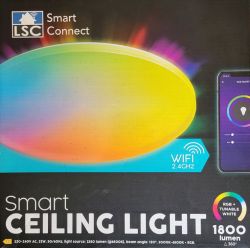
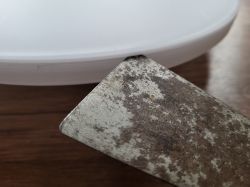
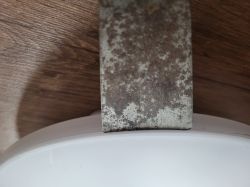
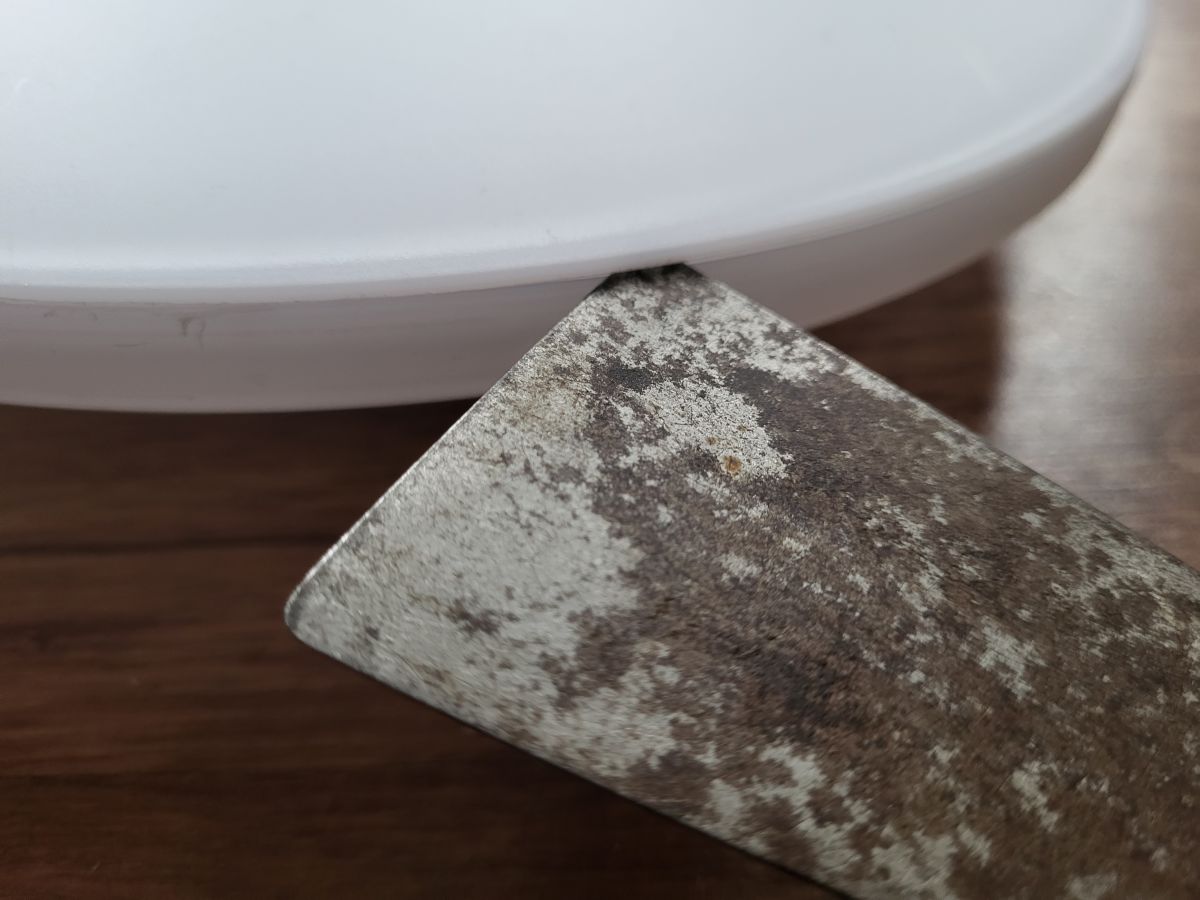
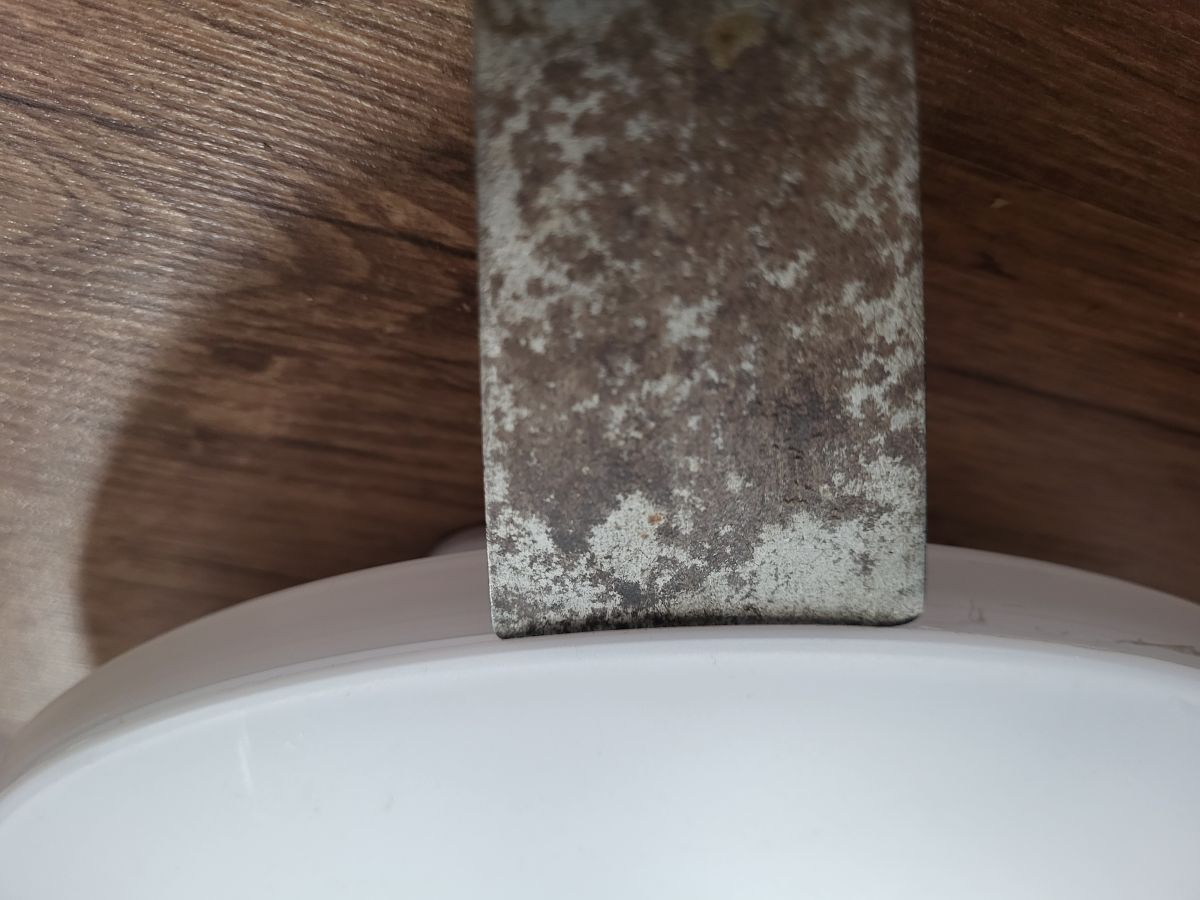
First we need to open the Lamp. The easiest way to get access is by going through the front. You can insert a scraper in this little nodge here. The cover is glued in... the easiest way without destroying anything is to twist the scraper to both sides. reposition the scraper on a different position and repeat the twisting motion until you can open the lid. be patient and you will only destroy the glue.
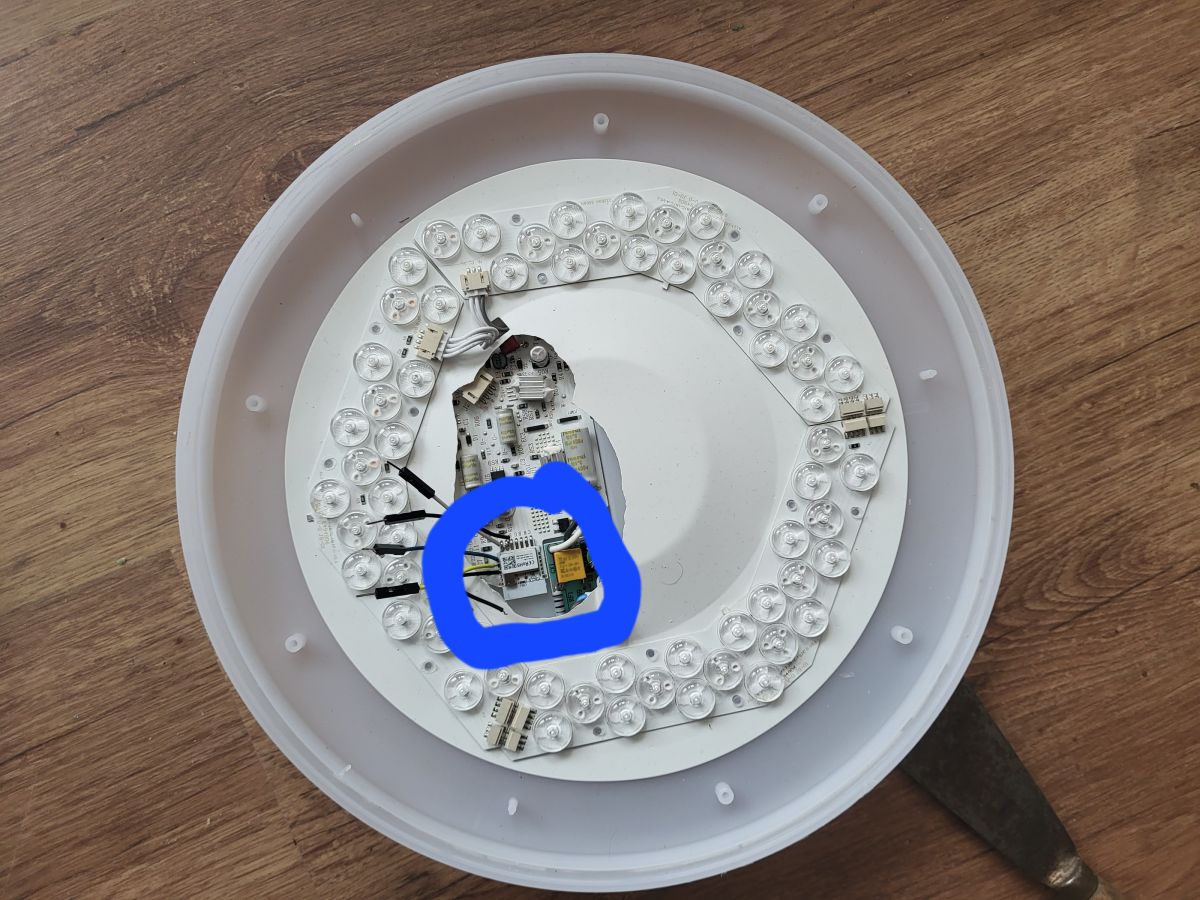
Now we need to cut a little hole into the cardboard. you can see where the CBU chip is located on the picture. Either you solder some wires or you just insert a CBU flashing jig. (My hole was to big. only the blue circle is needed to be open)
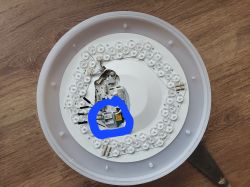
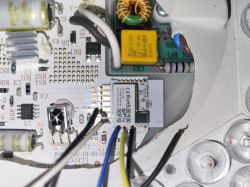 blue=TX / yellow=RX / black=GND and CEN / white=VCC
After flashing firmware for a BK7231N chip you can use the lamp with OpenBeken. Last step is to configure the firmware. everything you need is in the profile.
This lamp does include a IR-Remote. To use the standard buttons of the ir-remote you have to add eventHandler2 with the correct remote adress to respond. First i tried to use the "on startup command" section but that was a mess. Some eventhandler did not get recognized or handled wrong. So make sure to add all ir-remote eventHandler2 into the autoexec.bat. Only if you put them there they are guranteed to work flawlessly.
IR_NEC is my remote name. Your remote name can differ!
First press a button on the remote. Look in the webapp logs If the remote name differs from IR_NEC. Make sure to edit every command below to match your remote name.
(currently the list is not completed. Only on/off/dim+/dim- were configured.)
autoexec.bat
Recently i found a smarthome lamp at Action and saw that there are different versions out there. This version here seems to be the newest and up to date lamp from LSC.
If cloudcutter does not work we need to get access to the smarthome chip.
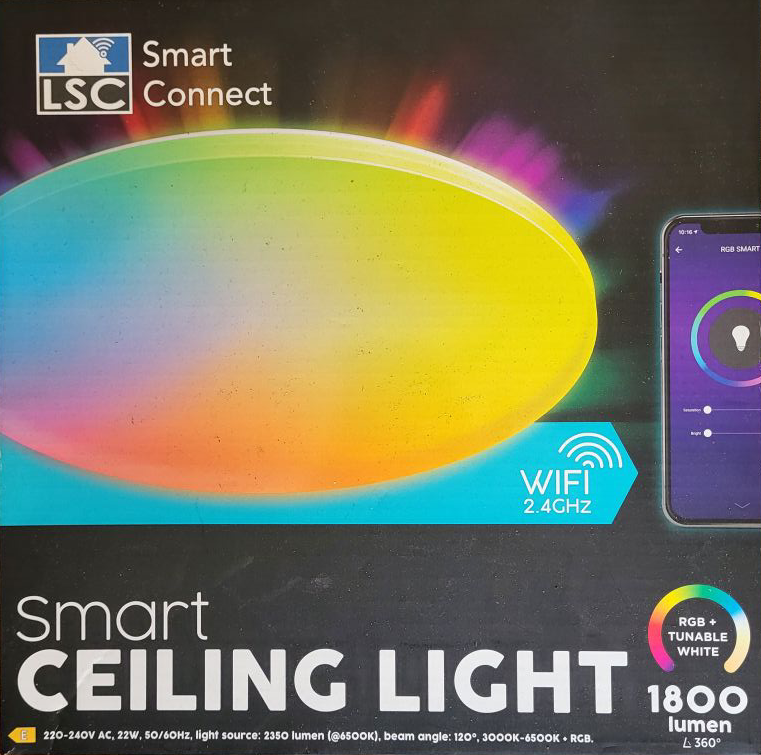
First we need to open the Lamp. The easiest way to get access is by going through the front. You can insert a scraper in this little nodge here. The cover is glued in... the easiest way without destroying anything is to twist the scraper to both sides. reposition the scraper on a different position and repeat the twisting motion until you can open the lid. be patient and you will only destroy the glue.
Now we need to cut a little hole into the cardboard. you can see where the CBU chip is located on the picture. Either you solder some wires or you just insert a CBU flashing jig. (My hole was to big. only the blue circle is needed to be open)
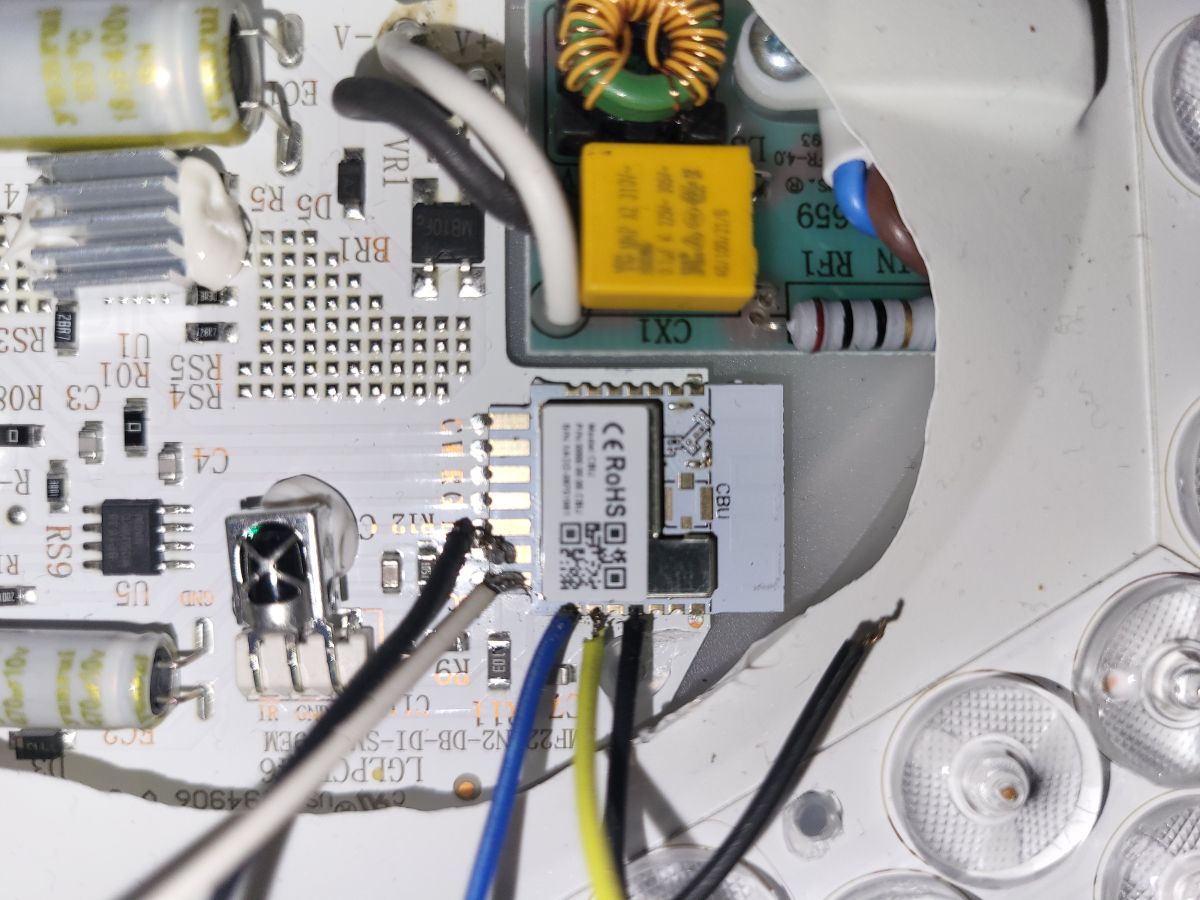 blue=TX / yellow=RX / black=GND and CEN / white=VCC
After flashing firmware for a BK7231N chip you can use the lamp with OpenBeken. Last step is to configure the firmware. everything you need is in the profile.
    {
      "vendor": "Action",
      "bDetailed": "0",
      "name": "LSC RGBCW Ceiling Lamp",
      "model": "3218147",
      "chip": "BK7231N",
      "board": "CBU",
      "flags": "138434323",
      "keywords": [
        "LGLPCB646",
        "LMF22AN2-DB-DI-SM2289EM"
      ],
      "pins": {
        "6": "PWM;1",
        "7": "PWM;5",
        "8": "PWM;4",
        "15": "IRRecv;0",
        "24": "PWM;3",
        "26": "PWM;2"
      },
      "command": "",
      "image": "https://obrazki.elektroda.pl/6739741800_1769098083.png",
      "wiki": "https://www.elektroda.com/rtvforum/viewtopic.php?p=21816561"
    }
This lamp does include a IR-Remote. To use the standard buttons of the ir-remote you have to add eventHandler2 with the correct remote adress to respond. First i tried to use the "on startup command" section but that was a mess. Some eventhandler did not get recognized or handled wrong. So make sure to add all ir-remote eventHandler2 into the autoexec.bat. Only if you put them there they are guranteed to work flawlessly.
IR_NEC is my remote name. Your remote name can differ!
First press a button on the remote. Look in the webapp logs If the remote name differs from IR_NEC. Make sure to edit every command below to match your remote name.
(currently the list is not completed. Only on/off/dim+/dim- were configured.)
autoexec.bat
addEventHandler2 IR_NEC 0x0 0x45 led_enableAll 1;
addEventHandler2 IR_NEC 0x0 0x46 POWER OFF;

addEventHandler2 IR_NEC 0x0 0xD add_dimmer -5;
addEventHandler2 IR_NEC 0x0 0x43 add_dimmer 5;
