logo elektroda
logo elektroda
X
logo elektroda

BK7238 - identical MAC address after flashing OpenBK firmware 1.18.247 and 1.18.248

tplewa 633 13
ADVERTISEMENT
Treść została przetłumaczona polish » english Zobacz oryginalną wersję tematu
  • #1 21818853
    tplewa
    Level 39  
    @p.kaczmarek2

    Hello ;)

    I am struggling with these thermometers on the BK7238 and a problem has arisen. Namely, I uploaded firmware 1.18.247 (also tested on 1.18.248) and both thermometers get the same MAC address (C8:47:8C:42:88:48).

    Unfortunately the option to change the MAC address in the configuration does not work for this chip :( Ot disconnects the connection and that's the end of it....

    UART2 console log attached change_ma..og.txt (24.82 kB)You must be logged in to download this attachment.

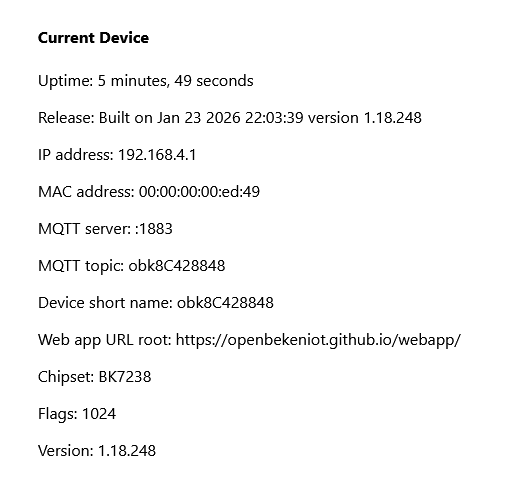
    In the web application the MAC shown is wrong (in the configuration it shows ok)
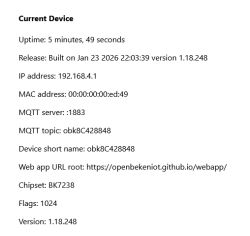

    Screenshot of BK7238 device info panel showing invalid MAC address

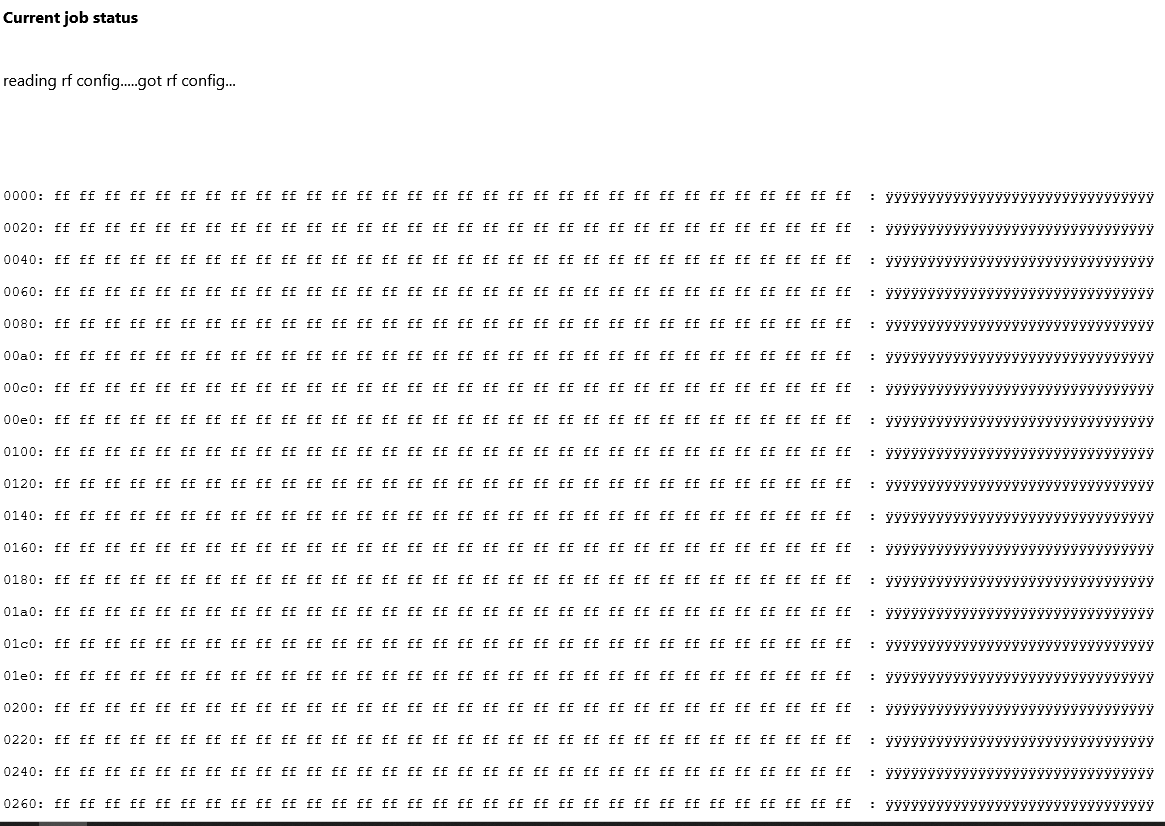
    I've also read the RF Config section and it looks empty and restoring does nothing....
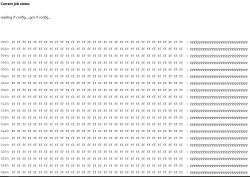

    UART2 console showing RF config with only 0xFF bytes, indicating blank memory

    Any ideas how the MAC can be changed ?
  • ADVERTISEMENT
  • #2 21818854
    p.kaczmarek2
    Moderator Smart Home
    We are working on it. The RF partition needs to be moved. Colleague @divadiow knows something more about this. We had a topic about it the other day, check on com and maybe I can find it myself....

    M.in. test post: https://www.elektroda.com/rtvforum/topic4133895.html#21722611
    Helpful post? Buy me a coffee.
  • ADVERTISEMENT
  • #3 21818960
    divadiow
    Level 38  
    Hello.

    This post details the RF recovery procedure but still requires UART flashing: https://www.elektroda.com/rtvforum/topic4106397.html#21764525

    I don't know what the ultimate solution is, but I do recall suggesting recently that maybe Easy Flasher should make a point of telling users to definitely backup BK7238 before flashing OBK and maybe even auto-restoring RF from backup automatically.

    I'm not sure why the current OBK offset for RF on BK7238 does not align with Tuya's, but maybe it's already too late for a breaking change - BK7238 is already super popular, the BK7231 of 2026.
  • #4 21818971
    insmod
    Level 31  
    RF section on common, non-Tuya BK7238 is at 0x1E0000. On T1 - at 0x1E3000.
    And unfortunately, that's where OBK stores it's flash vars (reboot count, etc.).
    Implement dummy RF generation in web app?
  • #5 21818979
    divadiow
    Level 38  
    insmod wrote:
    Implement dummy RF generation in web app?


    Indeed! Will add. I gated RF restore to be for chipset T, N only in vueoverhaul commits currently. Also, was considering restore function in web app of RF from real backup file
  • ADVERTISEMENT
  • #6 21819043
    p.kaczmarek2
    Moderator Smart Home
    Can't we move away flash vars? On BK7238? It won't hurt, people won't lose much on update, just saved relays states, led state, etc? Hm? Or am I missing something.
    Helpful post? Buy me a coffee.
  • #7 21826802
    theengineeringpracti
    Level 1  
    Hi All, hoping for a solution long term as I have a similar issue but is there a way in the short term to change the MAC address with the initial openBeken firmware before downloading to the device with a different default value. Perhaps, wondering if the MAC var register for these BK7238 chips be optioned with an over write of mac C8:47:8C:42:88:48 as I also get the same MAC address (C8:47:8C:42:88:48) when burning a range of different devices. Perhaps knowing the register location and if this may be a quick work around to over write that area with something like Ltchiptool or similar. Alternatively if the original firmware write could have the default address changeable or the location for the MAC address, so that a manual over write of that memory area can be changed, that would address the short term issue. I understand variables area may be over written but MAC is probably more important than reboot count or similar. P.S. Great work and greatly appreciate the effort with openBeken.
  • #8 21833386
    themarmot
    Level 3  
    Same here :F
    Since everything was good while flashing I kinda stopped to backup my devices after the 5th time; Now I got over 30 BK7238 devices flashed with the same MAC address. Took me a while to discover why the devices weren't connecting, :D
    Any hint/idea?
  • #9 21833387
    insmod
    Level 31  
    >>21833386
    https://www.elektroda.com/rtvforum/topic4106397.html#21764525 (select BK7238)

    Or in web app, page "Flash" -> "Restore (Recreate) RF Config (N & T)". But, there was a report that it made device inaccessible (https://www.elektroda.com/rtvforum/topic4163492.html#21827393)

    On devices without backup, flashed before 1.18.255, original RF/MAC data is lost. On those that were flashed after, it's still at 0x1E3000.
  • #10 21833391
    themarmot
    Level 3  
    >>21833387
    In the web app already tried to restore, no luck, didn't made the device inacessible/bricked but nothing happened at all.

    About the backup, i just have for 5/30 devices. Guess I'm out of luck? :F I don't think I really need the original Mac Address, just something different to prevent networking problems.
  • #11 21833399
    insmod
    Level 31  
    >>21833391
    Did you reboot after doing restore in web app?

    Never mind, i checked web app source, and it does nothing for BK7238.
  • #12 21834420
    themarmot
    Level 3  
    Maybe its a dumb question but ain't there a way to dl the current flash memory and swap the mac address manually using an hex editor as a temporary workaround?
  • ADVERTISEMENT
  • #13 21834433
    insmod
    Level 31  
    What do you mean? If you have default MAC (C8:47:8C:42:88:48), then it's not stored anywhere, but firmware.
    You would need to recompile it with different default MAC to change it.
    There are much better methods than that though.

    You would have to either wait for https://github.com/OpenBekenIOT/webapp/pull/266 to be merged, or create some tiny web server to host it.
    That pull request contains everything needed for RF restore.
  • #14 21839951
    themarmot
    Level 3  
    Used the webapp, now it does change the mac address to something random. I just don't know if it's something related to the RF calibration but one of the devices it does not connect well in an open space with an access point about 5 meters and a door away. When it rarely connect, the signal stays weak

    Anyway, other devices works just fine.
ADVERTISEMENT