Hi,
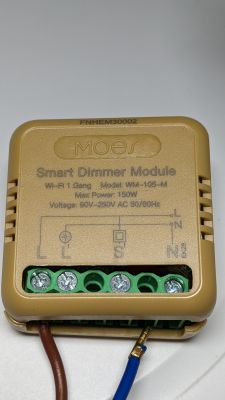
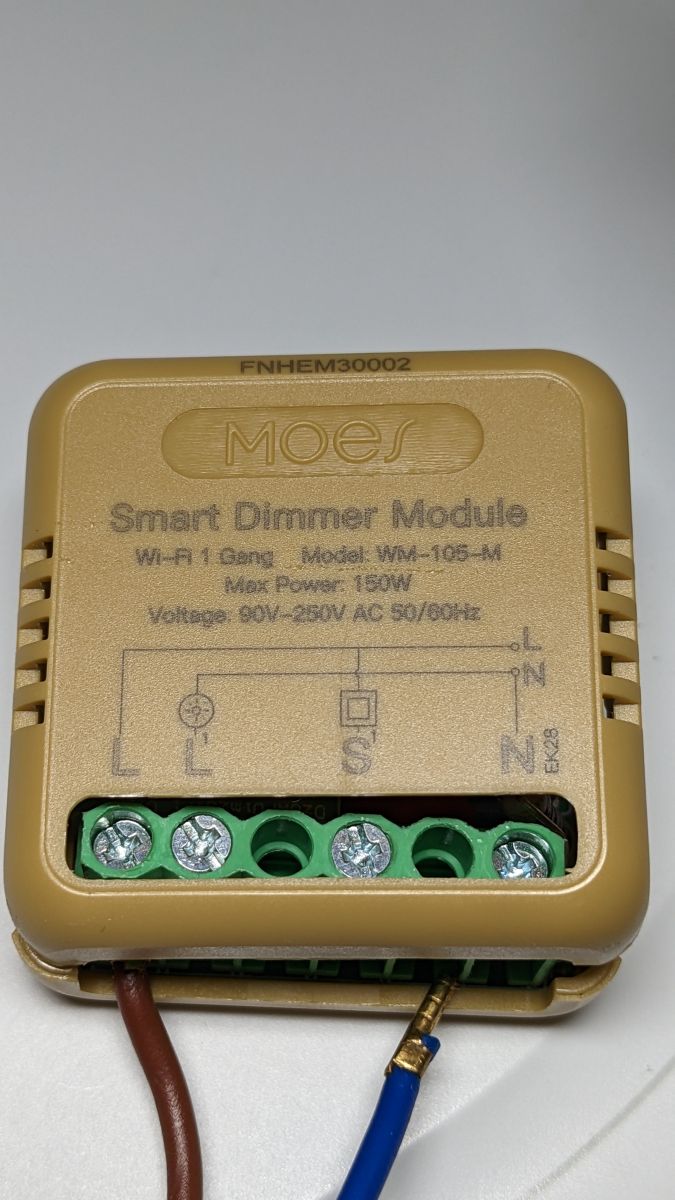
I recently got some Moe's WM-105-M dimmer modules:
Here's a photo with the cover removed as well:
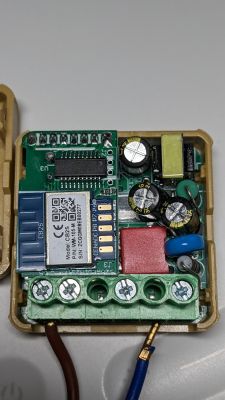
You can see it's a "CB2S" chipset.
I was planning to use tuya-cloudcutter to reflash them with ESPHome; however, I got a bit stuck as I wasn't sure if the version was supported or not.
I did pair the dimmer module with the Tuya app, and it shows the Main Module version as "v1.0.0 (3.1.42)".
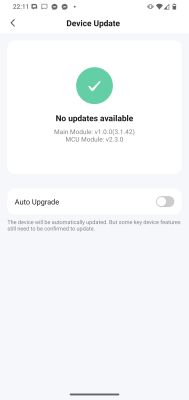
Do I simply ignore the "v1.0.0" and take "3.1.42" as the SDK version? Should I assume that version is unsupported?
What are my options now to try to reflash this module?
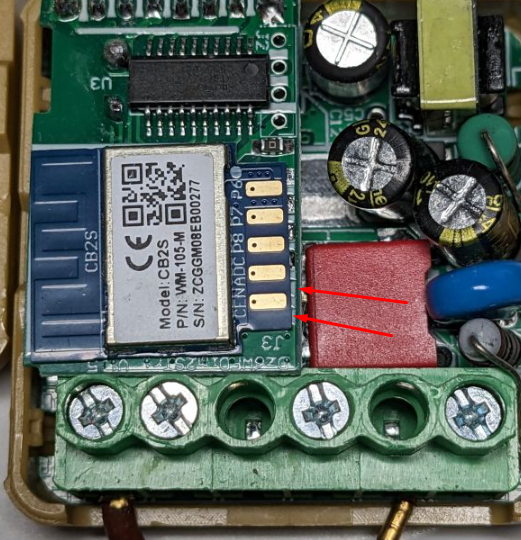
I do see there are five gold pads on the top labelled "CEN", "ADC", "P8", "P7" and "P6".
However, checking the CB2S Datasheet, it seems like the debug pads I actually want are on the underside?
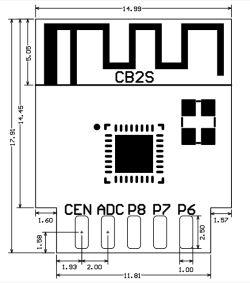
Does that mean I'd need to desolder the entire module off the daughterboard to try to reflash it?
Or is there perhaps another simpler way?
AI: Have you already tried connecting to any of the gold pads on the top (CEN, ADC, P8, P7, P6) for reflashing, or attempted any hardware flashing methods so far? If so, what was the result?
No, I haven't tried any hardware flashing so far using the top pins.
AI: Do you have access to the necessary hardware tools (like a soldering iron, test clips, or a USB-to-serial adapter), and are you comfortable with desoldering or making hardware modifications if needed?
Yes, I do have a soldering iron and a USB-to-serial adapter.
I don't have any test clips, unfortunately—only some basic generic Dupont-style cables, so I guess I'll either need somebody to help hold them in place very steadily or solder them in place.
I recently got some Moe's WM-105-M dimmer modules:
Here's a photo with the cover removed as well:
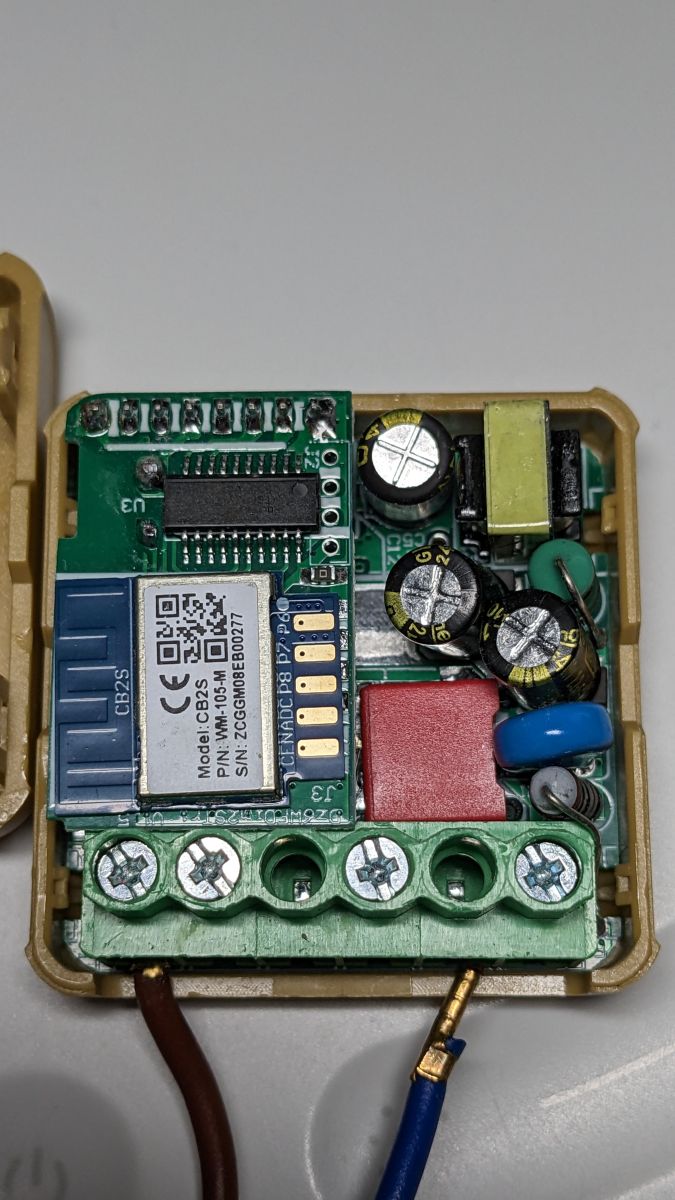
You can see it's a "CB2S" chipset.
I was planning to use tuya-cloudcutter to reflash them with ESPHome; however, I got a bit stuck as I wasn't sure if the version was supported or not.
I did pair the dimmer module with the Tuya app, and it shows the Main Module version as "v1.0.0 (3.1.42)".
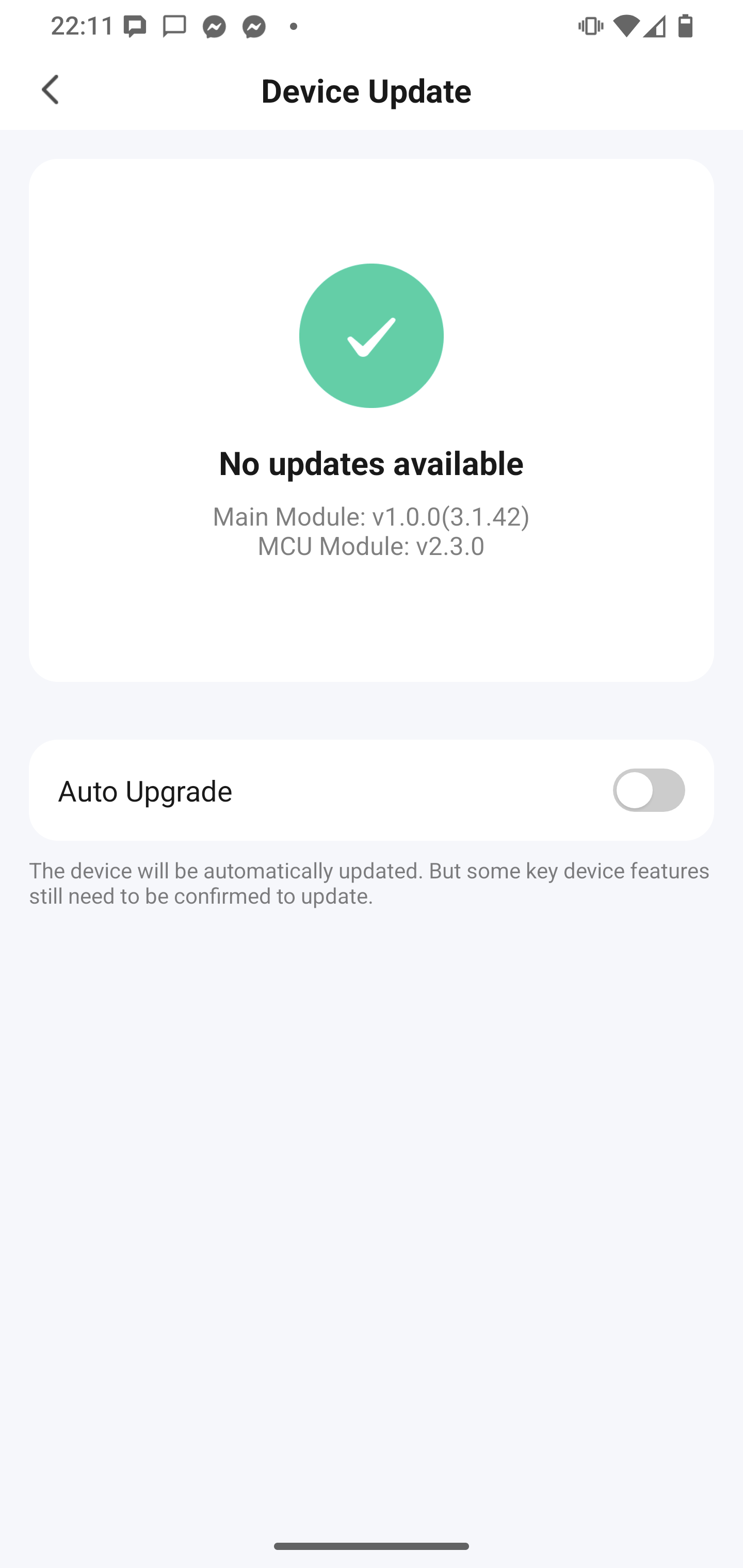
Do I simply ignore the "v1.0.0" and take "3.1.42" as the SDK version? Should I assume that version is unsupported?
What are my options now to try to reflash this module?
I do see there are five gold pads on the top labelled "CEN", "ADC", "P8", "P7" and "P6".
However, checking the CB2S Datasheet, it seems like the debug pads I actually want are on the underside?
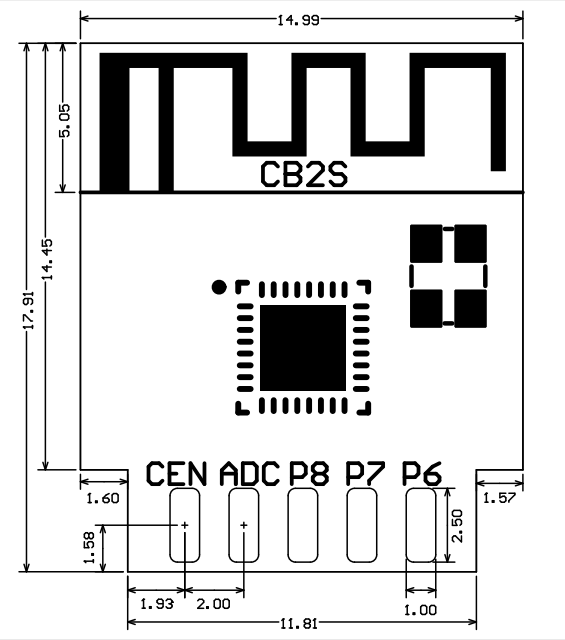
Does that mean I'd need to desolder the entire module off the daughterboard to try to reflash it?
Or is there perhaps another simpler way?
AI: Have you already tried connecting to any of the gold pads on the top (CEN, ADC, P8, P7, P6) for reflashing, or attempted any hardware flashing methods so far? If so, what was the result?
No, I haven't tried any hardware flashing so far using the top pins.
AI: Do you have access to the necessary hardware tools (like a soldering iron, test clips, or a USB-to-serial adapter), and are you comfortable with desoldering or making hardware modifications if needed?
Yes, I do have a soldering iron and a USB-to-serial adapter.
I don't have any test clips, unfortunately—only some basic generic Dupont-style cables, so I guess I'll either need somebody to help hold them in place very steadily or solder them in place.