







Hi,
Here I will add another DIN rail switch device.
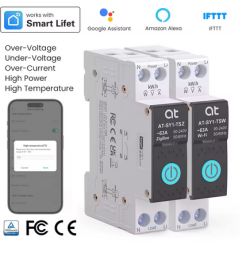
Device name is TUYA WIFI Smart Circuit Breaker Power Metering. It seems to be quite popular on aliexpress now.
The store says it support up to 63A, the text on relay says 40A, so I hope it will handle my 16A.
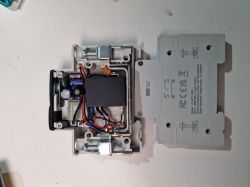
Inside we can see main board with soldered chip, analog 100K thermistor, and interesting magnetic relay, that can be fixed in both states.
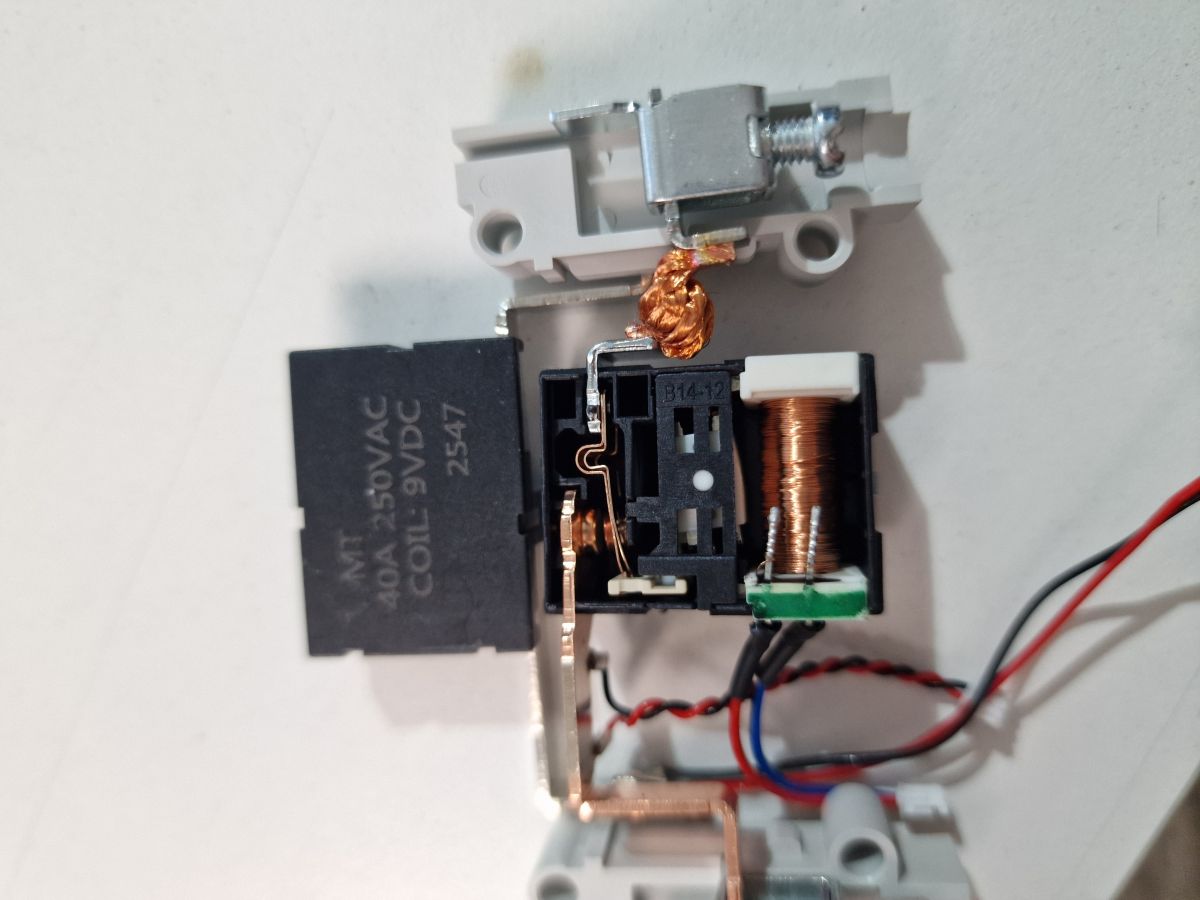
Here is inside of the relay
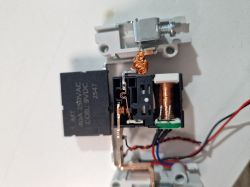
I have removed the chip from main board and flashed it with GUI tool. Seems like it can be flashed without detouching.
Important thing is to enable Bridge driver so the relay do not overheat.
Power metering should be calibrated with
Here goes the template:
And here is autoexec:
The only thing I haven't figured is how to read the analog pin and convert it to the temperature, but I dont really need it.
Here I will add another DIN rail switch device.
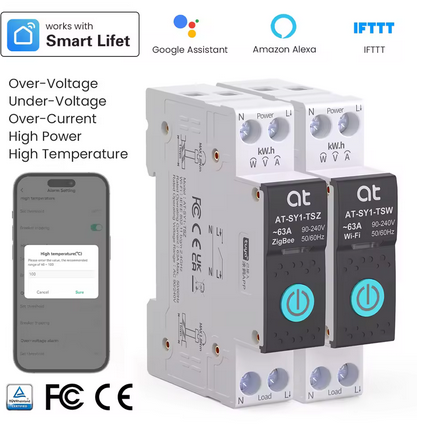
Device name is TUYA WIFI Smart Circuit Breaker Power Metering. It seems to be quite popular on aliexpress now.
The store says it support up to 63A, the text on relay says 40A, so I hope it will handle my 16A.
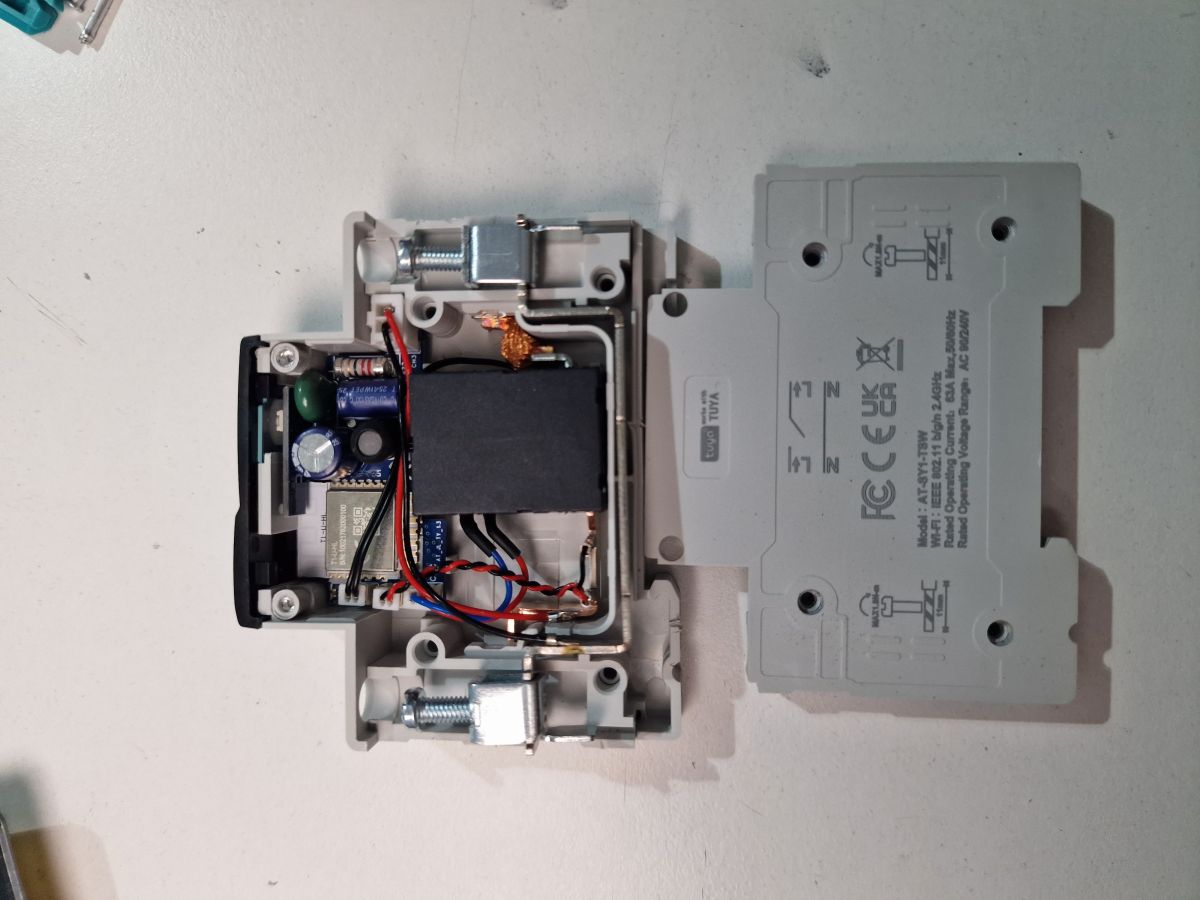
Inside we can see main board with soldered chip, analog 100K thermistor, and interesting magnetic relay, that can be fixed in both states.
Here is inside of the relay
I have removed the chip from main board and flashed it with GUI tool. Seems like it can be flashed without detouching.
Important thing is to enable Bridge driver so the relay do not overheat.
Power metering should be calibrated with
VoltageSet 242.5
CurrentSet 0.449
PowerSet 108.93
Here goes the template:
{
  "vendor": "AT",
  "bDetailed": "0",
  "name": "AT-SY1-TSW DIN rail wifi switch with power metering",
  "model": "AT-SY1-TSW",
  "chip": "BK7238",
  "board": "TODO",
  "flags": "0",
  "keywords": [
    "circut",
    "breaker",
    "switch"
  ],
  "pins": {
    "6": "BridgeREV;1",
    "8": "BridgeFWD;1",
    "17": "Btn;1",
    "20": "ADC;2",
    "21": "LED;1",
    "28": "WifiLED_n;0"
  },
  "command": "",
  "image": "https://obrazki.elektroda.pl/1332857400_1772244672_thumb.jpg",
  "wiki": "https://www.elektroda.com/rtvforum/viewtopic.php?p=21850639#21850639"
}
And here is autoexec:
startDriver BL0942
startDriver Bridge
BridgePulseLength 100
The only thing I haven't figured is how to read the analog pin and convert it to the temperature, but I dont really need it.

