logo elektroda
logo elektroda
X
logo elektroda

Aliexpress ' ON i OFF ' Wifi Smart Switch - BK7231N/T34 Pinout Search

leon22heart 480 14
ADVERTISEMENT
  • #1 21850861
    leon22heart
    Level 4  
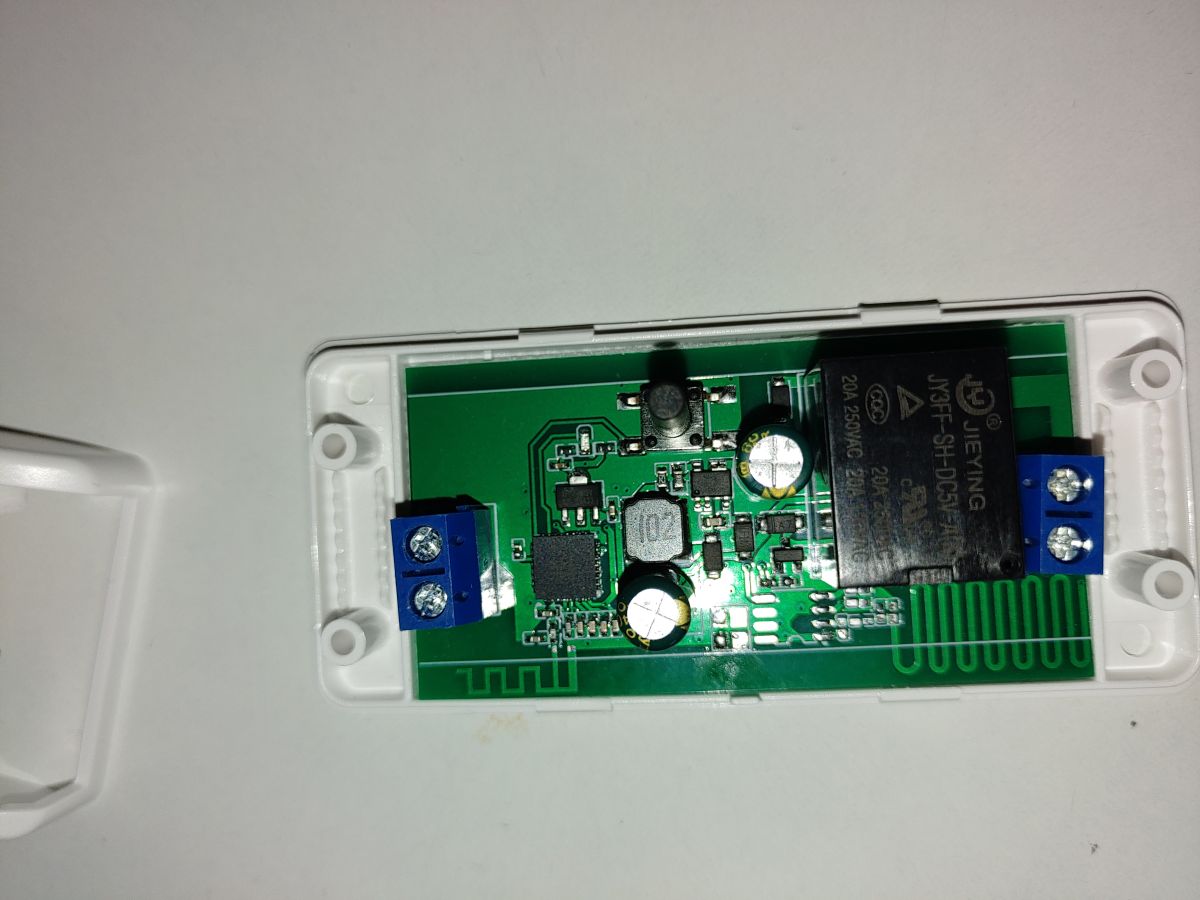
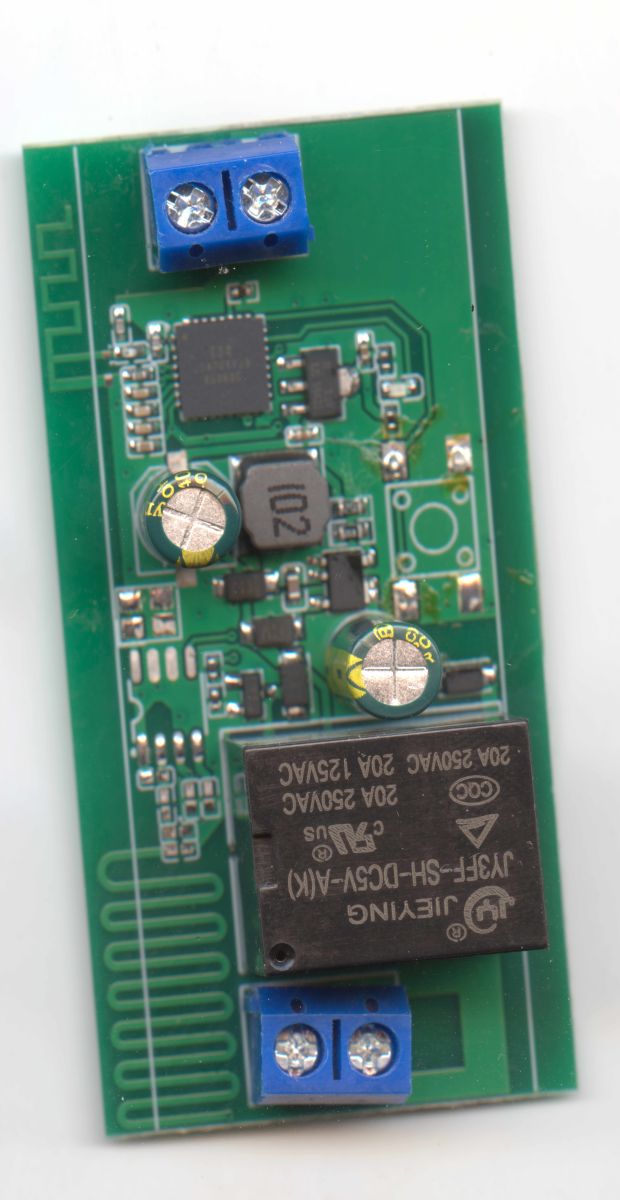
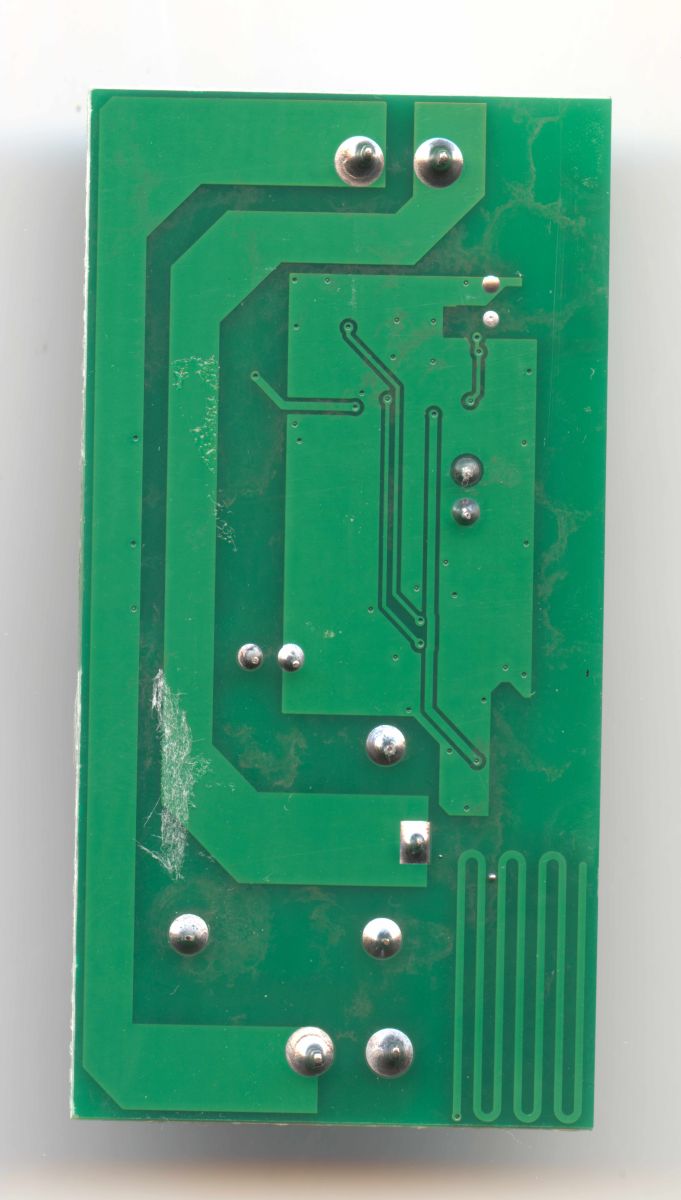
    Hello again . Got this last batch of smart switches on aliexpress. From a first glance i cant seem to find any uart points on the board. So i want to ask this , has anyone on the forum posted something similar or has any thoughts if it can be flashed with openbk ?
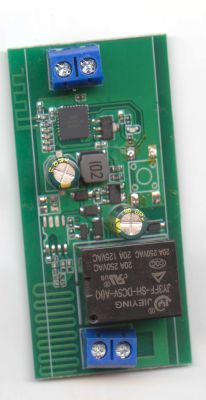
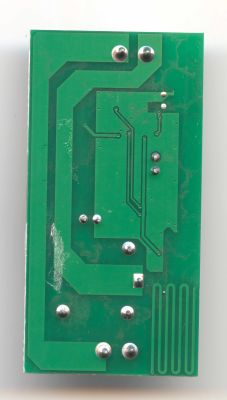
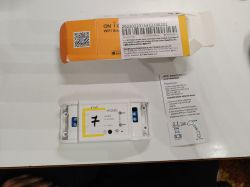
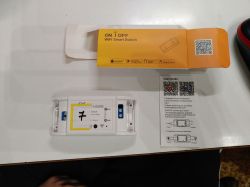
    Green PCB in a white enclosure with a relay and blue screw terminals Aliexpress ' ON i OFF ' Wifi Smart Switch - BK7231N/T34 Pinout Search Aliexpress ' ON i OFF ' Wifi Smart Switch - BK7231N/T34 Pinout Search


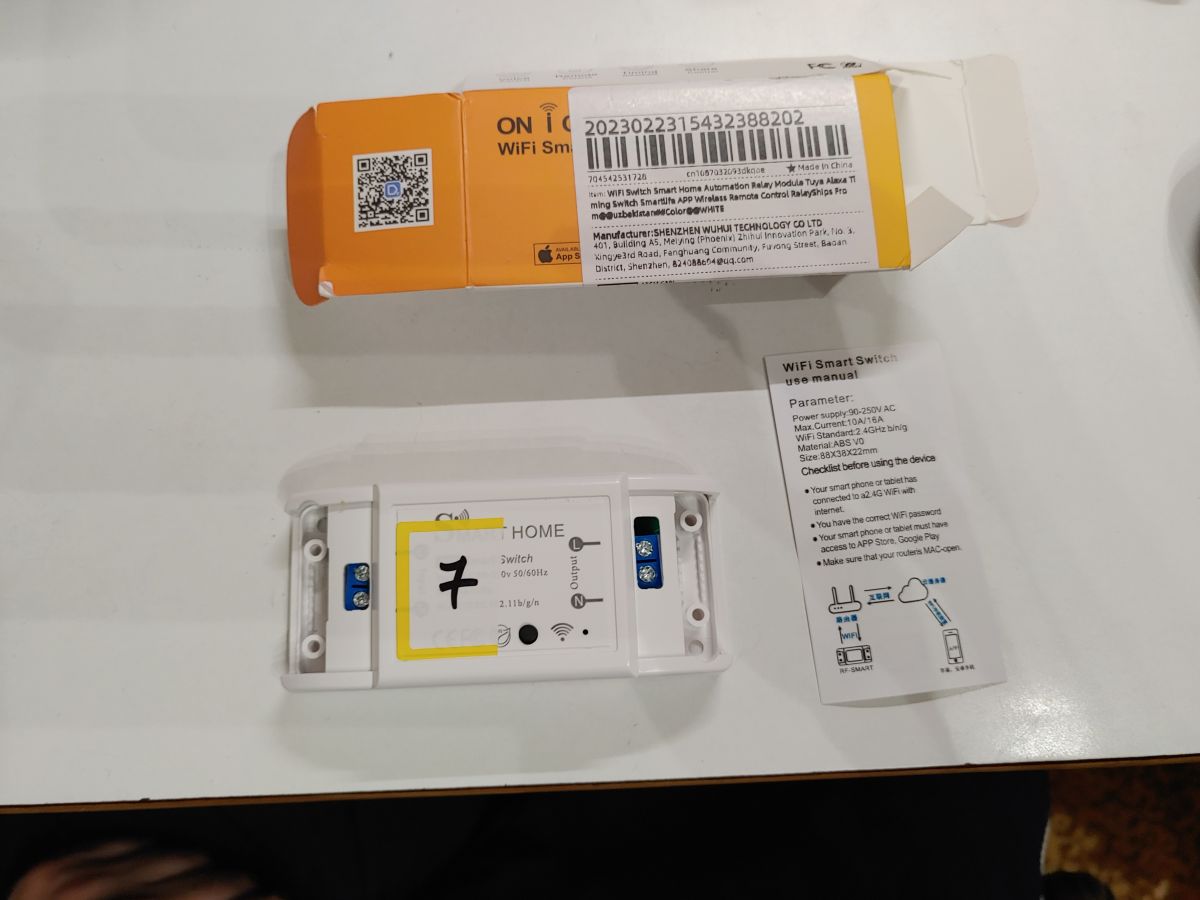
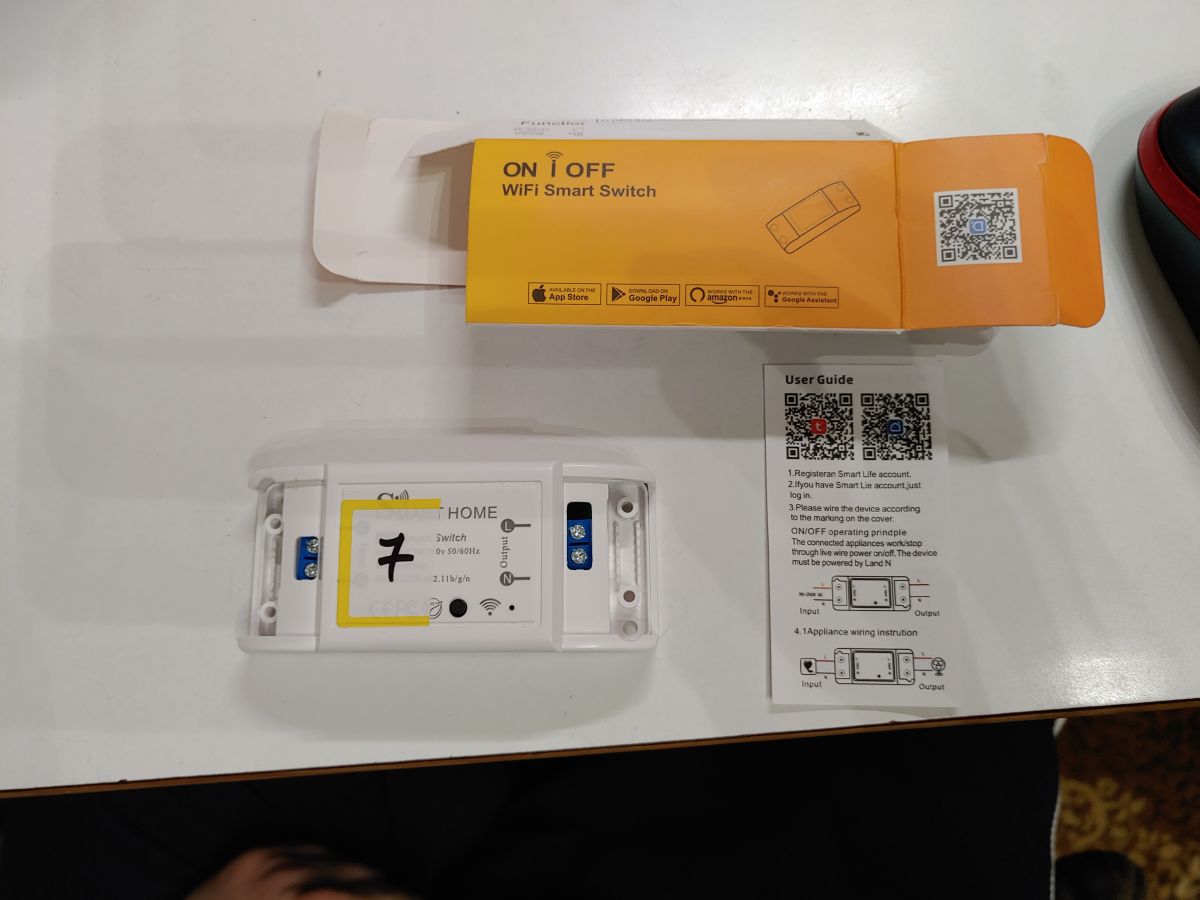
    Packaging, a WiFi Smart Switch module in a white case, and a small manual on a white surface Packaging and Wi‑Fi ON/OFF smart switch module with user guide and QR codes on a white tabletop

    {
      "vendor": "Tuya",
      "bDetailed": "0",
      "name": "Full Device Name Here",
      "model": "enter short model name here",
      "chip": "BK7231N",
      "board": "TODO",
      "flags": "2048",
      "keywords": [
        "TODO",
        "TODO",
        "TODO"
      ],
      "pins": {
        "6": "RCRecv;0",
        "8": "WifiLED_n;0",
        "10": "Btn_Tgl_All;0",
        "14": "TglChanOnTgl;1",
        "15": "Rel;1",
        "23": "TglChanOnTgl;1",
        "24": "Btn_Tgl_All;0",
        "26": "Rel;1"
      },
      "command": "PowerSave 1\r\n",
      "image": "https://obrazki.elektroda.pl/YOUR_IMAGE.jpg",
      "wiki": "https://www.elektroda.com/rtvforum/topic_YOUR_TOPIC.html"
    }
  • ADVERTISEMENT
  • Helpful post
    #2 21850865
    divadiow
    Level 38  
    Any markings on that black square chip?
  • #3 21850874
    leon22heart
    Level 4  
    >>21850865 i am scanning now the board . Had to remove the button in order to scan properly. Will post in a little while.

    Added after 58 [minutes]:

    >>21850865
    T34
    Z547GYYJ9
    Y50B3C

    or

    T34
    2547GYYJ9
    X50B3C

    Seems to be a Beken BK7231N

    Ps1 if pin 2 and 3 are tx and rx i think i have found them on the back of the board. Missing vcc and ground.
  • Helpful post
    #4 21850996
    p.kaczmarek2
    Moderator Smart Home
    Where do you see RX and TX?

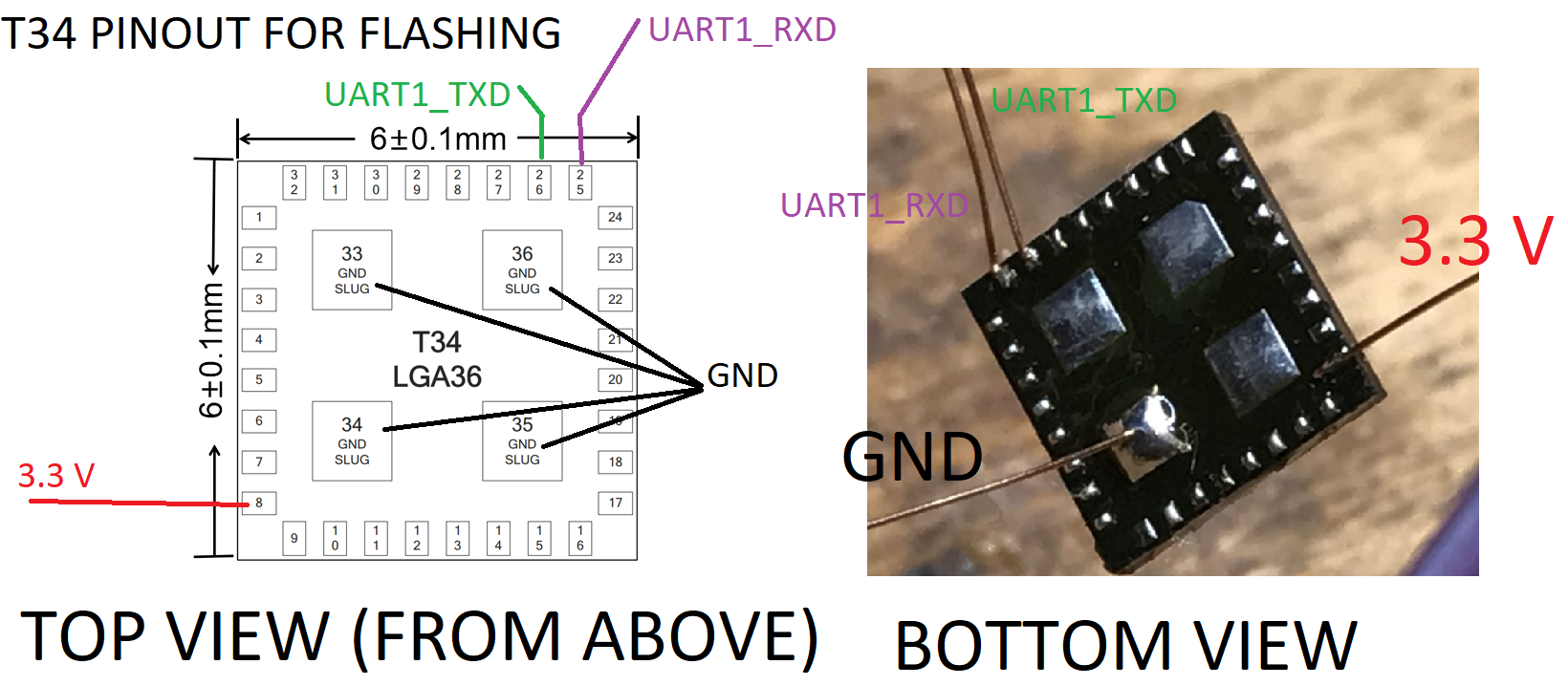
    This is T34 (BK7231N).
    T34 LGA36 flashing pinout diagram and a bottom-view photo labeled UART1, GND, and 3.3 V connections
    Helpful post? Buy me a coffee.
  • #5 21851045
    leon22heart
    Level 4  
    >>21850996 the shematic i saw was for 7231t . So either its t or n or the rx tx are not connected to the board.
  • ADVERTISEMENT
  • Helpful post
    #6 21851049
    p.kaczmarek2
    Moderator Smart Home
    Here is T34 guide:
    https://www.elektroda.com/rtvforum/topic4151159.html
    I think you still have easier scenario, you have physical access to TX and RX on pads of the T34, you can solder a very thin wire there...
    Helpful post? Buy me a coffee.
  • #7 21851052
    leon22heart
    Level 4  
    >>21851049 thank you my friend i think i absolutely fall in this scenario. Thankfully i have a solder station with heat gun. Bad thing is i never tried for someting this small.
  • Helpful post
    #8 21851053
    p.kaczmarek2
    Moderator Smart Home
    Well, you can try on scrap boards first. Get some old device and play around...

    One of the crucial things is to use thin wires, if you solder huge wire directly to T34 pad, you will tear off the pad.
    Helpful post? Buy me a coffee.
  • #9 21851058
    leon22heart
    Level 4  
    >>21851053 i can extract a single copper wire strand from a normal copper wire used for electricity or micro electronics.
  • #10 21851105
    p.kaczmarek2
    Moderator Smart Home
    Yes, that's not a bad approach, give it a go and let us know how it went.
    Helpful post? Buy me a coffee.
  • ADVERTISEMENT
  • Helpful post
    #11 21851127
    leon22heart
    Level 4  
    >>21851105 Unexpectedly it went perfect . Posting firmware for the collection . Will update the template . Have another 3 to flash.
    Attachments:
    • readResult_BK7231N_QIO_2026-28-2-19-44-21.bin (2 MB) You must be logged in to download this attachment.
  • #12 21851145
    p.kaczmarek2
    Moderator Smart Home
    Yes! Did you also manage to solder it back in place?

    I usually solder it back in place on the same solder as it used to be, altough I often see people cleaning ICs with solder wick and applying new solder.
    Helpful post? Buy me a coffee.
  • ADVERTISEMENT
  • #13 21851149
    leon22heart
    Level 4  
    >>21851145 using the same solder as it had . Have no confidence to add more solder or clean the pads . if it was a bigger chip np . Also i use the creamy solder wick not the liquid one thus making it more difficult.

    ps1 flashed and soldered successfully my 2nd switch .

    Added after 1 [hours] 16 [minutes]:

      "vendor": "Tuya",
      "bDetailed": "0",
      "name": "Full Device Name Here",
      "model": "enter short model name here",
      "chip": "BK7231N",
      "board": "TODO",
      "flags": "1024",
      "keywords": [
        "TODO",
        "TODO",
        "TODO"
      ],
      "pins": {
        "8": "WifiLED;0",
        "10": "dInput;0",
        "26": "Rel;0"
      },
      "command": "",
      "image": "https://obrazki.elektroda.pl/YOUR_IMAGE.jpg",
      "wiki": "https://www.elektroda.com/rtvforum/topic_YOUR_TOPIC.html"
    }


    Template thus far . Is there anything in the firmware , another function or something i have to find ?
    And shoud i rename the topic to "on i off smart switch " ?
  • #14 21851425
    p.kaczmarek2
    Moderator Smart Home
    I think you should rather use Button and not dInput for button, or is this on purpose?

    You can rename topic to something more fitting if you feel like.
    Helpful post? Buy me a coffee.
  • #15 21851431
    leon22heart
    Level 4  
    >>21851425 No its not intentional. Just left it as found on Gpio doctor . I have no need for the button , only the relay , so i left it as is.

    Ps1 updated template on 1st post. Extracted from tuya firmware backup. It's complete.

Topic summary

✨ A user received a batch of Tuya-based smart switches from AliExpress featuring the BK7231N chip but initially could not locate UART points on the PCB for flashing with OpenBK firmware. After removing the button for better inspection, markings on the black square chip confirmed it as a Beken BK7231N (T34). The user identified potential TX and RX pads on the back of the board but noted missing VCC and GND connections. Community members referenced a T34 (BK7231N) guide and suggested soldering thin wires directly to the chip pads for UART access, cautioning about the fragility of the pads. The user successfully soldered thin wires extracted from copper wire strands and managed to flash the firmware using OpenBK. The switches were then resoldered using the original solder without cleaning the pads. The user plans to update the device template with the new firmware details and flash additional units. The discussion includes references to the T34 chip schematic and practical advice on handling small SMD pads for UART flashing.
Generated by the language model.

FAQ

TL;DR: The ON i OFF Wi‑Fi smart switch uses a T34-marked BK7231N; 3 GPIOs are mapped (P8, P10, P26). “One of the crucial things is to use thin wires.” [Elektroda, p.kaczmarek2, post #21851053]

Why it matters: This FAQ shows how to identify pins and safely flash OpenBeken on BK7231N/T34 boards without factory test pads.

Quick Facts

What chip is inside the ON i OFF Wi‑Fi smart switch?

It’s a T34‑marked Beken BK7231N. A forum moderator identified the package and shared a labeled image confirming the T34/BK7231N mapping. [Elektroda, p.kaczmarek2, post #21850996]

Can this switch be flashed with OpenBeken?

Yes. The reporting user flashed multiple units and shared a working template afterward, confirming OpenBeken compatibility. [Elektroda, leon22heart, post #21851149]

Where are the UART TX/RX points on the BK7231N/T34 board?

TX and RX are directly accessible on the T34 chip pads. The recommended approach is soldering very thin wires to the pads for access. [Elektroda, p.kaczmarek2, post #21851049]

What GPIOs control the relay, LED, and button?

Observed mapping: P26 controls the relay, P8 drives the Wi‑Fi LED, and P10 is the front button (set as Button or dInput). [Elektroda, leon22heart, post #21851149]

Should the front key be configured as Button or dInput in OpenBeken?

Use Button. An experienced contributor advised selecting Button for the key instead of dInput for proper behavior. [Elektroda, p.kaczmarek2, post #21851425]

Any soldering tips to avoid damaging the T34 pads?

Use very thin conductors; heavy wires can tear pads. As one expert put it, “use thin wires,” and practice on scrap boards first. [Elektroda, p.kaczmarek2, post #21851053]

How do I wire the T34 pads to flash firmware?

  1. Pre‑tin ultra‑fine wire and identify TX/RX pads on T34. 2. Tack solder wires to TX/RX; connect GND to board ground. 3. Flash OpenBeken, then remove wires and re‑assemble. [Elektroda, p.kaczmarek2, post #21851049]

Did re‑soldering the IC after flashing succeed?

Yes. The user re‑soldered the chip using the original solder on the pads and reported the second unit working after flash. [Elektroda, leon22heart, post #21851149]

Are UART pins 2 and 3 confirmed as TX/RX on this board?

No. That was an initial hypothesis; the successful method used direct pad soldering on the T34 instead of relying on those vias. [Elektroda, leon22heart, post #21850874]

What real‑world results were reported in this teardown?

Within roughly an hour of inspection (added after 58 minutes), the board was identified as T34/BK7231N and later flashed successfully. [Elektroda, leon22heart, post #21850874]

What’s the main risk when soldering directly to T34 pads?

Pad lift from mechanical stress is the key risk. Thin, flexible wires reduce strain and help keep pads intact during handling. [Elektroda, p.kaczmarek2, post #21851053]
Generated by the language model.
ADVERTISEMENT