logo elektroda
logo elektroda
X
logo elektroda

EVEREADY S19529 8.5W RGB+ OpenBeken BK7231N CB2L KP18058 RGBW I2C Pinout & Setup

martinstanga 381 5
ADVERTISEMENT
  • Helpful post
    #1 21854978
    martinstanga
    Level 10  
    Posts: 4
    Help: 1
    Rate: 3
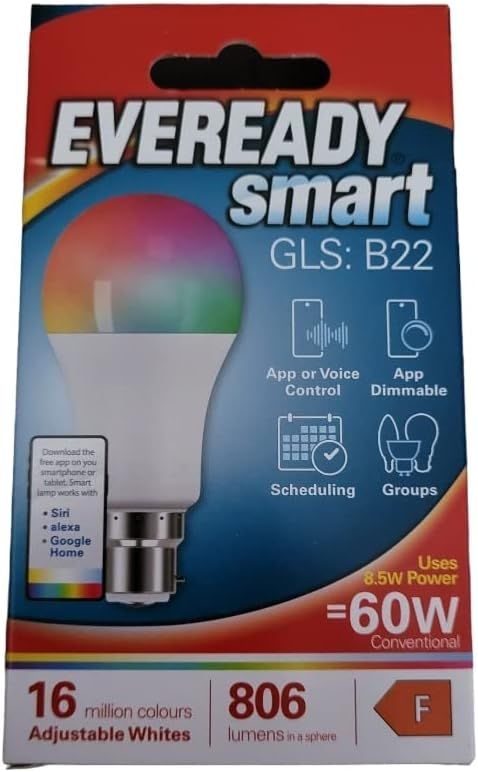
    EVEREADY smart GLS B22 bulb package showing icons and specs: 806 lm, 8.5 W, equals 60 W, class F


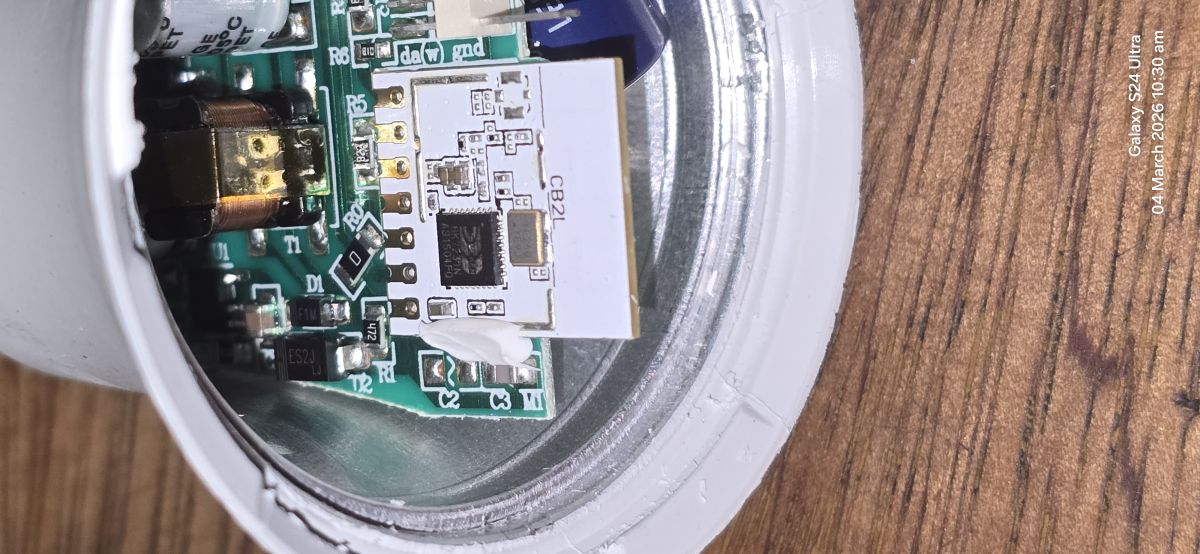
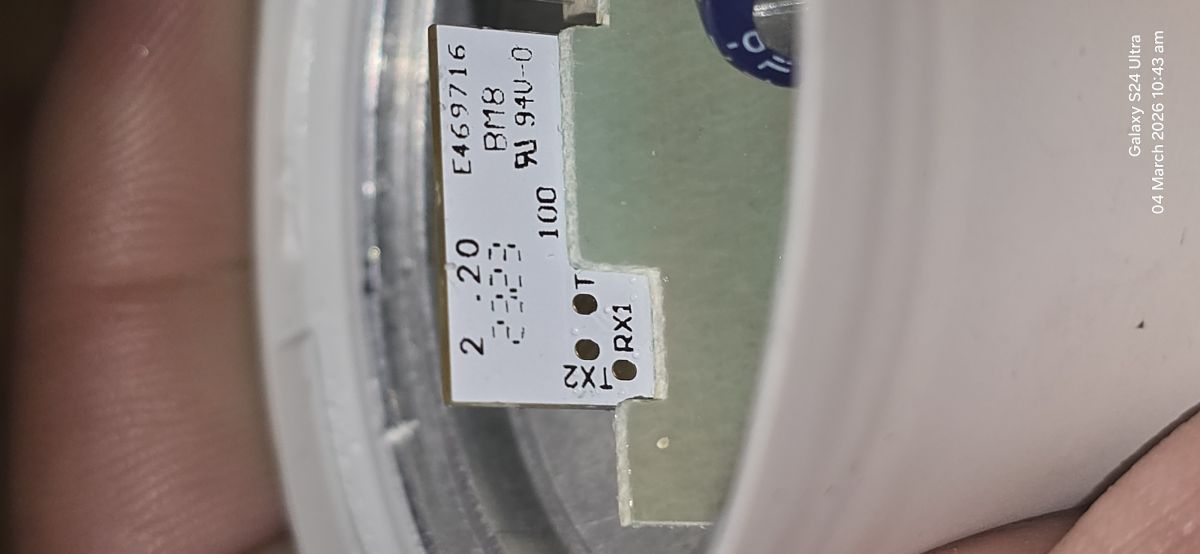
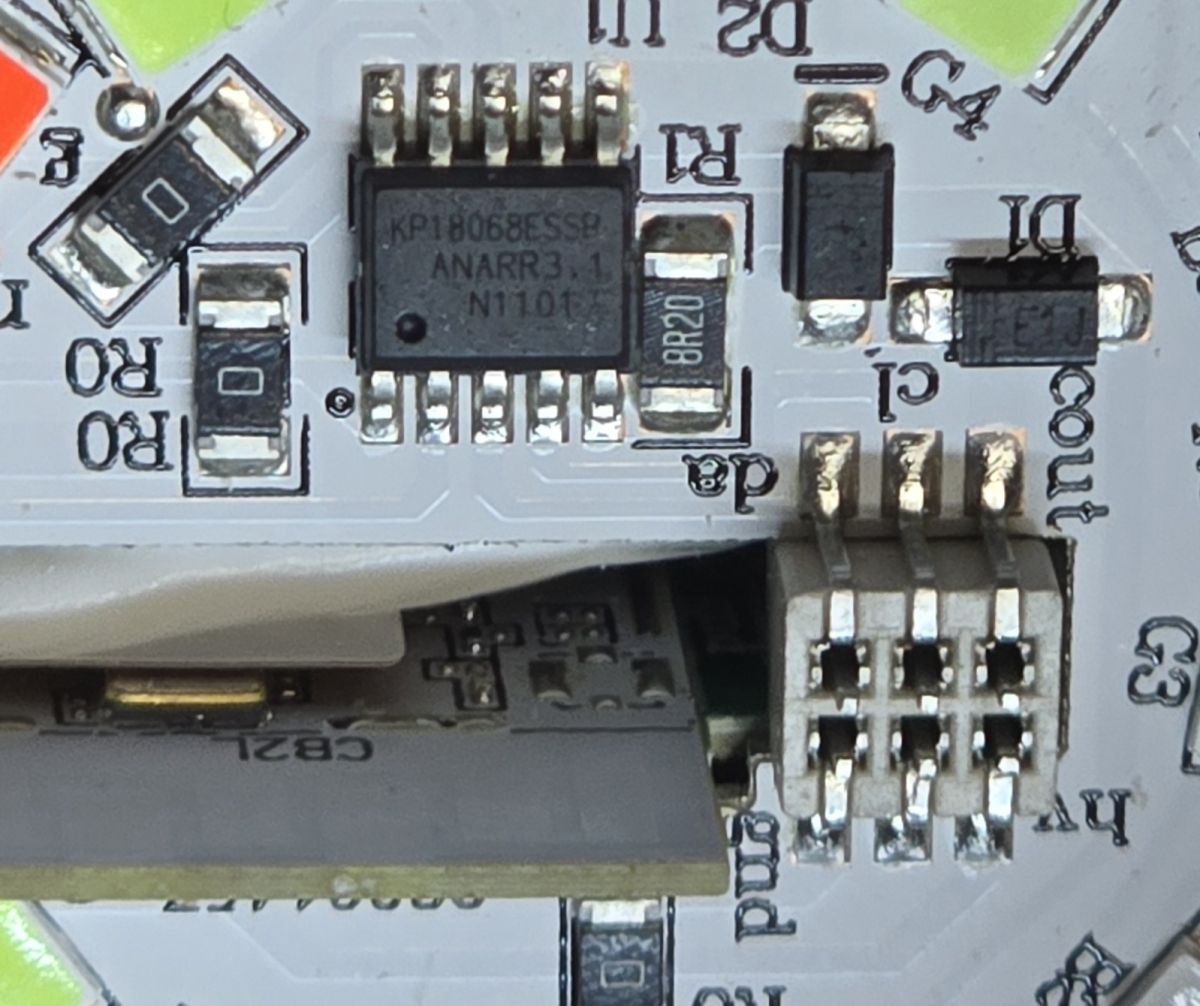
    Inside an LED bulb showing a PCB with a white Wi‑Fi module labeled “CB2L” Close-up of a bulb PCB with solder pads labeled “TX2” and “RX1” next to a white label with numbers. Close-up of a PCB showing KP18068 IC and a multi-pin connector near the “G3” marking
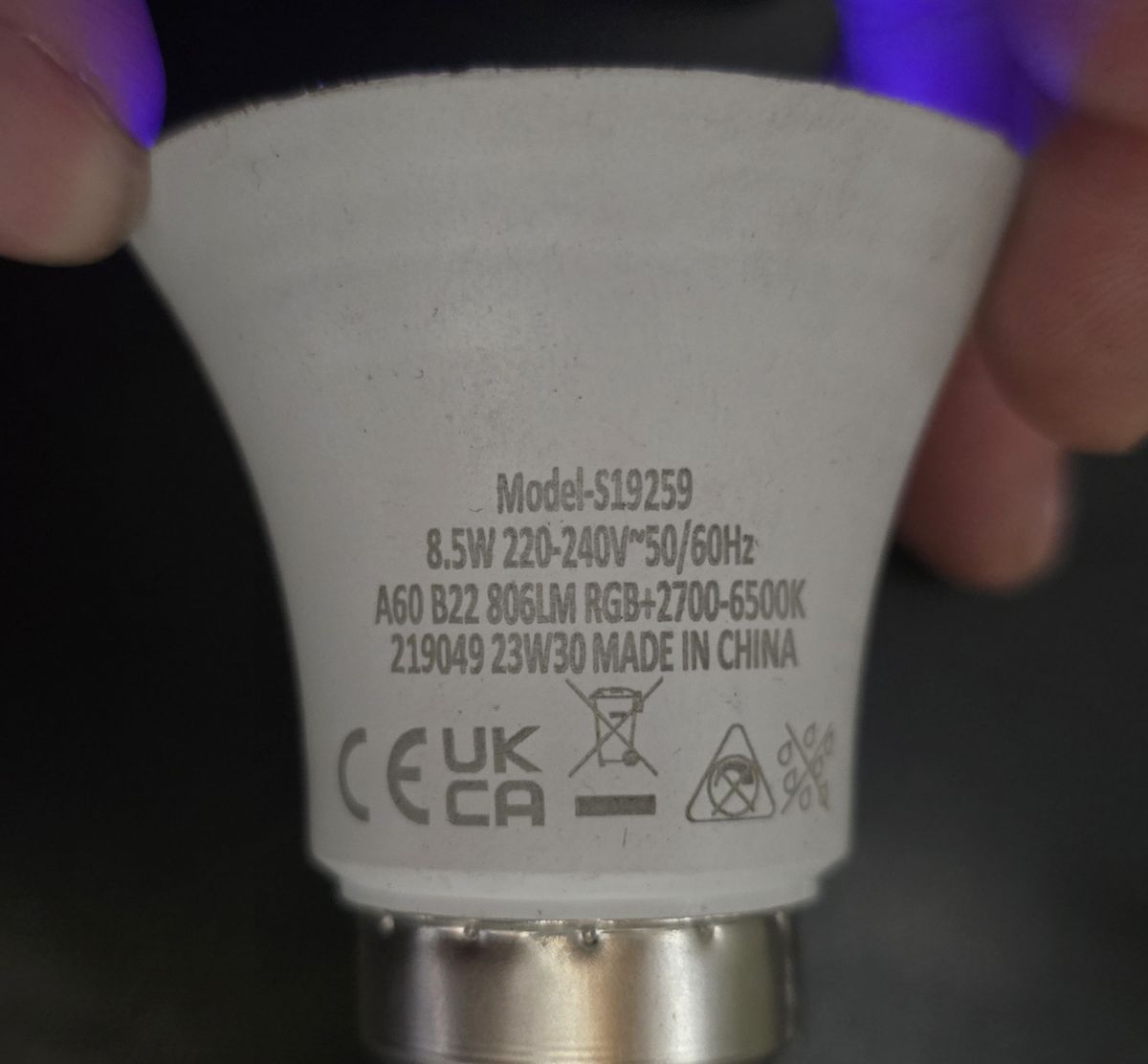
    Close-up of an LED bulb label showing specs: 8.5W, 220–240V, 806 lm, RGB, 2700–6500K

    JSON:
    Code: JSON
    Log in, to see the code


    Fully working (it remember last state, temperature and color blending work).
    It is easy to crack open the top, no tools required, just a raw power, silicone doesn't hold it very strong. LED board than can be pryed by small screwdriver.
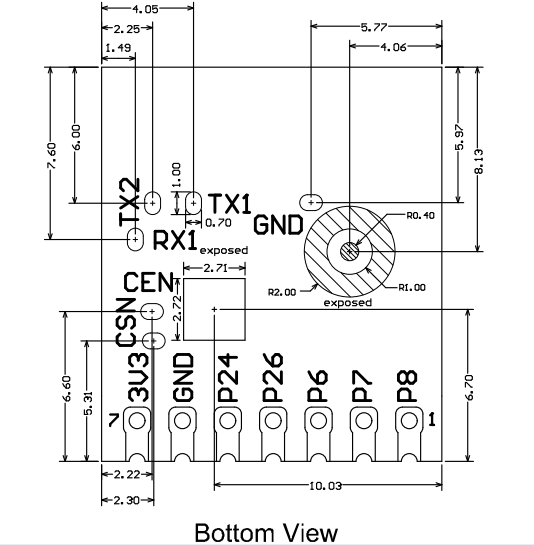
    RX1 and TX1 are accessible after removal of LED board, no need to desolder anything, or pull the boards out - i don't recommend that as pins at the base may not catch the wire properly (i had to make one of the solder), but i provided external 3.3V using my PSU set to 300mA as my USB-TTL can only handle 100mA I used the one on the picture.
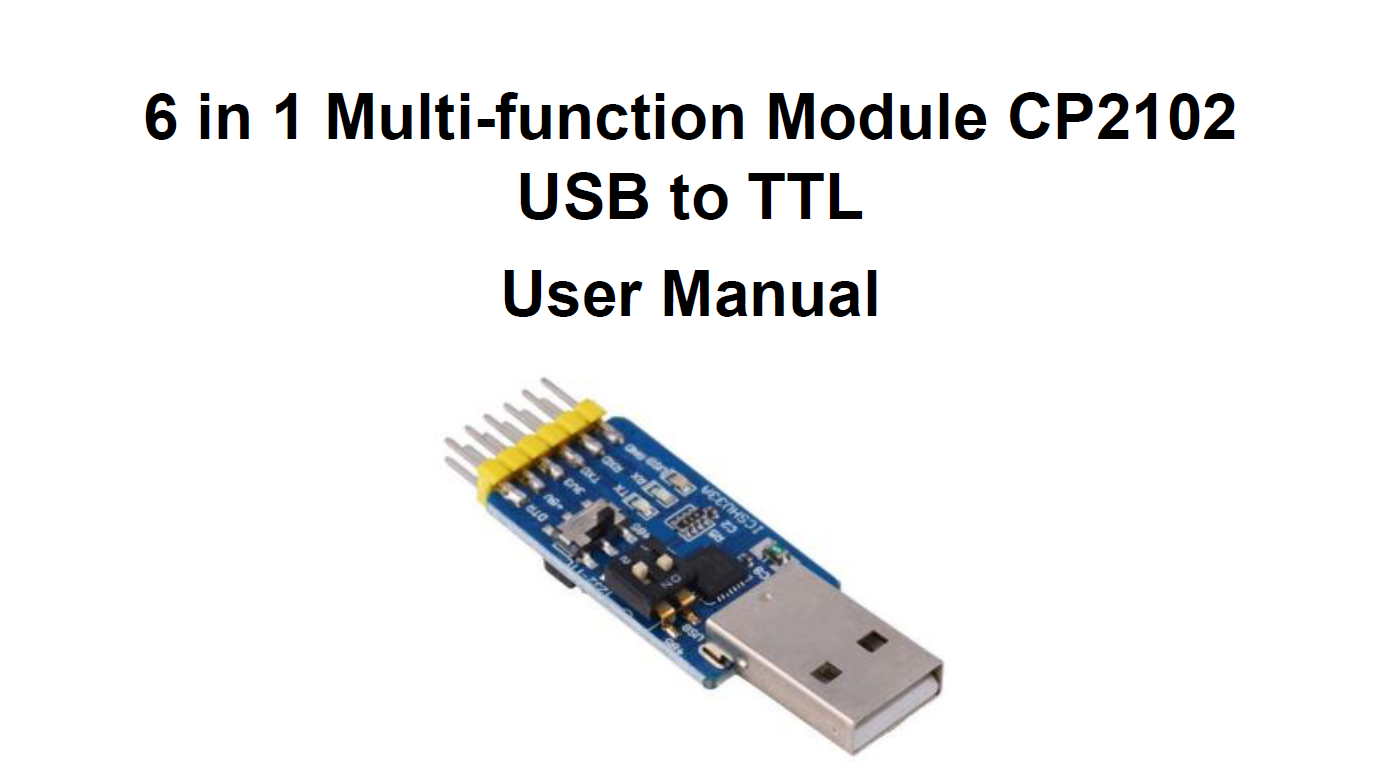
    Cover of CP2102 USB to TTL user manual with a photo of a USB adapter board


    Technical PCB drawing: bottom view with dimensions, pads, and pin labels.

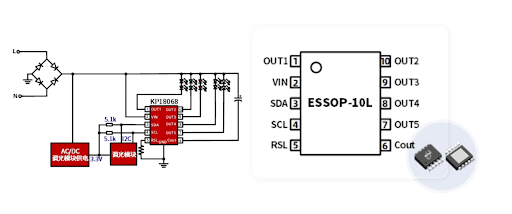
    AC/DC circuit diagram and KP18068 ESSOP‑10L pinout showing OUT1–OUT5, VIN, SDA, SCL, RSL, Cout

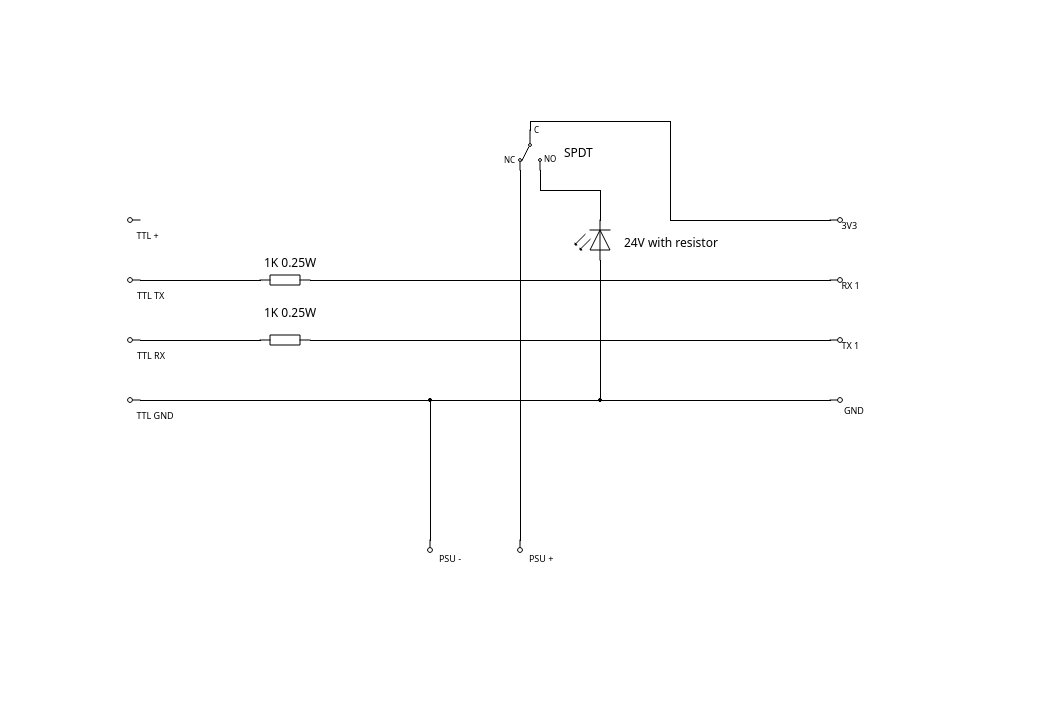
    Wiring diagram for TTL to RX1/TX1 with 3v3, GND, SPDT switch, and 1 kΩ resistors

    The Safe-Flash Hardware Jig

    Why this jig is required: Budget smart bulbs (like the Eveready S19529) often have highly sensitive Beken chips and large capacitors. Standard flashing methods fail because the USB-to-TTL adapter's data lines keep the bulb's chip in a "zombie" powered state even when the main 3.3V power is disconnected. This jig prevents data-line power leakage and actively drains the bulb's capacitors for a clean, 100% reliable reboot.

    How it works (Based on the Schematic):
    1K Resistors placed on the RX and TX data lines: These act as a safety barrier to prevent the TTL adapter from back-powering the chip or frying it during a short.
    Common Ground: The ground from the PSU, the TTL adapter, and the target bulb are permanently tied together. Never switch the ground line.
    The SPDT Bleed Switch:
    Normal State (NC to C): The bulb receives 3.3V from the power supply and boots up normally.
    Reset State (NO to C): When pressed, the switch cuts off the power supply. Simultaneously, it bridges the bulb's 3.3V line directly to a 24V LED. This LED acts as a bleed resistor, instantly siphoning all leftover electricity out of the bulb's capacitors and dumping it to ground.

    Flashing Instructions:
    Connect your TTL adapter and 3.3V 300mA power supply to the input side of the jig. Solder the output wires to the target bulb's pads (3V3, GND, TX, RX).
    Start the flasher tool on your PC (select your COM port and hit "Backup and flash new"). It will begin scanning for the reboot handshake.
    Press and hold the jig's switch for 2 seconds. The LED will flash briefly as it drains the bulb's capacitors.
    Release the switch. The bulb receives a clean surge of 3.3V, performs a true "cold boot," and the flasher software will instantly catch the bootloader.
  • ADVERTISEMENT
  • #2 21855101
    divadiow
    Level 38  
    Posts: 4839
    Help: 420
    Rate: 852
    Poundland?
  • ADVERTISEMENT
  • #3 21855157
    martinstanga
    Level 10  
    Posts: 4
    Help: 1
    Rate: 3
    >>21855101 Yes, it is from Poundland.
  • ADVERTISEMENT
  • ADVERTISEMENT
  • #5 21858301
    martinstanga
    Level 10  
    Posts: 4
    Help: 1
    Rate: 3
    >>21854978
    Tuned current limits to keep temperature under 80 degrees of Celsius

    {
    "vendor": "Tuya",
    "bDetailed": "0",
    "name": "EVEREADY A60 B22 RGB+",
    "model": "S19259",
    "chip": "BK7231N",
    "board": "CB2L",
    "flags": "0",
    "keywords": [
    "RGBW",
    "KP18058",
    "CB2L",
    "I2C"
    ],
    "pins": {
    "7": "KP18058_CLK;0",
    "8": "KP18058_DAT;0"
    },
    "command": "backlog KP18058_Map 2 0 1 255 3; KP18058_Current 05 11; SetFlag 24 1; SetFlag 12 1; led_dimmer $led_dimmer; PowerSave 1"
    }
  • #6 21861458
    martinstanga
    Level 10  
    Posts: 4
    Help: 1
    Rate: 3
    >>21854978
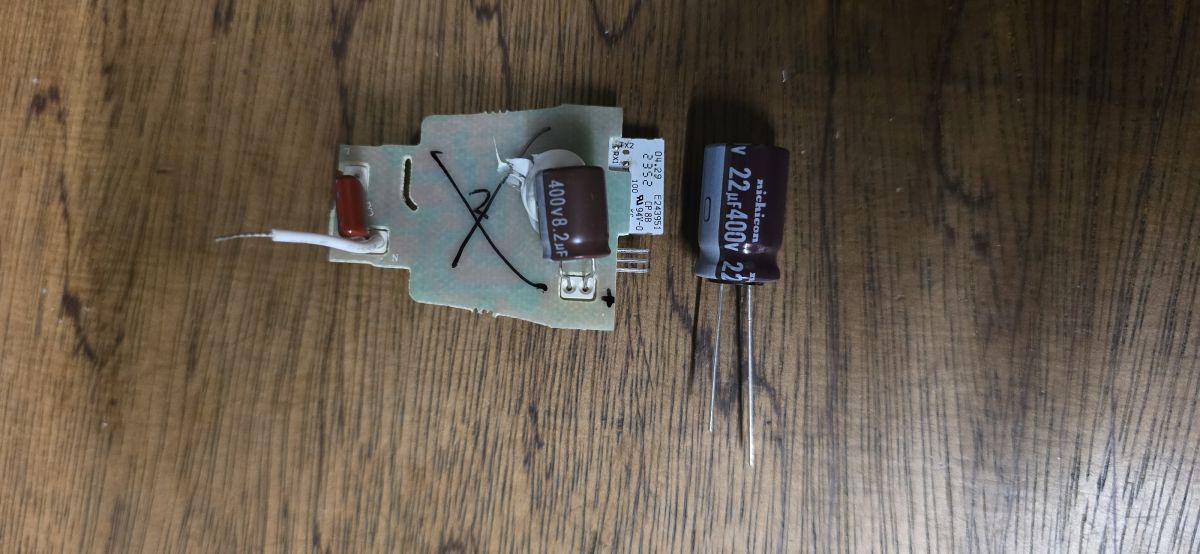
    LED driver board on a wooden surface with a larger 22 µF 400 V capacitor placed beside it
    This reduces flickering and, most importantly, reduces the temperature by approximately 20°C. A bigger capacitor fit without a problem. Don't forget to give it non-corrosive silicone between the capacitor and the aluminium wall, around the LED board, and some on the chip itself. I also got rid of the spring clamps and soldered everything directly with high-silver solder (300°C melting temperature).
ADVERTISEMENT