TONGOU Tuya Smart WiFi Energy Meter - Teardown
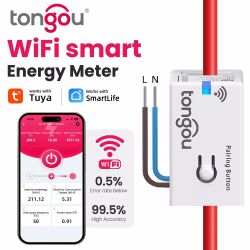
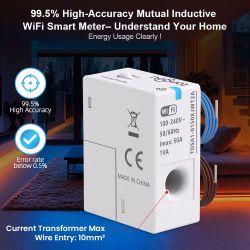
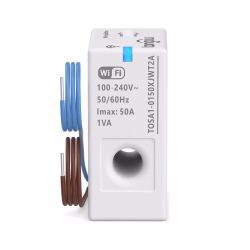
Bought this tiny-shiny power metering module on Aliexpress. What we have inside:
Module: CB2S (BK7231N) - WiFi
TuyaMCU: STC 8H3K64S2
Sensor: BL0942 - power metering
Communication between all parts done using 2 UARTs.
Assembly contains 2 boards and current metering coil bulit into the plastic case. Smaller board is WiFi + TuyaMCU, bigger - power metering sensor with ac/dc converter:
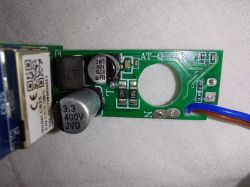
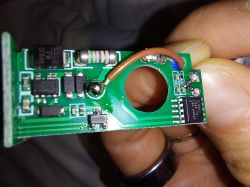
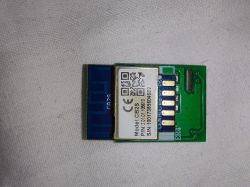
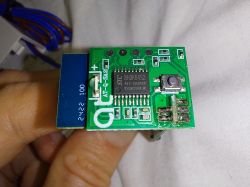
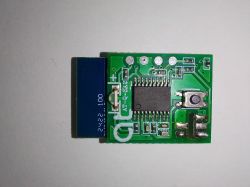
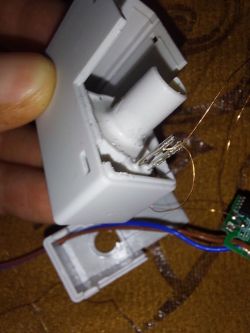
Pinout is classic for "WiFi - TuyaMCU - Sensor" architecture:
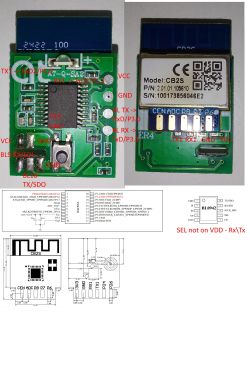
Futher invstigation shed light on used bandwidth in stock firmware:
1. UART Module -> TuyaMCU: 115200
2. UART TuyaMCU -> Sensor: 38400
When you disconnect two boards, and power on WiFi + TuyaMCU stock firmware sometimes pauses for a while and after reset via EN0 loops itself, here is sample of UART communication:
Module:
MCU:
Also example of BL0942 UART communication:
Investigation on Tuya Dev portal gave me next list of dpIDs:
And I compiled it into autoexec.bat. It is work in progress, in terms of channel types. so expect few changes later if I came up with better typing:
I have only set one flag - Flag 29 - [NETIF] Use short device name as a hostname instead of a long name.
Also, cleaned Device Group name, to make sure DGR driver not loading.
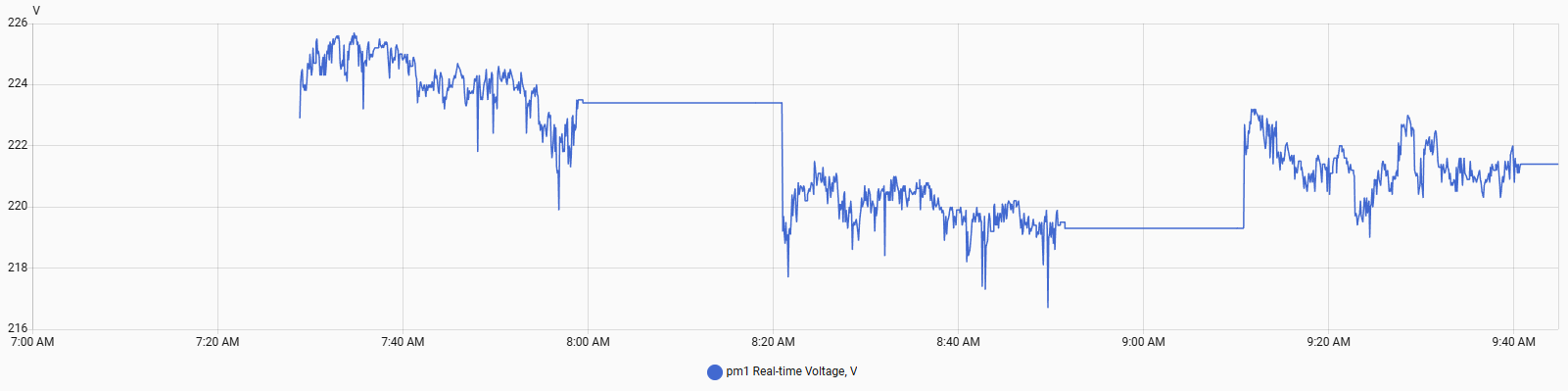
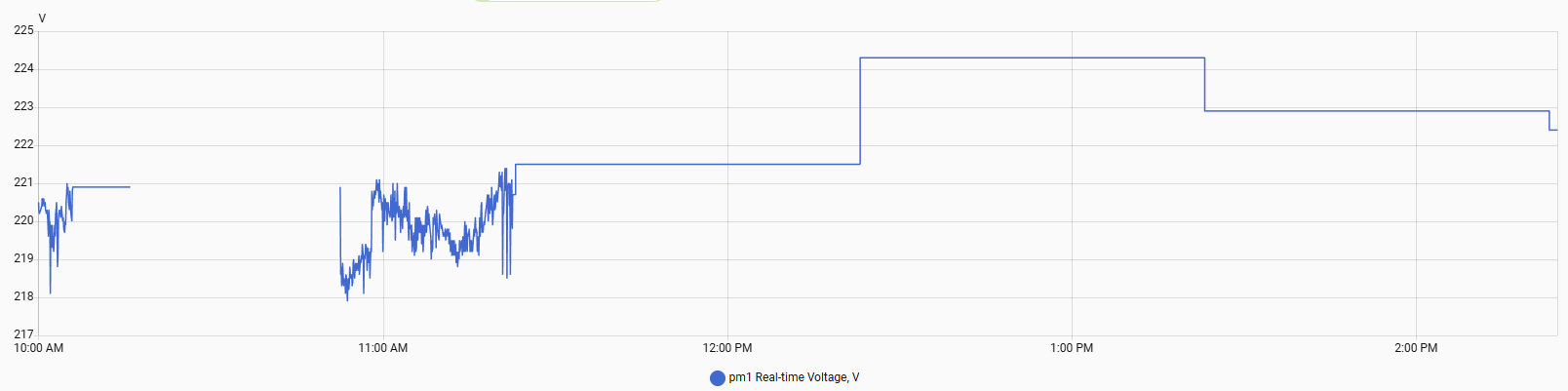
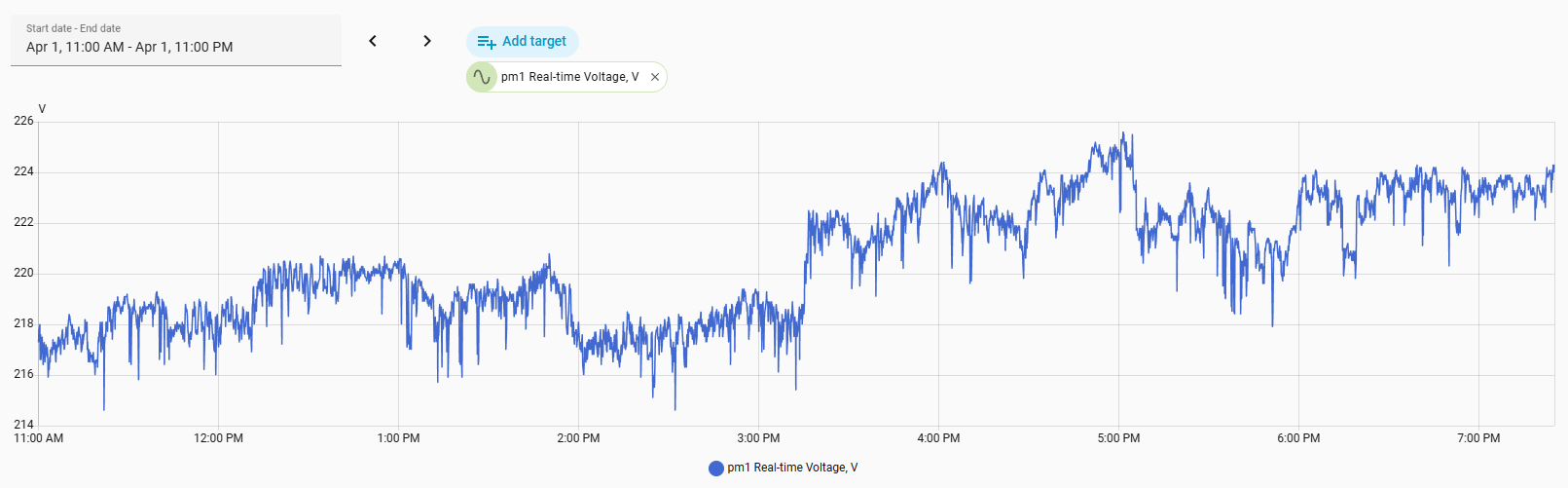
That gave me pretty stable setup.
Measurements sent every 5 second, same as in stock firmware - got an idea to connect CB2S directly to BL0942, may be it will be faster.
All experiments were done using firmware version 1.18.280 for BK7231N.
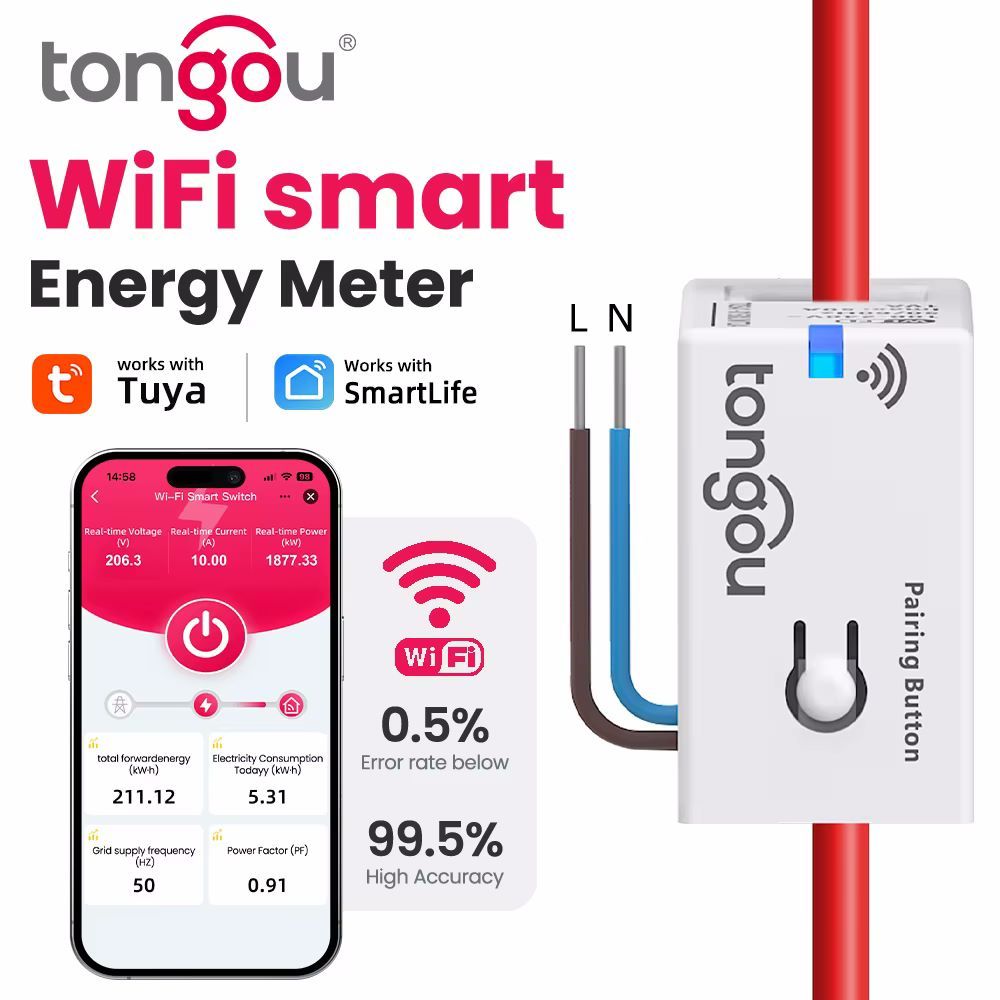
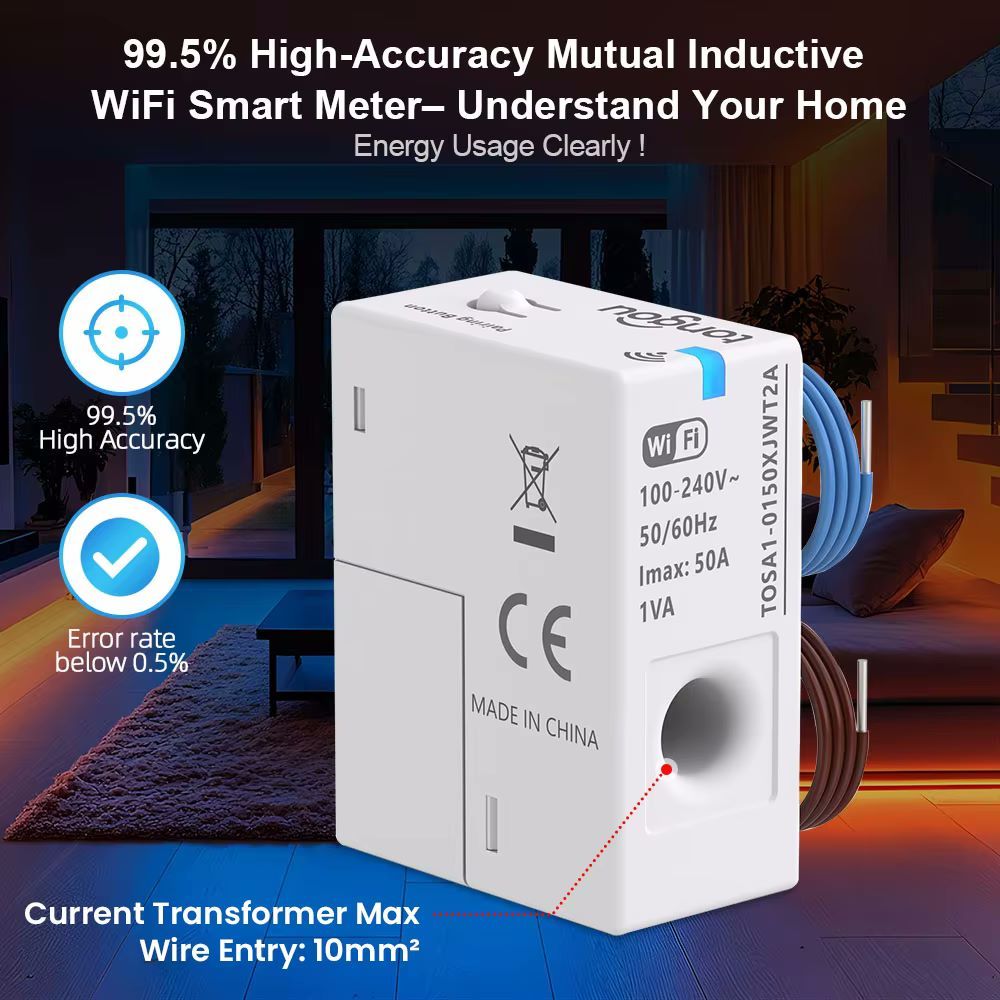
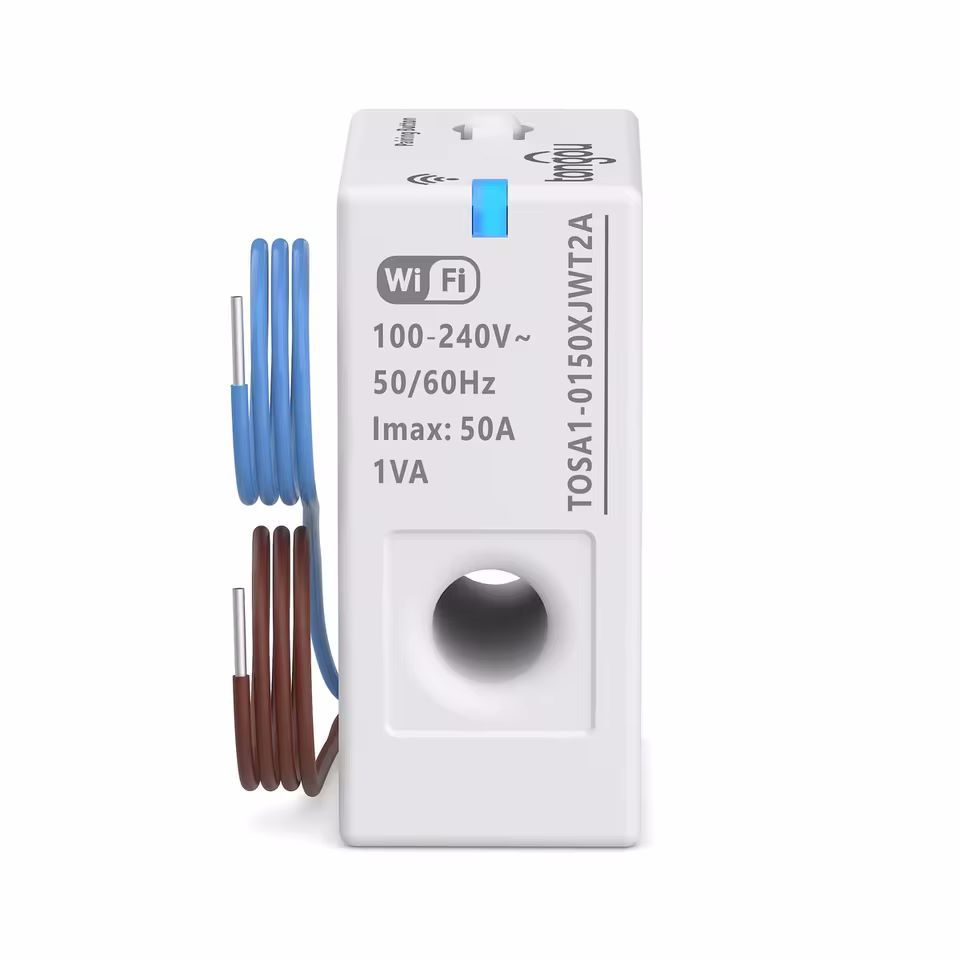
Bought this tiny-shiny power metering module on Aliexpress. What we have inside:
Module: CB2S (BK7231N) - WiFi
TuyaMCU: STC 8H3K64S2
Sensor: BL0942 - power metering
Communication between all parts done using 2 UARTs.
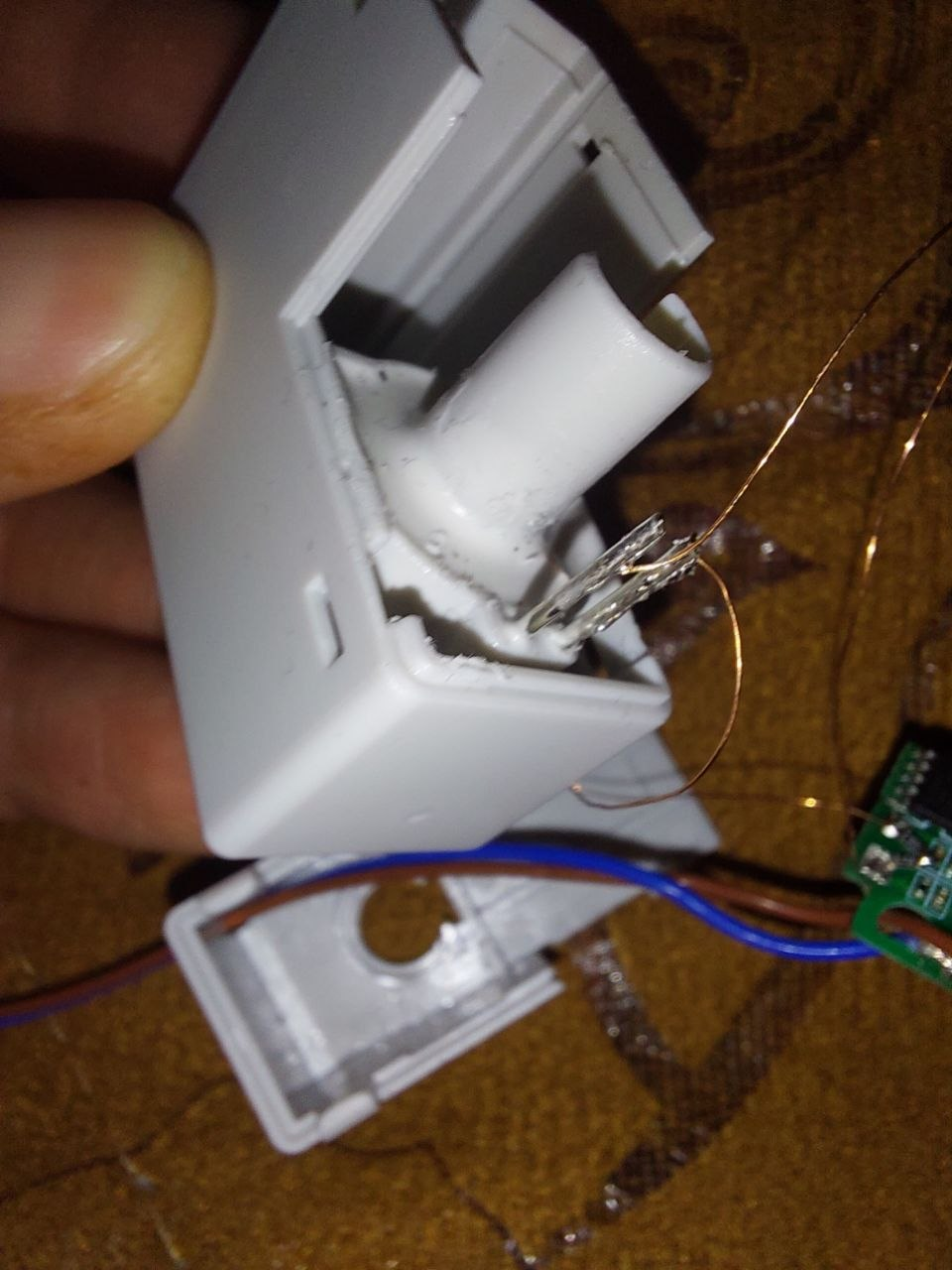
Assembly contains 2 boards and current metering coil bulit into the plastic case. Smaller board is WiFi + TuyaMCU, bigger - power metering sensor with ac/dc converter:
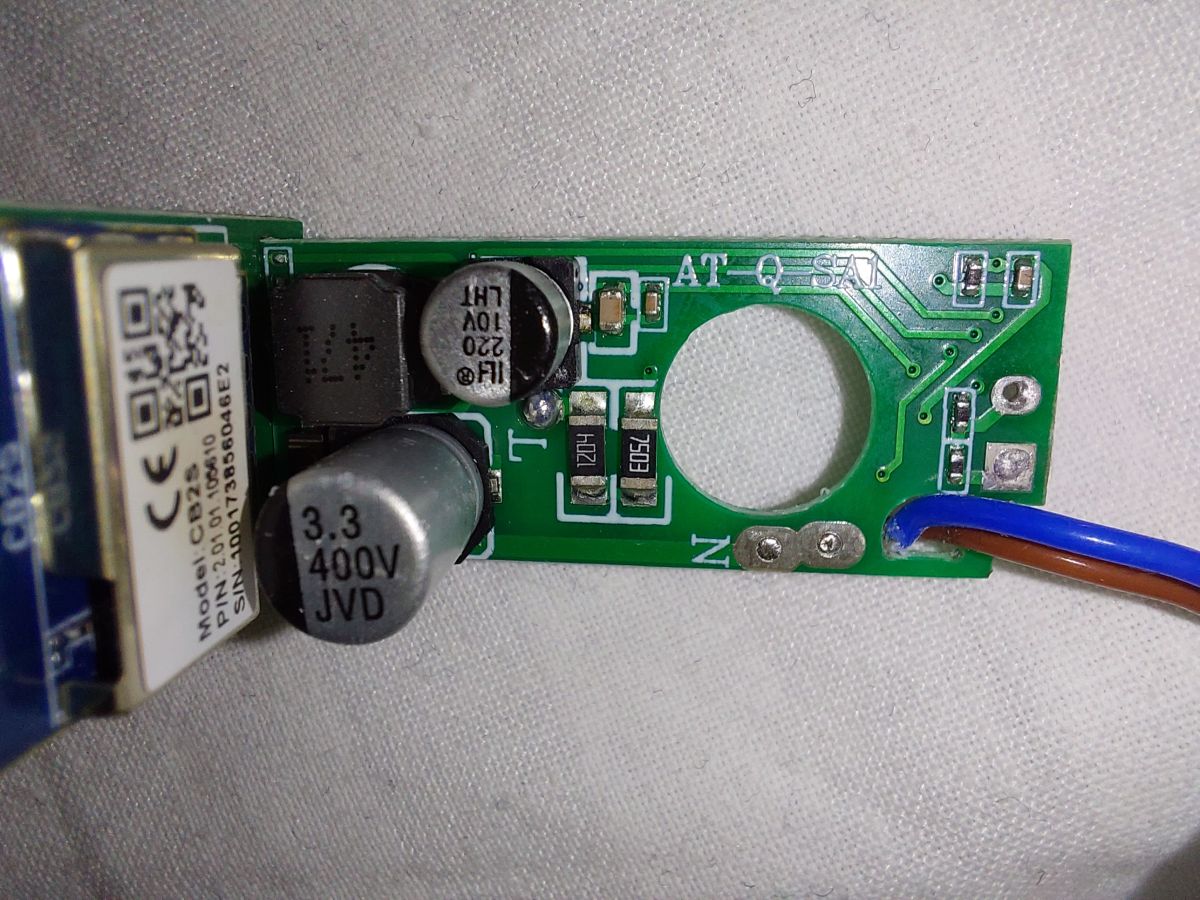
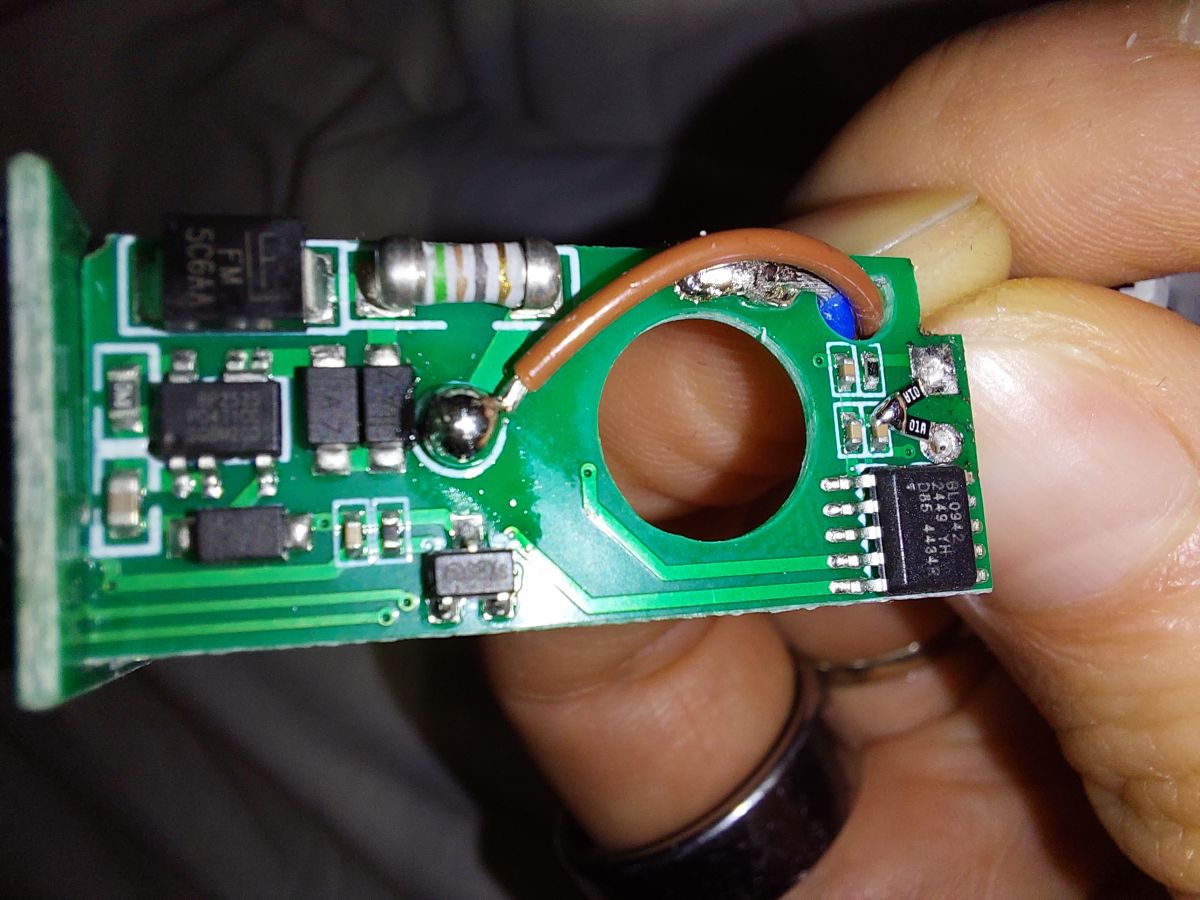
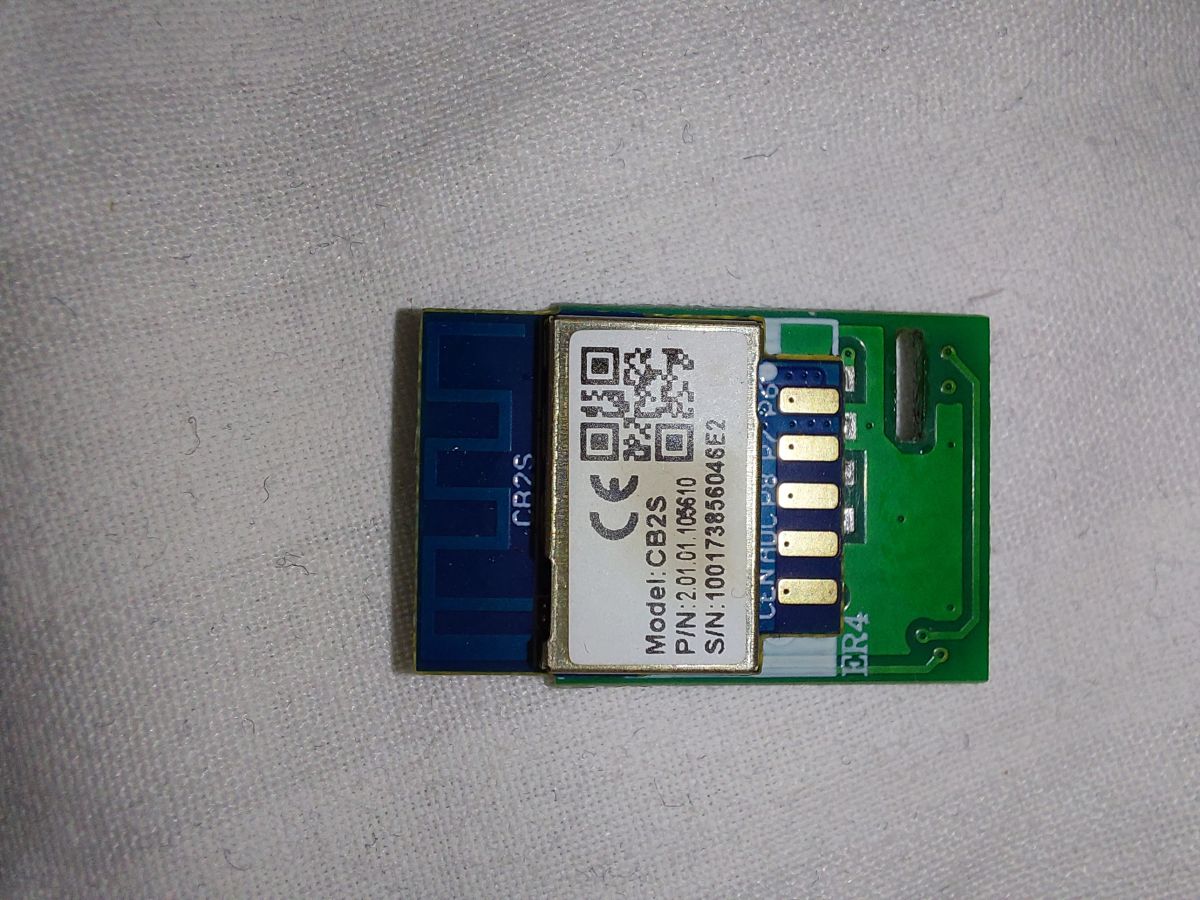
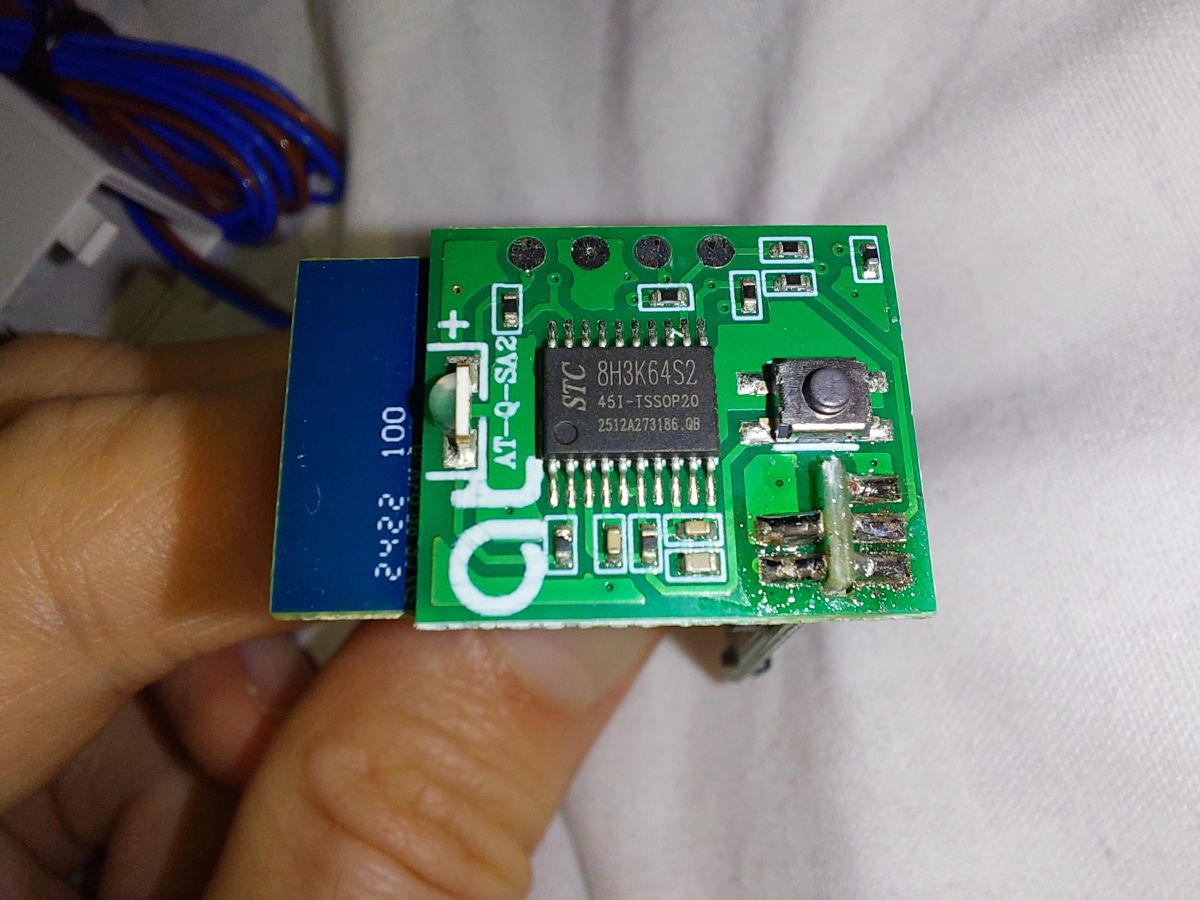
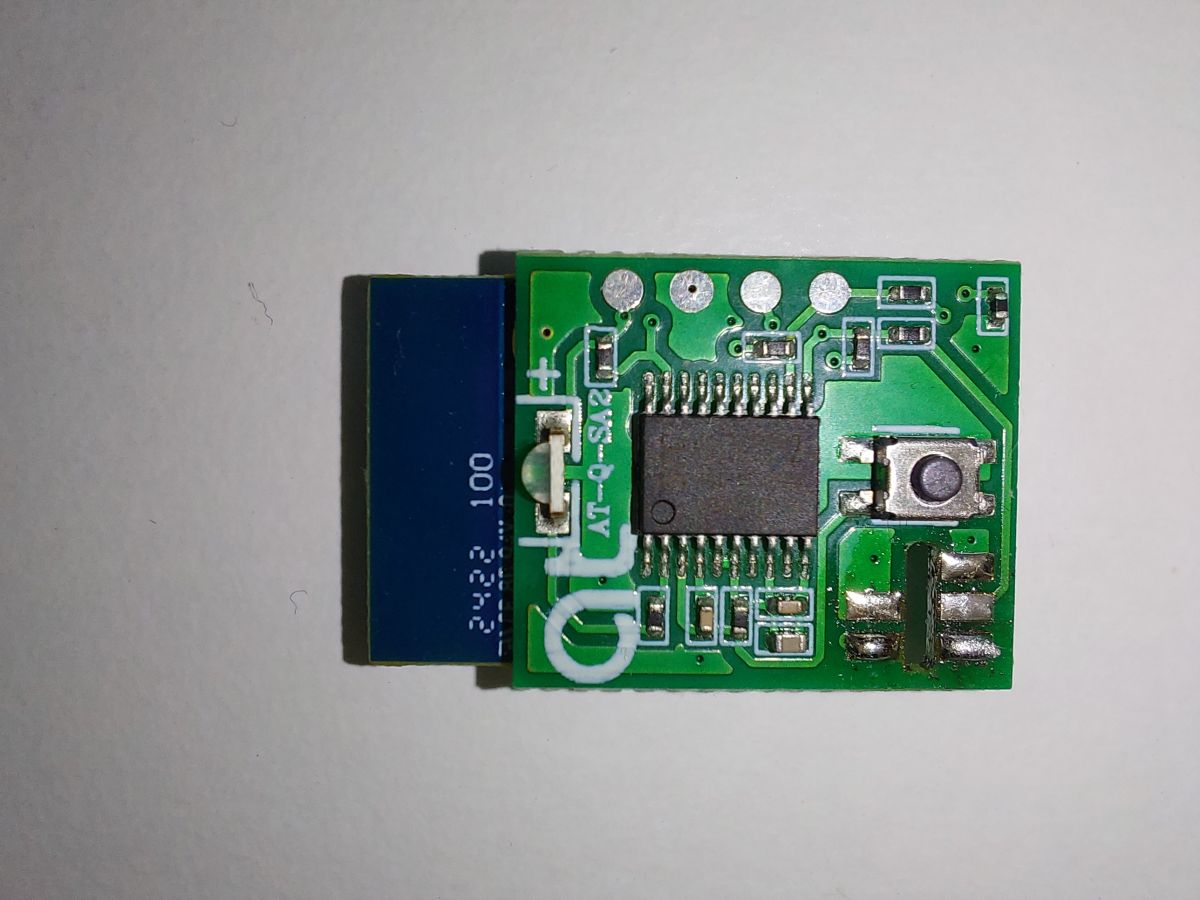
Pinout is classic for "WiFi - TuyaMCU - Sensor" architecture:
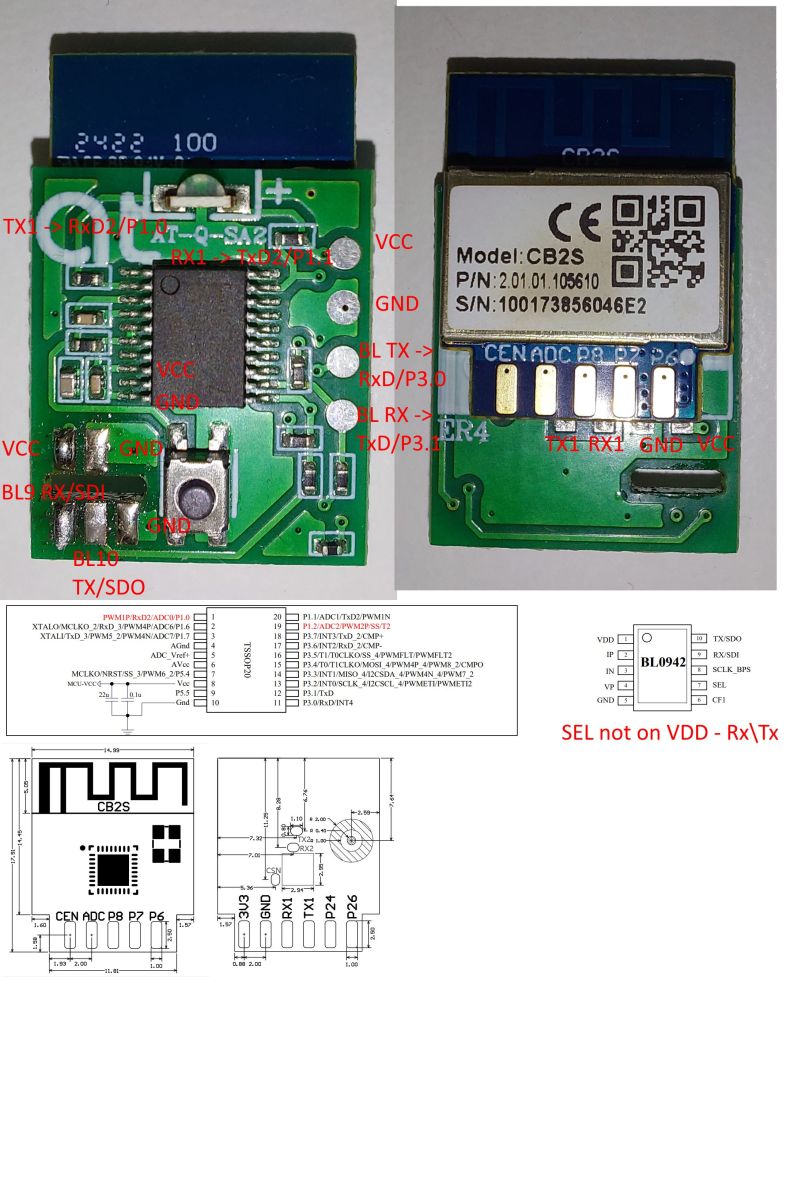
Futher invstigation shed light on used bandwidth in stock firmware:
1. UART Module -> TuyaMCU: 115200
2. UART TuyaMCU -> Sensor: 38400
When you disconnect two boards, and power on WiFi + TuyaMCU stock firmware sometimes pauses for a while and after reset via EN0 loops itself, here is sample of UART communication:
Module:
55 AA 00 00 00 00 FF  - Heartbeat (HB)
55 AA 00 00 00 00 FF  - HB
55 AA 00 00 00 00 FF  - HB
55 AA 00 00 00 00 FF  - HB (MCU responded)
55 AA 00 01 00 00 00  - ask product info
55 AA 00 02 00 00 01  - ask working mode
55 AA 00 03 00 01 02 05 - notify Net status "The module searches for network"
55 AA 00 03 00 01 03 06 - notify Net status "The module is registered with the network but not connected to the network"
55 AA 00 08 00 00 07 - ask sensor info (statuses from dpIds)
55 AA 00 03 00 01 04 07  - notify Net status "   The module is connected to the network and gets an IP address"
55 AA 00 08 00 00 07 - ask sensor info (statuses from dpIds)
55 AA 00 00 00 00 FF - HB
55 AA 00 00 00 00 FF - HB
55 AA 00 00 00 00 FF - HB
55 AA 00 00 00 00 FF - HB
MCU:
00 - pause
55 AA 03 00 00 01 00 03 - HB response
55 AA 03 01 00 2A 7B 22 ......................................................................... 0F  - product info
55 AA 03 02 00 00 04 - response working mode - module works with the MCU to process network events
55 AA 03 07 00 05 6E 04 00 01 0A 8B - dpId 6E (110) status, type Enum, len 0001, value 0A (10) = Under_Voltage_Alarm
55 AA 03 00 00 01 00 03 - HB response
55 AA 03 01 00 2A 7B 22 ......................................................................... 0F  - product info
55 AA 03 02 00 00 04 - response working mode
55 AA 03 07 00 05 6E 04 00 01 0A 8B - dpId 6E (110) status
55 AA 03 00 00 01 00 03 - HB reponse
55 AA 03 01 00 2A 7B 22 ......................................................................... 0F  - product info
55 AA 03 02 00 00 04 - response working mode
55 AA 03 07 00 05 6E 04 00 01 0A 8B - dpId 6E (110) status
55 AA 03 00 00 01 00 03 - HB response
55 AA 03 01 00 2A 7B 22 ......................................................................... 0F  - product info
55 AA 03 07 00 05 6E 04 00 01 0A 8B - dpId 6E (110) status
55 AA 03 02 00 00 04  - response working mode
55 AA 03 00 00 01 00 03 - HB response
55 AA 03 01 00 2A 7B 22 ......................................................................... 0F  - product info
55 AA 03 07 00 05 6E 04 00 01 0A 8B - dpId 6E (110) status
55 AA 03 02 00 00 04  - response working mode
....... looping the same
Also example of BL0942 UART communication:
55 00 00 00 87 07 00 12 09 00 00 00 00 00 00 00 20 4E 00 02 03 00 36
55 00 00 00 87 07 00 DE 07 00 00 00 00 00 00 00 20 4E 00 02 03 00 6C
55 00 00 00 87 07 00 F7 07 00 00 00 00 00 00 00 20 4E 00 02 03 00 53
55 00 00 00 87 07 00 34 0A 00 00 00 00 00 00 00 20 4E 00 02 03 00 13
55 00 00 00 87 07 00 9F 09 00 00 00 00 00 00 00 20 4E 00 02 03 00 A9
55 00 00 00 2B 07 00 35 09 00 00 00 00 00 00 00 20 4E 00 02 03 00 6F
55 00 00 00 2B 07 00 B8 0B 00 00 00 00 00 00 00 20 4E 00 02 03 00 EA
55 00 00 00 2B 07 00 65 0A 00 00 00 00 00 00 00 20 4E 00 02 03 00 3E
55 00 00 00 2B 07 00 F8 03 00 00 00 00 00 00 00 20 4E 00 02 03 00 B2
55 00 00 00 2B 07 00 3E 05 00 00 00 00 00 00 00 20 4E 00 02 03 00 6A
55 00 00 00 2B 07 00 81 05 00 00 00 00 00 00 00 20 4E 00 02 03 00 27
55 00 00 00 2B 07 00 CE 03 00 00 00 00 00 00 00 20 4E 00 02 03 00 DC
55 00 00 00 2B 07 00 3C 05 00 00 00 00 00 00 00 20 4E 00 02 03 00 6C
55 00 00 00 2B 07 00 16 06 00 00 00 00 00 00 00 20 4E 00 02 03 00 91
55 00 00 00 2B 07 00 B2 06 00 00 00 00 00 00 00 20 4E 00 02 03 00 F5
55 00 00 00 2B 07 00 D4 0C 00 00 00 00 00 00 00 20 4E 00 02 03 00 CD
Investigation on Tuya Dev portal gave me next list of dpIDs:
    "result": [
        { "dpId": 1, "dpName": "Total forward energy" },
        { "dpId": 131, "dpName": "CPU Real-time Temp" },
        { "dpId": 6, "dpName": "Phase A" },
        { "dpId": 11, "dpName": "Prepayment Switch" },
        { "dpId": 12, "dpName": "Clear Remaining Electricity" },
        { "dpId": 13, "dpName": "Remaining Electricity" },
        { "dpId": 14, "dpName": "Electricity Charge" },
        { "dpId": 32, "dpName": "Grid supply frequency" },
        { "dpId": 34, "dpName": "Factory Reset" },
        { "dpId": 101, "dpName": "Eletricity Shortage Setting" },
        { "dpId": 102, "dpName": "Over-voltage Setting" },
        { "dpId": 103, "dpName": "Under-voltage Setting" },
        { "dpId": 104, "dpName": "Over-current Setting" },
        { "dpId": 105, "dpName": "Over-power Setting" },
        { "dpId": 107, "dpName": "Temperature Setting" },
        { "dpId": 109, "dpName": "Online state" },
        { "dpId": 110, "dpName": "Event" },
        { "dpId": 113, "dpName": "Restore Default Switch" },
        { "dpId": 50, "dpName": "Overall Power Factor" },
        { "dpId": 114, "dpName": "Current Threshold" },
        { "dpId": 115, "dpName": "Over-voltage Threshold" },
        { "dpId": 116, "dpName": "Under-voltage Threshold" },
        { "dpId": 118, "dpName": "Temperature Threshold" },
        { "dpId": 119, "dpName": "Over-power Threshold" },
        { "dpId": 120, "dpName": "Electricity Shortage Threshold" },
        { "dpId": 125, "dpName": "Forward Electricity" }
    ]
And I compiled it into autoexec.bat. It is work in progress, in terms of channel types. so expect few changes later if I came up with better typing:
clearIO

startDriver TuyaMCU
tuyaMcu_setBaudRate 115200
waitFor MQTTState 1
setMqttAutoDiscovery 0

setChannelLabel 0 "Online state"
setChannelType 0 Toggle_Inv
linkTuyaMCUOutputToChannel 109 enum 0

setChannelType 1 Voltage_div10
setChannelLabel 1 "Real-time Voltage, V"
setChannelType 2 Current_div1000
setChannelLabel 2 "Real-time Current, A"
setChannelType 3 Power
setChannelLabel 3 "Real-time Power, W"
linkTuyaMCUOutputToChannel 6 RAW_TAC2121C_VCP

setChannelLabel 5 "CPU °C"
setChannelType 5 Temperature_div10
linkTuyaMCUOutputToChannel 131 val 5

setChannelLabel 4 "Total forward energy, kWh"
setChannelType 4 EnergyTotal_kWh_div100
linkTuyaMCUOutputToChannel 1 val 4

setChannelLabel 6 "Forward Electricity, kWh"
setChannelType 6 EnergyTotal_kWh_div100
linkTuyaMCUOutputToChannel 125 val 6

setChannelLabel 7 "Event"
setChannelType 7 ReadOnly
#setChannelType 7 ReadOnlyEnum
#setChannelEnum 7 0:Normal 1:Over_Current_Trip 2:Over_Power_Trip 3:High_Temp_Trip 4:Over_Voltage_Trip 5:Under_Voltage_Trip 6:Over_Current_Alarm 7:Over_Power_Alarm 8:High_Temp_Alarm 9:Over_Voltage_Alarm 10:Under_Voltage_Alarm 11:Remote_ON 12:Remote_OFF 13:Manual_ON 14:Manual_OFF 15:Leakage_Trip 16:Leakage_Alarm 17:Restore_Default 18:Automatic_Closing 19:Electricity_Shortage 20:Electricity_Shortage_Alarm 21:Timing_switch_ON 22:Timing_switch_OFF 23:Electricity_Reset
linkTuyaMCUOutputToChannel 110 enum 7

##############
# Advanced

setChannelLabel 8 "Restore Default"
setChannelType 8 Toggle
linkTuyaMCUOutputToChannel 113 bool 8

setChannelLabel 9 "Frequency"
setChannelType 9 Frequency_div100
linkTuyaMCUOutputToChannel 32 val 9

setChannelLabel 10 "Overall Power Factor"
setChannelType 10 PowerFactor_div100
linkTuyaMCUOutputToChannel 50 val 10

setChannelLabel 11 "Factory Reset"
setChannelType 11 Toggle
linkTuyaMCUOutputToChannel 34 bool 11

#################
# Prepaid Power Recharge

# Remaining Electricity
setChannelLabel 12 "Current Remaining Electricity, kWh"
setChannelType 12 EnergyTotal_kWh_div100
linkTuyaMCUOutputToChannel 13 val 12

setChannelLabel 13 "Prepayment Switch"
setChannelType 13 Toggle
linkTuyaMCUOutputToChannel 11 bool 13

setChannelLabel 14 "Clear Remaining Electricity"
setChannelType 14 Toggle
linkTuyaMCUOutputToChannel 12 bool 14

setChannelLabel 15 "Add Electricity Charge, kWh/100"
setChannelType 15 TextField
linkTuyaMCUOutputToChannel 14 val 15

#################
# Feature

# Over-current Setting
setChannelLabel 16 "Over-current alarm"
setChannelType 16 Toggle
linkTuyaMCUOutputToChannel 104 bool 16

setChannelLabel 17 "Current Threshold, 1-50, A"
setChannelType 17 TextField
linkTuyaMCUOutputToChannel 114 val 17

# Over-voltage Setting
setChannelLabel 18 "Over-voltage alarm"
setChannelType 18 Toggle
linkTuyaMCUOutputToChannel 102 bool 18

setChannelLabel 19 "Over-voltage Threshold, 100-280, V"
setChannelType 19 TextField
linkTuyaMCUOutputToChannel 115 val 19

# Under-voltage Setting
setChannelLabel 20 "Under-voltage alarm"
setChannelType 20 Toggle
linkTuyaMCUOutputToChannel 103 bool 20

setChannelLabel 21 "Under-voltage Threshold, 100-280, V"
setChannelType 21 TextField
linkTuyaMCUOutputToChannel 116 val 21

# Over-power Setting
setChannelLabel 22 "Over-power alarm"
setChannelType 22 Toggle
linkTuyaMCUOutputToChannel 105 bool 22

setChannelLabel 23 "Over-power Threshold, 5-12005, W"
setChannelType 23 TextField
linkTuyaMCUOutputToChannel 119 val 23

# Temperature Setting
setChannelLabel 24 "Temperature alarm"
setChannelType 24 Toggle
linkTuyaMCUOutputToChannel 107 bool 24

setChannelLabel 25 "Temperature Threshold, -25 - +100, °C"
setChannelType 25 TextField
linkTuyaMCUOutputToChannel 118 val 25

# Eletricity Shortage Setting
setChannelLabel 26 "Balance alarm"
setChannelType 26 Toggle
linkTuyaMCUOutputToChannel 101 bool 26

setChannelLabel 27 "Balance Threshold, 10-500, kW.h"
setChannelType 27 TextField
linkTuyaMCUOutputToChannel 120 val 27

# WATCHDOG

# Watchdog channel
setChannelLabel 200 "MCU Watchdog"
setChannelType 200 ReadOnly
setChannelPrivate 200 1
setChannel 200 1

# Reset watchdog on incoming measurements dpIds 6, 32, 50, 131 (channels 1, 2, 3, 9, 10, 5)
addEventHandler OnChannelChange 1 if $CH200==0 then "setChannel 200 1"
addEventHandler OnChannelChange 9 if $CH200==0 then "setChannel 200 1"
addEventHandler OnChannelChange 10 if $CH200==0 then "setChannel 200 1"
addEventHandler OnChannelChange 5 if $CH200==0 then "setChannel 200 1"

# Toggle online_state if no measurements are received for more than X seconds, to restart MCU reporting
addRepeatingEvent 7 -1 if $CH200==1 then "setChannel 200 0" else "backlog setChannel 0 1; delay_s 1; setChannel 0 0"

tuyaMcu_sendQueryState
I have only set one flag - Flag 29 - [NETIF] Use short device name as a hostname instead of a long name.
Also, cleaned Device Group name, to make sure DGR driver not loading.
That gave me pretty stable setup.
Measurements sent every 5 second, same as in stock firmware - got an idea to connect CB2S directly to BL0942, may be it will be faster.
All experiments were done using firmware version 1.18.280 for BK7231N.