logo elektroda
logo elektroda
X
logo elektroda

OpenBeken BK7231N WVC Microinverter Tuya MCU dpID 101/102/103/18 Mapping

ondrejm111 999 12
ADVERTISEMENT
  • Working dpID mapping for WVC microinverter in OpenBeken

    #1 21883769
    ondrejm111
    Level 7  
    Posts: 7
    OpenBeken + WVC Microinverter (Tuya MCU) – Working dpID Mapping

    I successfully integrated a WVC microinverter (Tuya MCU, BK7231N) with OpenBeken and mapped the correct dpIDs without needing RAW parsing.
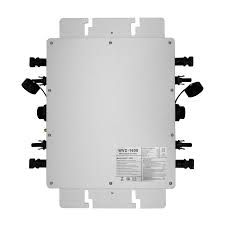
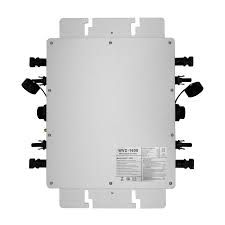
    Silver-gray electrical unit with multiple black side connectors on a white background

    Device


    * WVC microinverter (Tuya-based)
    * BK7231N WiFi module
    * OpenBeken 1.18.x

    Working dpIDs


    * **103 → AC Power (actual output)** ✅
    * **102 → DC Power (panel input)** ✅
    * **18 → Temperature** ✅
    * **101 → ON/OFF** ✅

    Important Notes


    * **dpID 103 is the correct AC power** (matches Tuya app precisely)
    * **dpID 10 looks similar but is inaccurate → do NOT use**
    * **dpID 7 contains RAW data (power, voltage, etc.), but parsing is not needed**
    * Some dpIDs are scaled or internal values and may be misleading

    OpenBeken Configuration


    startDriver TuyaMCU
    tuyaMcu_setBaudRate 115200
    tuyaMcu_defWiFiState 4
    
    # ON/OFF
    linkTuyaMCUOutputToChannel 101 1 1
    
    # AC Power
    linkTuyaMCUOutputToChannel 103 2 2
    
    # Temperature
    linkTuyaMCUOutputToChannel 18 2 3
    
    # DC Power
    linkTuyaMCUOutputToChannel 102 2 4
    
    setChannelType 2 Power
    setChannelType 3 Temperature
    setChannelType 4 Power
    
    setChannelLabel 1 state
    setChannelLabel 2 power_ac
    setChannelLabel 3 temperature
    setChannelLabel 4 power_dc


    MQTT Recommendation


    Use a unique device name:
    MqttClient sklad_vzadu


    For multiple units:
    sklad_vzadu_1
    sklad_vzadu_2


    Home Assistant Note


    After changing device name or configuration, remove old retained MQTT discovery topics to avoid duplicate entities.

    Result


    * Accurate AC and DC power readings
    * Temperature monitoring
    * ON/OFF control
    * Full MQTT integration with Home Assistant

    This setup works reliably and avoids unnecessary reverse engineering of RAW Tuya data.
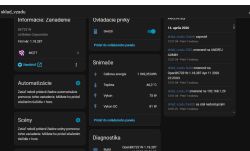
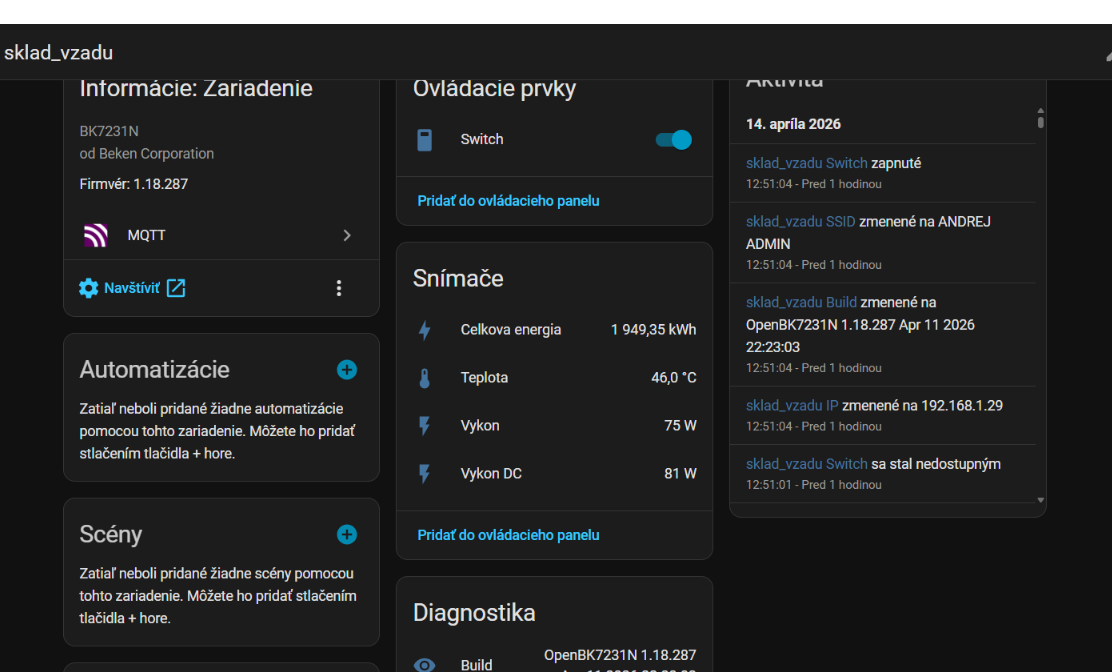
    autoexec.bat


    startDriver TuyaMCU
    startDriver NTP
    tuyaMcu_setBaudRate 115200
    tuyaMcu_defWiFiState 4
    
    linkTuyaMCUOutputToChannel 101 bool 1
    linkTuyaMCUOutputToChannel 102 2 2
    linkTuyaMCUOutputToChannel 103 2 3
    linkTuyaMCUOutputToChannel 18 2 4
    linkTuyaMCUOutputToChannel 2 2 5
    linkTuyaMCUOutputToChannel 105 2 6
    
    setChannelType 1 Toggle
    setChannelType 2 Power_div10
    setChannelType 3 Power_div10
    setChannelType 4 Temperature
    setChannelType 5 EnergyTotal_kWh_div100
    setChannelType 6 Dimmer
    
    setChannelLabel 1 "Switch"
    setChannelLabel 2 "Vykon DC"
    setChannelLabel 3 "Vykon"
    setChannelLabel 4 "Teplota"
    setChannelLabel 5 "Celkova energia"
    setChannelLabel 6 "Limit %"
    
    setFlag 7 1 
    setFlag 10 1 
    setFlag 21 1 
    setFlag 40 1 
    setFlag 19 1
    setFlag 37 1
    setFlag 51 1
    setFlag 29 1
    
    MqttClient mi_sklad_vzadu
    ShortName mi_sklad_vzadu


    OpenBeken BK7231N WVC Microinverter Tuya MCU dpID 101/102/103/18 Mapping
  • ADVERTISEMENT
  • #2 21896948
    ncore432
    Level 8  
    Posts: 13
    Rate: 2
    AWESOOOOME !
  • ADVERTISEMENT
  • #3 21905303
    vincenzoernst1
    Level 9  
    Posts: 100
    Help: 3
    Rate: 7
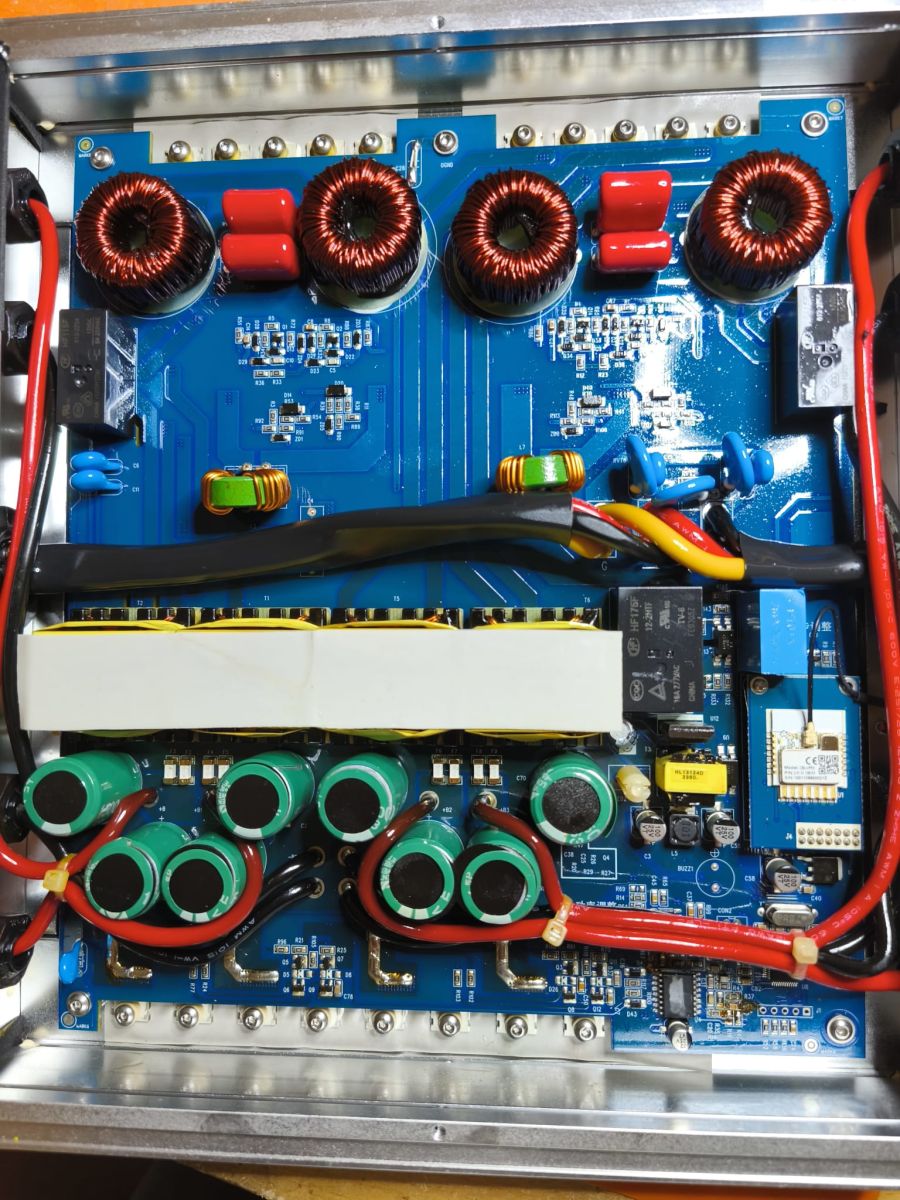
    this turns this china stuff into interesting products! i sadly only have an old WCV1200 pre wifi unit (10 years old) around. since "cheap" inverters are all around it would be interesting if any others also uses BK chips for wifi. this should be very likly?!?

    @ondrejm111
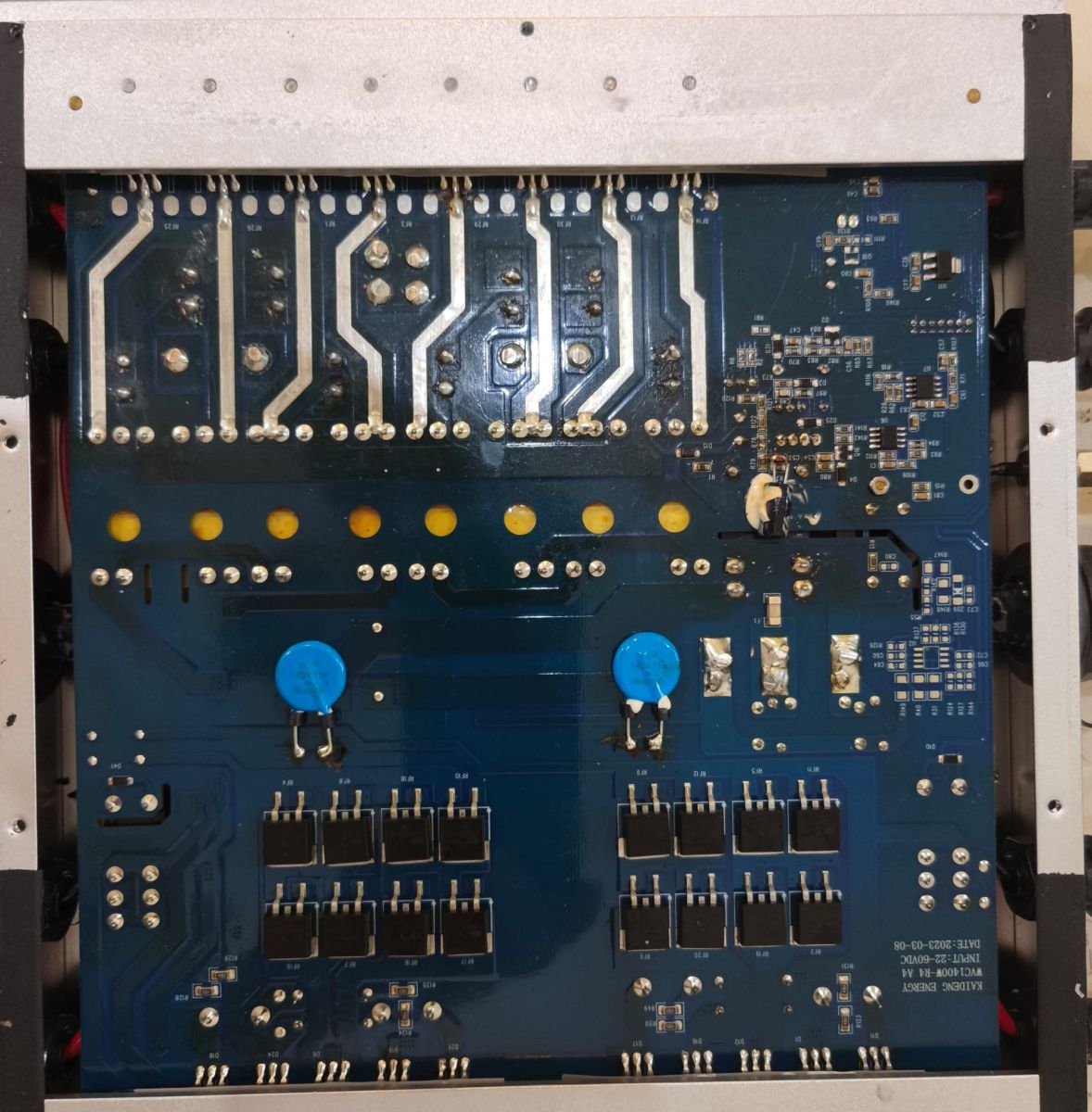
    do you have high res internal photos?
  • #4 21908550
    ondrejm111
    Level 7  
    Posts: 7
    >>21905303
    OpenBeken BK7231N WVC Microinverter Tuya MCU dpID 101/102/103/18 Mapping
    OpenBeken BK7231N WVC Microinverter Tuya MCU dpID 101/102/103/18 Mapping
  • #5 21908721
    vincenzoernst1
    Level 9  
    Posts: 100
    Help: 3
    Rate: 7
    >>21908550

    as i learned some time ago its better to add pics as attachmet than as images, so the resolution is much better.
  • #6 21909316
    p.kaczmarek2
    Moderator Smart Home
    Posts: 14770
    Help: 659
    Rate: 12913
    Thank you for sharing this unique device! Are all of dpIDs mapped? Do you happen to have original factor 2MB dump backup?
    Helpful post? Buy me a coffee.
  • #7 21909477
    ondrejm111
    Level 7  
    Posts: 7
    >>21909316

    There are still some RAW packets (dpID 7 and 3) not decoded yet.

    I’ve attached the original 2 MB factory dump backup.
    Attachments:
    • readResult_BK7231N_QIO_microinvertorback_2026-13-4-11-09-03.bin (2 MB) You must be logged in to download this attachment.
  • ADVERTISEMENT
  • #8 21909608
    p.kaczmarek2
    Moderator Smart Home
    Posts: 14770
    Help: 659
    Rate: 12913
    Can you provide a captured sample of those packets? Or maybe @divadiow could export schema...
    Helpful post? Buy me a coffee.
  • Helpful post

    Tuya MCU dump shows dpID 2 and 10 object values

    #9 21909617
    divadiow
    Level 38  
    Posts: 5220
    Help: 449
    Rate: 918
    sure.

    from the dump:
    Code: JSON
    Log in, to see the code


    dpIDs from Tuya dev
    Code: JSON
    Log in, to see the code


    and for good measure, the boot log of original firmware.
    Code: Text
    Log in, to see the code
  • ADVERTISEMENT
  • dpID 3 and 7 raw data format mapping

    #10 21910390
    p.kaczmarek2
    Moderator Smart Home
    Posts: 14770
    Help: 659
    Rate: 12913
    So they should be obvious. dpID 3:
    
    1. PV1 DC-side voltage, current, and power
    2. Big-endian, HEX format, total 6 bytes
    3. Unit precision: voltage, 2 bytes, unit 0.1V; current, 2 bytes, unit 0.1A; power, 2 bytes, unit 0.01kW
    4. Message format
    Example: 08 80 00 0B 03 F3 indicates PV1-side voltage 217.6V, current 1.1A, power 10.11KW
    5. Communication logic:
    Scenario A: when network configuration succeeds, the MCU reports this data.
    Scenario B: the MCU reports this value periodically. Recommendation: report once per minute in WiFi mode; report once per hour in NB mode.
    

    It seems to match OBK format:
    Code: C / C++
    Log in, to see the code


    dpID 7:
    
    1. Phase A AC voltage, current, and power
    2. Big-endian, HEX format, total 8 bytes
    3. Unit precision: voltage, 2 bytes, unit 0.1V; current, 3 bytes, unit 0.001A; Phase A active power, 3 bytes, unit 0.001kW
    4. Message format
    Example: 08 80 00 03 E8 00 27 10 indicates Phase A voltage 217.6V, Phase A current 1.000A, Phase A power 10.000KW
    5. Communication logic:
    Scenario A: when network configuration succeeds, the MCU reports this data.
    Scenario B: the inverter reports data periodically. Recommendation: report once per minute in WiFi mode; report once per hour in NB mode.
    

    It seems to match OBK format:
    Code: C / C++
    Log in, to see the code
    Helpful post? Buy me a coffee.
  • #11 21910420
    vincenzoernst1
    Level 9  
    Posts: 100
    Help: 3
    Rate: 7
    >>21905303

    also i see that these inverters (the 600W version are mentioned a lot) hat a really high failure rate. to bad.
    since the 800W are the way to go in germany i see if i can grep one of this size.
  • #12 21910422
    p.kaczmarek2
    Moderator Smart Home
    Posts: 14770
    Help: 659
    Rate: 12913
    vincenzoernst1 wrote:

    also i see that these inverters (the 600W version are mentioned a lot) hat a really high failure rate. to bad.

    Where did you find this information, can you elaborate?
    Helpful post? Buy me a coffee.
  • Common WVC-600 failures and unannounced revisions

    #13 21910532
    vincenzoernst1
    Level 9  
    Posts: 100
    Help: 3
    Rate: 7
    >>21910422

    1st:
    there are masses of these inverters failed on the german "kleinanzeigen" app. they are sold under different brands but all named WVC-600. brands are: vevor or KD

    see wvc600

    2nd:
    there are many videos on these interverts with tries on repairs on youtube.

    so this seems to be a common problem.

    a 2nd one seems to be that the vendor changes the revision "randonly" without notes. so this might be good in terms of: they fix things directly on production line, quality should inprove.
    or
    there are several production lines that produce various rev at the same time.

Topic summary

LABEL_AI_GENERATED
The discussion documents a successful OpenBeken integration of a WVC Tuya-based microinverter using a BK7231N Wi‑Fi module and Tuya MCU driver, with direct dpID mapping and no RAW packet parsing required for the main functions. The working mappings identified are dpID 103 for AC output power, dpID 102 for DC panel input power, dpID 18 for temperature, and dpID 101 for ON/OFF control. It is noted that dpID 10 is inaccurate and should not be used, while dpID 7 and dpID 3 still contain RAW telemetry packets that were later partially analyzed from the factory dump. The shared OpenBeken configuration uses TuyaMCU at 115200 baud and links MCU outputs to channels. Additional replies discuss internal photos, factory 2 MB dump backup, packet decoding details for dpID 3 and dpID 7, and observations that many WVC-600 inverters sold under different brands appear to have a high failure rate and varying hardware revisions.
AI summary based on the discussion. May contain errors.

FAQ LABEL_AI_GENERATED

TL;DR: For OpenBeken users integrating a BK7231N WVC microinverter, 4 mapped dpIDs solve the core job: "dpID 103 is the correct AC power." Use 101 for ON/OFF, 102 for DC power, 103 for AC power, and 18 for temperature; avoid dpID 10 and skip RAW parsing unless you need voltage/current packet details. [#21883769]

Why it matters: This mapping gives accurate MQTT and Home Assistant telemetry without reverse-engineering every Tuya packet.

Option Reported meaning Use in OpenBeken Practical result
dpID 103 AC power output Yes Matches Tuya app precisely
dpID 102 DC panel input power Yes Valid DC input reading
dpID 10 Total power No Looks similar, but was reported inaccurate
dpID 7 RAW AC grid packet Optional Useful only for voltage/current/power decoding

Key insight: The thread’s biggest takeaway is simple: for this WVC Tuya MCU, direct dpID mapping already exposes the useful values. RAW packets on dpID 3 and 7 add detail, not necessity.

Quick Facts

  • The working OpenBeken stack uses TuyaMCU at 115200 baud on a BK7231N Wi‑Fi module with OpenBeken 1.18.x. [#21883769]
  • The confirmed direct mappings are 101 → ON/OFF, 102 → DC power, 103 → AC power, and 18 → temperature. [#21883769]
  • In the posted autoexec.bat, channel types include Power_div10, Temperature, EnergyTotal_kWh_div100, and a 0–100% power-limit control on dpID 105. [#21883769]
  • The factory dump shared in the thread is 2 MB and exposes Tuya schema entries for alarms, energy reset, work mode, strings, and power adjustment. [#21909477]
  • RAW packet formats are documented: dpID 3 carries 6 bytes for PV voltage/current/power, while dpID 7 carries 8 bytes for AC voltage/current/power in big-endian format. [#21910390]

How do I map Tuya MCU dpIDs on a BK7231N WVC microinverter in OpenBeken without parsing RAW data?

Start TuyaMCU, set the baud rate to 115200, then bind the confirmed datapoints directly to channels. The working direct map is 101 to switch state, 103 to AC power, 102 to DC power, and 18 to temperature. This avoids RAW parsing because the thread confirms those four dpIDs already expose usable values in OpenBeken 1.18.x. [#21883769]

Which dpIDs on the WVC Tuya MCU correspond to AC power, DC power, temperature, and ON/OFF control?

The confirmed mapping is dpID 103 for AC power, dpID 102 for DC power, dpID 18 for temperature, and dpID 101 for ON/OFF control. The shared setup used those four datapoints on a Tuya MCU WVC microinverter with a BK7231N module and reported reliable operation through MQTT and Home Assistant. [#21883769]

Why is dpID 103 considered the correct AC power reading on this WVC microinverter, and why should dpID 10 be avoided?

dpID 103 is the correct AC power reading because it matched the Tuya app precisely in real use. dpID 10 looked similar, but the thread states it was inaccurate and should not be used for actual output power. The Tuya schema also labels 103 as ac_power, while 10 is power_total, which explains the mismatch in practice. [#21909617]

What is a dpID in Tuya MCU devices, and how does it affect OpenBeken channel mapping?

"dpID" is a Tuya MCU datapoint identifier that names one value or command exposed by the device, letting OpenBeken bind that function to a local channel with the right type, scaling, and label. On this inverter, choosing the right dpID determines whether a channel shows valid AC power, DC power, temperature, or switch state. A wrong choice, such as dpID 10 for AC output, can produce misleading telemetry. [#21883769]

What is RAW Tuya data on dpID 3 and dpID 7, and what values are encoded in those packets for this inverter?

"RAW Tuya data" is a binary datapoint format that sends several measurements inside one packet, using fixed byte order and scaling instead of a single plain numeric value. Here, dpID 3 carries PV DC-side voltage, current, and power in 6 bytes, while dpID 7 carries Phase A AC voltage, current, and active power in 8 bytes. Both use big-endian encoding. [#21909617]

What autoexec.bat configuration should I use for an OpenBeken 1.18.x WVC microinverter with BK7231N and TuyaMCU at 115200 baud?

Use the posted autoexec.bat with startDriver TuyaMCU, startDriver NTP, tuyaMcu_setBaudRate 115200, and tuyaMcu_defWiFiState 4. Then map dpIDs 101, 102, 103, 18, 2, and 105 to channels 1 through 6, set channel types like Power_div10 and EnergyTotal_kWh_div100, and finish with MqttClient mi_sklad_vzadu plus ShortName mi_sklad_vzadu. That exact layout was reported working on the WVC unit. [#21883769]

How should I set channel types and labels in OpenBeken for WVC inverter values like Power_div10, Temperature, EnergyTotal_kWh_div100, and Limit %?

Set channel types to match the scaling in the posted configuration. The working example used Toggle for channel 1, Power_div10 for channels 2 and 3, Temperature for channel 4, EnergyTotal_kWh_div100 for channel 5, and Dimmer for channel 6. The labels were Switch, Vykon DC, Vykon, Teplota, Celkova energia, and Limit %, which keeps MQTT entities readable. [#21883769]

What's the best way to configure MQTT client names for multiple WVC microinverters so Home Assistant discovery does not create duplicate entities?

Use a unique MQTT client name for every inverter, such as sklad_vzadu_1 and sklad_vzadu_2. 1. Set a distinct MqttClient value on each unit. 2. Keep ShortName aligned with that identity. 3. After any rename, clear old retained discovery topics in Home Assistant. This prevents two devices from publishing overlapping discovery data under reused names. [#21883769]

Why do duplicate MQTT entities appear in Home Assistant after renaming an OpenBeken device, and how do I remove old retained discovery topics?

Duplicate entities appear because Home Assistant still sees the old retained MQTT discovery topics after the device name changes. The fix is to delete the retained discovery topics for the old name, then let the renamed device republish clean discovery entries. The thread explicitly warns that renaming without clearing retained topics can leave duplicate entities behind. [#21883769]

How can I decode Tuya MCU dpID 3 and dpID 7 using the documented big-endian packet formats for PV DC input and Phase A AC grid data?

Decode dpID 3 as three big-endian 2-byte fields: voltage in 0.1 V, current in 0.1 A, and power in 0.01 kW. Decode dpID 7 as one 2-byte voltage field in 0.1 V plus two 3-byte fields: current in 0.001 A and active power in 0.001 kW. The examples given were 08 80 00 0B 03 F3 for 217.6 V, 1.1 A, 10.11 kW and 08 80 00 03 E8 00 27 10 for 217.6 V, 1.000 A, 10.000 kW. [#21910390]

Where can I get a 2 MB factory dump backup from a BK7231N WVC microinverter, and what useful information can be extracted from it?

In this thread, the 2 MB factory dump was attached by the device owner after another participant asked for it. The dump can reveal the Tuya product schema, datapoint list, baud setting, firmware identifiers, product key, and MCU capabilities. In this case, it exposed dpIDs 2, 3, 7, 10, 18, and 101–105, plus work-mode and alarm-related objects. [#21909477]

What does the Tuya schema from the factory dump reveal about hidden or undocumented WVC inverter functions like alarms, energy reset, and power adjustment?

The schema shows more than the four core dpIDs used for basic monitoring. It lists dpID 11 as alarm bitmap data, dpID 104 as energy reset, dpID 105 as inverter power adjustment from 0 to 100%, and dpIDs 13 and 14 as RAW alarm-setting blocks. It also exposes string fields for inverter model and device number, which confirms the dump is useful beyond simple power mapping. [#21909617]

How do OpenBeken raw formats DP_TYPE_RAW_TAC2121C_VCP and DP_TYPE_RAW_V2C3P3 relate to this WVC microinverter's dpID 3 and dpID 7 packets?

They line up directly with the documented packet layouts. The thread identifies dpID 3 as matching OpenBeken DP_TYPE_RAW_TAC2121C_VCP because it carries voltage, current, and power in a compact RAW block. It identifies dpID 7 as matching DP_TYPE_RAW_V2C3P3 because it uses a 2-byte voltage field and 3-byte current and power fields. [#21910390]

What hardware details and internal photos help identify whether another cheap Tuya-based microinverter uses a BK7231N or a different BK chip?

Look for internal board photos that clearly show the Wi‑Fi module and chip markings, not only external case images. In this thread, internal photos were later added because another user asked for high-resolution pictures to identify the radio hardware. The confirmed working unit used a BK7231N module, so readable module photos are the fastest first check for similar inverters. [#21908550]

How do WVC-600 and WVC-800 microinverter revisions compare in terms of WiFi hardware, Tuya compatibility, and reported reliability issues?

The thread does not provide a verified hardware comparison between WVC-600 and WVC-800 revisions. It only reports that the shared working unit is a Tuya-based BK7231N design, while one participant said WVC-600 units appear frequently as failed items and that WVC-800 models are more relevant in Germany. Treat reliability claims as anecdotal until you inspect the actual revision and internal board photos. [#21910532]
AI summary based on the discussion. May contain errors.
ADVERTISEMENT