logo elektroda
logo elektroda
X
logo elektroda

The simplest Internet radio on the ESP32-S3? No installation required – just upload it and it works!

Seba_smd 11736 109

TL;DR LABEL_AI_GENERATED

  • Builds an ESP32-S3 N16R8 internet radio with PCM5102 I2S audio, OLED or color display support, rotary encoders, and NEC 38 kHz IR remote control.
  • Firmware installs directly from a browser using the Web Serial API, so no Arduino IDE, PlatformIO, or library hunting is needed.
  • Connect the board over USB, open the installer in Chrome or Edge, choose the COM port, and set Wi‑Fi credentials through the UART terminal.
  • A web interface on the radio's IP address configures pins, encoder steps, IR buttons, station lists, display brightness, rotation, and wake-up relay control.
AI summary based on the discussion. May contain errors.
ADVERTISEMENT
Treść została przetłumaczona polish » english Zobacz oryginalną wersję tematu
Listen:
  • SSD1306 cold-boot failure requires address or brightness change

    #91 21958528
    kianu
    Level 3  
    Posts: 6
    ESP32-S3, v1.0.4_G, SSD1306 128×64, SDA=8, SCL=9, address 0x3C.
    On cold boot display remains black. Serial reports SSD1306 OK. ESP32 reset does not help. Changing address 0x3C → 0x3D → Save → 0x3C → Save immediately makes the display work. Changing brightness also wakes it up. The same SSD1306 works normally with a simple test sketch, and ILI9341 works normally with your firmware. There are also Wire.begin(): Bus already started in Master Mode warnings during OLED initialization.

    pabllosee wrote:
    The SSD1322 starts up every time.

    But, ssd1322 256x64 OLED not use i2c. I connect ili9341 2,8' TFT SPI display - starts up every time without any problems.
  • ADVERTISEMENT
  • Version 1.0.4_I requires USB flashing after partition changes

    #92 21958581
    Seba_smd
    Level 17  
    Posts: 338
    Help: 8
    Rate: 121
    >>21958528
    >>21957698 >>21958425
    A newer version, 1.0.4_I, is available. The SSD1306 works correctly with this version, and I didn’t have any problems with version 1.0.4_G either. If it isn’t working for you, please check it on your end — if that doesn’t help, I’ll have a look at the code.
    I recommend flashing this version via a USB cable.
    I don’t know why this happens, but for some users it causes the device to reset, whilst for others it doesn’t.
    Reason:
    From version 1.0.4_I onwards, the partition layout on the flash memory has been changed:
    a partition for core dumps has been added,
    and the partition for device files has been reduced.
    Updating via Wi-Fi only replaces the firmware itself — it does not modify the physical partition table or the file system. Therefore, the new firmware cannot boot correctly on the older partition layout.
    Updating via USB (using the installer) rewrites the entire set at once (bootloader + partition table + firmware + file system), so it is always safe, regardless of which version was previously installed.

    Added after 16 [minutes]:

    Added in version 1.0.4_I:
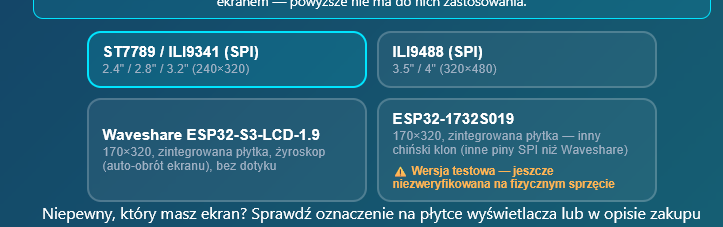
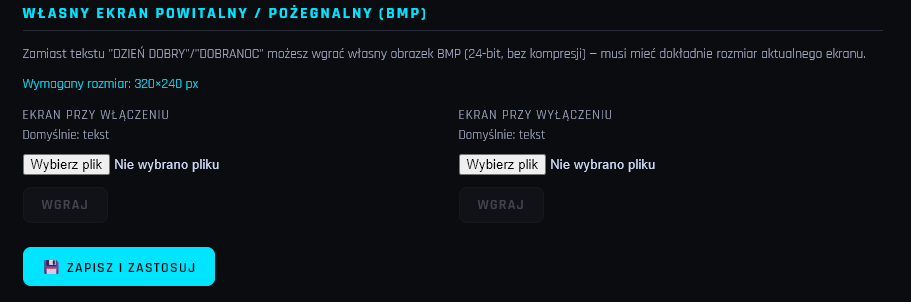
    ⭐ Custom welcome/goodbye screen — in the Display tab, you can now upload your own image instead of the ‘GOOD MORNING’/‘GOOD NIGHT’ text when switching the radio on/off

    The simplest Internet radio on the ESP32-S3? No installation required – just upload it and it works!
  • #93 21958613
    kombo
    Level 14  
    Posts: 65
    Help: 3
    Rate: 44
    After updating via USB, it keeps restarting :( .
    I’ve tried updating several times, but the radio is ‘bricked’.
    However, it is working; I had to wait a very long time for the serial connection.
    Of course, I have to reconfigure everything from scratch.
  • Changed partition layout makes USB flashing necessary

    #94 21958616
    Seba_smd
    Level 17  
    Posts: 338
    Help: 8
    Rate: 121
    kombo wrote:
    Constant reboots after updating via USB :( .
    Tried updating several times, radio ‘bricked’.

    I mentioned this above. Unfortunately, I couldn’t do it any other way. If anyone doesn’t need to update, they shouldn’t.
    I recommend flashing this version via a USB cable.
    I don’t know why this happens, but for some users it causes the device to reset, whilst for others it doesn’t.
    Reason:
    From version 1.0.4_I onwards, the partition layout on the flash memory has been changed:
    a partition for core dumps has been added,
    and the partition for device files has been reduced.
    Updating via Wi-Fi only replaces the firmware itself — it does not modify the physical partition table or the file system. Therefore, the new firmware cannot boot correctly on the older partition layout.
    Updating via USB (using the installer) rewrites the entire set at once (bootloader + partition table + firmware + file system), so it is always safe, regardless of which version was previously installed.
  • #95 21958778
    elmer
    Level 11  
    Posts: 13
    Hello everyone. I’m also experiencing restarts following the update. I think it’s a Wi-Fi issue. There are constant restarts on my home Wi-Fi, but everything works fine when I connect via my phone’s hotspot.

    Best regards
  • Troubleshooting partitions, browser cache, and USB flashing

    #96 21958945
    Seba_smd
    Level 17  
    Posts: 338
    Help: 8
    Rate: 121
    >>21958613
    >>21958778
    Do you have to wait a long time every time you switch on the radio?
    Which file did you flash?
    The simplest Internet radio on the ESP32-S3? No installation required – just upload it and it works!
    From the description, it sounds as though there’s a problem with the partitions – in other words, the upload went wrong.
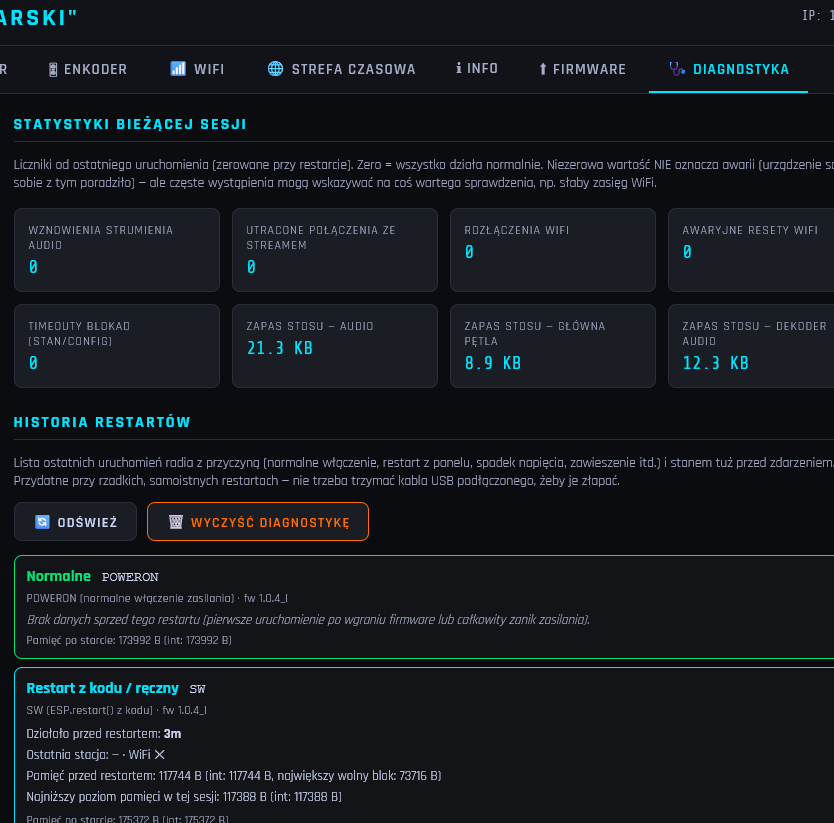
    Once it’s up and running, what does the ‘Diagnostics’ tab show?

    The simplest Internet radio on the ESP32-S3? No installation required – just upload it and it works!

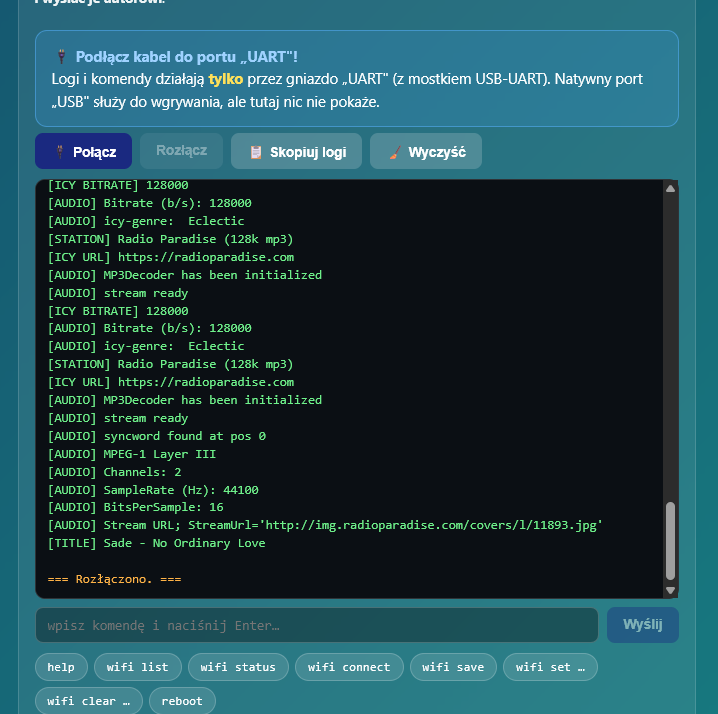
    Is there any chance of getting data from the terminal? For example:

    The simplest Internet radio on the ESP32-S3? No installation required – just upload it and it works!

    OK, the problem might be the browser. Restart your browser.
    Force refresh: Ctrl + F5
    Full reload without cache: Ctrl + Shift + R
    and then install via USB.
    https://seba131.github.io/esp32-radio-installer/
  • ADVERTISEMENT
  • #97 21958967
    miroskop
    Level 24  
    Posts: 485
    Help: 65
    Rate: 68
    I installed firmware 1.0.4_I via a USB cable on a board with an ILI9488 display, and so far everything is working perfectly. The only thing I’ve noticed is that the welcome screen appears twice every time I switch the device on. Then ‘WiFi OK’ appears and the radio starts playing. The control indicators are running smoothly.
  • Firmware 1.0.4_I works with duplicate welcome screen

    #98 21958981
    Seba_smd
    Level 17  
    Posts: 338
    Help: 8
    Rate: 121
    miroskop wrote:
    I installed firmware 1.0.4_I via a USB cable on a board with an ILI9488 display, and so far everything is working perfectly. The only thing I’ve noticed is that the welcome screen appears twice every time I switch it on. Then ‘WiFi OK’ appears and the radio starts playing. The control indicators run smoothly.d5374d24a

    Thank you for letting me know. The changes were quite extensive to handle all these displays without any issues, so I may have made a few mistakes. I’ve already installed the new version on a few radios for my family and haven’t encountered the sort of problems described by others. But as we know, every case is different.
  • #99 21959018
    miroskop
    Level 24  
    Posts: 485
    Help: 65
    Rate: 68
    The power supply – particularly a switching power supply – can cause certain problems, so it is a good idea to add a few capacitors of around 100 nF to the power supply line. I once had a case where the PCM5102 converter wouldn’t start up; it was only when I soldered a 100 nF capacitor directly to its power pins that the problem was resolved.
    .
  • ADVERTISEMENT
  • #100 21959070
    Seba_smd
    Level 17  
    Posts: 338
    Help: 8
    Rate: 121
    >>21958778
    OK, my cousin’s had the same problem. So I need to have a look at the code.
    Please bear with me for a moment.
  • ADVERTISEMENT
  • #102 21959310
    Seba_smd
    Level 17  
    Posts: 338
    Help: 8
    Rate: 121
    >>21958613
    >>21958778
    In theory, I’ve fixed the bug related to resets. When you have a moment, please check it and let me know.

    Added after 1 [minute]:

    >>21959129
    The website is now up and running. Do have a look.
  • #103 21959322
    miroskop
    Level 24  
    Posts: 485
    Help: 65
    Rate: 68
    I’ve updated the firmware via Wi-Fi from 1.0.4_I to 1.0.5 and everything’s working so far. I haven’t lost any settings and the welcome screen only appears once. I have an ILI9488 LCD.
  • #104 21959326
    Seba_smd
    Level 17  
    Posts: 338
    Help: 8
    Rate: 121
    >>21959322
    Thanks. That’s very useful information.
  • SSD1306 cold start fails despite successful I2C detection

    #105 21959353
    kianu
    Level 3  
    Posts: 6
    I uploaded the new SW 1.0.5 via a USB cable using the web installer. Everything is fine with the ili9341 display, but the ssd1306 won’t cold start.

    Terminal log:
    [ 875] [esp32-hal-i2c-ng.c:112] i2cInit(): Initialising I2C Master: num=0 sda=9 scl=8 freq=800000
    [ 886][W][Wire.cpp:300] begin(): Bus already started in Master Mode.
    [DISP] SSD1306 OK. SDA=9 SCL=8 addr=0x3C
    [DISP] showSplashImage(/splash_on.bmp): display not initialised
  • SSD1306 cold-start fix proposed for version 1.0.5_A

    #106 21959553
    Seba_smd
    Level 17  
    Posts: 338
    Help: 8
    Rate: 121
    pabllosee wrote:
    I can confirm the error described above. The 0.96" display does not initialise on start-up (I2C). The SSD1322 starts up every time.

    I’ve fixed the code. Could you please check whether the 0.96" display now works correctly in version 1.0.5_A?

    Added after 43 [seconds]:

    kianu wrote:
    I’ve uploaded the new SW 1.0.5 via a USB cable from the web installer. Everything’s fine with the ili9341 display, but the ssd1306 won’t cold start.

    I’ve fixed the code. Can you check if the 0.96" display is working properly in version 1.0.5_A now?
  • #107 21959582
    pabllosee
    Level 15  
    Posts: 142
    Help: 4
    Rate: 8
    Seba_smd wrote:
    I’ve corrected the code. Could you please check whether the 0.96" display is now working correctly in version 1.0.5_A?


    It’s still the same.
  • #108 21959612
    Seba_smd
    Level 17  
    Posts: 338
    Help: 8
    Rate: 121
    >>21959582
    Could you send me the logs so I can have a look at what they show?
  • Display initializes despite repeated I2C bus warning

    #109 21959614
    pabllosee
    Level 15  
    Posts: 142
    Help: 4
    Rate: 8
    
    
    WS] Client #1 disconnected
    
    [WS] Client #2 connected
    [WS] CMD: get_config
    [WS] CMD: get_stations
    [WS] CMD: save_config
    [CFG] Config saved
    [ 51878][W][Wire.cpp:300] begin(): Bus already started in Master Mode.
    [DISP] SSD1309 OK. SDA=8 SCL=9 addr=0x3C
    [TZ] Zastosowano strefę: CET-1CEST,M3.5.0,M10.5.0/3
    [WS] CMD: get_config
    [WS] CMD: save_config
    [TZ] Zastosowano strefę: CET-1CEST,M3.5.0,M10.5.0/3
    [WS] CMD: get_config
    [WS] CMD: save_config
    [CFG] Config saved
    [ 54585][W][Wire.cpp:300] begin(): Bus already started in Master Mode.
    [DISP] SSD1306 OK. SDA=8 SCL=9 addr=0x3C
    [TZ] Zastosowano strefę: CET-1CEST,M3.5.0,M10.5.0/3
    [WS] CMD: get_config
    
    
  • #110 21959624
    kianu
    Level 3  
    Posts: 6
    I updated to version 1.5.0_A, but everything is the same as in previous versions. After switching on or after a reboot, my ssd1306 0.96 OLED display does not start up. If I turn the brightness control up to at least 1 per cent, the display activates and shows everything correctly. However, this only happens before switching off or rebooting.
Listen:
ADVERTISEMENT