logo elektroda
logo elektroda
X
logo elektroda

[Solved] [BK7231N] How to add BL0939 SPI support for Tuya 2x CT Smart Power Meter Clamp?

geoagache 1215 34
Best answers

How can I add or use BL0939 SPI support for a BK7231N Tuya dual-CT smart power meter clamp, and how do I calibrate it?

Use the custom `bl0939spi` driver and start it with `startdriver bl0939spi`; the thread confirms a bit-banged SPI implementation on P6 (MISO/SDO), P24 (MOSI/SDI), and P26 (SCLK), and it worked on the BK7231N device after flashing the test build [#21924051][#21924136][#21925040] Make sure the BL0939 SEL pin is tied to VDD on this board, which confirmed that the chip is in SPI mode [#21924569][#21924580] The driver is likely to use renamed calibration commands rather than the usual console names, because `VoltageSet`/`help` were missing in the stripped build [#21925040] For calibration, the source notes that `SetVoltage` exists under a different name and current has `SetCurrentA` and `SetCurrentB`, so the driver/source should be checked for the exact command names [#21925086][#21925105]
AI summary based on the discussion. May contain errors.
ADVERTISEMENT
  • Request for BL0939 SPI support on BK7231N dual-CT meter

    #1 21923738
    geoagache
    Level 2  
    Posts: 9
    Rate: 3
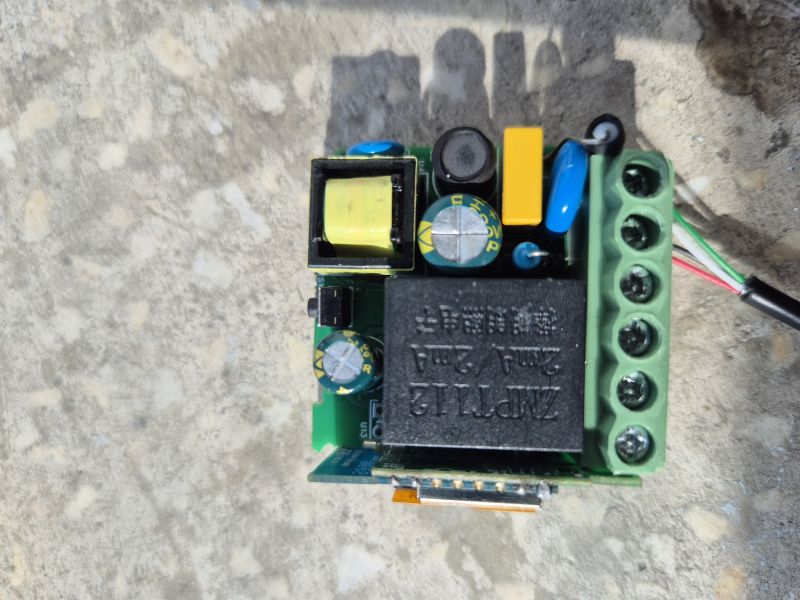
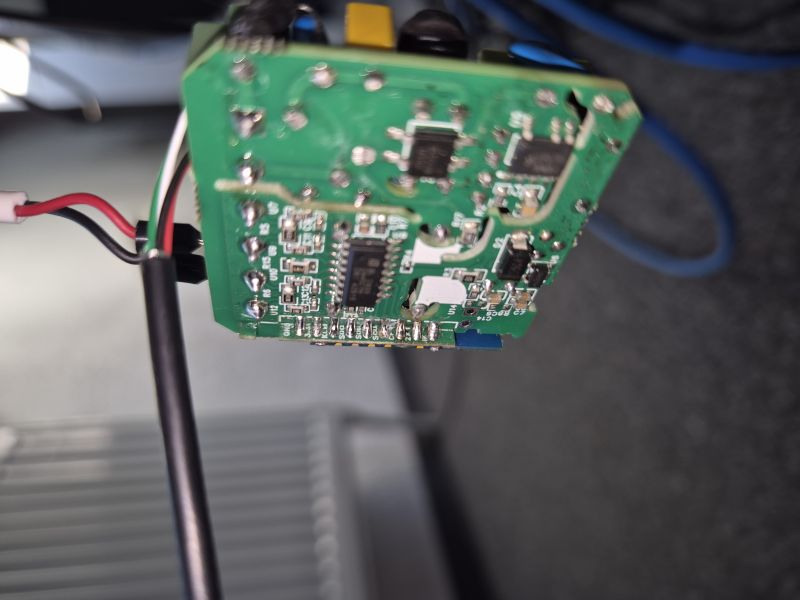
    Hello, I am looking to get OpenBeken working on a Smart Power Meter Clamp (Dual Channel CT). It is a Tuya-based device with the FCC ID: 2BL6A-WMDL. Inside, the Wi-Fi module is a CB3S (BK7231N). Power monitoring is handled by the BL0939 chip, but instead of the usual UART connection, it is wired via the SPI interface.
    I have reverse-engineered the board tracks and identified the complete pinout configuration:
    SPI Pins connected to BL0939:
    SDO (MISO): P6
    SDI (MOSI): P24
    SCLK (Clock): P26
    Other Function Pins:
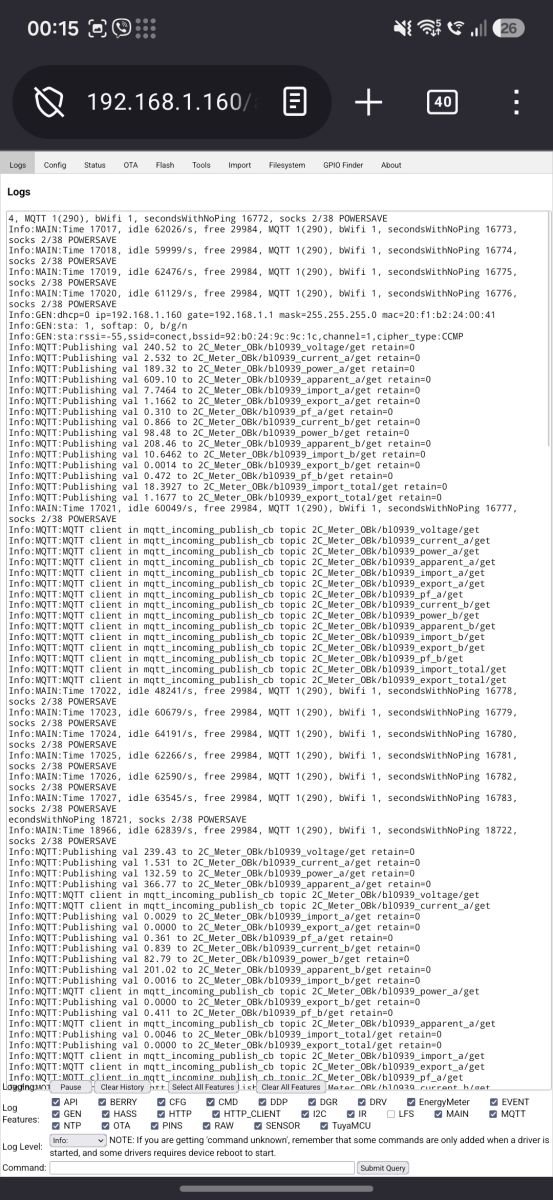
    CF (Power Pulse): P14
    ZX (Zero Crossing): P23
    Relay/Control (RL): P8
    Button/LED (1K): P7
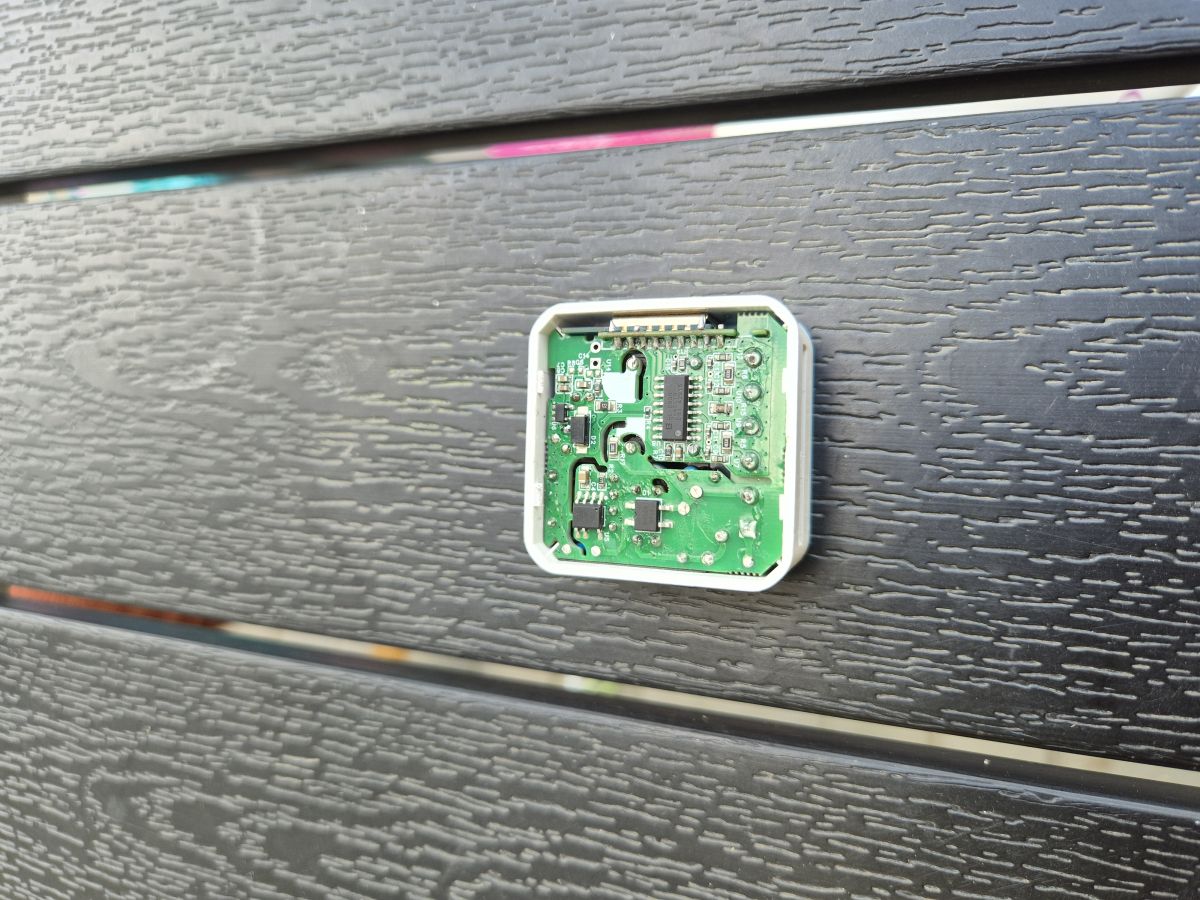
    Since this device uses two current clamps (CT1 and CT2) via the BL0939 SPI interface, I would greatly appreciate it if support for this specific configuration could be added to the driver list (similar to the existing BL0942SPI driver). I have high-resolution photos of the PCB and I am ready to flash any test binary builds to help debug and calibrate the measurements.

    For reference, here is the official Tuya DP structure extracted from the device:

    * **General:**
    * Device ID:
    bf00d07292695276fczfts

    * **Channel 1 (CT1):**
    * Voltage:
    cur_voltage
    (DP 20)
    * Current:
    cur_current
    (DP 18)
    * Power:
    cur_power
    (DP 19)
    * State:
    cur_state1
    (DP 105)
    * Forward Energy (Total):
    add_ele
    (DP 17)
    * Reverse Energy:
    ct1_reverse
    (DP 115)
    * Daily Forward:
    ct1_day_forward
    (DP 106)
    * Daily Reverse:
    ct1_day_reverse
    (DP 116)
    * Record Power:
    record_power1
    (DP 123)
    * **Channel 2 (CT2):**
    * Voltage 2:
    cur_voltage2
    (DP 114)
    * Current 2:
    cur_current2
    (DP 112)
    * Power 2:
    cur_power2
    (DP 113)
    * State:
    cur_state2
    (DP 108)
    * Forward Energy:
    ct2_forward
    (DP 111)
    * Reverse Energy:
    ct2_reverse
    (DP 117)
    * Daily Forward:
    ct2_day_forward
    (DP 109)
    * Daily Reverse:
    ct2_day_reverse
    (DP 118)
    * Record Power:
    record_power2
    (DP 124)
    * **Total:**
    * Total Forward:
    total_forward
    (DP 119)
    * Total Reverse:
    total_reverse
    (DP 121)
    [BK7231N] How to add BL0939 SPI support for Tuya 2x CT Smart Power Meter Clamp?
    [BK7231N] How to add BL0939 SPI support for Tuya 2x CT Smart Power Meter Clamp?
    [BK7231N] How to add BL0939 SPI support for Tuya 2x CT Smart Power Meter Clamp?
    [BK7231N] How to add BL0939 SPI support for Tuya 2x CT Smart Power Meter Clamp?
    [BK7231N] How to add BL0939 SPI support for Tuya 2x CT Smart Power Meter Clamp?
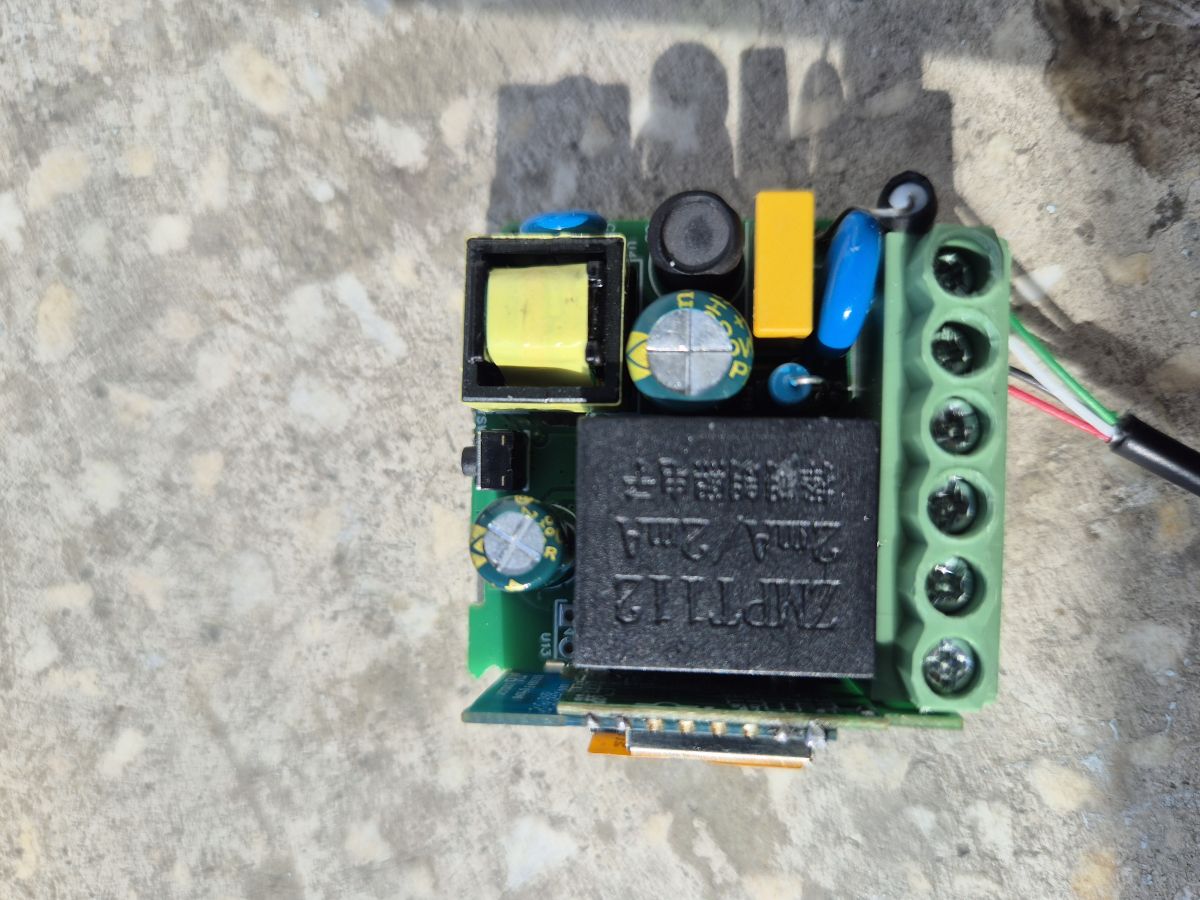
    Circuit board with black relay, green screw terminal block, and power components on a concrete surface
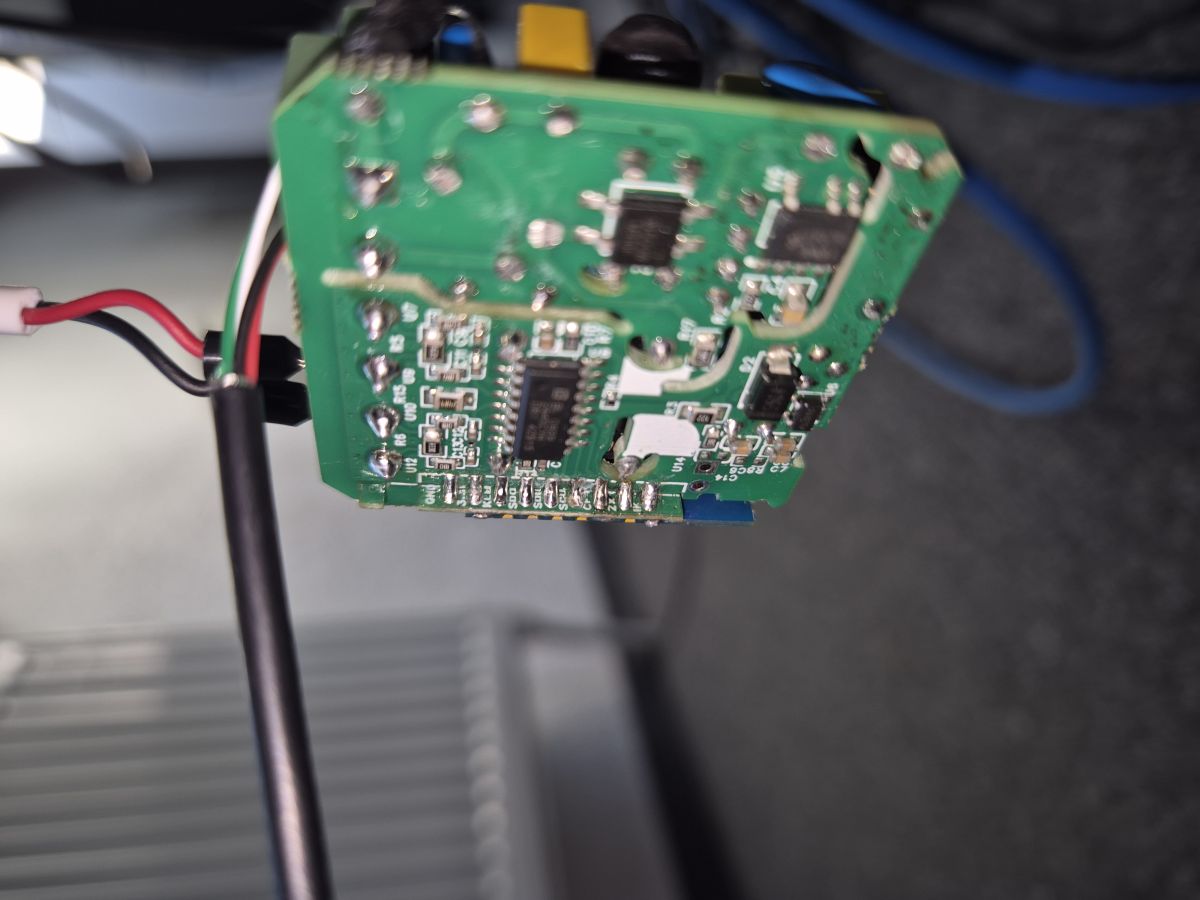
    Close-up of a green PCB with SMD components and attached wires; blurred background.


    Thank you for your incredible work on this project!
    Attachments:
    • readResult_BK7231N_QIO_wmdl-2c.bin (2 MB) You must be logged in to download this attachment.
  • ADVERTISEMENT
  • ADVERTISEMENT
  • Helpful post
    #3 21924053
    insmod
    Level 31  
    Posts: 1430
    Help: 168
    Rate: 453
    According to one datasheet, it uses I2C
    https://www.alldatasheet.com/datasheet-pdf/view/1490493/BELLING/BL0939.html
    To another - SPI or UART
    https://evelta.com/content/datasheets/359-BL0939-SOP16L.pdf
    In ESPHome, it uses UART
    https://esphome.io/components/sensor/bl0939/

    The problem is that P6/P24 are neither UART nor hardware SPI.
  • #4 21924054
    divadiow
    Level 38  
    Posts: 5174
    Help: 443
    Rate: 908
    lol. oh. oh well
  • #5 21924058
    insmod
    Level 31  
    Posts: 1430
    Help: 168
    Rate: 453
    First datasheet seems to be for something other with the same name.

    Anyway, i would recommend to replace the module with an ESP, disconnect SEL pin and to use ESPHome.
  • #6 21924136
    divadiow
    Level 38  
    Posts: 5174
    Help: 443
    Rate: 908
    got AI to go deep with Ghidra and the decrypted app partition. It seems pretty confident it's bit-banging SPI for:

    SDO (MISO): P6
    SDI (MOSI): P24
    SCLK (Clock): P26

    Added after 13 [minutes]:

    an attempt
    Attachments:
    • OpenBK7231T_App_bl0939spi_eb3409833fd8_OpenBK7231N_bl0939.zip (2.76 MB) You must be logged in to download this attachment.
  • Helpful post

    Clarifying SEL pin wiring for BL0939 SPI mode

    #7 21924154
    p.kaczmarek2
    Moderator Smart Home
    Posts: 14713
    Help: 659
    Rate: 12789
    If it's SPI, then it should be very simple to implement. SPI is using dedicated clock line, it doesn't need precise timings like WS2812. There is nothing wrong with software SPI in OBK.

    We could try to support it, but first, just to be 100% sure, how is this pin connected for you?>
    Datasheet table snippet: pin 16 SEL and UART/SPI communication mode selection
    Pin 16 SEL, is it on ground, or pulled high? Or floating?
    Helpful post? Buy me a coffee.
  • Clarifies BL0939 import and export as signed values

    #8 21924322
    geoagache
    Level 2  
    Posts: 9
    Rate: 3
    It's a SOP16 BL0939, with SEL on the 3.3V side.

    Just to confirm I understand the BL0939 behavior in OpenBeken correctly: where Tuya uses separate states like work_p for import and work_n for export, OpenBeken simply represents this as positive and negative values, correct?
    Open casing with a green PCB mounted on black textured boards

    Added after 1 [hours] 6 [minutes]:

    >>21924136
    Thanks for the amazing effort! The bit-banged SPI pinout (P6, P24, P26) looks like a solid lead. I'll download the zip and test the firmware soon. Will keep you posted!
  • #9 21924545
    divadiow
    Level 38  
    Posts: 5174
    Help: 443
    Rate: 908
    it's probably not the shape of bl0939 support @p.kaczmarek2 would have in mind, but it would be interesting nonetheless to know if it shows any readings
  • #10 21924569
    geoagache
    Level 2  
    Posts: 9
    Rate: 3
    On this specific board, the SEL pin is directly connected to VDD (measuring 0 ohms between them).
  • ADVERTISEMENT
  • #11 21924580
    divadiow
    Level 38  
    Posts: 5174
    Help: 443
    Rate: 908
    confirming SPI. ok
  • Missing calibration command for bl0939spi driver

    #12 21925040
    geoagache
    Level 2  
    Posts: 9
    Rate: 3
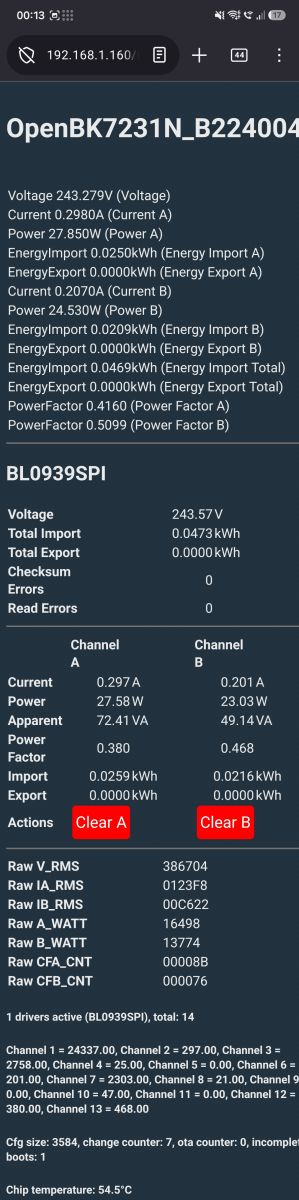
    Great news. Flashed it today and it works! Thank you so much for the custom firmware build, it got the BL0939SPI up and running on my BK7231N device perfectly.
    Since this is a stripped-down build, standard console commands like "VoltageSet" or "help" are missing. Could you please let me know how I should pass the calibration coefficients (Voltage, Current, Power) for this specific driver? Should they be added as arguments after "startdriver bl0939spi" in the startup command, or is there another way to calibrate it?

    Mobile browser screenshot of OpenBK7231N showing voltage, current, power and energy readings for channels A and B
    Thanks again for your awesome work!
  • ADVERTISEMENT
  • Helpful post
    #14 21925105
    p.kaczmarek2
    Moderator Smart Home
    Posts: 14713
    Help: 659
    Rate: 12789
    @divadiow I want this cleared up and merged

    @insmod SetVoltage indeed seems renamed, but what about SetCurrent? It has SetCurrentA and SetCurrentB, we probably need to have some standard.... add second argument to CurrentSet? Channel A and then Channel B? Just wondering
    Helpful post? Buy me a coffee.
  • #15 21925106
    insmod
    Level 31  
    Posts: 1430
    Help: 168
    Rate: 453
    I think it should be in hlw variant, not in a separate one.
    And perhaps even merge hlw into power metering variant?
    The issue with flash vars is no longer present.
  • #16 21925200
    p.kaczmarek2
    Moderator Smart Home
    Posts: 14713
    Help: 659
    Rate: 12789
    How much of the code is common there? Could it be made DRY?
    Helpful post? Buy me a coffee.
  • #17 21925388
    divadiow
    Level 38  
    Posts: 5174
    Help: 443
    Rate: 908
    I can fiddle in a few hours when home. That top table of values is visible when driver is not running too so that needs removing.

    Or feel free to take it and sort it out...
  • #18 21925454
    geoagache
    Level 2  
    Posts: 9
    Rate: 3
    >>21925086
    THANKS! Helped a lot.
  • #19 21925455
    divadiow
    Level 38  
    Posts: 5174
    Help: 443
    Rate: 908
    From memory I think it also forces MQTT/HA state or something when driver starts. I imagine this behaviour is not desired.
  • Helpful post

    BL0939 SPI support with assignable pin roles

    #20 21925656
    divadiow
    Level 38  
    Posts: 5174
    Help: 443
    Rate: 908
    @geoagache if you're up for more testing please flash the attached. you'll need to assign the IOs the new roles in the config page. driver autostarts on reboot

    Screenshot with three dropdowns: BL0939_MISO, BL0939_MOSI, and BL0939_SCLK

    Code: Text
    Log in, to see the code


    supported commands
    Code: Text
    Log in, to see the code


    that fixed channel list at the top of the older build will persist unless you reset obk to factory

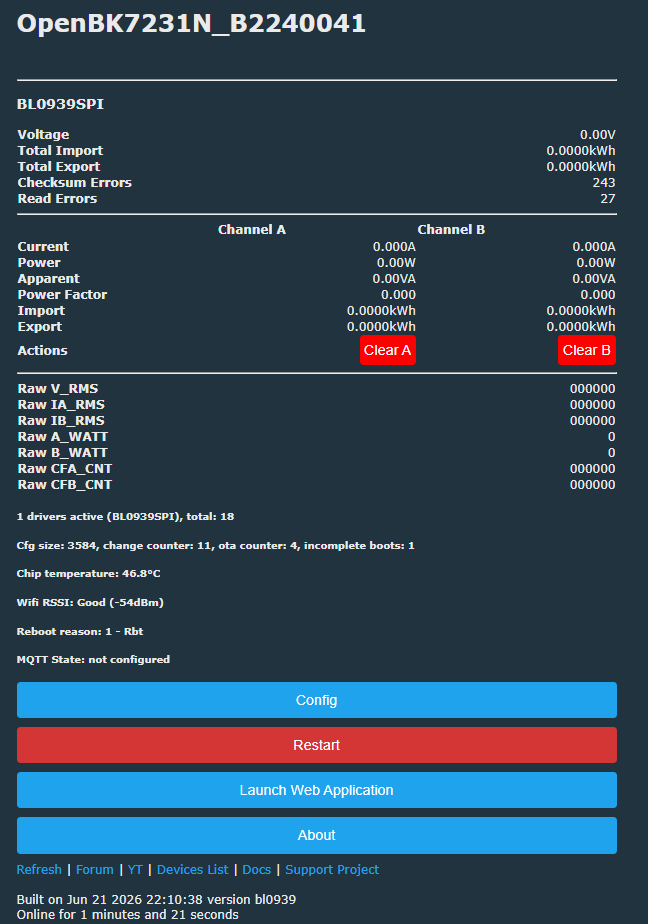
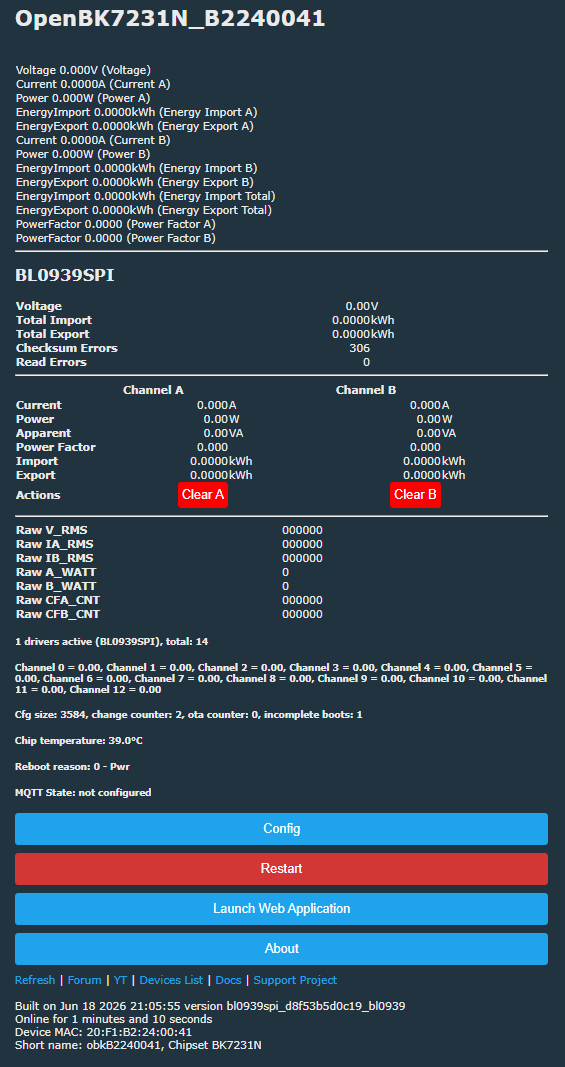
    Screenshot of OpenBK7231N dashboard showing BL0939SPI readings and Config/Restart buttons
    Attachments:
    • OpenBK7231T_App_bl0939-2_202376afc213_OpenBK7231N_powerMetering.zip (3.22 MB) You must be logged in to download this attachment.
  • #21 21925669
    geoagache
    Level 2  
    Posts: 9
    Rate: 3
    Sure, will try ASAP.
  • #22 21926254
    geoagache
    Level 2  
    Posts: 9
    Rate: 3
    Flashed today. It's working normally.
    [BK7231N] How to add BL0939 SPI support for Tuya 2x CT Smart Power Meter Clamp?
    [BK7231N] How to add BL0939 SPI support for Tuya 2x CT Smart Power Meter Clamp?
  • Helpful post
    #23 21926267
    divadiow
    Level 38  
    Posts: 5174
    Help: 443
    Rate: 908
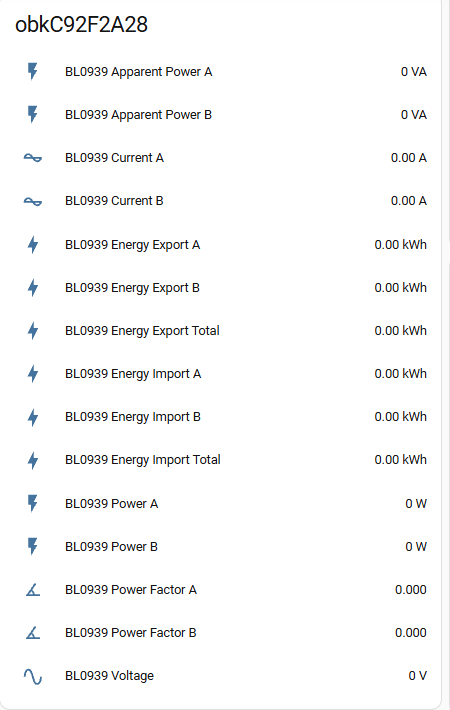
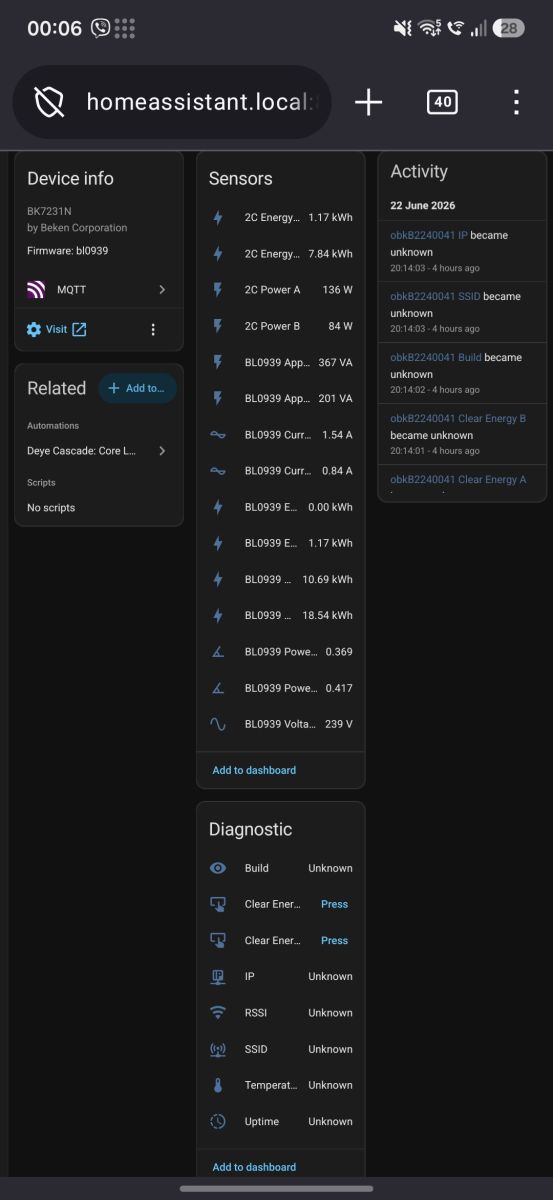
    ah that's good. Do you have Home Assistant? Has it appeared in there if you've configured it? readings OK? Have you used any commands? do the clear buttons work etc etc?

    my empty discovery

    Screenshot listing “BL0939” energy metrics with all values at 0 (power, current, energy, voltage)
  • MQTT readings work with calibration commands

    #24 21926279
    geoagache
    Level 2  
    Posts: 9
    Rate: 3
    Yes, of course, I have HA. MQTT works well. Readings are ok, not sure about power factor and apparent power, though.
    Have used commands for voltage calibration, current and power calibration for channel A and B.
    Clear buttons work! Pressed them straight from HA :).
    I use PowerSave 1 as a startup command.
    In diagnostic from mqtt HA I can't see device temperature, but not sure I need it.
    Phone screenshot of a web UI showing MQTT logs and the address bar with 192.168.1.160


    Phone screenshot of Home Assistant showing BK7231N device info and energy/power sensors list
  • #26 21927061
    DeDaMrAz
    Level 23  
    Posts: 620
    Help: 34
    Rate: 130
    insmod wrote:
    The issue with flash vars is no longer present.


    Hold up! 😁 I was away and trying to catch up - can you elaborate on this a bit more?
  • #27 21927072
    insmod
    Level 31  
    Posts: 1430
    Help: 168
    Rate: 453
    >>21927061
    As far as i remember, it was a problem because flash vars on beken were limited, and to save HLW data, emetering was hijacked. Or something like that.
    Since flash vars were migrated to EF, HLW data is saved under a separate key.
  • #28 21927077
    DeDaMrAz
    Level 23  
    Posts: 620
    Help: 34
    Rate: 130
    I believe we had 10 or 12 "slots" limit on BK, and at least 3 were in use by default + "quick connect" etc... so rather limiting space to play with ( I may be wrong on the number of "slots" but it is or was a small number). Did we expand the number or is migration to EF introduced something to look into?
  • Helpful post
    #29 21927082
    p.kaczmarek2
    Moderator Smart Home
    Posts: 14713
    Help: 659
    Rate: 12789
    That went well, @divadiow , good job.

    My only little concern is here - but i think we could ignore it for now:
    [BK7231N] How to add BL0939 SPI support for Tuya 2x CT Smart Power Meter Clamp?
    Can it be more DRY? When we introduce third power meter, we will add third separate function? Is the implementation of data save really that individual?
    Helpful post? Buy me a coffee.

Topic summary

✨ Discussion about adding OpenBeken support for a Tuya-based dual CT smart power meter clamp using a BK7231N CB3S module and BL0939 energy metering IC wired over bit-banged SPI instead of the usual UART. The pinout was reverse-engineered and a custom BL0939SPI driver was created, with user-assignable GPIO roles for SCLK, MOSI, and MISO. After confirming the BL0939 SEL pin was tied to 3.3 V, test firmware was flashed successfully, MQTT/Home Assistant readings worked, calibration commands for voltage/current/power were used, and the driver was later prepared for inclusion in the PowerMetering BK7231N variant.
AI summary based on the discussion. May contain errors.
ADVERTISEMENT