






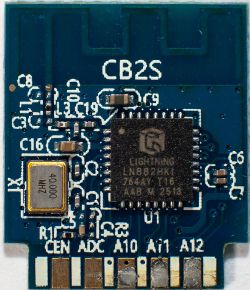
I installed a very recent OpenBeken (1.18.297) on a new device with a BK7231N.
The device supports an external switch or a momentary push button. I use the button.
I am unable to get the button to work. In fact, I am unable to get any response from the button.
Details of the switch/button:
Pin 13 of the Tuya module seems to be GPIO8, default voltage 2.9 V, when the button is pressed: 30 mV.
I tried many things with the help of ChatGPT and Google AI, but nothing works.
Question: Which settings & autoexec content do I need to realize the below:
- short click: On (Set channel 4 to 128), Off (Set channel 4 to 0)
- long click: Max intensity (Set channel 4 to 255)
Kind regards,
pvswie01
AI: What is the exact brand/model of the device, or can you share the current OpenBeken template / GPIO configuration page for this device?
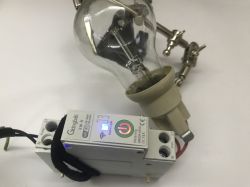
My device is not branded. It looks just like the unbranded device on this page: https://devices.esphome.io/devices/oxt-1ch-dimmer/
AI: Can you post your current autoexec.bat content and the GPIO8 role/settings you tried, including whether you used Button, Btn, Btn_n, input pull-up, etc.?
At this moment, it makes no sense to include config and autoexec.bat details since the device does not work.
The device supports an external switch or a momentary push button. I use the button.
I am unable to get the button to work. In fact, I am unable to get any response from the button.
Details of the switch/button:
Pin 13 of the Tuya module seems to be GPIO8, default voltage 2.9 V, when the button is pressed: 30 mV.
I tried many things with the help of ChatGPT and Google AI, but nothing works.
Question: Which settings & autoexec content do I need to realize the below:
- short click: On (Set channel 4 to 128), Off (Set channel 4 to 0)
- long click: Max intensity (Set channel 4 to 255)
Kind regards,
pvswie01
AI: What is the exact brand/model of the device, or can you share the current OpenBeken template / GPIO configuration page for this device?
My device is not branded. It looks just like the unbranded device on this page: https://devices.esphome.io/devices/oxt-1ch-dimmer/
AI: Can you post your current autoexec.bat content and the GPIO8 role/settings you tried, including whether you used Button, Btn, Btn_n, input pull-up, etc.?
At this moment, it makes no sense to include config and autoexec.bat details since the device does not work.
