logo elektroda
logo elektroda
X
logo elektroda

Cloud-Free Control for Niveo Smart Tuya Fan Heater Using OpenBeken and Home Assistant

markusdd 339 22
ADVERTISEMENT
  • #1 21848819
    markusdd
    Level 2  
    Hi all,

    We've recently converted a floor of an only occasionally used building to use an R290 Midea Xtreme Save Blue climate control inverter for heating during winter. This works awesome, but I have no solution for the little bathroom on the floor yet. For that room I need frost protection even if no one is in, and when I'm there I want to be able to bring it at least to 18–20 °C.
    Basically, the only thing that makes sense in that case is a small wall-mounted fan-heater in my view.
    I want this thing to be smart, to have timer programs available. Essentially two things pop up then: Either unknown Tuya-based stuff or the Dreo fans. I really like the Dreo 517s, but I understand there has not been real cloud-cutting for these yet, which would disqualify them, although I prefer their hardware.

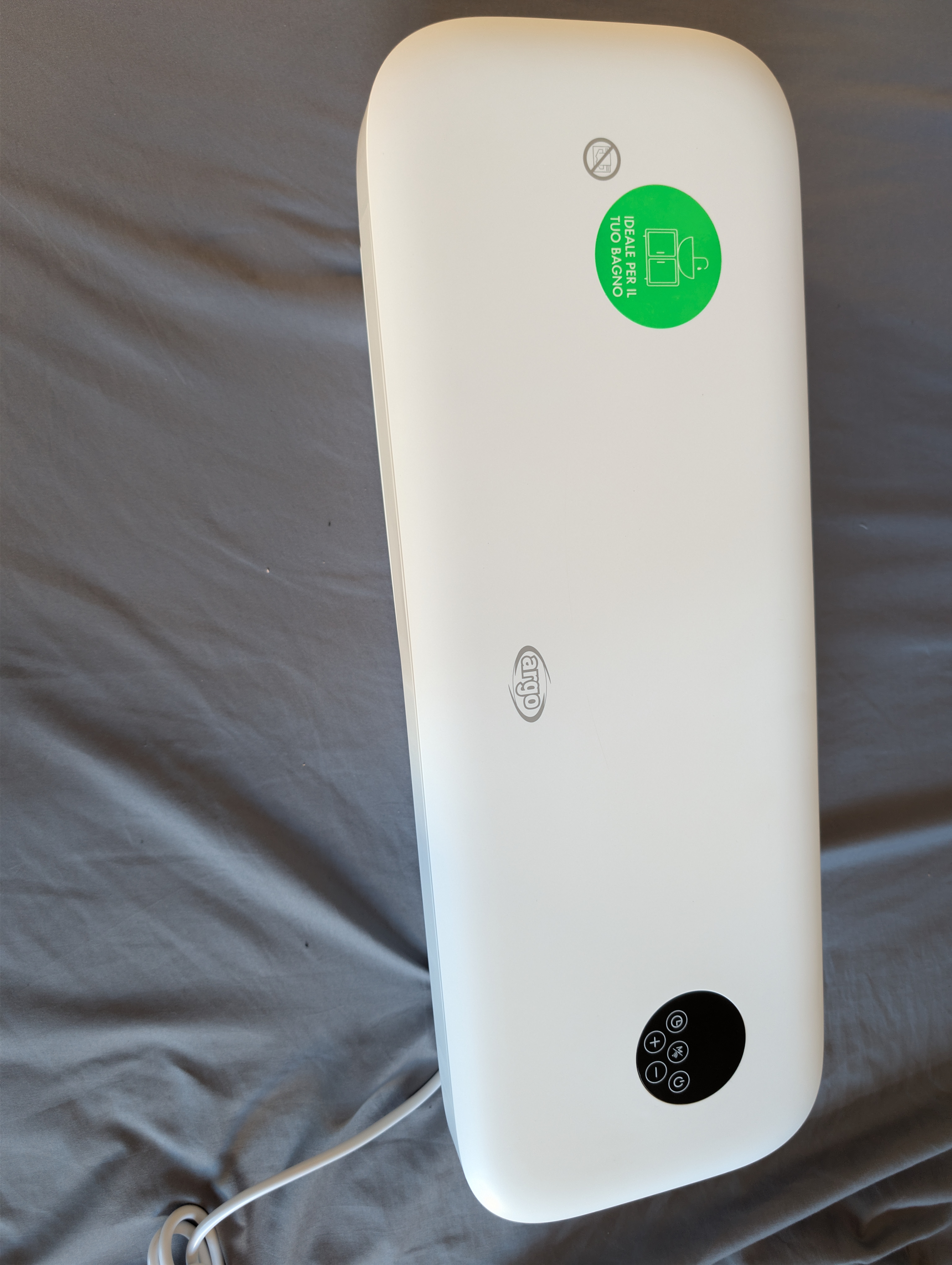
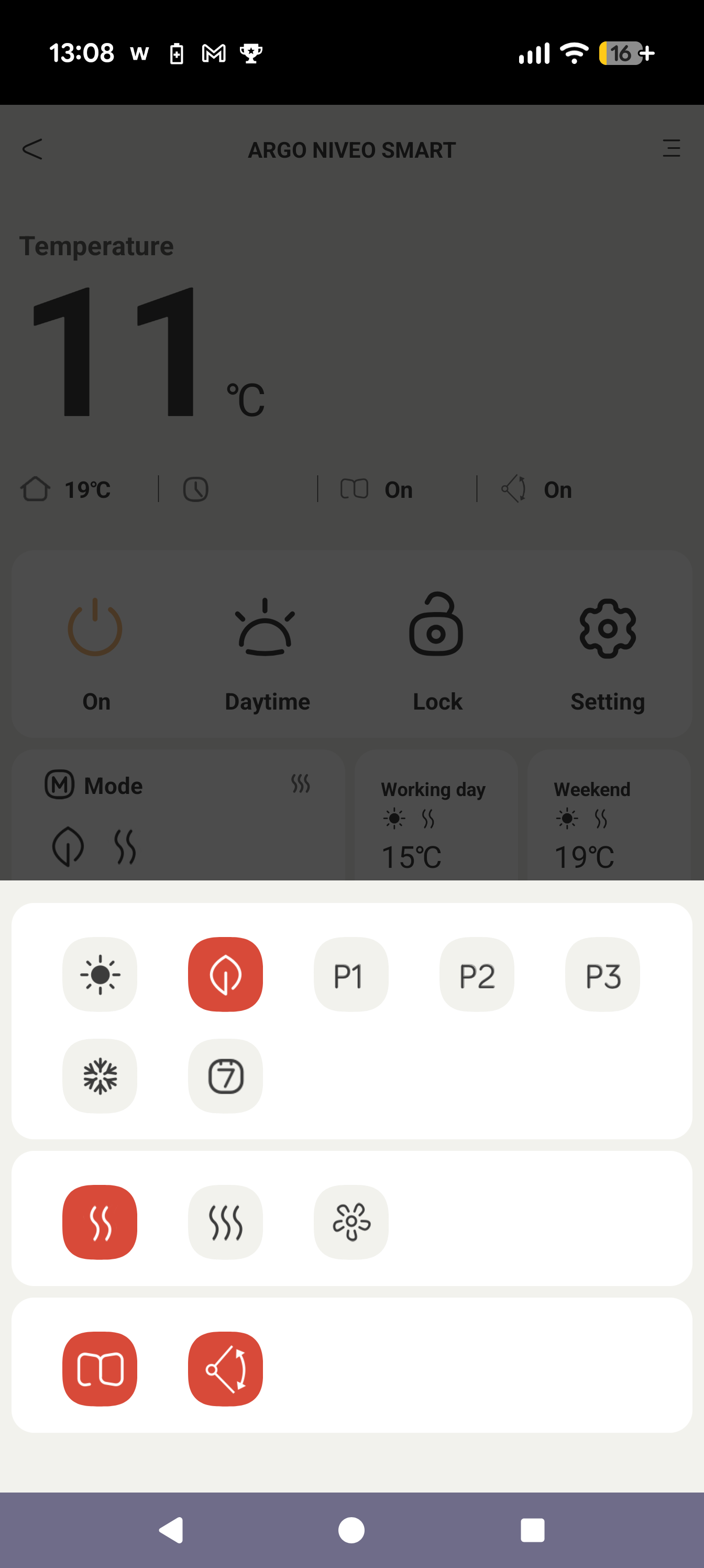
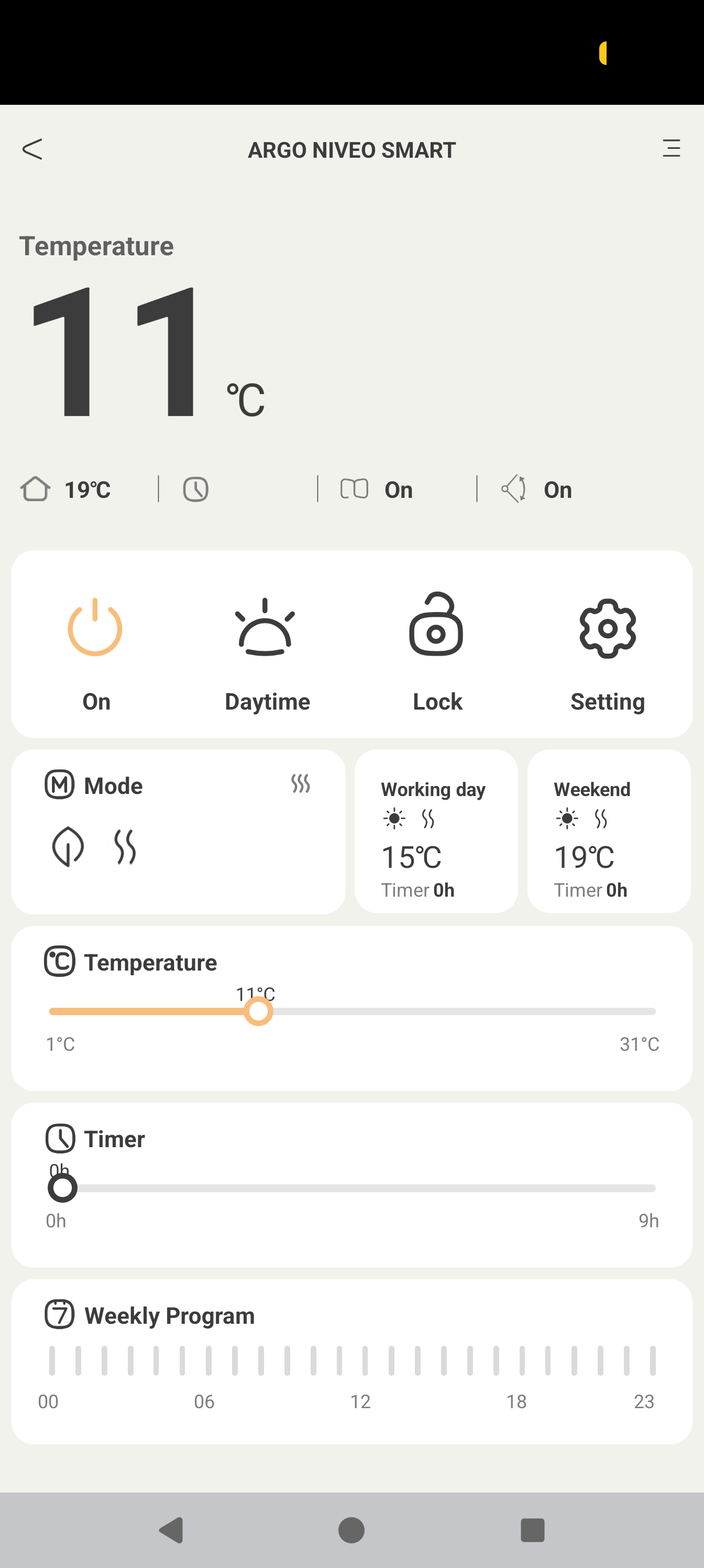
    I then found this thing for only 60€, available in Germany:
    https://www.airsain.de/atlantis-media/files/niveo-smart-manual-en-rev01.pdf

    As far as I can see this uses the completely generic Tuya App. I have extremely extensive experience with Tasmota and some with ESPHome, but I am completely new to OpenBeken.

    Or is there maybe already something and I did not find it? The only thing I found was a cloudcutter-profile for a heater called BPT-2000B but without any further documentation.

    So I'm now coming here to ask: Do you think this heater is cloud-cuttable while maintaining all functions (including frost protection)? For schedules I obviously will use Home Assistant.
    But will, e.g., the remote control still work?

    I'm completely comfortable with taking this thing apart and posting stuff here and maybe making this another template/tutorial also for others to use, but I guess I will need some assistance as the ecosystem is completely new to me.
    I got lab supplies, logic analyzers, oscilloscope, multimeter, good solder equipment etc., all on hand, so that's not a problem if at all needed.

    Thanks for advice/help in advance!
    AI: Could you provide the exact brand and model number of the Tuya-based fan heater you’re considering (ideally with a product link or photo of the label)?
    https://www.airsain.de/produkt/argoclima-niveo-smart/
    AI: If you already have the heater, could you share details or photos of the internal hardware—especially the Wi-Fi module or main control board—so we can check compatibility with OpenBeken and cloudcutter?
    I do not have it yet and want to explore whether it is worth getting.
  • ADVERTISEMENT
  • #2 21848854
    p.kaczmarek2
    Moderator Smart Home
    Thank you for posting. We can try to get it working for you, but as you said, we need some information first. Can you make few photos from inside?

    I'd suspect that your device is probably using TuyaMCU, so our process will be following this guide:
    https://www.elektroda.com/rtvforum/topic4038151.html
    Helpful post? Buy me a coffee.
  • #3 21849575
    divadiow
    Level 38  
    markusdd wrote:
    The only thing I found was a cloudcutter-profile for a heater called BPT-2000B but without any further documentation.


    that cloudcutter profile came from a dump taken from this device https://www.elektroda.com/rtvforum/topic4097185-120.html#21762995

    It seems to be the case that heaters/air conditioning/stoves/kettles type of device favour RTL8720CF modules, often WBR3.

    I think it'd be mostly down to luck to get a device that can be cloudcut, even then it would probably need a full dump for a new profile to be created. Whatever you do get, you may need to be prepared to take apart and maybe desolder.

    Added after 5 [minutes]:

    markusdd wrote:
    Either unknown Tuya-based stuff or the Dreo fans. I really like the Dreo 517s, but I understand there has not been real cloud-cutting for these yet, which would disqualify them, although I prefer their hardware.


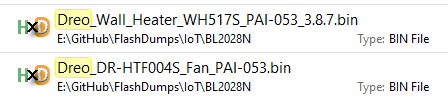
    of the two dumps we have for Dreo devices, neither are Tuya, so this would disqualify Dreo for cloudcutter anyway - assuming Dreo is still/all non-Tuya


    File Explorer screenshot with two highlighted BIN files named with “Dreo” and an HxD icon.
  • #4 21849617
    markusdd
    Level 2  
    Thanks, guys, for the replies. Yes, Dreo is 100% confirmed NOT Tuya. (not sure which processors/MCUs they use though)
    They maintain an own HA integration and are saying they will support full local control but I will not buy into a non-existing feature.

    So I will probably order one of these Niveo Smart heaters and have a peek inside. At €60 it's not the end of the world if it goes wrong.

    Soldering, measuring, etc. is not at all an issue, happy (and able) to do all that.
    It would be awesome if we can get that working.

    I will read the links you provided and get back once I have such a thing on hand.
  • #5 21849621
    divadiow
    Level 38  
    markusdd wrote:
    not sure which processors/MCUs they use though


    well, the two Dreo dumps are from Belon BL2028N MCUs, which are just Beken BK7231N, so supported by OpenBK.
  • #6 21849672
    markusdd
    Level 2  
    >>21849621

    Mmm... so you are saying the 517s would be worth a try then?

    I guess we would lose some convenience in the process, but generally it would work?

    EDIT: Just noticed one of the dumps is actually a 517s. Did anything ever come out of those?
  • #7 21853396
    markusdd
    Level 2  
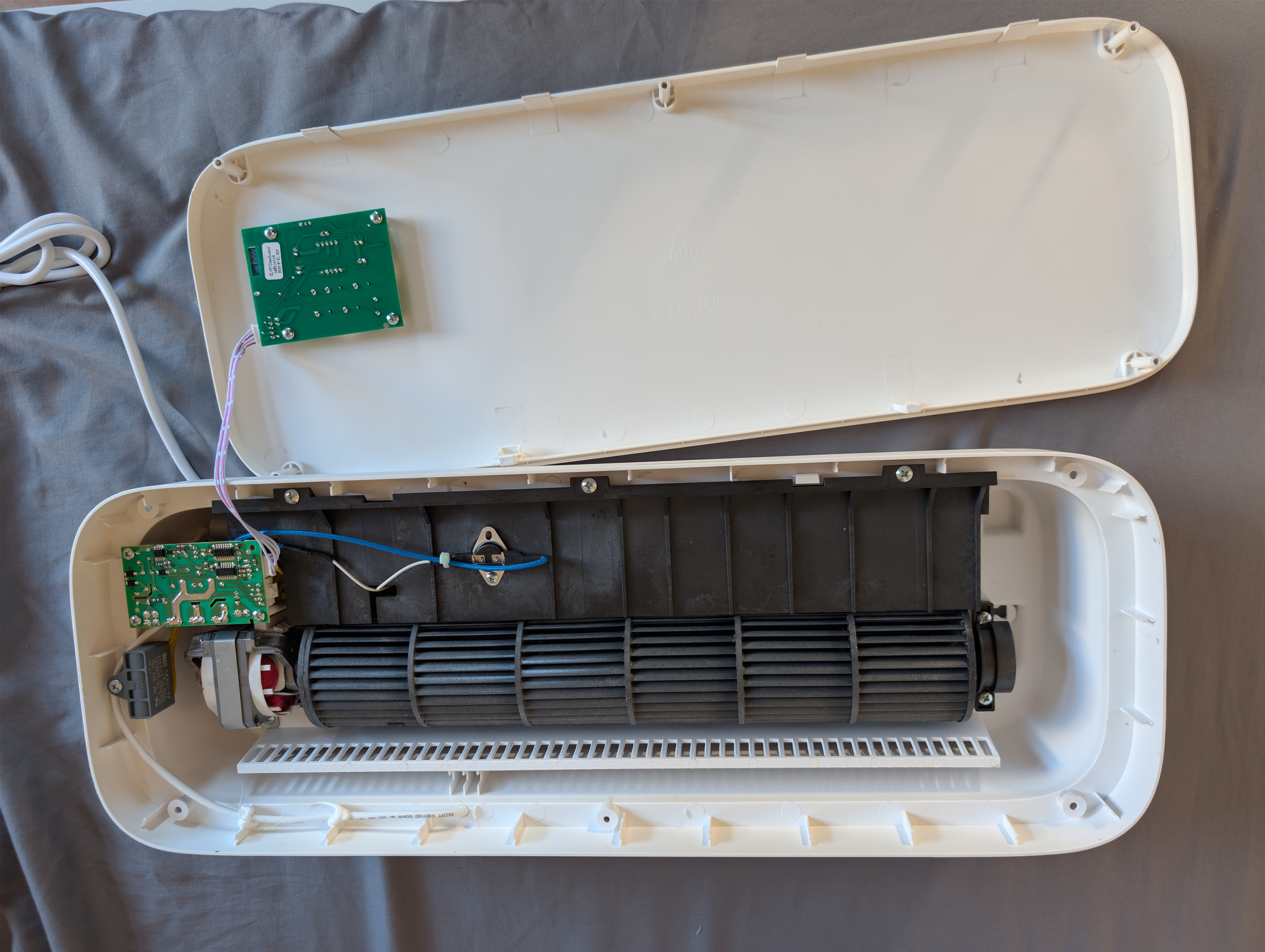
    OK, here we go. The device is here.
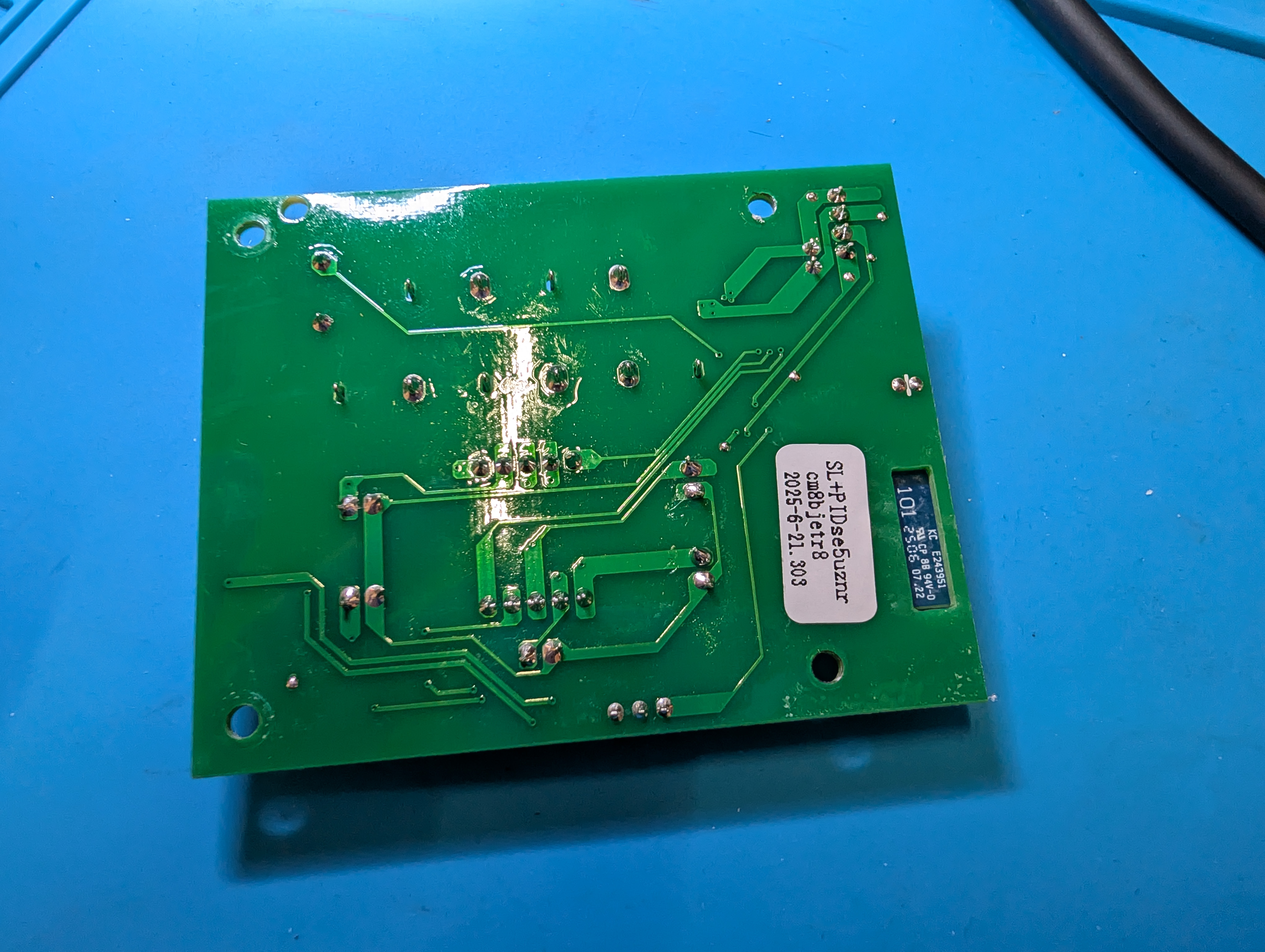

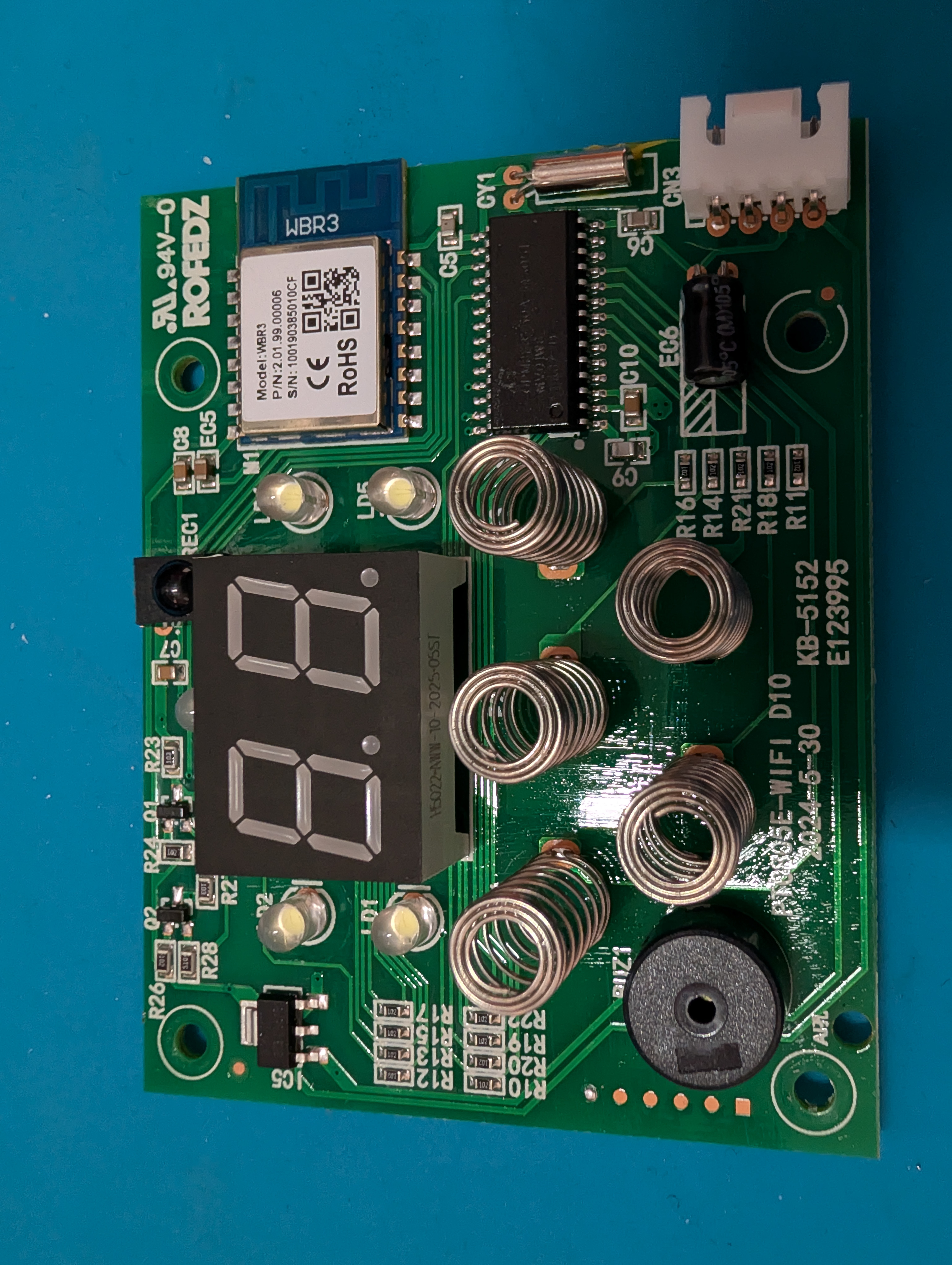
    WBR3 module inside. From looking at the PCB, I would say it's very clearly a TuyaMCU setup. There's only two data wires going to the MCU below it. Seems like a GigaDevice thing or similar.

    So how do we go about this now?

    EDIT: Also connected UART adapter to the A16 UART log pin and logged the startup. I attached the log as a txt. Keep in mind this was just with the MCU board on my desk, where I fed it 5V and GND at the input that normally comes from the motor/power supply board.
  • ADVERTISEMENT
  • #8 21853475
    markusdd
    Level 2  
    So @divadiow and @p.kaczmarek2, I have unsoldered the module and wanted a firmware dump.

    Using a serial terminal I see this:
    Code: Text
    Log in, to see the code

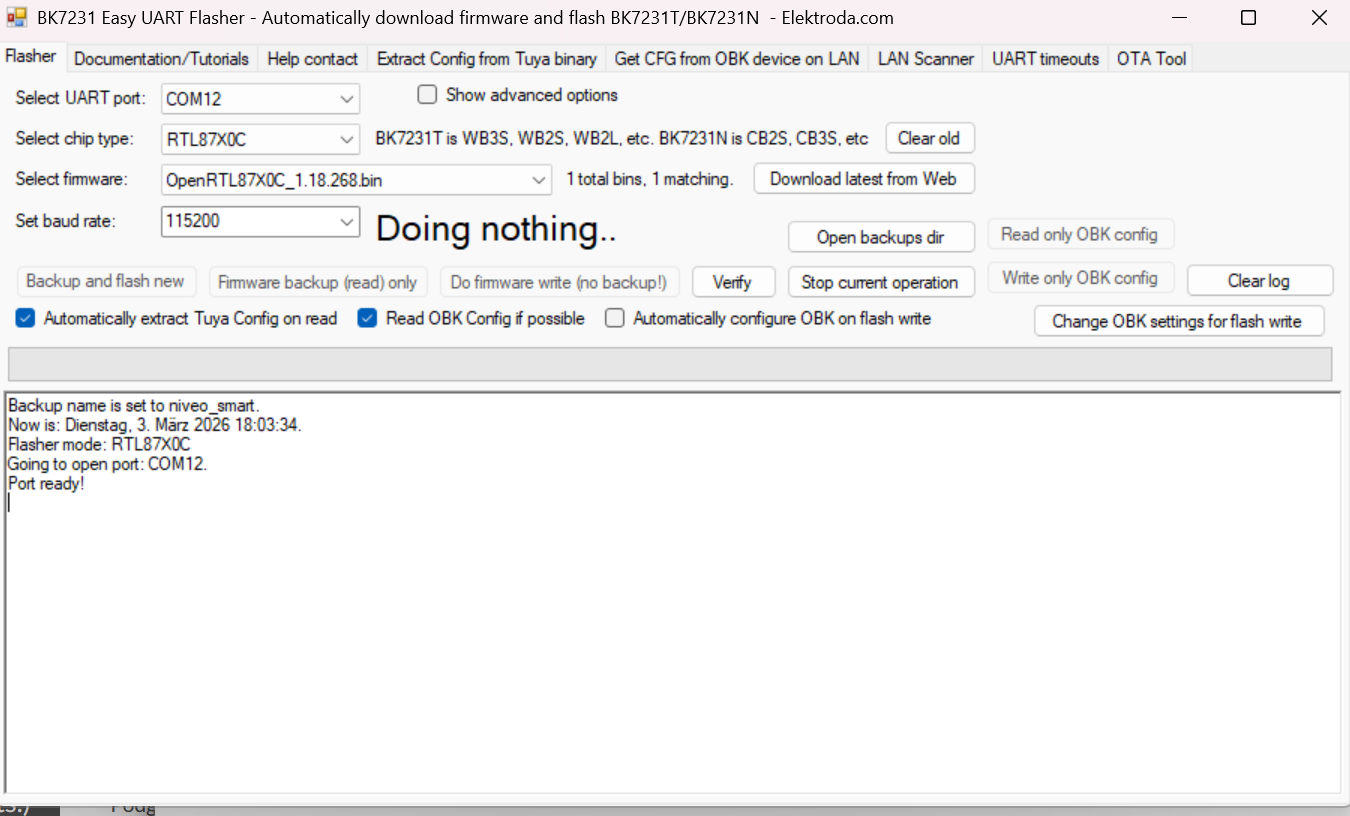
    So that should be fine. Using the GUI Flash tool, after I closed the serial terminal, I tried to do a dump only without writing a new firmware yet.
    But nothing happens; it is stuck in that state:

    Screenshot of BK7231 Easy UART Flasher showing “Doing nothing..” with COM12 selected


    What to do? UART adapter is a WCHLink (company that makes the CH340), so that should be more than good for the job.
  • ADVERTISEMENT
  • #10 21853518
    markusdd
    Level 2  
    [postid:d94ad299b7]21853503 [/postid:d94ad299b7]
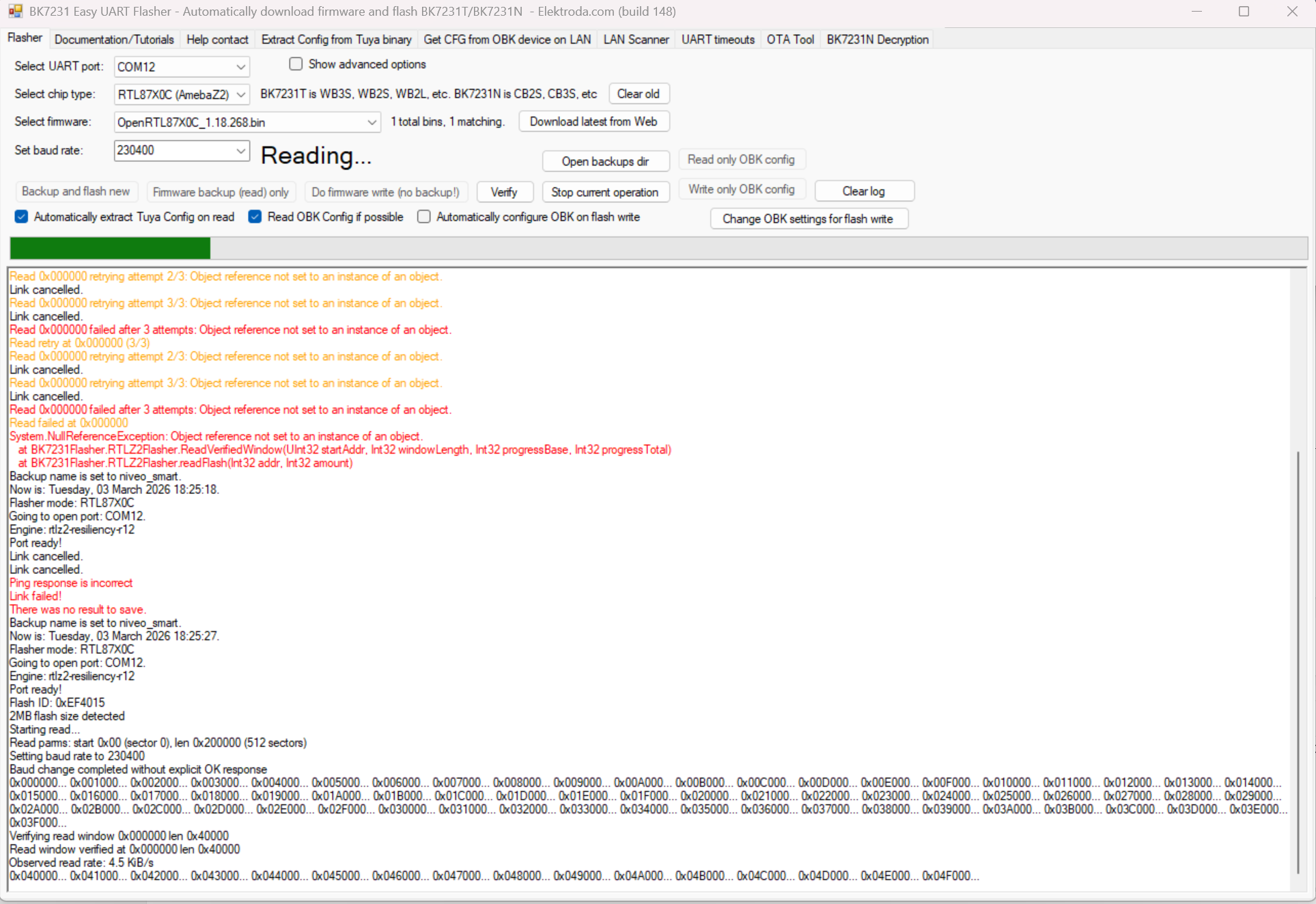
      Screenshot of BK7231 Easy UART Flasher showing flash read log and “Object reference not set” errors.

    woohoo! 115200 is failing but 230400 seems to succeed already.

    Added after 8 [minutes]:


    Ok I'm running through all of them now but Baud rates seem to work north of 115200.

    And it is confirmed: TuyaMCU

    Code: JSON
    Log in, to see the code


    So what next?

    ----

    EDIT: Based on stuff I found here I tried to use the dev platform and I got the following codes extracted:

    Code: JSON
    Log in, to see the code
  • #11 21853603
    divadiow
    Level 38  
    thank for trying it out. I do get more retries at lower bauds, but no hard fails. Maybe your cables are long? I'll continue to fiddle.

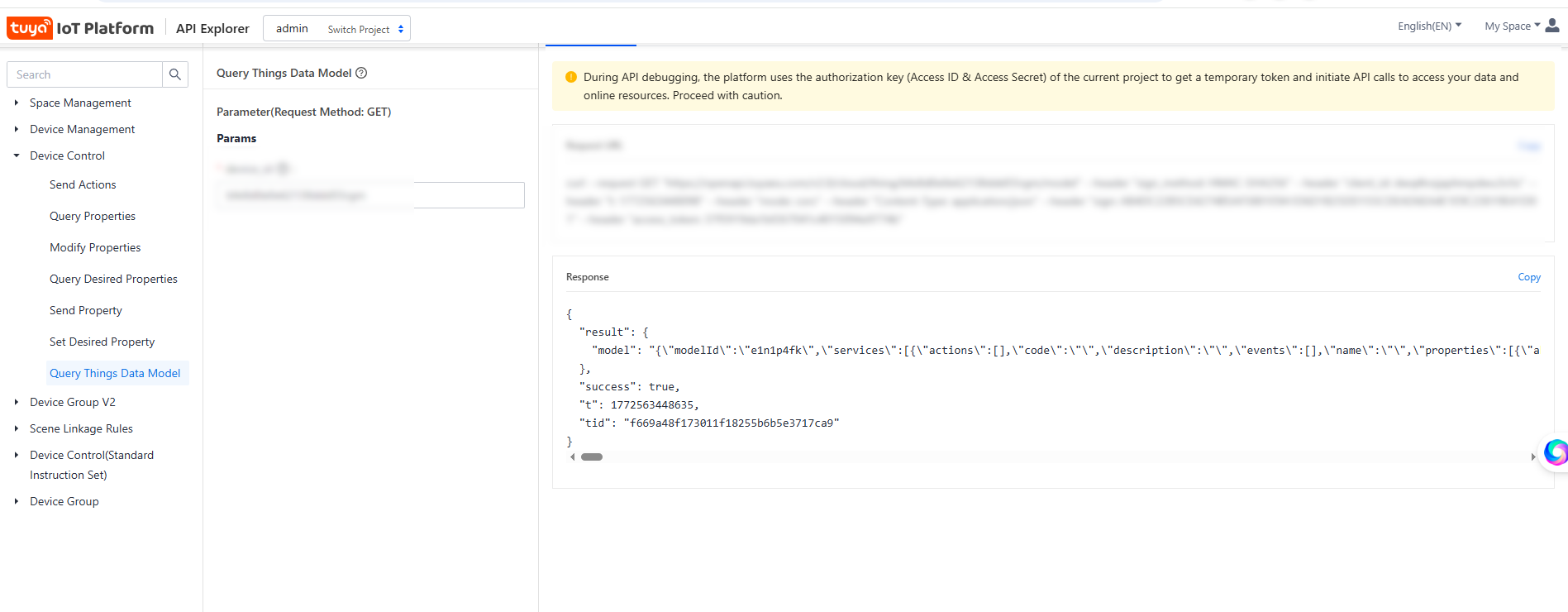
    regarding the TuyaMCU config, you should get the Query Things Data Model json and get Ai to make it pretty. This contains the dpIDs and their values. eg:
    Screenshot of Tuya IoT Platform API Explorer showing “Query Things Data Model” and a JSON response
  • #12 21853619
    markusdd
    Level 2  
    >>21853603

    I used my SublimeText skills to make it pretty, here we go:

    Code: JSON
    Log in, to see the code


    EDIT: Let Grok translate the chinese stuff:

    Code: JSON
    Log in, to see the code


    EDIT: Also have attached the firmware dump

    EDIT:
    Mmh. I now used the Gui Flasher to finally flash the device, but it seems to be bootlooping:
    DISREGARD. It was ne UART adapter now running out of power with Wifi on, with lab supply it starts.

    I will now resolder the module and then we get to play with the config.
  • #13 21853722
    markusdd
    Level 2  
    I have now used Grok to write an autoexec.bat for me out of the JSON.
    Comparing this to the examples it looks somewhat sane to me but clearly it is not fully correct.

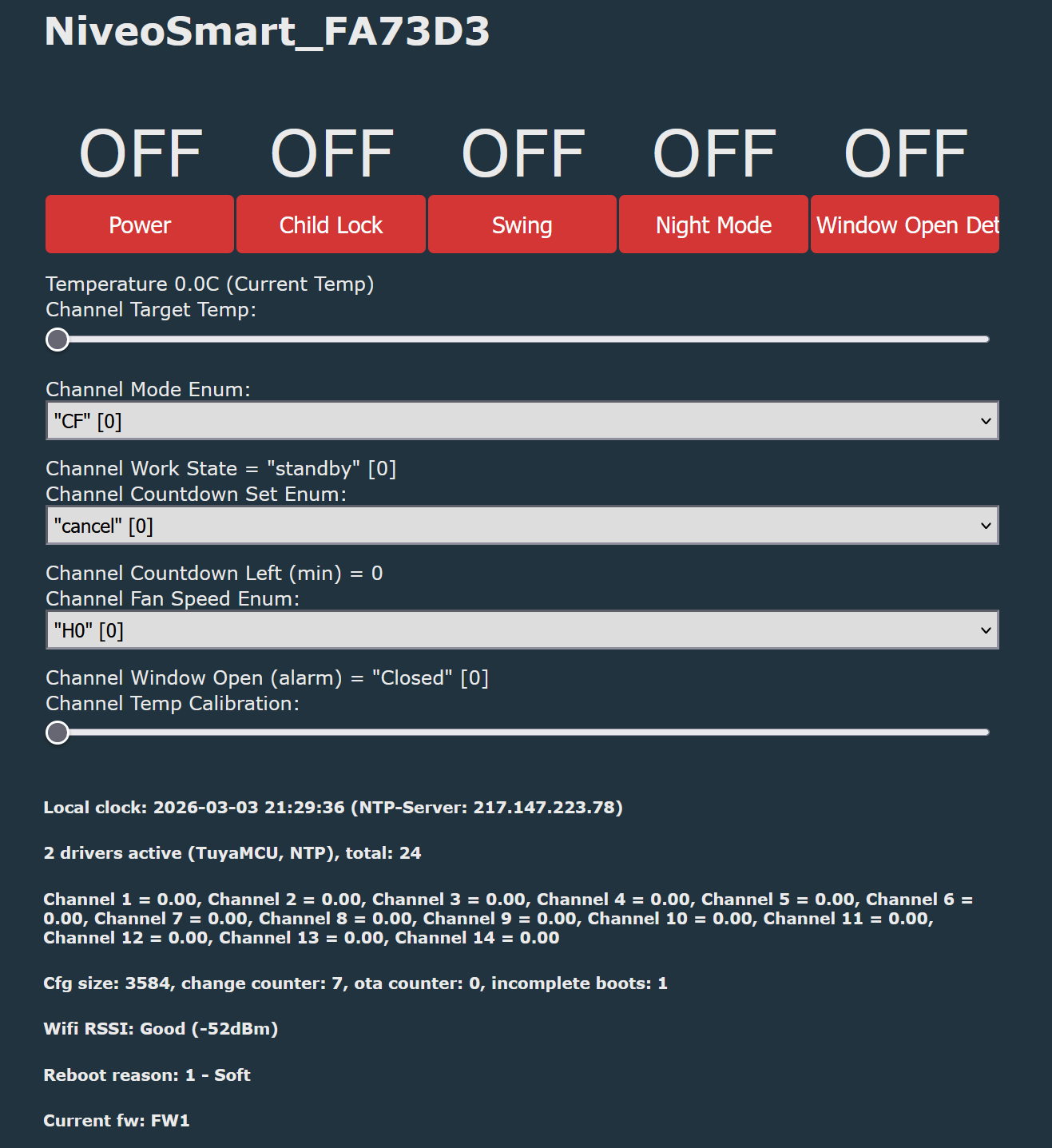
    E.g. the power toggle works, but it immidiately turns off again. Temperature is displayed as 0.
    Screenshot of the OpenBeken web UI for NiveoSmart_FA73D3 with toggles, temperature fields, and TuyaMCU config text.


    Here I need a bit of help now.

    Code: Text
    Log in, to see the code
  • Helpful post
    #14 21853797
    p.kaczmarek2
    Moderator Smart Home
    Not bad, you figured a lot already. AI also helped a bit, but it also introduced some issues.

    For a start, I don't think we parse # comments, so they are parsed as futher link arguments.
    So this:
    
    linkTuyaMCUOutputToChannel 106 val   14    # Temp Calibration
    

    Is matched to this:
    
    linkTuyaMCUOutputToChannel [dpId] [varType] [channelID] [obkFlags] [mult] [inv] [delta]
    

    So... # is parsed as obk flags (0), Temp is parsed as mult (0), and Calibration as inv (0)
    Helpful post? Buy me a coffee.
  • #15 21853805
    markusdd
    Level 2  
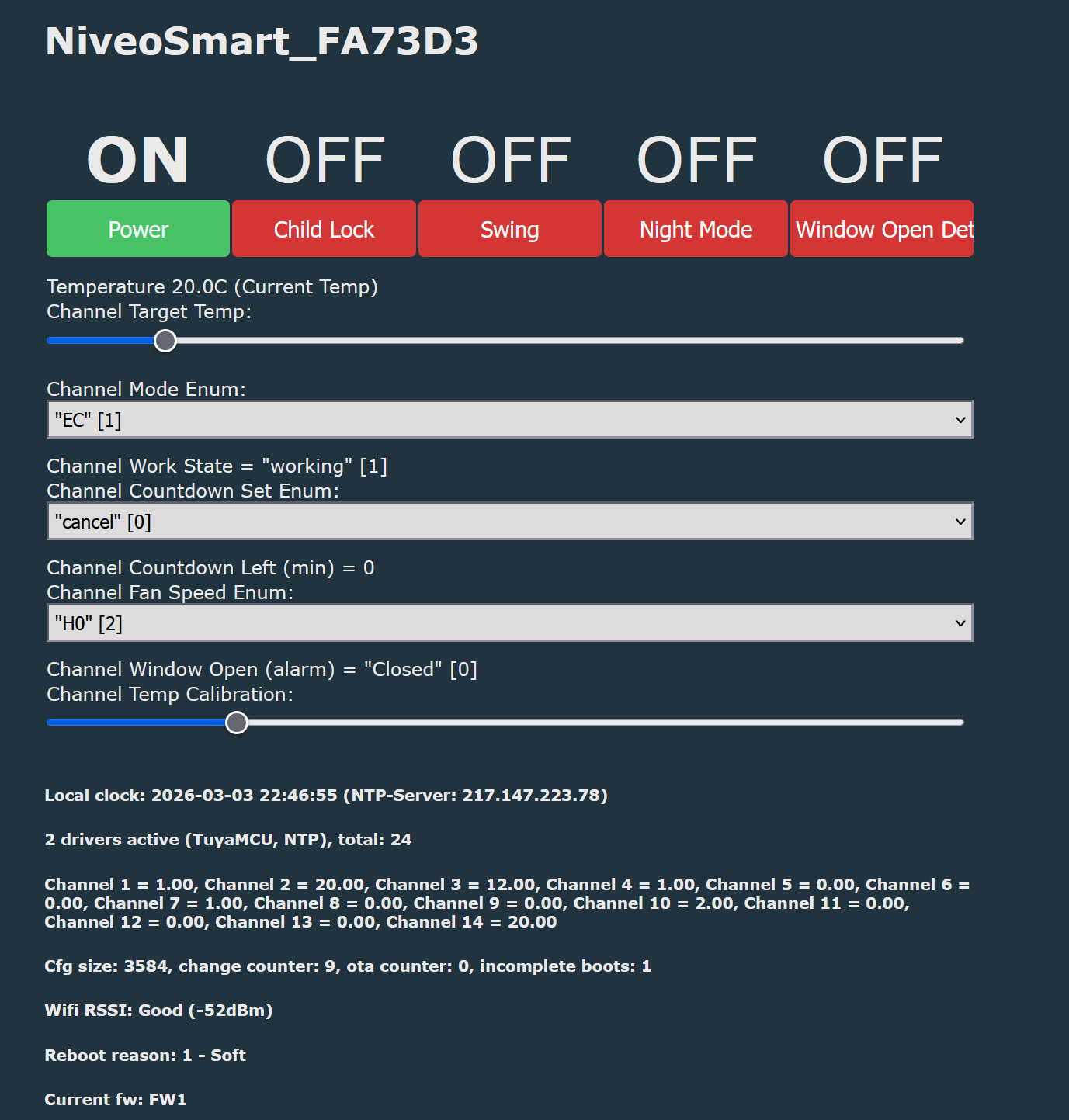
    Lol. It really was just the comments. And the order for the fanspeed enum was wrong.

    “NiveoSmart_FA73D3” control panel with Power, Child Lock, Swing, Night Mode buttons and 20.0°C temperature readout


    As far as I can see, this is working:

    Code: Text
    Log in, to see the code


    That being said: This would work great. My only gripe is that this thing is actually much louder than I anticipated. Which is a shame.

    So my question would be: Do you think we would have a shot at getting the Dreo working?
    We know we can flash it with OpenBeken, question is if we can figure out the UART comms.
  • #17 21854325
    markusdd
    Level 2  
    >>21853895

    Thanks for adding it to the db so quickly! I think this will be very useful for many people as there is a lot of these 1000 W/2000 W wall heaters out there with all different cases but very similar specs. My suspicion is that they are basically the same under the hood. So whatever is here should be readily adaptable.

    And thanks so much for the help.

    As for the Dreo: I got a proper logic analyzer, and we have the previous dreo-cloudcutter work on GitHub available. I do not believe things will be massively different.
    Sure, will be a bit of work, but if we get it running, this will a) make me very happy and b) probably hundreds to thousands of others as well.

    So if you are willing to assist as well, I'd start another thread.

    I keep the Argo anyway because I can use it elsewhere if need be (and it was cheap). I was able to order the Dreo 517s with a coupon and on discount, so I got one coming on Friday.

    Seems we got a fun weekend ahead. Meanwhile I will look into integrating the Argo in Home Assistant to see how well it plays there.

    Added after 1 [hours] 29 [minutes]:

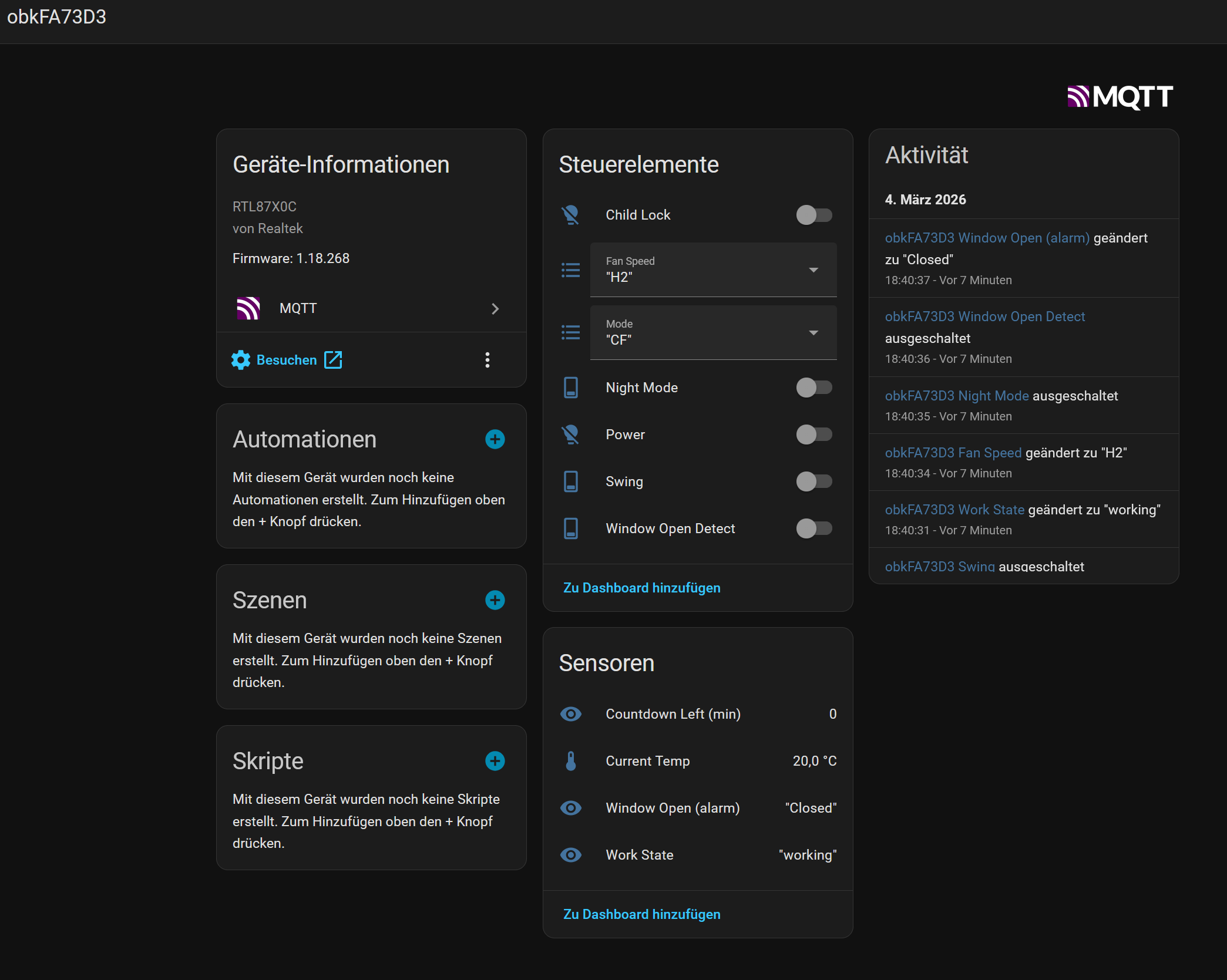
    Screenshot of Home Assistant MQTT device page with controls, sensors, and activity log


    Ok, I still might require some more info on HA integration.
    I followed the standard mqtt discovery step and things do show up.
    When I do change something on the openbeken page, it also updates in HA. But all controls I try do not work via MQTT. And most importantly: The set temperature control is completely missing. So I cannot even set the temp form HA right now.

    Also, it of course would be nice to have the most iimportant controls as a Thermostat. Any hints?
  • #18 21855527
    markusdd
    Level 2  
    So @divadiow or @p.kaczmarek2, I need some assistance here. I have set flags now so that the status shows up in Home Assistant and is retained, but all controls do not work.
    The temperature control is completely missing when I use dimmer, I have to use TextField (which is not as nice when using the device web UI).

    Is there any way to configure it so MQTT works as easily as Tasmota does? Or is there now another config that needs to be written so MQTT controls actually work from HA?

    In the logs I see this when I press the power button:

    Screenshot of MQTT and Wi‑Fi logs, including “MQTT client in mqtt_incoming_publish_cb”.

    So there is a set on channel 1 with payload 1 received. So what is the issue? Why is it not applied?
  • #19 21855647
    divadiow
    Level 38  
    hmm. not sure I am knowledgeable enough about how the MQTT/HA stuff ties in. @DeDaMrAz and other will know more
  • #20 21855859
    DeDaMrAz
    Level 22  
    I haven't yet played with TuyaMCU based device of that kind but I do have one similar on the bench. It is not easy for me to do any of the work remotely, I need to have a device in hand but will try to look into the issue.
  • #21 21855863
    markusdd
    Level 2  
    >>21855859

    My guess is it's just a relatively basic config issue.
    I have flags 2, 10, 19, 21, 30, 35, and 45 set.

    I used Home Assistant discovery.

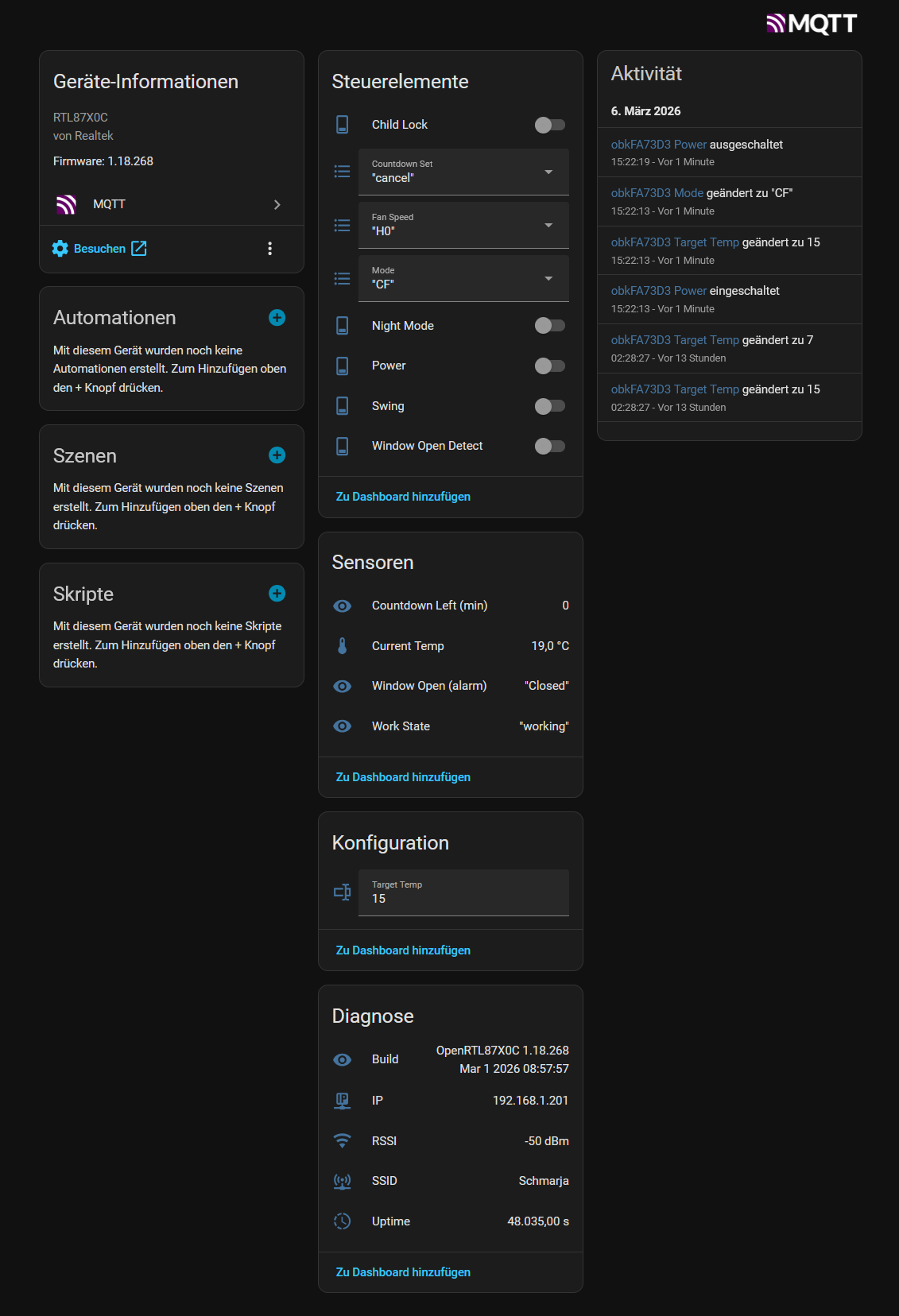
    I see all elements in HA now, and status is reported properly. I just need to find out why MQTT commands do not get executed; everything else is working nicely.

    Home Assistant device page showing MQTT info, controls, activity log, and temperature sensor reading
  • ADVERTISEMENT
  • #22 21855865
    DeDaMrAz
    Level 22  
    markusdd wrote:
    my guess is it is just a relatively basic config issue.


    It's not, to get the climate/boiler type controls in HA we need to implement that for OBK and TUyaMCU devices
  • #23 21855920
    markusdd
    Level 2  
    >>21855865

    As long as we have switches, etc., you can also build a climate entity in HA out of other basic entities.
    But even the basic entities, like the power on/off toggle, don't work via MQTT, I think that is the problem.

    Exporting a full climate entity to HA would, of course, be super convenient, but it's not a blocker as such for now.

Topic summary

The discussion addresses the integration of a small wall-mounted fan heater for frost protection and temperature control in a seldom-used bathroom, complementing an existing R290 Midea Xtreme Save Blue inverter heating system. The user seeks a smart, timer-programmable solution with local control, avoiding cloud dependency. Two main options considered are generic Tuya-based devices and Dreo fans, with preference for Dreo 517s hardware but lacking cloud-free control solutions. A cost-effective alternative found is the Niveo Smart Tuya fan heater (~60€), documented in a German manual, suspected to use TuyaMCU firmware. The suggested approach involves hardware inspection and applying a TuyaMCU flashing and integration method as per a referenced guide to enable local control via OpenBeken and Home Assistant, aiming for cloud-free operation.
Summary generated by the language model.
ADVERTISEMENT