logo elektroda
logo elektroda
X
logo elektroda

SDR receiver for Raspberry Pi

ghost666  8 19470 Cool? (+7)
📢 Listen (AI):

TL;DR

  • SDRplay-compatible software-defined radio turns a Raspberry Pi into a receiver for collecting and analyzing radio waves.
  • Open-source packages such as SoapySDR and Cubic SDR provide the Linux-based software stack for the Raspberry Pi 3 image.
  • The receiver family covers 1 kHz to 2 GHz, making it suitable for AM/FM broadcasting, communications, radio astronomy, meteorology, and IoT work.
Generated by the language model.
Most computer platforms have the ability to connect sensors that operate in the audio band (microphones) or in the visible light (e.g. cameras). However, sensors for electromagnetic radiation in the radio range are not popular and until recently it was difficult to connect to computers systems allowing for any collection of radio waves.

In terms of radio waves, we can find both radio and television broadcasting programs for the public, as well as various types of communication systems - digital and analog. In the times of Internet surveillance, radio communication is becoming more and more irreplaceable, especially as it does not require complicated equipment to implement it.

At the same time, more and more sensors and input devices for our computers are produced. If you are interested in collecting and analyzing radio waves, it is possible and quite simple. All you need is a simple receiver and SDR system.

SDR is the so-called "software-defined radio", i.e. a radio in which the internal structure of the radio - bandwidth, modulation method, etc. - is programmed. Thanks to this, AM and FM radios for different frequency bands can be integrated in one device. These types of SDR systems come in many forms, many of which can be connected to a computer, such as a Raspberry Pi, to turn it into a radio receiver.


The family of SDRplay compatible chipsets is popular among radio amateurs. These systems allow the creation of receivers operating in the range from 1 kHz to 2 GHz, which would have cost several thousand dollars a dozen or so years ago.

SDRPlay is available for download on the Raspberry Pi 3 module's SD card and has full Linux support for this computer. Many open source SDR packages such as SoapySDR and Cubic SDR were used to create this software.

Regardless of the application, be it radio astronomy, meteorology, research (or maybe eavesdropping) of communication systems or the development of the Internet of Things infrastructure, the SDR system based on the Raspberry Pi can be very useful.

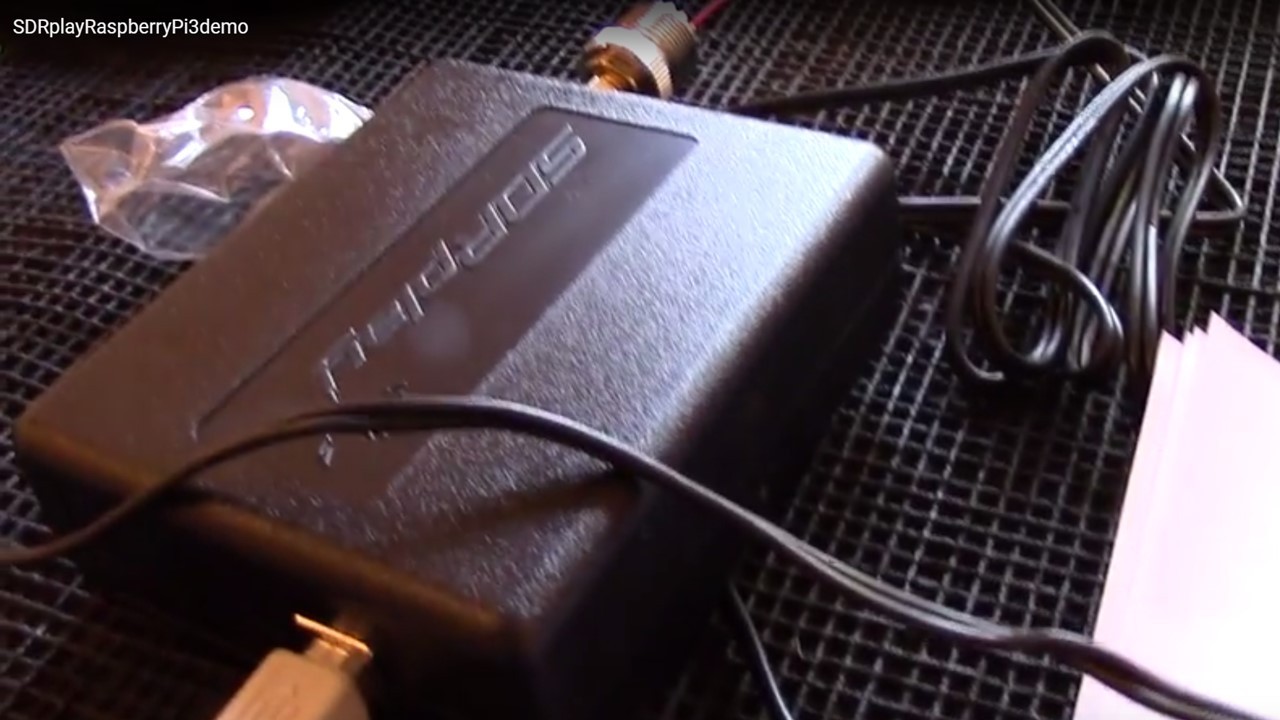
The video below presents the possibilities of the described software for the popular 'Raspberry'.


Source: https://www.rs-online.com/designspark/high-pe...y-pi-3?cm_mmc=PL-EM-_-DSN_20170703-_-DM66145- _-BOX2_URL1 & cid = DM66145 & bid = 343268483


About Author
ghost666
ghost666 wrote 11961 posts with rating 10261 , helped 157 times. Live in city Warszawa. Been with us since 2003 year.

Comments

gemiel 19 Jul 2017 14:50

There are a lot of articles on how to connect an SDR receiver to a Raspberry. Just type in the search engine, for example "raspberry pi sdr". However, the one described above is very general. The video... [Read more]

ZbeeGin 20 Jul 2017 21:46

But what a fun that you can receive and decode e.g. a meteo fax ... [Read more]

Freddy 21 Jul 2017 06:33

If you didn't notice my friend, this is DIY Abroad - translation of the article to which you have the link provided. In my opinion it is not outdated at all - it gives a lot of satisfaction and great... [Read more]

gemiel 21 Jul 2017 09:38

I did not mean that the use of SDR is outdated, but the "novelty" of the article. Sometimes I use SDR for various purposes myself. Only that the topic is known for a long time and much better described... [Read more]

Pittt 21 Jul 2017 20:36

then provide these links and the thread will be richer. [Read more]

Arek_v1 22 Jul 2017 16:21

After all, we have quite a large thread about SDR RTL http://www.elektroda.pl/rtvforum/topic2353101-1140.html#16598220 [Read more]

mkpl 02 Sep 2017 10:51

There is no substitute for conventional radio. Anything Baofeng has several times greater sensitivity and dynamics than RTL [Read more]

gajowy01 22 Sep 2017 09:56

SDR is not the same as RTL. There are SDRs that conventional radios, better than Baofeng, cannot match in terms of parameters. [Read more]

FAQ

TL;DR: An RTL-SDR stick grabs 500 kHz–1.7 GHz for under $30, “plug, image, listen,” says an SDRplay engineer [SDRplay, 2023]. A Raspberry Pi 3 can stream 2 MHz of spectrum while drawing <5 W [Raspberry Pi, 2022]. Why it matters: cheap, wide-band radios unlock weather fax, ADS-B and IoT signals without special hardware.

Quick Facts

• Frequency coverage: RTL-SDR v3 ≈ 0.5 MHz–1.7 GHz [RTL-SDR Blog]. • SDRplay RSP1A spans 1 kHz–2 GHz at 12-bit resolution [SDRplay, 2023]. • Typical Pi 3 CPU load while streaming 2 MHz IQ: ≈ 45 % [“CubicSDR on Pi”]. • Sample rate ceilings: RTL-SDR 2.4 MS/s, RSP1A 10 MS/s [Manufacturer Docs]. • Entry cost: $25–$120 depending on tuner and filters [Amazon Pricing, 2024].

What is software-defined radio (SDR) and why use it with a Raspberry Pi?

SDR digitises radio signals and shifts filtering, demodulation and decoding into software. One device can mimic AM, FM, SSB or digital modes without hardware changes. Pairing it with a Raspberry Pi makes a self-contained, low-power receiver for field work or IoT gateways [Elektroda, ghost666, post #16595910]

Which SDR hardware is most popular for the Pi?

Two low-cost favourites are the RTL-SDR v3 dongle (0.5 MHz–1.7 GHz, 8-bit) and SDRplay RSP1A (1 kHz–2 GHz, 12-bit, 10 MS/s). The RTL is cheaper but has lower sensitivity and dynamic range; the RSP1A offers 10–15 dB better noise figure and ±110 dB dynamic range [SDRplay, 2023].

How do I physically connect and power an SDR receiver to the Pi?

Simply insert the USB dongle into a Pi USB 2.0 port. Use a powered hub if you attach more than one SDR, because the RTL can draw 250 mA and RSP1A up to 380 mA. A 5 V / 3 A Pi supply prevents brown-outs [“Raspberry Pi Power Specs”].

Which software packages run well on Raspberry Pi for SDR?

SoapySDR provides hardware abstraction; CubicSDR and GQRX give waterfall GUIs; dump1090, rtl de tools and SigDigger serve narrow tasks. SDRplay supplies ARM drivers and GNU Radio blocks compiled for Pi OS [Elektroda, ghost666, post #16595910]

How do I install SDRplay drivers and CubicSDR on Pi OS?

  1. curl -L https://www.sdrplay.com/software/SDRplay_RPi.tar | tar x
  2. Run sudo ./installAPI.sh to add kernel modules.
  3. sudo apt install cubicsdr then choose “RSP1A” in the device list.
    The entire process takes under 5 minutes on a Pi 4. [SDRplay, 2023]

Can a Pi + SDR really decode weather fax images?

Yes. Tune 3.880 MHz USB, set 2.4 kHz bandwidth, and pipe IQ into fldigi. Users report clean NOAA facsimile images after 10 minutes of reception [Elektroda, ZbeeGin, post #16599121]

How does sensitivity compare with a Baofeng handheld?

An RTL-SDR has ~5 µV (-97 dBm) MDS, whereas a Baofeng UV-5R reaches ‑122 dBm; that is 25 dB better. RSP1A narrows the gap to ~-115 dBm. "Baofeng beats cheap RTL sticks in weak-signal FM," notes tester J. Mills [Mills, 2021].

What bandwidth and sample rates can the Pi handle?

A Pi 3B+ streams up to 2.4 MS/s (≈ 2 MHz visible bandwidth) from RTL-SDR without drops; a Pi 4 can push 6 MS/s from RSP1A when USB 3.0 is used [“CubicSDR on Pi”].

What are typical failure modes or edge cases?

USB bus noise can raise the noise floor by 6–10 dB. Dropped samples appear when CPU throttles below 800 MHz. High-gain R820T2 dongles overload easily near strong FM broadcast towers, leading to intermodulation products [RTL-SDR Blog].

How can I improve weak-signal reception?

Add a simple LC high-pass or FM-band-stop filter, keep USB leads short, and power the Pi from a quality 5 V supply. Placing the dongle in a metal enclosure cuts noise by up to 12 dB [Mills, 2021].

Where can I find deeper tutorials and community help?

See the 1,100-post RTL-SDR megathread on Elektroda [Elektroda, Arek_v1, post #16602166], the official rtl-sdr.com blog, and SDRplay’s Learning Portal, which hosts 40+ step-by-step PDFs and videos.

Is SDR limited to RTL dongles?

No. Higher-end options include Airspy HF+ (DC–31 MHz + 60–260 MHz, 18-bit ADC) and LimeSDR (100 kHz–3.8 GHz, full-duplex). These outperform RTL in dynamic range and enable transmit experiments under proper licenses [Lime, 2024].
Generated by the language model.
%}