FAQ 
TL;DR: 125+ documented teardowns prove the MOES GU10 5 W bulb’s BK7231T is OTA-flashable; “BP1658CJ driver is really useful” [Elektroda, p.kaczmarek2, post #20279189] Pick “A19 RGB” in tuya-cloudcutter, map P24 DAT/P26 CLK, and gain full RGB-CCT control [Elektroda, ferbulous, post #20267083]
Why it matters: rapid, solder-free hacking turns a US$7 smart bulb into an open-source IoT node.
Quick Facts
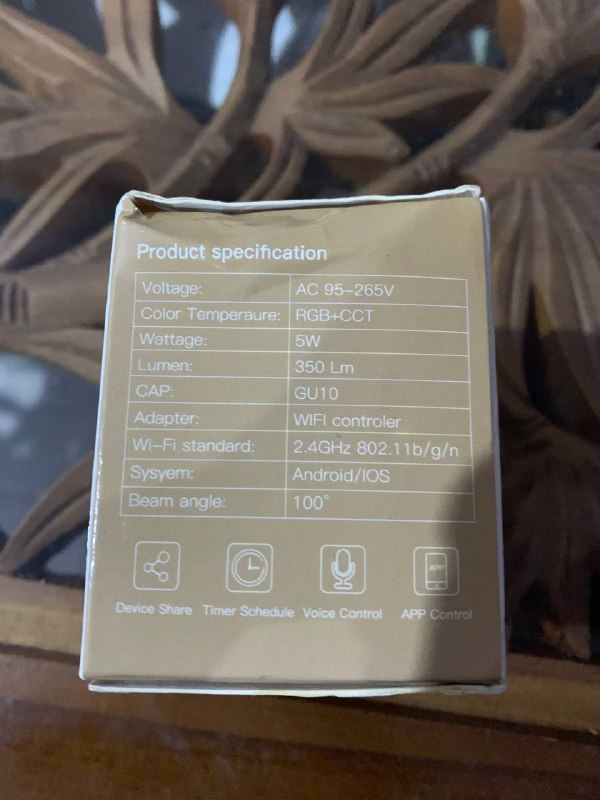
• Power draw: 5 W (RGB-CCT) [Elektroda, ferbulous, post #20267083]
• SoC: Beken BK7231T (32-bit ARM Cortex-M4F, 802.11 b/g/n 2.4 GHz) [Beken, 2023]
• LED driver: BP1658CJ, 24 V/1 A PWM, 8-bit per channel [BPSemi, 2022]
• Light output: ≈350 lm, ≈70 lm/W in mixed-white mode [Philips GU10 Spec, 2022]
• Typical retail price: MYR 30 ≈ US$6.40 [Lazada listing, 2022]
1. What hardware is inside the MOES Smart LED Bulb GU10 RGBCCT?
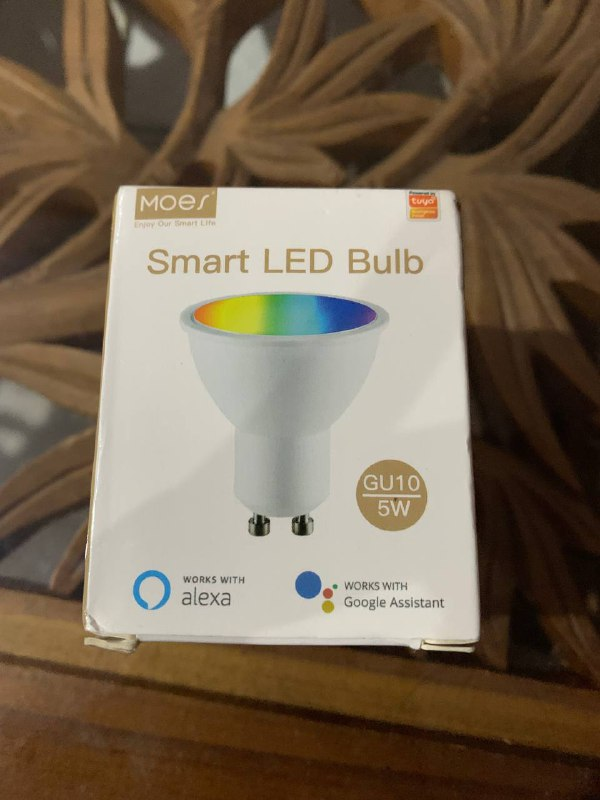
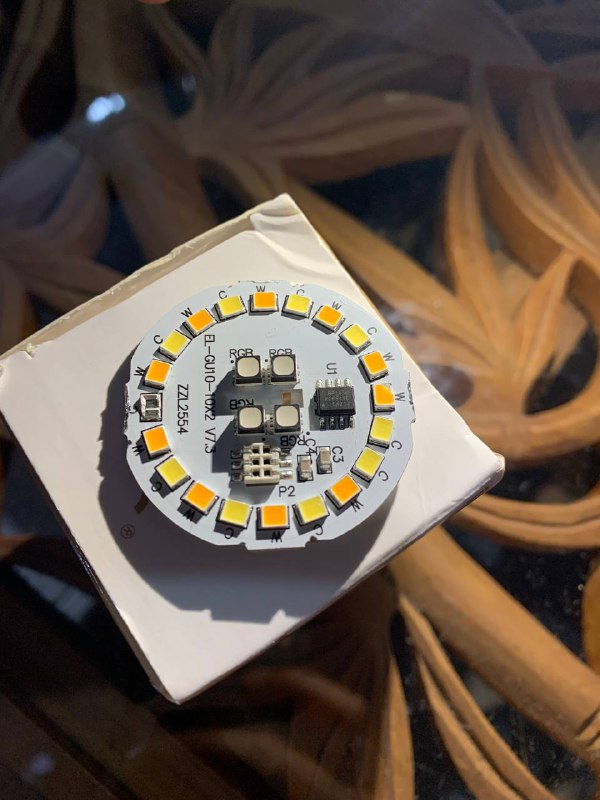
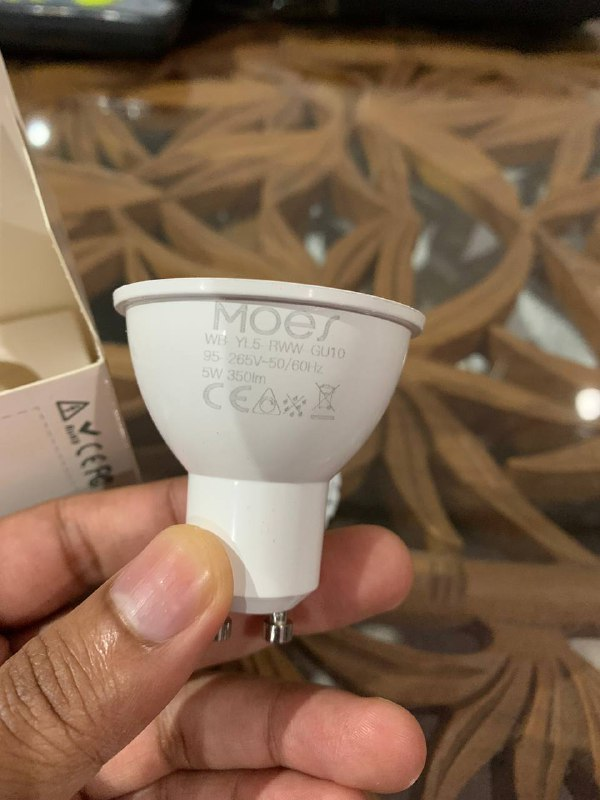
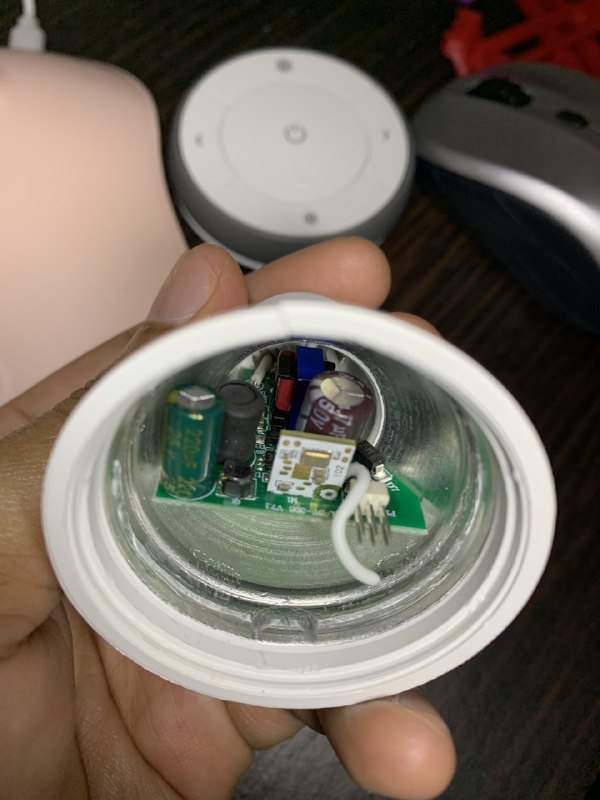
The bulb combines a BK7231T Wi-Fi SoC with a BP1658CJ five-channel LED driver on a compact two-board stack. The optic plate hosts RGB-CCT LEDs, while the driver board holds the AC-DC supply and MCU
[Elektroda, ferbulous, post #20267083]
2. How do I open the GU10 casing without damage?
Heat the front bezel with a 60 °C hot-air gun, twist counter-clockwise, then gently pry the lens. The PCB is glued; use isopropyl alcohol along the rim and push from the pin side. Expect 5-10 minutes per lamp; excessive force snaps the ceramic collar
[Elektroda, ferbulous, post #20267083]
3. Which tuya-cloudcutter profile works for the 5 W version?
4. Can I flash the newer 4.7 W variant the same way?
Current reports say no OTA profile matches; many units ship patched, so cloudcutter aborts at handshake
[Elektroda, anthonythomas, post #20655164] Serial flashing via 3.3 V UART still succeeds if you solder to the exposed test pads (P24, P26, 3V3, GND).
5. What is the correct BP1658CJ pin mapping for OpenBK/Tasmota?
6. Does Tasmota already support the BP1658CJ driver?
Yes. Support merged in mid-2022; any Tasmota 12.2+ build recognises BP1658CJ via the “Beken” platform. “Tasmota just very recently added BP1658CJ driver support”
[Elektroda, ferbulous, post #20280306]
7. What wireless range and speed does BK7231T deliver?
BK7231T transmits up to +20 dBm, giving ~30 m indoor range and 72 Mbit /s 802.11n throughput on 20 MHz channels [Beken, 2023].
8. How bright and efficient is the lamp?
Mixed white measures around 350 lumens; that equals ≈70 lm/W, roughly 6 % under today’s Energy-Star GU10 class average of 74 lm/W [Philips GU10 Spec, 2022].
9. How-To: Flash with tuya-cloudcutter in three steps
- Put the bulb in EZ-mode (power-cycle 3×, wait for rapid blink).
- Launch cloudcutter, choose Helloify → A19 RGB, click “Start”.
- After success, upload OpenBK or Tasmota via the built-in web server [Elektroda, ferbulous, post #20267083]
10. What if flashing fails midway?
11. Where can I find more teardown information?
12. Will the bulb work offline after flashing?
Yes. OpenBK and Tasmota expose MQTT, HTTP, and mDNS locally. After first-boot setup you can block all WAN traffic; colour, dimming, and scenes run on-device [Tasmota Docs, 2023].
AI summary based on the discussion. May contain errors.






Comments
It's good to see that BP1658CJ driver is really useful for people. I wasn't aware that there are so many bulbs using this chip. [Read more]
Tasmota just very recently added BP1658CJ driver support, so thanks for including it! And nice work with the new fade effect for led [Read more]
Ok ok, I updated teardowns database today, this teardown will also be featured here. Great work @ferbulous , your contribution to teardowns is substantial. We are getting past 125 devices now and soon... [Read more]
@pkaczmarek2 I have a few more devices, including a tuya wifi radar sensor. I'm not sure how to configure it yet, so will be posting it here soon [Read more]
Has anyone managed to flash via cloud cutter the 4.7W version? I have a few and I can't find a profile - or it's been patched and can't be flashed with cloud cutter. https://obrazki.elektroda.pl/1509436000_1689422305_thumb.jpg... [Read more]