Globe Electric Outdoor Smart Plug (50151)
Product Details
Brand: Globe Electric
Model Name: Outdoor Smart Plug
SKU: 50151
FCC ID:
2AQUQGE50151
Components and Teardown
This appears to be a rebranded Prime CCWFIO232PK for which there is already an excellent
Teardown. So no need to redo an identical teardown. As you would expect, I only found this teardown after already flashing and figuring out the configuration and components of the Globe version. 🤦♂️
This smart outlet uses a BK7231T mounted directly to the main PCB.
Packaging Photos
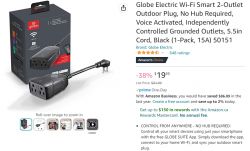
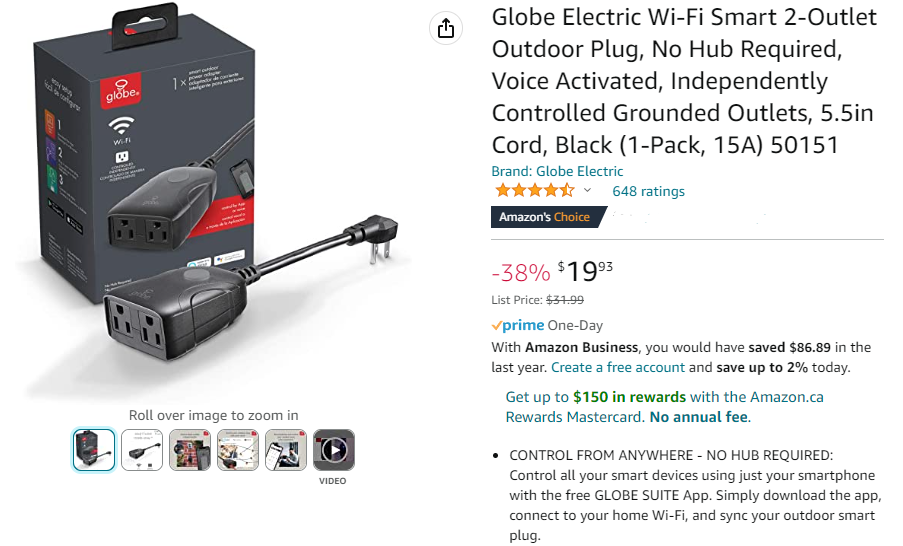
Seller Webpage
You can pick one up on Amazon.ca, or other sources just google for
Globe 50151
 Internal Photos
Honestly, my photos are worse than the ones on the
FCC Report Internal Photos PDF, so first step is to look there. Second step is to look at the
Prime CCWFIO232PK Teardown as the internals are
identical (down to the silkscreen).
Pins
| Pin | Description | Note |
P06 | Rel 1 (Relay 1) | * | P07 | Rel 2 (Relay 2) | * | P10 | LED 1 | * | P24 | Button | | P26 | LED 2 | |
> *:
Does not operate from external 3.3V supply. Disconnect from USB-Serial before connecting to mains voltage. Don't electrocute yourself, or damage your laptop.
Flashing Guide
What I did (the hard way)
1. Solder jumpers onto the
3.3V,
GND,
TX1,
RX1 pads on the back of the PCB. I also connected to the CEN pin, but this was unnecessary. Then connect to an appropriate Serial to USB adapter.
3.3V --> VCC
TX1 --> RX
RX1 --> TX
GND --> GND
2. Then flash using the
BK7231 GUI Flash Tool. This is pretty easy, but does require a computer running Windows. 😒
>
Note: If you're already running the BK7231 GUI Flash Tool, it is really easy to backup the firmware. This firmware can be used to generate a profile for
Tuya-Cloudcutter. See the
profile-building subdirectory.
Now you do not need to open the device at all.
Consider contributing profile for any device you backup to the
Tuya-Cloudcutter Profile Repository. Make it easier for the next person (or yourself).
3. Connect to the device using its built-in access point.
3.1. Using a wifi device connect the WiFi network
OpenBK7231T_...
3.2. Connect to the smart plug using
http://192.168.4.1 in a web browser on the wifi device.
4. Figure out what pin does what. (Hint, @p.kaczmarek2 already did this in his
teardown).
5. Save a template (from the web app).
6. Share template by adding to
https://github.com/OpenBekenIOT/webapp/blob/gh-pages/devices.json.
What you should do (the easy way)
1. Use the
custom firmware option of
Tuya Cloudcutter.
This allows you to upload the OpenBK7231T without the need to open the device, or solder anything at all.
The device name is:
globe-electric-50151-smart-2-outlet-outdoor-plug
Get the current firmware from the
OpenBK7231T_App Releases Page. Make sure you use the correct
BK7231T Platform and
CCtr Flash version (with _UG_ in the filename).
>
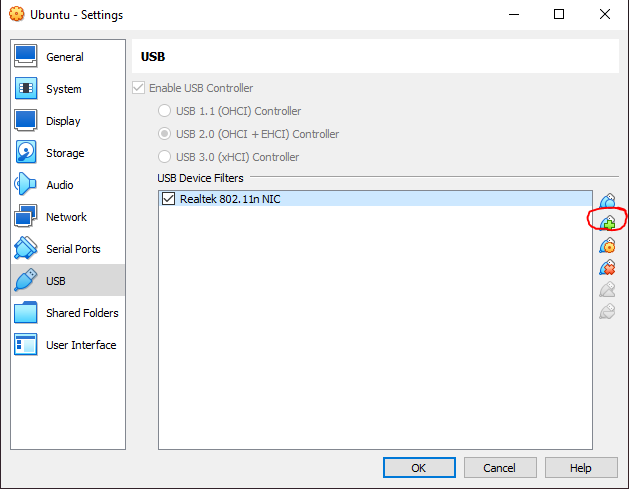
Note: You will need a linux device to do this. A Raspberry Pi works great. But a VirtualBox VM running Ubuntu and a USB WiFi dongle works too. Just assign the USB WiFi dongle to the VM in machine settings.
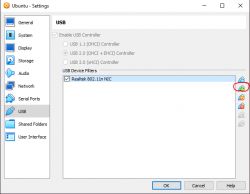
2. Connect to the device using its built-in access point.
2.1. Using a wifi device connect the WiFi network
OpenBK7231T_...
2.2. Connect to the smart plug using
http://192.168.4.1 in a web browser on the wifi device.
3. Configure the device by selecting the
Globe Electric Outdoor 2-Outlet Smart Plug from the device dropdown in the web app.
Optional Step
4. Add anything I missed as a follow up to this post.







Comments
Thank you, don't worry about that teardown of similiar device. The information that it was rebranded and sold under different name is also very useful. It's also good to know there is already working Cutter... [Read more]