FAQ 
TL;DR: 15 answers and "works!!": this FAQ helps GY GU10 RGBCCT owners flash OpenBeken on BK7231N CBLC9 bulbs, choose the MCU 1.3.21 cloudcutter route, set P7/P26, and avoid serial-opening damage. [#21330445]
Why it matters: The thread shows both the easy OTA path and the harder serial path when newer Tuya firmware blocks cloudcutter.
| Method |
When to use |
Thread-specific result |
Main risk |
| tuya-cloudcutter |
MCU 1.3.21 and matching profile |
OpenBeken flashed successfully |
Profile mismatch or patched firmware |
| Serial flashing |
Cloudcutter unavailable |
RX/TX reachable after opening |
Broken antenna component or PCB damage |
Key insight: For this GY GU10, start with cloudcutter using the Kanlux 33643 GU10 RGBCCT profile. If OTA fails, open the bulb carefully because the LED board is clipped and glued.
Quick Facts
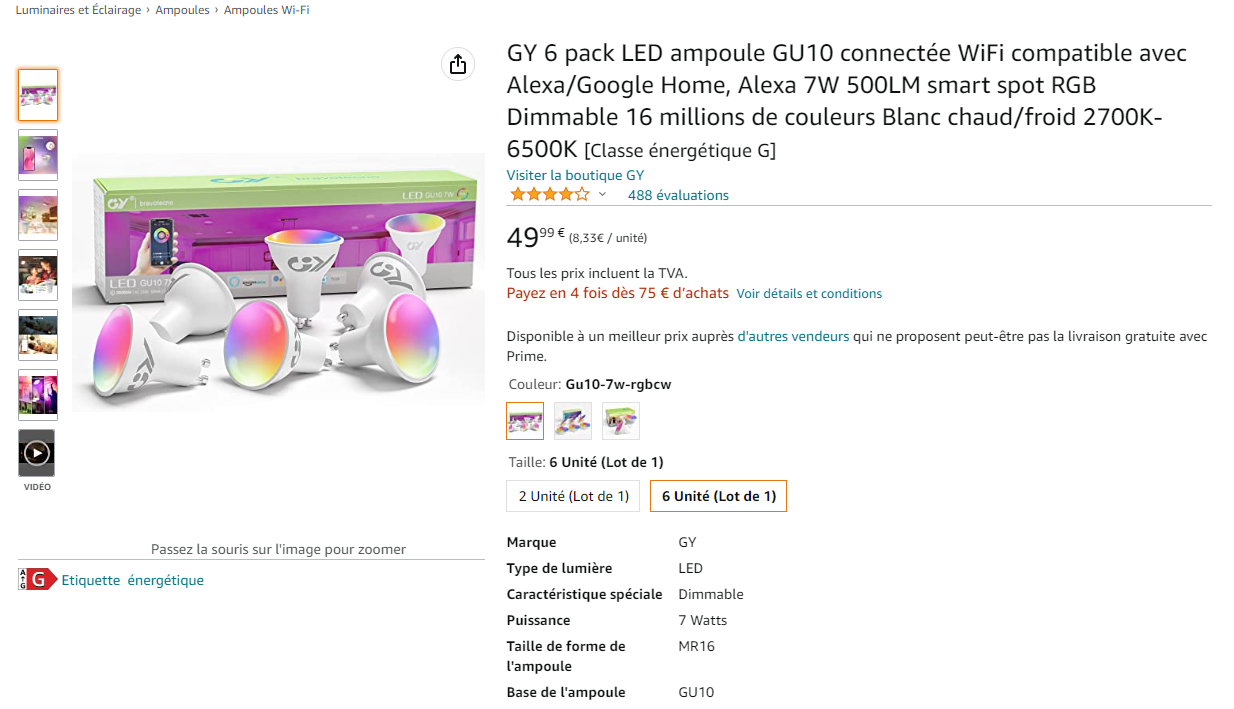
- The tested bulb is a GY GU10 RGBCCT lamp using BK7231N, a Tuya CBLC9 module, and a BP5768/BP5758D-style LED driver setup. [#20524616]
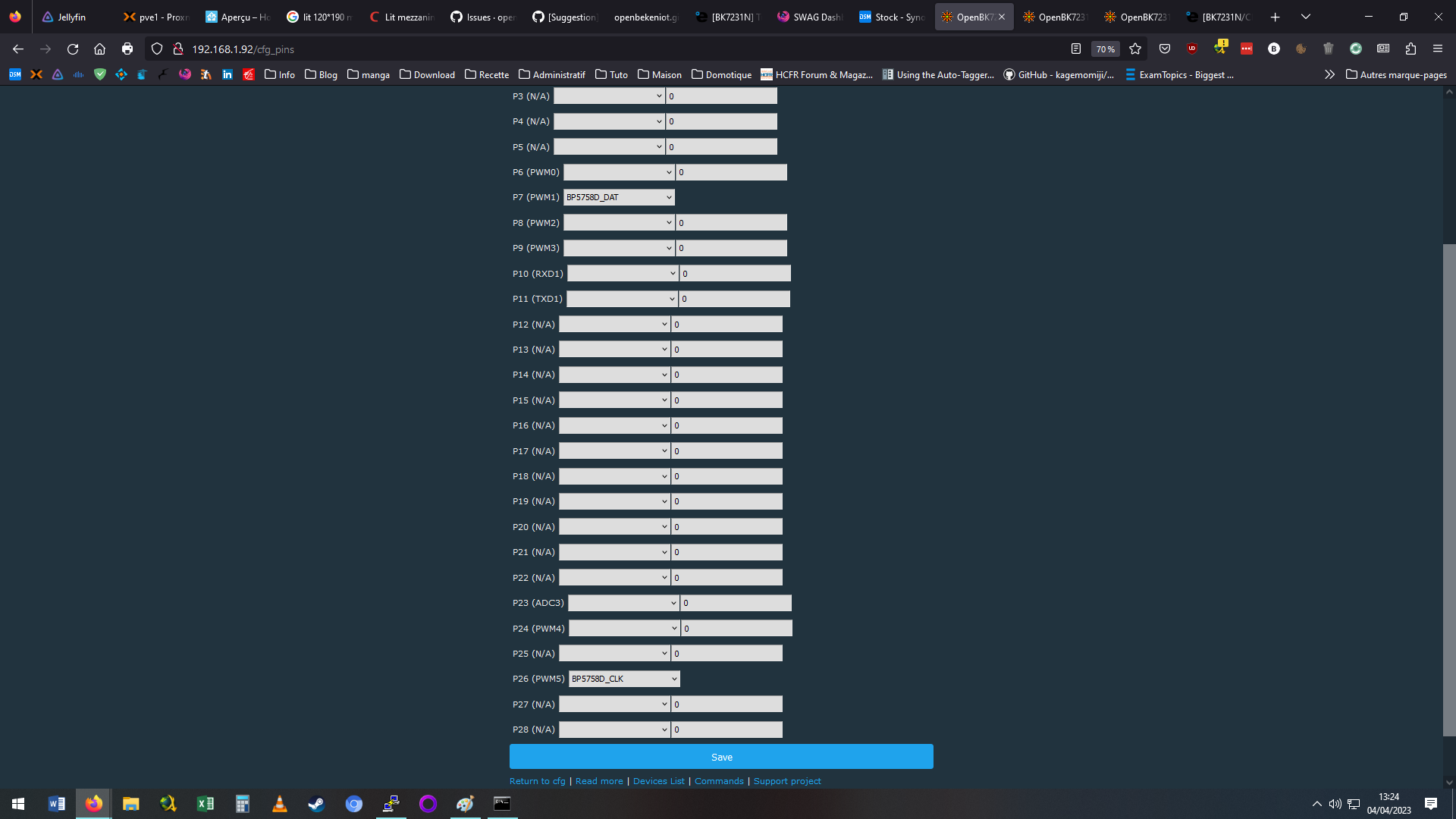
- OpenBeken pin roles in the working configuration are P7 = BP5758D_DAT and P26 = BP5758D_CLK. [#20524616]
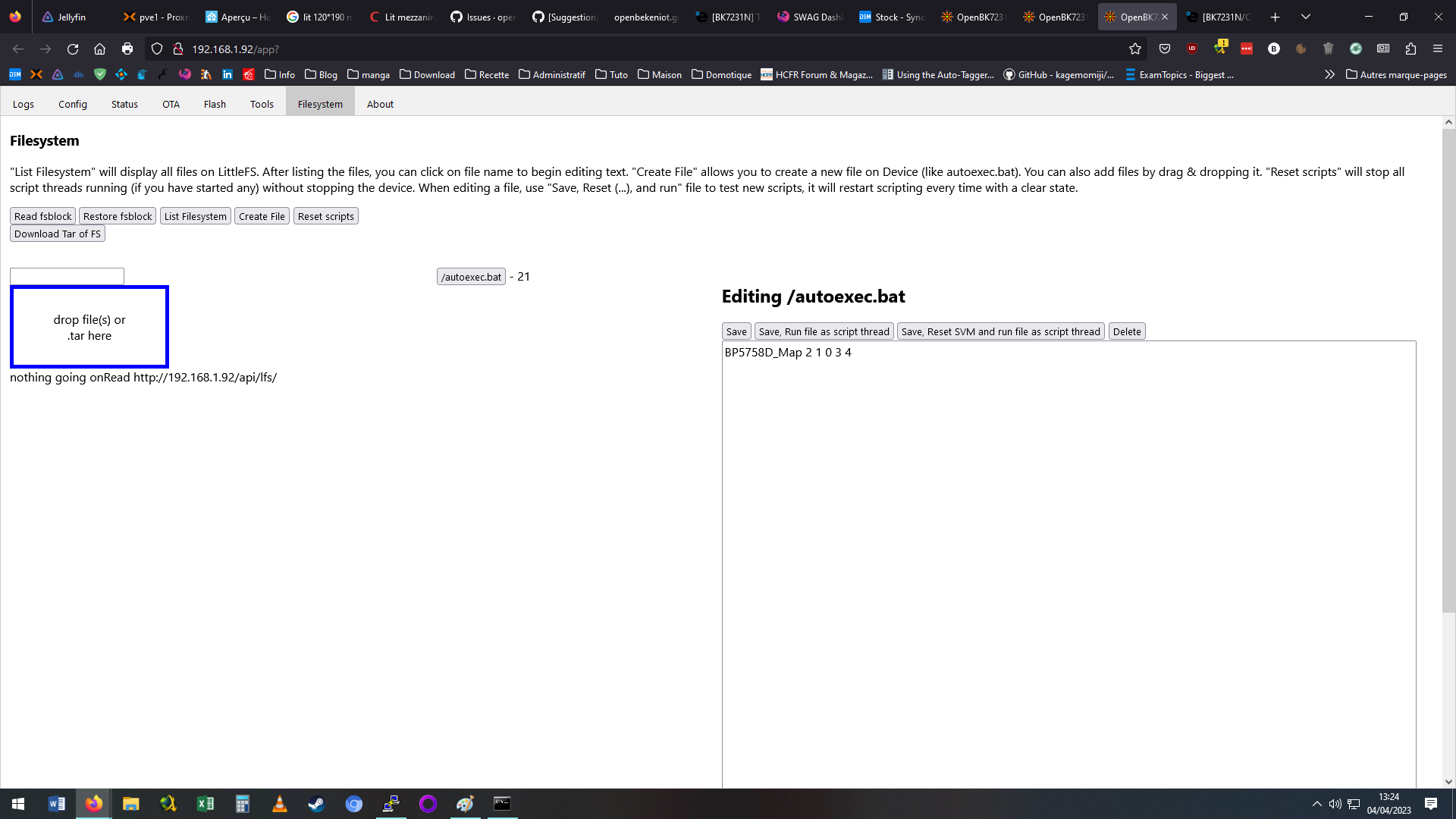
- The LED map command used after flashing is
BP5758D_Map 2 1 0 3 4, mapping 5 channels. [#20524616]
- The Tuya app can show the firmware version without dismantling the bulb; one reported unit showed MCU 1.3.21. [#21329379]
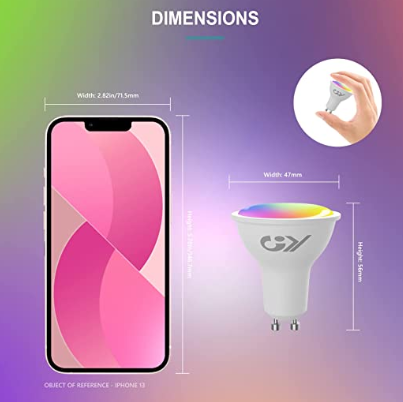
- Opening is partly easy and partly risky: the transparent cover is not glued, but the LED hat is clipped and glued at 1 point. [#21282126]
How do I flash OpenBeken on a GY GU10 RGBCCT bulb with a BK7231N CBLC9 Tuya module using tuya-cloudcutter?
Use tuya-cloudcutter and select the BK7231N OpenBeken target with the matching GU10 profile.
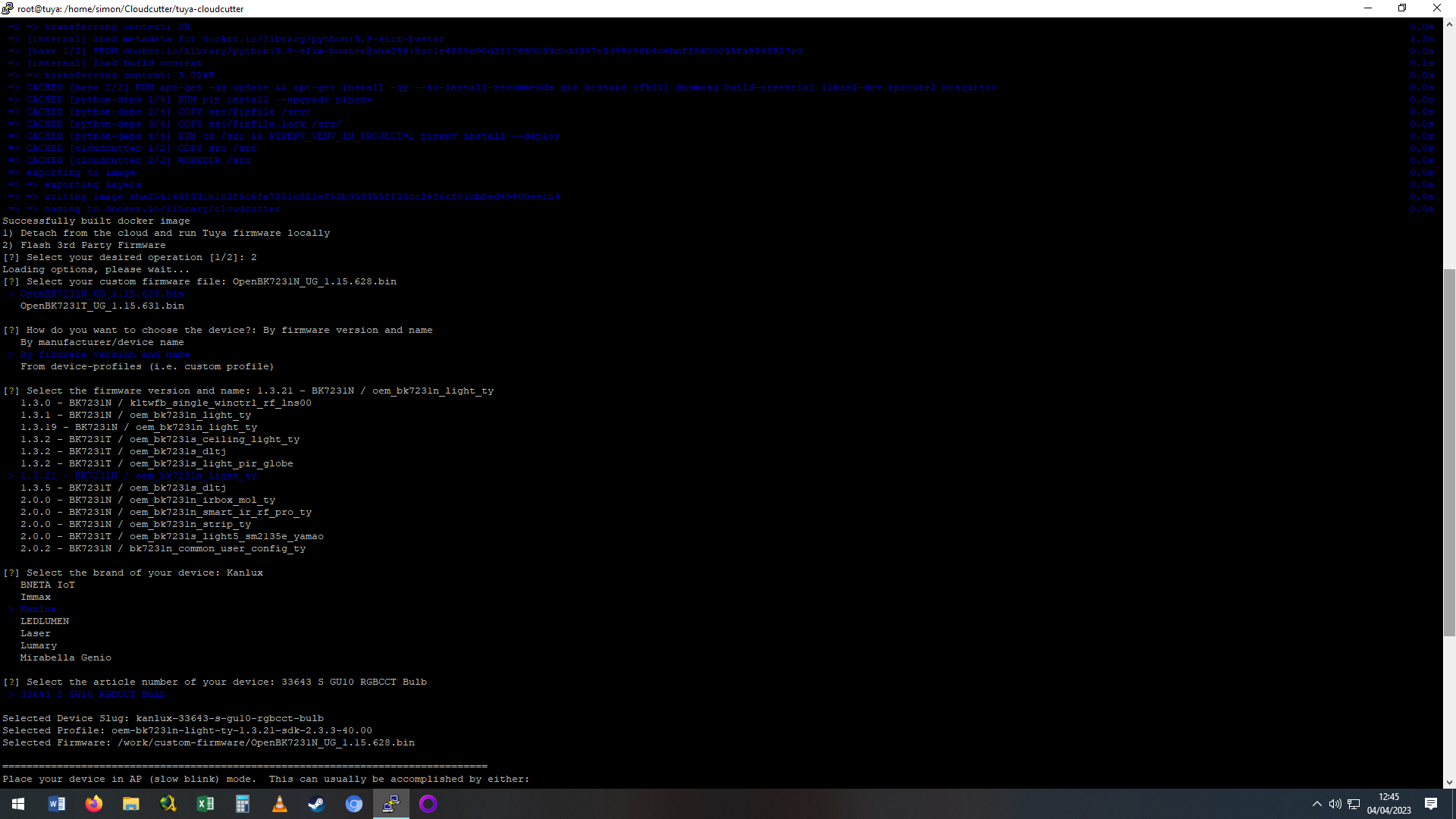
- Start cloudcutter and choose
OpenBK7231N.
- Select
By firmware version and name, then 1.3.21 BK7231N.
- Choose
Kanlux / 33643 GU10 RGBCCT, flash, then configure pins P7 and P26.
The original report flashed OpenBeken by cloudcutter on 2023-04-04.
[#20524616]
Which tuya-cloudcutter profile should I select for a GY GU10 BK7231N bulb with firmware MCU 1.3.21?
Select the
Kanlux / 33643 GU10 RGBCCT profile under
1.3.21 BK7231N. A later user with MCU 1.3.21 reported that cloudcutter worked. Another participant noted that a 1.3.21 GU10 profile exists for a Kanlux device. This makes it the thread-supported profile for this GY GU10 case.
[#21329622]
What pin configuration is needed in OpenBeken for the GY GU10 CBLC9 bulb using the BP5758D LED driver?
Set P7 to
BP5758D_DAT and P26 to
BP5758D_CLK in OpenBeken. These 2 pins connect the BK7231N CBLC9 module to the LED driver interface. After setting them, add the LED map command so RGB and CCT channels follow the lamp hardware order.
[#20524616]
How do I set the BP5758D LED channel map for a GY GU10 RGBCCT bulb in OpenBeken?
Set the channel map with
BP5758D_Map 2 1 0 3 4 in OpenBeken. You can add it as a start command. A later OpenBeken update also allows LED Map setup from the Tools tab, avoiding manual command entry. The map contains 5 channel positions for the RGBCCT lamp.
[#20524777]
What is the BP5758D or BP5768 LED driver used for in Tuya GU10 smart bulbs?
The BP5758D/BP5768 handles the GU10 bulb’s LED channels under BK7231N control.
"BP5758D is an LED driver interface that controls RGBCCT channel output, using a data pin, a clock pin, and a channel map to route red, green, blue, cool white, and warm white levels." The thread uses P7 as data and P26 as clock.
[#20524616]
What is the BK7231N CBLC9 module, and how is it used in Tuya-based GU10 bulbs?
The BK7231N CBLC9 is the Tuya Wi-Fi module inside the GY GU10 bulb.
"BK7231N CBLC9 is a Tuya smart-light module that runs the bulb firmware, connects to the Tuya ecosystem, and drives the external LED controller through configured GPIO pins." In this thread, it works with P7, P26, and a BP5758D map.
[#20524616]
How can I check the Tuya firmware version of a GY GU10 bulb without dismantling it?
Pair the bulb with the Tuya app and open the device information area. That screen shows the firmware version without opening the GU10 housing. In the thread, one user checked this way and reported
MCU: 1.3.21 on 2024-12-02.
[#21329360]
Why might tuya-cloudcutter stop working on newer firmware versions for BK7231N Tuya bulbs?
Cloudcutter can stop working when the current Tuya firmware is no longer vulnerable to its OTA method. One 2024 report states that, with current firmware, the cloudcutter way was no longer possible. That user opened one bulb to inspect serial access instead. This is the key failure case for newer BK7231N bulbs.
[#21282126]
How can I open a GY GU10 smart bulb to access the CBLC9 RX and TX serial pins without damaging the antenna or PCB?
Remove the clear cover first, then handle the LED hat with controlled force. The transparent cover is not glued and can be pried off. The LED hat is clipped and glued at one white-line point. One user broke an antenna-related component by gripping the CBLC9 part that protruded, so avoid pulling on soldered module areas. RX and TX become easier to reach after PCB removal.
[#21282126]
What is the safest way to serial flash a BK7231N GU10 bulb when cloudcutter is not available?
Use serial flashing only after isolating the bulb from mains and exposing RX/TX without stressing the CBLC9 module. The thread shows RX and TX are reachable after removing the LED board or PCB. The bulb includes 220V connector wiring, so do not flash while connected to mains power. Fine clamps can reach pins if only the LED board is removed.
[#21282126]
Cloudcutter vs serial flashing: which method is better for installing OpenBeken on Tuya BK7231N GU10 bulbs?
Cloudcutter is better when the firmware/profile matches, because it avoids opening the GU10 bulb. Serial flashing is the fallback when OTA is patched or unavailable. The thread confirms both realities: MCU 1.3.21 flashed successfully by cloudcutter, while another current-firmware unit required opening for serial access. GU10 disassembly can break parts.
[#21330445]
How can I enable RGB and CCT white LEDs at the same time in OpenBeken for a RGBCCT GU10 bulb?
OpenBeken can be modified or configured to enable R, G, B and C/W together, but the thread warns against it. The maintainer said, "I can make it work for you," then warned that Tuya power supplies may not handle this non-standard case. Use only small white levels if testing saturation blending.
[#21330701]
Why do OpenBeken Tuya RGBCCT bulbs turn off the white LEDs in color mode, and how can color saturation be adjusted?
OpenBeken follows the common Tuya RGBCCT behavior where white LEDs turn off in color mode. In the reported setup, saturation changes used only RGB channels, unlike the user’s Athom GU10 WLED-compatible bulbs. The requested workaround was to add a little C or W output while RGB stays active. That feature was requested but not confirmed in the thread.
[#21330445]
How does DDP work with OpenBeken, WLED, and ESP32 controllers for RGBW or RGBCCT GU10 bulbs?
DDP worked from an ESP32 WLED controller to OpenBeken, but only as RGB in the report. The user selected DDP RGBW on the controller, yet the GU10 still did not use white.
"DDP is a lighting data protocol that sends pixel color data from controllers like WLED to networked lights, with channel support depending on firmware and device handling." [#21330445]
What BP5758D_Current values should be used in OpenBeken to avoid overheating or overloading the power supply in Tuya GU10 bulbs?
The thread does not provide safe numeric
BP5758D_Current values or Tuya maximum defaults. It only warns that enabling RGB plus C/W together can exceed some Tuya bulb power supplies. Treat
BP5758D_Current as a cautious tuning parameter, monitor temperature, and avoid full 5-channel output until the bulb proves stable.
[#21330888]
AI summary based on the discussion. May contain errors.






Comments
Thank you, I will just add that, starting with latest updates, the LED Map can be done via Tools tab: https://obrazki.elektroda.pl/8454971200_1680617826_thumb.jpg Added after 3 : Thank you,... [Read more]
Sadly with the current firmware the cloud cutter way is no longer possible. Therefore I opened one bulb to see how easy it is to flash it using serial cable. I did not try to flash it yet but got some... [Read more]
Hi, I'm a new member, I have a couple of these bulbs, how do I see the firmware version without dismantling it? [Read more]
it would need to be paired to the Tuya app where you can find the firmware version in the device information area [Read more]
MCU: 1.3.21 Can you give me a guide or procedure to flash? [Read more]
1.3.21 is not on the known Cloudctter patched list and I see 1.3.21 GU10 profile for a Kanlux device https://github.com/tuya-cloudcutter/tuya-cloudcutter.github.io/blob/master/devices/kanlux-33643-s-gu10-rgbcct-bulb.json worth... [Read more]
Hi guys, i flashed OpenBeken firmware using cloudcutter and it works!! Now i have some general questions about OpenBeken firmware: with Athom GU10 RGBCW WLED compatible bulbs i can adjust the color... [Read more]
So you basically want to have R, G, B and C or W enabled together? I can make it work for you, but it's not recommended in Tuya devices, some of them don't have strong enough power supplies to handle... [Read more]
yes, I would like to try R, G, B and C or W enabled together, but C and W always with a single CCT control. I'll be careful to turn on a little white just to adjust the color saturation a little :) Will... [Read more]
is it possible to have this function? [Read more]