The RTX QS-WIFI-S04-2C WRS2 is a dual Tuya-compatible WiFi relay, opened, inspected, and reconfigured for OpenBeken local control.
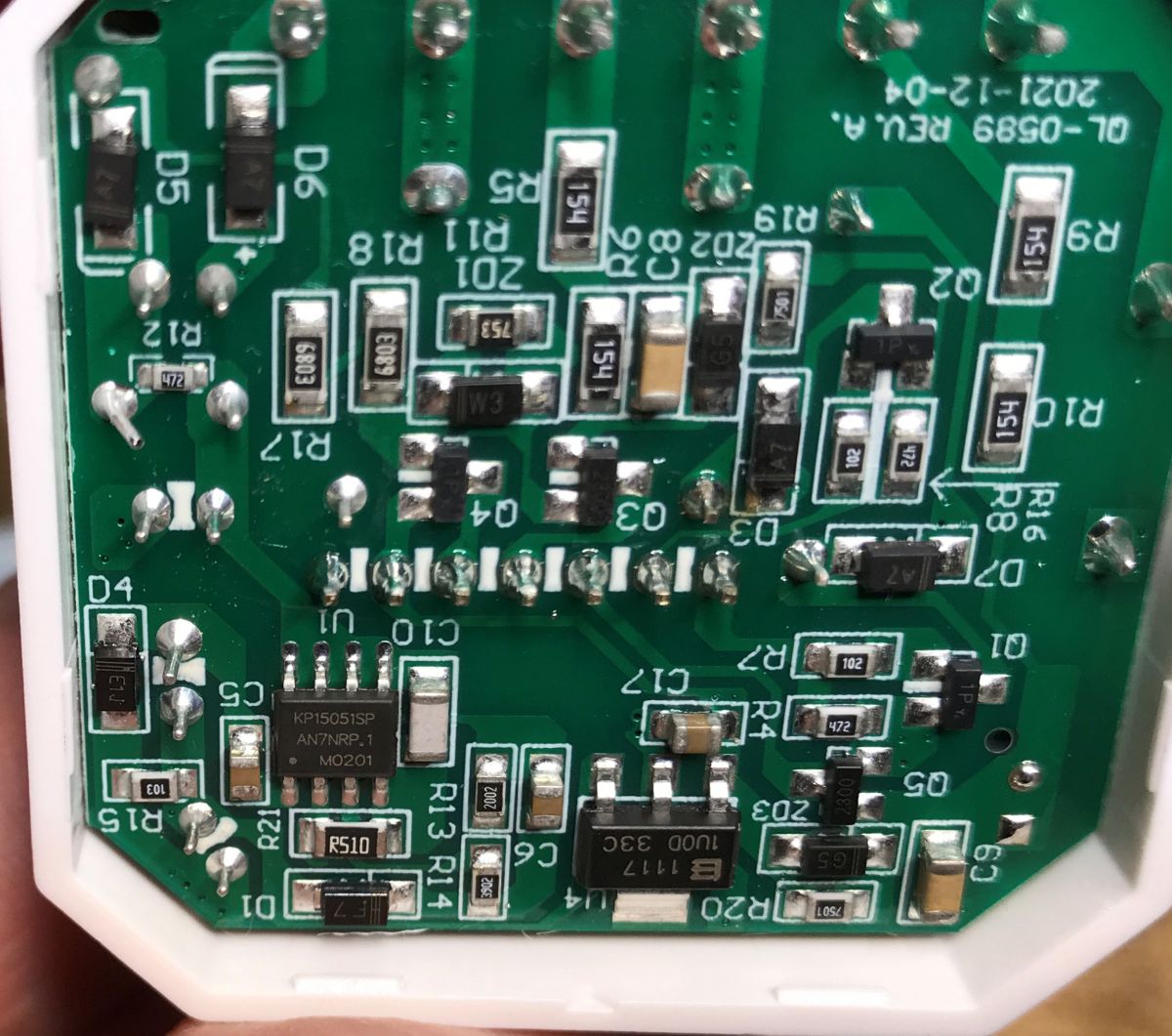
Inside sits a CBU module on a separate board with a pairing button and WiFi LED, plus a KP15051SP supply and AMS1117-3.3V regulator.
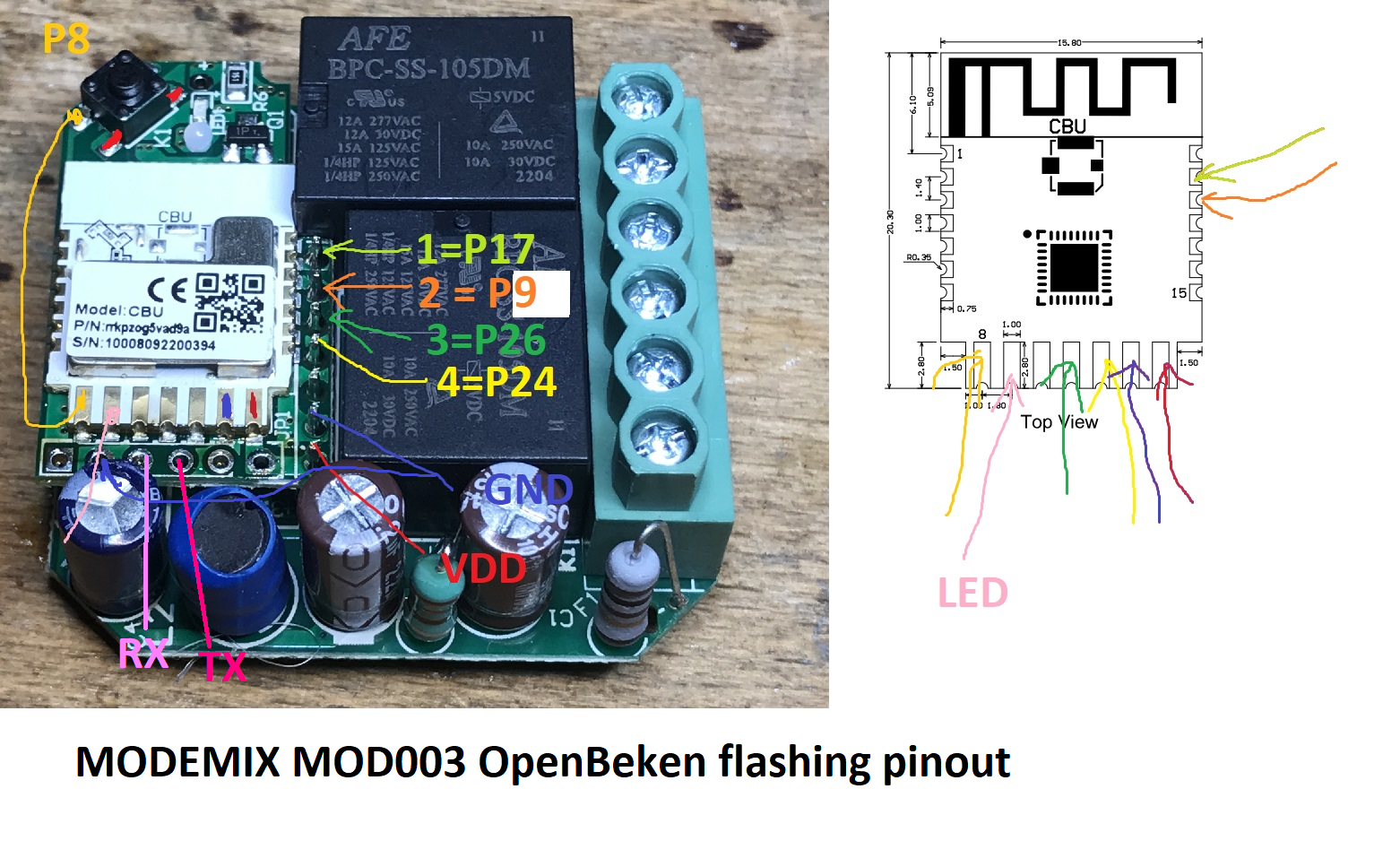
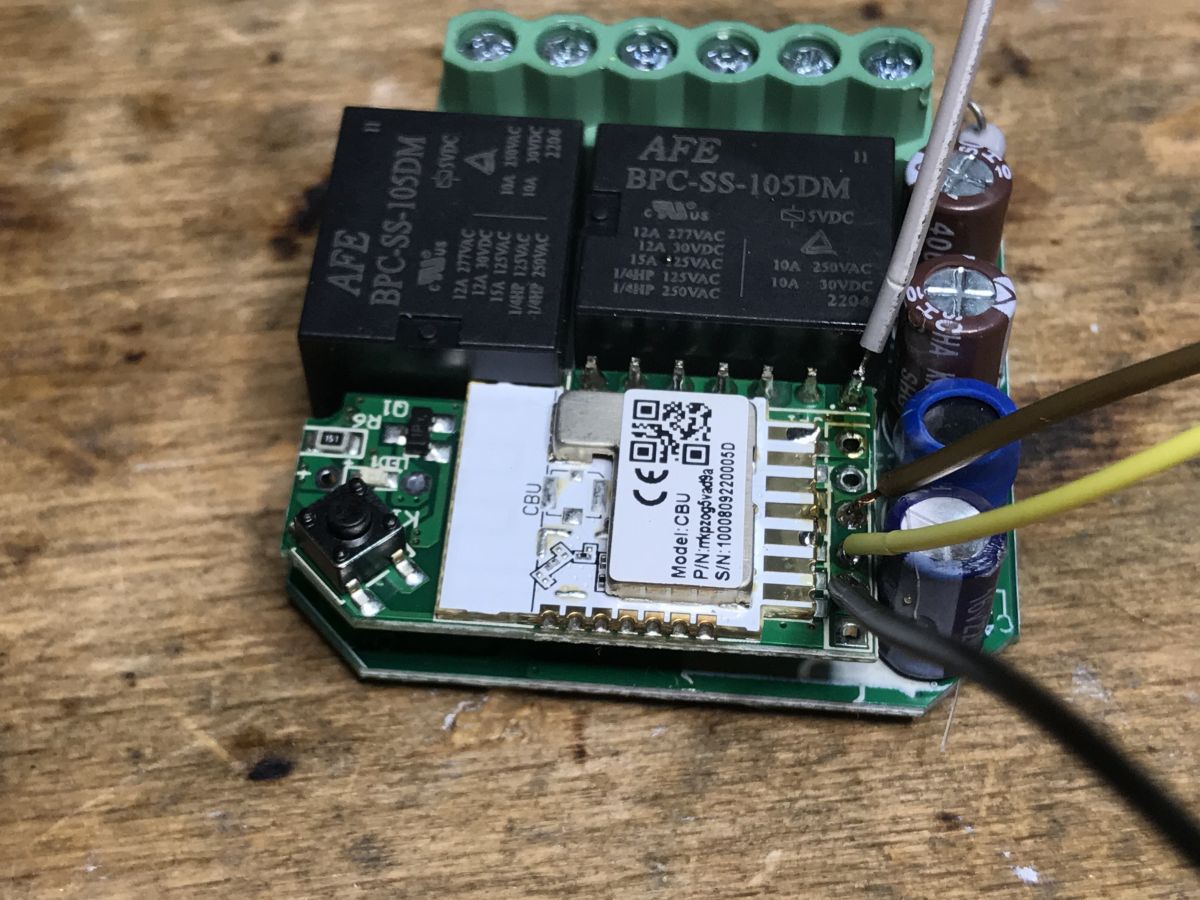
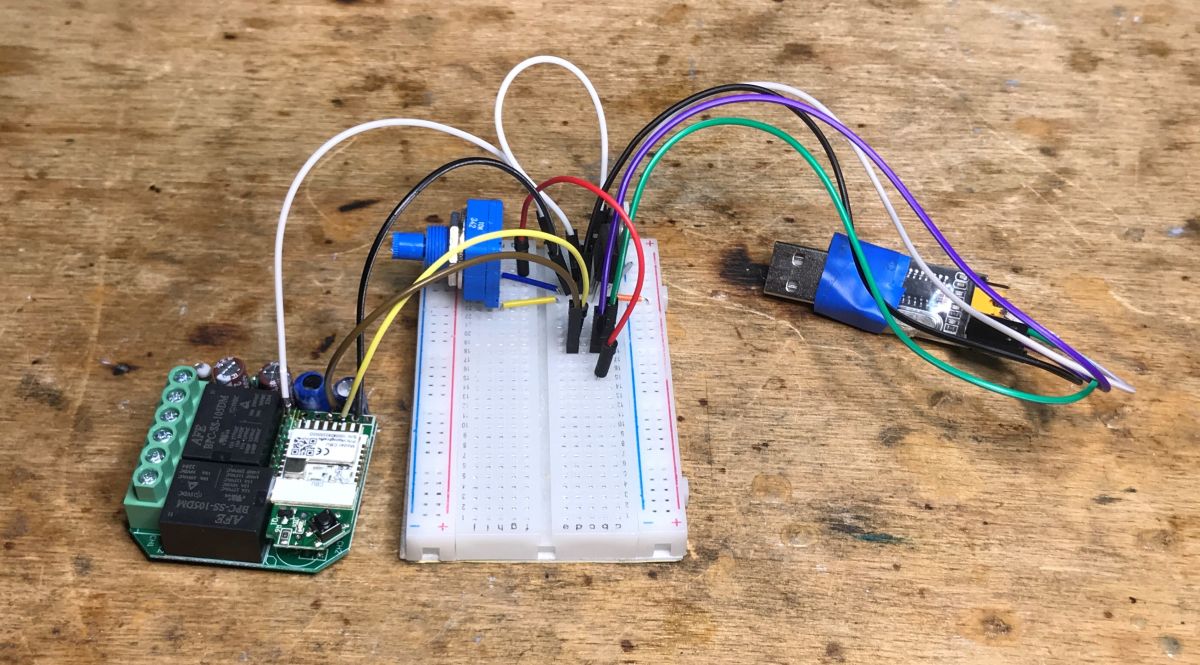
Programming uses RX, TX, 3.3V, and GND with BK7231GUIFlashTool; the article notes boot-order quirks and a CEN reset alternative.
OpenBeken mapping sets P7 as WiFiLED_n, P24 and P26 as toggle channels, P9 and P17 as relays, and P8 as the shared button.
The relay cost PLN 75, shipped with almost nothing extra, and it is judged poor value despite successful 100% local operation.
AI summary based on the discussion. May contain errors.
Today we release from the cloud another product that is easy to buy in our country - a double RTX relay compatible with the Tuya application. As a standard, I will show its interior, describe the process of changing the firmware (where to solder the wires, etc.) and then I will give its configuration OpenBeken (which GPIO is the button, which is the LED, etc).
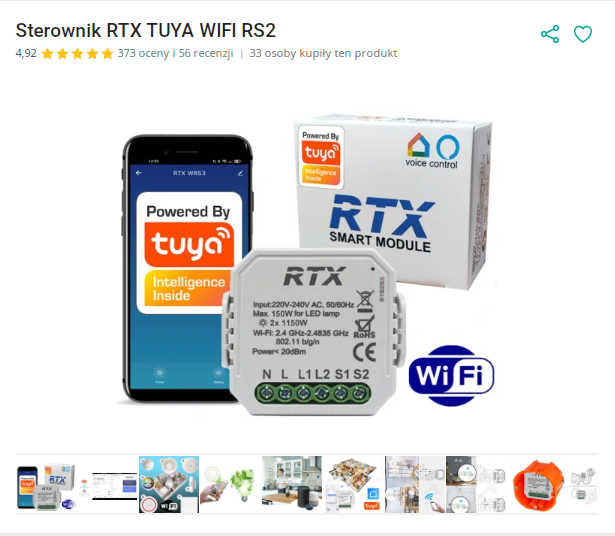
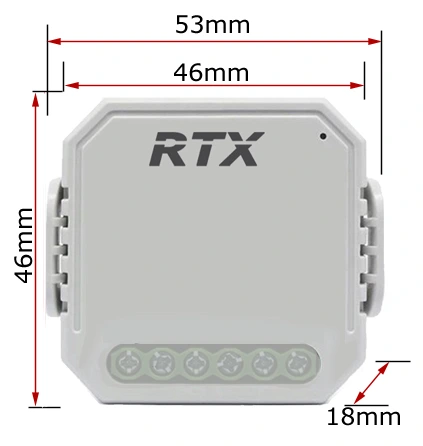
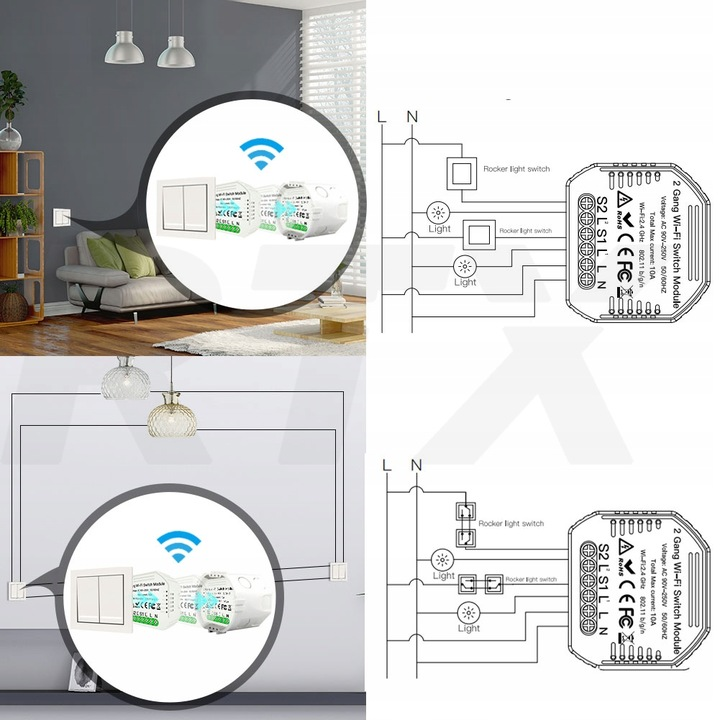
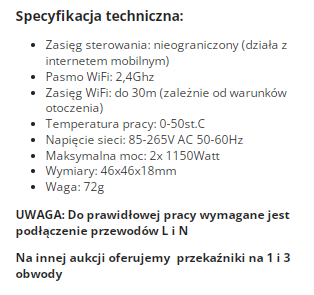
Product purchase One of my readers bought the product on a Polish auction site, and I got it just to upload it to him OpenBeken and then give back to the reader. Thank you! This is always a good opportunity to do a review and analysis. The relay was quite expensive, all PLN 75, but such prices are often as we buy in our country: Dimensions: assembly diagram: Specification: And here I must already pay attention - unlimited range? No, it's just marketing. This device connects to our WiFi network and then the Tuya cloud actually allows you to control it from around the world, but it's different. The annotation "works with mobile internet" is also interesting. Apparently, it is possible to pair this product with a hotspot and any WiFi, also mobile, ... but it does not change the fact that a WiFi router at home is needed to connect this type of Tuya products to the cloud.
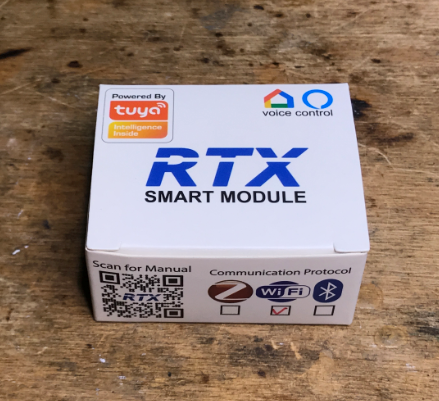
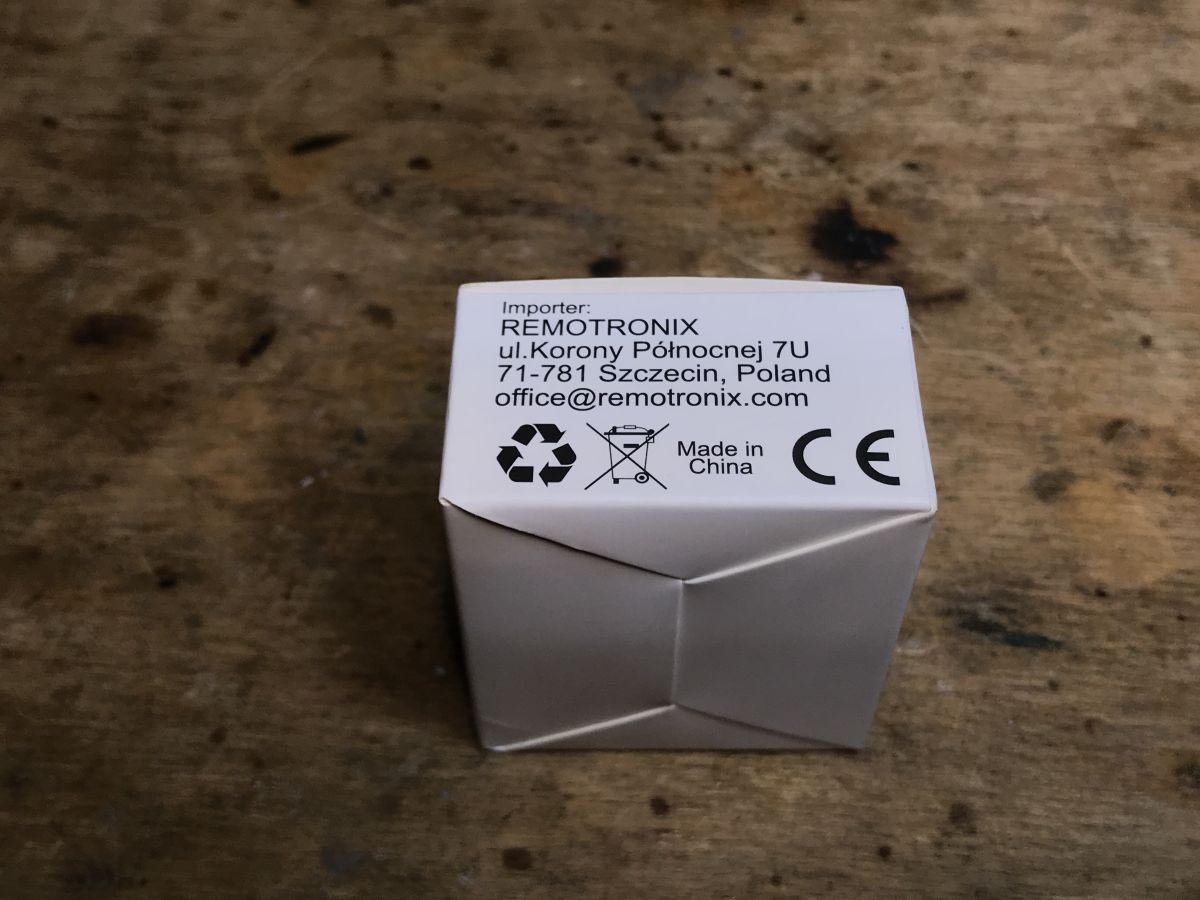
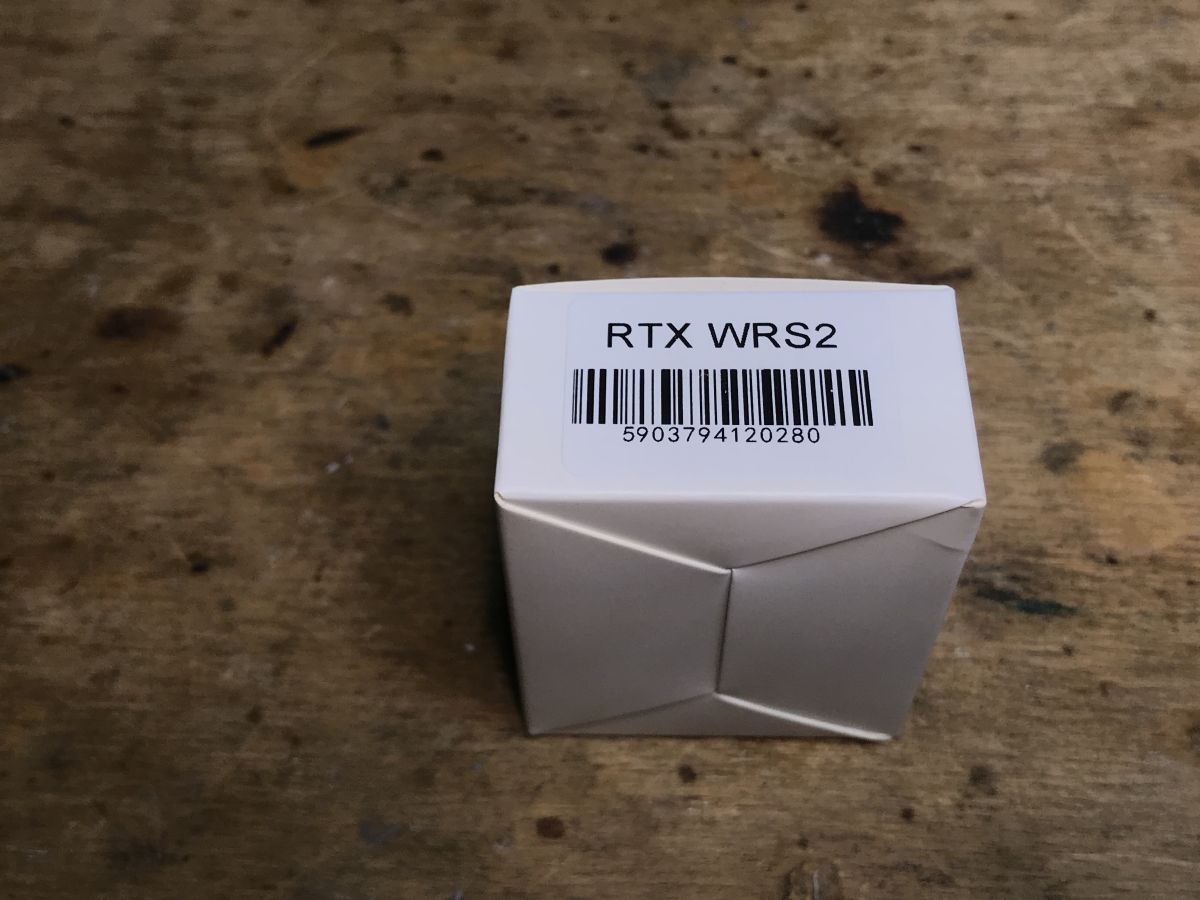
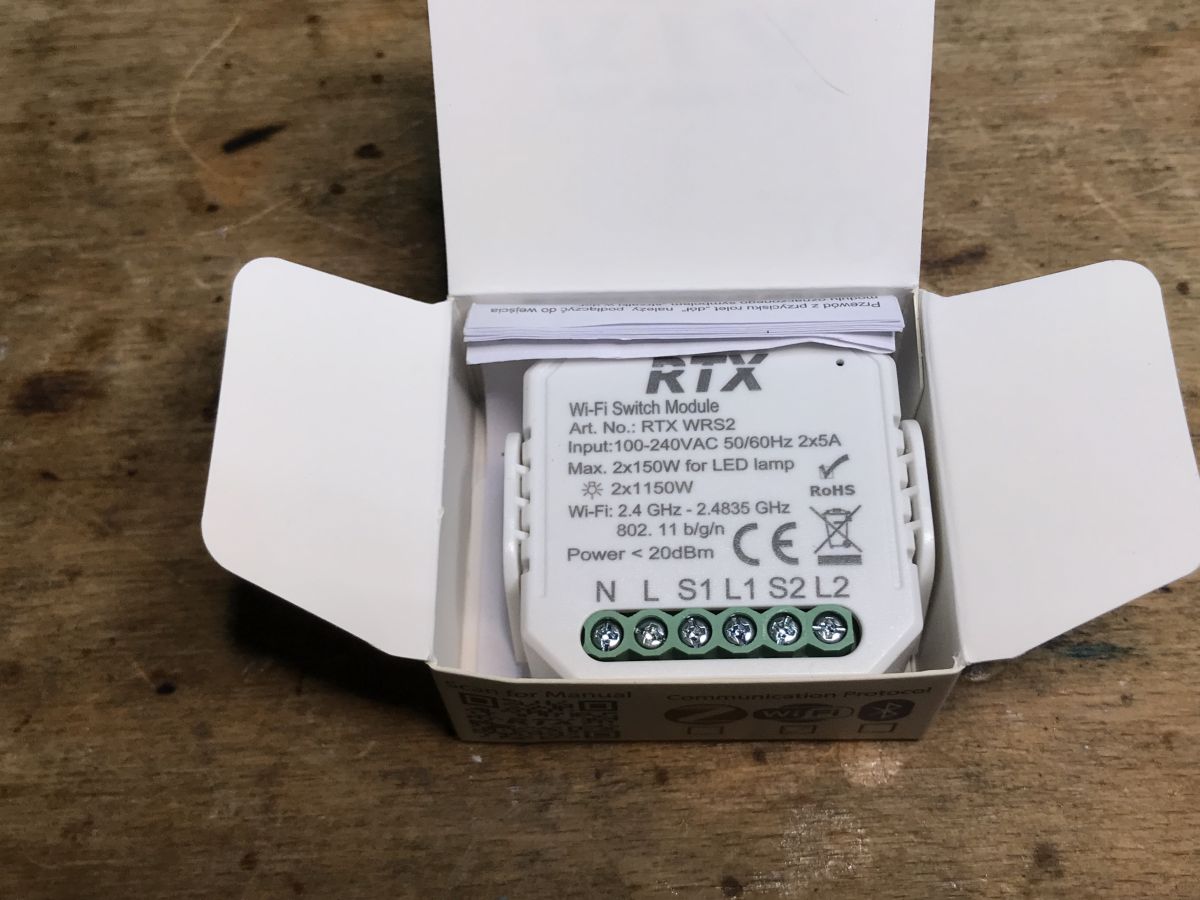
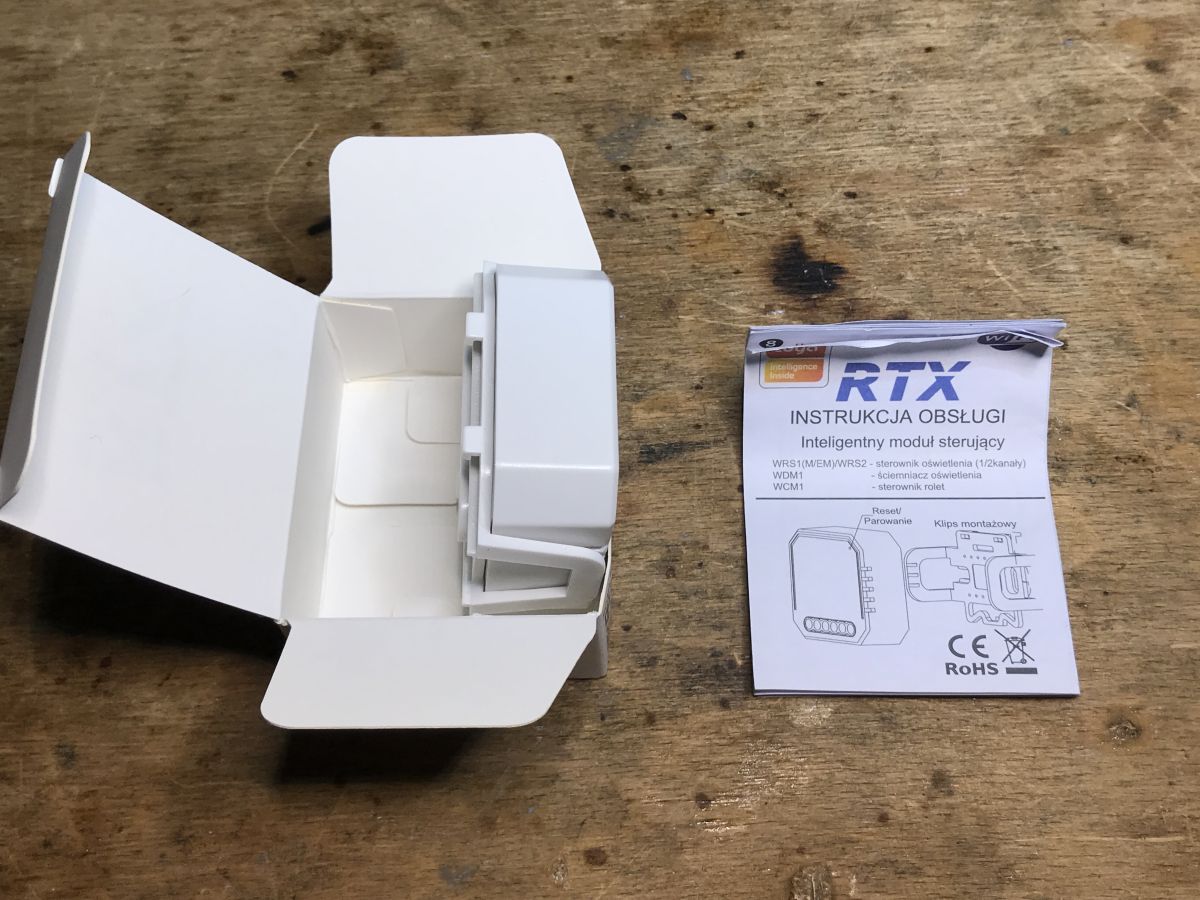
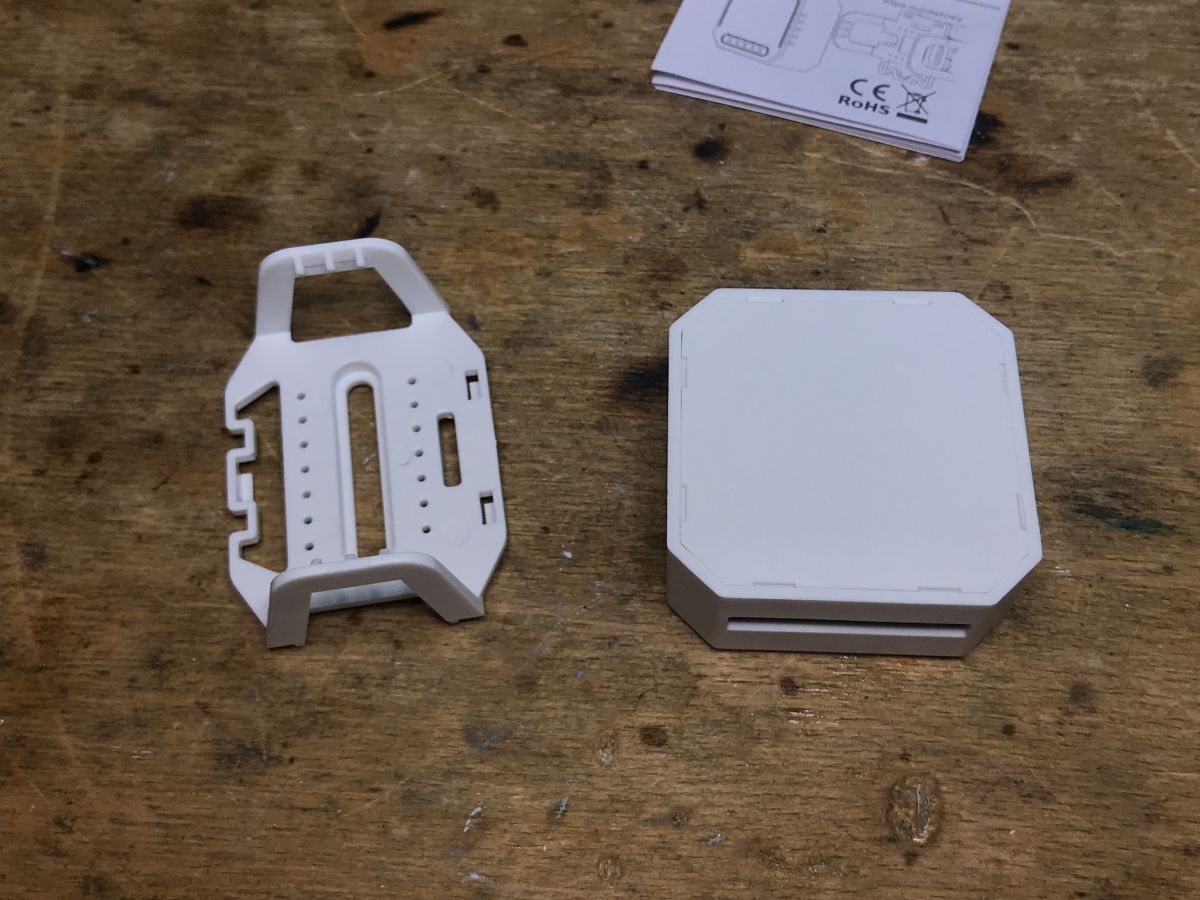
Kit contents Let's see what we get for these PLN 75. This time it's poor... not even screws. The product also does not have "wings" for attaching, although there is this plastic hook.
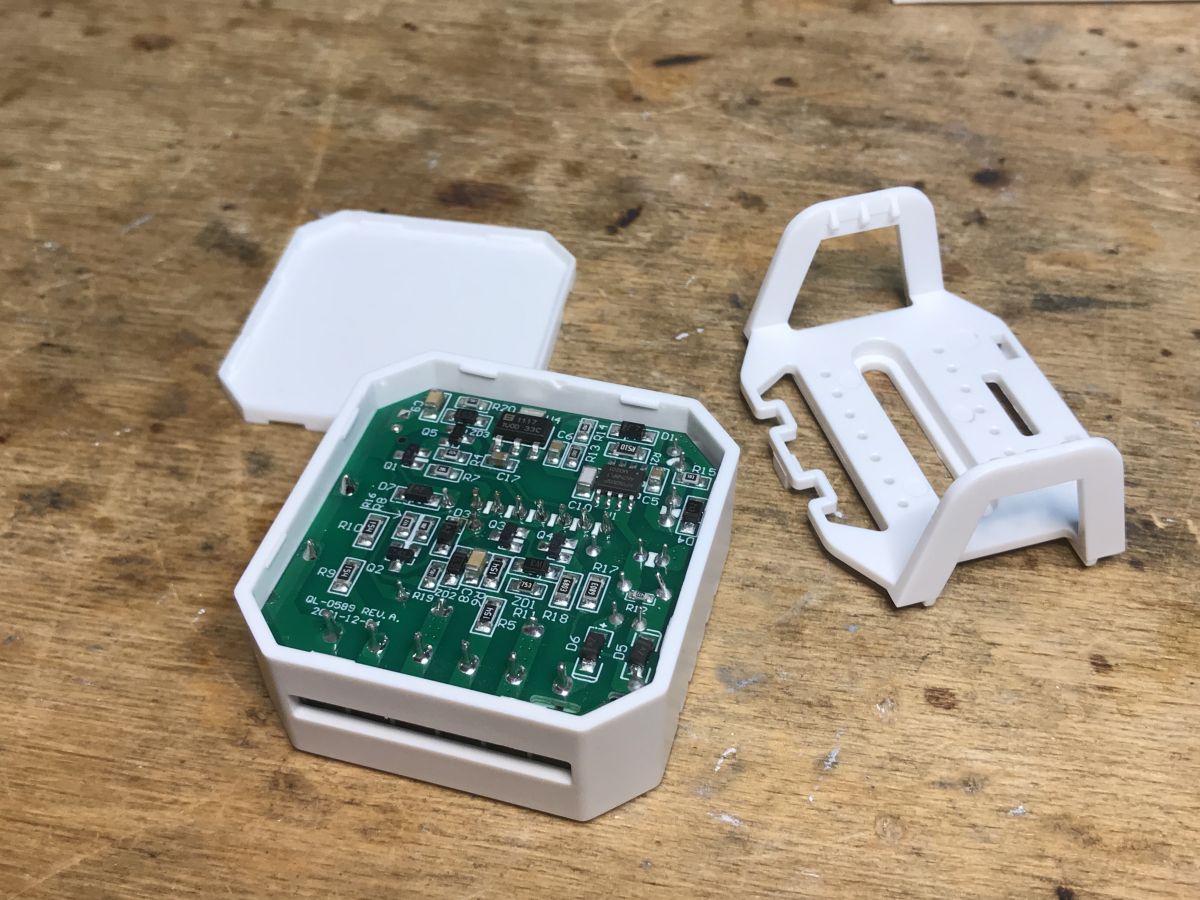
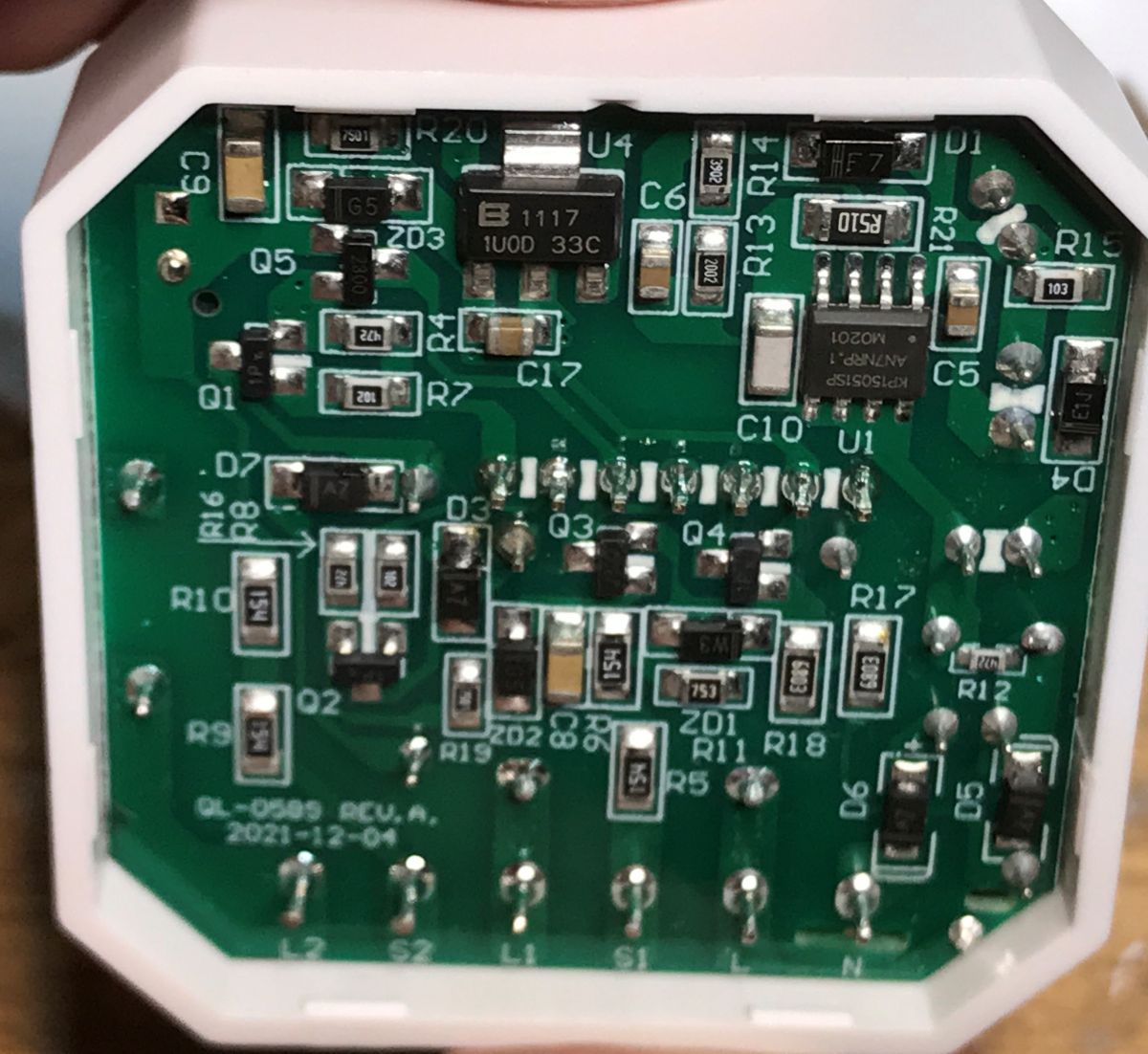
Interior and firmware change The white flap is on the hooks, just pry it with a screwdriver. The system powers the KP15051SP, next to it you can see the AMS1117-3.3V LDO regulator. The top of the PCB, in turn ... I have already described in the case of MOD003. It's identical here. Here is the analysis: There is a module inside CBU, który znajduje się na dodatkowej płytce, na której też jest już jego przycisk (od parowania) oraz dioda LED od stanu WiFi.
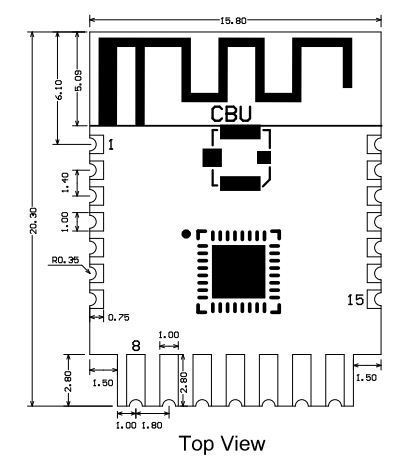
Oto jego wyprowadzenia:
Spoiler:
Pin number
Symbol
I/O type
Function
1
P14
I/O
Common GPIO, which can be reused as SPI_SCK (Correspond to Pin 11 of the IC)
2
P16
I/O
Common GPIO, which can be reused as SPI_MOSI (Correspond to Pin 12 of the IC)
3
P20
I/O
Common GPIO (Correspond to Pin 20 of the IC)
4
P22
I/O
Common GPIO (Correspond to Pin 18 of the IC)
5
ADC
I/O
ADC, which corresponds to P23 on the internal IC (Correspond to Pin 17 of the IC)
6
RX2
I/O
UART_RX2, which corresponds to P1 on the internal IC. (Correspond to Pin 28 of the IC)
7
TX2
I/O
UART_TX2, which is used for outputting logs and corresponds to P0 of the internal IC (Correspond to Pin 29 of the IC)
8
P8
I/O
Support hardware PWM (Correspond to Pin 24 of the IC)
9
P7
I/O
Support hardware PWM (Correspond to Pin 23 of the IC)
10
P6
I/O
Support hardware PWM (Correspond to Pin 22 of the IC)
11
P26
I/O
Support hardware PWM (Correspond to Pin 15 of the IC)
12
P24
I/O
Support hardware PWM (Correspond to Pin 16 of the IC)
13
GND
P
Power supply reference ground
14
3V3
P
Power supply 3V3
15
TX1
I/O
UART_TX1, which is used for transmitting user data and corresponds to Pin 27 of the IC. For the MCU solution, please refer to CBx Module.
16
RX1
I/O
UART_RX1, which is used for receiving user data and corresponds to Pin 26 of the IC. For the MCU solution, please refer to CBx Module.
17
P28
I/O
Common GPIO (Correspond to Pin 10 of the IC)
18
CEN
I/O
Reset pin, low active (internally pulled high), compatible with other modules (Correspond to Pin 21 of the IC)
19
P9
I/O
Common GPIO (Correspond to Pin 25 of the IC)
20
P17
I/O
Common GPIO, which can be reused as SPI_MISO (Correspond to Pin 14 of the IC)
21
P15
I/O
Common GPIO, which can be reused as SPI_CS (Correspond to Pin 13 of the IC)
Test point
CSN
I/O
mode selection pin. If it is connected to the ground before being powered on, enter the firmware test mode. If it is not connected or connected to VCC before being powered on, enter the firmware application mode. Correspond to Pin 19 on the internal IC.
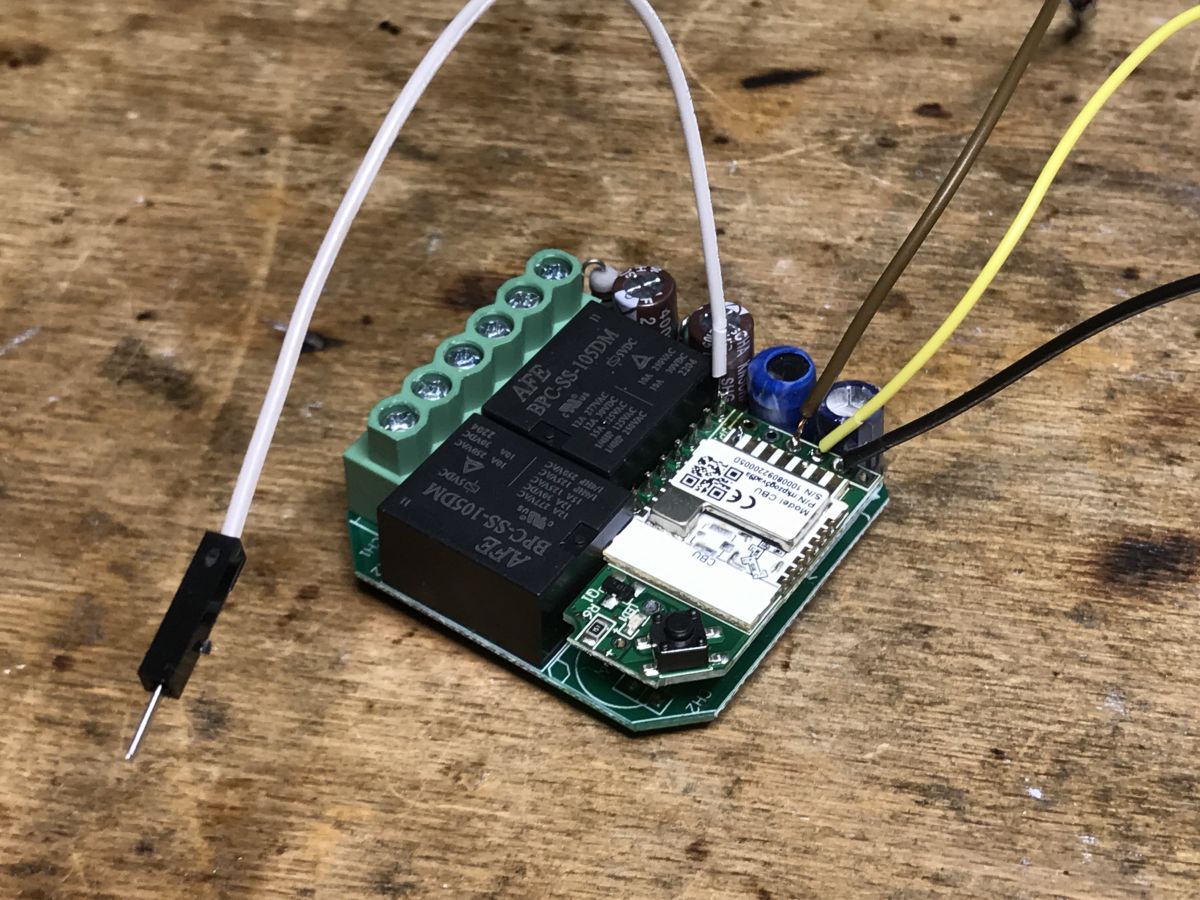
Just solder the wires to: - RX - TX - 3.3V - GND Then you need to use Flasher: https://github.com/openshwprojects/BK7231GUIFlashTool As a rule, a photo from programming: Note - performing a reboot by cutting off the power supply works only when we disconnect the whole thing from the computer with the USB to TTL programmer, and disconnect the 3.3V from the WiFi module. Then connect the USB to the computer, then start the programming/reading procedure in BK Flasher, and then connect the 3.3V pin. It will not work in any other order, nor will it catch if we just disconnect and connect 3.3V with the USB connected all the time. That is my observation. You can also use the CEN reset method instead of power cycle, but I didn't want to solder another wire. And configuration OpenBeken : - P7 - WiFiLED_n - P24 - TglChannelOnToggle - Channel 1 - P26 - TglChannelOnToggle - Channel 2 - P9 - Relay - Channel 1 - P17 - Relay - Channel 2 - P8 - Button - Channel 1 and Channel 2 (set two channels to control one by click and the other by double click) Template:
Code: JSON
Log in, to see the code
Summary This product is almost identical to the MOD003 from Modemix. The same child board from the CBU with additional pads to solder to the RX/TX. Programming went smoothly. Another device can run 100% locally. As for the price, it's not very good. Sometimes it is possible to order a smart switch from China for half that amount, only then we wait much longer for the shipment. For the same amount, you can buy the whole "smart" switch instead of the flush module, which can also be more economical, depending on the intended use. I hope someone may find this information useful. Meanwhile, there are more devices in the queue, LED strips, in which I will also change the batch for another person who does not feel up to the task of working with a soldering iron ...
About Author
p.kaczmarek2 wrote 14797 posts with
rating 12955 , helped 659 times.
Been with us since 2014 year.
TL;DR: For 75 PLN, the RTX QS-WIFI-S04-2C WRS2 can be flashed locally; the expert note is "100% locally" after OpenBeken. This FAQ helps BK7231N/CBU users solve wiring, flashing, GPIO mapping, reset, and Tuya-cloud removal problems. [#20609290]
Why it matters: Correct wiring and power sequencing prevent failed BK7231GUIFlashTool detection and turn a Tuya dual relay into a local device.
Alternative
Specific value
Practical trade-off
RTX QS-WIFI-S04-2C WRS2
75 PLN
Local availability, higher price
Smart switch from China
About half the price
Lower cost, longer delivery
Complete smart switch
Similar price to the flush module
May be more economical for some installs
Key insight: The RTX QS-WIFI-S04-2C uses the same practical OpenBeken approach as the Modemix MOD003. The critical step is powering the CBU module in the correct flashing sequence.
Quick Facts
RTX QS-WIFI-S04-2C WRS2 is a 2-gang RTX relay module using a CBU board with a BK7231N chip and OpenBeken support. [#20609290]
The programming wires go to 4 points: RX, TX, 3.3V, and GND on the CBU module area. [#20609290]
The internal power section includes a KP15051SP supply chip and an AMS1117-3.3V LDO regulator. [#20609290]
The OpenBeken mapping uses 6 GPIO assignments: P7, P8, P9, P17, P24, and P26. [#20609290]
The author paid 75 PLN locally; comparable Chinese smart switches can cost about half, with longer shipping. [#20609290]
How do you flash OpenBeken firmware onto the RTX QS-WIFI-S04-2C WRS2 dual WiFi relay with a BK7231N CBU module?
Flash OpenBeken through the CBU module UART using BK7231GUIFlashTool and a USB-to-TTL programmer.
Open the white flap, which is held by plastic hooks.
Solder RX, TX, 3.3V, and GND to the CBU module pads.
Start BK7231GUIFlashTool, then apply 3.3V in the correct sequence.
The tested device used a BK7231N chip on a CBU board and programmed smoothly. [#20609290]
Where should RX, TX, 3.3V, and GND be soldered when programming the RTX QS-WIFI-S04-2C relay module?
Solder RX, TX, 3.3V, and GND to the CBU module’s exposed programming points on the internal board. The thread shows a separate CBU daughterboard with extra pads for RX and TX. The CBU pin table also lists GND as pin 13 and 3V3 as pin 14. Use a 3.3V USB-to-TTL programmer, not a 5V serial adapter. [#20609290]
What OpenBeken GPIO template should be used for the RTX QS-WIFI-S04-2C 2-gang relay module?
Use the RTX QS-WIFI-S04-2C OpenBeken template with BK7231N, CBU, and six pin assignments. Configure P7 as WifiLED_n, P8 as Btn_Tgl_All, P9 as Relay channel 1, P17 as Relay channel 2, P24 as TglChanOnTgl channel 1, and P26 as TglChanOnTgl channel 2. The template names the vendor RTX and the model QS-WIFI-S04-2C. [#20609290]
Why does BK7231GUIFlashTool fail to detect the CBU module unless the 3.3V power is connected in the right sequence?
BK7231GUIFlashTool can miss the CBU module if the module does not enter the bootloader at power-up. The working sequence is strict: disconnect the whole device from USB, disconnect 3.3V from the WiFi module, reconnect USB, start reading or programming, then connect 3.3V. The author notes that simply toggling 3.3V while USB stays connected did not work. [#20609290]
What is the CEN reset method on a BK7231N or CBU module and how is it used during flashing?
The CEN reset method resets the BK7231N module without fully cycling the 3.3V supply. "CEN is a reset pin that restarts the module when pulled low, internally pulled high and active-low." During flashing, it can replace a power-cycle step. The author did not use it because it required soldering one extra wire. [#20609290]
What is OpenBeken and how does it let Tuya-based BK7231N devices run locally without the cloud?
OpenBeken is replacement firmware for BK7231N-based Tuya devices that assigns local GPIO roles and removes cloud dependence. "OpenBeken is firmware that runs on BK7231-family IoT modules, replacing Tuya control with local relay, button, LED, and channel logic." In this device, OpenBeken made another relay module operate 100% locally. [#20609290]
What is a CBU module in Tuya smart devices and how is it related to the BK7231N chip?
A CBU module is the WiFi daughterboard inside this Tuya relay and it carries the BK7231N chip. "CBU is a Tuya WiFi module that exposes GPIO, UART, 3.3V, GND, and reset pins for embedded control." The thread identifies the board as CBU and the chip as BK7231N in the OpenBeken template. [#20609290]
What is BK7231GUIFlashTool and what is it used for when modifying Tuya WiFi relay modules?
BK7231GUIFlashTool is the flashing program used to read or write firmware on BK7231-based Tuya modules. The author uses it after soldering RX, TX, 3.3V, and GND to the CBU module. In this RTX relay, the tool programs OpenBeken onto the BK7231N so the two relays can work locally. [#20609290]
What do the OpenBeken pin roles WiFiLED_n, Relay, Button, Btn_Tgl_All, and TglChannelOnToggle mean?
These OpenBeken roles define how each GPIO behaves in the relay module. WiFiLED_n drives an inverted WiFi status LED. Relay switches one output channel. Button reads a physical push button. Btn_Tgl_All toggles all configured relay channels from one button. TglChannelOnToggle links a GPIO input toggle to one relay channel, such as channel 1 on P24 or channel 2 on P26. [#20609290]
How does the RTX QS-WIFI-S04-2C compare with the Modemix MOD003 relay module for OpenBeken flashing?
The RTX QS-WIFI-S04-2C is almost identical to the Modemix MOD003 for OpenBeken flashing. The author states that the PCB top side had already been described in the MOD003 analysis and was identical here. Both use a CBU daughterboard with accessible RX/TX pads. The RTX unit programmed smoothly and then ran locally. [#20609290]
What components are inside the RTX QS-WIFI-S04-2C WRS2 dual relay, including the KP15051SP and AMS1117-3.3V regulator?
Inside the RTX QS-WIFI-S04-2C are a CBU WiFi daughterboard, two relay channels, a KP15051SP power chip, and an AMS1117-3.3V LDO regulator. The CBU board includes the pairing button and the WiFi status LED. The AMS1117-3.3V provides the 3.3V rail used by the WiFi module. [#20609290]
How should the single button on the RTX QS-WIFI-S04-2C be configured to control two relay channels with click and double-click actions?
Configure the single button on P8 to control both relay channels through OpenBeken’s multi-channel button behavior. Set P8 as Button or Btn_Tgl_All, then assign the button to channel 1 and channel 2. The intended behavior is one click for one channel and double click for the other channel. Relays remain on P9 for channel 1 and P17 for channel 2. [#20609290]
What does the marketing claim of “unlimited range” mean for Tuya WiFi relay modules like the RTX QS-WIFI-S04-2C?
“Unlimited range” means cloud access through Tuya, not unlimited radio range from the relay. The device connects to a local WiFi network first. Tuya cloud access can then allow control from outside the home. The author calls the claim marketing and notes that a home WiFi router is still needed for normal cloud operation. [#20609290]
What safety precautions are important when opening and soldering wires to a mains-powered WiFi relay module?
Disconnect the relay from mains before opening, soldering, or attaching a USB-to-TTL programmer. This module contains a mains power section, including the KP15051SP supply area, and a low-voltage 3.3V CBU section. Only power the CBU programming pins with 3.3V during flashing. Do not connect a USB programmer while the relay is connected to mains wiring. [#20609290]
What are the cost and availability trade-offs between buying a local RTX QS-WIFI-S04-2C relay and ordering a cheaper smart switch or relay from China?
Buying the RTX QS-WIFI-S04-2C locally gives faster availability but costs more. The reviewed relay cost 75 PLN on a Polish auction site. The author notes that a Chinese smart switch can sometimes cost about half as much, but delivery takes much longer. At the same price level, a complete smart switch may be more economical than a flush module. [#20609290]
AI summary based on the discussion. May contain errors.








Comments